warning KIA FORTE 5 2018 Manual Online
[x] Cancel search | Manufacturer: KIA, Model Year: 2018, Model line: FORTE 5, Model: KIA FORTE 5 2018Pages: 584, PDF Size: 15.16 MB
Page 131 of 584
Features of your vehicle
56
4
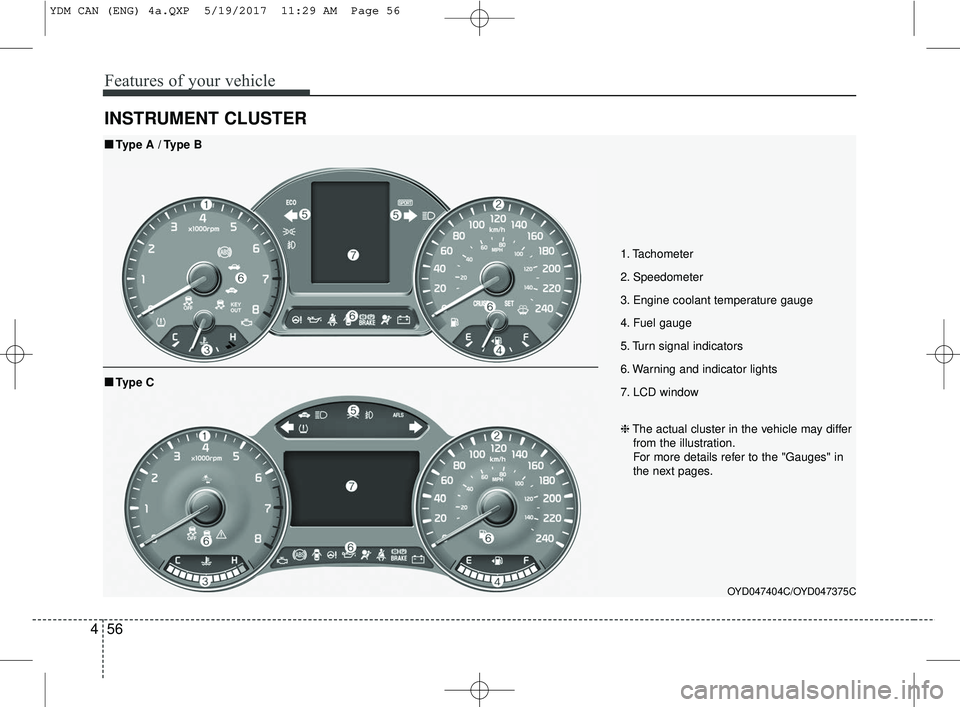
INSTRUMENT CLUSTER
1. Tachometer
2. Speedometer
3. Engine coolant temperature gauge
4. Fuel gauge
5. Turn signal indicators
6. Warning and indicator lights
7. LCD window
OYD047404C/OYD047375C
■ ■
Type A / Type B
❈The actual cluster in the vehicle may differ
from the illustration.
For more details refer to the "Gauges" in
the next pages.
■ ■ Type C
YDM CAN (ENG) 4a.QXP 5/19/2017 11:29 AM Page 56
Page 135 of 584
Features of your vehicle
60
4
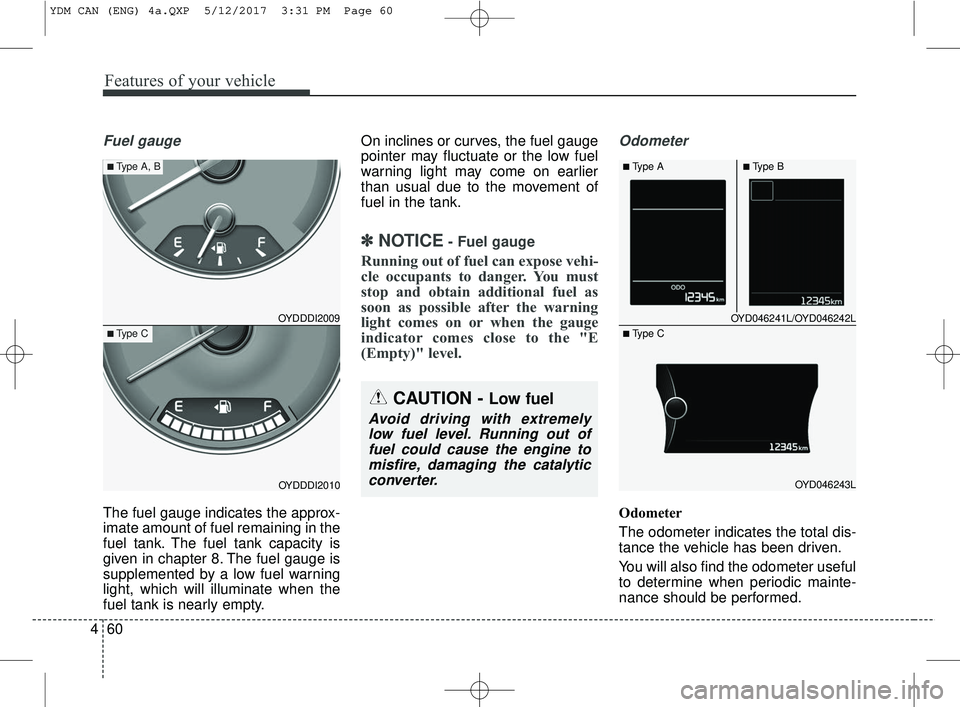
Fuel gauge
The fuel gauge indicates the approx-
imate amount of fuel remaining in the
fuel tank. The fuel tank capacity is
given in chapter 8. The fuel gauge is
supplemented by a low fuel warning
light, which will illuminate when the
fuel tank is nearly empty. On inclines or curves, the fuel gauge
pointer may fluctuate or the low fuel
warning light may come on earlier
than usual due to the movement of
fuel in the tank.
✽ ✽
NOTICE- Fuel gauge
Running out of fuel can expose vehi-
cle occupants to danger. You must
stop and obtain additional fuel as
soon as possible after the warning
light comes on or when the gauge
indicator comes close to the "E
(Empty)" level.
Odometer
Odometer
The odometer indicates the total dis-
tance the vehicle has been driven.
You will also find the odometer useful
to determine when periodic mainte-
nance should be performed.
CAUTION - Low fuel
Avoid driving with extremely
low fuel level. Running out offuel could cause the engine tomisfire, damaging the catalyticconverter.
OYD046241L/OYD046242L
OYD046243L
■Type A■Type B
■ Type C
OYDDDI2009
OYDDDI2010
■Type A, B
■Type C
YDM CAN (ENG) 4a.QXP 5/12/2017 3:31 PM Page 60
Page 137 of 584
Features of your vehicle
62
4
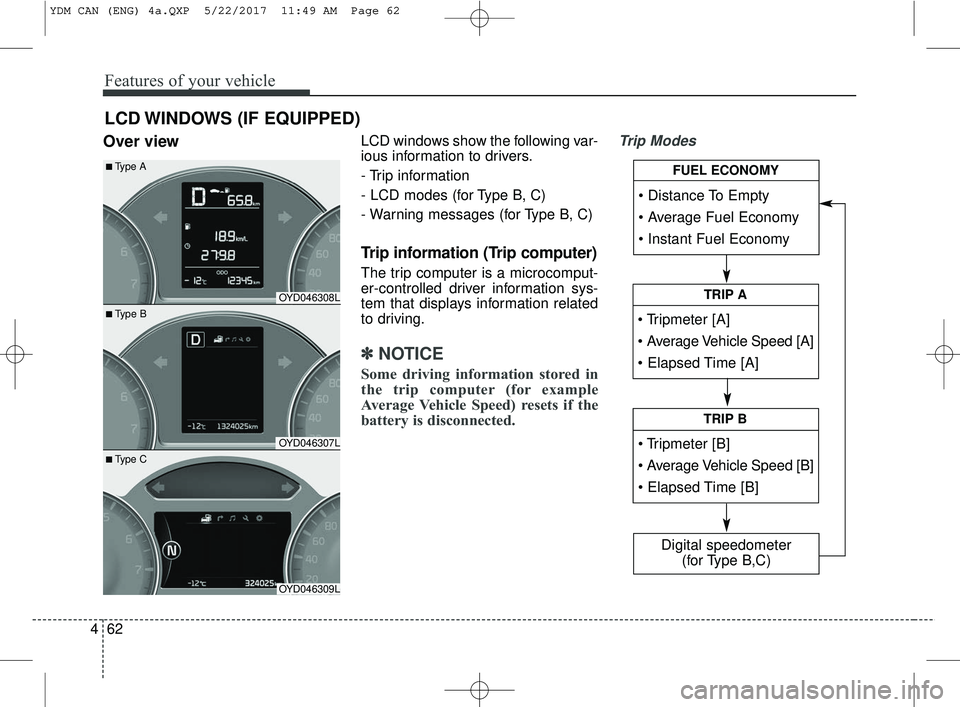
Over viewLCD windows show the following var-
ious information to drivers.
- Trip information
- LCD modes (for Type B, C)
- Warning messages (for Type B, C)
Trip information (Trip computer)
The trip computer is a microcomput-
er-controlled driver information sys-
tem that displays information related
to driving.
✽ ✽
NOTICE
Some driving information stored in
the trip computer (for example
Average Vehicle Speed) resets if the
battery is disconnected.
Trip Modes
LCD WINDOWS (IF EQUIPPED)
• Tripmeter [A]
TRIP A
TRIP B
FUEL ECONOMY
Digital speedometer
(for Type B,C)
OYD046308L
OYD046307L
OYD046309L
■ Type B
■Type A
■ Type C
YDM CAN (ENG) 4a.QXP 5/22/2017 11:49 AM Page 62
Page 142 of 584
467
Features of your vehicle
This information is displayed for a
few seconds when you turn off the
engine and then goes off automati-
cally. The information provided is cal-
culated according to each trip.
If the estimated distance is below 1
km (1 mi), the distance to empty (3)
will display as "---" and a refuel mes-
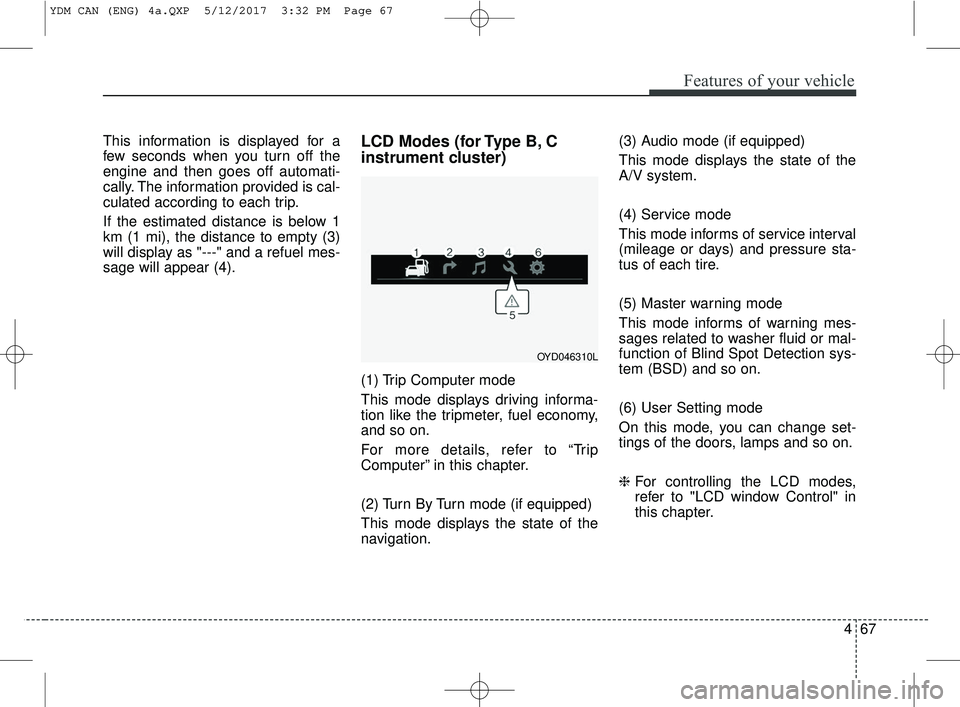
sage will appear (4).LCD Modes (for Type B, C
instrument cluster)
(1) Trip Computer mode
This mode displays driving informa-
tion like the tripmeter, fuel economy,
and so on.
For more details, refer to “Trip
Computer” in this chapter.
(2) Turn By Turn mode (if equipped)
This mode displays the state of the
navigation.(3) Audio mode (if equipped)
This mode displays the state of the
A/V system.
(4) Service mode
This mode informs of service interval
(mileage or days) and pressure sta-
tus of each tire.
(5) Master warning mode
This mode informs of warning mes-
sages related to washer fluid or mal-
function of Blind Spot Detection sys-
tem (BSD) and so on.
(6) User Setting mode
On this mode, you can change set-
tings of the doors, lamps and so on.
❈
For controlling the LCD modes,
refer to "LCD window Control" in
this chapter.
OYD046310L
YDM CAN (ENG) 4a.QXP 5/12/2017 3:32 PM Page 67
Page 146 of 584
471
Features of your vehicle
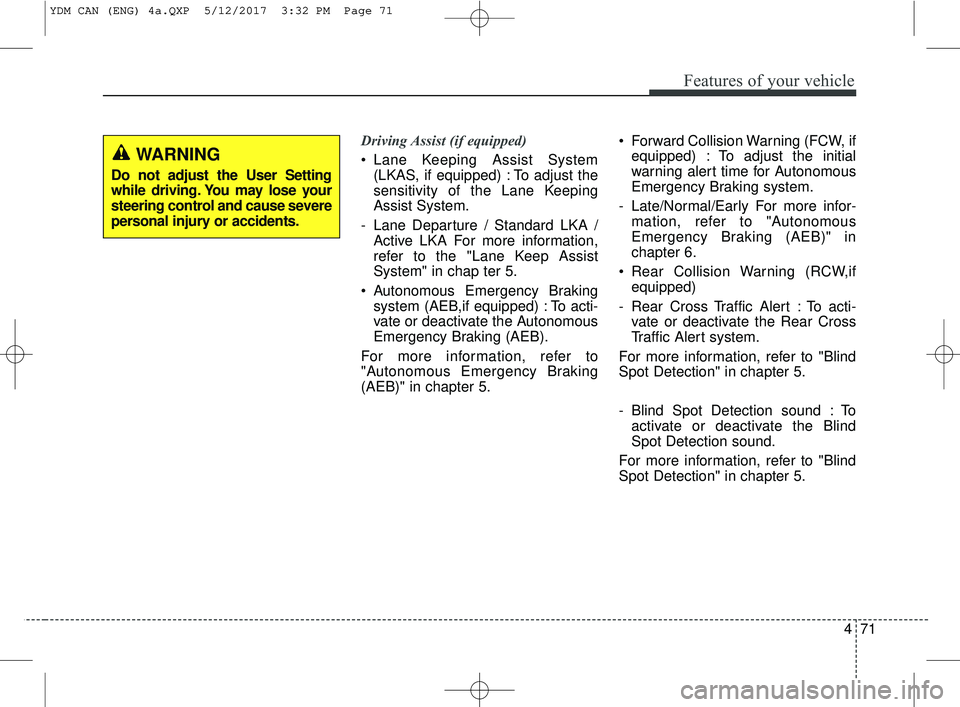
Driving Assist (if equipped)
Lane Keeping Assist System(LKAS, if equipped) : To adjust the
sensitivity of the Lane Keeping
Assist System.
- Lane Departure / Standard LKA / Active LKA For more information,
refer to the "Lane Keep Assist
System" in chap ter 5.
Autonomous Emergency Braking system (AEB,if equipped) : To acti-
vate or deactivate the Autonomous
Emergency Braking (AEB).
For more information, refer to
"Autonomous Emergency Braking
(AEB)" in chapter 5. Forward Collision Warning (FCW, if
equipped) : To adjust the initial
warning alert time for Autonomous
Emergency Braking system.
- Late/Normal/Early For more infor- mation, refer to "Autonomous
Emergency Braking (AEB)" in
chapter 6.
Rear Collision Warning (RCW,if equipped)
- Rear Cross Traffic Alert : To acti- vate or deactivate the Rear Cross
Traffic Alert system.
For more information, refer to "Blind
Spot Detection" in chapter 5.
- Blind Spot Detection sound : To activate or deactivate the Blind
Spot Detection sound.
For more information, refer to "Blind
Spot Detection" in chapter 5.
WARNING
Do not adjust the User Setting
while driving. You may lose your
steering control and cause severe
personal injury or accidents.
YDM CAN (ENG) 4a.QXP 5/12/2017 3:32 PM Page 71
Page 147 of 584
Features of your vehicle
72
4
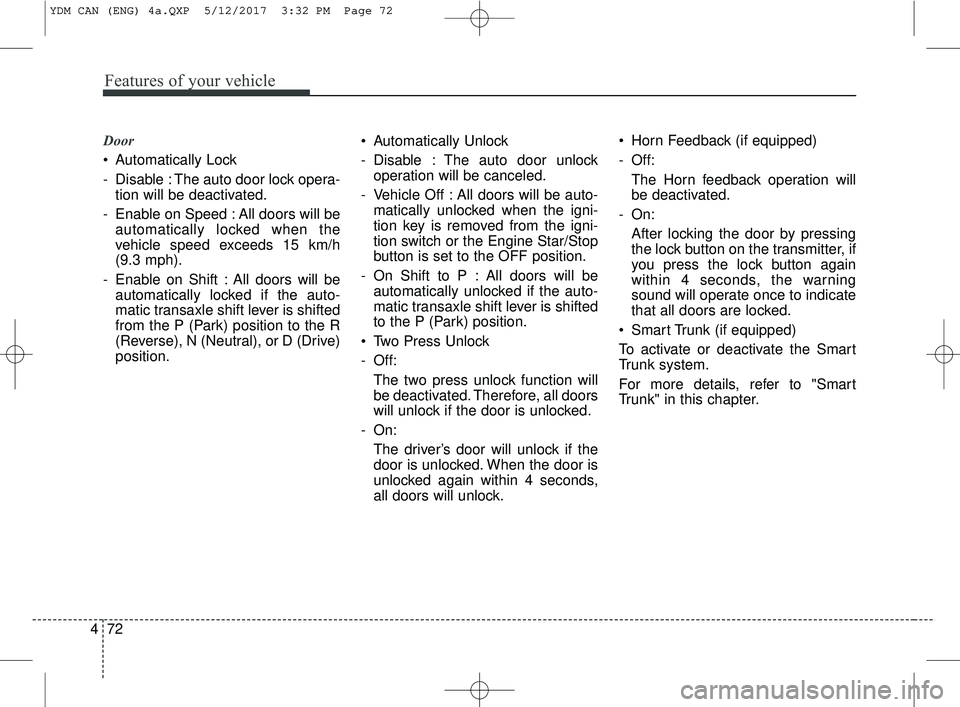
Door
Automatically Lock
- Disable : The auto door lock opera-
tion will be deactivated.
- Enable on Speed : All doors will be automatically locked when the
vehicle speed exceeds 15 km/h
(9.3 mph).
- Enable on Shift : All doors will be automatically locked if the auto-
matic transaxle shift lever is shifted
from the P (Park) position to the R
(Reverse), N (Neutral), or D (Drive)
position. Automatically Unlock
- Disable : The auto door unlock
operation will be canceled.
- Vehicle Off : All doors will be auto- matically unlocked when the igni-
tion key is removed from the igni-
tion switch or the Engine Star/Stop
button is set to the OFF position.
- On Shift to P : All doors will be automatically unlocked if the auto-
matic transaxle shift lever is shifted
to the P (Park) position.
Two Press Unlock
- Off: The two press unlock function will
be deactivated. Therefore, all doors
will unlock if the door is unlocked.
- On: The driver’s door will unlock if the
door is unlocked. When the door is
unlocked again within 4 seconds,
all doors will unlock. Horn Feedback (if equipped)
- Off:
The Horn feedback operation will
be deactivated.
- On: After locking the door by pressing
the lock button on the transmitter, if
you press the lock button again
within 4 seconds, the warning
sound will operate once to indicate
that all doors are locked.
Smart Trunk (if equipped)
To activate or deactivate the Smart
Trunk system.
For more details, refer to "Smart
Trunk" in this chapter.
YDM CAN (ENG) 4a.QXP 5/12/2017 3:32 PM Page 72
Page 149 of 584
Features of your vehicle
74
4
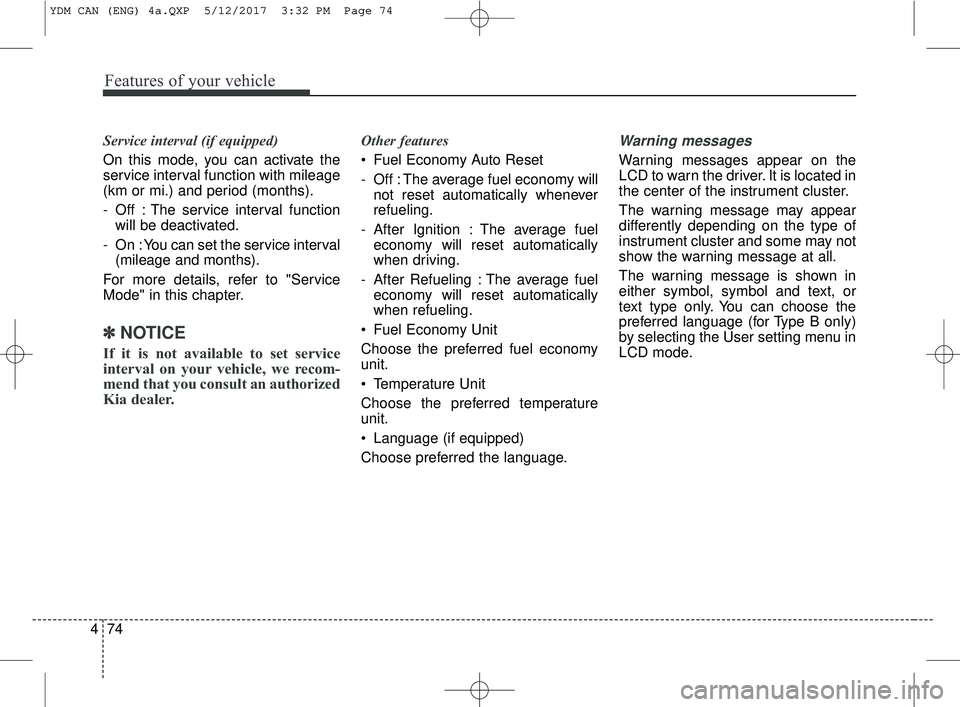
Service interval (if equipped)
On this mode, you can activate the
service interval function with mileage
(km or mi.) and period (months).
- Off : The service interval function
will be deactivated.
- On : You can set the service interval (mileage and months).
For more details, refer to "Service
Mode" in this chapter.
✽ ✽ NOTICE
If it is not available to set service
interval on your vehicle, we recom-
mend that you consult an authorized
Kia dealer.
Other features
Fuel Economy Auto Reset
- Off : The average fuel economy will
not reset automatically whenever
refueling.
- After Ignition : The average fuel economy will reset automatically
when driving.
- After Refueling : The average fuel economy will reset automatically
when refueling.
Fuel Economy Unit
Choose the preferred fuel economy
unit.
Temperature Unit
Choose the preferred temperature
unit.
Language (if equipped)
Choose preferred the language.Warning messages
Warning messages appear on the
LCD to warn the driver. It is located in
the center of the instrument cluster.
The warning message may appear
differently depending on the type of
instrument cluster and some may not
show the warning message at all.
The warning message is shown in
either symbol, symbol and text, or
text type only. You can choose the
preferred language (for Type B only)
by selecting the User setting menu in
LCD mode.
YDM CAN (ENG) 4a.QXP 5/12/2017 3:32 PM Page 74
Page 150 of 584
475
Features of your vehicle
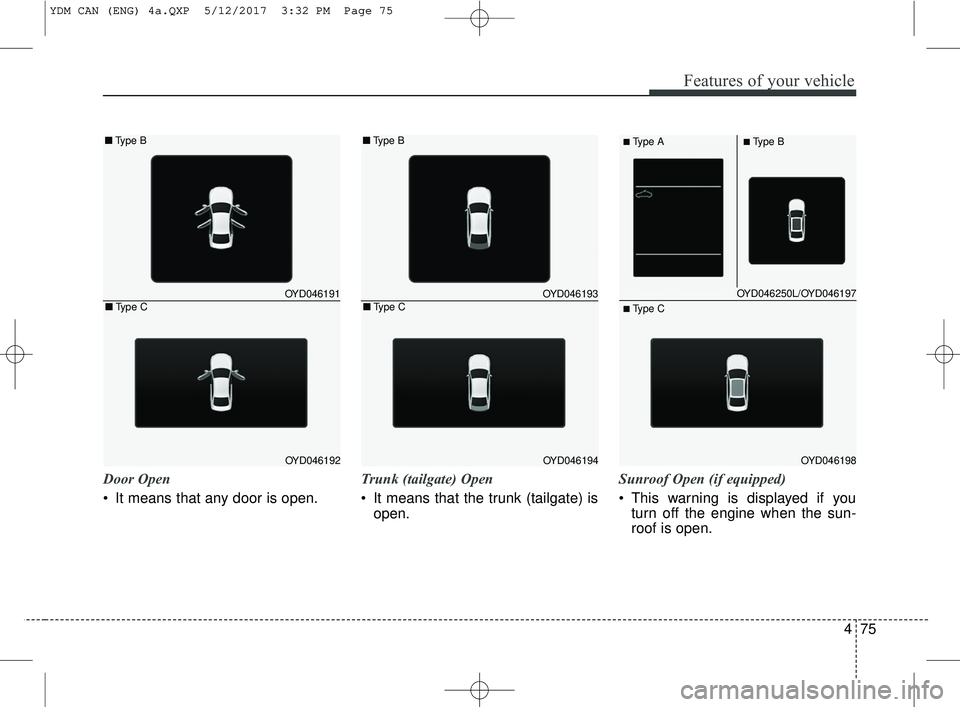
Door Open
It means that any door is open.Trunk (tailgate) Open
It means that the trunk (tailgate) is
open. Sunroof Open (if equipped)
This warning is displayed if you
turn off the engine when the sun-
roof is open.
OYD046250L/OYD046197
OYD046198
■Type A■Type B
■ Type C
OYD046191
OYD046192
■ Type B
■Type COYD046193
OYD046194
■Type B
■Type C
YDM CAN (ENG) 4a.QXP 5/12/2017 3:32 PM Page 75
Page 151 of 584
Features of your vehicle
76
4
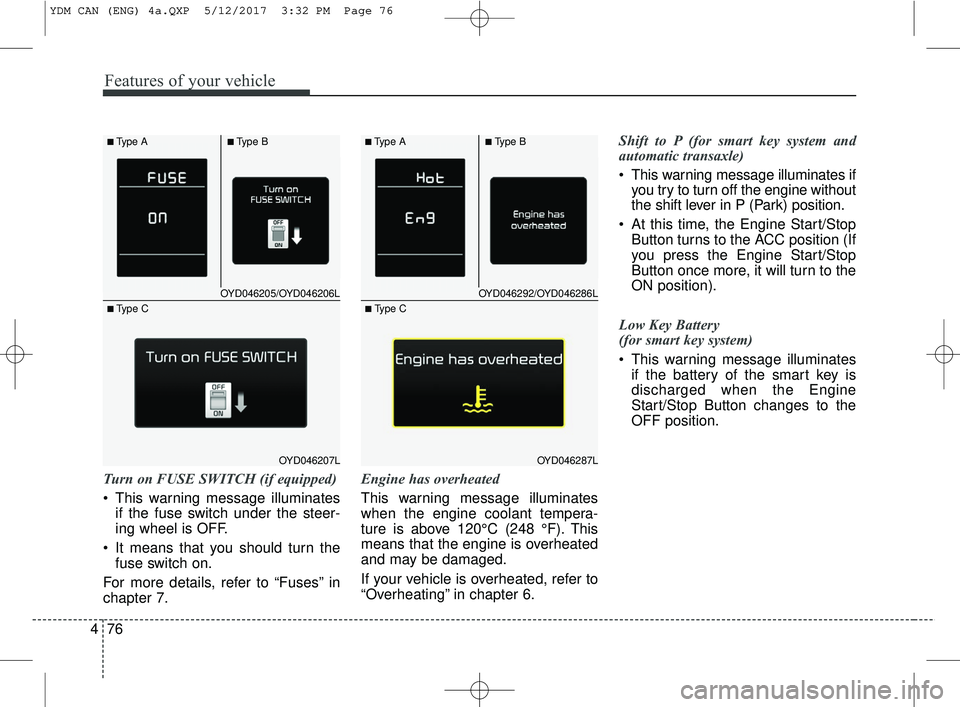
Turn on FUSE SWITCH (if equipped)
This warning message illuminates
if the fuse switch under the steer-
ing wheel is OFF.
It means that you should turn the fuse switch on.
For more details, refer to “Fuses” in
chapter 7. Engine has overheated
This warning message illuminates
when the engine coolant tempera-
ture is above 120°C (248 °F). This
means that the engine is overheated
and may be damaged.
If your vehicle is overheated, refer to
“Overheating” in chapter 6.Shift to P (for smart key system and
automatic transaxle)
This warning message illuminates if
you try to turn off the engine without
the shift lever in P (Park) position.
At this time, the Engine Start/Stop Button turns to the ACC position (If
you press the Engine Start/Stop
Button once more, it will turn to the
ON position).
Low Key Battery
(for smart key system)
This warning message illuminates if the battery of the smart key is
discharged when the Engine
Start/Stop Button changes to the
OFF position.
OYD046205/OYD046206L
OYD046207L
■Type A■Type B
■ Type C
OYD046292/OYD046286L
OYD046287L
■Type A■Type B
■ Type C
YDM CAN (ENG) 4a.QXP 5/12/2017 3:32 PM Page 76
Page 152 of 584
477
Features of your vehicle
Press START button while turn steer-
ing (for smart key system)
This warning message illuminatesif the steering wheel does not
unlock normally when the Engine
Start/Stop Button is pressed.
It means that you should press the Engine Start/Stop Button while
turning the steering wheel right
and left.
Steering wheel unlocked
(for smart key system)
This warning message illuminates if the steering wheel does not lock
when the Engine Start/Stop Button
changes to the OFF position. Check Steering Wheel Lock System
(for smart key system)
This warning message illuminates
if the steering wheel does not lock
normally when the Engine
Start/Stop Button changes to the
OFF position.
Press brake pedal to start engine
(for smart key system and automatic
transaxle)
This warning message illuminates if the Engine Start/Stop Button
changes to the ACC position twice
by pressing the button repeatedly
without depressing the brake pedal.
It means that you should depress the brake pedal to start the engine. Press clutch pedal to start engine (for
smart key system and manual transaxle)
This warning message illuminates if
the Engine Start/Stop Button
changes to the ACC position twice
by pressing the button repeatedly
without depressing the clutch pedal.
It means that you should depress the clutch pedal to start the engine.
Key not in vehicle (for smart key system)
This warning message illuminates if the smart key is not in the vehicle
when you press the Engine
Start/Stop Button.
It means that you should always have the smart key with you.
YDM CAN (ENG) 4a.QXP 5/12/2017 3:32 PM Page 77