automatic KIA FORTE KOUP 2017 Service Manual
[x] Cancel search | Manufacturer: KIA, Model Year: 2017, Model line: FORTE KOUP, Model: KIA FORTE KOUP 2017Pages: 595, PDF Size: 11.53 MB
Page 197 of 595
4 125
Features of your vehicle
Automatic heating and air con-
ditioning
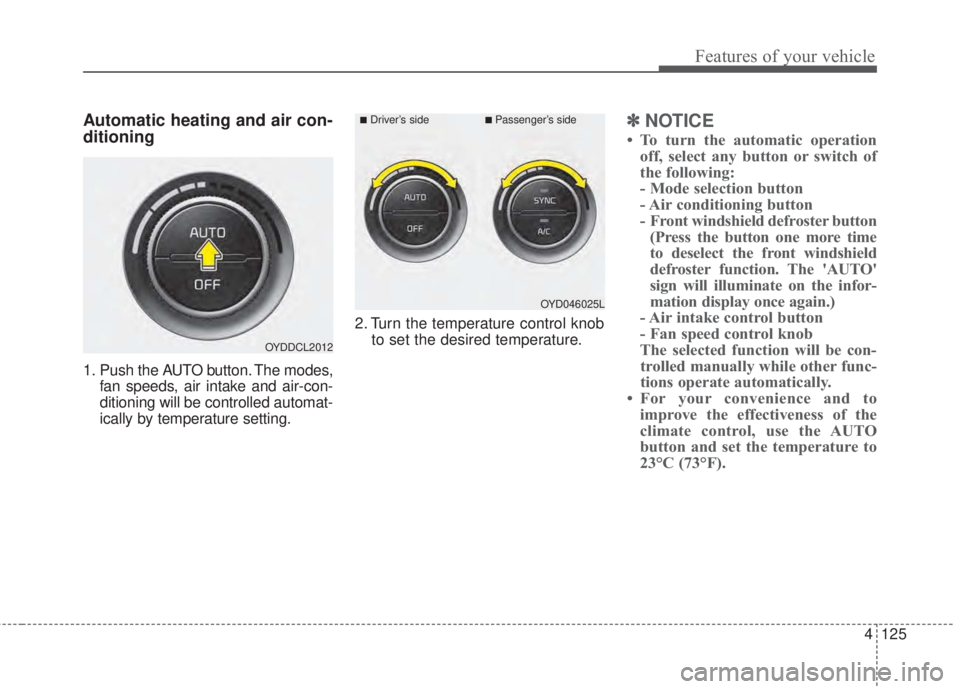
1. Push the AUTO button. The modes,
fan speeds, air intake and air-con-
ditioning will be controlled automat-
ically by temperature setting.2. Turn the temperature control knob
to set the desired temperature.
✽NOTICE
• To turn the automatic operation
off, select any button or switch of
the following:
- Mode selection button
- Air conditioning button
- Front windshield defroster button
(Press the button one more time
to deselect the front windshield
defroster function. The 'AUTO'
sign will illuminate on the infor-
mation display once again.)
- Air intake control button
- Fan speed control knob
The selected function will be con-
trolled manually while other func-
tions operate automatically.
• For your convenience and to
improve the effectiveness of the
climate control, use the AUTO
button and set the temperature to
23°C (73°F).
OYDDCL2012
OYD046025L
■Driver’s side■Passenger’s side
Page 198 of 595
Features of your vehicle
126 4
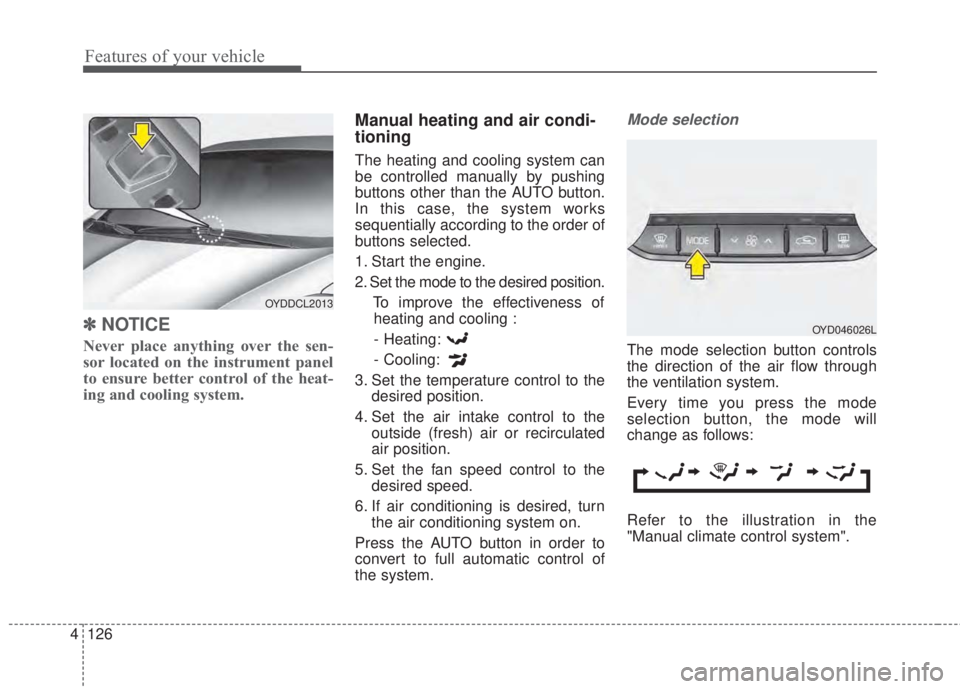
✽NOTICE
Never place anything over the sen-
sor located on the instrument panel
to ensure better control of the heat-
ing and cooling system.
Manual heating and air condi-
tioning
The heating and cooling system can
be controlled manually by pushing
buttons other than the AUTO button.
In this case, the system works
sequentially according to the order of
buttons selected.
1. Start the engine.
2. Set the mode to the desired position.
To improve the effectiveness of
heating and cooling :
- Heating:
- Cooling:
3. Set the temperature control to the
desired position.
4. Set the air intake control to the
outside (fresh) air or recirculated
air position.
5. Set the fan speed control to the
desired speed.
6. If air conditioning is desired, turn
the air conditioning system on.
Press the AUTO button in order to
convert to full automatic control of
the system.
Mode selection
The mode selection button controls
the direction of the air flow through
the ventilation system.
Every time you press the mode
selection button, the mode will
change as follows:
Refer to the illustration in the
"Manual climate control system".
OYDDCL2013
OYD046026L
Page 200 of 595
Features of your vehicle
128 4
Instrument panel vents
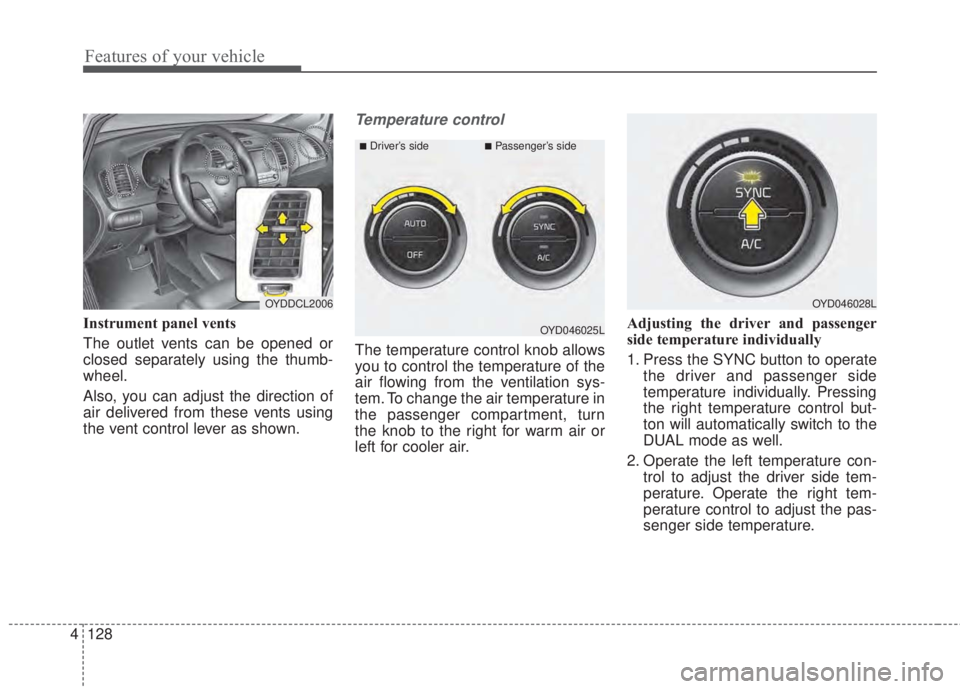
The outlet vents can be opened or
closed separately using the thumb-
wheel.
Also, you can adjust the direction of
air delivered from these vents using
the vent control lever as shown.
Temperature control
The temperature control knob allows
you to control the temperature of the
air flowing from the ventilation sys-
tem. To change the air temperature in
the passenger compartment, turn
the knob to the right for warm air or
left for cooler air.Adjusting the driver and passenger
side temperature individually
1. Press the SYNC button to operate
the driver and passenger side
temperature individually. Pressing
the right temperature control but-
ton will automatically switch to the
DUAL mode as well.
2. Operate the left temperature con-
trol to adjust the driver side tem-
perature. Operate the right tem-
perature control to adjust the pas-
senger side temperature.
OYDDCL2006OYD046028L
OYD046025L
■Driver’s side■Passenger’s side
Page 206 of 595
Features of your vehicle
134 4
WINDSHIELD DEFROSTING AND DEFOGGING
• For maximum defrosting, set the
temperature control to the extreme
right/hot position and the fan speed
control to the highest speed.
• If warm air to the floor is desired
while defrosting or defogging, set the
mode to the floor-defrost position.
• Before driving, clear all snow and
ice from the windshield, rear win-
dow, outside rear view mirrors, and
all side windows.
• Clear all snow and ice from the
hood and air inlet in the cowl grill to
improve heater and defroster effi-
ciency and to reduce the probabili-
ty of fogging up the inside of the
windshield.Manual climate control system
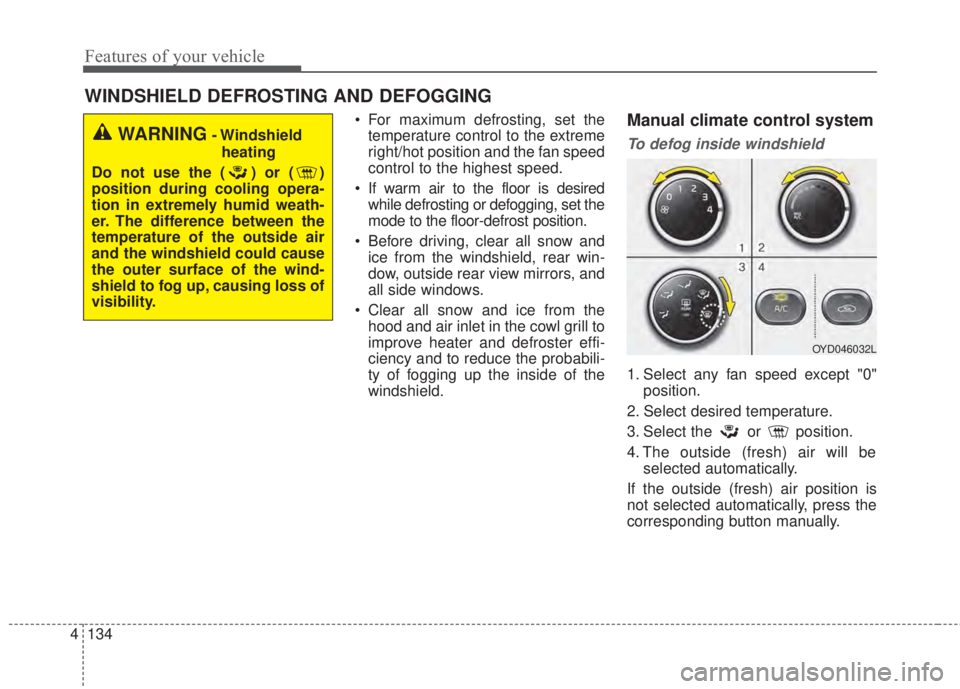
To defog inside windshield
1. Select any fan speed except "0"
position.
2. Select desired temperature.
3. Select the or position.
4. The outside (fresh) air will be
selected automatically.
If the outside (fresh) air position is
not selected automatically, press the
corresponding button manually.
WARNING- Windshield
heating
Do not use the ( ) or ( )
position during cooling opera-
tion in extremely humid weath-
er. The difference between the
temperature of the outside air
and the windshield could cause
the outer surface of the wind-
shield to fog up, causing loss of
visibility.
OYD046032L
Page 207 of 595
4 135
Features of your vehicle
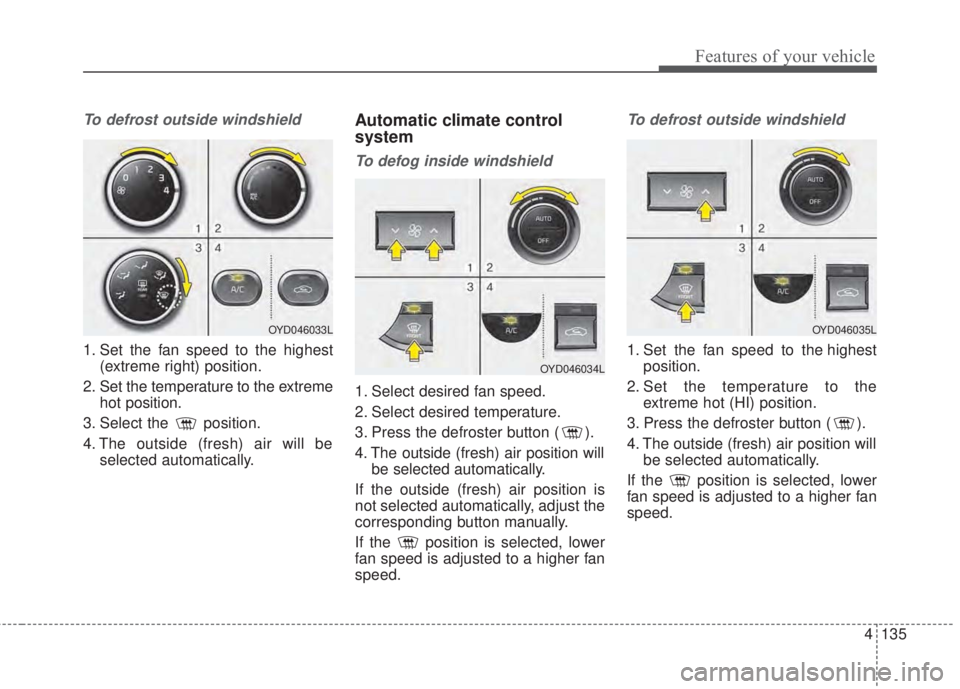
To defrost outside windshield
1. Set the fan speed to the highest
(extreme right) position.
2. Set the temperature to the extreme
hot position.
3. Select the position.
4. The outside (fresh) air will be
selected automatically.
Automatic climate control
system
To defog inside windshield
1. Select desired fan speed.
2. Select desired temperature.
3. Press the defroster button ( ).
4. The outside (fresh) air position will
be selected automatically.
If the outside (fresh) air position is
not selected automatically, adjust the
corresponding button manually.
If the position is selected, lower
fan speed is adjusted to a higher fan
speed.
To defrost outside windshield
1. Set the fan speed to the highest
position.
2. Set the temperature to the
extreme hot (HI) position.
3. Press the defroster button ( ).
4. The outside (fresh) air position will
be selected automatically.
If the position is selected, lower
fan speed is adjusted to a higher fan
speed.
OYD046033L
OYD046034L
OYD046035L
Page 208 of 595
Features of your vehicle
136 4
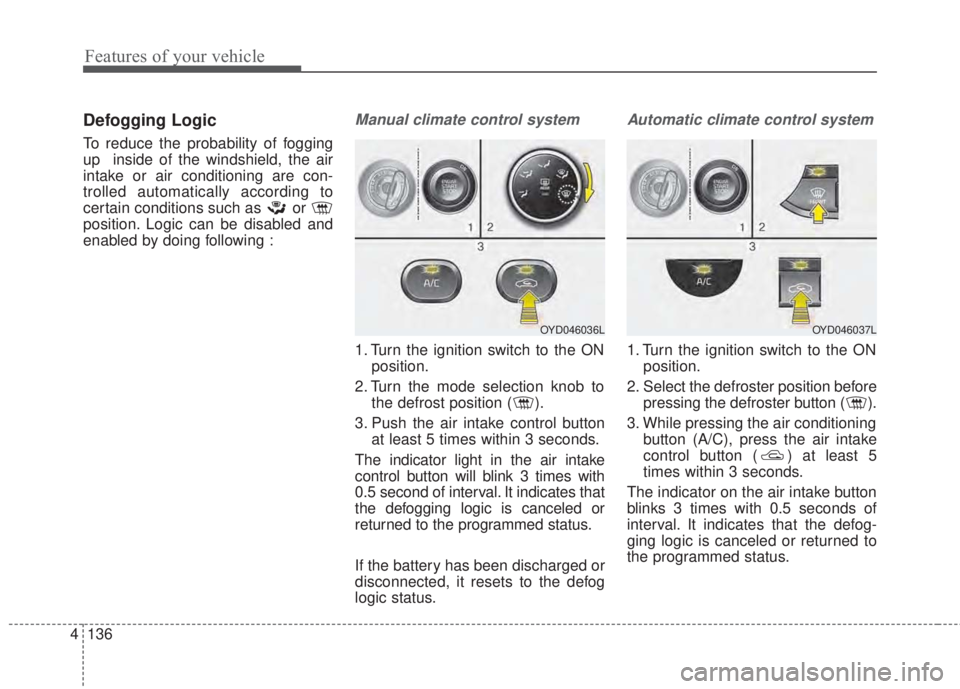
Defogging Logic
To reduce the probability of fogging
up inside of the windshield, the air
intake or air conditioning are con-
trolled automatically according to
certain conditions such as or
position. Logic can be disabled and
enabled by doing following :
Manual climate control system
1. Turn the ignition switch to the ON
position.
2. Turn the mode selection knob to
the defrost position ( ).
3. Push the air intake control button
at least 5 times within 3 seconds.
The indicator light in the air intake
control button will blink 3 times with
0.5 second of interval. It indicates that
the defogging logic is canceled or
returned to the programmed status.
If the battery has been discharged or
disconnected, it resets to the defog
logic status.
Automatic climate control system
1. Turn the ignition switch to the ON
position.
2. Select the defroster position before
pressing the defroster button ( ).
3. While pressing the air conditioning
button (A/C), press the air intake
control button ( ) at least 5
times within 3 seconds.
The indicator on the air intake button
blinks 3 times with 0.5 seconds of
interval. It indicates that the defog-
ging logic is canceled or returned to
the programmed status.
OYD046036LOYD046037L
Page 209 of 595
4 137
Features of your vehicle
If the battery has been discharged or
disconnected, it resets to the defog
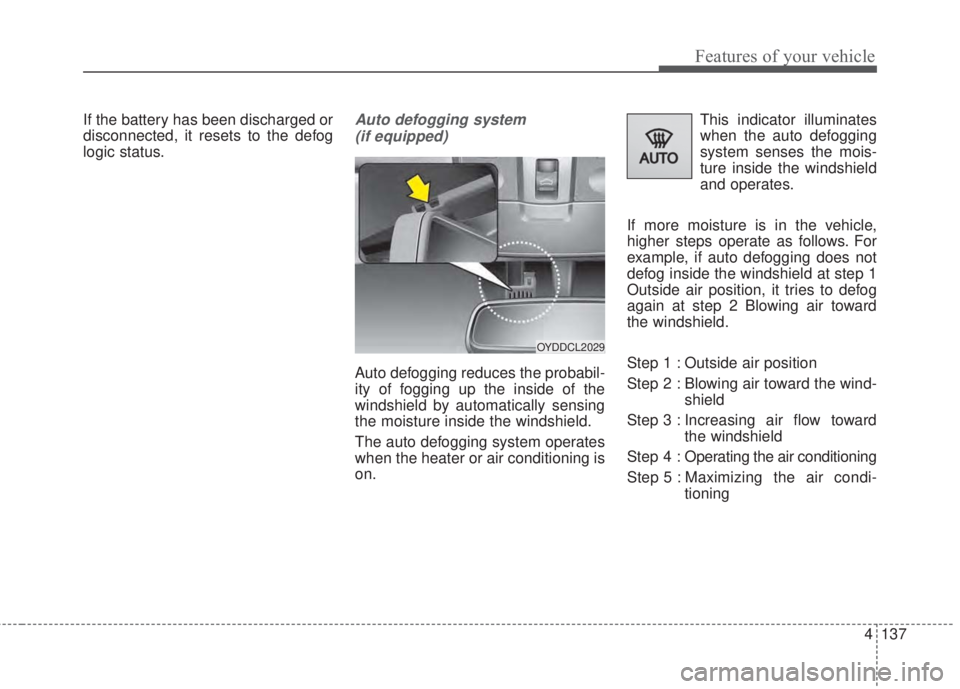
logic status.Auto defogging system
(if equipped)
Auto defogging reduces the probabil-
ity of fogging up the inside of the
windshield by automatically sensing
the moisture inside the windshield.
The auto defogging system operates
when the heater or air conditioning is
on.This indicator illuminates
when the auto defogging
system senses the mois-
ture inside the windshield
and operates.
If more moisture is in the vehicle,
higher steps operate as follows. For
example, if auto defogging does not
defog inside the windshield at step 1
Outside air position, it tries to defog
again at step 2 Blowing air toward
the windshield.
Step 1 : Outside air position
Step 2 : Blowing air toward the wind-
shield
Step 3 : Increasing air flow toward
the windshield
Step 4 : Operating the air conditioning
Step 5 : Maximizing the air condi-
tioning
OYDDCL2029
Page 210 of 595
Features of your vehicle
138 4
If your vehicle is equipped with the
auto defogging system, it is automat-
ically activated when the conditions
are met. However, if you would like to
cancel the auto defogging system,
press the front defroster button 4
times within 2 seconds while press-
ing the AUTO button. The indicator
will blink 3 times to notify you that the
system is cancelled. To use the auto
defogging system again, follow the
procedures mentioned above.
If the battery has been disconnected
or discharged, it resets to the auto
defogging status.✽NOTICE
• When the air conditioning is
turned on by Auto defogging sys-
tem, if you try to turn off the air
conditioning, the indicator will
blink 3 times and the air condi-
tioning will not be turned off.
• For efficiency, do not select recir-
culated air position while Auto
defogging system is operating.
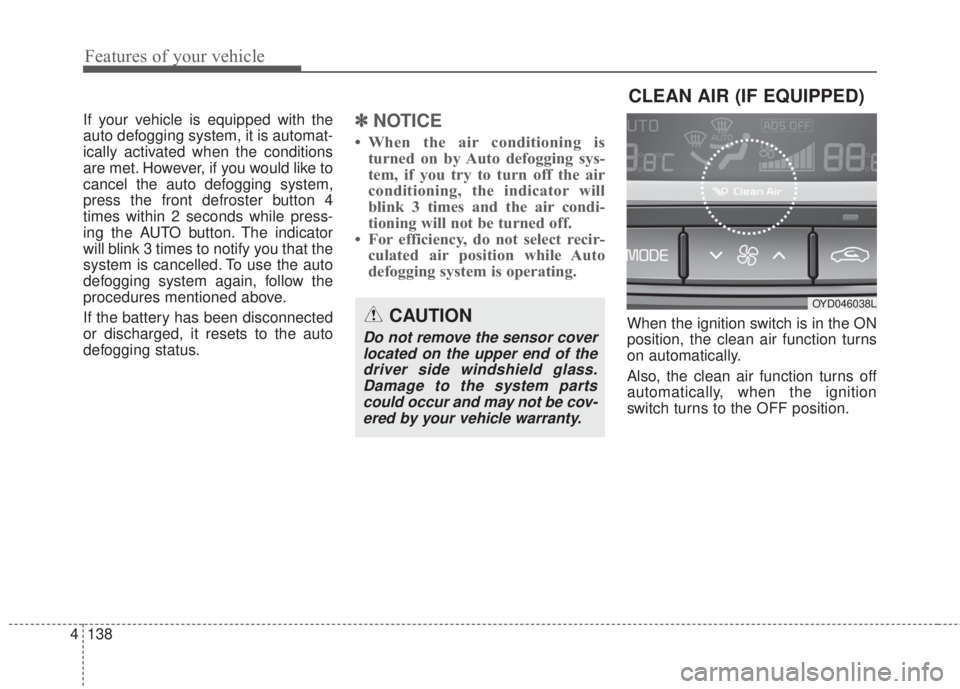
When the ignition switch is in the ON
position, the clean air function turns
on automatically.
Also, the clean air function turns off
automatically, when the ignition
switch turns to the OFF position.CAUTION
Do not remove the sensor cover
located on the upper end of the
driver side windshield glass.
Damage to the system parts
could occur and may not be cov-
ered by your vehicle warranty.
CLEAN AIR (IF EQUIPPED)
OYD046038L
Page 211 of 595
4 139
Features of your vehicle
These compartments can be used to
store small items.
To avoid possible theft, do not leave
valuables in the storage compartment.
Always keep the storage compart-
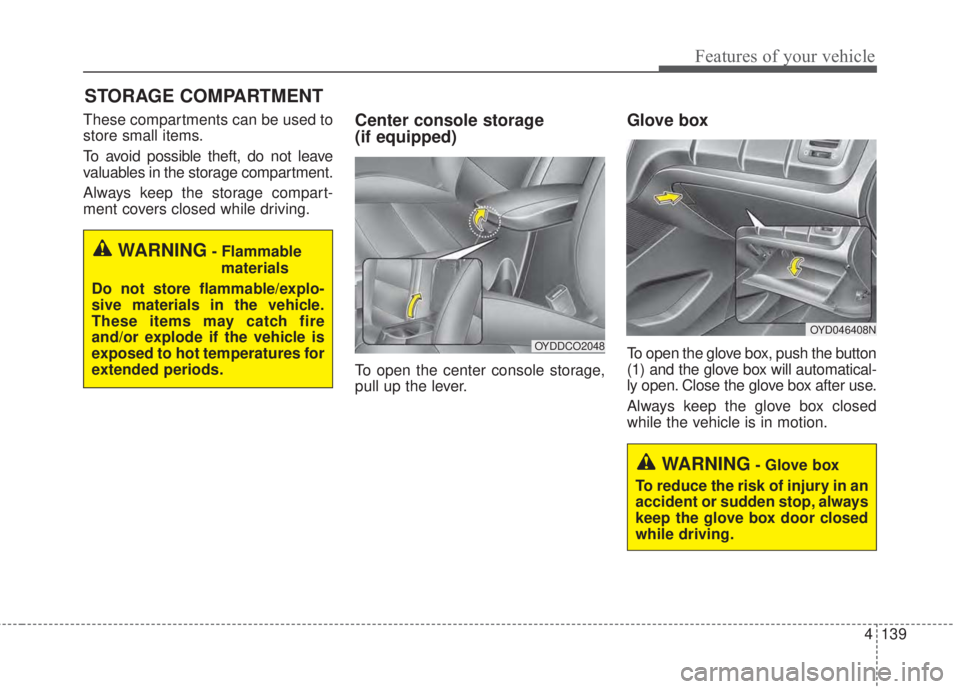
ment covers closed while driving.Center console storage
(if equipped)
To open the center console storage,
pull up the lever.
Glove box
To open the glove box, push the button
(1) and the glove box will automatical-
ly open. Close the glove box after use.
Always keep the glove box closed
while the vehicle is in motion.
STORAGE COMPARTMENT
WARNING- Flammable
materials
Do not store flammable/explo-
sive materials in the vehicle.
These items may catch fire
and/or explode if the vehicle is
exposed to hot temperatures for
extended periods.
WARNING- Glove box
To reduce the risk of injury in an
accident or sudden stop, always
keep the glove box door closed
while driving.
OYD046408N
OYDDCO2048
Page 216 of 595
Features of your vehicle
144 4
During mild weather or under condi-
tions where the operation of the seat
warmer is not needed, keep the
switches in the OFF position.
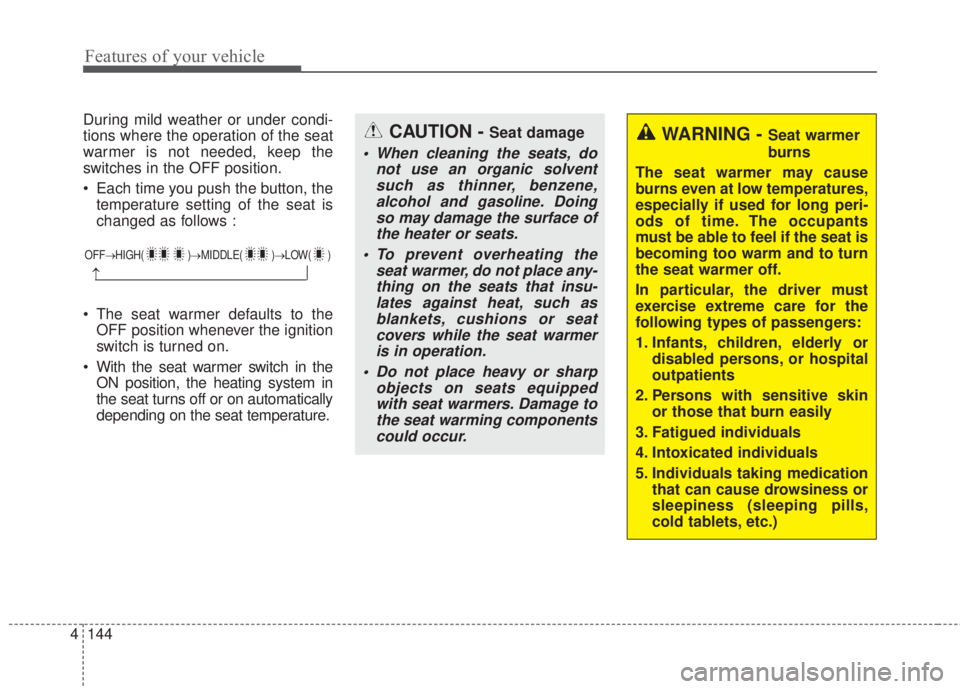
• Each time you push the button, the
temperature setting of the seat is
changed as follows :
• The seat warmer defaults to the
OFF position whenever the ignition
switch is turned on.
• With the seat warmer switch in the
ON position, the heating system in
the seat turns off or on automatically
depending on the seat temperature.
OFF→HIGH( )→MIDDLE( )→LOW( )
→
CAUTION - Seat damage
• When cleaning the seats, do
not use an organic solvent
such as thinner, benzene,
alcohol and gasoline. Doing
so may damage the surface of
the heater or seats.
• To prevent overheating the
seat warmer, do not place any-
thing on the seats that insu-
lates against heat, such as
blankets, cushions or seat
covers while the seat warmer
is in operation.
• Do not place heavy or sharp
objects on seats equipped
with seat warmers. Damage to
the seat warming components
could occur.
WARNING - Seat warmer
burns
The seat warmer may cause
burns even at low temperatures,
especially if used for long peri-
ods of time. The occupants
must be able to feel if the seat is
becoming too warm and to turn
the seat warmer off.
In particular, the driver must
exercise extreme care for the
following types of passengers:
1. Infants, children, elderly or
disabled persons, or hospital
outpatients
2. Persons with sensitive skin
or those that burn easily
3. Fatigued individuals
4. Intoxicated individuals
5. Individuals taking medication
that can cause drowsiness or
sleepiness (sleeping pills,
cold tablets, etc.)