seat KIA K5 2021 Navigation System Quick Reference Guide
[x] Cancel search | Manufacturer: KIA, Model Year: 2021, Model line: K5, Model: KIA K5 2021Pages: 300, PDF Size: 10.06 MB
Page 191 of 300

9-11
High Beam Assist (if equipped)
You can set to automatically control the high beam when an oncoming vehicle is approaching
to decrease the high beam glare.
Door (if equipped)
You can configure the operation environment for the trunk (liftgate) and doors.
0000AThe screen may differ depending on the vehicle model and specifications.
Auto Lock (if equipped)
You can set the time to automatically lock all doors.
Auto Unlock (if equipped)
You can set the time to automatically unlock all doors.
2 Press Unlock (if equipped)
You can set to unlock all doors by pressing the door unlock button twice.
0000
A
When you press the door unlock button once, only the driver's seat door is unlocked.
Smart Trunk or Smart Liftgate (if equipped)
Opens the trunk (liftgate) automatically when approaching the trunk (liftgate) with the smart
key.
0000
A
The displayed name may differ depending on the vehicle model and specifications.
Page 194 of 300

9-14
Seat (if equipped)
You can configure the settings of the steering wheel or seats, such as seat position change
notification and automatic control of the steering wheel warmer.
0000
A
The screen may differ depending on the vehicle model and specifications.
Seat Position Change Alert (if equipped)
You can set the system to display a notification message along with the seat image on the
screen when a seat position is changed.
Smart Posture Care (if equipped)
You can see the recommended driving posture according to your physical data, and the
clinical inspection result for your waist.
Heated/Ventilated Features (if equipped)
You can set to make the driving environment pleasant by controlling the steering wheel
warmer and driver's seat warmer/ventilation.
\225Auto. Controls That Use Climate Control Settings: Automatically controls the heating
wire or ventilation for the driver's seat and steering wheel, in sync with the climate control
function.
000DSteering Wheel Warmer: Steering Wheel Warmer adjusts automatically based on
Climate settings.
000DSeat Warmer/Ventilation: Seat Warmer/Ventilation adjusts automatically based on
Climate settings.
Seating Easy Access (if equipped)
For convenience upon getting on and off, you can adjust the position of the driver's seat or
steering wheel to secure space inside the vehicle.
\225
Steering Easy Access: The steering wheel moves upward when getting on and off.
\225Seat Slide Easy Access: Can set the distance to automatically move the driver's seat
when getting on or off.
Page 195 of 300
9-15
Rear Seat Heating Control (if equipped)
You can set to enable the warmer for the rear-left and rear-right seats.
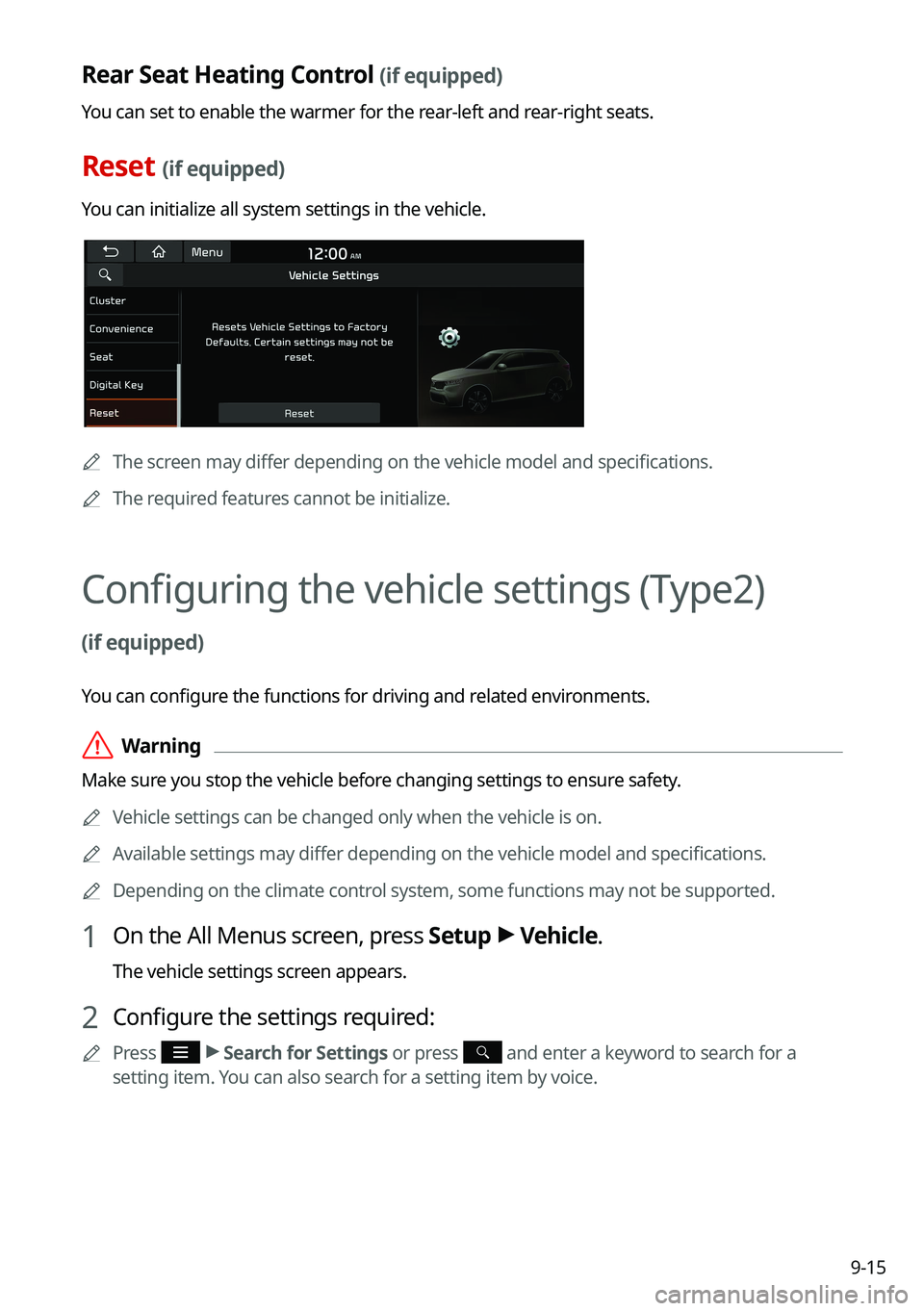
Reset (if equipped)
You can initialize all system settings in the vehicle.
0000AThe screen may differ depending on the vehicle model and specifications.
0000
A
The required features cannot be initialize.
Configuring the vehicle settings (Type2)
(if equipped)
You can configure the functions for driving and related environments.
\335Warning
Make sure you stop the vehicle before changing settings to ensure safety.
0000
A
Vehicle settings can be changed only when the vehicle is on.
0000
A
Available settings may differ depending on the vehicle model and specifications.
0000
A
Depending on the climate control system, some functions may not be supported.
1 On the All Menus screen, press Setup >
Vehicle.
The vehicle settings screen appears.
2 Configure the settings required:
0000
A
Press >
Search for Settings or press and enter a keyword to search for a
setting item. You can also search for a setting item by voice.
Page 205 of 300

9-25
Recirculate Air (if equipped)
You can set to keep the inside air pleasant by blocking inflow of outside air.
\225Activate upon Washer Fluid Use
: Sets to automatically switch to the inside air circulation
mode to prevent inflow of washer fluid scent when spraying washer fluid.
Automatic Ventilation (if equipped)
You can set to prevent condensation inside and keep inside air pleasant using this feature.
\225 Auto Dehumidify: Once the inside air circulation mode has been used for a long time, it
is switched to the outside air inflow mode to prevent condensation.
Defog/Defrost Options (if equipped)
You can set to enable the defogger to secure driver visibility.
\225Defog/Defrost: When the sensor detects humidity on the windshield and glasses, it
enables the outside air inflow mode and air conditioner for defogging and defrosting.
\225Auto Defog: When the sensor detects fog on the windshield, the automatic ventilation is
run for defogging.
Climate Features (if equipped)
You can set or change the settings for the climate system.
\225Rear Climate Controls: Used to move to the climate control screen for the rear seat. You
can check or set the climate status for the rear seat.
0000
A
A For more information about controlling the rear-seat climate control system: >
see
" Using the rear-seat climate control system (if equipped)"
Seat (if equipped)
You can configure the settings of the steering wheel or seats, such as seat position change
notification and automatic control of the steering wheel warmer.
0000
A
The screen may differ depending on the vehicle model and specifications.
Page 206 of 300
9-26
Seat Position Change Alert (if equipped)
You can set the system to display a notification message along with the seat image on the
screen when a seat position is changed.
Smart Posture Care (if equipped)
You can see the recommended driving posture according to your physical data, and the
clinical inspection result for your waist.
Heated/Ventilated Features (if equipped)
You can set to make the driving environment pleasant by controlling the steering wheel
warmer and driver's seat warmer/ventilation.
\225Auto. Controls That Use Climate Control Settings: Automatically controls the heating
wire or ventilation for the driver's seat and steering wheel, in sync with the climate control
function.
000DSteering Wheel Warmer: Steering Wheel Warmer adjusts automatically based on
Climate settings.
000DSeat Warmer/Ventilation: Seat Warmer/Ventilation adjusts automatically based on
Climate settings.
Seating Easy Access (if equipped)
For convenience upon getting on and off, you can adjust the position of the driver's seat or
steering wheel to secure space inside the vehicle.
\225
Seat Slide Easy Access: Can set the distance to automatically move the driver's seat
when getting on or off.
Rear Seat Heating Control (if equipped)
You can set to enable the warmer for the rear-left and rear-right seats.
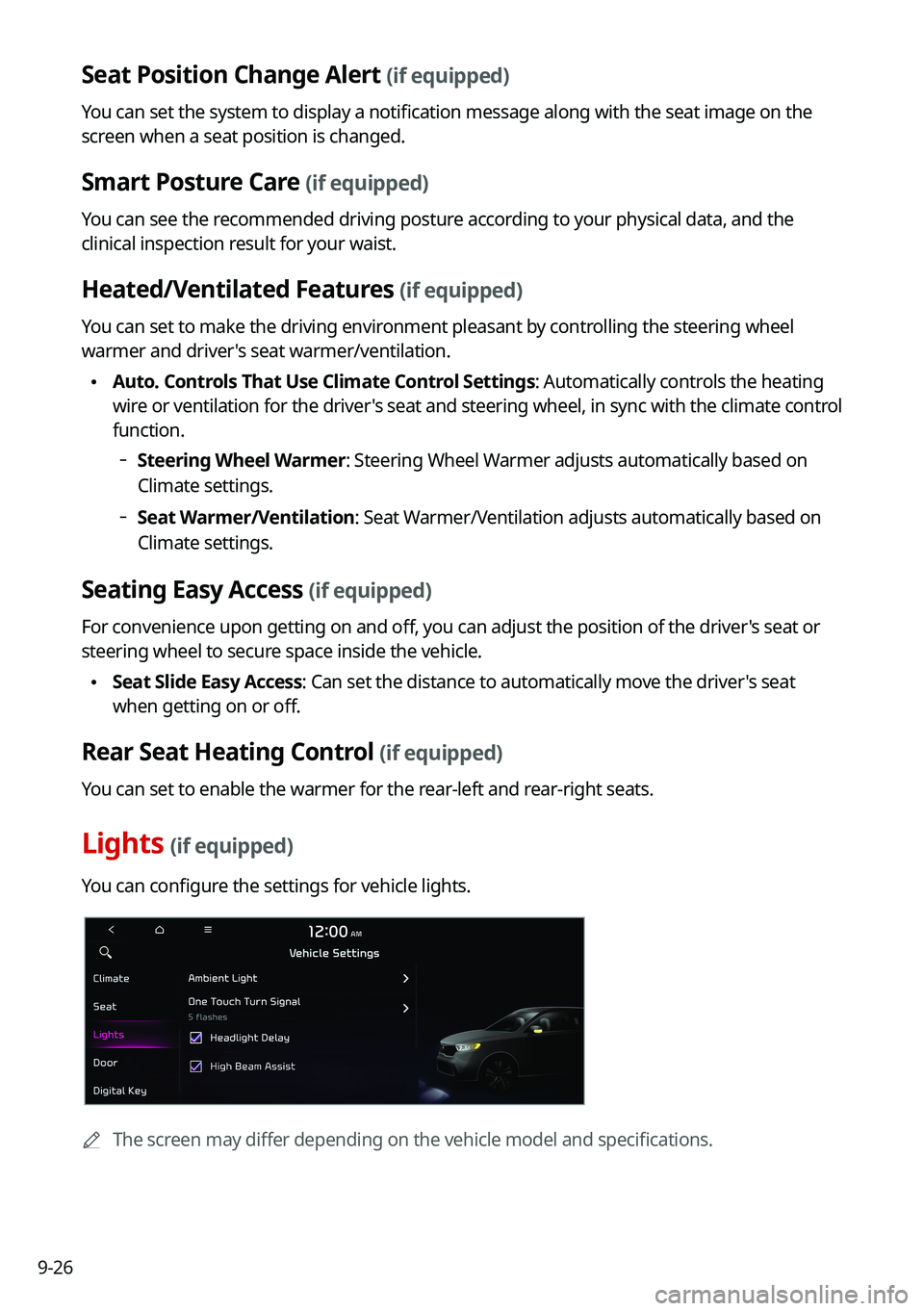
Lights (if equipped)
You can configure the settings for vehicle lights.
0000
A
The screen may differ depending on the vehicle model and specifications.
Page 208 of 300
9-28
2 Press Unlock (if equipped)
You can set to unlock all doors by pressing the door unlock button twice.0000
A
When you press the door unlock button once, only the driver's seat door is unlocked.
Smart Trunk or Smart Liftgate (if equipped)
Opens the trunk (liftgate) automatically when approaching the trunk (liftgate) with the smart
key.
0000
A
The displayed name may differ depending on the vehicle model and specifications.
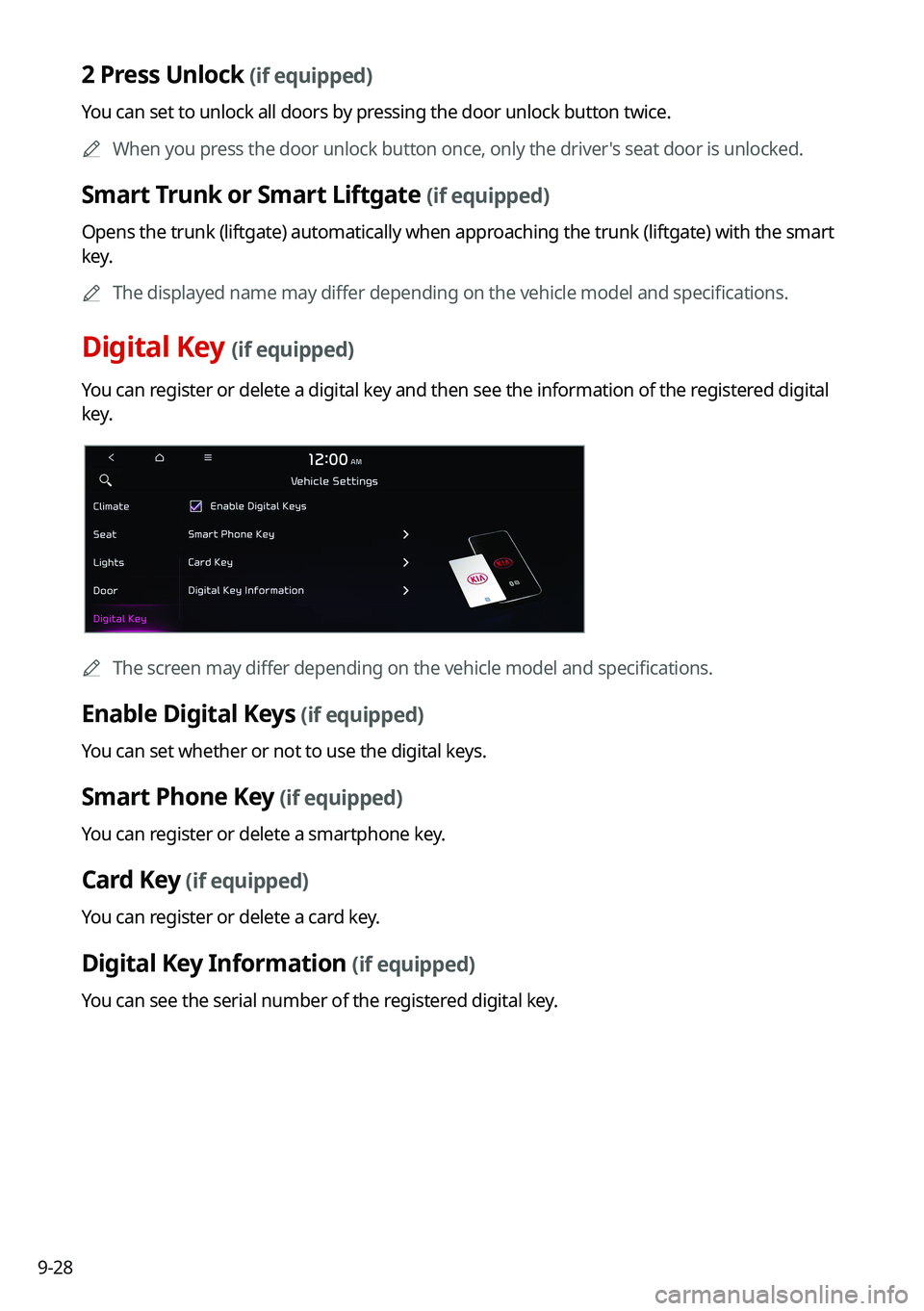
Digital Key (if equipped)
You can register or delete a digital key and then see the information of the registered digital
key.
0000
A
The screen may differ depending on the vehicle model and specifications.
Enable Digital Keys (if equipped)
You can set whether or not to use the digital keys.
Smart Phone Key (if equipped)
You can register or delete a smartphone key.
Card Key (if equipped)
You can register or delete a card key.
Digital Key Information (if equipped)
You can see the serial number of the registered digital key.
Page 209 of 300
9-29
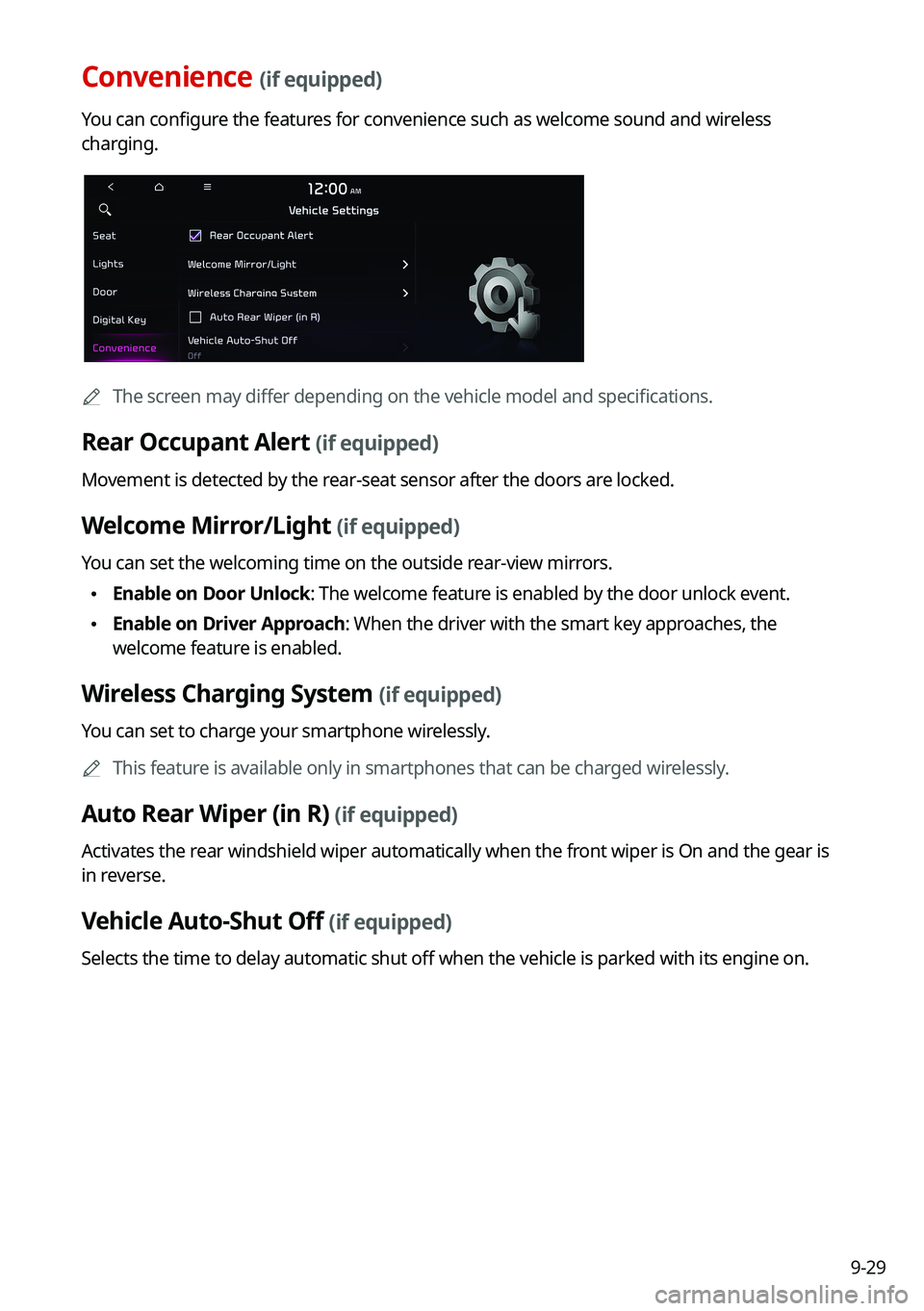
Convenience (if equipped)
You can configure the features for convenience such as welcome sound and wireless
charging.
0000
A
The screen may differ depending on the vehicle model and specifications.
Rear Occupant Alert (if equipped)
Movement is detected by the rear-seat sensor after the doors are locked.
Welcome Mirror/Light (if equipped)
You can set the welcoming time on the outside rear-view mirrors.
\225Enable on Door Unlock: The welcome feature is enabled by the door unlock event.
\225Enable on Driver Approach: When the driver with the smart key approaches, the
welcome feature is enabled.
Wireless Charging System (if equipped)
You can set to charge your smartphone wirelessly.
0000
A
This feature is available only in smartphones that can be charged wirelessly.
Auto Rear Wiper (in R) (if equipped)
Activates the rear windshield wiper automatically when the front wiper is On and the gear is
in reverse.
Vehicle Auto-Shut Off (if equipped)
Selects the time to delay automatic shut off when the vehicle is parked with its engine on.
Page 227 of 300

9-47
Position
You can select a position where sound is more audible in the vehicle. By pressing the desired
point on the seat image or pressing the arrow buttons, you can finely adjust the position. To
concentrate the sound to the center of the vehicle, press
.
Sound Tuning
You can adjust the sound by adjusting the strengths (output levels) for each audio band: Bass,
Midrange, and Treble. You can also configure settings so that sound is audible more loudly
and clearly at a specific location in the vehicle.0000
A
To reset all audio settings to the default values, press Center.
Driving Guidance
Specify the system's guidance voice type, set a certain sound to override other sounds, and
configure other guidance sound settings.
0000
A
The screen may differ depending on the vehicle model and specifications.
Page 284 of 300
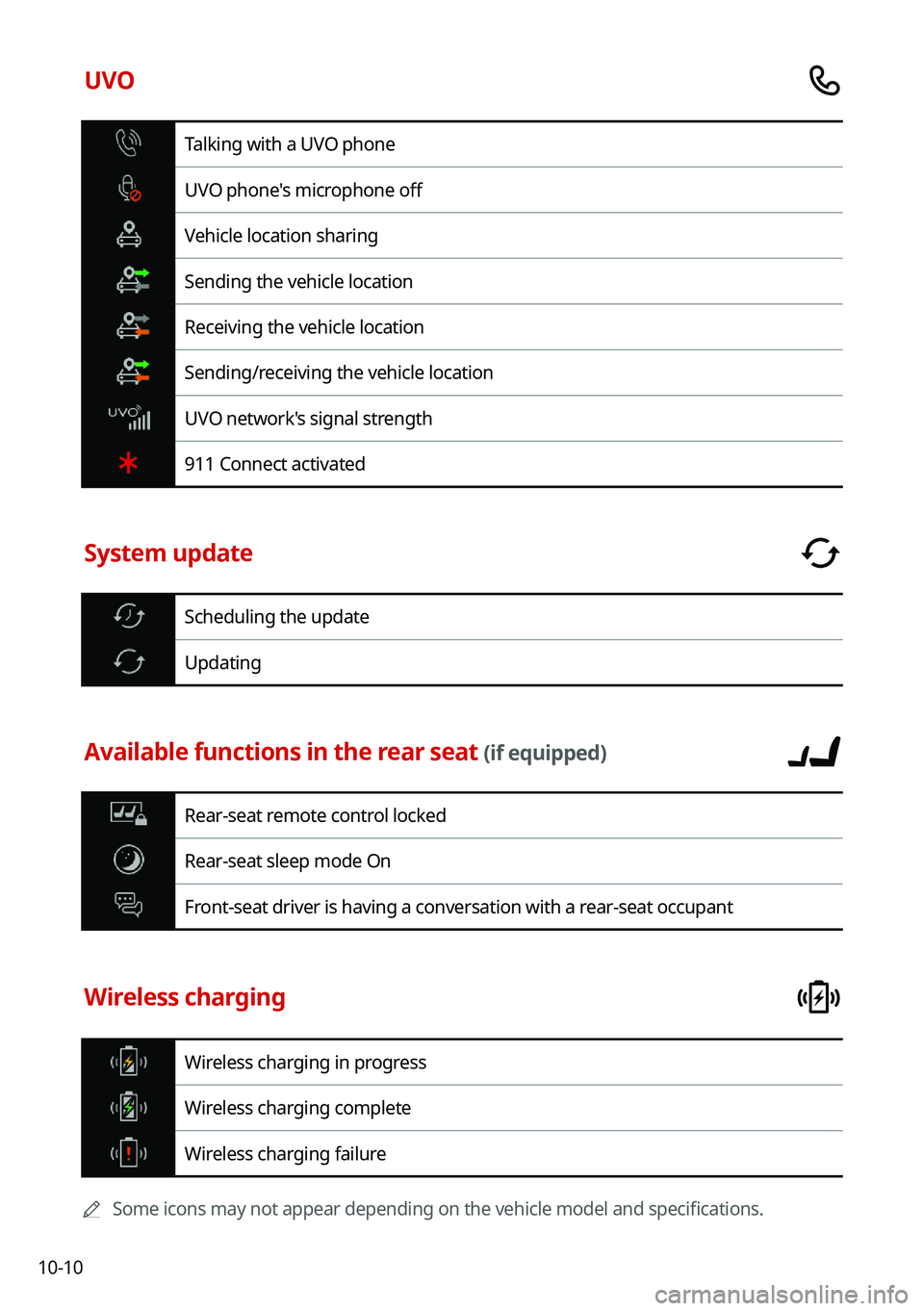
10-10
UVO
Talking with a UVO phone
UVO phone's microphone off
Vehicle location sharing
Sending the vehicle location
Receiving the vehicle location
Sending/receiving the vehicle location
UVO network's signal strength
911 Connect activated
System update
Scheduling the update
Updating
Available functions in the rear seat (if equipped)
Rear-seat remote control locked
Rear-seat sleep mode On
Front-seat driver is having a conversation with a rear-seat occupant
Wireless charging
Wireless charging in progress
Wireless charging complete
Wireless charging failure
0000
A
Some icons may not appear depending on the vehicle model and specifications.
Page 296 of 300
10-22UVO menu
Diagnosing the vehicle 8-6
Driving Information 2-23
Roadside Assistance 8-5
Settings 9-64,
9-66
Virtual Assistant 8-7
Voice Local Search 8-8
Weather info 8-5
V
Vehicle settings 9-3, 9-15
Voice memo 7-21
Voice recognition Help 7-4
Microphone 7-2
Navigation commands 7-7
Other commands 7-10
POI name 7-11
Radio commands 7-8
Using the voice recognition 7-2
Volume setting 7-4
Voice recognition settings 9-50, 9-51
T
Troubleshooting 10-2
Bluetooth connection 10-5
Navigation operation 10-8
Phone projection 10-6
Sound and display 10-2
System operation 10-7
USB playback 10-4
TUNE Knob Function 9-35
Turning the system on or off 1-5
U
Update 9-90
USB file specifications 10-13
USB music 4-2
USB port 4-2
USB storage device specifications 10-14
Using the Driver talk mode in the rear seat
2-16
Using the Quiet mode in the rear seat 2-17
Using the rear-seat climate control system
2-14
Using the sound mood lamp 2-18
Using the touch screen 1-7
UVO Service 8-2
Find 8-9