ECU KIA K900 2018 Owner's Manual
[x] Cancel search | Manufacturer: KIA, Model Year: 2018, Model line: K900, Model: KIA K900 2018Pages: 544, PDF Size: 14.82 MB
Page 133 of 544
Features of your vehicle
4-52
\Retain the original transmitter of the
RF device you are programming for
use in other vehicles as well as for
future HomeLink
®programming. It is
also suggested that upon the sale of
the vehicle, the programmed
HomeLink
®buttons be erased for
security purposes. Programming HomeLink
®
✽
NOTICE
• When programming a garage
door opener, it is advised to park
the vehicle outside of the garage.
• It is recommended that a new bat- tery be placed in the hand-held
transmitter of the device being pro-
grammed to HomeLink
®for quick-
er training and accurate transaxle
of the radio-frequency signal.
• Some vehicles may require the Engine Start/Stop button to be
turned to the second (or "acces-
sories") position for programming
and/or operation of HomeLink
®.
• In the event that there are still pro- gramming difficulties or questions
after following the programming
steps listed below, contact
HomeLink
®at: www.homelink.com
or 1-800-355-3515.
Standard programming
To train most devices, follow these
instructions:
1. For first-time programming, press
and hold the two outside buttons,
HomeLink
®Channel 1 and
Channel 3 Buttons, until the indi-
cator light begins to flash (after 20
seconds). Release both buttons.
Do not hold the buttons for longer
than 30 seconds.
2. Position the end of your hand-held transmitter 1-3 inches (2-8 cm)
away from the HomeLink
®buttons
while keeping the indicator light in
view.
3. Simultaneously press and hold both the HomeLink
®and hand-
held transmitter button. DO NOT
release the buttons until step 4
has been completed.
4. While continuing to hold the but- tons the red Indicator Status LED
will flash slowly and then rapidly
after HomeLink
®successfully
trains to the frequency signal from
the hand-held transmitter. Release
both buttons.
KH USA 4:2018 4/18/2017 5:57 PM Page 52
Page 135 of 544
Features of your vehicle
4-54
3. Return to the vehicle, firmly pressand hold for two seconds the desired
HomeLink
®button then release.
Repeat the "press/hold/release"
sequence a second time to com-
plete the programming. (Some
devices may require you to repeat
this sequence a third time to com-
plete the programming.)
4. Press and hold the just-trained HomeLink
®button and observe
the red Status Indicator LED. If the
indicator light stays on constantly,
programming is complete and
your device should activate.
5. To program the remaining two HomeLink
®buttons, follow either
steps 1 through 4 above for other
Rolling Code devices or steps 2
through 5 in Standard
Programming for standard devices. Gate operator &
Canadian programming
During programming, your handheld
transmitter may automatically stop
transmitting. Continue to press the
Integrated HomeLink
®Wireless
Control System button (note steps 2
through 4 in the Standard
Programming portion of this docu-
ment) while you press and re-press
("cycle") your handheld transmitter
every two seconds until the frequen-
cy signal has been learned. The indi-
cator light will flash slowly and then
rapidly after several seconds upon
successful training. Operating HomeLink
®
To operate, simply press and release
the programmed HomeLink®button.
Activation will now occur for the
trained device (i.e. garage door
opener, gate operator, security sys-
tem, entry door lock, home/office
lighting, etc.). For convenience, the
hand-held transmitter of the device
may also be used at any time.
KH USA 4:2018 4/18/2017 5:57 PM Page 54
Page 140 of 544
Features of your vehicle
4
4-59
To adjust the Zone setting:
1.Determine the desired ZoneNumber based upon your current
location on the Zone Map.
2.Press and hold the button for 6 seconds, the current Zone Number
will appear on the display.
3.Pressing and holding the button again will cause the numbers to
increment (Note: they will repeat
…13, 14, 15, 1, 2, …). Releasing
the button when the desired Zone
Number appears on the display will
set the new Zone.
4.Within about 5 seconds the com- pass will start displaying a com-
pass heading again.
There are some conditions that can
cause changes to the vehicle mag-
nets, such as installing a ski rack or
a CB antenna. Body repair work on
the vehicle can also cause changes
to the vehicle’s magnetic field. In
these situations, the compass will
need to be re-calibrated to quickly
correct these changes. If you need to recalibrate the com-
pass:
1.Press and hold the button for
more than 9 seconds. When the
compass memory is cleared a "C"
will appear in the display.
2.Drive the vehicle in 2 complete cir- cles at less than 5 mph (8 km/h). Integrated HomeLink®Wireless
Control System
The HomeLink
®Wireless Control
System can replace up to three
hand-held radio-frequency (RF)
transmitters with a single built-in
device. This innovative feature will
learn the radio frequency codes of
most current transmitters to operate
devices such as gate operators,
garage door openers, entry door
locks, security systems, even home
lighting. Both standard and rolling
code-equipped transmitters can be
programmed by following the out-
lined procedures.
Additional HomeLink
®information
can be found at: www.homelink.com
or by calling 1-800-355-3515.
Retain the original transmitter of the
RF device you are programming for
use in other vehicles as well as for
future HomeLink
®programming. It is
also suggested that upon the sale of
the vehicle, the programmed
HomeLink
®buttons be erased for
security purposes.
KH USA 4:2018 4/18/2017 5:57 PM Page 59
Page 143 of 544
Features of your vehicle
4-62
Gate operator & Canadian pro-gramming
During programming, your handheld
transmitter may automatically stop
transmitting. Continue to press the
Integrated HomeLink
® Wireless
Control System button (note steps 2
through 3 in the Programming por-
tion of this document) while you
press and re-press ("cycle") your
handheld transmitter every two sec-
onds until the frequency signal has
been learned. The indicator light will
flash slowly and then rapidly after
several seconds upon successful
training.
Operating HomeLink®
To operate, simply press and release
the programmed HomeLink®button.
Activation will now occur for the
trained device (i.e. garage door
opener, gate operator, security sys-
tem, entry door lock, home/office
lighting, etc.). For convenience, the
hand-held transmitter of the device
may also be used at any time.
Reprogramming a single HomeLink®button
To program a device to HomeLink®
using a HomeLink®button previous-
ly trained, follow these steps:
1. Press and hold the desired HomeLink
®button. DO NOT
release the button.
2. The indicator light will begin to flash after 20 seconds. Without releasing
the HomeLink
®button, proceed
with "Programming" step 2.
For questions or comments, contact
HomeLink
®at www.homelink.comor
1-800-355-3515.
KH USA 4:2018 4/18/2017 5:58 PM Page 62
Page 188 of 544
Features of your vehicle
4
4-107
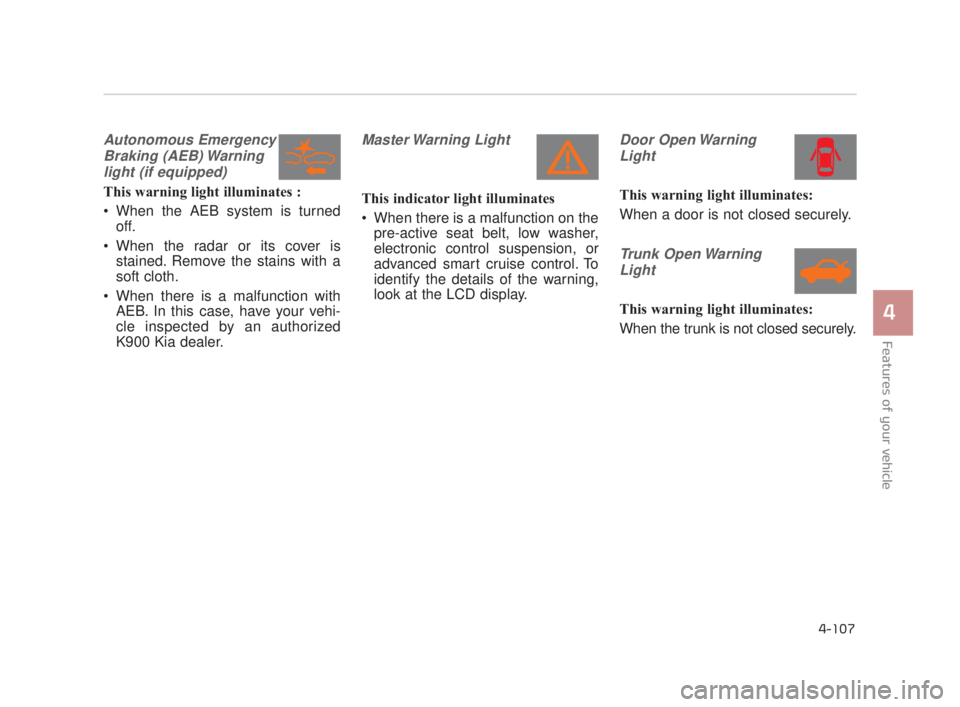
Autonomous EmergencyBraking (AEB) Warninglight (if equipped)
This warning light illuminates :
When the AEB system is turned off.
When the radar or its cover is stained. Remove the stains with a
soft cloth.
When there is a malfunction with AEB. In this case, have your vehi-
cle inspected by an authorized
K900 Kia dealer.
Master Warning Light
This indicator light illuminates
When there is a malfunction on thepre-active seat belt, low washer,
electronic control suspension, or
advanced smart cruise control. To
identify the details of the warning,
look at the LCD display.
Door Open Warning
Light
This warning light illuminates:
When a door is not closed securely.
Trunk Open WarningLight
This warning light illuminates:
When the trunk is not closed securely.
KH USA 4:2018 4/18/2017 6:00 PM Page 107
Page 222 of 544
Features of your vehicle
4
4-141
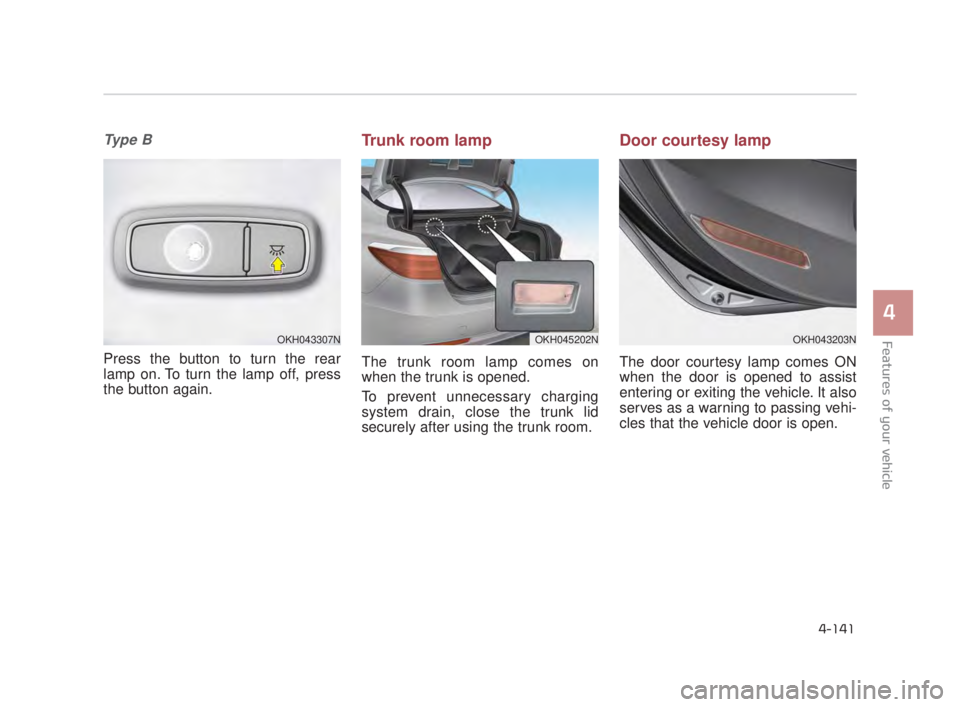
Ty p e B
Press the button to turn the rear
lamp on. To turn the lamp off, press
the button again.
Trunk room lamp
The trunk room lamp comes on
when the trunk is opened.
To prevent unnecessary charging
system drain, close the trunk lid
securely after using the trunk room.
Door courtesy lamp
The door courtesy lamp comes ON
when the door is opened to assist
entering or exiting the vehicle. It also
serves as a warning to passing vehi-
cles that the vehicle door is open.
OKH043307NOKH043203NOKH045202N
KH USA 4:2018 4/18/2017 6:01 PM Page 141
Page 223 of 544
Features of your vehicle
4-142
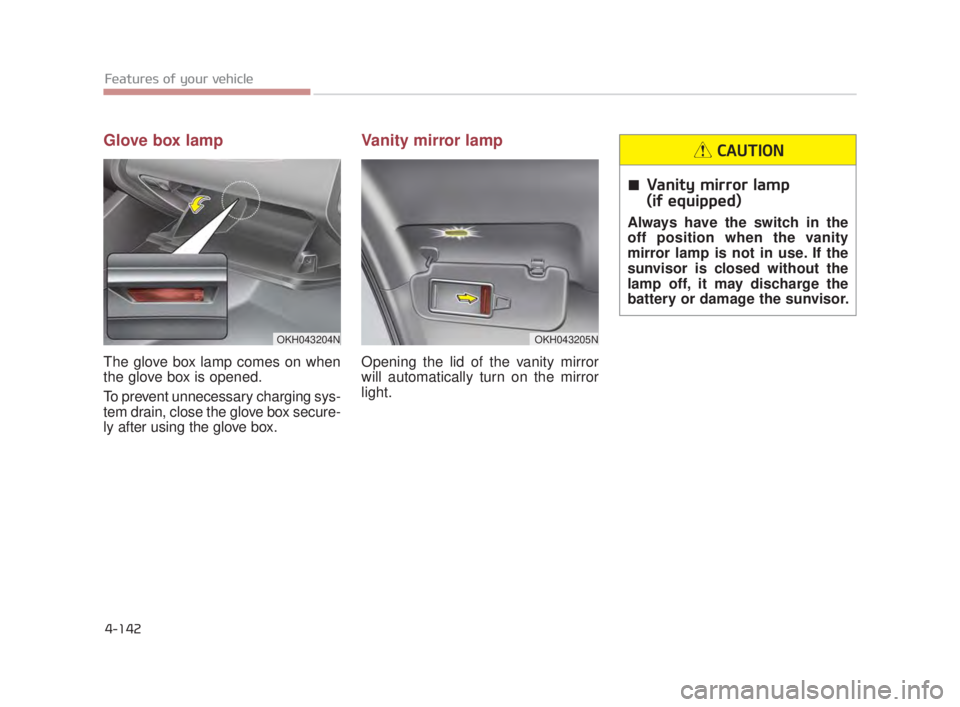
Glove box lamp
The glove box lamp comes on when
the glove box is opened.
To prevent unnecessary charging sys-
tem drain, close the glove box secure-
ly after using the glove box.
Vanity mirror lamp
Opening the lid of the vanity mirror
will automatically turn on the mirror
light.
Vanity mirror lamp
(if equipped)
Always have the switch in the
off position when the vanity
mirror lamp is not in use. If the
sunvisor is closed without the
lamp off, it may discharge the
battery or damage the sunvisor.
CAUTION
OKH043204NOKH043205N
KH USA 4:2018 4/18/2017 6:01 PM Page 142
Page 245 of 544
Features of your vehicle
4-164
These compartments can be used to
store small items required by the
driver or passengers.
✽NOTICE
• To avoid possible theft, do not
leave valuables in the storage com-
partments.
• Always keep the storage compart- ment covers closed while driving.
Do not attempt to place so many
items in the storage compartment
that the storage compartment
cover cannot close securely.
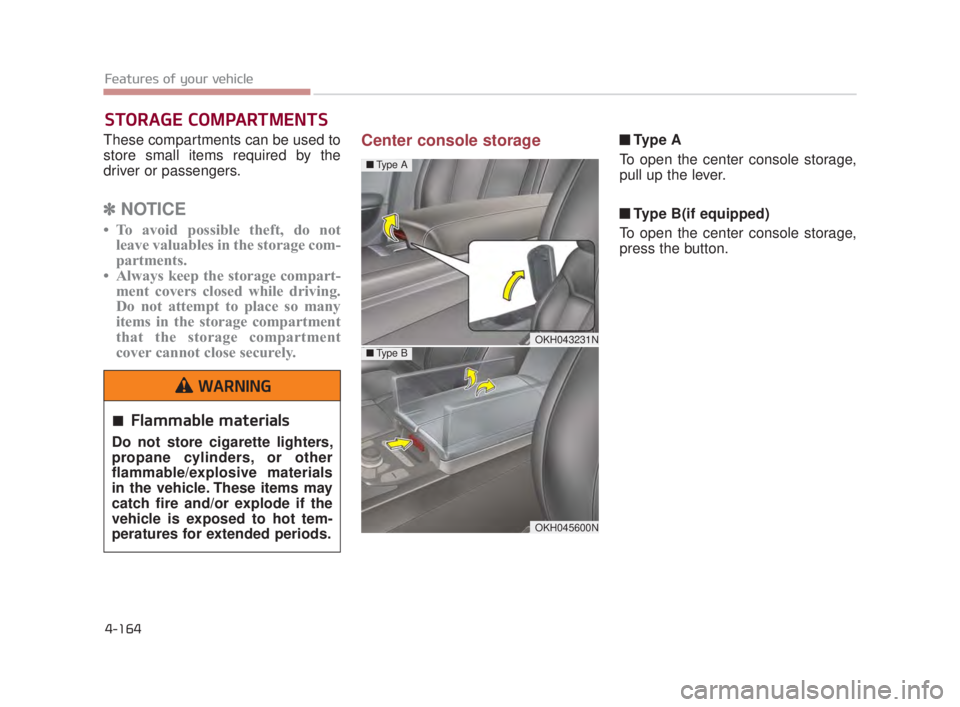
Center console storage ■ Ty p e A
To open the center console storage,
pull up the lever.
■ Type B(if equipped)
To open the center console storage,
press the button.
STORAGE COMPARTMENTS
OKH043231N
Flammable materials
Do not store cigarette lighters,
propane cylinders, or other
flammable/explosive materials
in the vehicle. These items may
catch fire and/or explode if the
vehicle is exposed to hot tem-
peratures for extended periods.
WARNING
OKH045600N
■ Type A
■Type B
KH USA 4:2018 4/18/2017 6:03 PM Page 164
Page 257 of 544
Features of your vehicle
4-176
The following must be observed
when installing ANY floor mat in the
vehicle.
Ensure that the floor mats aresecurely attached to the vehicle's
floor mat anchor(s) before driving
the vehicle.
Do not use ANY floor mat that can- not be firmly attached to the vehi-
cle's floor mat anchors.
Do not stack floor mats on top of one another (e.g. ,all-weather rub-
ber mat on top of a carpeted floor
mat). Only a single floor mat should
be installed in each position.
IMPORTANT - Your vehicle was
manufactured with driver's side floor
mat anchors that are designed to
securely hold the floor mat in place.
To avoid any interference with pedal
operation, Kia recommends that only
the Kia floor mat designed for use in
your vehicle be installed.Rear vanity mirror (if equipped)
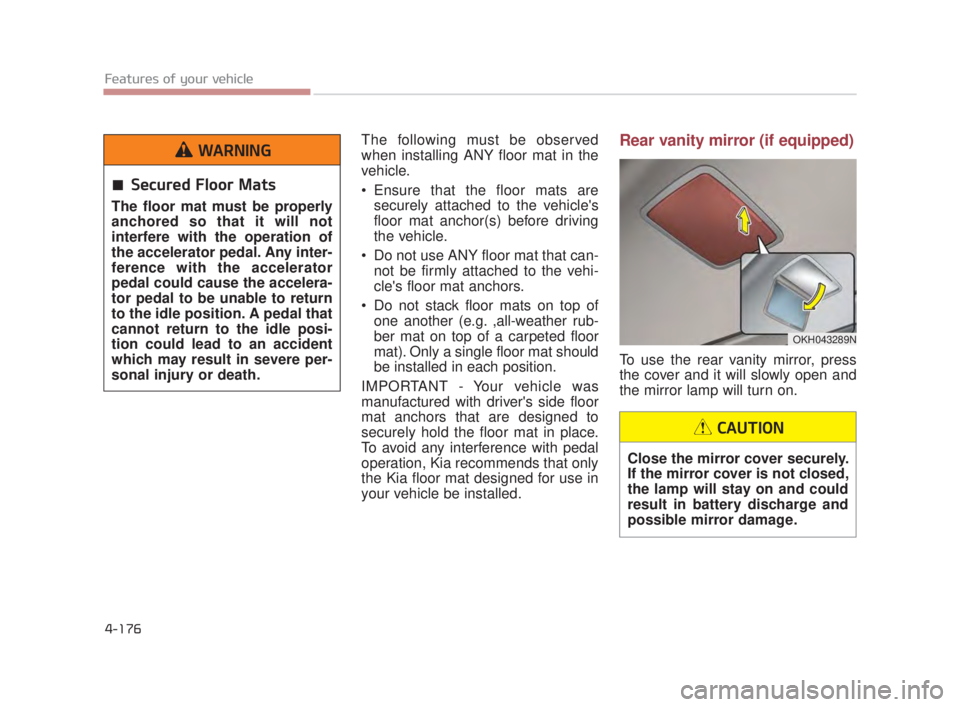
To use the rear vanity mirror, press
the cover and it will slowly open and
the mirror lamp will turn on.
OKH043289N
Close the mirror cover securely.
If the mirror cover is not closed,
the lamp will stay on and could
result in battery discharge and
possible mirror damage.
CAUTION
Secured Floor Mats
The floor mat must be properly
anchored so that it will not
interfere with the operation of
the accelerator pedal. Any inter-
ference with the accelerator
pedal could cause the accelera-
tor pedal to be unable to return
to the idle position. A pedal that
cannot return to the idle posi-
tion could lead to an accident
which may result in severe per-
sonal injury or death.
WARNING
KH USA 4:2018 4/18/2017 6:04 PM Page 176
Page 270 of 544
Driving your vehicle
5
5-5
Driving while intoxicated
Do not drive while intoxicated.
Drinking and driving is danger-
ous. Even a small amount of
alcohol will affect your reflexes,
perceptions and judgment.
Driving while under the influ-
ence of drugs is as dangerous
as or more dangerous than driv-
ing drunk.
WARNING
Loose object
Securely store items in your
vehicle. When you make a sud-
den stop or turn the steering
wheel rapidly, loose objects
may drop on the floor and it
could interfere with the opera-
tion of the foot pedals, possibly
causing an accident.
WARNING
Fire risk
When you intend to park or stop
the vehicle with the engine on,
be careful not to depress the
accelerator pedal for a long
period of time. It may overheat
the engine or exhaust system
and cause a fire.
WARNING
KH USA 5:2018 4/12/2017 9:58 AM Page 5