ignition KIA K900 2019 User Guide
[x] Cancel search | Manufacturer: KIA, Model Year: 2019, Model line: K900, Model: KIA K900 2019Pages: 580, PDF Size: 15.11 MB
Page 181 of 580
Features of your vehicle
88
4
Icy Road Warning Light
(if equipped)
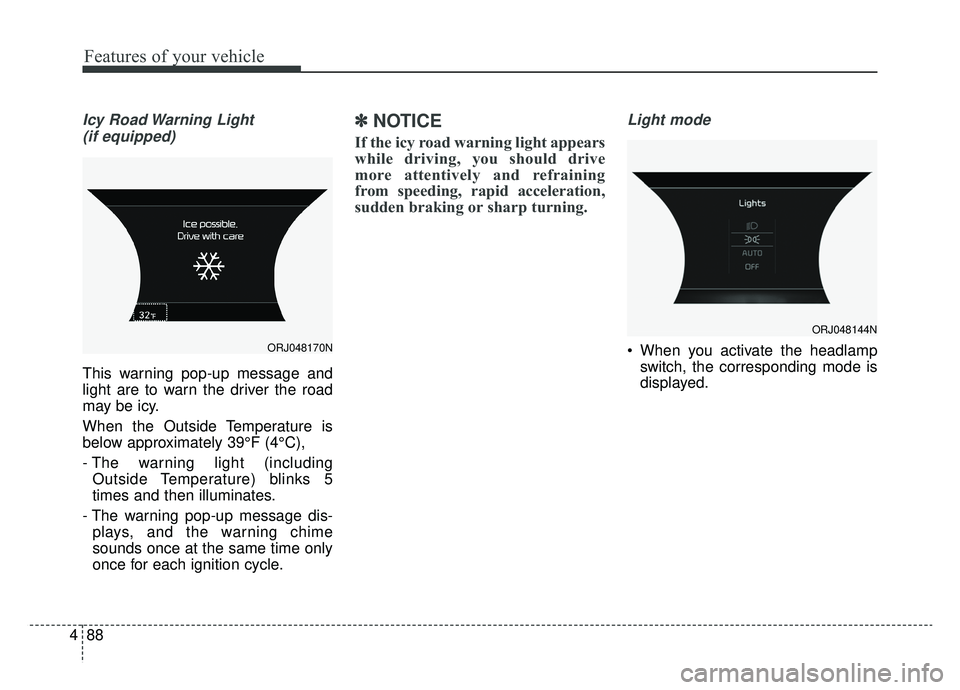
This warning pop-up message and
light are to warn the driver the road
may be icy.
When the Outside Temperature is
below approximately 39°F (4°C),
- The warning light (including Outside Temperature) blinks 5
times and then illuminates.
- The warning pop-up message dis- plays, and the warning chime
sounds once at the same time only
once for each ignition cycle.
✽ ✽ NOTICE
If the icy road warning light appears
while driving, you should drive
more attentively and refraining
from speeding, rapid acceleration,
sudden braking or sharp turning.
Light mode
When you activate the headlamp
switch, the corresponding mode is
displayed.ORJ048170N
ORJ048144N
Page 199 of 580
Features of your vehicle
106
4
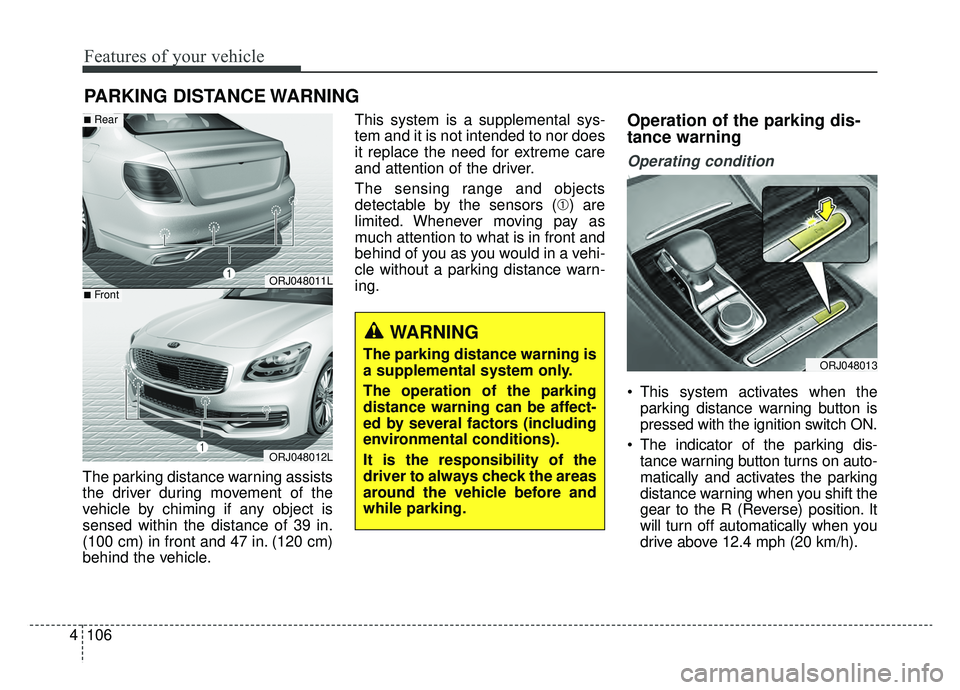
The parking distance warning assists
the driver during movement of the
vehicle by chiming if any object is
sensed within the distance of 39 in.
(100 cm) in front and 47 in. (120 cm)
behind the vehicle. This system is a supplemental sys-
tem and it is not intended to nor does
it replace the need for extreme care
and attention of the driver.
The sensing range and objects
detectable by the sensors (➀) are
limited. Whenever moving pay as
much attention to what is in front and
behind of you as you would in a vehi-
cle without a parking distance warn-
ing.
Operation of the parking dis-
tance warning
Operating condition
This system activates when the
parking distance warning button is
pressed with the ignition switch ON.
The indicator of the parking dis- tance warning button turns on auto-
matically and activates the parking
distance warning when you shift the
gear to the R (Reverse) position. It
will turn off automatically when you
drive above 12.4 mph (20 km/h).
PARKING DISTANCE WARNING
WARNING
The parking distance warning is
a supplemental system only.
The operation of the parking
distance warning can be affect-
ed by several factors (including
environmental conditions).
It is the responsibility of the
driver to always check the areas
around the vehicle before and
while parking.
ORJ048011L
ORJ048012L
■Rear
■Front
ORJ048013
Page 204 of 580
4111
Features of your vehicle
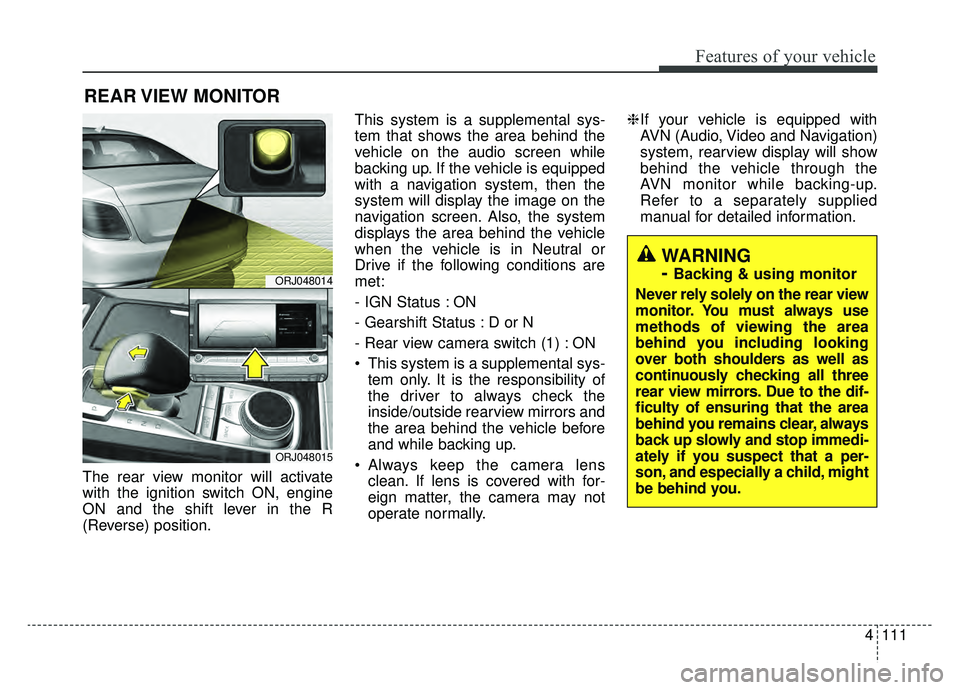
The rear view monitor will activate
with the ignition switch ON, engine
ON and the shift lever in the R
(Reverse) position.This system is a supplemental sys-
tem that shows the area behind the
vehicle on the audio screen while
backing up. If the vehicle is equipped
with a navigation system, then the
system will display the image on the
navigation screen. Also, the system
displays the area behind the vehicle
when the vehicle is in Neutral or
Drive if the following conditions are
met:
- IGN Status : ON
- Gearshift Status : D or N
- Rear view camera switch (1) : ON
This system is a supplemental sys-
tem only. It is the responsibility of
the driver to always check the
inside/outside rearview mirrors and
the area behind the vehicle before
and while backing up.
Always keep the camera lens clean. If lens is covered with for-
eign matter, the camera may not
operate normally. ❈
If your vehicle is equipped with
AVN (Audio, Video and Navigation)
system, rearview display will show
behind the vehicle through the
AVN monitor while backing-up.
Refer to a separately supplied
manual for detailed information.
REAR VIEW MONITOR
ORJ048014
ORJ048015
WARNING
-
Backing & using monitor
Never rely solely on the rear view
monitor. You must always use
methods of viewing the area
behind you including looking
over both shoulders as well as
continuously checking all three
rear view mirrors. Due to the dif-
ficulty of ensuring that the area
behind you remains clear, always
back up slowly and stop immedi-
ately if you suspect that a per-
son, and especially a child, might
be behind you.
Page 206 of 580
4113
Features of your vehicle
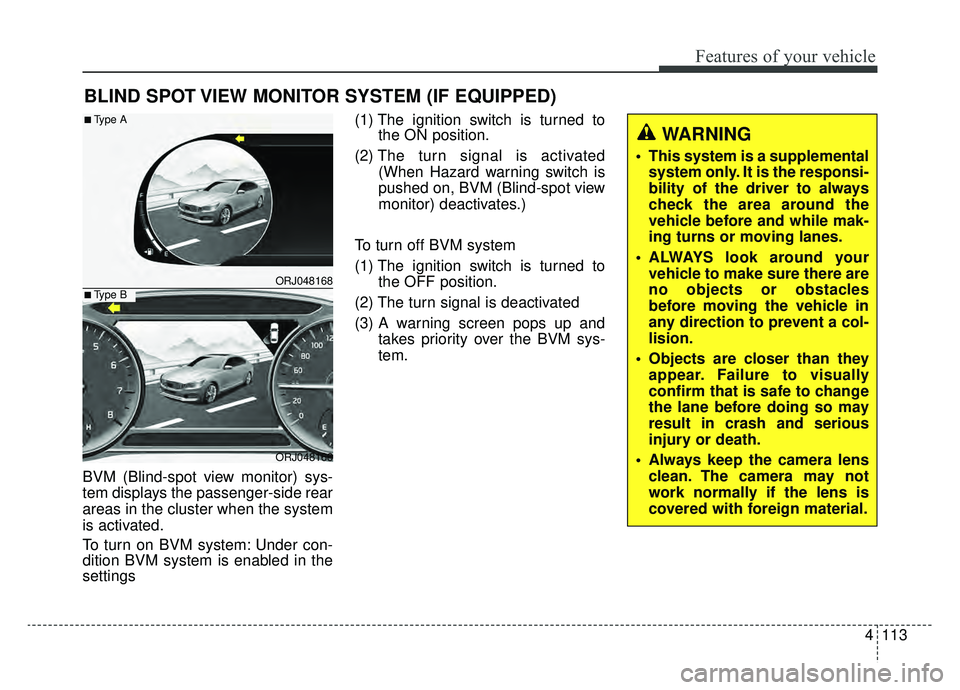
BVM (Blind-spot view monitor) sys-
tem displays the passenger-side rear
areas in the cluster when the system
is activated.
To turn on BVM system: Under con-
dition BVM system is enabled in the
settings(1) The ignition switch is turned to
the ON position.
(2) The turn signal is activated
(When Hazard warning switch is
pushed on, BVM (Blind-spot view
monitor) deactivates.)
To turn off BVM system
(1) The ignition switch is turned to the OFF position.
(2) The turn signal is deactivated
(3) A warning screen pops up and takes priority over the BVM sys-
tem.
BLIND SPOT VIEW MONITOR SYSTEM (IF EQUIPPED)
ORJ048168
ORJ048166
■Type A
■Type B
WARNING
This system is a supplementalsystem only. It is the responsi-
bility of the driver to always
check the area around the
vehicle before and while mak-
ing turns or moving lanes.
ALWAYS look around your vehicle to make sure there are
no objects or obstacles
before moving the vehicle in
any direction to prevent a col-
lision.
Objects are closer than they appear. Failure to visually
confirm that is safe to change
the lane before doing so may
result in crash and serious
injury or death.
Always keep the camera lens clean. The camera may not
work normally if the lens is
covered with foreign material.
Page 207 of 580
Features of your vehicle
114
4
Battery saver function
The purpose of this feature is to
prevent the battery from being dis-
charged if the lights are left in the
ON position. The system automati-
cally shuts off the parking lights 30
seconds after the ignition key is
removed and the driver’s door is
opened and closed.
With this feature, the parking lights will turn off automatically if the driver
parks on the side of the road at night
and opens the driver’s side door.
If necessary, to keep the parking
lights on when the ignition key is
removed, perform the following:
1) Open the driver-side door.
2) Turn the parking lights OFF and ON again using the light switch
on the steering column.
Daytime running light
The Daytime Running Lights (DRL)
can make it easier for others to see the
front of your vehicle during the day.
DRL can be helpful in many different
driving conditions, and it is especially
helpful after dawn and before sunset.
The DRL system will turn the dedi-
cated lamp OFF when :
1.The headlight switch is on
- It includes that the headlight is onin the dark when the headlight
switch is in the auto light position.
2.The engine is off
3.Engaging the Parking Brake
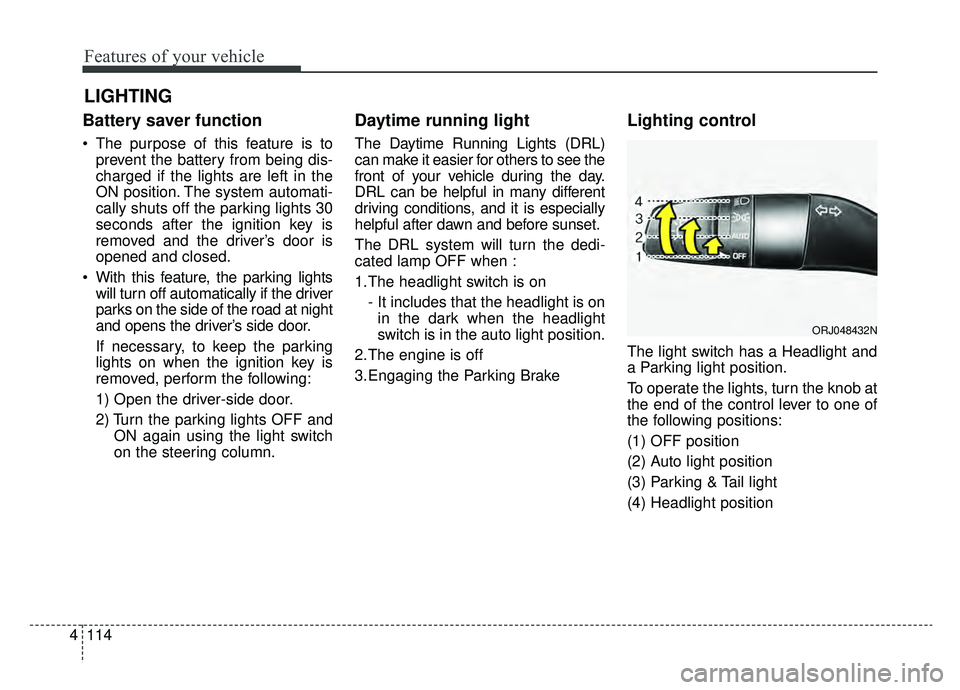
Lighting control
The light switch has a Headlight and
a Parking light position.
To operate the lights, turn the knob at
the end of the control lever to one of
the following positions:
(1) OFF position
(2) Auto light position
(3) Parking & Tail light
(4) Headlight position
LIGHTING
ORJ048432N
Page 208 of 580
4115
Features of your vehicle
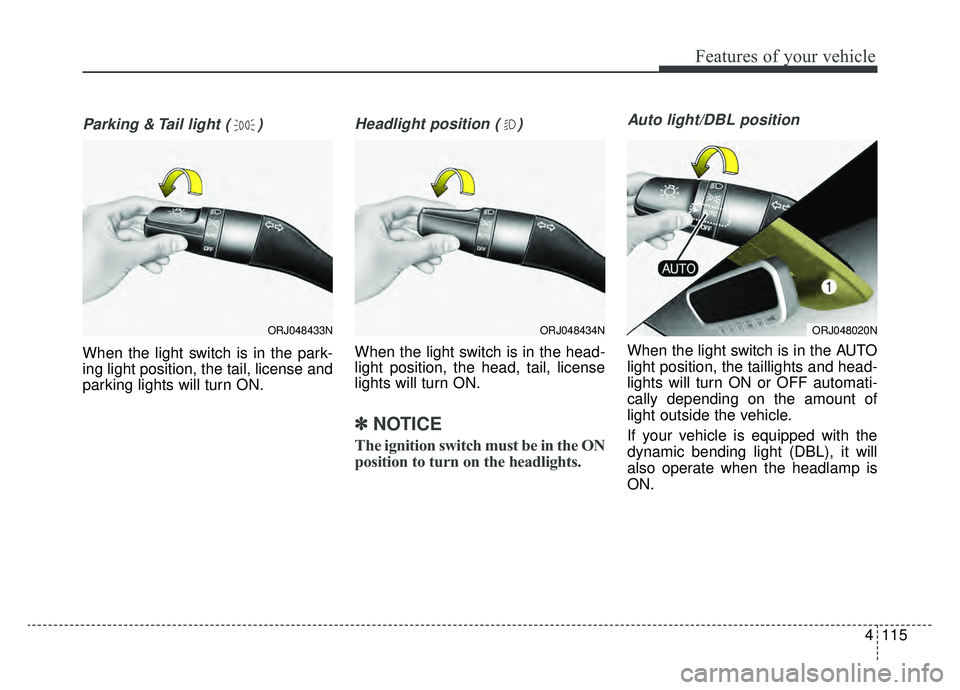
Parking & Tail light ( )
When the light switch is in the park-
ing light position, the tail, license and
parking lights will turn ON.
Headlight position ( )
When the light switch is in the head-
light position, the head, tail, license
lights will turn ON.
✽ ✽NOTICE
The ignition switch must be in the ON
position to turn on the headlights.
Auto light/DBL position
When the light switch is in the AUTO
light position, the taillights and head-
lights will turn ON or OFF automati-
cally depending on the amount of
light outside the vehicle.
If your vehicle is equipped with the
dynamic bending light (DBL), it will
also operate when the headlamp is
ON.
ORJ048434NORJ048020NORJ048433N
Page 213 of 580
Features of your vehicle
120
4
Turn signals and lane change
signals
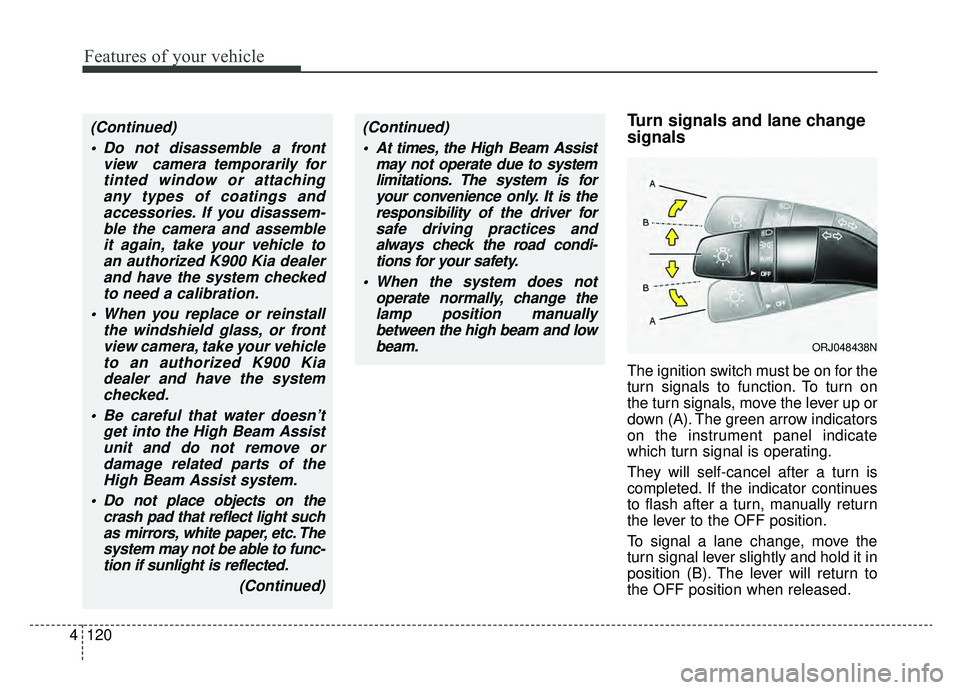
The ignition switch must be on for the
turn signals to function. To turn on
the turn signals, move the lever up or
down (A). The green arrow indicators
on the instrument panel indicate
which turn signal is operating.
They will self-cancel after a turn is
completed. If the indicator continues
to flash after a turn, manually return
the lever to the OFF position.
To signal a lane change, move the
turn signal lever slightly and hold it in
position (B). The lever will return to
the OFF position when released.
(Continued)
Do not disassemble a front view camera temporarily fortinted window or attachingany types of coatings andaccessories. If you disassem-ble the camera and assembleit again, take your vehicle toan authorized K900 Kia dealerand have the system checkedto need a calibration.
When you replace or reinstall the windshield glass, or frontview camera, take your vehicleto an authorized K900 Kiadealer and have the systemchecked.
Be careful that water doesn’t get into the High Beam Assistunit and do not remove ordamage related parts of theHigh Beam Assist system.
Do not place objects on the crash pad that reflect light suchas mirrors, white paper, etc. Thesystem may not be able to func-tion if sunlight is reflected.
(Continued)(Continued) At times, the High Beam Assist may not operate due to systemlimitations. The system is foryour convenience only. It is theresponsibility of the driver forsafe driving practices andalways check the road condi-tions for your safety.
When the system does not operate normally, change thelamp position manuallybetween the high beam and lowbeam.
ORJ048438N
Page 217 of 580
Features of your vehicle
124
4
Auto control (if equipped)
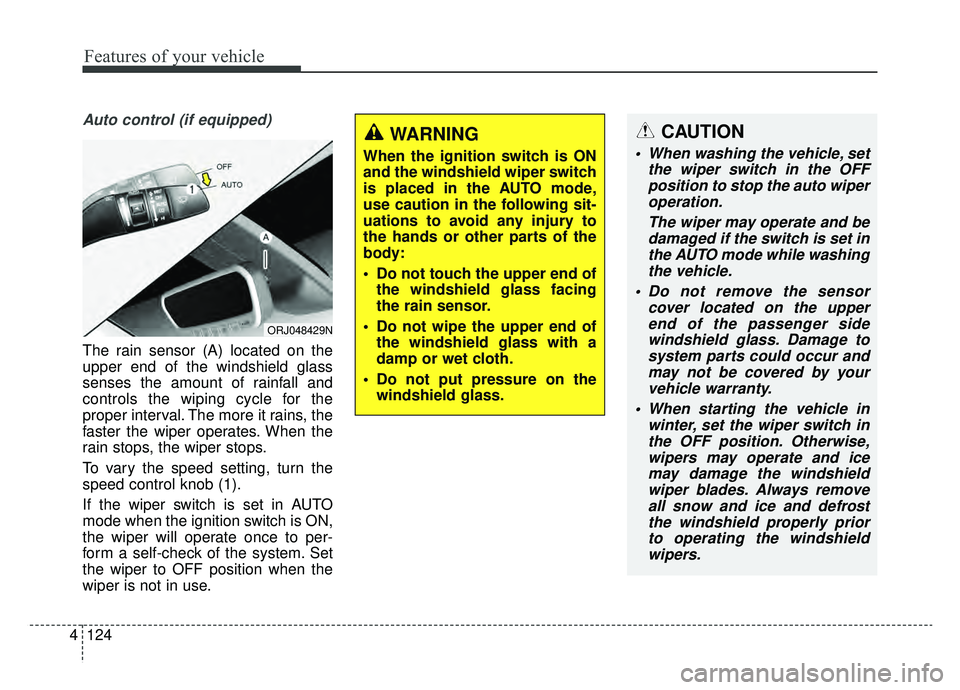
The rain sensor (A) located on the
upper end of the windshield glass
senses the amount of rainfall and
controls the wiping cycle for the
proper interval. The more it rains, the
faster the wiper operates. When the
rain stops, the wiper stops.
To vary the speed setting, turn the
speed control knob (1).
If the wiper switch is set in AUTO
mode when the ignition switch is ON,
the wiper will operate once to per-
form a self-check of the system. Set
the wiper to OFF position when the
wiper is not in use.
ORJ048429N
CAUTION
When washing the vehicle, set
the wiper switch in the OFFposition to stop the auto wiperoperation.
The wiper may operate and bedamaged if the switch is set inthe AUTO mode while washingthe vehicle.
Do not remove the sensor cover located on the upperend of the passenger sidewindshield glass. Damage tosystem parts could occur andmay not be covered by yourvehicle warranty.
When starting the vehicle in winter, set the wiper switch inthe OFF position. Otherwise,wipers may operate and icemay damage the windshieldwiper blades. Always removeall snow and ice and defrostthe windshield properly priorto operating the windshieldwipers.
WARNING
When the ignition switch is ON
and the windshield wiper switch
is placed in the AUTO mode,
use caution in the following sit-
uations to avoid any injury to
the hands or other parts of the
body:
Do not touch the upper end of the windshield glass facing
the rain sensor.
Do not wipe the upper end of the windshield glass with a
damp or wet cloth.
Do not put pressure on the windshield glass.
Page 219 of 580
Features of your vehicle
126
4
Do not use the interior lights for
extended periods when the engine is
not running.
It may cause battery discharge.Automatic turn off function
(if equipped)
The interior lights automatically turn
off approximately 20 minutes after
the ignition switch is turned off, if the
lights are in the ON position.
If your vehicle is equipped with the
theft alarm system, the interior lights
automatically turn off approximately
5 seconds after the system is armed.
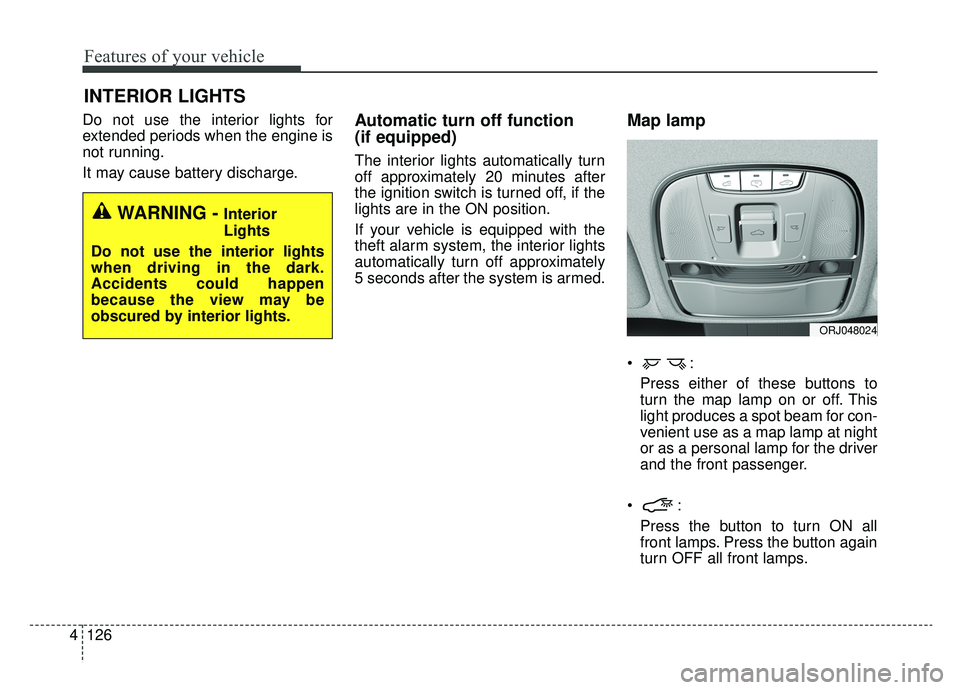
Map lamp
Press either of these buttons to
turn the map lamp on or off. This
light produces a spot beam for con-
venient use as a map lamp at night
or as a personal lamp for the driver
and the front passenger.
Press the button to turn ON all
front lamps. Press the button again
turn OFF all front lamps.
INTERIOR LIGHTS
WARNING - Interior
Lights
Do not use the interior lights
when driving in the dark.
Accidents could happen
because the view may be
obscured by interior lights.
ORJ048024
Page 224 of 580
4131
Features of your vehicle
If you want to defrost and defog the
front windshield, refer to “Windshield
defrosting and defogging” in this sec-
tion.
Rear window defroster
The defroster heats the window to
remove frost, fog and thin ice from
the rear window, while the engine is
running.
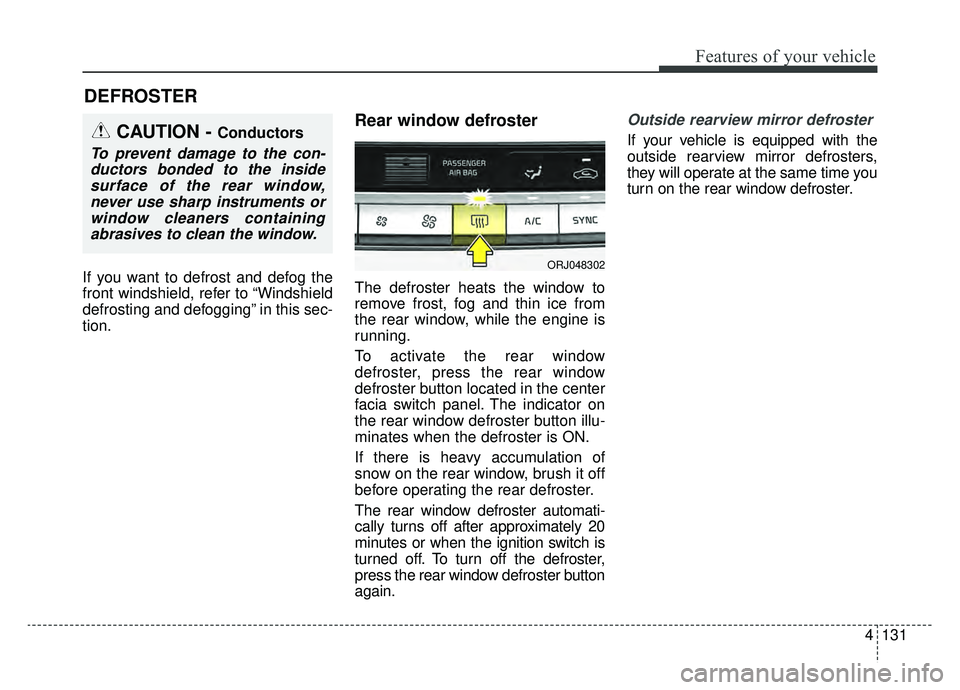
To activate the rear window
defroster, press the rear window
defroster button located in the center
facia switch panel. The indicator on
the rear window defroster button illu-
minates when the defroster is ON.
If there is heavy accumulation of
snow on the rear window, brush it off
before operating the rear defroster.
The rear window defroster automati-
cally turns off after approximately 20
minutes or when the ignition switch is
turned off. To turn off the defroster,
press the rear window defroster button
again.
Outside rearview mirror defroster
If your vehicle is equipped with the
outside rearview mirror defrosters,
they will operate at the same time you
turn on the rear window defroster.
DEFROSTER
CAUTION - Conductors
To prevent damage to the con-ductors bonded to the insidesurface of the rear window,never use sharp instruments orwindow cleaners containingabrasives to clean the window.
ORJ048302