warning KIA K900 2019 Owners Manual
[x] Cancel search | Manufacturer: KIA, Model Year: 2019, Model line: K900, Model: KIA K900 2019Pages: 580, PDF Size: 15.11 MB
Page 332 of 580
567
Driving your vehicle
- When the vehicle is severely shak-en,
- When driving around circular inter- section after the vehicle in front,
- If the front of the camera lens is contaminated by front glass tinting,
film, water repellent coating, dam-
age on glass, foreign matter (stick-
er, insect, etc.)
- The radar or camera or camera lens is damaged.
- If the headlights of the vehicle are not used at night or in the tunnel
section, or the light is too weak
- If street light or the light of the vehi- cle coming from the opposite is
reflected or when sunlight is
reflected by the water on the road
surface
- When the back light is projected in the direction of the vehicle's motion
(including the headlights of vehi-
cles)
- Road sign, shadow on the road, tunnel entrance, toll gate, partial
pavement - If the windshield has moisture on
its surface or if windshield freezes,
- Driving in the fog.
- When objects are out of the sens- ing range of the sensor or radar.
- When the cyclist in front is riding intersected with the driving direc-
tion
- When there is any other electro- magnetic interference
- When the construction area, rail or other metal object is near the
cyclist
- If the bicycle material is not reflect- ed well on the radar
WARNING
Do not use the ForwardCollision avoidance Assist
(FCA) system when towing a
vehicle. Application of the
FCA system while towing may
adversely affect the safety of
your vehicle or the towing
vehicle.
Use extreme caution when the vehicle in front of you has
cargo that extends rearward
from the cab, or when the
vehicle in front of you has
higher ground clearance.
The FCA system is designed to detect and monitor the vehicle
ahead in the roadway through
radar signals and camera
recognition. It is not designed
to detect bicycles, motorcy-
cles, or smaller wheeled
objects such as luggage bags,
shopping carts, or strollers.
(Continued)
Page 334 of 580
569
Driving your vehicle
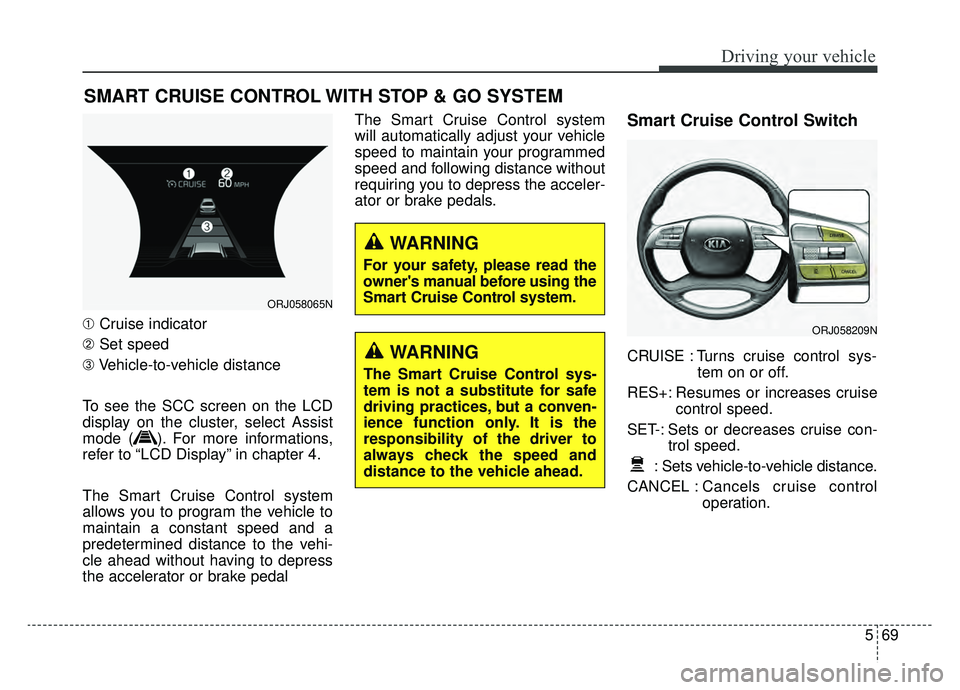
➀Cruise indicator
➁ Set speed
\b Vehicle-to-vehicle distance
To see the SCC screen on the LCD
display on the cluster, select Assist
mode ( ). For more informations,
refer to “LCD Display” in chapter 4.
The Smart Cruise Control system
allows you to program the vehicle to
maintain a constant speed and a
predetermined distance to the vehi-
cle ahead without having to depress
the accelerator or brake pedal The Smart Cruise Control system
will automatically adjust your vehicle
speed to maintain your programmed
speed and following distance without
requiring you to depress the acceler-
ator or brake pedals.
Smart Cruise Control Switch
CRUISE : Turns cruise control sys-
tem on or off.
RES+: Resumes or increases cruise control speed.
SET-: Sets or decreases cruise con- trol speed.
: Sets vehicle-to-vehicle distance.
CANCEL : Cancels cruise control
operation.
SMART CRUISE CONTROL WITH STOP & GO SYSTEM
ORJ058065N
ORJ058209N
WARNING
The Smart Cruise Control sys-
tem is not a substitute for safe
driving practices, but a conven-
ience function only. It is the
responsibility of the driver to
always check the speed and
distance to the vehicle ahead.
WARNING
For your safety, please read the
owner's manual before using the
Smart Cruise Control system.
Page 339 of 580
Driving your vehicle
74
5
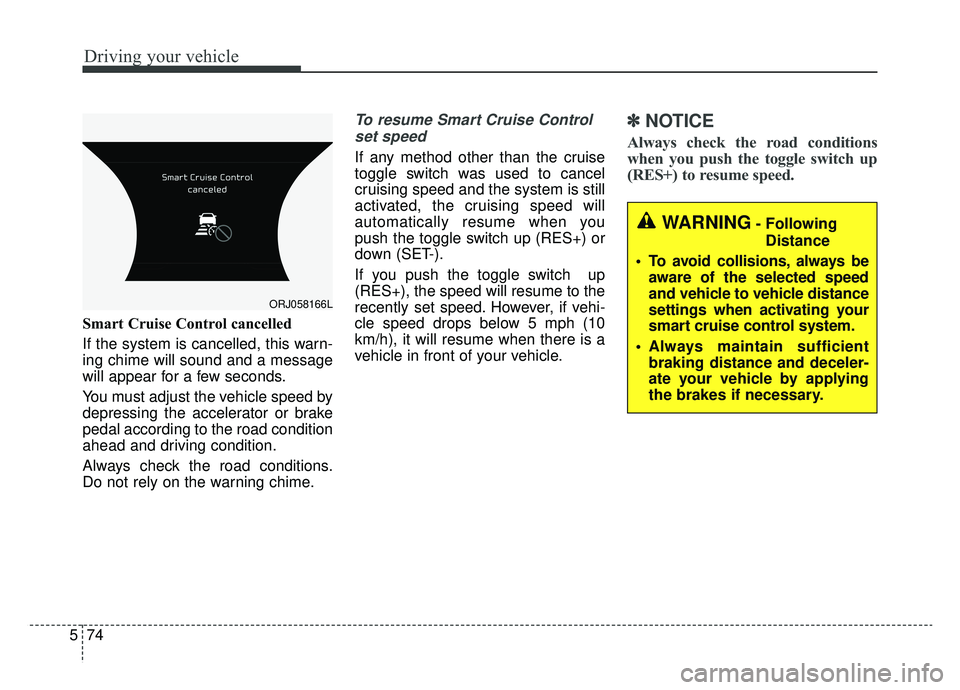
Smart Cruise Control cancelled
If the system is cancelled, this warn-
ing chime will sound and a message
will appear for a few seconds.
You must adjust the vehicle speed by
depressing the accelerator or brake
pedal according to the road condition
ahead and driving condition.
Always check the road conditions.
Do not rely on the warning chime.
To resume Smart Cruise Control
set speed
If any method other than the cruise
toggle switch was used to cancel
cruising speed and the system is still
activated, the cruising speed will
automatically resume when you
push the toggle switch up (RES+) or
down (SET-).
If you push the toggle switch up
(RES+), the speed will resume to the
recently set speed. However, if vehi-
cle speed drops below 5 mph (10
km/h), it will resume when there is a
vehicle in front of your vehicle.
✽ ✽ NOTICE
Always check the road conditions
when you push the toggle switch up
(RES+) to resume speed.
ORJ058166L
WARNING- Following
Distance
To avoid collisions, always be aware of the selected speed
and vehicle to vehicle distance
settings when activating your
smart cruise control system.
Always maintain sufficient braking distance and deceler-
ate your vehicle by applying
the brakes if necessary.
Page 340 of 580
575
Driving your vehicle
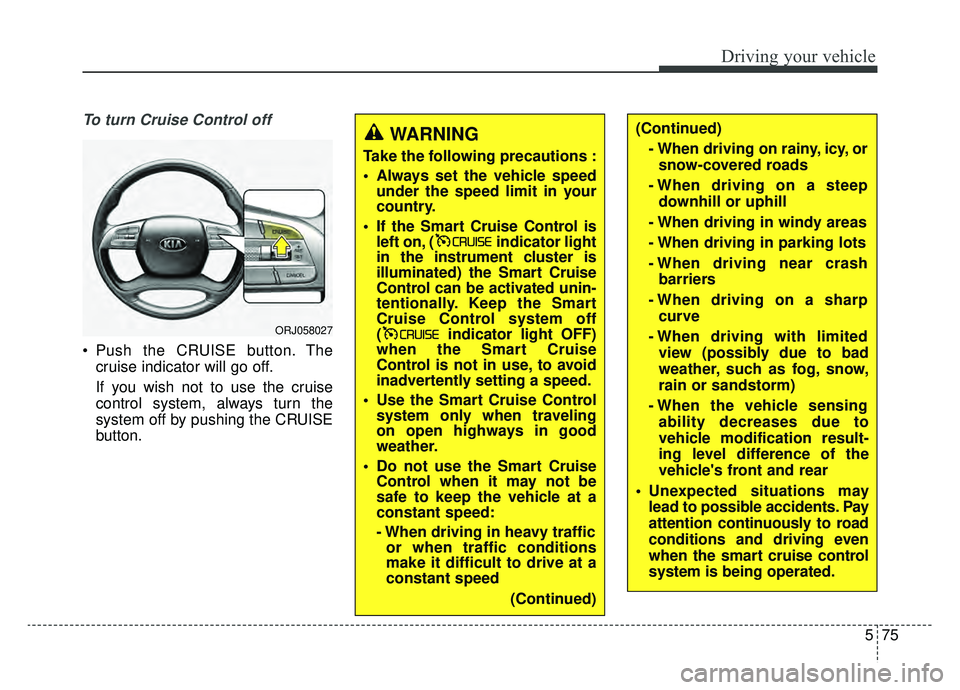
To turn Cruise Control off
Push the CRUISE button. Thecruise indicator will go off.
If you wish not to use the cruise
control system, always turn the
system off by pushing the CRUISE
button.
WARNING
Take the following precautions :
Always set the vehicle speedunder the speed limit in your
country.
If the Smart Cruise Control is left on, ( indicator light
in the instrument cluster is
illuminated) the Smart Cruise
Control can be activated unin-
tentionally. Keep the Smart
Cruise Control system off
( indicator light OFF)
when the Smart Cruise
Control is not in use, to avoid
inadvertently setting a speed.
Use the Smart Cruise Control system only when traveling
on open highways in good
weather.
Do not use the Smart Cruise Control when it may not be
safe to keep the vehicle at a
constant speed:
- When driving in heavy trafficor when traffic conditions
make it difficult to drive at a
constant speed
(Continued)
(Continued)- When driving on rainy, icy, orsnow-covered roads
- When driving on a steep downhill or uphill
- When driving in windy areas
- When driving in parking lots
- When driving near crash barriers
- When driving on a sharp curve
- When driving with limited view (possibly due to bad
weather, such as fog, snow,
rain or sandstorm)
- When the vehicle sensing ability decreases due to
vehicle modification result-
ing level difference of the
vehicle's front and rear
Unexpected situations may lead to possible accidents. Pay
attention continuously to road
conditions and driving even
when the smart cruise control
system is being operated.
ORJ058027
Page 342 of 580
577
Driving your vehicle
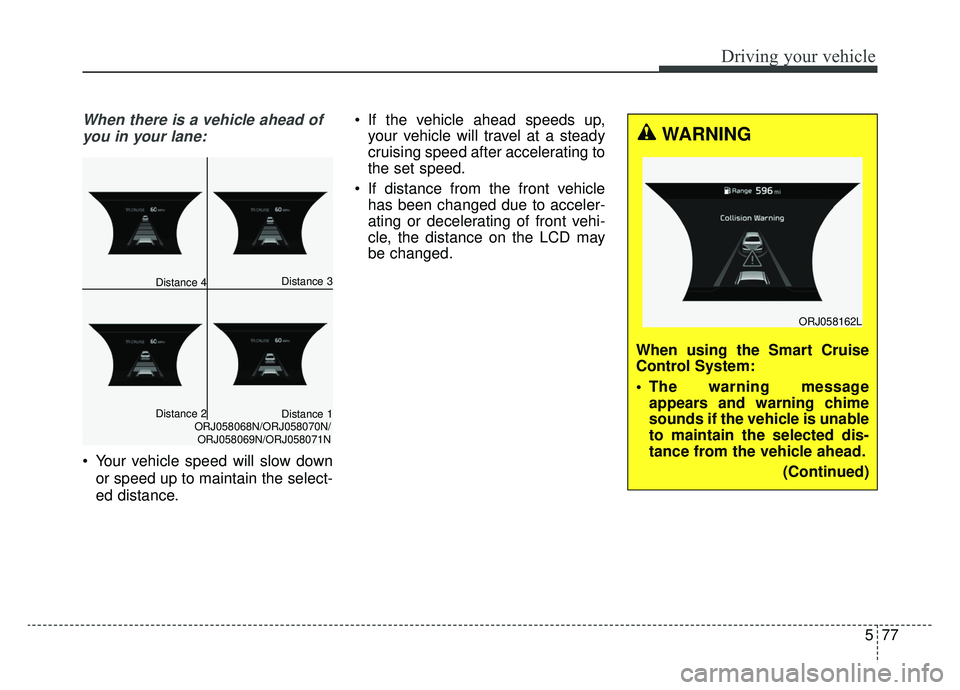
When there is a vehicle ahead ofyou in your lane:
Your vehicle speed will slow down
or speed up to maintain the select-
ed distance. If the vehicle ahead speeds up,
your vehicle will travel at a steady
cruising speed after accelerating to
the set speed.
If distance from the front vehicle has been changed due to acceler-
ating or decelerating of front vehi-
cle, the distance on the LCD may
be changed.
Distance 3
Distance 2Distance 1ORJ058068N/ORJ058070N/
ORJ058069N/ORJ058071N
Distance 4
WARNING
When using the Smart Cruise
Control System:
The warning message appears and warning chime
sounds if the vehicle is unable
to maintain the selected dis-
tance from the vehicle ahead.
(Continued)
ORJ058162L
Page 343 of 580
Driving your vehicle
78
5
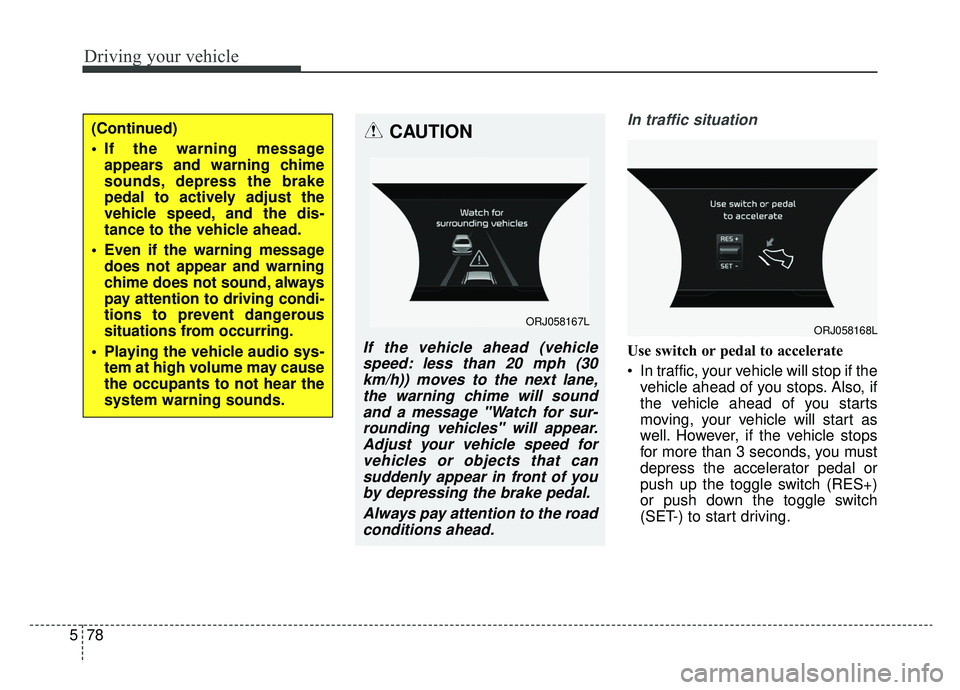
In traffic situation
Use switch or pedal to accelerate
In traffic, your vehicle will stop if the
vehicle ahead of you stops. Also, if
the vehicle ahead of you starts
moving, your vehicle will start as
well. However, if the vehicle stops
for more than 3 seconds, you must
depress the accelerator pedal or
push up the toggle switch (RES+)
or push down the toggle switch
(SET-) to start driving.
(Continued)
If the warning messageappears and warning chime
sounds, depress the brake
pedal to actively adjust the
vehicle speed, and the dis-
tance to the vehicle ahead.
Even if the warning message does not appear and warning
chime does not sound, always
pay attention to driving condi-
tions to prevent dangerous
situations from occurring.
Playing the vehicle audio sys- tem at high volume may cause
the occupants to not hear the
system warning sounds.CAUTION
If the vehicle ahead (vehiclespeed: less than 20 mph (30km/h)) moves to the next lane,the warning chime will soundand a message "Watch for sur-rounding vehicles" will appear.Adjust your vehicle speed forvehicles or objects that cansuddenly appear in front of youby depressing the brake pedal.
Always pay attention to the roadconditions ahead.
ORJ058167LORJ058168L
Page 344 of 580
579
Driving your vehicle
If you push the smart cruise controltoggle switch (RES+ or SET-) while
Auto Hold and smart cruise control
is operating, the Auto Hold will be
released regardless of accelerator
pedal operation and the vehicle will
start to move. The AUTO HOLD
indicator changes from green to
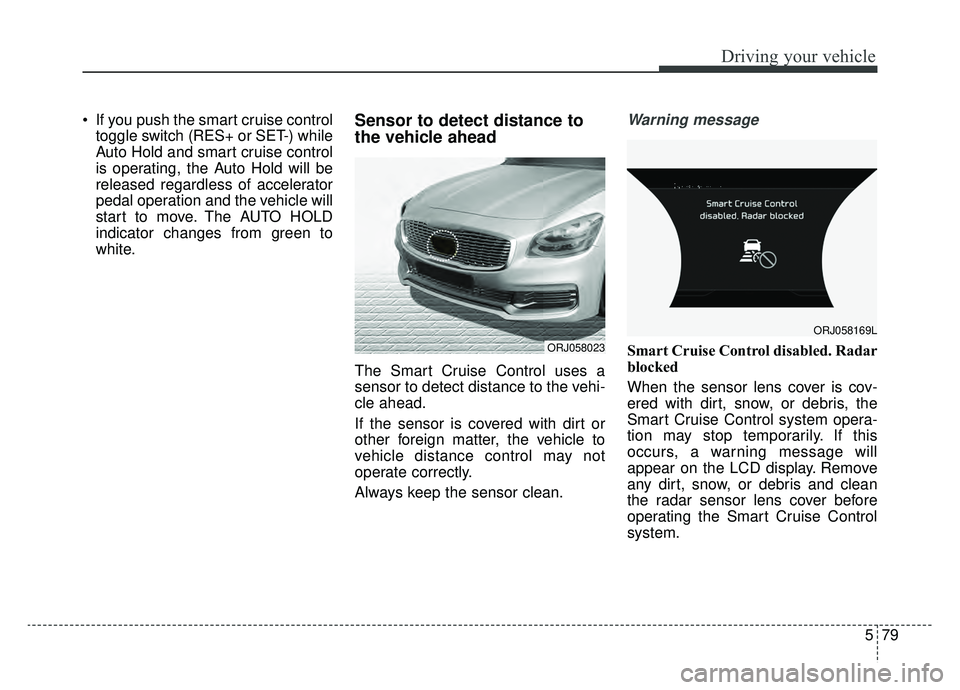
white.Sensor to detect distance to
the vehicle ahead
The Smart Cruise Control uses a
sensor to detect distance to the vehi-
cle ahead.
If the sensor is covered with dirt or
other foreign matter, the vehicle to
vehicle distance control may not
operate correctly.
Always keep the sensor clean.
Warning message
Smart Cruise Control disabled. Radar
blocked
When the sensor lens cover is cov-
ered with dirt, snow, or debris, the
Smart Cruise Control system opera-
tion may stop temporarily. If this
occurs, a warning message will
appear on the LCD display. Remove
any dirt, snow, or debris and clean
the radar sensor lens cover before
operating the Smart Cruise Control
system.ORJ058023
ORJ058169L
Page 345 of 580
Driving your vehicle
80
5
The Smart Cruise Control system
may not properly activate, if the radar
is totally contaminated, or if any sub-
stance is not detected after turning
ON the engine (e.g. in an open ter-
rain).
✽ ✽
NOTICE
If SCC operation is temporarily
deactivated due to a blocked radar,
but you wish to use cruise control
mode (speed control function), you
must convert to the conventional
cruise control mode (refer to "To
convert to Cruise Control mode" in
this chapter.
CAUTION
Do not apply license plate
frame or foreign objects suchas a bumper sticker or abumper guard near the radarsensor. Doing so mayadversely affect the sensingperformance of the radar.
Always keep the radar sensor and lens cover clean and freeof dirt and debris.
Use only a soft cloth to wash the vehicle. Do not spray pres-surized water directly on thesensor or sensor cover.
Be careful not to apply unnec- essary force on the radar sen-sor or sensor cover. If the sen-sor is forcibly moved out ofproper alignment, the SmartCruise Control system maynot operate correctly. In thiscase, a warning message maynot be displayed. Have thesystem checked by an author-ized K900 Kia dealer.
(Continued)
(Continued) If the front bumper becomes damaged in the area aroundthe radar sensor, the SmartCruise Control system maynot operate properly. We rec-ommend that you have thesystem checked by an author-ized K900 Kia dealer.
Use only Kia parts to repair or replace a damaged sensor orsensor cover. Do not applypaint to the sensor cover.
Page 347 of 580
Driving your vehicle
82
5
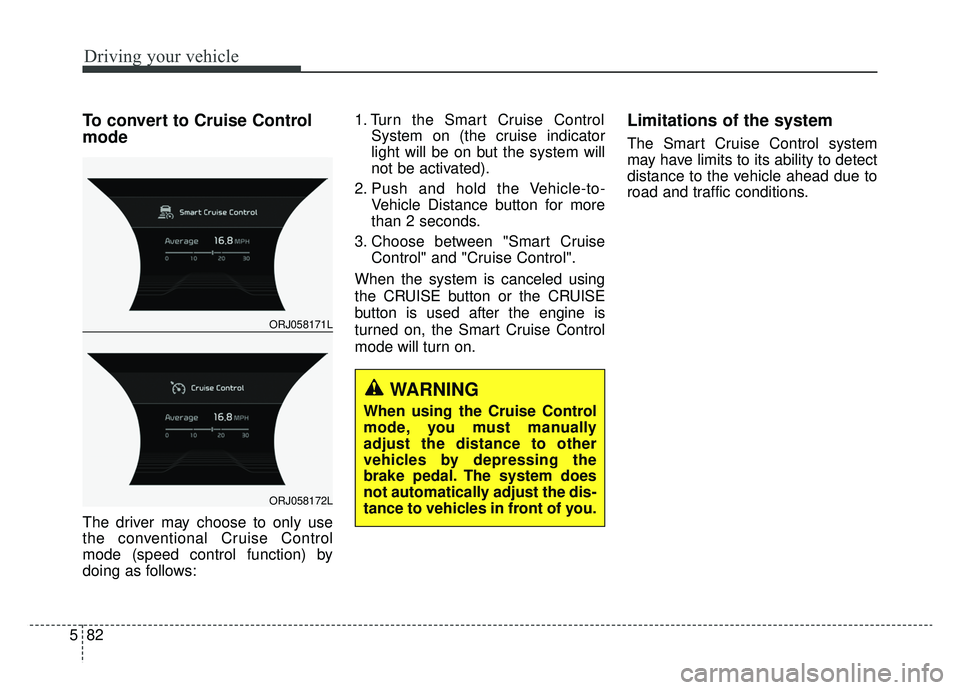
To convert to Cruise Control
mode
The driver may choose to only use
the conventional Cruise Control
mode (speed control function) by
doing as follows: 1. Turn the Smart Cruise Control
System on (the cruise indicator
light will be on but the system will
not be activated).
2. Push and hold the Vehicle-to- Vehicle Distance button for more
than 2 seconds.
3. Choose between "Smart Cruise Control" and "Cruise Control".
When the system is canceled using
the CRUISE button or the CRUISE
button is used after the engine is
turned on, the Smart Cruise Control
mode will turn on.
Limitations of the system
The Smart Cruise Control system
may have limits to its ability to detect
distance to the vehicle ahead due to
road and traffic conditions.
WARNING
When using the Cruise Control
mode, you must manually
adjust the distance to other
vehicles by depressing the
brake pedal. The system does
not automatically adjust the dis-
tance to vehicles in front of you.
ORJ058171L
ORJ058172L
Page 351 of 580
Driving your vehicle
86
5
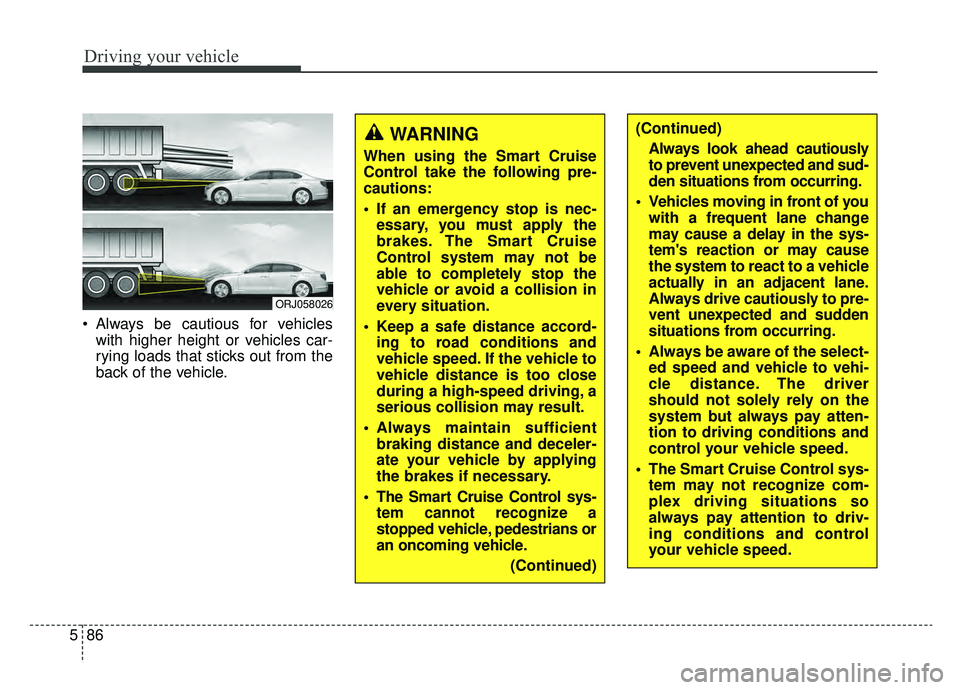
Always be cautious for vehicles
with higher height or vehicles car-
rying loads that sticks out from the
back of the vehicle.
ORJ058026
WARNING
When using the Smart Cruise
Control take the following pre-
cautions:
If an emergency stop is nec-essary, you must apply the
brakes. The Smart Cruise
Control system may not be
able to completely stop the
vehicle or avoid a collision in
every situation.
Keep a safe distance accord- ing to road conditions and
vehicle speed. If the vehicle to
vehicle distance is too close
during a high-speed driving, a
serious collision may result.
Always maintain sufficient braking distance and deceler-
ate your vehicle by applying
the brakes if necessary.
The Smart Cruise Control sys- tem cannot recognize a
stopped vehicle, pedestrians or
an oncoming vehicle.
(Continued)
(Continued)Always look ahead cautiously
to prevent unexpected and sud-
den situations from occurring.
Vehicles moving in front of you with a frequent lane change
may cause a delay in the sys-
tem's reaction or may cause
the system to react to a vehicle
actually in an adjacent lane.
Always drive cautiously to pre-
vent unexpected and sudden
situations from occurring.
Always be aware of the select- ed speed and vehicle to vehi-
cle distance. The driver
should not solely rely on the
system but always pay atten-
tion to driving conditions and
control your vehicle speed.
The Smart Cruise Control sys- tem may not recognize com-
plex driving situations so
always pay attention to driv-
ing conditions and control
your vehicle speed.