alarm KIA K900 2019 Owner's Manual
[x] Cancel search | Manufacturer: KIA, Model Year: 2019, Model line: K900, Model: KIA K900 2019Pages: 580, PDF Size: 15.11 MB
Page 330 of 580
565
Driving your vehicle
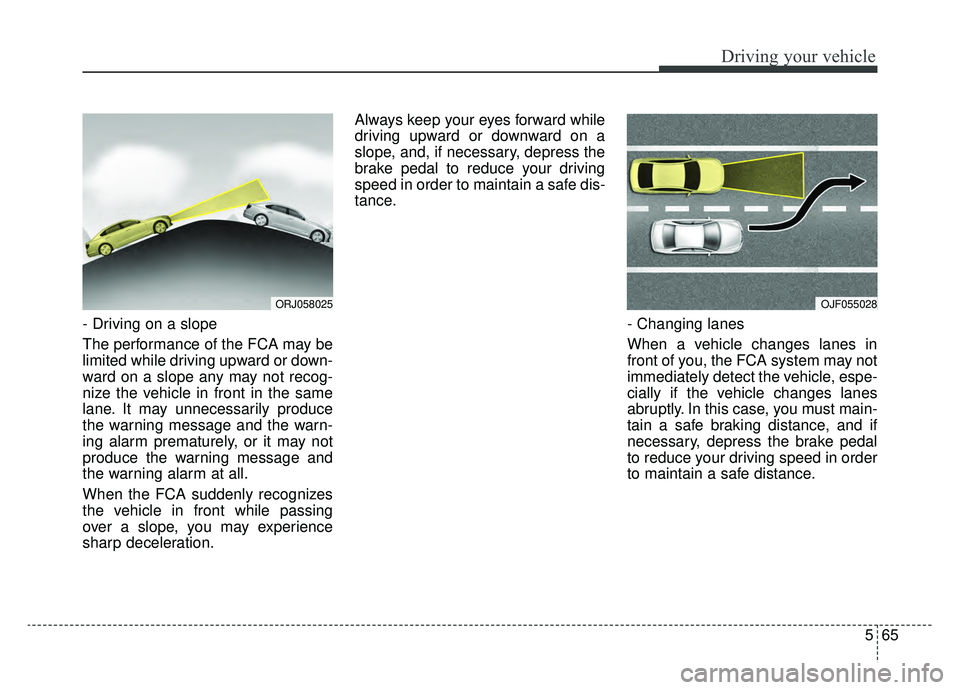
- Driving on a slope
The performance of the FCA may be
limited while driving upward or down-
ward on a slope any may not recog-
nize the vehicle in front in the same
lane. It may unnecessarily produce
the warning message and the warn-
ing alarm prematurely, or it may not
produce the warning message and
the warning alarm at all.
When the FCA suddenly recognizes
the vehicle in front while passing
over a slope, you may experience
sharp deceleration.Always keep your eyes forward while
driving upward or downward on a
slope, and, if necessary, depress the
brake pedal to reduce your driving
speed in order to maintain a safe dis-
tance.
- Changing lanes
When a vehicle changes lanes in
front of you, the FCA system may not
immediately detect the vehicle, espe-
cially if the vehicle changes lanes
abruptly. In this case, you must main-
tain a safe braking distance, and if
necessary, depress the brake pedal
to reduce your driving speed in order
to maintain a safe distance.
OJF055028ORJ058025
Page 356 of 580
591
Driving your vehicle
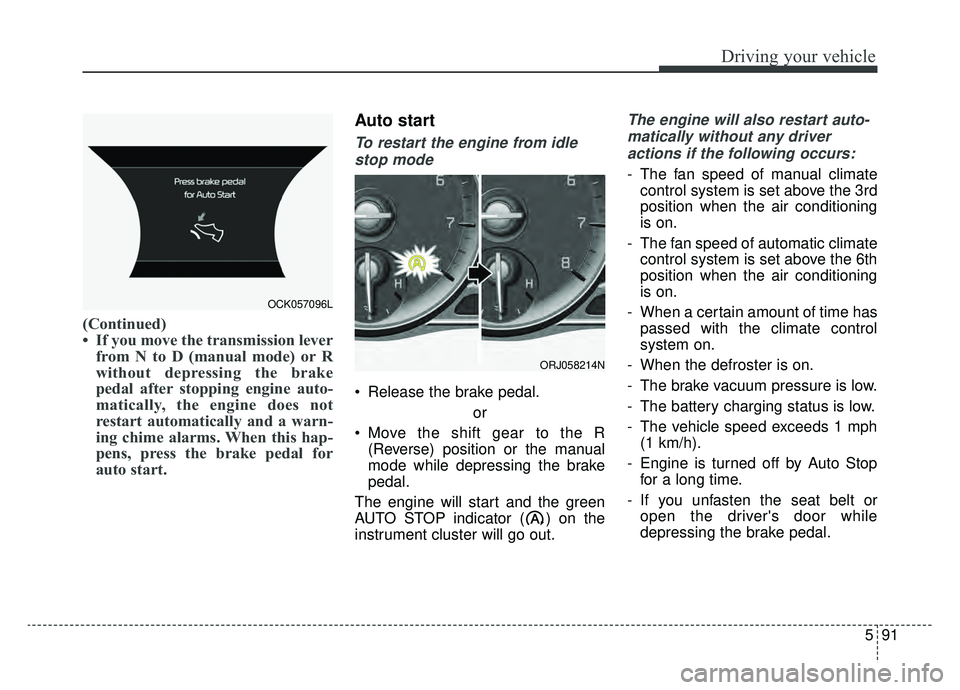
(Continued)
• If you move the transmission leverfrom N to D (manual mode) or R
without depressing the brake
pedal after stopping engine auto-
matically, the engine does not
restart automatically and a warn-
ing chime alarms. When this hap-
pens, press the brake pedal for
auto start.
Auto start
To restart the engine from idle
stop mode
Release the brake pedal.
or
Move the shift gear to the R (Reverse) position or the manual
mode while depressing the brake
pedal.
The engine will start and the green
AUTO STOP indicator ( ) on the
instrument cluster will go out.
The engine will also restart auto- matically without any driveractions if the following occurs:
- The fan speed of manual climate control system is set above the 3rd
position when the air conditioning
is on.
- The fan speed of automatic climate control system is set above the 6th
position when the air conditioning
is on.
- When a certain amount of time has passed with the climate control
system on.
- When the defroster is on.
- The brake vacuum pressure is low.
- The battery charging status is low.
- The vehicle speed exceeds 1 mph (1 km/h).
- Engine is turned off by Auto Stop for a long time.
- If you unfasten the seat belt or open the driver's door while
depressing the brake pedal.
OCK057096L
ORJ058214N
Page 365 of 580
![KIA K900 2019 Owners Manual Driving your vehicle
100
5
LFA system operation
With the ignition [ON], select or
release the setting from "AVN →
Settings →Vehicle →Driver assis-
tance →Driving assist → LFA (Lane
Foll](/img/2/55057/w960_55057-364.png "KIA K900 2019 Owners Manual Driving your vehicle
100
5
LFA system operation
With the ignition [ON], select or
release the setting from \"AVN →
Settings →Vehicle →Driver assis-
tance →Driving assist → LFA (Lane
Foll")
Driving your vehicle
100
5
LFA system operation
With the ignition [ON], select or
release the setting from "AVN →
Settings →Vehicle →Driver assis-
tance →Driving assist → LFA (Lane
Following Assist)".
Select the LFA system in the AVN
and meet the following conditions,
the system will operate.
- When Smart Cruise Control is in operation (Vehicle deceleration and
acceleration control)
Refer to
details.
- Driving the vehicle at 95 mph (150 km/h) and under
Once the system starts working, the
indicator light ( ) comes on the
instrument panel.
The indicator light colors according
to the system status are as follows.
- White: steering assist mode deacti- vation
- Green: steering assist mode activa- tion
(Continued)
- Depending on your surround- ings and road conditions, theLFA system could fail to rec-ognize the lane and stop work-ing. In turn, extra caution isrequired while driving withthe LFA system on.
- Be sure to check the non- operating conditions and cau-tions for the driver beforeusing the LFA system.
- Do not place reflective materi- als such as white paper ormirror on the dashboard pad.Sunlight reflections can causethe LFA system to not operateproperly.
- Loud audio volumes can pre- vent the occupants from hear-ing the alarm sounds from theLFA system
(Continued)(Continued)- Keeping your hands off the wheel while driving will triggerthe hands-off warning anddeactivate the steering-assistsystem. Put your hands backon the wheel, then the steer-ing-assist system will be re-activated.
- When driving at a high speed, the steering assist force canbecome weak and the vehiclecan drive out of its lane. Extracaution is required, and com-ply with the speed limit.
- Attaching an object to the steering wheel could detersteering assistance.
- Attaching an object to the steering wheel could deter thehands-off alarming system.
Page 366 of 580
5101
Driving your vehicle
LFA system activation
If the vehicle is inside the lane with
both lanes recognized by the sys-
tem, and there is no steep steering
made by the driver, the LFA system
changes into steering assist mode.
The indicator light will come on
green, and the system helps the
vehicle stay in line by controlling the
steering wheel.
When the lane is not recognized, the
steering wheel is controlled in a lim-
ited manner depending on the pres-
ence and the driving condition of the
preceding vehicle.
When the steering wheel is not con-
trolled temporarily, the indicator light
will flash green and changes to white.
Once the LFA system recognizes the
lanes, the color of the lane on the
screen will change from gray to
white.
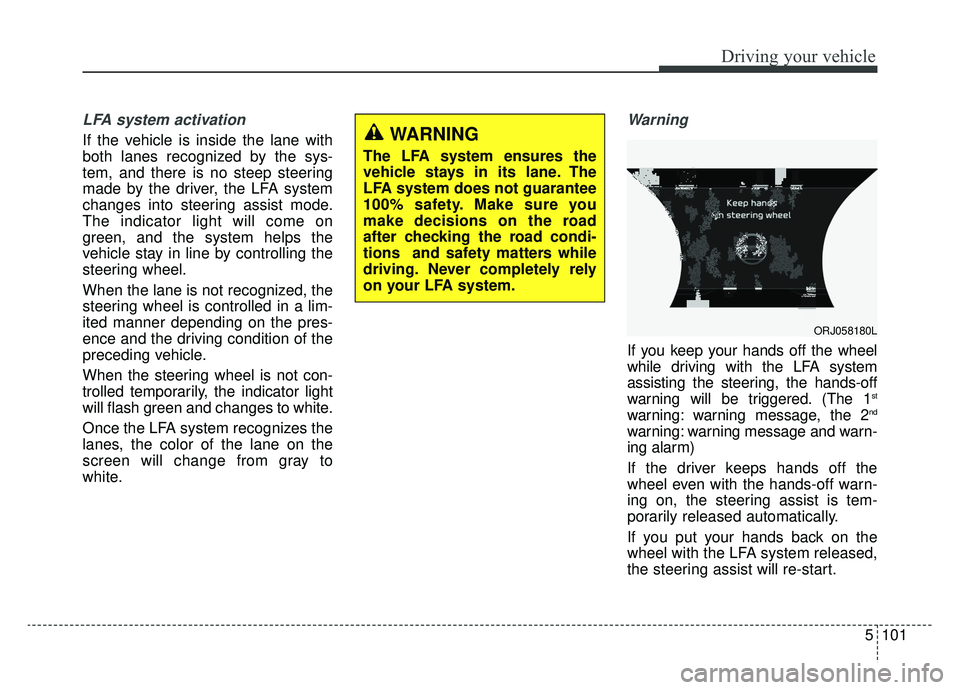
Warning
If you keep your hands off the wheel
while driving with the LFA system
assisting the steering, the hands-off
warning will be triggered. (The 1
st
warning: warning message, the 2nd
warning: warning message and warn-
ing alarm)
If the driver keeps hands off the
wheel even with the hands-off warn-
ing on, the steering assist is tem-
porarily released automatically.
If you put your hands back on the
wheel with the LFA system released,
the steering assist will re-start.
WARNING
The LFA system ensures the
vehicle stays in its lane. The
LFA system does not guarantee
100% safety. Make sure you
make decisions on the road
after checking the road condi-
tions and safety matters while
driving. Never completely rely
on your LFA system.
ORJ058180L
Page 371 of 580
Driving your vehicle
106
5
(Continued)
If you disassemble the cam-
era and assemble it again,
take your vehicle to an author-
ized K900 Kia dealer and have
the system checked to need a
calibration.
When you replace the wind- shield glass, front view cam-
era or related parts of the
steering, take your vehicle to
an authorized K900 Kia dealer
and have the system checked
to need a calibration.
The system is designed to detect lane markers using a
front view camera. If the lane
markers are hard to detect,
then the system may be limit-
ed. Always be cautious when
using the system.
When the lane markers are hard to detect, please refer to
“Driver’s Attention”.
(Continued)(Continued)
Do not remove or damage therelated parts of LKA system.
Do not place objects on the dashboard that reflects light
such as mirrors, white paper,
etc. This may prevent the LKA
system from functioning
properly.
You may not hear warning sound of LKA system because
of the excessive audio sound.
When other beeps such as the seat belt warning sound are in
operation and override the
LKA alarming system, LKA
beeps may not occur.
If the vehicle speed is high, steering torque for assistance
will not be enough to keep
your vehicle within the lane. If
so, the vehicle may move out
of its lane. Obey speed limit
when using LKA system.
(Continued)(Continued)
If you attach objects to thesteering wheel, the system
may not assist steering.
If you attach objects to the steering wheel, hands off
alarm may not work properly.
Page 386 of 580
5121
Driving your vehicle
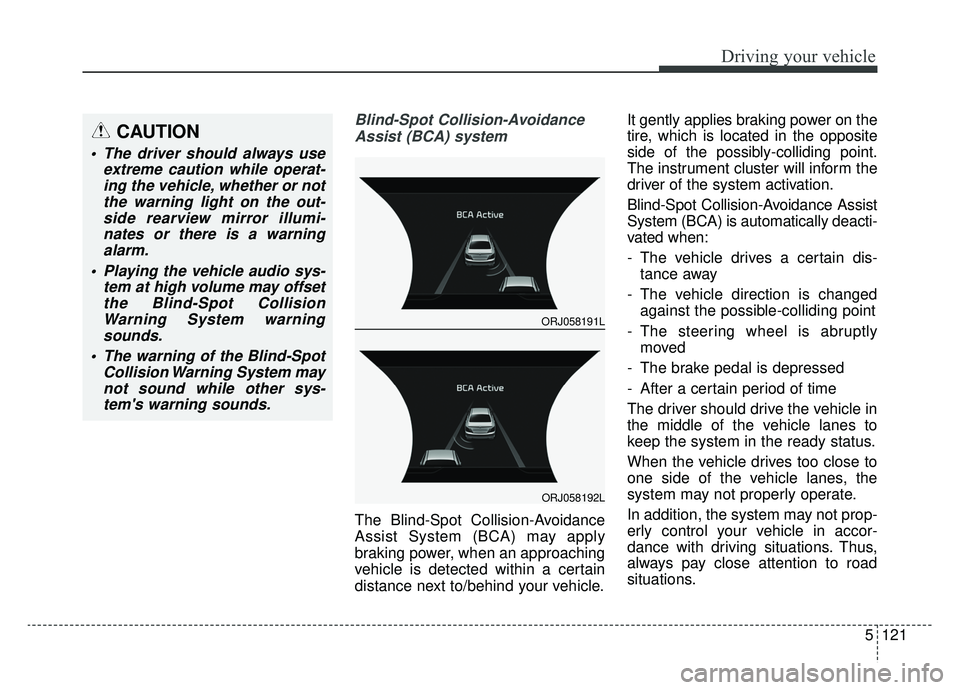
Blind-Spot Collision-AvoidanceAssist (BCA) system
The Blind-Spot Collision-Avoidance
Assist System (BCA) may apply
braking power, when an approaching
vehicle is detected within a certain
distance next to/behind your vehicle. It gently applies braking power on the
tire, which is located in the opposite
side of the possibly-colliding point.
The instrument cluster will inform the
driver of the system activation.
Blind-Spot Collision-Avoidance Assist
System (BCA) is automatically deacti-
vated when:
- The vehicle drives a certain dis-
tance away
- The vehicle direction is changed against the possible-colliding point
- The steering wheel is abruptly moved
- The brake pedal is depressed
- After a certain period of time
The driver should drive the vehicle in
the middle of the vehicle lanes to
keep the system in the ready status.
When the vehicle drives too close to
one side of the vehicle lanes, the
system may not properly operate.
In addition, the system may not prop-
erly control your vehicle in accor-
dance with driving situations. Thus,
always pay close attention to road
situations.
CAUTION
The driver should always use extreme caution while operat-ing the vehicle, whether or notthe warning light on the out-side rearview mirror illumi-nates or there is a warningalarm.
Playing the vehicle audio sys- tem at high volume may offsetthe Blind-Spot CollisionWarning System warningsounds.
The warning of the Blind-Spot Collision Warning System maynot sound while other sys-tem's warning sounds.
ORJ058191L
ORJ058192L
Page 398 of 580
5133
Driving your vehicle
The brake control may not operate
properly according to the status of
the ESC (Electronic Stability
Control). The same warning mes-
sage is displayed on the instrument
cluster for this case also.
- When the ESC (Electronic StabilityControl) warning light is on.
- When the ESC (Electronic Stability Control) is engaged in a different
function.CAUTION
When the operation condition of the Rear Cross-TrafficCollision Warning System issatisfied the warning willoccur every time a vehicleapproaches the side/rear ofyour stopped (0 km/h vehiclespeed) vehicle.
The system's warning or brake may not operate proper-ly if the left/right of your vehi-cle's rear bumper is blockedby a vehicle or obstacle.
The driver should always use extreme caution while operat-ing the vehicle, whether or notthe warning light on the outsiderearview mirror illuminates orthere is a warning alarm.
Playing the vehicle audio sys- tem at high volume may offsetthe system's warning sounds.
(Continued)
(Continued) The warning of the Rear Cross- Traffic Collision WarningSystem may not sound whileother system's warning sounds.
Page 408 of 580
5143
Driving your vehicle
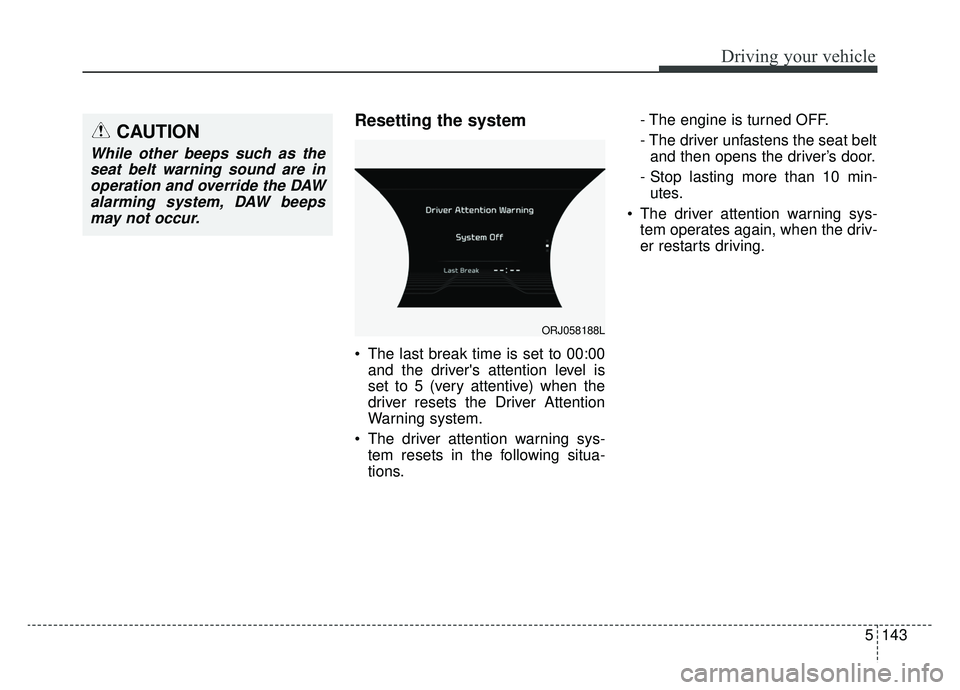
Resetting the system
The last break time is set to 00:00and the driver's attention level is
set to 5 (very attentive) when the
driver resets the Driver Attention
Warning system.
The driver attention warning sys- tem resets in the following situa-
tions. - The engine is turned OFF.
- The driver unfastens the seat belt
and then opens the driver’s door.
- Stop lasting more than 10 min- utes.
The driver attention warning sys- tem operates again, when the driv-
er restarts driving.
ORJ058188L
CAUTION
While other beeps such as theseat belt warning sound are inoperation and override the DAWalarming system, DAW beepsmay not occur.
Page 509 of 580
755
Maintenance
✽ ✽NOTICE- Remodeling
Prohibited
Do not rewire your vehicle in any
way as doing so may affect the per-
formance of several safety features
in your vehicle. Rewiring your vehi-
cle may also void your warranty and
cause you to be responsible for any
subsequent vehicle damage which
may result.
✽ ✽ NOTICE- Window tinting pre-
caution
Window tint (especially metallic
film) might cause communication
errors or poor radio reception, and
malfunctioning automatic lighting
system due to reflections from the
mirror tint inside the vehicle. The
solution used might also leak into
the electronic components, causing
malfunctions or damage.
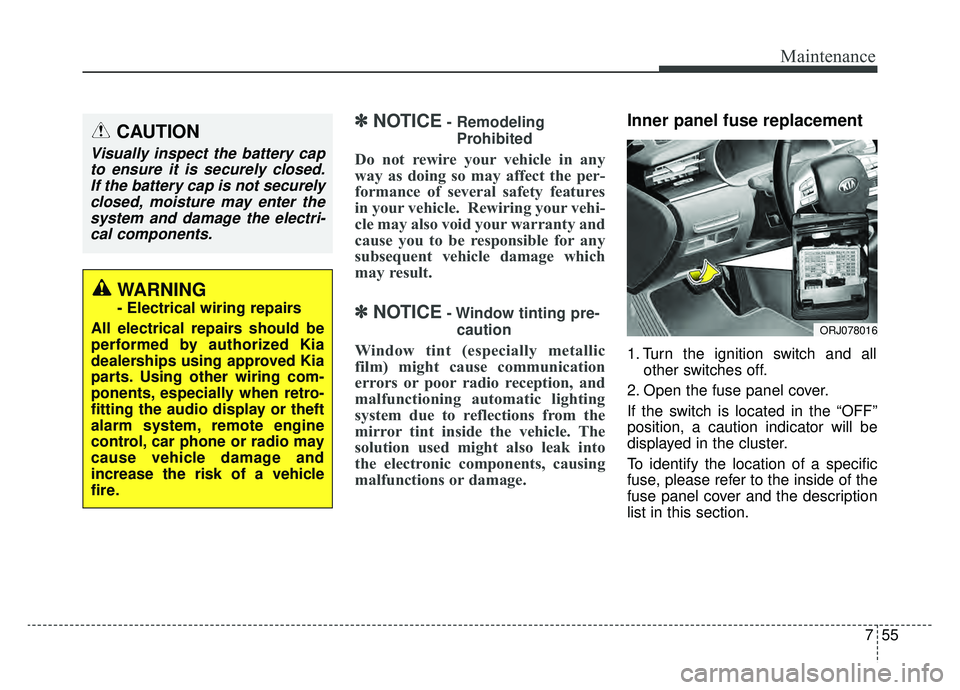
Inner panel fuse replacement
1. Turn the ignition switch and all other switches off.
2. Open the fuse panel cover.
If the switch is located in the “OFF”
position, a caution indicator will be
displayed in the cluster.
To identify the location of a specific
fuse, please refer to the inside of the
fuse panel cover and the description
list in this section.
CAUTION
Visually inspect the battery cap to ensure it is securely closed.If the battery cap is not securelyclosed, moisture may enter thesystem and damage the electri-cal components.
WARNING
- Electrical wiring repairs
All electrical repairs should be
performed by authorized Kia
dealerships using approved Kia
parts. Using other wiring com-
ponents, especially when retro-
fitting the audio display or theft
alarm system, remote engine
control, car phone or radio may
cause vehicle damage and
increase the risk of a vehicle
fire.
ORJ078016
Page 521 of 580
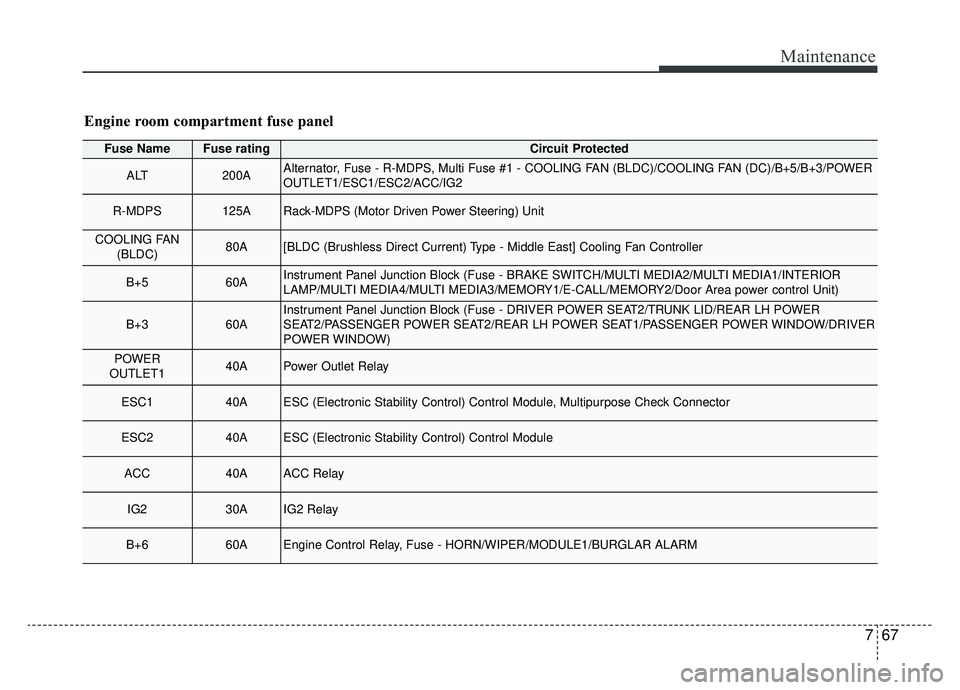
767
Maintenance
Fuse NameFuse ratingCircuit Protected
ALT200AAlternator, Fuse - R-MDPS, Multi Fuse #1 - COOLING FAN (BLDC)/COOLING FAN (DC)/B+5/B+3/POWER
OUTLET1/ESC1/ESC2/ACC/IG2
R-MDPS125ARack-MDPS (Motor Driven Power Steering) Unit
COOLING FAN(BLDC)80A[BLDC (Brushless Direct Current) Type - Middle East] Cooling Fan Controller
B+560AInstrument Panel Junction Block (Fuse - BRAKE SWITCH/MULTI MEDIA2/MULTI MEDIA1/INTERIOR
LAMP/MULTI MEDIA4/MULTI MEDIA3/MEMORY1/E-CALL/MEMORY2/Door Area power control Unit)
B+360AInstrument Panel Junction Block (Fuse - DRIVER POWER SEAT2/TRUNK LID/REAR LH POWER
SEAT2/PASSENGER POWER SEAT2/REAR LH POWER SEAT1/PASSENGER POWER WINDOW/DRIVER
POWER WINDOW)
POWER
OUTLET140APower Outlet Relay
ESC140AESC (Electronic Stability Control) Control Module, Multipurpose Check Connector
ESC240AESC (Electronic Stability Control) Control Module
ACC40AACC Relay
IG230AIG2 Relay
B+660AEngine Control Relay, Fuse - HORN/WIPER/MODULE1/BURGLAR ALARM
Engine room compartment fuse panel