trunk KIA K900 2019 Owner's Manual
[x] Cancel search | Manufacturer: KIA, Model Year: 2019, Model line: K900, Model: KIA K900 2019Pages: 580, PDF Size: 15.11 MB
Page 125 of 580
Features of your vehicle
32
4
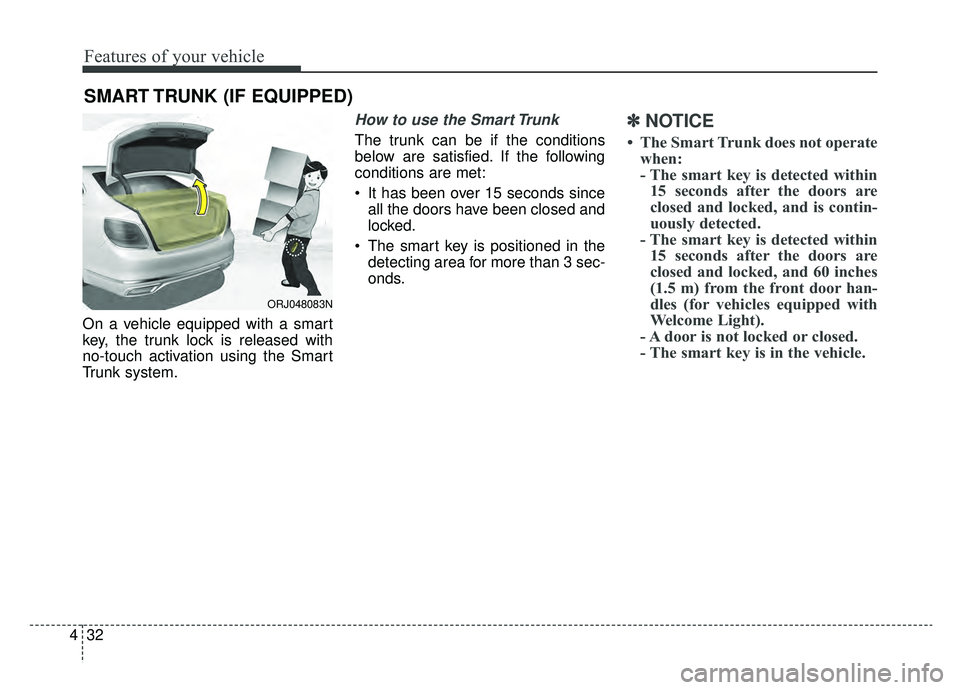
On a vehicle equipped with a smart
key, the trunk lock is released with
no-touch activation using the Smart
Trunk system.
How to use the Smart Trunk
The trunk can be if the conditions
below are satisfied. If the following
conditions are met:
It has been over 15 seconds since
all the doors have been closed and
locked.
The smart key is positioned in the detecting area for more than 3 sec-
onds.
✽ ✽ NOTICE
• The Smart Trunk does not operate
when:
- The smart key is detected within15 seconds after the doors are
closed and locked, and is contin-
uously detected.
- The smart key is detected within 15 seconds after the doors are
closed and locked, and 60 inches
(1.5 m) from the front door han-
dles (for vehicles equipped with
Welcome Light).
- A door is not locked or closed.
- The smart key is in the vehicle.
SMART TRUNK (IF EQUIPPED)
ORJ048083N
Page 126 of 580
433
Features of your vehicle
1. Setting
To activate the Smart Trunk, go to
“Set Up” in the Navigation touch
screen in instrument panel and
select Smart Trunk.2. Detect and Alert
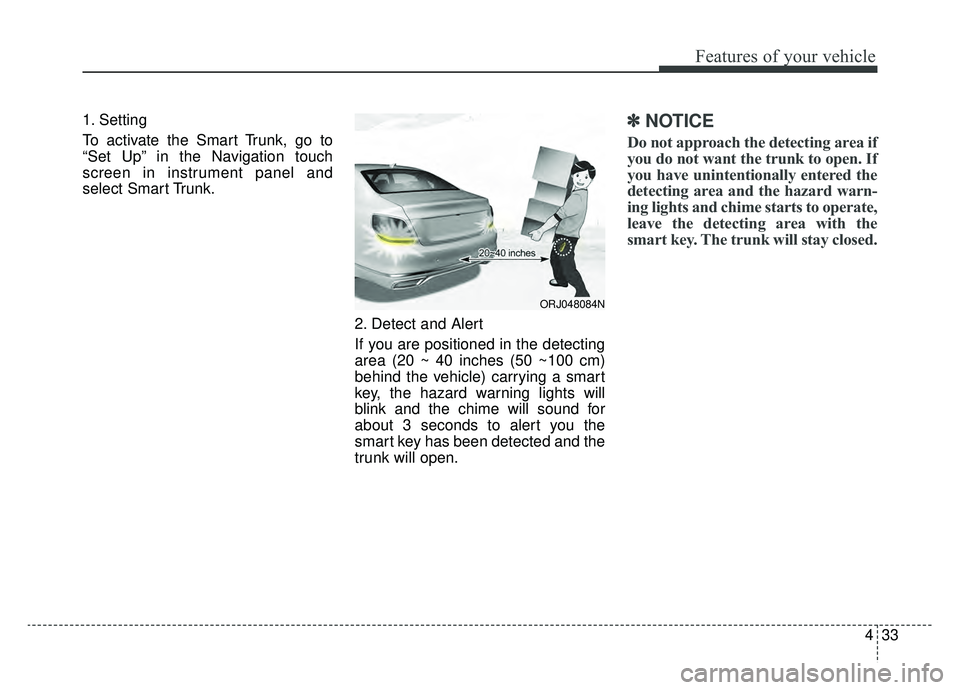
If you are positioned in the detecting
area (20 ~ 40 inches (50 ~100 cm)
behind the vehicle) carrying a smart
key, the hazard warning lights will
blink and the chime will sound for
about 3 seconds to alert you the
smart key has been detected and the
trunk will open.✽ ✽NOTICE
Do not approach the detecting area if
you do not want the trunk to open. If
you have unintentionally entered the
detecting area and the hazard warn-
ing lights and chime starts to operate,
leave the detecting area with the
smart key. The trunk will stay closed.
ORJ048084N
Page 127 of 580
Features of your vehicle
34
4
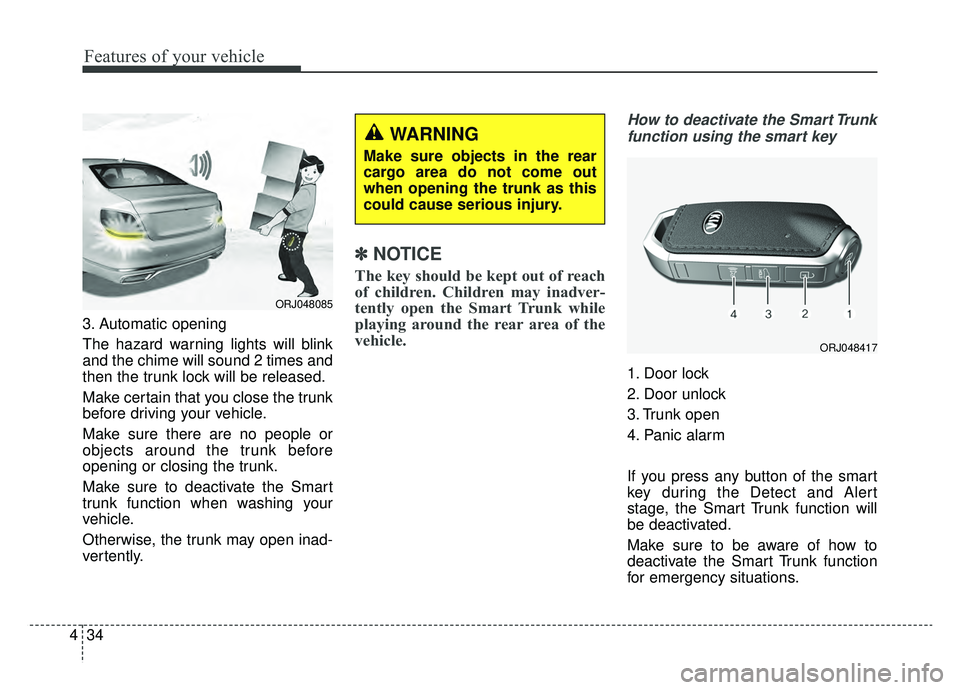
3. Automatic opening
The hazard warning lights will blink
and the chime will sound 2 times and
then the trunk lock will be released.
Make certain that you close the trunk
before driving your vehicle.
Make sure there are no people or
objects around the trunk before
opening or closing the trunk.
Make sure to deactivate the Smart
trunk function when washing your
vehicle.
Otherwise, the trunk may open inad-
vertently.
✽ ✽
NOTICE
The key should be kept out of reach
of children. Children may inadver-
tently open the Smart Trunk while
playing around the rear area of the
vehicle.
How to deactivate the Smart Trunk
function using the smart key
1. Door lock
2. Door unlock
3. Trunk open
4. Panic alarm
If you press any button of the smart
key during the Detect and Alert
stage, the Smart Trunk function will
be deactivated.
Make sure to be aware of how to
deactivate the Smart Trunk function
for emergency situations.
ORJ048417
ORJ048085
WARNING
Make sure objects in the rear
cargo area do not come out
when opening the trunk as this
could cause serious injury.
Page 128 of 580
435
Features of your vehicle
✽ ✽NOTICE
• If you press the door unlock but-
ton (2), the Smart Trunk function
will be deactivated temporarily.
But, if you do not open any door
for 30 seconds, the smart trunk
function will be activated again.
• If you press the trunk open button (3) for more than 1 second, the
trunk opens.
• If you press the door lock button (1) or trunk open button (3) when
the Smart Trunk function is not in
the Detect and Alert stage, the
smart trunk function will not be
deactivated.
• If you have deactivated the Smart Trunk function by pressing the
smart key button or opening a
door, the smart trunk function can
be activated again by closing and
locking all doors.
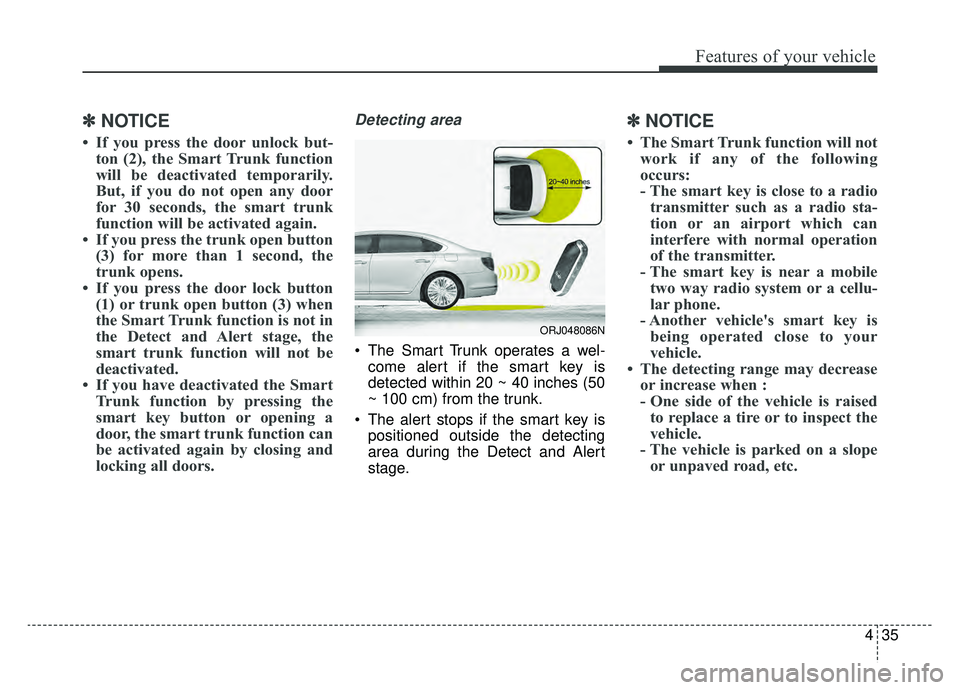
Detecting area
The Smart Trunk operates a wel-
come alert if the smart key is
detected within 20 ~ 40 inches (50
~ 100 cm) from the trunk.
The alert stops if the smart key is positioned outside the detecting
area during the Detect and Alert
stage.
✽ ✽ NOTICE
• The Smart Trunk function will not
work if any of the following
occurs:
- The smart key is close to a radiotransmitter such as a radio sta-
tion or an airport which can
interfere with normal operation
of the transmitter.
- The smart key is near a mobile two way radio system or a cellu-
lar phone.
- Another vehicle's smart key is being operated close to your
vehicle.
• The detecting range may decrease or increase when :
- One side of the vehicle is raisedto replace a tire or to inspect the
vehicle.
- The vehicle is parked on a slope or unpaved road, etc.
ORJ048086N
Page 129 of 580
Features of your vehicle
36
4
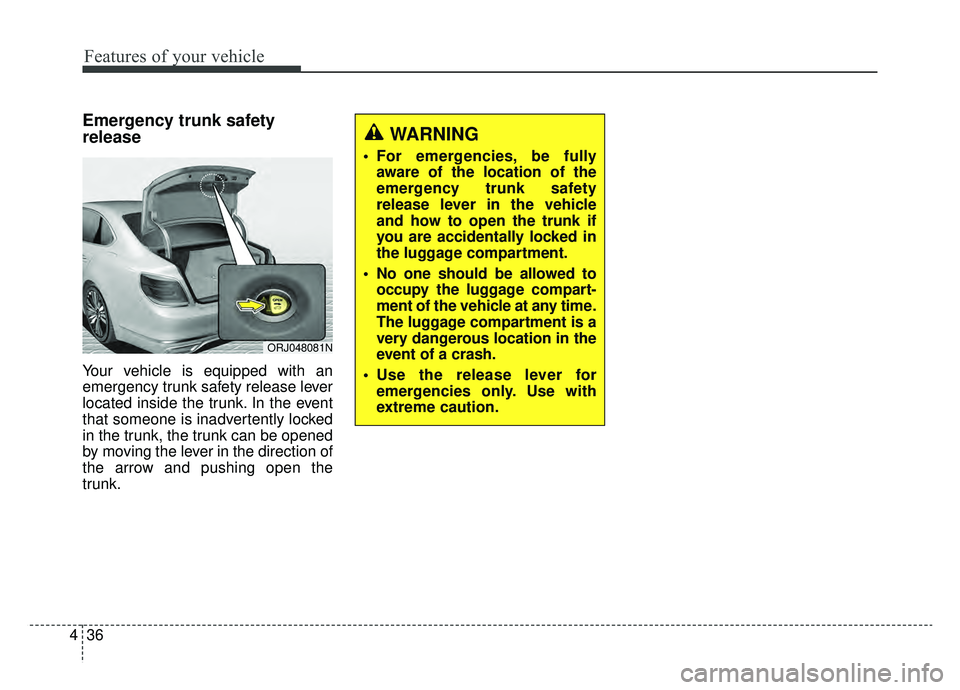
Emergency trunk safety
release
Your vehicle is equipped with an
emergency trunk safety release lever
located inside the trunk. In the event
that someone is inadvertently locked
in the trunk, the trunk can be opened
by moving the lever in the direction of
the arrow and pushing open the
trunk.
WARNING
For emergencies, be fully
aware of the location of the
emergency trunk safety
release lever in the vehicle
and how to open the trunk if
you are accidentally locked in
the luggage compartment.
No one should be allowed to occupy the luggage compart-
ment of the vehicle at any time.
The luggage compartment is a
very dangerous location in the
event of a crash.
Use the release lever for emergencies only. Use with
extreme caution.
ORJ048081N
Page 180 of 580
487
Features of your vehicle
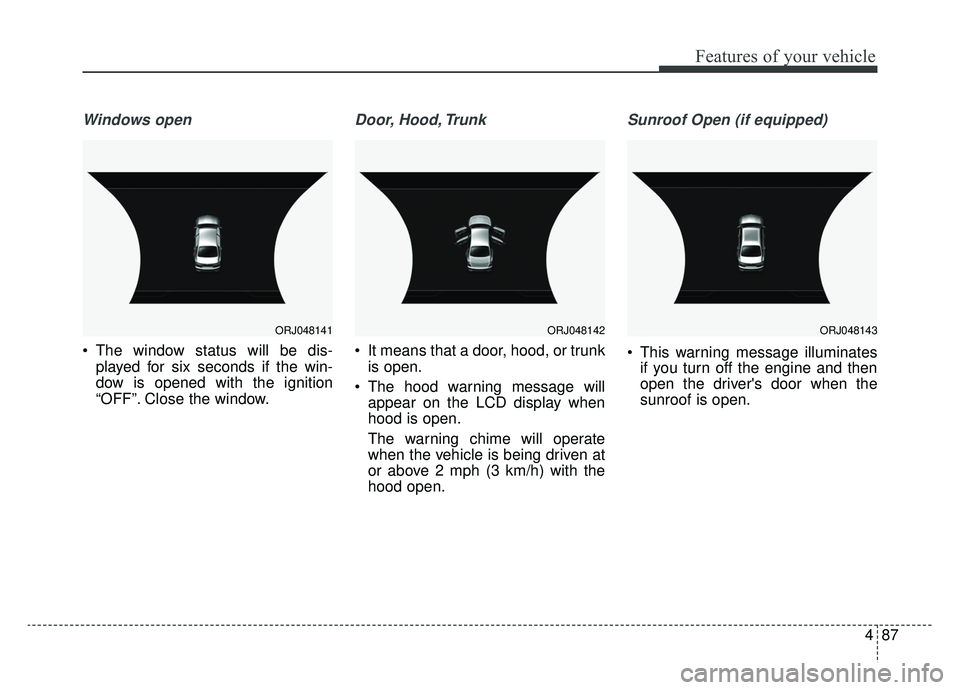
Windows open
The window status will be dis-played for six seconds if the win-
dow is opened with the ignition
“OFF”. Close the window.
Door, Hood, Trunk
It means that a door, hood, or trunkis open.
The hood warning message will appear on the LCD display when
hood is open.
The warning chime will operate
when the vehicle is being driven at
or above 2 mph (3 km/h) with the
hood open.
Sunroof Open (if equipped)
This warning message illuminatesif you turn off the engine and then
open the driver's door when the
sunroof is open.
ORJ048142ORJ048141ORJ048143
Page 205 of 580
Features of your vehicle
112
4
The Surround View Monitoring
System (SVM) is not a substitute for
proper and safe parking procedures.
The Surround View Monitoring
System (SVM) may not detect every
object surrounding the vehicle.
Always drive safely and use caution
when parking. The Surround View Monitoring
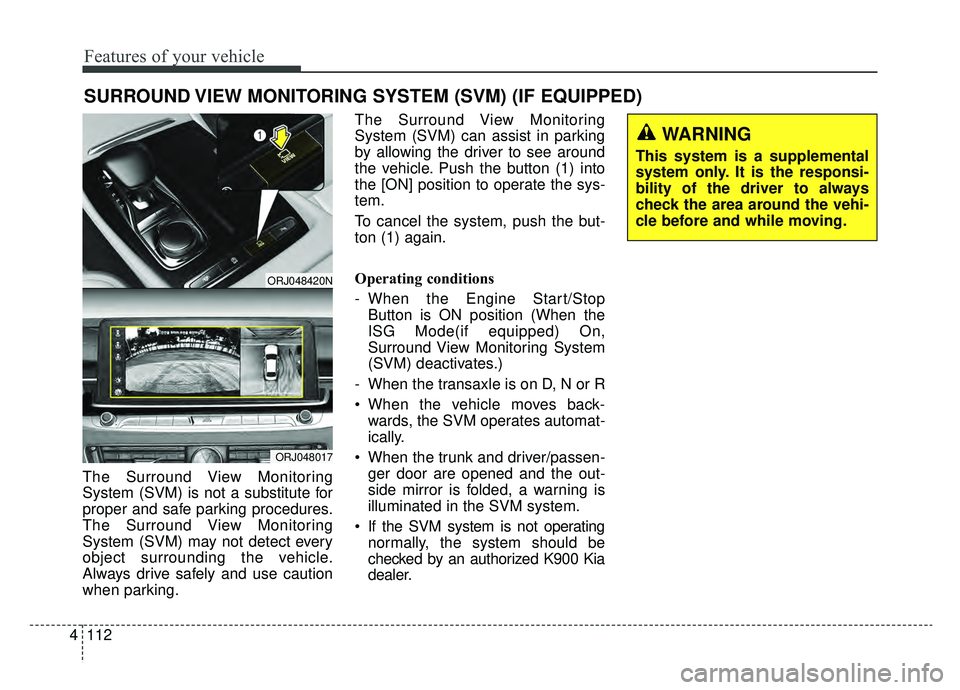
System (SVM) can assist in parking
by allowing the driver to see around
the vehicle. Push the button (1) into
the [ON] position to operate the sys-
tem.
To cancel the system, push the but-
ton (1) again.
Operating conditions
- When the Engine Start/Stop
Button is ON position (When the
ISG Mode(if equipped) On,
Surround View Monitoring System
(SVM) deactivates.)
- When the transaxle is on D, N or R
When the vehicle moves back- wards, the SVM operates automat-
ically.
When the trunk and driver/passen- ger door are opened and the out-
side mirror is folded, a warning is
illuminated in the SVM system.
If the SVM system is not operating normally, the system should be
checked by an authorized K900 Kia
dealer.
SURROUND VIEW MONITORING SYSTEM (SVM) (IF EQUIPPED)
ORJ048420N
ORJ048017
WARNING
This system is a supplemental
system only. It is the responsi-
bility of the driver to always
check the area around the vehi-
cle before and while moving.
Page 214 of 580
4121
Features of your vehicle
If an indicator stays on and does not
flash or if it flashes abnormally, one of
the turn signal bulbs may be burned
out and will require replacement.
✽ ✽NOTICE
If an indicator flash is abnormally
quick or slow, a bulb may be burned
out or have a poor electrical connec-
tion in the circuit.
One-touch lane change function
To activate an one-touch lane
change function, move the turn sig-
nal lever slightly and then release it.
The lane change signals will blink 3,
5 or 7 times.
You can choose one-touch lane
change blinking function in “One
touch turn lamp” of “User setting”.
Refer to “User setting” in chapter 4
✽ ✽NOTICE
If the turn signal indicator stays on
and does not flash, or if it flashes
abnormally, a bulb may be burned
out or have a poor electrical connec-
tion in the circuit. The bulb may
require replacement.
Headlight leveling device
(if equipped)
Automatic type
To ensure the proper headlight beam
is used under various conditions, the
headlight beam levels are automati-
cally adjusted depending on the
number of passengers, the weight in
the trunk, and other driving condi-
tions.
✽ ✽NOTICE
If it does not work properly even
though your car is inclined backward
according to passenger's posture, or
the headlight beam is irradiated to
the high or low position, have the sys-
tem be inspected by an authorized
K900 Kia dealer.
Do not attempt to inspect or replace
the wiring yourself.
Page 221 of 580
Features of your vehicle
128
4
:
Press the button to dim the rear
mood lamp. Re-press the button to
turn OFF the rear mood lamp.
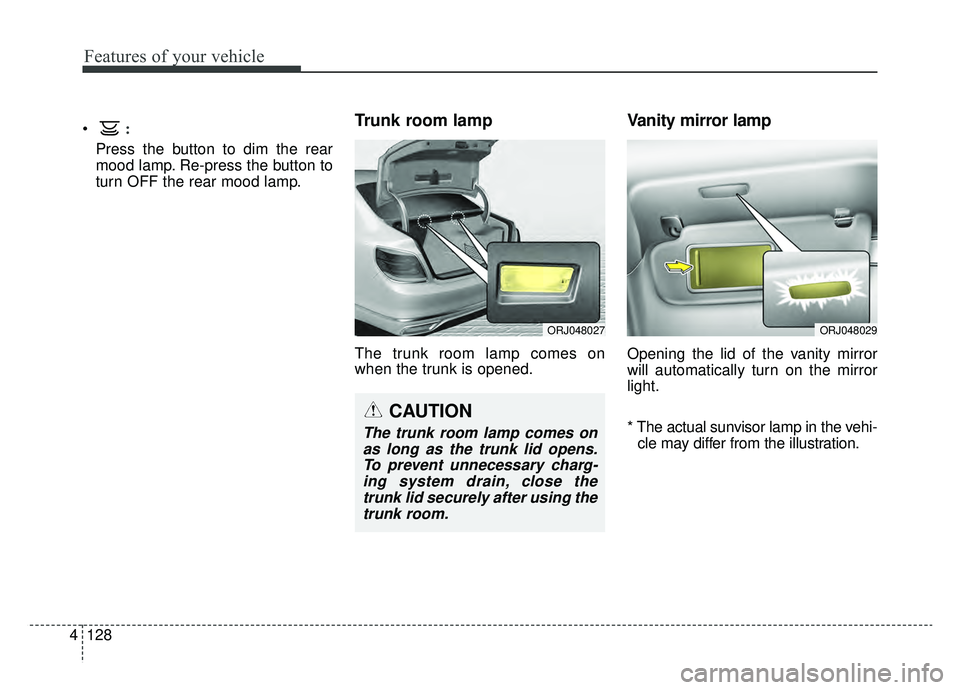
Trunk room lamp
The trunk room lamp comes on
when the trunk is opened.
Vanity mirror lamp
Opening the lid of the vanity mirror
will automatically turn on the mirror
light.
* The actual sunvisor lamp in the vehi-
cle may differ from the illustration.
CAUTION
The trunk room lamp comes onas long as the trunk lid opens.To prevent unnecessary charg-ing system drain, close thetrunk lid securely after using thetrunk room.
ORJ048027ORJ048029
Page 223 of 580
Features of your vehicle
130
4
WELCOME SYSTEM (IF EQUIPPED)
Headlight (Headlamp) escort
function
When the headlight(light switch in
the headlight or AUTO position) is on
and all doors (and trunk) are locked
and closed, the position light and
headlight will come on for 15 sec-
onds if any of the below is per-
formed.
With the smart key system
- When the door unlock button ispressed on the smart key.
At this time, if you press the door lock
or unlock button, the position light
and headlight will turn off immediate-
ly.
Interior light
When the interior light switch is in the
DOOR position and all doors (and
trunk) are locked and closed, the
room lamp will come on for 30 sec-
onds if any of the below is performed.
With the smart key system - When the door unlock button ispressed on the smart key.
- When the button of the outside door handle is pressed.
At this time, if you press the door lock
button, the lamps will turn off imme-
diately.
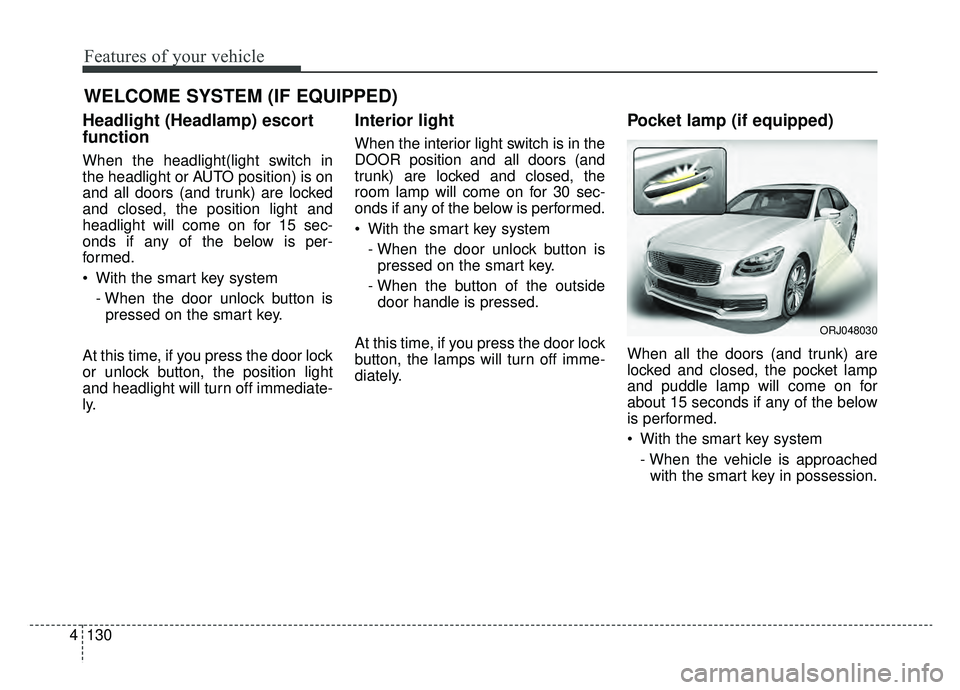
Pocket lamp (if equipped)
When all the doors (and trunk) are
locked and closed, the pocket lamp
and puddle lamp will come on for
about 15 seconds if any of the below
is performed.
With the smart key system - When the vehicle is approachedwith the smart key in possession.
ORJ048030