warning KIA K900 2020 Owners Manual
[x] Cancel search | Manufacturer: KIA, Model Year: 2020, Model line: K900, Model: KIA K900 2020Pages: 593, PDF Size: 14.99 MB
Page 355 of 593
589
Driving your vehicle
After any dirt or debris is removed,
BCA system should operate normal-
ly after about 10 minutes of driving
the vehicle.
If the system still does not operate
normally have your vehicle inspected
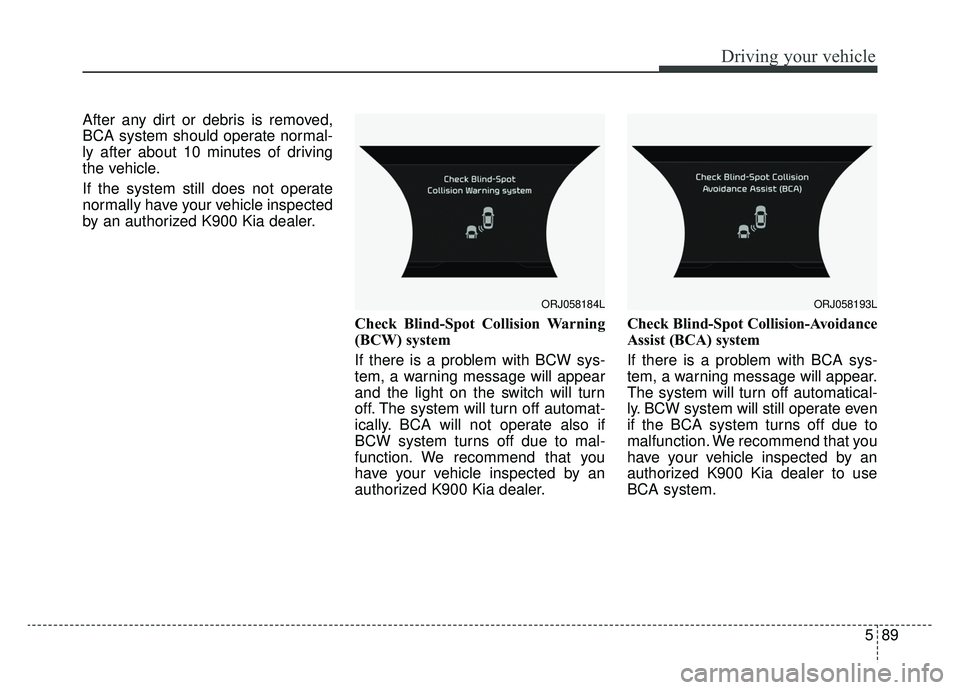
by an authorized K900 Kia dealer.Check Blind-Spot Collision Warning
(BCW) system
If there is a problem with BCW sys-
tem, a warning message will appear
and the light on the switch will turn
off. The system will turn off automat-
ically. BCA will not operate also if
BCW system turns off due to mal-
function. We recommend that you
have your vehicle inspected by an
authorized K900 Kia dealer.Check Blind-Spot Collision-Avoidance
Assist (BCA) system
If there is a problem with BCA sys-
tem, a warning message will appear.
The system will turn off automatical-
ly. BCW system will still operate even
if the BCA system turns off due to
malfunction. We recommend that you
have your vehicle inspected by an
authorized K900 Kia dealer to use
BCA system.
ORJ058184LORJ058193L
Page 357 of 593
591
Driving your vehicle
The vehicle abruptly changes driv-ing direction.
The vehicle makes sharp lane changes.
The vehicle sharply stops.
Temperature is extremely low around the vehicle.
The vehicle severely vibrates while driving over a bumpy road,
uneven/bumpy road, or concrete
patch.
The vehicle drives on a slippery surface due to snow, water puddle,
or ice.
Lane Keeping Assist (LKA) system or Lane Departure Warning (LDW)
system do not operate normally. (if
equipped) For more information
refer to “Lane Keeping Assist
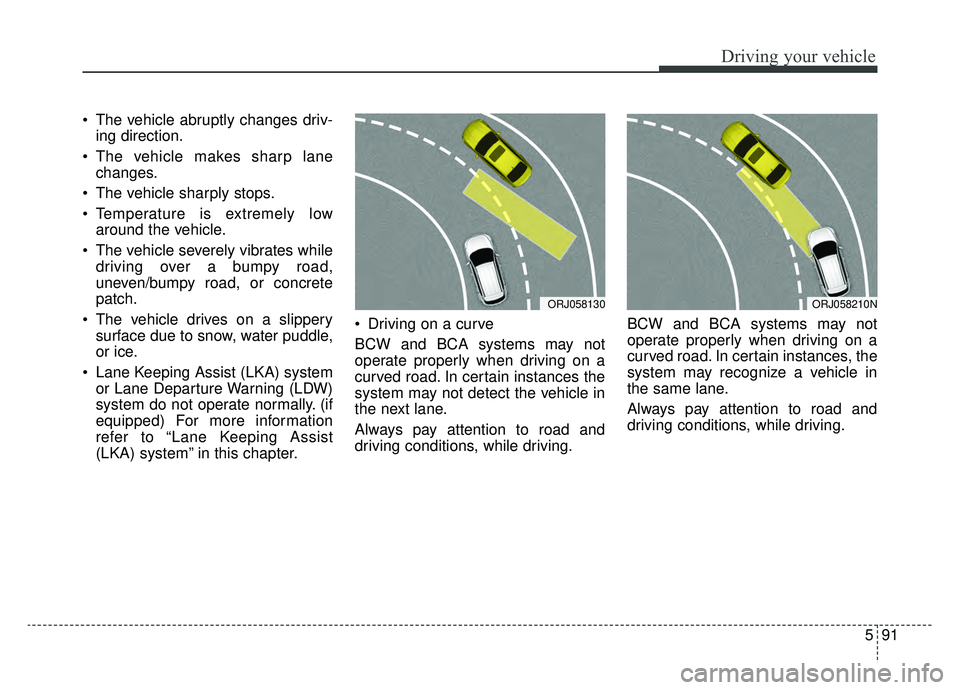
(LKA) system” in this chapter. Driving on a curve
BCW and BCA systems may not
operate properly when driving on a
curved road. In certain instances the
system may not detect the vehicle in
the next lane.
Always pay attention to road and
driving conditions, while driving.
BCW and BCA systems may not
operate properly when driving on a
curved road. In certain instances, the
system may recognize a vehicle in
the same lane.
Always pay attention to road and
driving conditions, while driving.
ORJ058130ORJ058210N
Page 360 of 593
Driving your vehicle
94
5
The Driver Attention Warning (DAW),
system is designed to warn the driv-
er of potentially hazardous driving
situations if it detects inattentive driv-
ing practices.System setting and activation
System setting
The Driver Attention Warning sys-
tem is set to the OFF position
when your vehicle is first delivered
to you from the factory.
Driver Attention Warning (DAW) system is set to be in the OFF posi-
tion, when your vehicle is first
delivered to you from the factory.
To turn ON the Driver Attention Warning system, turn on the
engine, and then select 'AVN →
Setup →Vehicle →Driver
Assistance →Driver Attention
Warning' on the AVN. The driver can select Driver
Attention Warning (DAW) system
mode.
- Off : Driver Attention Warning(DAW) system is deactivated.
- Normal Sensitivity : Driver Attention Warning (DAW) system
alerts the driver of his/her fatigue
level or inattentive driving prac-
tices.
- High sensitivity : Driver Attention Warning (DAW) system alerts the
driver of his/her fatigue level or
inattentive driving practices faster
than Normal mode.
Driver Attention Warning (DAW) system mode will be maintained,
as selected, when the engine is
restarted.
DRIVER ATTENTION WARNING (DAW) SYSTEM
Page 361 of 593
595
Driving your vehicle
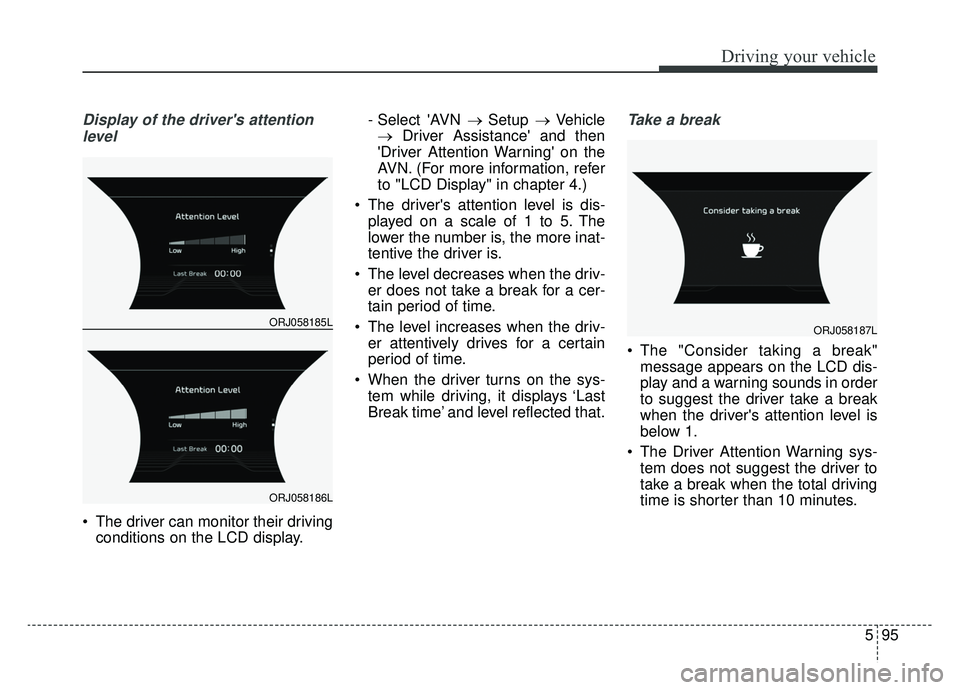
Display of the driver's attentionlevel
The driver can monitor their driving conditions on the LCD display. - Select 'AVN
→ Setup → Vehicle
→ Driver Assistance' and then
'Driver Attention Warning' on the
AVN. (For more information, refer
to "LCD Display" in chapter 4.)
The driver's attention level is dis- played on a scale of 1 to 5. The
lower the number is, the more inat-
tentive the driver is.
The level decreases when the driv- er does not take a break for a cer-
tain period of time.
The level increases when the driv- er attentively drives for a certain
period of time.
When the driver turns on the sys- tem while driving, it displays ‘Last
Break time’ and level reflected that.
Take a break
The "Consider taking a break"message appears on the LCD dis-
play and a warning sounds in order
to suggest the driver take a break
when the driver's attention level is
below 1.
The Driver Attention Warning sys- tem does not suggest the driver to
take a break when the total driving
time is shorter than 10 minutes.
ORJ058185L
ORJ058186L
ORJ058187L
Page 362 of 593
Driving your vehicle
96
5
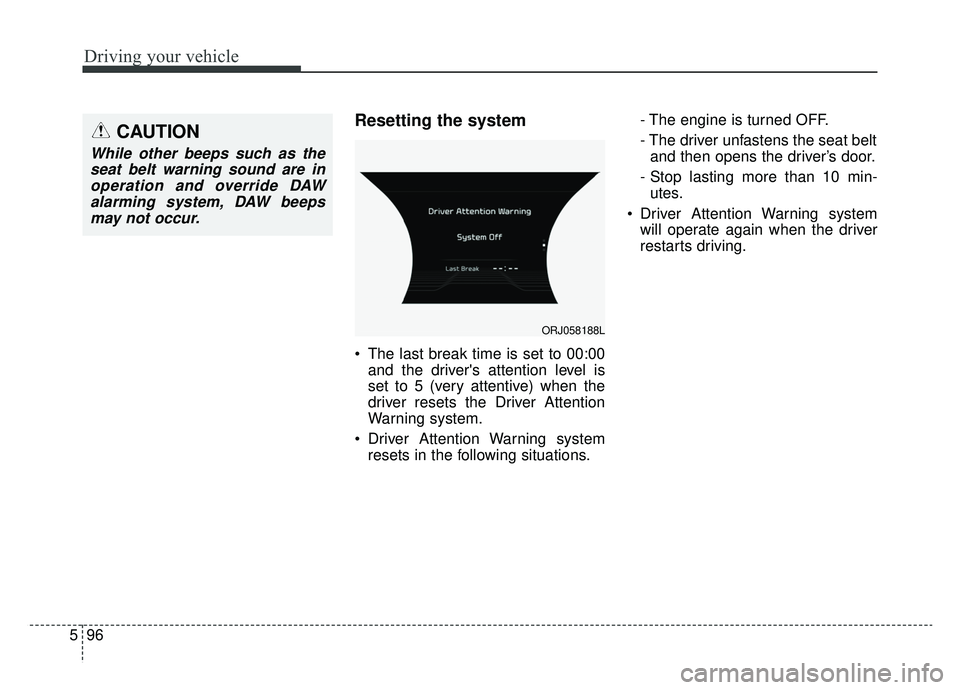
Resetting the system
The last break time is set to 00:00
and the driver's attention level is
set to 5 (very attentive) when the
driver resets the Driver Attention
Warning system.
Driver Attention Warning system resets in the following situations. - The engine is turned OFF.
- The driver unfastens the seat belt
and then opens the driver’s door.
- Stop lasting more than 10 min- utes.
Driver Attention Warning system will operate again when the driver
restarts driving.
ORJ058188L
CAUTION
While other beeps such as theseat belt warning sound are inoperation and override DAWalarming system, DAW beepsmay not occur.
Page 363 of 593

597
Driving your vehicle
System disabled
The Driver Attention Warning system
enters the ready status and displays
the 'Disabled' screen in the following
situations.
- The camera sensor keeps failing todetect the lanes.
- Driving speed remains under 40 mph (60 km/h) or over 125 mph
(200 km/h).
System malfunction
When the "Check System" warning
message appears, the system is not
working properly. If this occurs, have
the system checked by an authorized
K900 Kia dealer.
ORJ058189L
WARNING
Driver Attention Warning(DAW) system is not a substi-
tute for safe driving practices,
but a convenience function
only. It is the responsibility of
the driver to always drive cau-
tiously to prevent unexpected
and sudden situations from
occurring. Pay attention to the
road conditions at all times.
It may suggest a break according to the driver’s driv-
ing pattern or habits even if
the driver doesn’t feel
fatigued.
A driver who feels fatigued should take a break even
though there is no break sug-
gestion by the Driver
Attention Warning system.
Page 364 of 593

Driving your vehicle
98
5
✽ ✽
NOTICE
Driver Attention Warning (DAW)
system utilizes the camera sensor on
the front windshield for its opera-
tion. To keep the camera sensor in
the best condition, you should
observe the followings:
- Do not disassemble the camera
when installing tint on the windows
or applying any type of coatings or
accessories. If you disassemble or
reassemble the camera, take your
vehicle to an authorized K900 Kia
dealer and have the system
checked.
- Do not locate any reflective objects (i.e. white paper, mirror)
over the dashboard. Any light
reflection may cause a mal-func-
tion of Driver Attention Warning
(DAW) system.
- Use extreme caution to keep the camera sensor out of water.
- Do not disassemble the camera assembly, nor apply any impact on
the camera assembly.
• Playing the vehicle audio system at high volume may offset the
Driver Attention Warning system
warning sounds.CAUTION
Driver Attention Warning (DAW)
system may not properly oper-ate with limited alerting in thefollowing situations:
The lane detection perform- ance is limited. (For moreinformation, refer to "LaneKeeping Assist (LKA) system"in this chapter.)
The vehicle is violently driven or is abruptly turned for obsta-cle avoidance (e.g. construc-tion area, other vehicles, fallenobjects, bumpy road).
Forward drivability of the vehi- cle is severely undermined(possibly due to wide varia-tion in tire pressures, uneventire wear-out, toe-in/toe-outalignment).
The vehicle drives on a curvy road.
The vehicle drives on a bumpy road.
(Continued)
(Continued) The vehicle drives through a windy area.
The vehicle is controlled by the following driving assistsystems:
- Lane Keeping Assist (LKA) system
- Forward Collision-Avoidance Assist (FCA) system
- Blind-Spot Collision- Avoidance Assist (BCA) sys-tem
- Lane Following Assist (LFA) system
- Smart Cruise Control (SCC) system
- Highway Driving Assist (HDA) system
Page 365 of 593
599
Driving your vehicle
✽ ✽NOTICE
DAW system does not detect actual
driver fatigue or drowsiness. The
system monitors driving and pro-
vides a warning if it detects inatten-
tive driving practices.
Page 366 of 593
Driving your vehicle
100
5
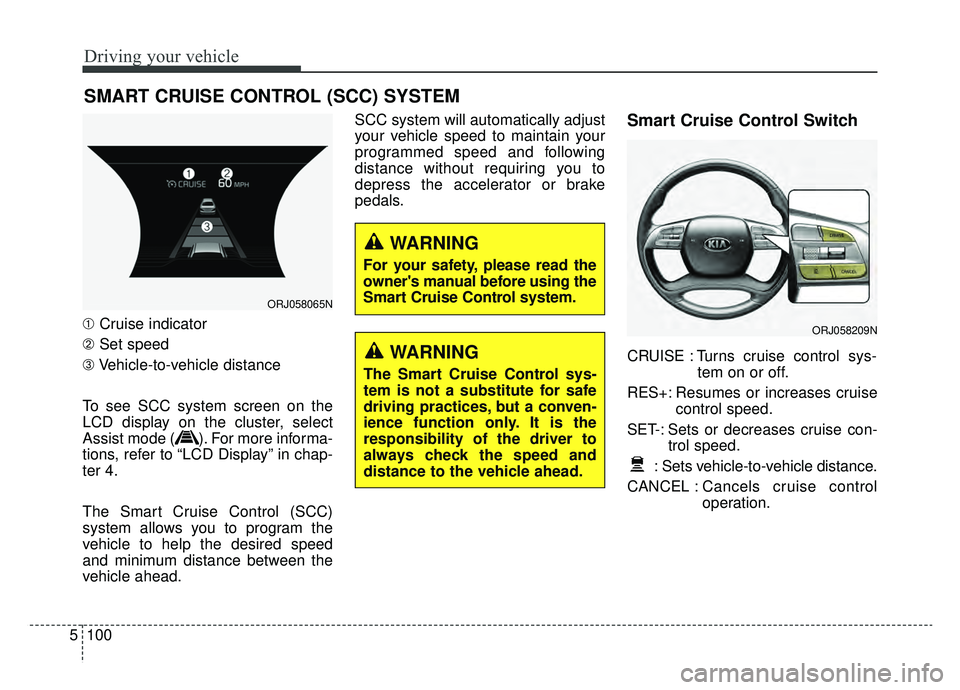
➀ Cruise indicator
➁ Set speed
\b Vehicle-to-vehicle distance
To see SCC system screen on the
LCD display on the cluster, select
Assist mode ( ). For more informa-
tions, refer to “LCD Display” in chap-
ter 4.
The Smart Cruise Control (SCC)
system allows you to program the
vehicle to help the desired speed
and minimum distance between the
vehicle ahead. SCC system will automatically adjust
your vehicle speed to maintain your
programmed speed and following
distance without requiring you to
depress the accelerator or brake
pedals.
Smart Cruise Control Switch
CRUISE : Turns cruise control sys-
tem on or off.
RES+: Resumes or increases cruise control speed.
SET-: Sets or decreases cruise con- trol speed.
: Sets vehicle-to-vehicle distance.
CANCEL : Cancels cruise control
operation.
SMART CRUISE CONTROL (SCC) SYSTEM
ORJ058065N
ORJ058209N
WARNING
The Smart Cruise Control sys-
tem is not a substitute for safe
driving practices, but a conven-
ience function only. It is the
responsibility of the driver to
always check the speed and
distance to the vehicle ahead.
WARNING
For your safety, please read the
owner's manual before using the
Smart Cruise Control system.
Page 371 of 593
5105
Driving your vehicle
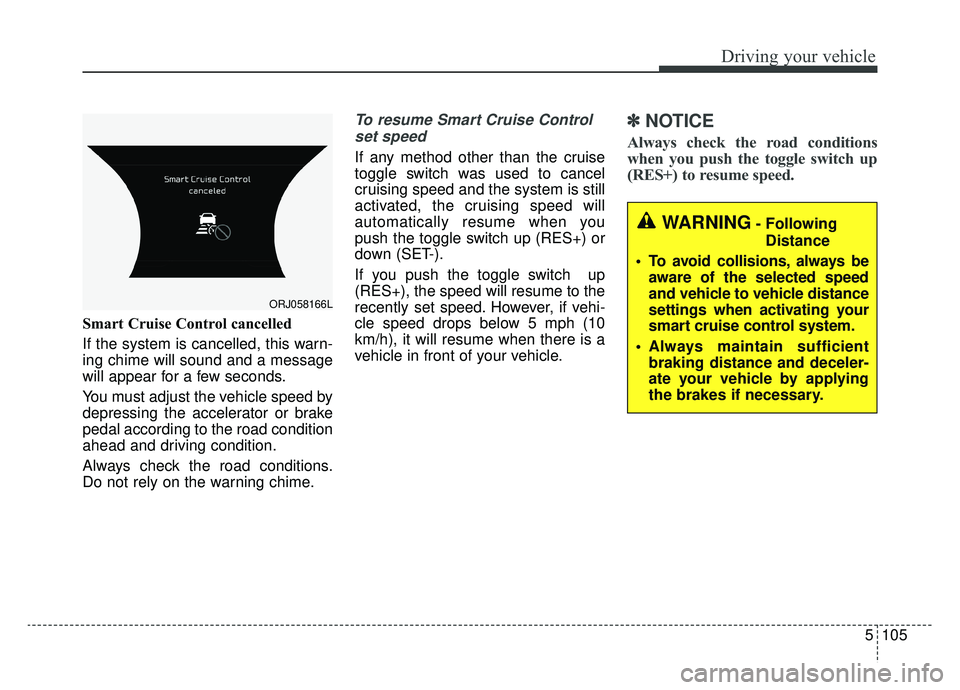
Smart Cruise Control cancelled
If the system is cancelled, this warn-
ing chime will sound and a message
will appear for a few seconds.
You must adjust the vehicle speed by
depressing the accelerator or brake
pedal according to the road condition
ahead and driving condition.
Always check the road conditions.
Do not rely on the warning chime.
To resume Smart Cruise Controlset speed
If any method other than the cruise
toggle switch was used to cancel
cruising speed and the system is still
activated, the cruising speed will
automatically resume when you
push the toggle switch up (RES+) or
down (SET-).
If you push the toggle switch up
(RES+), the speed will resume to the
recently set speed. However, if vehi-
cle speed drops below 5 mph (10
km/h), it will resume when there is a
vehicle in front of your vehicle.
✽ ✽ NOTICE
Always check the road conditions
when you push the toggle switch up
(RES+) to resume speed.
ORJ058166L
WARNING- Following
Distance
To avoid collisions, always be aware of the selected speed
and vehicle to vehicle distance
settings when activating your
smart cruise control system.
Always maintain sufficient braking distance and deceler-
ate your vehicle by applying
the brakes if necessary.