ECU KIA K900 2020 Owner's Manual
[x] Cancel search | Manufacturer: KIA, Model Year: 2020, Model line: K900, Model: KIA K900 2020Pages: 593, PDF Size: 14.99 MB
Page 221 of 593
Features of your vehicle
128
4
:
Press the button to dim the rear
mood lamp. Re-press the button to
turn OFF the rear mood lamp.
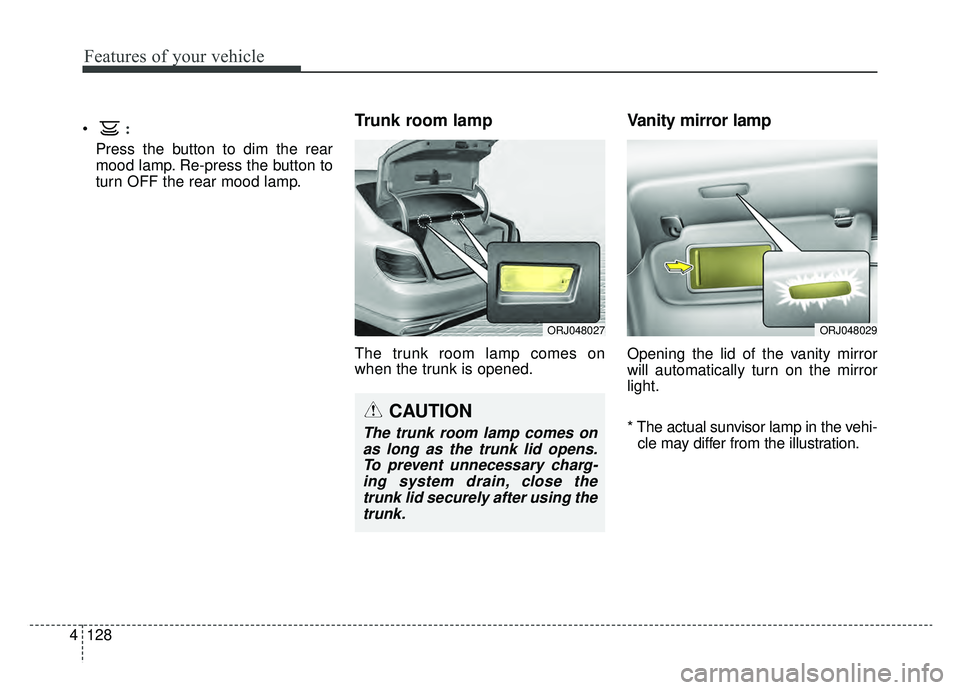
Trunk room lamp
The trunk room lamp comes on
when the trunk is opened.
Vanity mirror lamp
Opening the lid of the vanity mirror
will automatically turn on the mirror
light.
* The actual sunvisor lamp in the vehi-
cle may differ from the illustration.
CAUTION
The trunk room lamp comes onas long as the trunk lid opens.To prevent unnecessary charg-ing system drain, close thetrunk lid securely after using thetrunk.
ORJ048027ORJ048029
Page 222 of 593
4129
Features of your vehicle
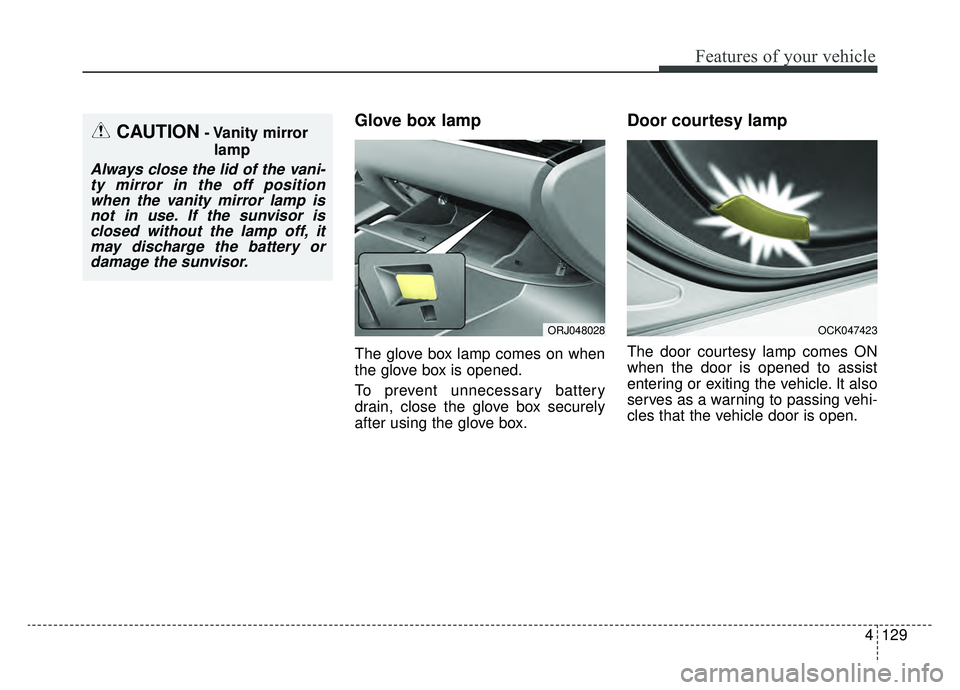
Glove box lamp
The glove box lamp comes on when
the glove box is opened.
To prevent unnecessary battery
drain, close the glove box securely
after using the glove box.
Door courtesy lamp
The door courtesy lamp comes ON
when the door is opened to assist
entering or exiting the vehicle. It also
serves as a warning to passing vehi-
cles that the vehicle door is open.
OCK047423
CAUTION- Vanity mirrorlamp
Always close the lid of the vani-ty mirror in the off positionwhen the vanity mirror lamp isnot in use. If the sunvisor isclosed without the lamp off, itmay discharge the battery ordamage the sunvisor.
ORJ048028
Page 244 of 593
4151
Features of your vehicle
STORAGE COMPARTMENTS
These compartments can be used to
store small items.
To avoid possible theft, do notleave valuables in the storage
compartment.
Always keep the storage compart- ment covers closed while driving.
Do not attempt to place so many
items in the storage compartment
that the storage compartment
cover can not close securely.Center console storage
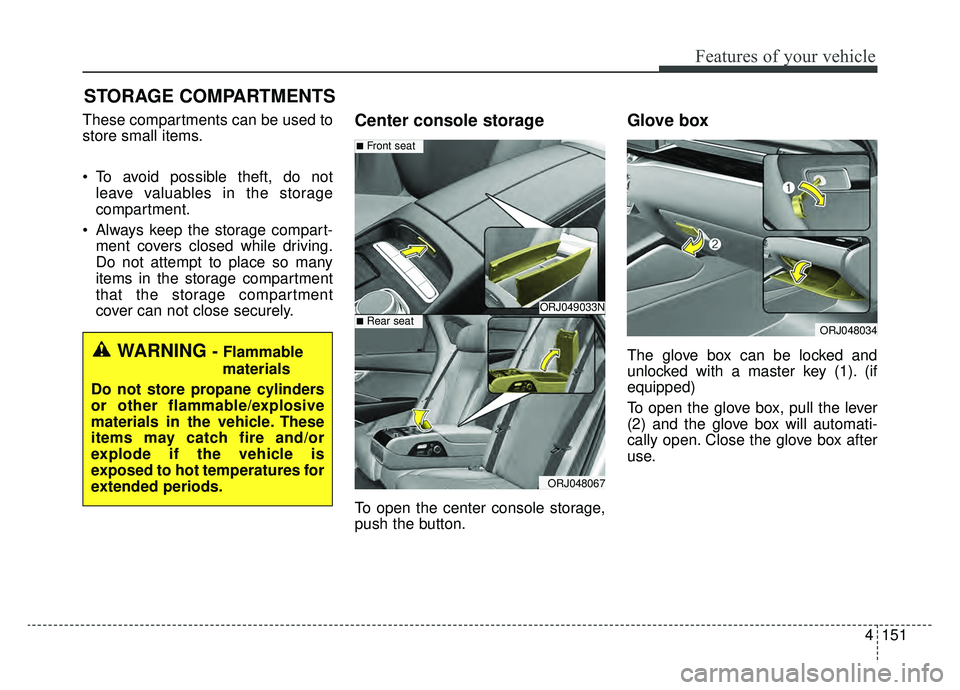
To open the center console storage,
push the button.
Glove box
The glove box can be locked and
unlocked with a master key (1). (if
equipped)
To open the glove box, pull the lever
(2) and the glove box will automati-
cally open. Close the glove box after
use.WARNING - Flammable
materials
Do not store propane cylinders
or other flammable/explosive
materials in the vehicle. These
items may catch fire and/or
explode if the vehicle is
exposed to hot temperatures for
extended periods.
ORJ048034
ORJ049033N
ORJ048067
■Front seat
■Rear seat
Page 246 of 593
4153
Features of your vehicle
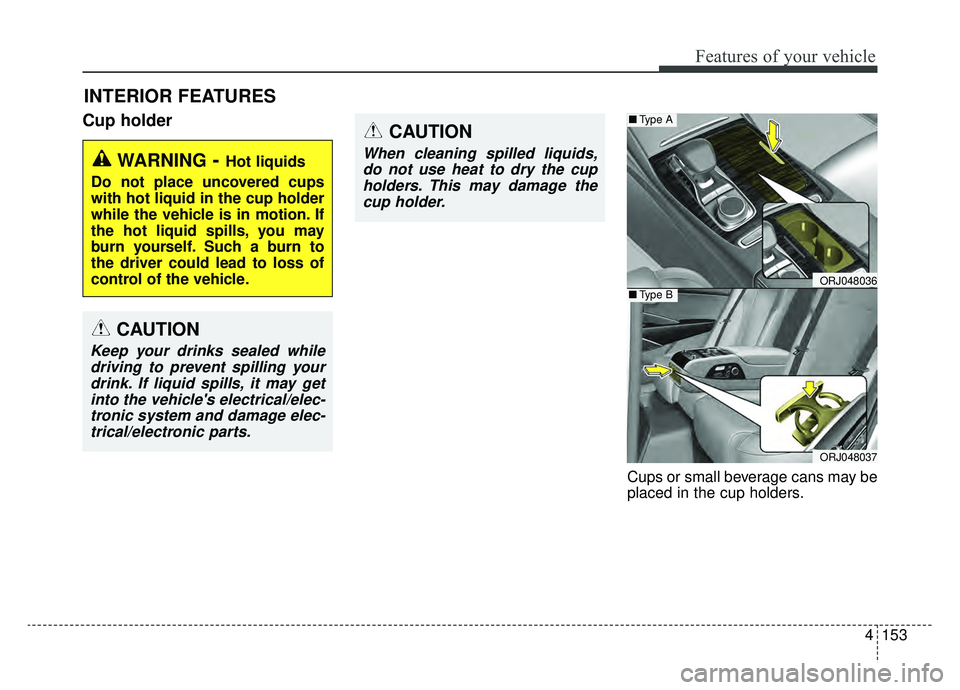
Cup holder
Cups or small beverage cans may be
placed in the cup holders.
INTERIOR FEATURES
WARNING- Hot liquids
Do not place uncovered cups
with hot liquid in the cup holder
while the vehicle is in motion. If
the hot liquid spills, you may
burn yourself. Such a burn to
the driver could lead to loss of
control of the vehicle.
CAUTION
Keep your drinks sealed while driving to prevent spilling yourdrink. If liquid spills, it may getinto the vehicle's electrical/elec-tronic system and damage elec-trical/electronic parts.
CAUTION
When cleaning spilled liquids,do not use heat to dry the cupholders. This may damage thecup holder.
ORJ048036
ORJ048037
■ Type A
■Type B
Page 251 of 593
Features of your vehicle
158
4
Plug in battery equipped electronic
devices with reverse current pro-
tection. The current from the bat-
tery may flow into the vehicle’s
electri cal/electronic system and
cause system malfunction.
Refrain from using the heater or A/C if you need to use the multipur-
pose socket. If the heater or A/C
has to be used simultaneously,
have it to the lowest setting.
Some add-on electrical equipment will induce electromagnetic inter-
ference. This will lead to subse-
quent malfunction or hinder good
reception of the Audio/Video and
electrical system.
Always make sure that electric add-ons are fully plugged into the
multipurpose sockets.
Insecure contacts may lead to
electrical malfunctions.
When using the front power outlet, you can close the center console
cover after pulling out the wire
through the front corner of right
side of the console cover. (Car
charger & Cable is not provided
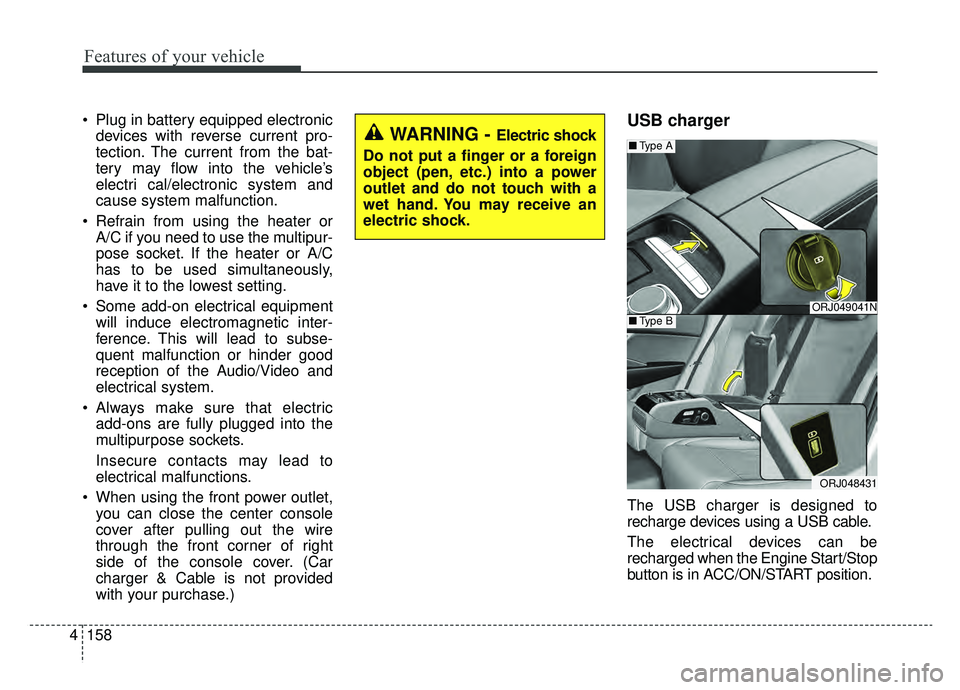
with your purchase.)USB charger
The USB charger is designed to
recharge devices using a USB cable.
The electrical devices can be
recharged when the Engine Start/Stop
button is in ACC/ON/START position.
ORJ049041N
ORJ048431
■ Type A
■Type B
WARNING - Electric shock
Do not put a finger or a foreign
object (pen, etc.) into a power
outlet and do not touch with a
wet hand. You may receive an
electric shock.
Page 254 of 593
4161
Features of your vehicle
✽ ✽NOTICE
• If it is not possible to close the tray
cover due to the size of your smart
phone or because the tray cover
has been broken, do not use the
wireless smart phone charging
function.
• Even if you're not charging your smart phone, keep the tray cover
closed at all times when it is left in
the tray. Driving with the tray
cover opened will increase the
chance of accidents and result in
injury as you're highly likely to get
distracted by the smart phone.
• When the interior temperature of the wireless charging system rises
above a set temperature, the wire-
less charging will cease to func-
tion. After the interior tempera-
ture drops below the threshold,
the wireless charging function will
resume.
• The wireless charging may not function properly when there is a
heavy accessory cover on the
smart phone.
• Charging a smart phone with a protection cover on may heat up. (Continued)(Continued)
• The wireless charging will stop
when the smart key is moved out
of the vehicle with the ignition in
ON.
• Charging may be temporarily interrupted when smart key detec-
tion is activated. (when turning on
ignition, opening or closing the
doors)
• The wireless charging will stop when the vehicle is turned OFF.
• The wireless charging will stop when the smart phone is not in
complete contact with the wireless
charging pad.
• Items equipped with magnetic components such as credit cards,
telephone cards, bank-books, or a
transportation ticket may become
damaged during wireless charg-
ing.
• Place the smart phone on the cen- ter of the charge pad for best
results. The smart phone may not
charge when placed near the rim
of the charging pad. When the
smart phone does get charged, it
may heat up excessively. (Continued)CAUTION - Liquid in
Wireless Smart Phone
Charger
To prevent liquid from damaging the wireless smart phone charg-ing system in your vehicle,securely close the tray coverwhen charging your phone.
WARNING - Metal in
Wireless Charging System
If any metallic object such as a
coin is placed between the wire-
less charging system and the
smart phone, the charging may
be disrupted. Also, the metallic
object may heat up and poten-
tially damage the charging sys-
tem. If there is any metallic
object between the smart phone
and the charging pad, immedi-
ately remove the smart phone.
Remove the metallic object
after it has cooled down.
Page 257 of 593
Features of your vehicle
164
4
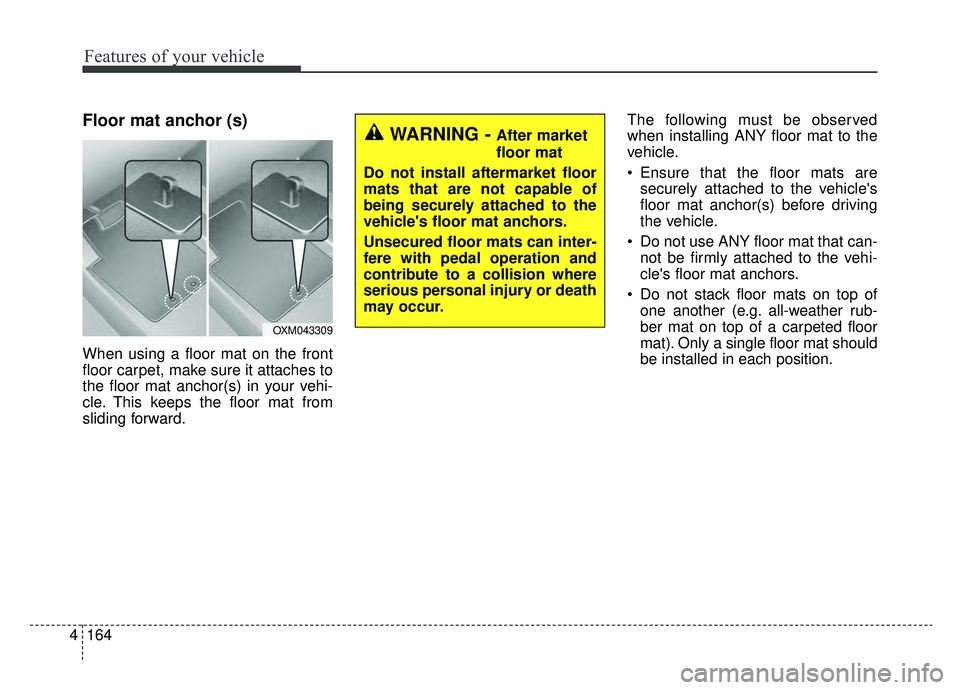
Floor mat anchor (s)
When using a floor mat on the front
floor carpet, make sure it attaches to
the floor mat anchor(s) in your vehi-
cle. This keeps the floor mat from
sliding forward. The following must be observed
when installing ANY floor mat to the
vehicle.
Ensure that the floor mats are
securely attached to the vehicle's
floor mat anchor(s) before driving
the vehicle.
Do not use ANY floor mat that can- not be firmly attached to the vehi-
cle's floor mat anchors.
Do not stack floor mats on top of one another (e.g. all-weather rub-
ber mat on top of a carpeted floor
mat). Only a single floor mat should
be installed in each position.
OXM043309
WARNING - After market
floor mat
Do not install aftermarket floor
mats that are not capable of
being securely attached to the
vehicle's floor mat anchors.
Unsecured floor mats can inter-
fere with pedal operation and
contribute to a collision where
serious personal injury or death
may occur.
Page 272 of 593
Driving your vehicle
65
WARNING- Check sur-roundings
Always check the surrounding
areas near your vehicle for peo-
ple, especially children, before
putting a vehicle into D (Drive)
or R (Reverse).
WARNING- Fire risk
When you intend to park or stop
the vehicle with the engine on,
be careful not to depress the
accelerator pedal for a long
period of time. It may overheat
the engine or exhaust system
and cause fire.WARNING- Loose objects
Securely store items in your
vehicle. When you make a sud-
den stop or turn the steering
wheel rapidly, loose objects
may drop on the floor and could
interfere with the operation of
the foot pedals, possibly and
resulting in serious personal
injuries or death.WARNING- Driving while intoxicated
Do not drive while intoxicated.
Drinking and driving is danger-
ous. Even a small amount of
alcohol will affect your reflexes,
perceptions and judgment.
Driving while under the influ-
ence of drugs may be as dan-
gerous or more dangerous than
driving under the influence of
alcohol.
WARNING- Proper footwear
Always wear appropriate shoes
when operating your vehicle.
Unsuitable shoes (high heels, ski
boots, sandals, etc.) may inter-
fere with your ability to use the
brake and accelerator pedals.
Page 327 of 593
561
Driving your vehicle
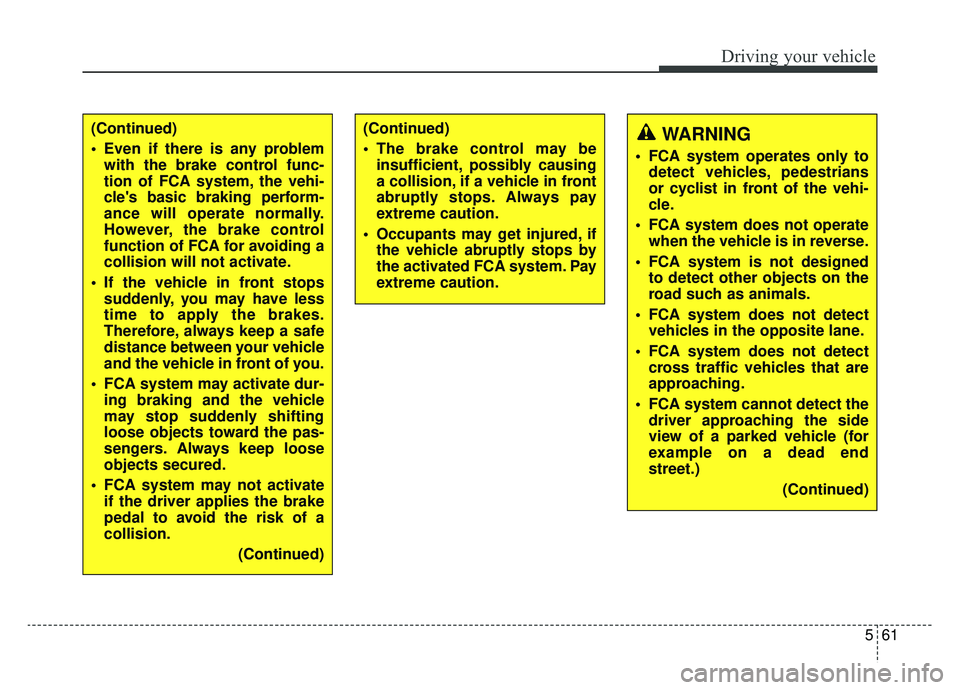
(Continued)
Even if there is any problemwith the brake control func-
tion of FCA system, the vehi-
cle's basic braking perform-
ance will operate normally.
However, the brake control
function of FCA for avoiding a
collision will not activate.
If the vehicle in front stops suddenly, you may have less
time to apply the brakes.
Therefore, always keep a safe
distance between your vehicle
and the vehicle in front of you.
FCA system may activate dur- ing braking and the vehicle
may stop suddenly shifting
loose objects toward the pas-
sengers. Always keep loose
objects secured.
FCA system may not activate if the driver applies the brake
pedal to avoid the risk of a
collision.
(Continued)(Continued)
The brake control may beinsufficient, possibly causing
a collision, if a vehicle in front
abruptly stops. Always pay
extreme caution.
Occupants may get injured, if the vehicle abruptly stops by
the activated FCA system. Pay
extreme caution.WARNING
FCA system operates only todetect vehicles, pedestrians
or cyclist in front of the vehi-
cle.
FCA system does not operate when the vehicle is in reverse.
FCA system is not designed to detect other objects on the
road such as animals.
FCA system does not detect vehicles in the opposite lane.
FCA system does not detect cross traffic vehicles that are
approaching.
FCA system cannot detect the driver approaching the side
view of a parked vehicle (for
example on a dead end
street.)
(Continued)
Page 439 of 593
5173
Driving your vehicle
Towing capacity:
We do not recommend using this
vehicle for trailer towing.
Cargo capacity:
The cargo capacity of your vehicle
will increase or decrease depending
on the weight and the number of
occupants.
Steps For Determining CorrectLoad Limit -
1. Locate the statement "The com- bined weight of occupants and
cargo should never exceed XXX
kg or XXX lbs.'' on your vehicle's
placard.
2. Determine the combined weight of the driver and passengers that will
be riding in your vehicle.
3. Subtract the combined weight of the driver and passengers from
XXX kg or XXX lbs.
4. The resulting figure equals the available amount of cargo and lug-
gage load capacity. For example, if
the "XXX" amount equals 1400
lbs. and there will be five 150 lb
passengers in your vehicle, the
amount of available cargo and lug-
gage load capacity is 650 lbs.
(1400-750 (5 x 150) = 650 lbs.) 5. Determine the combined weight of
luggage and cargo being loaded
on the vehicle. That weight may
not safely exceed the available
cargo and luggage load capacity
calculated in Step 4.
6. If your vehicle will be towing a trail- er, load from your trailer will be
transferred to your vehicle. Consult
this manual to determine how this
reduces the available cargo and
luggage load capacity of your
vehicle.
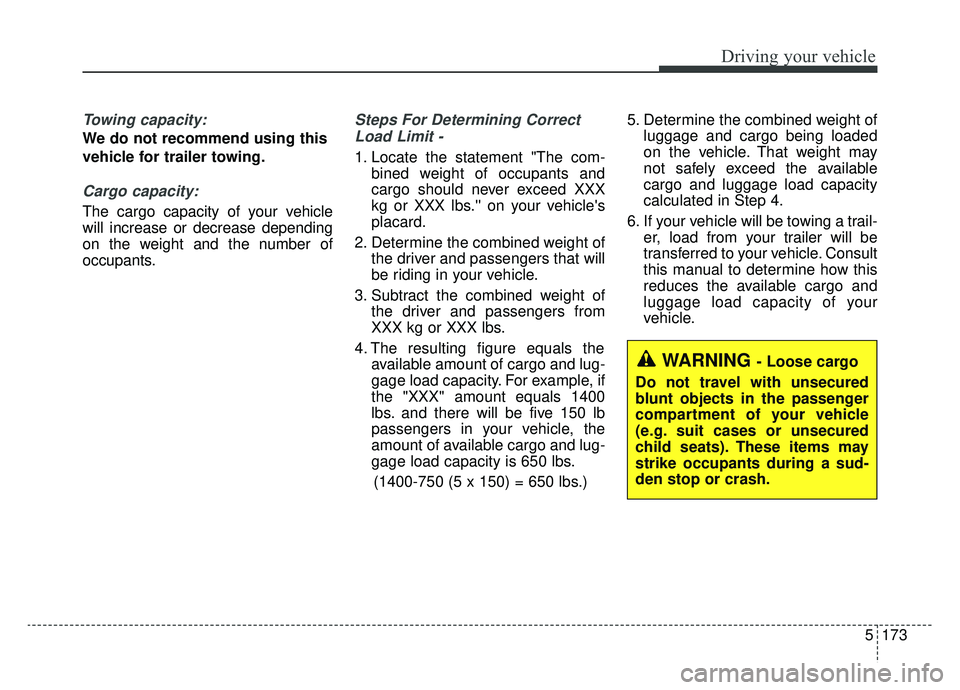
WARNING - Loose cargo
Do not travel with unsecured
blunt objects in the passenger
compartment of your vehicle
(e.g. suit cases or unsecured
child seats). These items may
strike occupants during a sud-
den stop or crash.