change wheel KIA K900 2020 Owner's Manual
[x] Cancel search | Manufacturer: KIA, Model Year: 2020, Model line: K900, Model: KIA K900 2020Pages: 593, PDF Size: 14.99 MB
Page 398 of 593
Driving your vehicle
132
5
Various driving situations which you
may encounter in SMART mode
The driving mode automatically
changes to ECO mode after a cer-
tain period of time when you gently
depress the accelerator pedal
(Your driving is categorized to be
mild).
The driving mode automatically changes from SMART ECO mode
to SMART COMFORT mode after
a certain period of time when you
sharply or repetitively depress the
accelerator pedal.
The driving mode automatically changes to SMART COMFORT
mode with the same driving pat-
terns when the vehicle starts to
drive on an upward slope of a cer-
tain angle. The driving mode auto-
matically returns to SMART ECO
mode when the vehicle enters a
leveled road. The driving mode automatically
changes to SMART SPORT when
you abruptly accelerate the vehicle
or repetitively operate the steering
wheel (Your driving is categorized
to be sporty). In this mode, your
vehicle drives in a lower gear for
faster accelerating/decelerating
and increased engine brake per-
formance.
You may still sense the engine brake performance, even when you
release the accelerator pedal in
SMART SPORT mode. It is
because your vehicle remains to
be in a lower gear over a certain
period of time for next acceleration.
Thus, it is a normal driving situa-
tion, not indicating any malfunc-
tion.
The driving mode automatically changes to SMART SPORT mode
only in harsh driving situations. In
most the normal driving situations,
the driving mode sets to either
SMART ECO mode or SMART
NORMAL mode. Limitations of SMART mode
The SMART mode may be limited in
following situations. (The OFF indica-
tor illuminates these situations.)
The driver manually moves the
shift lever : It deactivates SMART
mode. The vehicle drives, as the
driver manually moves the shift
lever.
The cruise control is activated : The cruise system may deactivate
the SMART mode. When a higher
system is set by the cruise system,
it starts to control vehicle speed
and deactivates SMART mode.
(SMART mode is not deactivated
just by activing the cruise system.)
The transmission oil temperature is either extremely low or extremely
high : The SMART mode can be
active in most normal driving situa-
tions. However, an extremely high/
low transmission oil temperature
may temporarily deactivate the
SMART mode, because the trans-
mission condition is out of normal
operation condition.
Page 400 of 593
Driving your vehicle
134
5
When ECO mode is activated:
The acceleration response may be
slightly reduced if the accelerator
pedal is depressed moderately.
The air conditioner performance may be limited.
The shift pattern of the automatic transmission may change.
The engine noise may get louder.
The above situations are normal
conditions when ECO mode is acti-
vated to improve fuel efficiency. Limitation of ECO mode operation:
If the following conditions occur while
ECO mode is operating, the system
operation is limited even though
there is no change in the ECO indi-
cator.
When the coolant temperature is
low:
The system will be limited until
engine performance becomes nor-
mal.
When driving up a hill: The system will be limited to gain
power when driving uphill because
engine torque is restricted.
When driving the vehicle with the automatic transmission gear shift
lever in manual mode.
The system will be limited accord-
ing to the shift location.CUSTOM mode
In CUSTOM mode, the
driver can select sepa-
rate modes and com-
bine them on the AVN
System screen.
Engine/Transmission: ECO/COM- FORT/ SPORT/SNOW
Steering wheel: COMFORT/ SPORT
Suspension: COMFORT+/COM- FORT/SPORT
All-Wheel Drive (AWD) system: ECO/COMFORT/SPORT
For more information, refer to the
separately supplied AVN System
manual.
When CUSTOM mode is selected by pressing the DRIVE MODE but-
ton, the CUSTOM mode indicator
will illuminate.
CUSTOM
Page 403 of 593
![KIA K900 2020 Owners Manual 5137
Driving your vehicle
LFA system operation
With the ignition [ON], select or
release the setting from “AVN →
Setup → Vehicle →Driver
Assistance →Driving Assist → LFA
(Lane Following](/img/2/55052/w960_55052-402.png "KIA K900 2020 Owners Manual 5137
Driving your vehicle
LFA system operation
With the ignition [ON], select or
release the setting from “AVN →
Setup → Vehicle →Driver
Assistance →Driving Assist → LFA
(Lane Following")
5137
Driving your vehicle
LFA system operation
With the ignition [ON], select or
release the setting from “AVN →
Setup → Vehicle →Driver
Assistance →Driving Assist → LFA
(Lane Following Assist)”.
Select the LFA system in the AVN
and meet the following conditions,
the system will operate.
- The Smart Cruise Control is oper- ating
- Vehicle speed is lower than 95 mph (153 km/h)
When the system is activated, the
indicator ( ) on the cluster will illu-
minate. The color of the indicator will
change depending on the condition
of the LFA system.
- Green : Steering assist mode is
ON
- White : Steering assist mode is
OFF
LFA system activation
If the vehicle is inside the lane with
both lanes detected by the system
(lane color changes from gray to
white), and there is no abrupt steer-
ing made by the driver, LFA system
changes to steering assist mode.
The indicator light will come on
green, and the system helps the
vehicle stay in line by controlling the
steering wheel.
When the steering wheel is not con-
trolled temporarily, the indicator light
will flash green and changes to
white.
LFA system ensures the vehicle
stays in its lane. LFA system does
not guarantee 100% safety. Make
sure you make decisions on the road
after checking the road conditions
and safety matters while driving.
Never completely rely on your LFA
system.
Warning
Keep hands on steering wheel
If the driver takes their hands off the
steering wheel for several seconds
while LFA system is activated, the
system will warn the driver.
✽ ✽
NOTICE
Hold the steering wheel tight.
Otherwise, LFA system could mis-
judge that the driver's hands are off
the steering wheel, and the above
warning may occur.
ORJ058180L
Page 405 of 593
5139
Driving your vehicle
Check Lane Following Assist (LFA)
system
If there is a problem with the system
a message will appear for a few sec-
onds. If the problem continues, we
recommend that you have the vehi-
cle inspected by an authorized retail-
er of Genesis Branded products.LFA system will not be in the
ENABLED state and/or the steering
wheel will not be assisted when:
The turn signal is turned on before
changing a lane. If you change
lanes without the turn signal on,
the steering wheel might be con-
trolled.
The vehicle is not driven in the mid- dle of the lane when the system is
turned on or right after changing a
lane.
ESC (Electronic Stability Control) or VSM (Vehicle Stability
Management) is activated.
The vehicle is driven on a sharp curve.
Vehicle speed is over 95 mph (153 km/h).
The vehicle makes sharp lane changes.
The vehicle brakes suddenly.
Only one lane marker is detected.
The lane is very wide or narrow.
There are more than two lane markers on the road (e.g. construc-
tion area). Radius of a curve is too small.
The vehicle is driven on a steep
incline.
The steering wheel is turned sud- denly.
The system may not operate for 15 seconds after the engine is started
or the camera is initialized.
Page 410 of 593
Driving your vehicle
144
5
Steering control
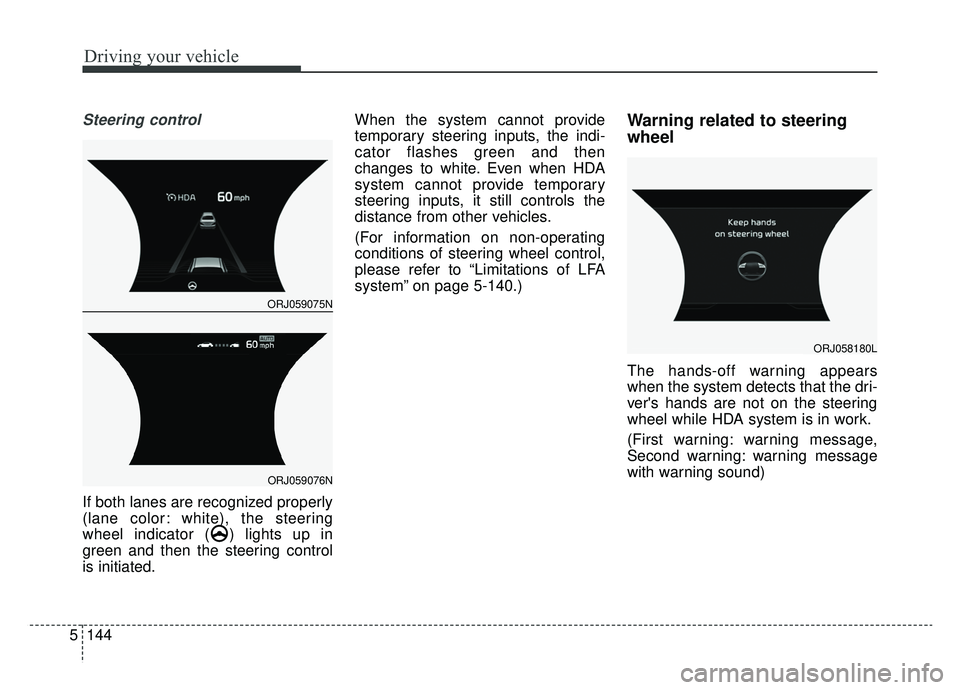
If both lanes are recognized properly
(lane color: white), the steering
wheel indicator ( ) lights up in
green and then the steering control
is initiated. When the system cannot provide
temporary steering inputs, the indi-
cator flashes green and then
changes to white. Even when HDA
system cannot provide temporary
steering inputs, it still controls the
distance from other vehicles.
(For information on non-operating
conditions of steering wheel control,
please refer to “Limitations of LFA
system” on page 5-140.)
Warning related to steering
wheel
The hands-off warning appears
when the system detects that the dri-
ver's hands are not on the steering
wheel while HDA system is in work.
(First warning: warning message,
Second warning: warning message
with warning sound)
ORJ058180L
ORJ059075N
ORJ059076N
Page 427 of 593
5161
Driving your vehicle
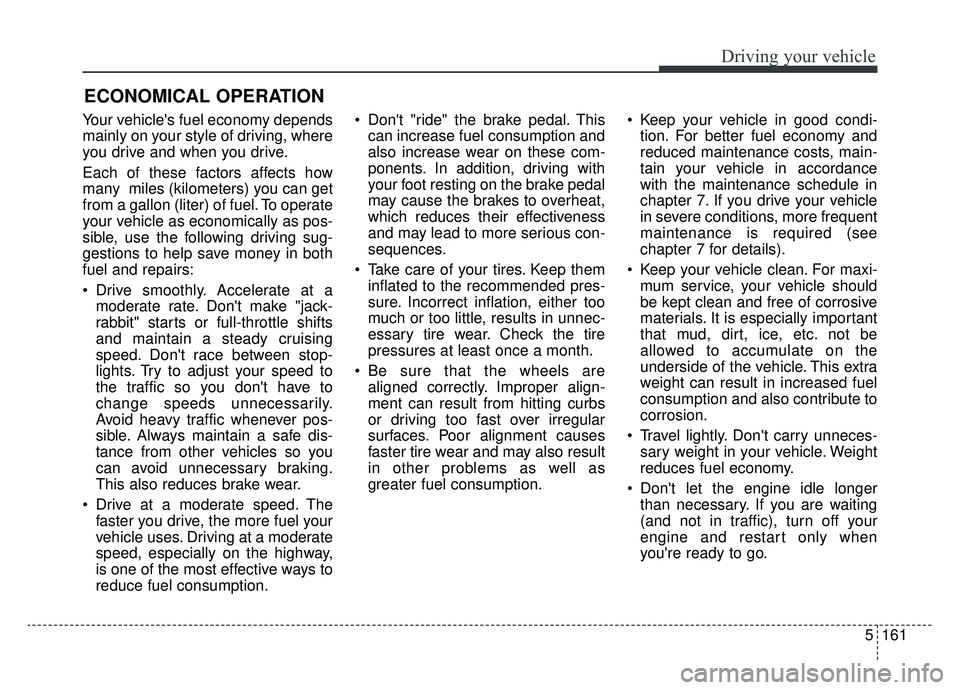
Your vehicle's fuel economy depends
mainly on your style of driving, where
you drive and when you drive.
Each of these factors affects how
many miles (kilometers) you can get
from a gallon (liter) of fuel. To operate
your vehicle as economically as pos-
sible, use the following driving sug-
gestions to help save money in both
fuel and repairs:
Drive smoothly. Accelerate at amoderate rate. Don't make "jack-
rabbit" starts or full-throttle shifts
and maintain a steady cruising
speed. Don't race between stop-
lights. Try to adjust your speed to
the traffic so you don't have to
change speeds unnecessarily.
Avoid heavy traffic whenever pos-
sible. Always maintain a safe dis-
tance from other vehicles so you
can avoid unnecessary braking.
This also reduces brake wear.
Drive at a moderate speed. The faster you drive, the more fuel your
vehicle uses. Driving at a moderate
speed, especially on the highway,
is one of the most effective ways to
reduce fuel consumption. Don't "ride" the brake pedal. This
can increase fuel consumption and
also increase wear on these com-
ponents. In addition, driving with
your foot resting on the brake pedal
may cause the brakes to overheat,
which reduces their effectiveness
and may lead to more serious con-
sequences.
Take care of your tires. Keep them inflated to the recommended pres-
sure. Incorrect inflation, either too
much or too little, results in unnec-
essary tire wear. Check the tire
pressures at least once a month.
Be sure that the wheels are aligned correctly. Improper align-
ment can result from hitting curbs
or driving too fast over irregular
surfaces. Poor alignment causes
faster tire wear and may also result
in other problems as well as
greater fuel consumption. Keep your vehicle in good condi-
tion. For better fuel economy and
reduced maintenance costs, main-
tain your vehicle in accordance
with the maintenance schedule in
chapter 7. If you drive your vehicle
in severe conditions, more frequent
maintenance is required (see
chapter 7 for details).
Keep your vehicle clean. For maxi- mum service, your vehicle should
be kept clean and free of corrosive
materials. It is especially important
that mud, dirt, ice, etc. not be
allowed to accumulate on the
underside of the vehicle. This extra
weight can result in increased fuel
consumption and also contribute to
corrosion.
Travel lightly. Don't carry unneces- sary weight in your vehicle. Weight
reduces fuel economy.
Don't let the engine idle longer than necessary. If you are waiting
(and not in traffic), turn off your
engine and restart only when
you're ready to go.
ECONOMICAL OPERATION
Page 429 of 593
5163
Driving your vehicle
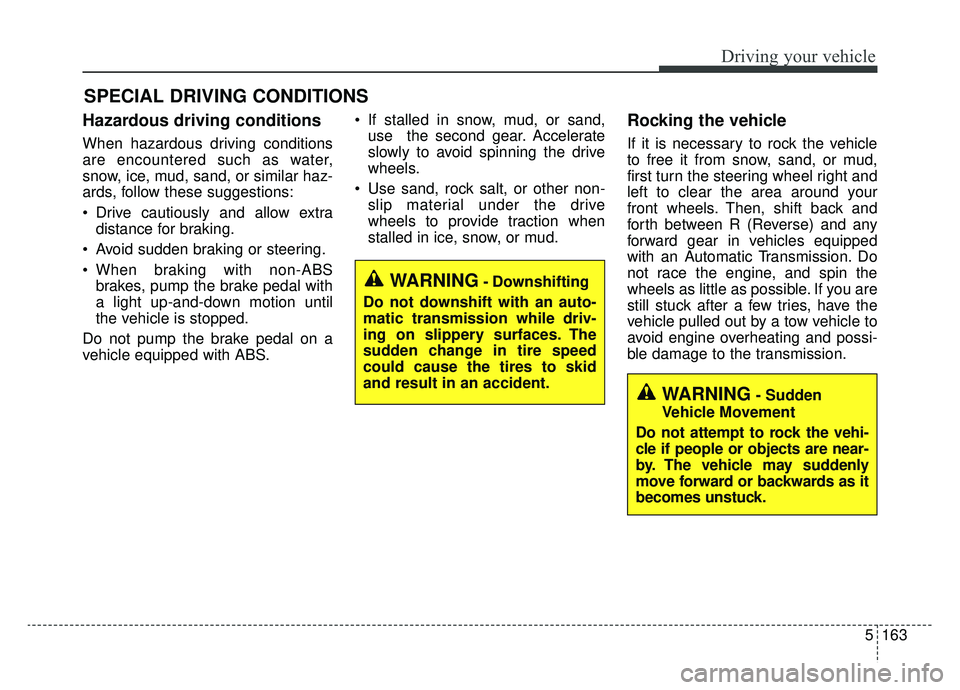
Hazardous driving conditions
When hazardous driving conditions
are encountered such as water,
snow, ice, mud, sand, or similar haz-
ards, follow these suggestions:
Drive cautiously and allow extradistance for braking.
Avoid sudden braking or steering.
When braking with non-ABS brakes, pump the brake pedal with
a light up-and-down motion until
the vehicle is stopped.
Do not pump the brake pedal on a
vehicle equipped with ABS. If stalled in snow, mud, or sand,
use the second gear. Accelerate
slowly to avoid spinning the drive
wheels.
Use sand, rock salt, or other non- slip material under the drive
wheels to provide traction when
stalled in ice, snow, or mud.
Rocking the vehicle
If it is necessary to rock the vehicle
to free it from snow, sand, or mud,
first turn the steering wheel right and
left to clear the area around your
front wheels. Then, shift back and
forth between R (Reverse) and any
forward gear in vehicles equipped
with an Automatic Transmission. Do
not race the engine, and spin the
wheels as little as possible. If you are
still stuck after a few tries, have the
vehicle pulled out by a tow vehicle to
avoid engine overheating and possi-
ble damage to the transmission.
SPECIAL DRIVING CONDITIONS
WARNING- Downshifting
Do not downshift with an auto-
matic transmission while driv-
ing on slippery surfaces. The
sudden change in tire speed
could cause the tires to skid
and result in an accident.
WARNING- Sudden
Vehicle Movement
Do not attempt to rock the vehi-
cle if people or objects are near-
by. The vehicle may suddenly
move forward or backwards as it
becomes unstuck.
Page 433 of 593
5167
Driving your vehicle
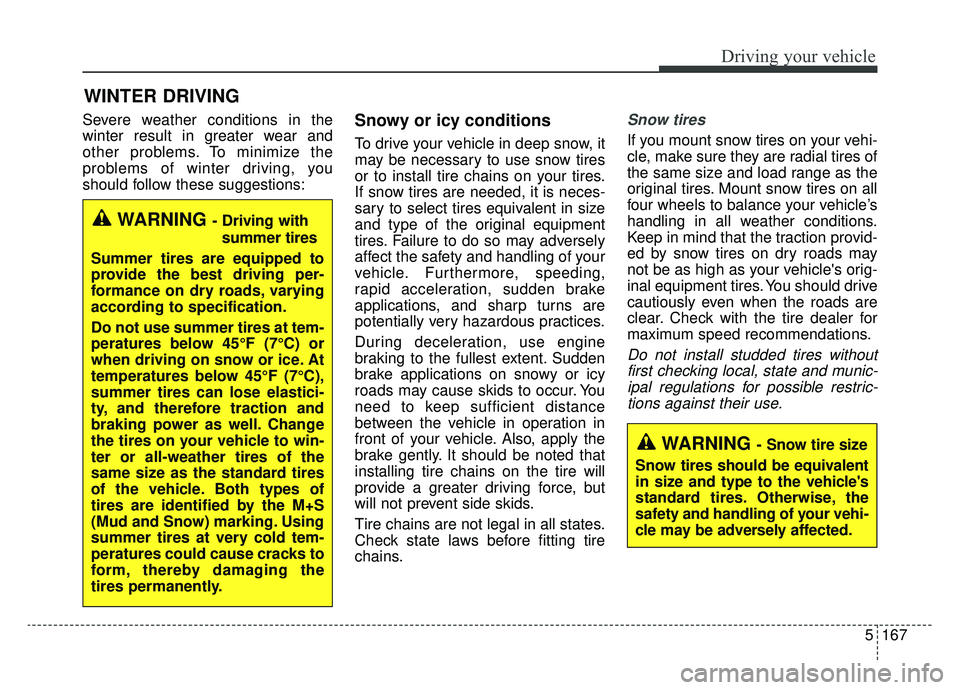
Severe weather conditions in the
winter result in greater wear and
other problems. To minimize the
problems of winter driving, you
should follow these suggestions:Snowy or icy conditions
To drive your vehicle in deep snow, it
may be necessary to use snow tires
or to install tire chains on your tires.
If snow tires are needed, it is neces-
sary to select tires equivalent in size
and type of the original equipment
tires. Failure to do so may adversely
affect the safety and handling of your
vehicle. Furthermore, speeding,
rapid acceleration, sudden brake
applications, and sharp turns are
potentially very hazardous practices.
During deceleration, use engine
braking to the fullest extent. Sudden
brake applications on snowy or icy
roads may cause skids to occur. You
need to keep sufficient distance
between the vehicle in operation in
front of your vehicle. Also, apply the
brake gently. It should be noted that
installing tire chains on the tire will
provide a greater driving force, but
will not prevent side skids.
Tire chains are not legal in all states.
Check state laws before fitting tire
chains.
Snow tires
If you mount snow tires on your vehi-
cle, make sure they are radial tires of
the same size and load range as the
original tires. Mount snow tires on all
four wheels to balance your vehicle’s
handling in all weather conditions.
Keep in mind that the traction provid-
ed by snow tires on dry roads may
not be as high as your vehicle's orig-
inal equipment tires. You should drive
cautiously even when the roads are
clear. Check with the tire dealer for
maximum speed recommendations.
Do not install studded tires withoutfirst checking local, state and munic-ipal regulations for possible restric-tions against their use.
WINTER DRIVING
WARNING - Driving with
summer tires
Summer tires are equipped to
provide the best driving per-
formance on dry roads, varying
according to specification.
Do not use summer tires at tem-
peratures below 45°F (7°C) or
when driving on snow or ice. At
temperatures below 45°F (7°C),
summer tires can lose elastici-
ty, and therefore traction and
braking power as well. Change
the tires on your vehicle to win-
ter or all-weather tires of the
same size as the standard tires
of the vehicle. Both types of
tires are identified by the M+S
(Mud and Snow) marking. Using
summer tires at very cold tem-
peratures could cause cracks to
form, thereby damaging the
tires permanently.
WARNING - Snow tire size
Snow tires should be equivalent
in size and type to the vehicle's
standard tires. Otherwise, the
safety and handling of your vehi-
cle may be adversely affected.
Page 436 of 593
Driving your vehicle
170
5
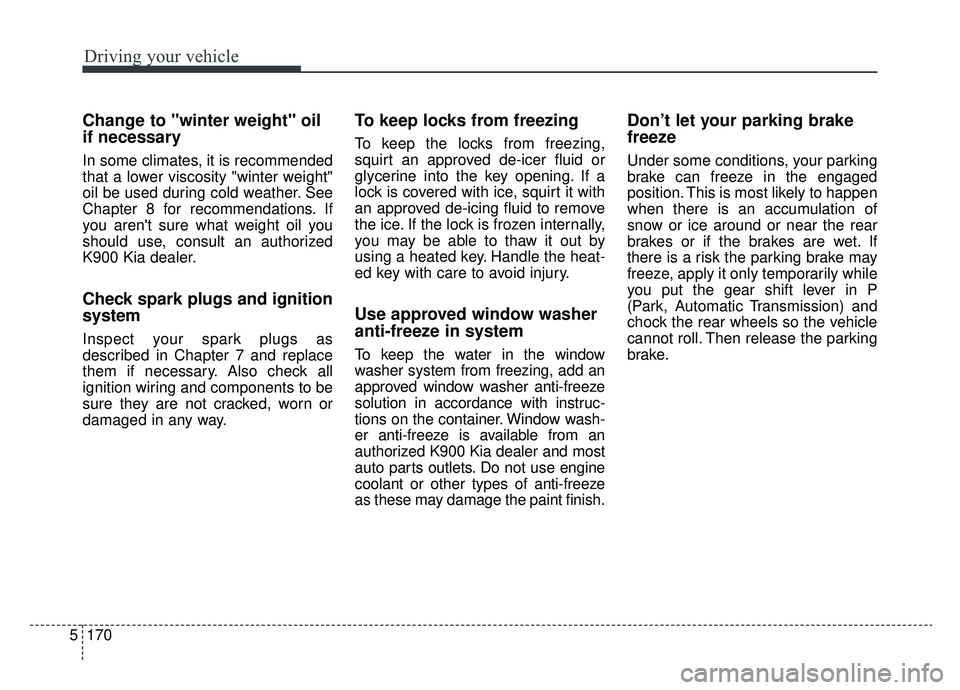
Change to "winter weight" oil
if necessary
In some climates, it is recommended
that a lower viscosity "winter weight"
oil be used during cold weather. See
Chapter 8 for recommendations. If
you aren't sure what weight oil you
should use, consult an authorized
K900 Kia dealer.
Check spark plugs and ignition
system
Inspect your spark plugs as
described in Chapter 7 and replace
them if necessary. Also check all
ignition wiring and components to be
sure they are not cracked, worn or
damaged in any way.
To keep locks from freezing
To keep the locks from freezing,
squirt an approved de-icer fluid or
glycerine into the key opening. If a
lock is covered with ice, squirt it with
an approved de-icing fluid to remove
the ice. If the lock is frozen internally,
you may be able to thaw it out by
using a heated key. Handle the heat-
ed key with care to avoid injury.
Use approved window washer
anti-freeze in system
To keep the water in the window
washer system from freezing, add an
approved window washer anti-freeze
solution in accordance with instruc-
tions on the container. Window wash-
er anti-freeze is available from an
authorized K900 Kia dealer and most
auto parts outlets. Do not use engine
coolant or other types of anti-freeze
as these may damage the paint finish.
Don’t let your parking brake
freeze
Under some conditions, your parking
brake can freeze in the engaged
position. This is most likely to happen
when there is an accumulation of
snow or ice around or near the rear
brakes or if the brakes are wet. If
there is a risk the parking brake may
freeze, apply it only temporarily while
you put the gear shift lever in P
(Park, Automatic Transmission) and
chock the rear wheels so the vehicle
cannot roll. Then release the parking
brake.
Page 456 of 593
What to do in an emergency
14
6
IF YOU HAVE A FLAT TIRE (WITH SPARE TIRE)
Jack and tools
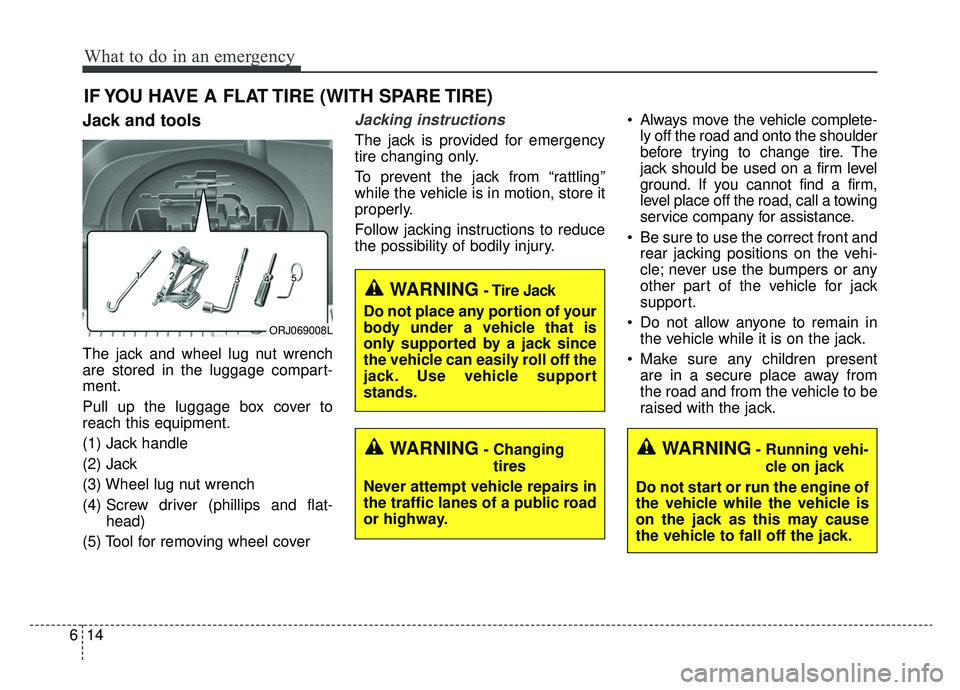
The jack and wheel lug nut wrench
are stored in the luggage compart-
ment.
Pull up the luggage box cover to
reach this equipment.
(1) Jack handle
(2) Jack
(3) Wheel lug nut wrench
(4) Screw driver (phillips and flat-
head)
(5) Tool for removing wheel cover
Jacking instructions
The jack is provided for emergency
tire changing only.
To prevent the jack from “rattling”
while the vehicle is in motion, store it
properly.
Follow jacking instructions to reduce
the possibility of bodily injury. Always move the vehicle complete-
ly off the road and onto the shoulder
before trying to change tire. The
jack should be used on a firm level
ground. If you cannot find a firm,
level place off the road, call a towing
service company for assistance.
Be sure to use the correct front and rear jacking positions on the vehi-
cle; never use the bumpers or any
other part of the vehicle for jack
support.
Do not allow anyone to remain in the vehicle while it is on the jack.
Make sure any children present are in a secure place away from
the road and from the vehicle to be
raised with the jack.
WARNING- Changing
tires
Never attempt vehicle repairs in
the traffic lanes of a public road
or highway.
ORJ069008L
WARNING- Tire Jack
Do not place any portion of your
body under a vehicle that is
only supported by a jack since
the vehicle can easily roll off the
jack. Use vehicle support
stands.
WARNING- Running vehi- cle on jack
Do not start or run the engine of
the vehicle while the vehicle is
on the jack as this may cause
the vehicle to fall off the jack.