warning lights KIA K900 2020 Owner's Manual
[x] Cancel search | Manufacturer: KIA, Model Year: 2020, Model line: K900, Model: KIA K900 2020Pages: 593, PDF Size: 14.99 MB
Page 198 of 593
4105
Features of your vehicle
Head Up Display ON/OFF
The HUD display will be activated or
deactivated in Setup mode while
engine is ON.
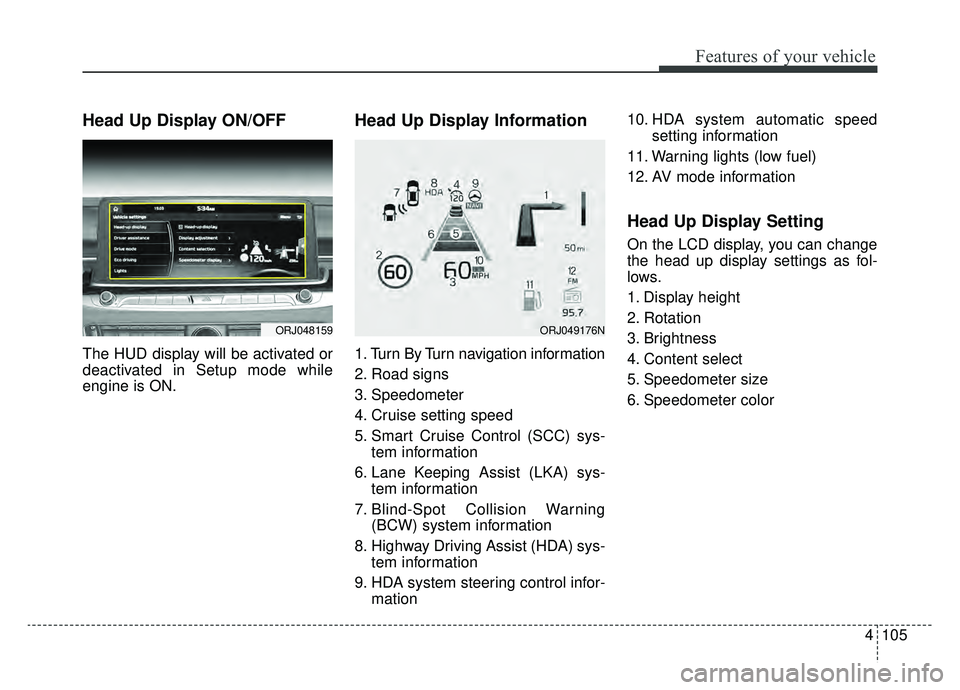
Head Up Display Information
1. Turn By Turn navigation information
2. Road signs
3. Speedometer
4. Cruise setting speed
5. Smart Cruise Control (SCC) sys-tem information
6. Lane Keeping Assist (LKA) sys- tem information
7. Blind-Spot Collision Warning (BCW) system information
8. Highway Driving Assist (HDA) sys- tem information
9. HDA system steering control infor- mation 10. HDA system automatic speed
setting information
11. Warning lights (low fuel)
12. AV mode information
Head Up Display Setting
On the LCD display, you can change
the head up display settings as fol-
lows.
1. Display height
2. Rotation
3. Brightness
4. Content select
5. Speedometer size
6. Speedometer color
ORJ048159ORJ049176N
Page 209 of 593

Features of your vehicle
116
4
High beam operation
To turn on the high beam headlamp,
push the lever away from you. The
lever will return to its original posi-
tion. The high beam indicator will illu-
minate when the headlight high
beams are switched on.
To prevent the battery from being
discharged, do not leave the lights
on for a prolonged time while the
engine is not running.
WARNING - High beams
Do not use high beam when
there are other vehicles in front
of your vehicle. Using high
beam could obstruct the other
driver's vision.
ORJ048435N
CAUTION
Never put anything over the light sensor (1) this willimpede operation of the auto-light system control.
Don’t clean the sensor using a window cleaner, the cleanermay leave a light film whichcould interfere with sensoroperation.
If your vehicle has window tint or other types of metallic coat-ing on the front windshield,the Auto light system may notwork properly.
Page 211 of 593
Features of your vehicle
118
4
3) If the light switch is pulled
towards you when the high
beam is on by the High Beam
Assist, the low beam will be on
and the High Beam Assist will
turn off.
4) If the light switch is turned to the headlamp position ( ) from
AUTO position, the High Beam
Assist will turn off and the low
beam will be on continuously. When High Bean Assist (HBA) sys-
tem is operating, the high beam
switches to low beam in the below
conditions.
- When a headlamp is detected from
a on-coming vehicle.
- When a tail lamp is detected from a front vehicle.
- When headlamp/tail lamp of bicy- cle/motorcycle is detected.
- When a headlamp/tail lamp from a bicycle/motorcycle is detected.
- When streetlights or other lights are detected.
- When the light switch is not in the AUTO position.
- When the High Beam Assist is off.
- When vehicle speed is below 22 mph (35 km/h).Warning light and message
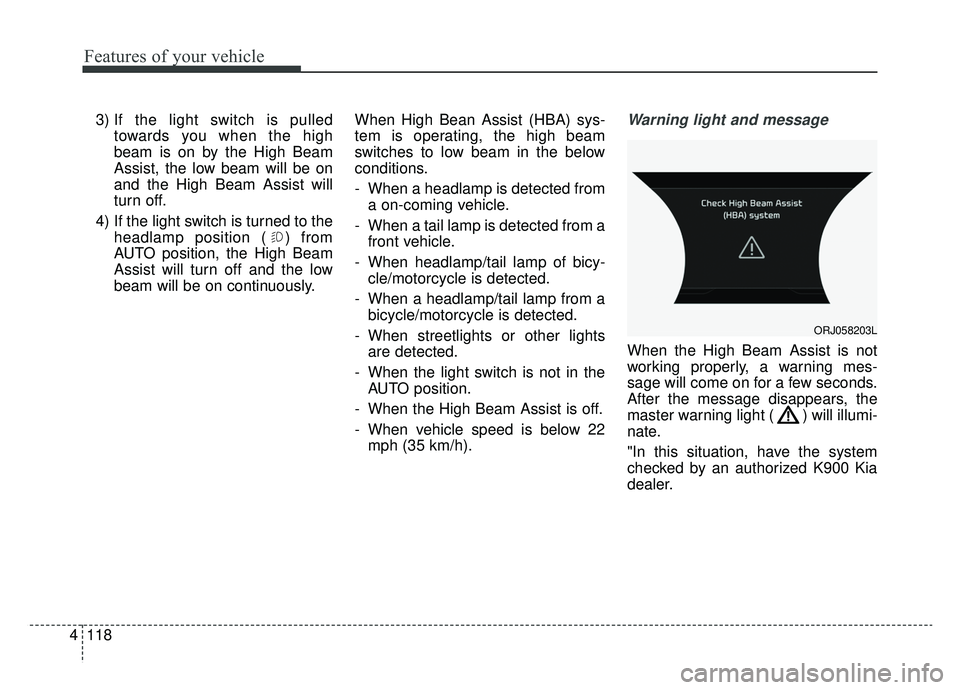
When the High Beam Assist is not
working properly, a warning mes-
sage will come on for a few seconds.
After the message disappears, the
master warning light ( ) will illumi-
nate.
"In this situation, have the system
checked by an authorized K900 Kia
dealer.
ORJ058203L
Page 219 of 593
Features of your vehicle
126
4
Do not use the interior lights for
extended periods when the engine is
not running as this may cause bat-
tery discharge.Automatic turn off function
(if equipped)
The interior lights automatically turn
off approximately 20 minutes after
the ignition switch is turned off, if the
lights are in the ON position.
If your vehicle is equipped with the
theft alarm system, the interior lights
automatically turn off approximately
5 seconds after the system is armed.
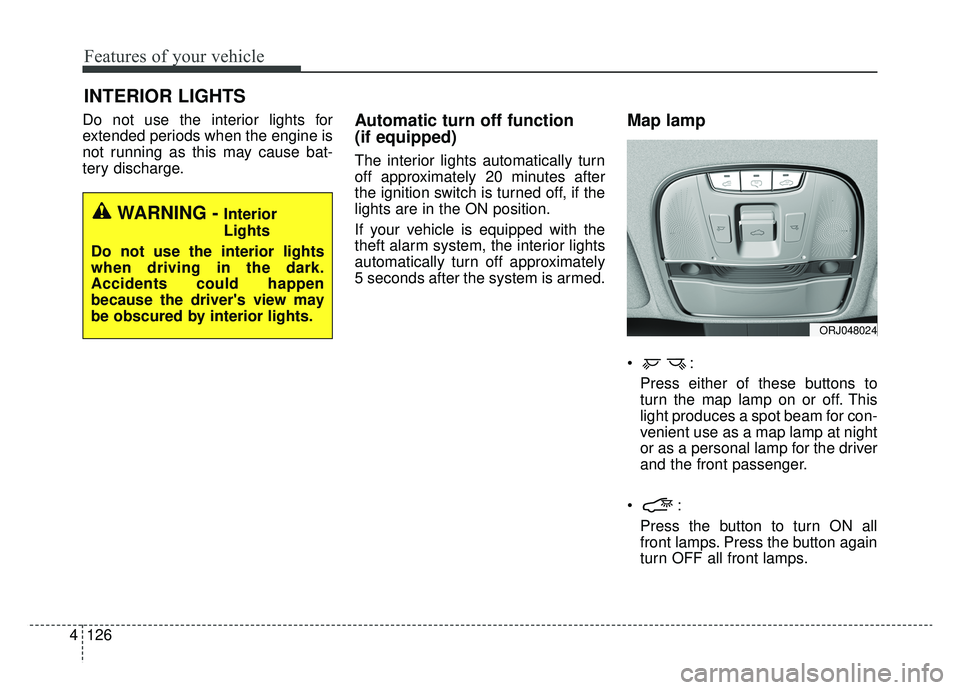
Map lamp
Press either of these buttons to
turn the map lamp on or off. This
light produces a spot beam for con-
venient use as a map lamp at night
or as a personal lamp for the driver
and the front passenger.
Press the button to turn ON all
front lamps. Press the button again
turn OFF all front lamps.
INTERIOR LIGHTS
WARNING - Interior
Lights
Do not use the interior lights
when driving in the dark.
Accidents could happen
because the driver's view may
be obscured by interior lights.
ORJ048024
Page 271 of 593
55
Driving your vehicle
Before entering vehicle
• Be sure that all windows, outsidemirror(s), and outside lights are
clean.
Check the condition of the tires.
Check under the vehicle for any sign of leaks.
Be sure there are no obstacles behind you if you intend to back up.
Necessary inspections
Fluid levels, such as engine oil,
engine coolant, brake fluid, and
washer fluid should be checked on a
regular basis, at the exact interval
depending on the fluid. Further
details are provided in chapter 7,
“Maintenance”.
Before starting
Close and lock all doors.
Position the seat so that all con-trols are easily reached.
Buckle your seat belt.
Adjust the inside and outside rearview mirrors.
Be sure that all lights work.
Check all gauges.
Check the operation of warning lights when the ignition switch is
turned to the ON position.
Release the parking brake and make sure the brake warning light
goes out.
Input any phone numbers or map locations (if vehicle equipped with
a navigation system) that you may
need during your trip.
For safe operation, be sure you are
familiar with your vehicle and its
equipment.
BEFORE DRIVING
WARNING - Distracted driving
Focus on the road while driving.
The driver's primary responsi-
bility is in the safe and legal
operation of the vehicle. Any
handheld devices, other equip-
ment or vehicle systems that
distract the driver should not be
used during vehicle operation.
Page 274 of 593
Driving your vehicle
85
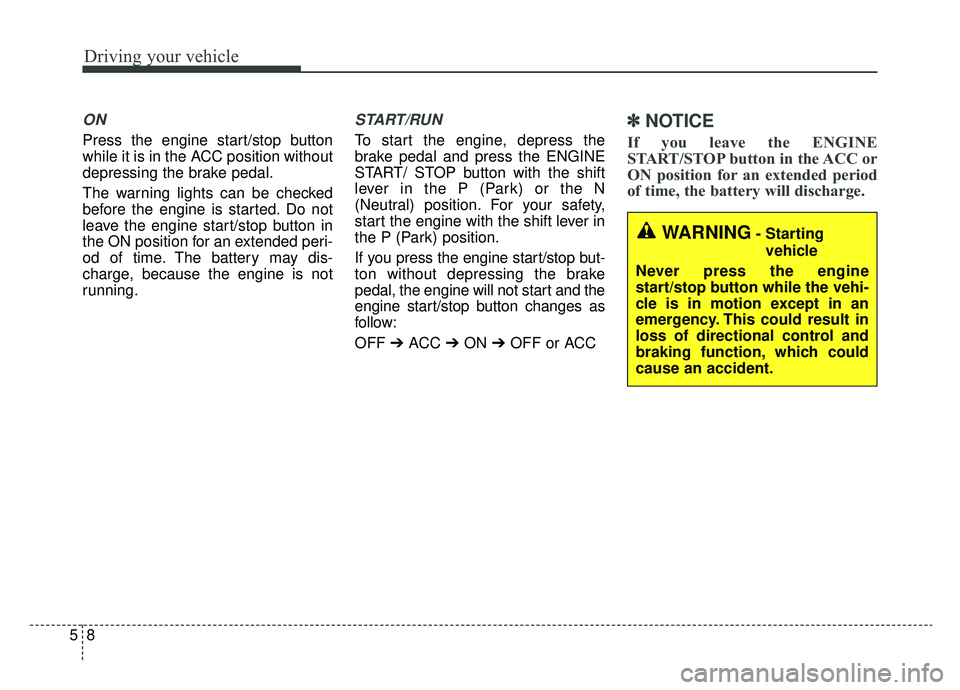
ON
Press the engine start/stop button
while it is in the ACC position without
depressing the brake pedal.
The warning lights can be checked
before the engine is started. Do not
leave the engine start/stop button in
the ON position for an extended peri-
od of time. The battery may dis-
charge, because the engine is not
running.
START/RUN
To start the engine, depress the
brake pedal and press the ENGINE
START/ STOP button with the shift
lever in the P (Park) or the N
(Neutral) position. For your safety,
start the engine with the shift lever in
the P (Park) position.
If you press the engine start/stop but-
ton without depressing the brake
pedal, the engine will not start and the
engine start/stop button changes as
follow:
OFF ➔ACC ➔ON ➔OFF or ACC
✽ ✽
NOTICE
If you leave the ENGINE
START/STOP button in the ACC or
ON position for an extended period
of time, the battery will discharge.
WARNING- Starting
vehicle
Never press the engine
start/stop button while the vehi-
cle is in motion except in an
emergency. This could result in
loss of directional control and
braking function, which could
cause an accident.
Page 307 of 593
541
Driving your vehicle
Cancel
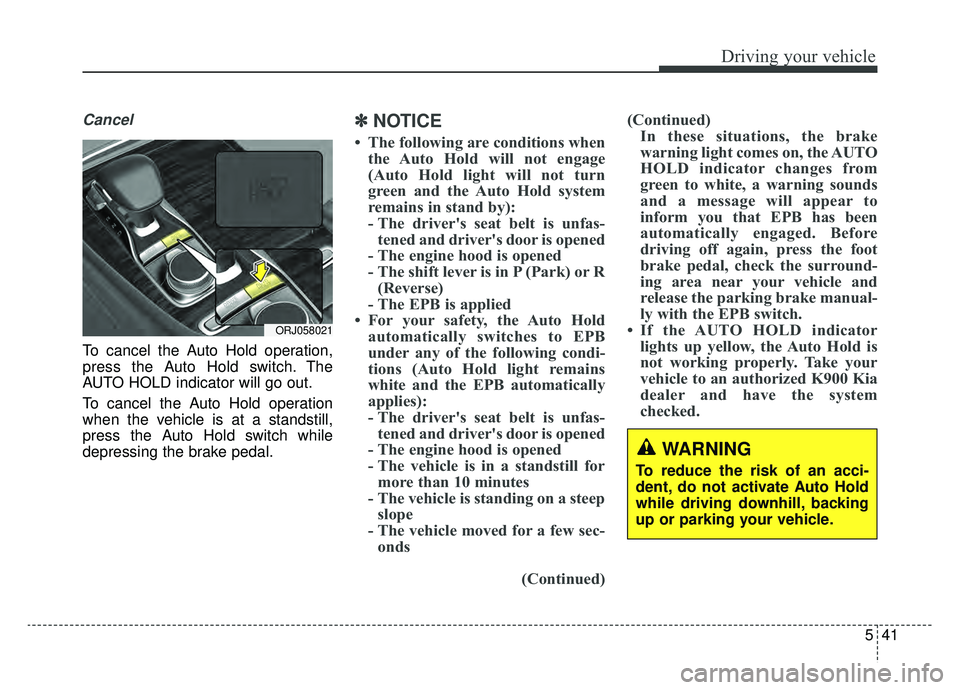
To cancel the Auto Hold operation,
press the Auto Hold switch. The
AUTO HOLD indicator will go out.
To cancel the Auto Hold operation
when the vehicle is at a standstill,
press the Auto Hold switch while
depressing the brake pedal.
✽ ✽NOTICE
• The following are conditions when
the Auto Hold will not engage
(Auto Hold light will not turn
green and the Auto Hold system
remains in stand by):
- The driver's seat belt is unfas-tened and driver's door is opened
- The engine hood is opened
- The shift lever is in P (Park) or R (Reverse)
- The EPB is applied
• For your safety, the Auto Hold automatically switches to EPB
under any of the following condi-
tions (Auto Hold light remains
white and the EPB automatically
applies):
- The driver's seat belt is unfas-tened and driver's door is opened
- The engine hood is opened
- The vehicle is in a standstill for more than 10 minutes
- The vehicle is standing on a steep slope
- The vehicle moved for a few sec- onds
(Continued)(Continued)
In these situations, the brake
warning light comes on, the AUTO
HOLD indicator changes from
green to white, a warning sounds
and a message will appear to
inform you that EPB has been
automatically engaged. Before
driving off again, press the foot
brake pedal, check the surround-
ing area near your vehicle and
release the parking brake manual-
ly with the EPB switch.
• If the AUTO HOLD indicator lights up yellow, the Auto Hold is
not working properly. Take your
vehicle to an authorized K900 Kia
dealer and have the system
checked.
WARNING
To reduce the risk of an acci-
dent, do not activate Auto Hold
while driving downhill, backing
up or parking your vehicle.
ORJ058021
Page 392 of 593
Driving your vehicle
126
5
Your vehicle may be equipped with
the ISG system, which reduces fuel
consumption by automatically shut-
ting down the engine, when the vehi-
cle is at a standstill. (For example :
red light, stop sign and traffic jam)
The engine starts automatically as
soon as the starting conditions are
met.
The ISG system is ON whenever the
engine is running.
✽ ✽
NOTICE
When the engine automatically
starts by the ISG system, some
warning lights (ABS, ESC, ESC
OFF, EPS or Parking brake warn-
ing light) may turn on for a few sec-
onds.
This happens because of low battery
voltage. It does not mean the system
has malfunctioned.
Auto stop
To stop the engine in idle stop
mode
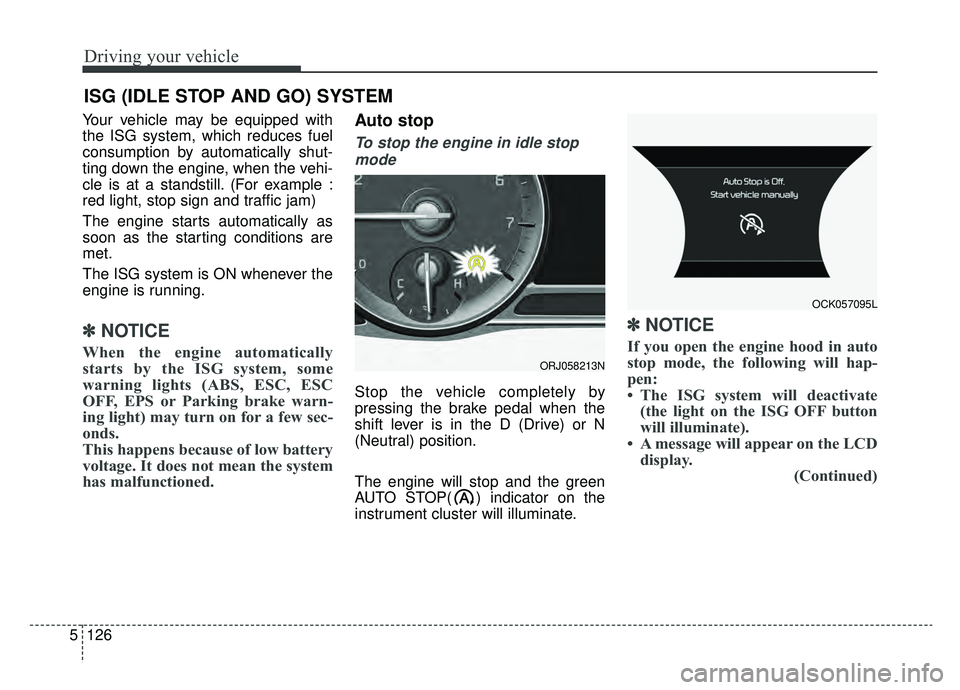
Stop the vehicle completely by
pressing the brake pedal when the
shift lever is in the D (Drive) or N
(Neutral) position.
The engine will stop and the green
AUTO STOP( ) indicator on the
instrument cluster will illuminate.
✽ ✽ NOTICE
If you open the engine hood in auto
stop mode, the following will hap-
pen:
• The ISG system will deactivate
(the light on the ISG OFF button
will illuminate).
• A message will appear on the LCD display. (Continued)
ISG (IDLE STOP AND GO) SYSTEM
ORJ058213N
OCK057095L
Page 410 of 593
Driving your vehicle
144
5
Steering control
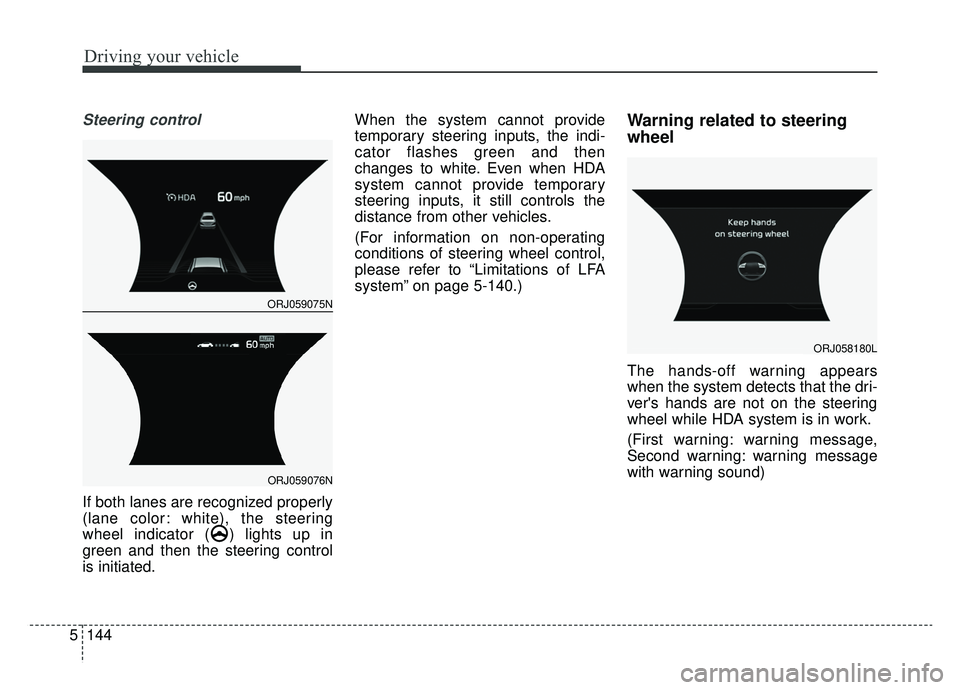
If both lanes are recognized properly
(lane color: white), the steering
wheel indicator ( ) lights up in
green and then the steering control
is initiated. When the system cannot provide
temporary steering inputs, the indi-
cator flashes green and then
changes to white. Even when HDA
system cannot provide temporary
steering inputs, it still controls the
distance from other vehicles.
(For information on non-operating
conditions of steering wheel control,
please refer to “Limitations of LFA
system” on page 5-140.)
Warning related to steering
wheel
The hands-off warning appears
when the system detects that the dri-
ver's hands are not on the steering
wheel while HDA system is in work.
(First warning: warning message,
Second warning: warning message
with warning sound)
ORJ058180L
ORJ059075N
ORJ059076N
Page 444 of 593
What to do in an emergency
26
ROAD WARNING
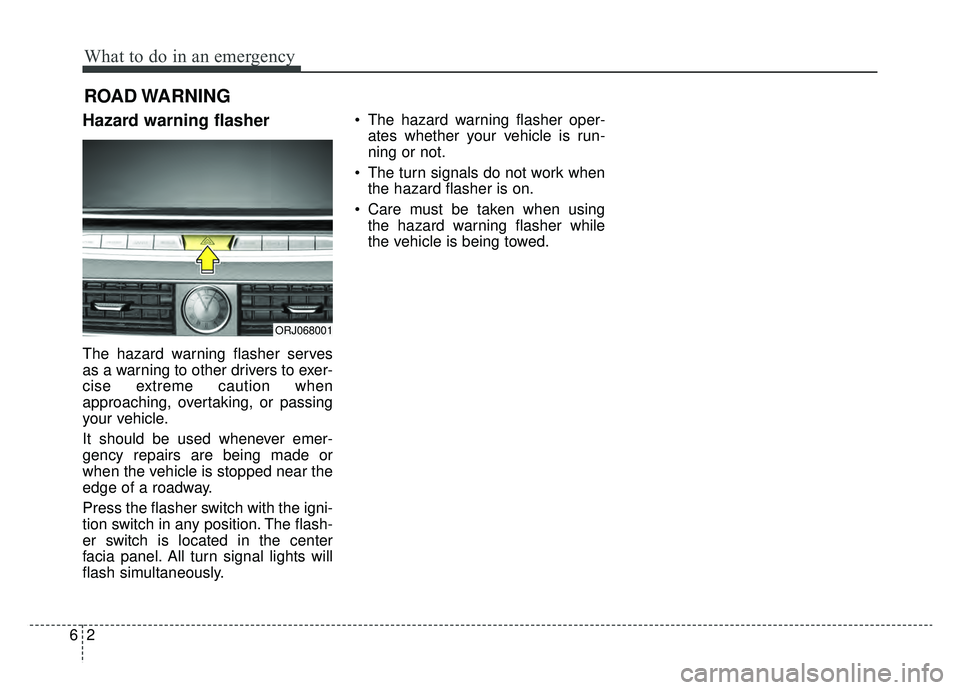
Hazard warning flasher
The hazard warning flasher serves
as a warning to other drivers to exer-
cise extreme caution when
approaching, overtaking, or passing
your vehicle.
It should be used whenever emer-
gency repairs are being made or
when the vehicle is stopped near the
edge of a roadway.
Press the flasher switch with the igni-
tion switch in any position. The flash-
er switch is located in the center
facia panel. All turn signal lights will
flash simultaneously.• The hazard warning flasher oper-
ates whether your vehicle is run-
ning or not.
The turn signals do not work when the hazard flasher is on.
Care must be taken when using the hazard warning flasher while
the vehicle is being towed.
ORJ068001