steering KIA K900 2020 Repair Manual
[x] Cancel search | Manufacturer: KIA, Model Year: 2020, Model line: K900, Model: KIA K900 2020Pages: 593, PDF Size: 14.99 MB
Page 401 of 593
5135
Driving your vehicle
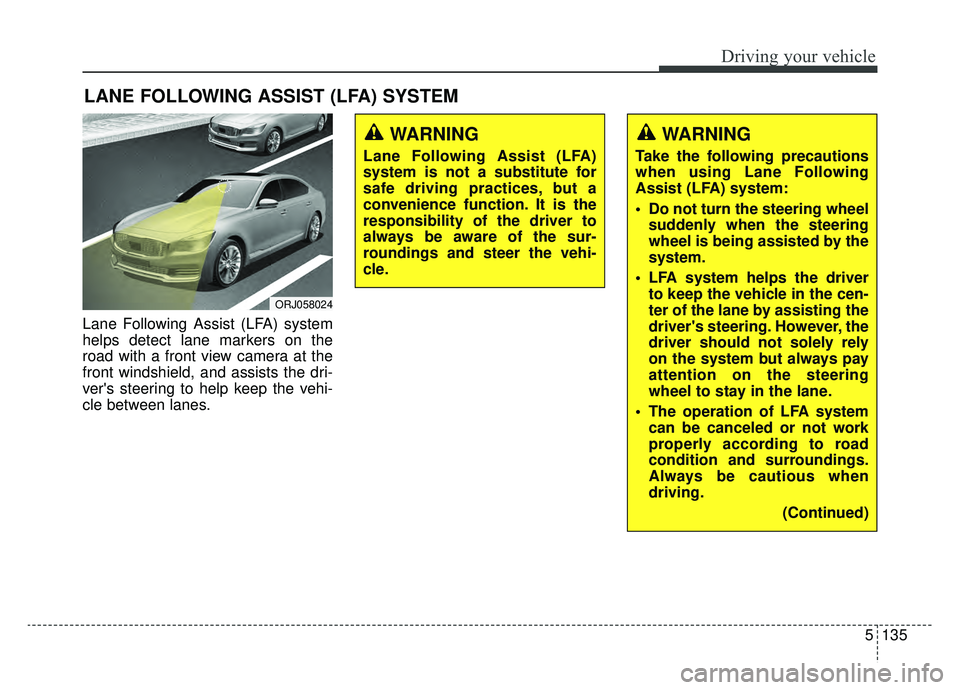
Lane Following Assist (LFA) system
helps detect lane markers on the
road with a front view camera at the
front windshield, and assists the dri-
ver's steering to help keep the vehi-
cle between lanes.
LANE FOLLOWING ASSIST (LFA) SYSTEM
ORJ058024
WARNING
Lane Following Assist (LFA)
system is not a substitute for
safe driving practices, but a
convenience function. It is the
responsibility of the driver to
always be aware of the sur-
roundings and steer the vehi-
cle.
WARNING
Take the following precautions
when using Lane Following
Assist (LFA) system:
Do not turn the steering wheelsuddenly when the steering
wheel is being assisted by the
system.
LFA system helps the driver to keep the vehicle in the cen-
ter of the lane by assisting the
driver's steering. However, the
driver should not solely rely
on the system but always pay
attention on the steering
wheel to stay in the lane.
The operation of LFA system can be canceled or not work
properly according to road
condition and surroundings.
Always be cautious when
driving.
(Continued)
Page 402 of 593
Driving your vehicle
136
5
(Continued)
Do not disassemble LFA sys-
tem camera temporarily to tint
the window or attach any
types of coatings and acces-
sories. If you disassemble the
camera and assemble it again,
we recommend that you take
your vehicle to an authorized
retailer of Kia products and
have the system checked for
calibration.
When you replace the wind- shield glass, LFA system cam-
era or related parts of the
steering wheel, take your
vehicle to an authorized retail-
er of Kia products and have
the system checked for cali-
bration.
The system helps detect lane markers and controls the
steering wheel by a camera,
therefore, if the lane markers
are hard to detect, the system
may not work properly.
(Continued)(Continued)Please refer to “Limitations of
the System”.
Do not remove or damage the related parts of LFA system.
You may not hear a warning sound of LFA system if the
audio volume is high.
Do not place objects on the dashboard that reflects light
such as mirrors, white paper,
etc. This may prevent LFA sys-
tem from functioning proper-
ly.
Always have your hands on the steering wheel while LFA
system is activated.
The steering wheel is not con- tinuously controlled so if the
vehicle speed is at a higher
rate when leaving a lane the
vehicle may not be controlled
by the system. The driver
must always follow the speed
limit when using the system.
(Continued)(Continued)
If you attach objects to thesteering wheel, the system
may not assist steering or the
hands off alarm may not work
properly.
Page 403 of 593
![KIA K900 2020 Repair Manual 5137
Driving your vehicle
LFA system operation
With the ignition [ON], select or
release the setting from “AVN →
Setup → Vehicle →Driver
Assistance →Driving Assist → LFA
(Lane Following](/img/2/55052/w960_55052-402.png "KIA K900 2020 Repair Manual 5137
Driving your vehicle
LFA system operation
With the ignition [ON], select or
release the setting from “AVN →
Setup → Vehicle →Driver
Assistance →Driving Assist → LFA
(Lane Following")
5137
Driving your vehicle
LFA system operation
With the ignition [ON], select or
release the setting from “AVN →
Setup → Vehicle →Driver
Assistance →Driving Assist → LFA
(Lane Following Assist)”.
Select the LFA system in the AVN
and meet the following conditions,
the system will operate.
- The Smart Cruise Control is oper- ating
- Vehicle speed is lower than 95 mph (153 km/h)
When the system is activated, the
indicator ( ) on the cluster will illu-
minate. The color of the indicator will
change depending on the condition
of the LFA system.
- Green : Steering assist mode is
ON
- White : Steering assist mode is
OFF
LFA system activation
If the vehicle is inside the lane with
both lanes detected by the system
(lane color changes from gray to
white), and there is no abrupt steer-
ing made by the driver, LFA system
changes to steering assist mode.
The indicator light will come on
green, and the system helps the
vehicle stay in line by controlling the
steering wheel.
When the steering wheel is not con-
trolled temporarily, the indicator light
will flash green and changes to
white.
LFA system ensures the vehicle
stays in its lane. LFA system does
not guarantee 100% safety. Make
sure you make decisions on the road
after checking the road conditions
and safety matters while driving.
Never completely rely on your LFA
system.
Warning
Keep hands on steering wheel
If the driver takes their hands off the
steering wheel for several seconds
while LFA system is activated, the
system will warn the driver.
✽ ✽
NOTICE
Hold the steering wheel tight.
Otherwise, LFA system could mis-
judge that the driver's hands are off
the steering wheel, and the above
warning may occur.
ORJ058180L
Page 404 of 593
Driving your vehicle
138
5
Driving Convenience systems can-
celed
If the driver still does not have their
hands on the steering wheel after the
message "Keep hands on steering
wheel", LFA system will be canceled.
However, if the Smart Cruise Control
is reactivated manually by the driver,
the Lane Following Assist System
will reactivate.
To activate Smart Cruise control,
refer to "Smart Cruise Control
with Stop and Go" in chapter 5.
✽ ✽
NOTICE
• Even though the steering is assist-
ed by the system, the driver may
control the steering wheel.
• The steering wheel may feel heav- ier when the steering wheel is
assisted by the system than when it
is not.
WARNING
The warning message may
appear late according to road
conditions. Therefore, always
have your hands on the steering
wheel while driving.
WARNING
LFA system is a supplemental
system only. It is the responsi-
bility of the driver to safely
steer the vehicle and to main-
tain it in its lane.
Turn off LFA system and drive without using the system in
the following situations:
- In bad weather
- In bad road conditions
- When the steering wheelneeds to be controlled by the
driver frequently.
- When towing a vehicle or trailer
Page 405 of 593
5139
Driving your vehicle
Check Lane Following Assist (LFA)
system
If there is a problem with the system
a message will appear for a few sec-
onds. If the problem continues, we
recommend that you have the vehi-
cle inspected by an authorized retail-
er of Genesis Branded products.LFA system will not be in the
ENABLED state and/or the steering
wheel will not be assisted when:
The turn signal is turned on before
changing a lane. If you change
lanes without the turn signal on,
the steering wheel might be con-
trolled.
The vehicle is not driven in the mid- dle of the lane when the system is
turned on or right after changing a
lane.
ESC (Electronic Stability Control) or VSM (Vehicle Stability
Management) is activated.
The vehicle is driven on a sharp curve.
Vehicle speed is over 95 mph (153 km/h).
The vehicle makes sharp lane changes.
The vehicle brakes suddenly.
Only one lane marker is detected.
The lane is very wide or narrow.
There are more than two lane markers on the road (e.g. construc-
tion area). Radius of a curve is too small.
The vehicle is driven on a steep
incline.
The steering wheel is turned sud- denly.
The system may not operate for 15 seconds after the engine is started
or the camera is initialized.
Page 406 of 593
Driving your vehicle
140
5
Limitations of the System
LFA system may operate premature-
ly even if the vehicle does not depart
from the intended lane, OR, LFA sys-
tem may not assist your steering or
warn you if the vehicle leaves the
intended lane under the following cir-
cumstances: When the lane and road condi-
tions are poor
It is difficult to distinguish the lane
marking from the road surface or
the lane marking is faded or not
clearly marked.
It is difficult to distinguish the color of the lane marker from the road.
There are markings on the road surface that look like a lane marker
that is inadvertently being detected
by the camera.
The lane marker is indistinct or damaged.
The lane marker is merged or divided. (e.g. tollgate)
The lane number increases or decreases or the lane marker are
crossing complicatedly.
There are more than two lane markers on the road in front of you.
The lane marker is very thick or thin.
The lane is very wide or narrow.
The lane marker ahead is not visi- ble due to rain, snow, water on the
road, damaged or stained road
surface, or other factors. The shadow is on the lane marker
by a median strip, trees, guardrail,
noise barriers, etc.
The lane markers are complicated or a structure substitutes for the
lines such as a construction area.
There are crosswalk signs or other symbols on the road.
The lane marker in a tunnel is stained with oil, etc.
The lane suddenly disappears such as at the intersection.
Page 409 of 593
![KIA K900 2020 Repair Manual 5143
Driving your vehicle
Setting and activating HDA
system
With the ignition [ON], select or
release the setting from “AVN →
Setup →Vehicle →Driver
Assistance →Driving Assist → HDA
(Hig](/img/2/55052/w960_55052-408.png "KIA K900 2020 Repair Manual 5143
Driving your vehicle
Setting and activating HDA
system
With the ignition [ON], select or
release the setting from “AVN →
Setup →Vehicle →Driver
Assistance →Driving Assist → HDA
(Hig")
5143
Driving your vehicle
Setting and activating HDA
system
With the ignition [ON], select or
release the setting from “AVN →
Setup →Vehicle →Driver
Assistance →Driving Assist → HDA
(Highway Driving Assist)”.
Select the HDA system in the AVN,
and the system will operate if the fol-
lowing conditions are met :
Operating conditions
If you activate HDA in the AVN sys-
tem and the following conditions are
met, HDA system will be ready to
operate, and the indicator light ( ) will come on green in the clus-
ter.
When driving on the highway main line.
When Smart Cruise Control is in operation (Vehicle deceleration
and acceleration control)
- Refer to “Smart Cruise Control(SCC)” on page 5-100.
- If SCC is in standby mode (SCC is on but speed is not set), the
HDA system will be in the same
mode. The white indicator ( ) light will be turned on.
When the vehicle speed is below 95 mph (153 km/h)
HDA system operation
The speed is automatically set in
accordance with the steering control
and the highway speed limit when all
the operating conditions are met.
Page 410 of 593
Driving your vehicle
144
5
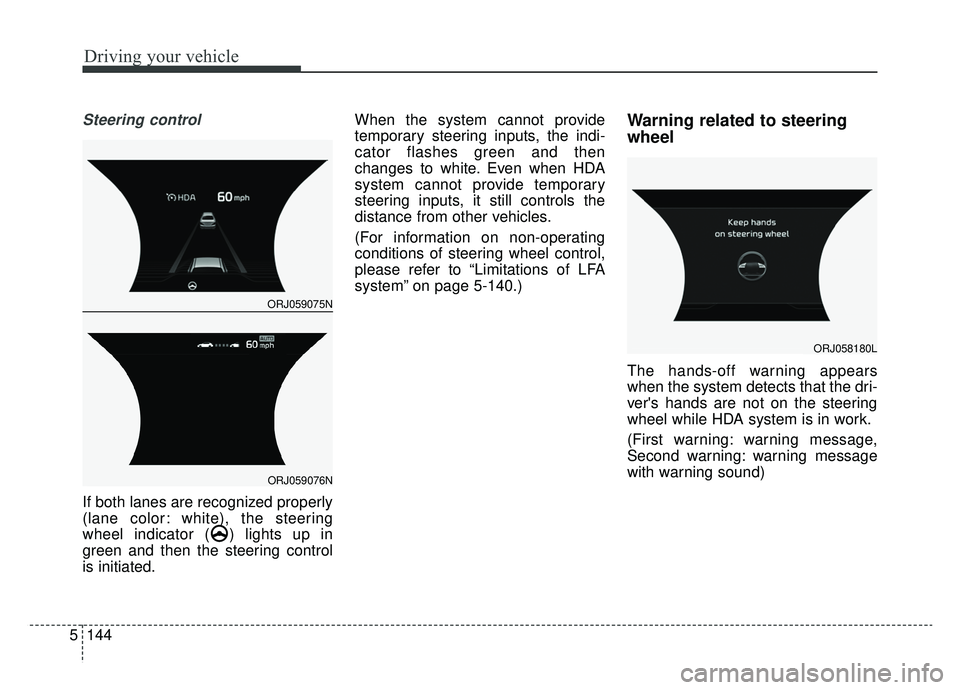
Steering control
If both lanes are recognized properly
(lane color: white), the steering
wheel indicator ( ) lights up in
green and then the steering control
is initiated. When the system cannot provide
temporary steering inputs, the indi-
cator flashes green and then
changes to white. Even when HDA
system cannot provide temporary
steering inputs, it still controls the
distance from other vehicles.
(For information on non-operating
conditions of steering wheel control,
please refer to “Limitations of LFA
system” on page 5-140.)
Warning related to steering
wheel
The hands-off warning appears
when the system detects that the dri-
ver's hands are not on the steering
wheel while HDA system is in work.
(First warning: warning message,
Second warning: warning message
with warning sound)
ORJ058180L
ORJ059075N
ORJ059076N
Page 411 of 593
5145
Driving your vehicle
When the hands-off warning
lasts for a certain period of
time
If you keep your hands off the steer-
ing wheel even with the hands-off
warning on, the steering assist and
Smart Cruise Control will be tem-
porarily released automatically.
If you activate the Smart Cruise
Control system with HDA system
released, the steering assist will
restart.
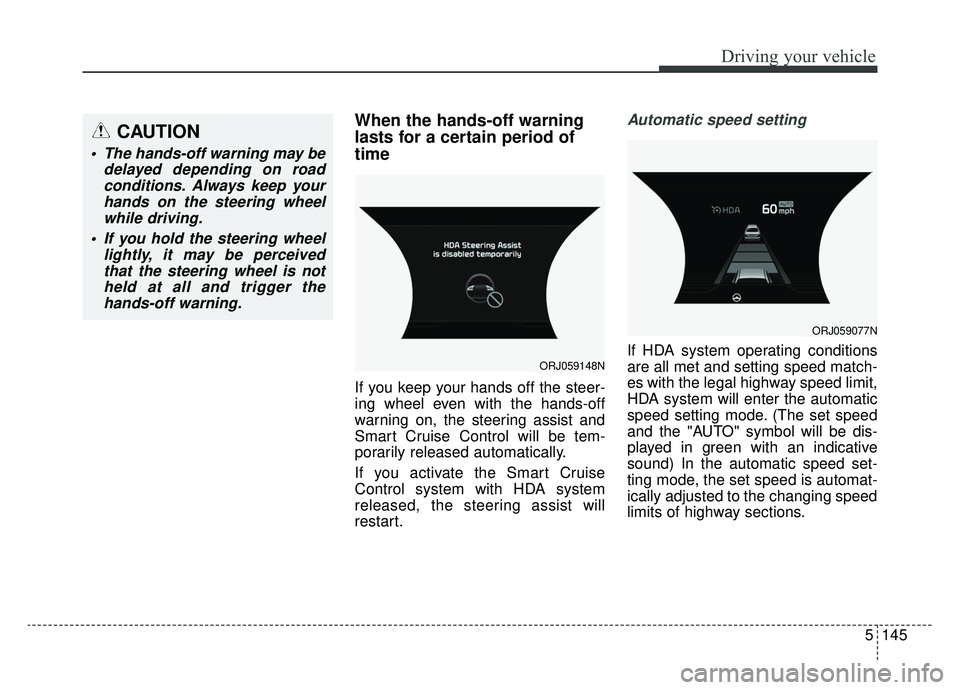
Automatic speed setting
If HDA system operating conditions
are all met and setting speed match-
es with the legal highway speed limit,
HDA system will enter the automatic
speed setting mode. (The set speed
and the "AUTO" symbol will be dis-
played in green with an indicative
sound) In the automatic speed set-
ting mode, the set speed is automat-
ically adjusted to the changing speed
limits of highway sections.ORJ059148N
ORJ059077N
CAUTION
The hands-off warning may bedelayed depending on roadconditions. Always keep yourhands on the steering wheelwhile driving.
If you hold the steering wheel lightly, it may be perceivedthat the steering wheel is notheld at all and trigger thehands-off warning.
Page 414 of 593
Driving your vehicle
148
5
* Refer to “Smart Cruise Control
(SCC) system” on page 5-100 for
cautions and warnings about vehi-
cle to vehicle distance control and
front radar.
* Refer to “Lane Following Assist (LFA) system” on page 5-135 for
cautions and warnings about
steering control and front camera. This device complies with Part 15
of the FCC rules.
Operation is subject to the following
three conditions:
1. This device may not cause harm-
ful interference, and
2. This device must accept any inter- ference received, including inter-
ference that may cause undesired
operation.
3. Changes or modifications not expressly approved by the party
responsible for compliance could
void the user's authority to operate
the device.Radio frequency radiation
exposure information:
This equipment complies with FCC
radiation exposure limits set forth for
an uncontrolled environment.
This equipment should be installed
and operated with a minimum dis-
tance of 8 in (20 cm) between the
radio (antenna) and your body.
This transmitter must not be colocat-
ed or operating in conjunction with
any other antenna or transmitter.