ECU KIA Magnetis 2007 2.G Owner's Guide
[x] Cancel search | Manufacturer: KIA, Model Year: 2007, Model line: Magnetis, Model: KIA Magnetis 2007 2.GPages: 294, PDF Size: 3.37 MB
Page 90 of 294
381
Knowing your vehicle
Rolling code programmingRolling code devices which are "code-
protected" and manufactured after 1996
may be determined by the following:
Reference the device owner's manual
for verification.
The handheld transmitter appears to
program the HomeLink Universal
Transceiver but does not activate the
device.
Press and hold the trained HomeLink
button. The device has the rolling code
feature if the indicator light flashes rap-
idly and then turns solid after 2 sec-
onds.
To train rolling code devices, follow these
instructions:
1. At the garage door opener receiver (motor-head unit) in the garage, locate
the "learn" or "smart" button. This can
usually be found where the hanging
antenna wire is attached to the motor-
head unit. Exact location and color of
the button may vary by garage door
opener brand. If there is difficulty locat-
ing the training button, reference the
device owner's manual or please visit
our Web site at www.homelink.com. 2. Firmly press and release the "learn" or
"smart" button (which activates the
"training light").
There are 30 seconds in which to initi-
ate step 3.
3. Return to the vehicle and firmly press, hold for two seconds and then release
the desired HomeLink® button.
Repeat the "press/hold/release"
sequence a second time to complete
the programming. (Some devices may
require you to repeat this sequence a
third time to complete the program-
ming.)
4. Press and hold the just-trained HomeLink® button and observe the
red Status Indicator LED. If the indica-
tor light stays on constantly, program-
ming is complete and your device
should activate.
5. To program the remaining two HomeLink® buttons, follow either
steps 1 through 4 above for other
Rolling Code devices or steps 2
through 5 in Standard Programming
for standard devices.
Gate operator & canadian program- mingDuring programming, your handheld
transmitter may automatically stop trans-
mitting. Continue to press the Integrated
HomeLink® Wireless Control System
button (note steps 2 through 4 in the
Standard Programming portion of this
document) while you press and re-press
("cycle") your handheld transmitter every
two seconds until the frequency signal
has been learned. The indicator light will
flash slowly and then rapidly after sever-
al seconds upon successful training.Operating HomeLink®To operate, simply press and release the
programmed HomeLink® button.
Activation will now occur for the trained
device (i.e. garage door opener, gate
operator, security system, entry door
lock, home/office lighting, etc.). For con-
venience, the hand-held transmitter of
the device may also be used at any time.
Page 93 of 294
Knowing your vehicle84
3✽
✽
NOTICE• To avoid possible theft, do not leave
valuables in the storage compartment.
• Always keep the storage compartment covers closed while driving. Do not
attempt to place many items in the
storage compartment that the storage
compartment cover can not close
securely.
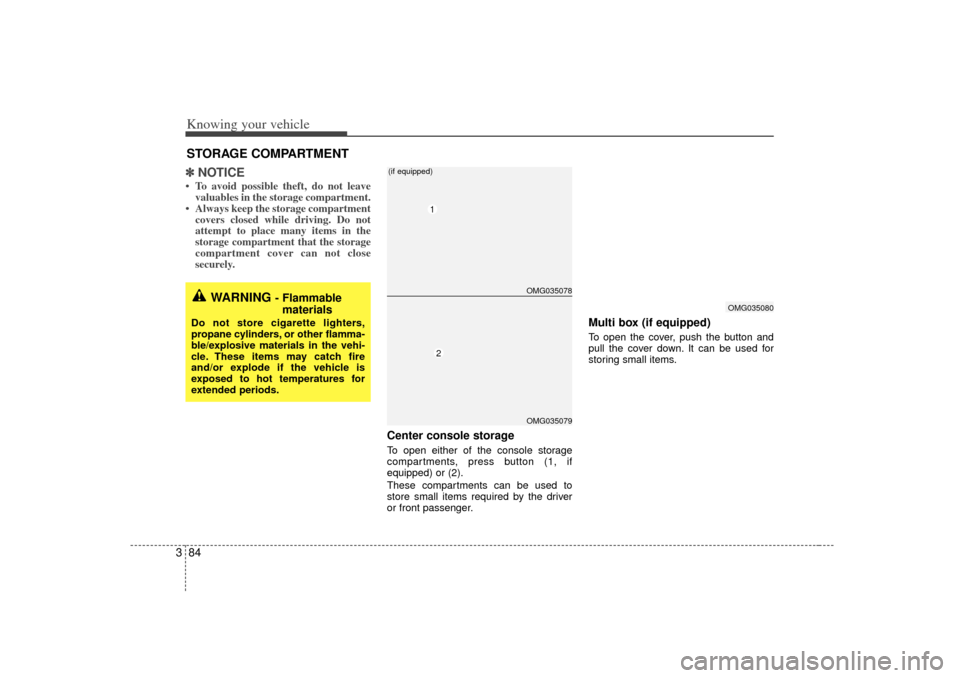
Center console storageTo open either of the console storage
compartments, press button (1, if
equipped) or (2).
These compartments can be used to
store small items required by the driver
or front passenger.
Multi box (if equipped)To open the cover, push the button and
pull the cover down. It can be used for
storing small items.
STORAGE COMPARTMENT
WARNING
- Flammable
materials
Do not store cigarette lighters,
propane cylinders, or other flamma-
ble/explosive materials in the vehi-
cle. These items may catch fire
and/or explode if the vehicle is
exposed to hot temperatures for
extended periods.
OMG035078OMG035079
12
(if equipped)
OMG035080
Page 96 of 294
387
Knowing your vehicle
Cup holderCups or small beverage cans may be
placed in the cup holders.
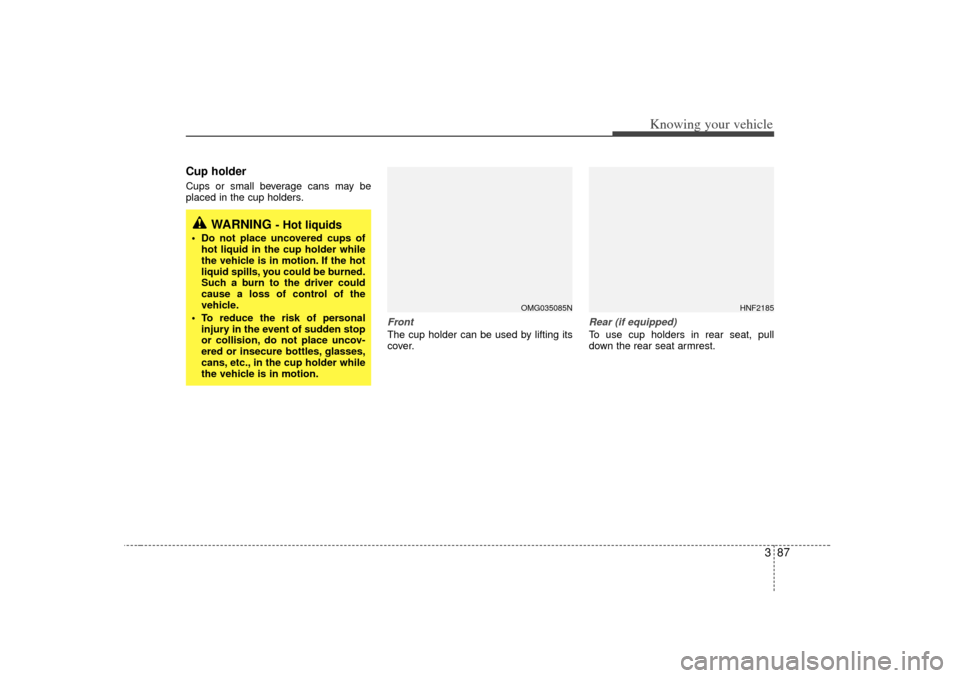
Front The cup holder can be used by lifting its
cover.
Rear (if equipped)To use cup holders in rear seat, pull
down the rear seat armrest.
WARNING
- Hot liquids
Do not place uncovered cups ofhot liquid in the cup holder while
the vehicle is in motion. If the hot
liquid spills, you could be burned.
Such a burn to the driver could
cause a loss of control of the
vehicle.
To reduce the risk of personal injury in the event of sudden stop
or collision, do not place uncov-
ered or insecure bottles, glasses,
cans, etc., in the cup holder while
the vehicle is in motion.
HNF2185
OMG035085N
Page 97 of 294
Knowing your vehicle88
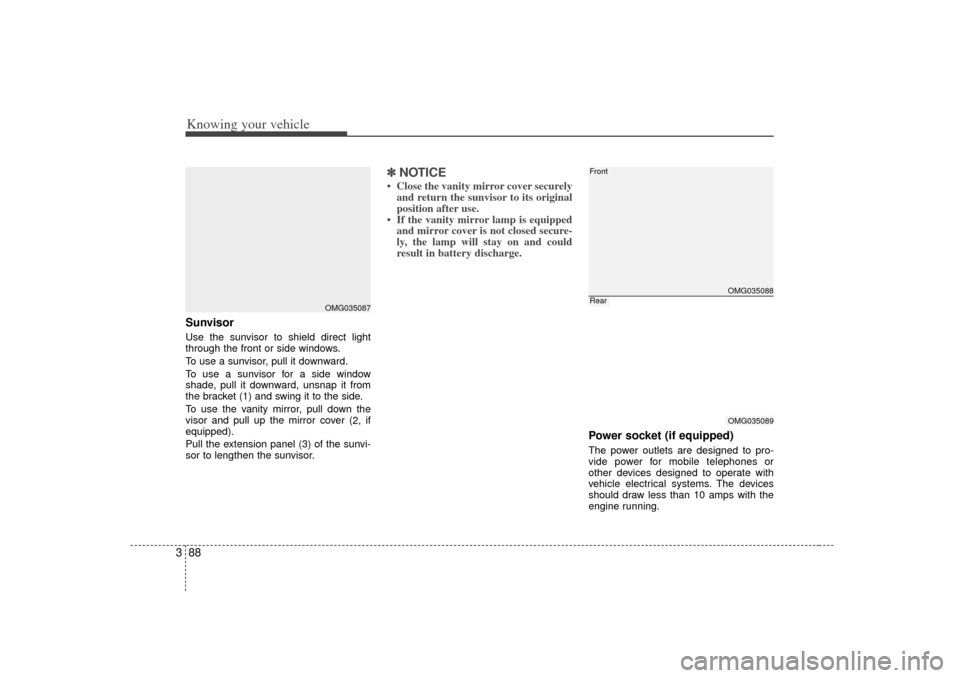
3SunvisorUse the sunvisor to shield direct light
through the front or side windows.
To use a sunvisor, pull it downward.
To use a sunvisor for a side window
shade, pull it downward, unsnap it from
the bracket (1) and swing it to the side.
To use the vanity mirror, pull down the
visor and pull up the mirror cover (
2, if
equipped).
Pull the extension panel (3) of the sunvi-
sor to lengthen the sunvisor.
✽ ✽ NOTICE• Close the vanity mirror cover securely
and return the sunvisor to its original
position after use.
• If the vanity mirror lamp is equipped and mirror cover is not closed secure-
ly, the lamp will stay on and could
result in battery discharge.
Power socket (if equipped)The power outlets are designed to pro-
vide power for mobile telephones or
other devices designed to operate with
vehicle electrical systems. The devices
should draw less than 10 amps with the
engine running.
OMG035087
OMG035088OMG035089
FrontRear
Page 146 of 294
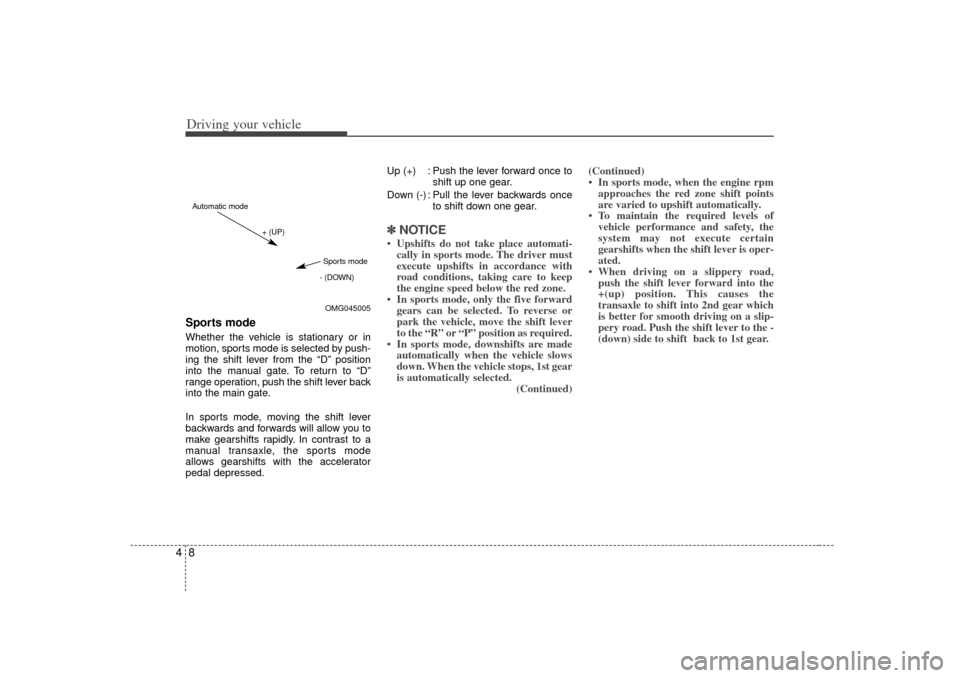
Driving your vehicle84Sports modeWhether the vehicle is stationary or in
motion, sports mode is selected by push-
ing the shift lever from the “D” position
into the manual gate. To return to “D”
range operation, push the shift lever back
into the main gate.
In sports mode, moving the shift lever
backwards and forwards will allow you to
make gearshifts rapidly. In contrast to a
manual transaxle, the sports mode
allows gearshifts with the accelerator
pedal depressed.Up (+) : Push the lever forward once to
shift up one gear.
Down (-) : Pull the lever backwards once to shift down one gear.
✽ ✽NOTICE• Upshifts do not take place automati-
cally in sports mode. The driver must
execute upshifts in accordance with
road conditions, taking care to keep
the engine speed below the red zone.
• In sports mode, only the five forward gears can be selected. To reverse or
park the vehicle, move the shift lever
to the “R” or “P” position as required.
• In sports mode, downshifts are made automatically when the vehicle slows
down. When the vehicle stops, 1st gear
is automatically selected. (Continued)(Continued)
• In sports mode, when the engine rpm
approaches the red zone shift points
are varied to upshift automatically.
• To maintain the required levels of vehicle performance and safety, the
system may not execute certain
gearshifts when the shift lever is oper-
ated.
• When driving on a slippery road, push the shift lever forward into the
+(up) position. This causes the
transaxle to shift into 2nd gear which
is better for smooth driving on a slip-
pery road. Push the shift lever to the -
(down) side to shift back to 1st gear.
OMG045005
+ (UP)
- (DOWN)
Automatic modeSports mode
Page 151 of 294
413
Driving your vehicle
To release the parking brake, pull the
handle up slightly and push the release
button, then lower the handle to the
released position while holding the but-
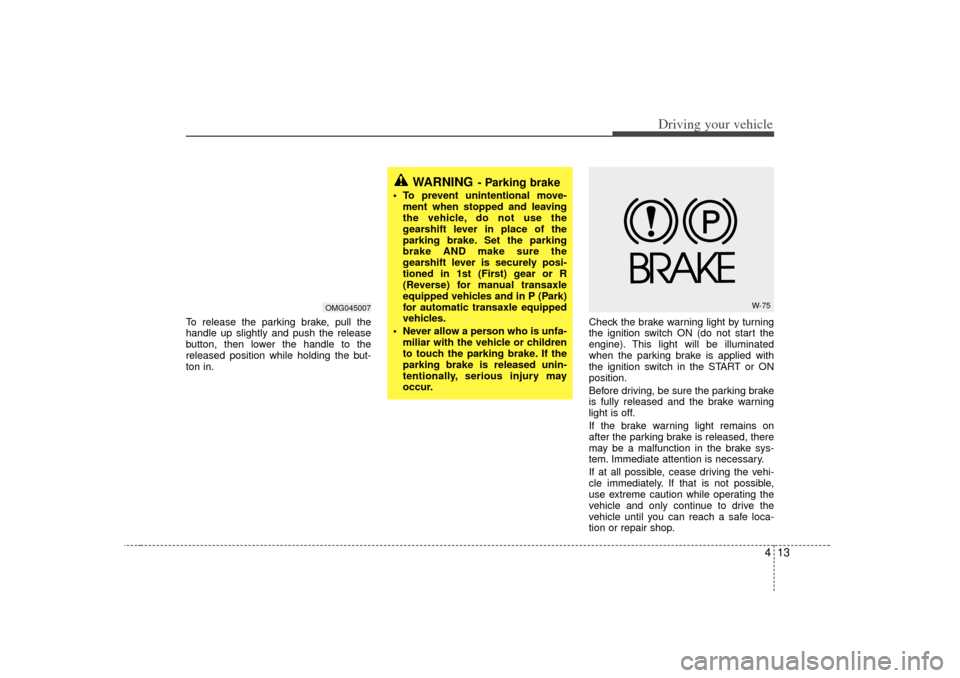
ton in.Check the brake warning light by turning
the ignition switch ON (do not start the
engine). This light will be illuminated
when the parking brake is applied with
the ignition switch in the START or ON
position.
Before driving, be sure the parking brake
is fully released and the brake warning
light is off.
If the brake warning light remains on
after the parking brake is released, there
may be a malfunction in the brake sys-
tem. Immediate attention is necessary.
If at all possible, cease driving the vehi-
cle immediately. If that is not possible,
use extreme caution while operating the
vehicle and only continue to drive the
vehicle until you can reach a safe loca-
tion or repair shop.
WARNING
- Parking brake
To prevent unintentional move-
ment when stopped and leaving
the vehicle, do not use the
gearshift lever in place of the
parking brake. Set the parking
brake AND make sure the
gearshift lever is securely posi-
tioned in 1st (First) gear or R
(Reverse) for manual transaxle
equipped vehicles and in P (Park)
for automatic transaxle equipped
vehicles.
Never allow a person who is unfa- miliar with the vehicle or children
to touch the parking brake. If the
parking brake is released unin-
tentionally, serious injury may
occur.
W-75
OMG045007
Page 170 of 294
Driving your vehicle32
4Parking brake & brake
fluid warning Parking brake warning This light is illuminated when the parking
brake is applied with the ignition switch in
the START or ON position. The warning
light should go off when the parking
brake is released.Low brake fluid level warningIf the warning light remains on, it may
indicate that the brake fluid level in the
reservoir is low.
If the warning light remains on:
1. Drive carefully to the nearest safe
location and stop your vehicle.
2. With the engine stopped, check the brake fluid level immediately and add
fluid as required. Then check all brake
components for fluid leaks.
3. Do not drive the vehicle if leaks are found, the warning light remains on or
the brakes do not operate properly.
Have it towed to any authorized Kia
dealer for a brake system inspection
and necessary repairs.
To check bulb operation, check whether
the parking brake and brake fluid warning
light illuminates when the ignition switch
is in the ON position.
Trunk lid open
warning (if equipped)This warning light activates when the
trunk is not closed securely.Door ajar warningThis warning light illuminates when a
door is not closed securely.Low washer fluid level
warning indicator
(if equipped)This warning light indicates the washer
fluid reservoir is near empty. Refill the
washer fluid as soon as possible.
Low fuel level
warningThis warning light indicates the fuel tank
is nearly empty. The warning light will
come on when the fuel level has dropped
to about 7~8 liters (1.8~2.1 gallons).
Refuel as soon as possible.Headlight high beam
indicator This indicator illuminates when the head-
lights are on and in the high beam posi-
tion or when the turn signal lever is pulled
into the Flash-to-Pass position.Air bag warning
(if equipped) This warning light will blink or illuminate
for approximately 6 seconds each time
you turn the ignition switch to the ON
position.
If this indicator does not go out, or if it illu-
minates while the vehicle is being driven,
see an authorized Kia dealer for immedi-
ate service.
WARNING
Driving the vehicle with a brake
warning light on is dangerous. If the
brake warning light remains on,
have the brakes checked and
repaired immediately by an author-
ized Kia dealer.
AIR
BAG
Page 215 of 294
511
Driving tips
Driving with a trailer Towing a trailer requires experience. You
must gain that experience slowly and
carefully which practicing with an
unloaded or lightly loaded trailer. Before
setting out for the open road, you must
get to know your trailer. Acquaint yourself
with the feel of handling and braking with
the trailer. And always keep in mind that
the vehicle you are driving is now a good
deal longer and not nearly so responsive
as your vehicle is by itself.
Before you start, check the trailer hitch
and platform, safety chains, electrical
connector(s), lights, tires and mirror
adjustment. If the trailer has brakes, fol-
low the trailer manufacturer’s instructions
as to how to check the brakes before you
start driving.
During your trip, stop every hour or so to
be sure that the load is secure, and that
the lights and any trailer brakes are work-
ing.Following distance Stay at least twice as far behind the vehi-
cle ahead as you would when driving
your vehicle without a trailer. This can
help you avoid situations that require
heavy braking and sudden turns.
Passing You’ll need more passing distance up
ahead when you’re towing a trailer. And,
because of the increased vehicle length,
you’ll need to go much farther beyond the
passed vehicle before you can return to
your lane.Backing up The trailer will go in the opposite direc-
tion of the rear of your vehicle when
backing up. This is very difficult for an
inexperienced trailer driver to get used
to. To help you avoid mistakes, hold the
bottom of the steering wheel with one
hand. Then, to move the trailer to the left,
just hold the steering wheel firmly and
move your hand to the left. To move the
trailer to the right, move your hand to the
right. Always back up slowly and, if pos-
sible, have someone guide you.Making turns When you’re turning with a trailer, make
wider turns than normal. Do this so your
trailer won’t strike soft shoulders, curbs,
road signs, trees, or other objects. Avoid
jerky or sudden maneuvers. Signal well
in advance.
Turn signals when towing a trailer When you tow a trailer, your vehicle has
to have a different turn signal flasher and
extra wiring. The green arrows on your
instrument panel will flash whenever you
signal a turn or lane change. Properly
connected, the trailer lights will also flash
to alert other drivers you’re about to turn,
change lanes, or stop.
When towing a trailer, the green arrows
on your instrument panel will flash for
turns even if the bulbs on the trailer are
burned out. Thus, you may think drivers
behind you are seeing your signals
when, in fact, they are not. It’s important
to check occasionally to be sure the trail-
er bulbs are still working. You must also
check the lights every time you discon-
nect and then reconnect the wires.
Do not connect a trailer lighting system
directly to your vehicle’s lighting system.
Use only an approved trailer wiring har-
ness.
Your Authorized Kia Dealer can assist
you in installing the wiring harness.
WARNING -
Trailer wiring
harness
Failure to use an approved trailer
wiring harness could result in an
accident due to the failure of the
trailer lights to operate.
Page 228 of 294
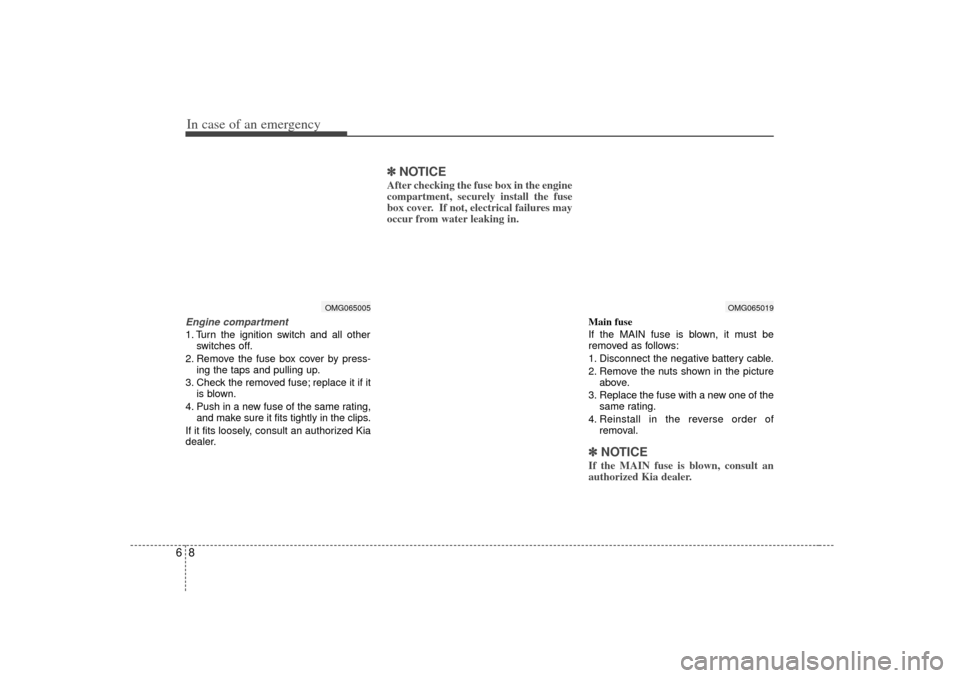
In case of an emergency86Engine compartment1. Turn the ignition switch and all otherswitches off.
2. Remove the fuse box cover by press- ing the taps and pulling up.
3. Check the removed fuse; replace it if it is blown.
4. Push in a new fuse of the same rating, and make sure it fits tightly in the clips.
If it fits loosely, consult an authorized Kia
dealer.
✽ ✽ NOTICEAfter checking the fuse box in the engine
compartment, securely install the fuse
box cover. If not, electrical failures may
occur from water leaking in.
Main fuse
If the MAIN fuse is blown, it must be
removed as follows:
1. Disconnect the negative battery cable.
2. Remove the nuts shown in the picture
above.
3. Replace the fuse with a new one of the same rating.
4. Reinstall in the reverse order of removal.✽ ✽NOTICEIf the MAIN fuse is blown, consult an
authorized Kia dealer.
OMG065005
OMG065019
Page 229 of 294
69
In case of an emergency
Engine compartment
OMG065006
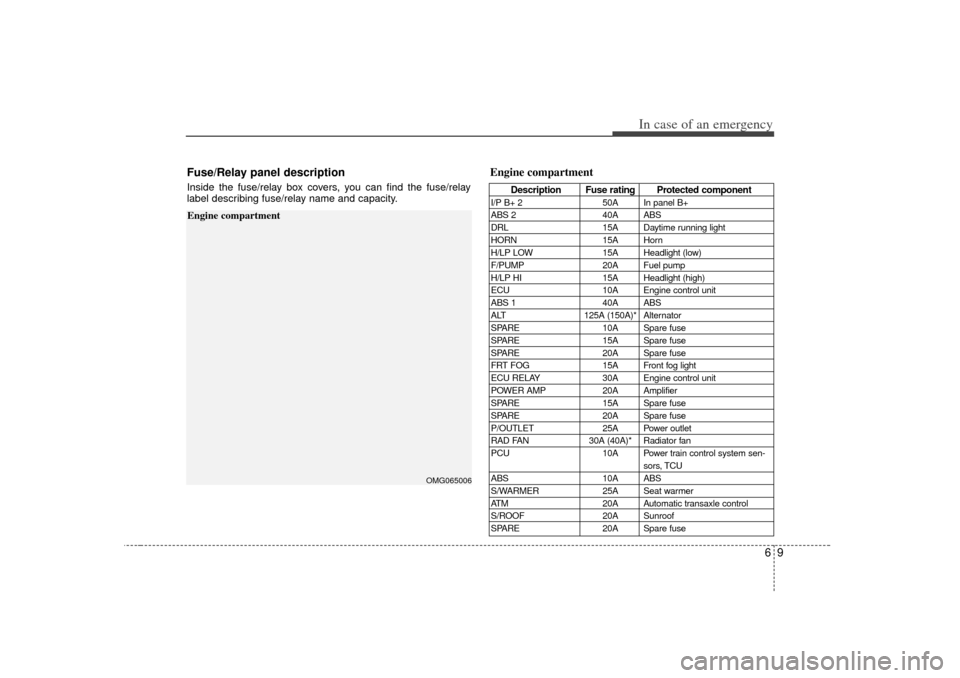
Fuse/Relay panel descriptionInside the fuse/relay box covers, you can find the fuse/relay
label describing fuse/relay name and capacity.
Engine compartment
Description Fuse rating Protected component
I/P B+ 250A In panel B+
ABS 2 40A ABS
DRL 15A Daytime running light
HORN 15A Horn
H/LP LOW 15A Headlight (low)
F/PUMP 20A Fuel pump
H/LP HI 15A Headlight (high)
ECU 10A Engine control unit
ABS 1 40A ABS
ALT 125A (150A)* Alternator
SPARE 10A Spare fuse
SPARE 15A Spare fuse
SPARE 20A Spare fuse
FRT FOG 15A Front fog light
ECU RELAY 30A Engine control unit
POWER AMP 20A Amplifier
SPARE 15A Spare fuse
SPARE 20A Spare fuse
P/OUTLET 25A Power outlet
RAD FAN 30A (40A)* Radiator fan
PCU 10A Power train control system sen-
sors, TCU
ABS 10A ABS
S/WARMER 25A Seat warmer
ATM 20A Automatic transaxle control
S/ROOF 20A Sunroof
SPARE 20A Spare fuse