radio KIA Magnetis 2009 2.G User Guide
[x] Cancel search | Manufacturer: KIA, Model Year: 2009, Model line: Magnetis, Model: KIA Magnetis 2009 2.GPages: 326, PDF Size: 4.37 MB
Page 184 of 326
Features of your vehicle118
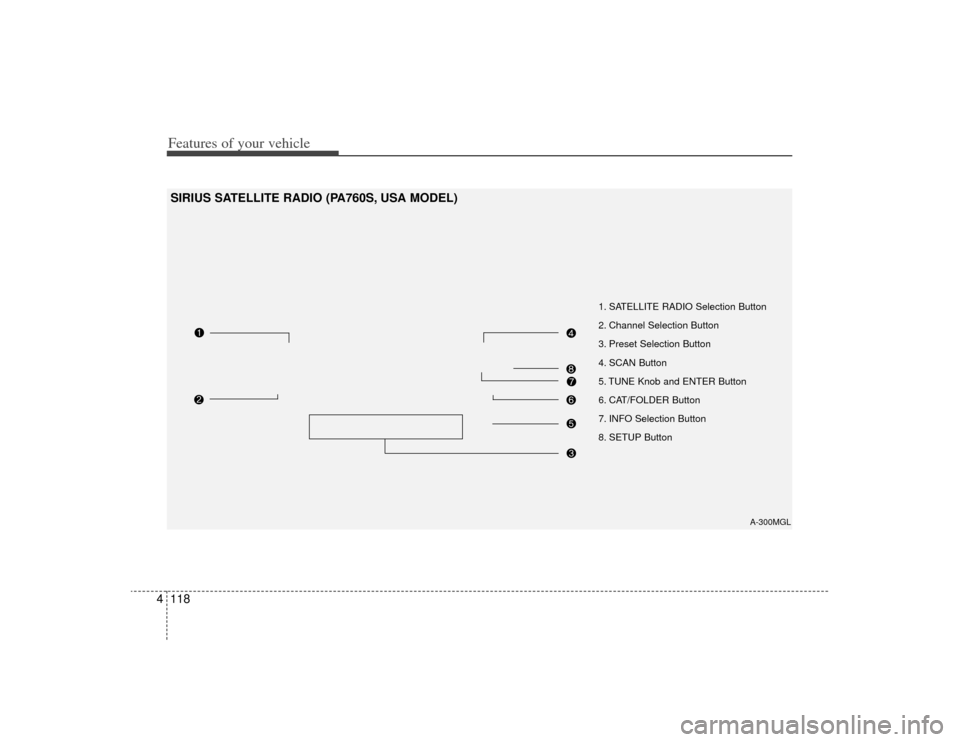
4SIRIUS SATELLITE RADIO (PA760S, USA MODEL)
A-300MGL
1. SATELLITE RADIO Selection Button
2. Channel Selection Button
3. Preset Selection Button
4. SCAN Button
5. TUNE Knob and ENTER Button
6. CAT/FOLDER Button
7. INFO Selection Button
8. SETUP Button
Page 185 of 326
4119
Features of your vehicle
How to Use SIRIUS Satellite
RadioYour Kia vehicle is equipped with 3 months
complimentary period of SIRIUS Satellite
Radio so you have access to over 130
channels of music, information, and enter-
tainment programming.ActivationIn order to extend or reactivate your sub-
scription to SIRIUS Satellite Radio, you
will need to contact SIRIUS Customer
Care at 888-539-7474. Have your 12 digit
SID (Sirius Identification Number)/ESN
(Electronic Serial Number) ready. To
retrieve the SID/ESN, turn on the radio,
press the [SAT] button and tune to chan-
nel zero. Please note that the vehicle will
need to be turned on, in Sirius mode, and
have an unobstructed view of the sky in
order for the radio to receive the activa-
tion signal.1. SATELLITE RADIO SelectionButton (SIRIUS Satellite Radio)Press the [SAT] button to switch to SIR-
IUS Satellite Radio. It cycles through the
different bands as noted below.
SAT1
➟ SAT2
➟ SAT3
➟ SAT1
➟...
2. Channel Selection Button ] or [SEEK ] but-
ton for less than 0.8 second to select
previous or next channel.
] or [SEEK ] but- ton for 0.8 second or longer to continu-
ously move to previous or next channel.
top of the screen, channel up/down is
done through the channels within cur-
rent category.3. Preset Selection Buttonond to play the channel saved in each
button.
second or longer to save current chan-
nel. An audible beep will play to confirm
the preset is stored.4. SCAN Button ically scans the radio stations upwards.
channel, starting from the initial chan-
nel, for ten seconds.
the scan feature and to listen to the cur-
rently selected channel.
top of the screen, channel changing is
done through the channels in current
category.
5. TUNE Knob and ENTER ButtonWhile listening to SIRIUS broadcast,
rotate this knob to the right or left to
search other channels while listening to
current channels and push this knob to
select what you want to listen to.
(Turn to the right to search higher chan-
nels and left lower channels)6. CAT/FOLDER Button ] or [FOLDER ] buttonto enter the Category List Mode, it dis-
plays cateogry items and highlights the
category that currently tuned channel
belongs to.
buttons to navigate category list.
Press [ENTER] button to select the low- est channel in highlighted category.
gory "CATEGORY" Icon is displayed at
the top of the screen.
Page 186 of 326
Features of your vehicle120
47. INFO Selection ButtonDisplays the information of the channel
currently played by in the order of Artist/
Song title
➟
Category/Channel name
➟
Composer(if available)
➟ Artist/Song title
➟
Category/Channel name
➟...
(ART/TITLE Selection)
Displays the information of the channel
currently played by in the order of
Category/Channel name
➟
Artist/Song
title
➟Composer(if available)
➟ Category
/Channel name
➟
Artist/Song title
➟...
(CAT/CH Selection) (If there is no infor-
mation of COMPOSER NAME, it returns
to main display.)
8. SETUP ButtonPress this button to adjust to the
SCROLL, SDVC, SIRIUS and adjustment
mode.
If no action is taken for 5 seconds after
pressing the button, it will return to the
previous radio mode. (After entering
SETUP mode, move between items
using the left,right and PUSH functions of
the TUNE button.)
The setup item changes from SCROLL
➟
SDVC
➟ SIRIUS
➟ SCROLL
➟...
✽ ✽ Troubleshooting1. Antenna Error
If this message is displayed, the anten-
na or antenna cable is broken or
unplugged. Please consult with your
Kia dealership.
2. Acquiring Signal If this message is displayed, it means
that the antenna is covered and that
the SIRIUS Satellite Radio signal is
not available. Ensure the antenna is
uncovered and has a clear view of the
sky.