ECU KIA MORNING 2015 Owner's Manual
[x] Cancel search | Manufacturer: KIA, Model Year: 2015, Model line: MORNING, Model: KIA MORNING 2015Pages: 420, PDF Size: 42.6 MB
Page 102 of 420
429
Features of your vehicle
(Continued)
If a fire breaks out during refu-
elling, leave the vicinity of the
vehicle, and immediately contact
the manager of the gas station
and then contact the local fire
department. Follow any safety
instructions they provide.CAUTION
Make sure to refuel your vehicle
according to the "Fuel require-
ments" suggested in section 1.
If the fuel filler cap requires
replacement, use only a genuine
Kia cap or the equivalent speci-
fied for your vehicle. An incorrect
fuel filler cap can result in a seri-
ous malfunction of the fuel sys-
tem or emission control system.
Do not spill fuel on the exterior
surfaces of the vehicle. Any type
of fuel spilled on painted surfaces
may damage the paint.
After refuelling, make sure the
fuel cap is installed securely to
prevent fuel spillage in the event
of an accident.
Page 131 of 420
Features of your vehicle
58 4
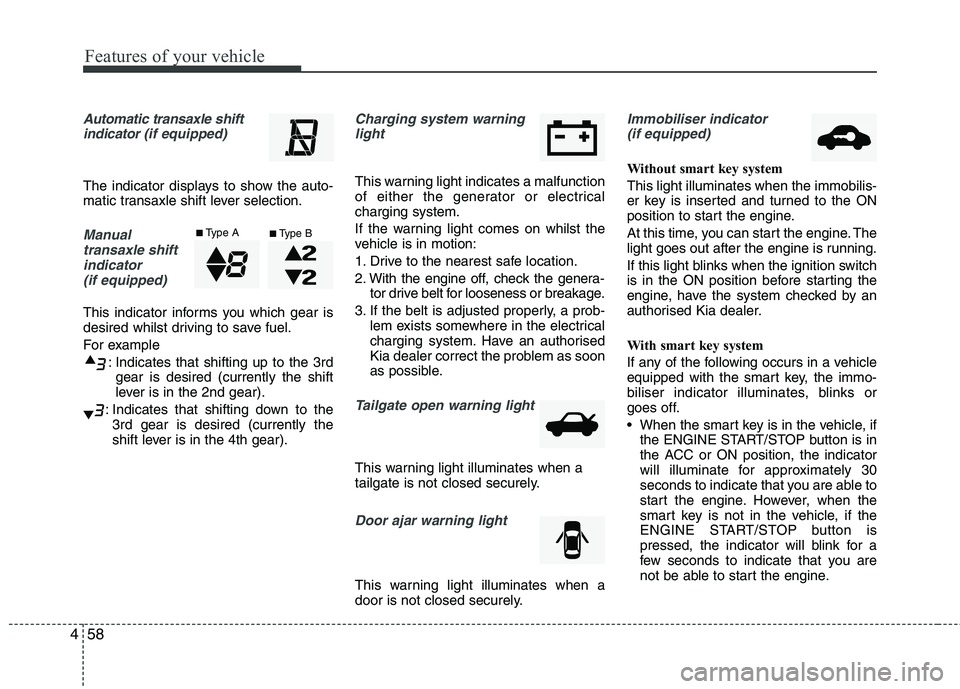
Automatic transaxle shift
indicator (if equipped)
The indicator displays to show the auto-
matic transaxle shift lever selection.
Manual
transaxle shift
indicator
(if equipped)
This indicator informs you which gear is
desired whilst driving to save fuel.
For example
: Indicates that shifting up to the 3rd
gear is desired (currently the shift
lever is in the 2nd gear).
: Indicates that shifting down to the
3rd gear is desired (currently the
shift lever is in the 4th gear).
Charging system warning
light
This warning light indicates a malfunction
of either the generator or electrical
charging system.
If the warning light comes on whilst the
vehicle is in motion:
1. Drive to the nearest safe location.
2. With the engine off, check the genera-
tor drive belt for looseness or breakage.
3. If the belt is adjusted properly, a prob-
lem exists somewhere in the electrical
charging system. Have an authorised
Kia dealer correct the problem as soon
as possible.
Tailgate open warning light
This warning light illuminates when a
tailgate is not closed securely.
Door ajar warning light
This warning light illuminates when a
door is not closed securely.
Immobiliser indicator
(if equipped)
Without smart key system
This light illuminates when the immobilis-
er key is inserted and turned to the ON
position to start the engine.
At this time, you can start the engine. The
light goes out after the engine is running.
If this light blinks when the ignition switch
is in the ON position before starting the
engine, have the system checked by an
authorised Kia dealer.
With smart key system
If any of the following occurs in a vehicle
equipped with the smart key, the immo-
biliser indicator illuminates, blinks or
goes off.
When the smart key is in the vehicle, if
the ENGINE START/STOP button is in
the ACC or ON position, the indicator
will illuminate for approximately 30
seconds to indicate that you are able to
start the engine. However, when the
smart key is not in the vehicle, if the
ENGINE START/STOP button is
pressed, the indicator will blink for a
few seconds to indicate that you are
not be able to start the engine.
■Type A■Type B
Page 152 of 420
479
Features of your vehicle
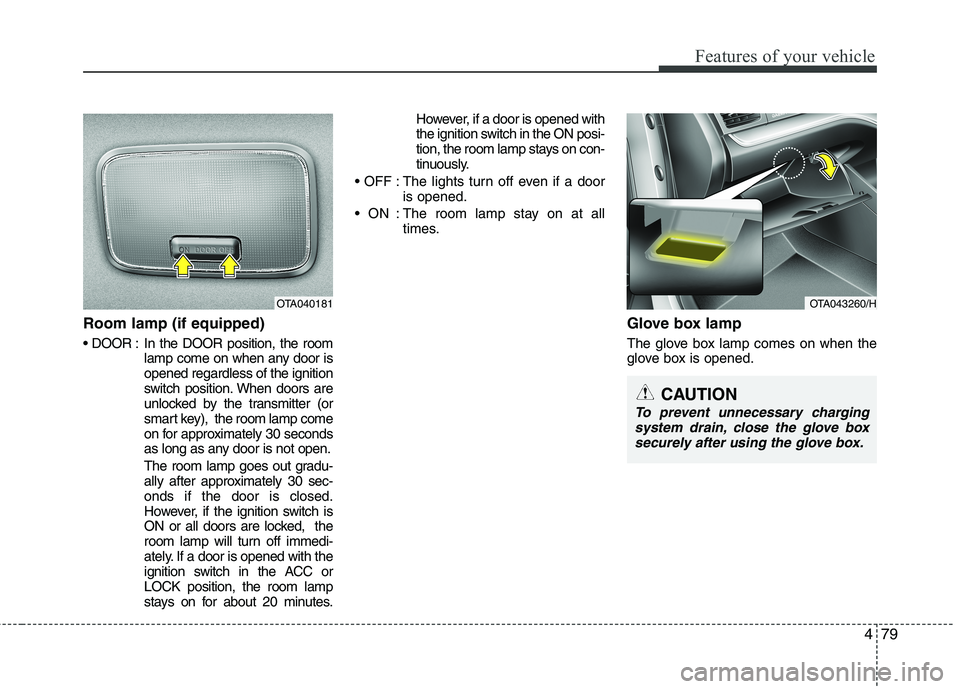
Room lamp (if equipped)
In the DOOR position, the room
lamp come on when any door is
opened regardless of the ignition
switch position. When doors are
unlocked by the transmitter (or
smart key), the room lamp come
on for approximately 30 seconds
as long as any door is not open.
The room lamp goes out gradu-
ally after approximately 30 sec-
onds if the door is closed.
However, if the ignition switch is
ON or all doors are locked, the
room lamp will turn off immedi-
ately. If a door is opened with the
ignition switch in the ACC or
LOCK position, the room lamp
stays on for about 20 minutes.However, if a door is opened with
the ignition switch in the ON posi-
tion, the room lamp stays on con-
tinuously.
: The lights turn off even if a door
is opened.
: The room lamp stay on at all
times.
Glove box lamp
The glove box lamp comes on when the
glove box is opened.
OTA040181OTA043260/H
CAUTION
To prevent unnecessary charging
system drain, close the glove box
securely after using the glove box.
Page 153 of 420
Features of your vehicle
80 4
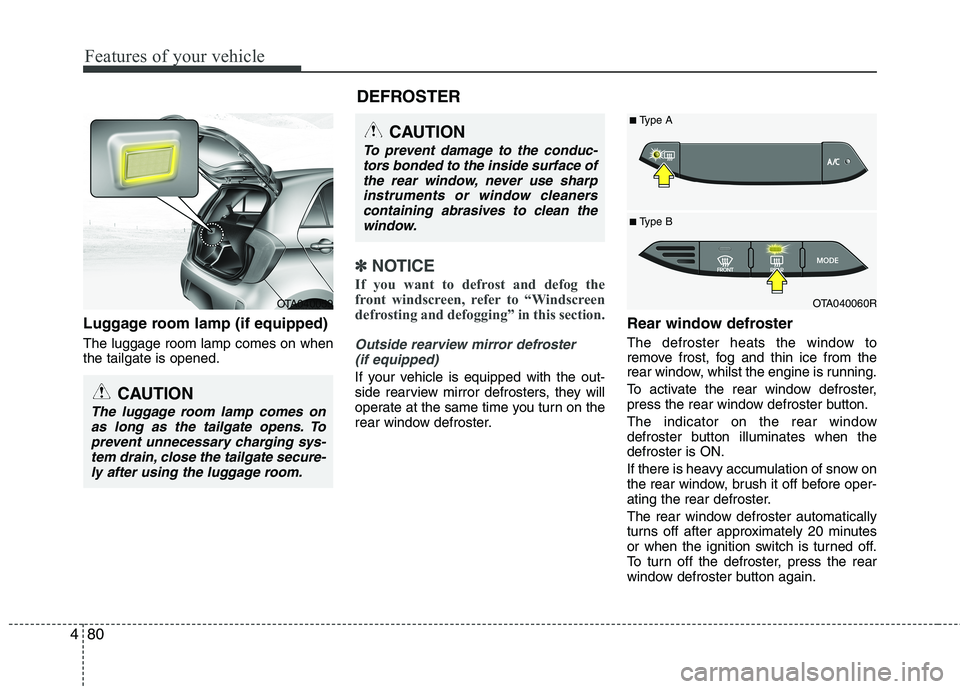
Luggage room lamp (if equipped)
The luggage room lamp comes on when
the tailgate is opened.
✽ ✽
NOTICE
If you want to defrost and defog the
front windscreen, refer to “Windscreen
defrosting and defogging” in this section.
Outside rearview mirror defroster
(if equipped)
If your vehicle is equipped with the out-
side rearview mirror defrosters, they will
operate at the same time you turn on the
rear window defroster.
Rear window defroster
The defroster heats the window to
remove frost, fog and thin ice from the
rear window, whilst the engine is running.
To activate the rear window defroster,
press the rear window defroster button.
The indicator on the rear window
defroster button illuminates when the
defroster is ON.
If there is heavy accumulation of snow on
the rear window, brush it off before oper-
ating the rear defroster.
The rear window defroster automatically
turns off after approximately 20 minutes
or when the ignition switch is turned off.
To turn off the defroster, press the rear
window defroster button again.
CAUTION
To prevent damage to the conduc-
tors bonded to the inside surface of
the rear window, never use sharp
instruments or window cleaners
containing abrasives to clean the
window.
OTA040060R
■ Type B
■Type A
DEFROSTER
OTA040059
CAUTION
The luggage room lamp comes on
as long as the tailgate opens. To
prevent unnecessary charging sys-
tem drain, close the tailgate secure-
ly after using the luggage room.
Page 172 of 420
499
Features of your vehicle
Defogging logic
To reduce the probability of fogging up
the inside of the windscreen, the air
intake or air conditioning are controlled
automatically according to certain condi-
tions such as or position. To
cancel or return the defogging logic, do
the following.
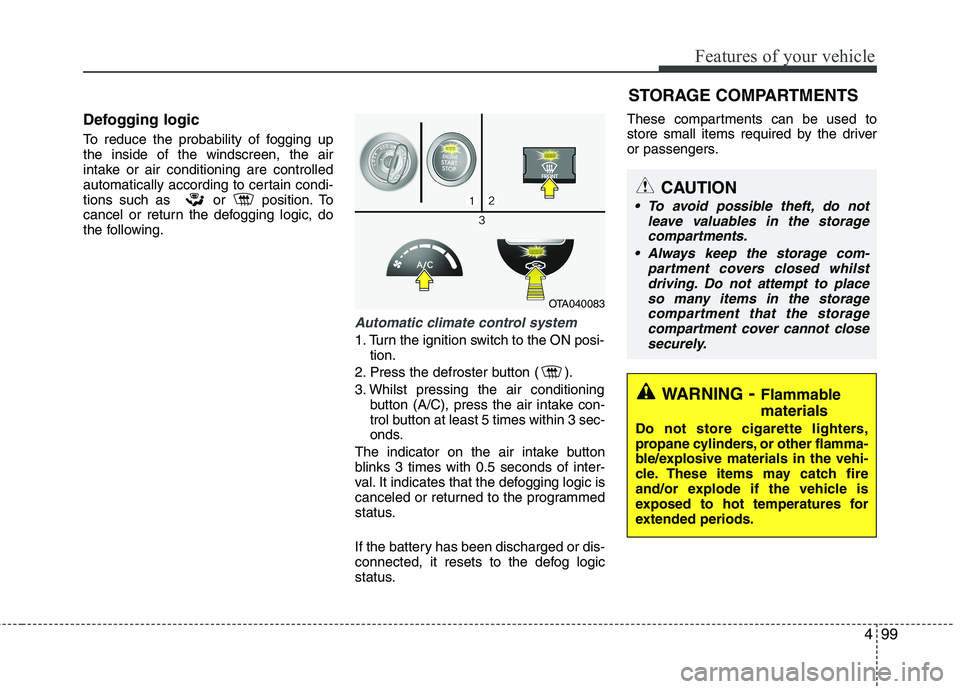
Automatic climate control system
1. Turn the ignition switch to the ON posi-
tion.
2. Press the defroster button ( ).
3. Whilst pressing the air conditioning
button (A/C), press the air intake con-
trol button at least 5 times within 3 sec-
onds.
The indicator on the air intake button
blinks 3 times with 0.5 seconds of inter-
val. It indicates that the defogging logic is
canceled or returned to the programmed
status.
If the battery has been discharged or dis-
connected, it resets to the defog logic
status.These compartments can be used to
store small items required by the driver
or passengers.
OTA040083
STORAGE COMPARTMENTS
WARNING- Flammable
materials
Do not store cigarette lighters,
propane cylinders, or other flamma-
ble/explosive materials in the vehi-
cle. These items may catch fire
and/or explode if the vehicle is
exposed to hot temperatures for
extended periods.
CAUTION
To avoid possible theft, do not
leave valuables in the storage
compartments.
Always keep the storage com-
partment covers closed whilst
driving. Do not attempt to place
so many items in the storage
compartment that the storage
compartment cover cannot close
securely.
Page 175 of 420
Features of your vehicle
102 4
Cup holder
Cups or small beverage cans may be
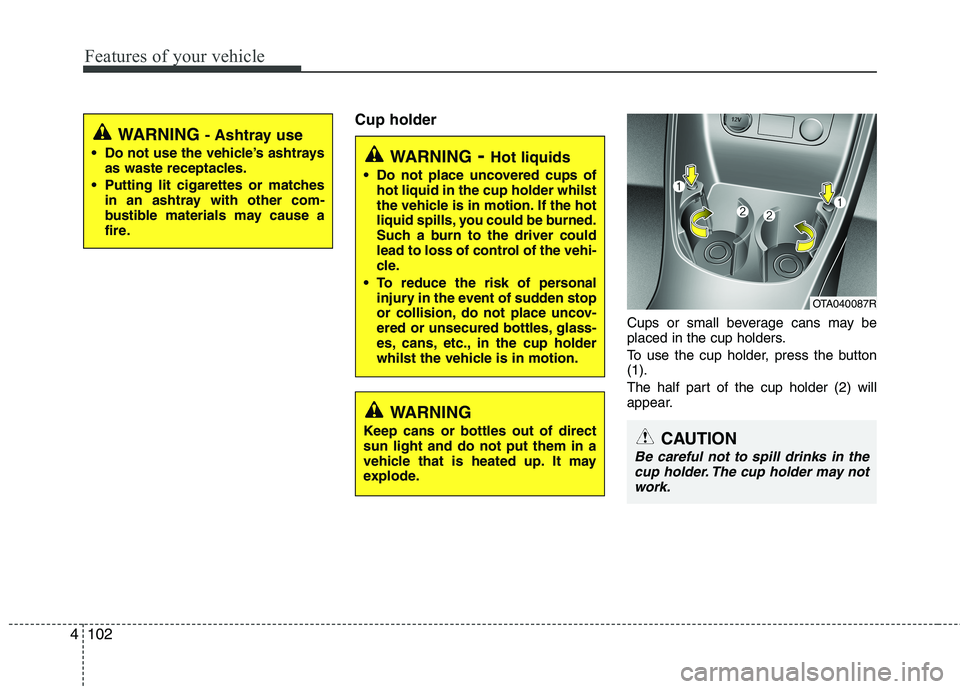
placed in the cup holders.
To use the cup holder, press the button
(1).
The half part of the cup holder (2) will
appear.
WARNING- Hot liquids
Do not place uncovered cups of
hot liquid in the cup holder whilst
the vehicle is in motion. If the hot
liquid spills, you could be burned.
Such a burn to the driver could
lead to loss of control of the vehi-
cle.
To reduce the risk of personal
injury in the event of sudden stop
or collision, do not place uncov-
ered or unsecured bottles, glass-
es, cans, etc., in the cup holder
whilst the vehicle is in motion.
OTA040087R
CAUTION
Be careful not to spill drinks in the
cup holder. The cup holder may not
work.
WARNING
Keep cans or bottles out of direct
sun light and do not put them in a
vehicle that is heated up. It may
explode.
WARNING - Ashtray use
Do not use the vehicle’s ashtrays
as waste receptacles.
Putting lit cigarettes or matches
in an ashtray with other com-
bustible materials may cause a
fire.
Page 176 of 420
4103
Features of your vehicle
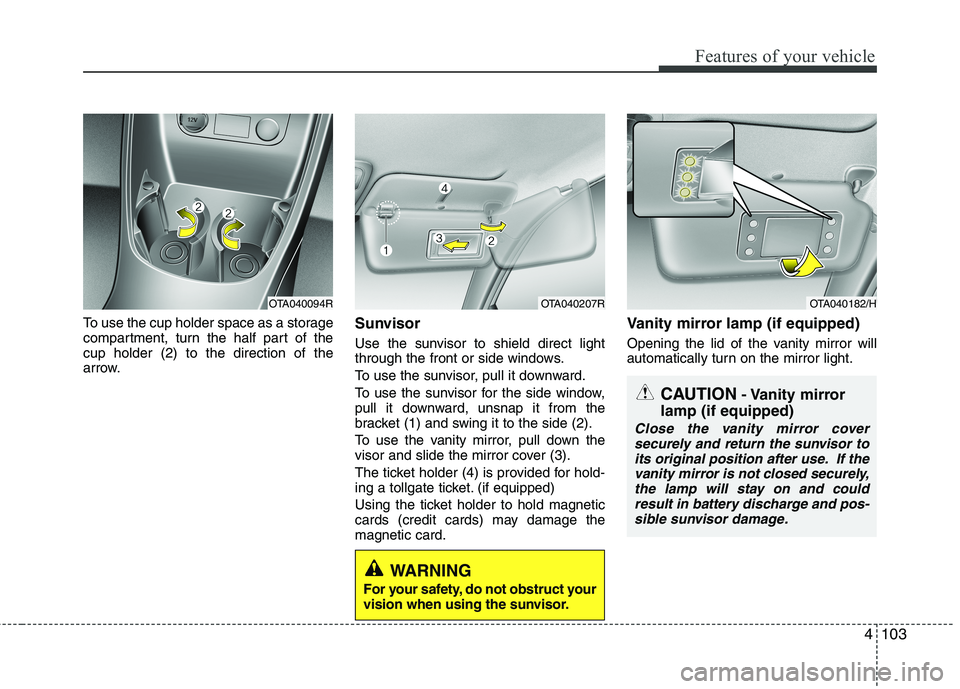
To use the cup holder space as a storage
compartment, turn the half part of the
cup holder (2) to the direction of the
arrow.Sunvisor
Use the sunvisor to shield direct light
through the front or side windows.
To use the sunvisor, pull it downward.
To use the sunvisor for the side window,
pull it downward, unsnap it from the
bracket (1) and swing it to the side (2).
To use the vanity mirror, pull down the
visor and slide the mirror cover (3).
The ticket holder (4) is provided for hold-
ing a tollgate ticket. (if equipped)
Using the ticket holder to hold magnetic
cards (credit cards) may damage the
magnetic card.
Vanity mirror lamp (if equipped)
Opening the lid of the vanity mirror will
automatically turn on the mirror light.
OTA040207ROTA040182/H
CAUTION- Vanity mirror
lamp (if equipped)
Close the vanity mirror cover
securely and return the sunvisor to
its original position after use. If the
vanity mirror is not closed securely,
the lamp will stay on and could
result in battery discharge and pos-
sible sunvisor damage.
WARNING
For your safety, do not obstruct your
vision when using the sunvisor.
OTA040094R
Page 179 of 420
Features of your vehicle
106 4
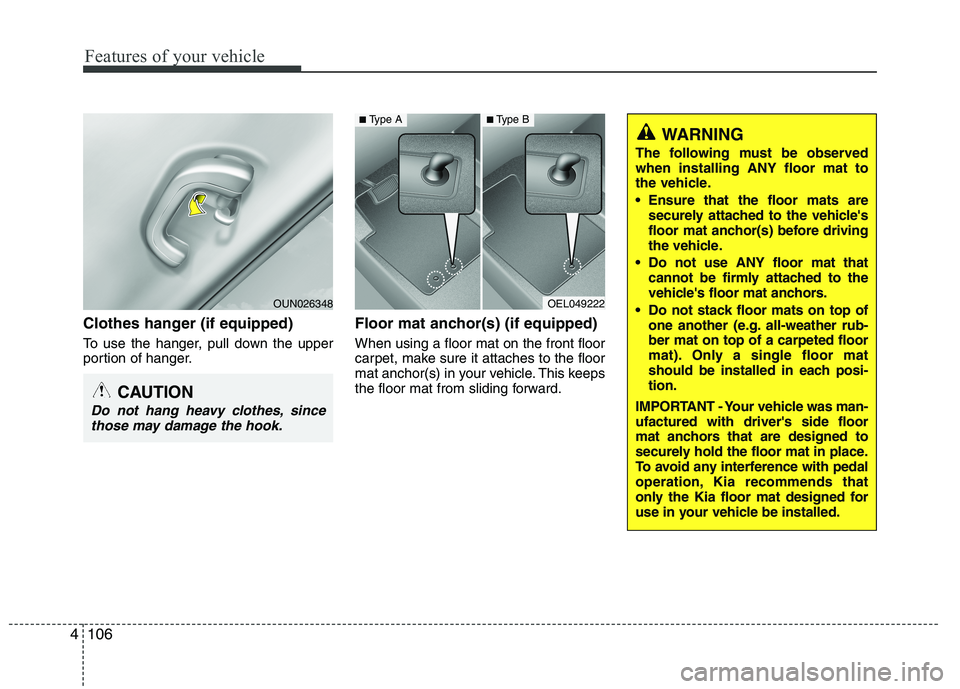
Clothes hanger (if equipped)
To use the hanger, pull down the upper
portion of hanger.
Floor mat anchor(s) (if equipped)
When using a floor mat on the front floor
carpet, make sure it attaches to the floor
mat anchor(s) in your vehicle. This keeps
the floor mat from sliding forward.
OEL049222
WARNING
The following must be observed
when installing ANY floor mat to
the vehicle.
Ensure that the floor mats are
securely attached to the vehicle's
floor mat anchor(s) before driving
the vehicle.
Do not use ANY floor mat that
cannot be firmly attached to the
vehicle's floor mat anchors.
Do not stack floor mats on top of
one another (e.g. all-weather rub-
ber mat on top of a carpeted floor
mat). Only a single floor mat
should be installed in each posi-
tion.
IMPORTANT - Your vehicle was man-
ufactured with driver's side floor
mat anchors that are designed to
securely hold the floor mat in place.
To avoid any interference with pedal
operation, Kia recommends that
only the Kia floor mat designed for
use in your vehicle be installed.
■Type A■Type B
CAUTION
Do not hang heavy clothes, since
those may damage the hook.
OUN026348
Page 233 of 420
Features of your vehicle
160 4
■Bluetooth®Wireless Technology
Language Setting
The system language can be changed by
the following steps:
1. Power on the audio system with the
volume set to an audible level.
2. Press and hold button on the
steering wheel until the audio displays
“Please Wait”.
- The
Bluetooth®Wireless Technology
system will reply in currently selected
language that it is changing to the next
language.
- System language cycles between
FRENCH/GERMAN/UK ENGLISH
SPANISH/DUTCH/ITALIAN/DANISH/
RUSSIAN/POLISH/SWEDISH.
3. When completed, the audio display
returns to normal.
4. Repeat steps 2 and 3 for the next lan-
guage selection.
NOTE:
The phone needs to be paired again
after changing system language.
- Avoid resting your thumb or finger
on the button as the language
could unintentionally change.
■Voice Recognition Activation
in the Bluetooth®Wireless Technology
System can be activated in the follow-
ing conditions:
- Button Activation
The voice recognition system will be
active when the button is pressed
and after the sound of a Beep.
- Active Listening
The voice recognition system will be
active for a period of time when the
Voice Recognition system has asked
for a customer response.
from zero to nine whilst number greater
than ten will not be recognized.
system will announce "Pardon" or No
input voice signal from microphone. (No
response)
tion mode in following cases : When
pressing the button and saying
cancel following the beep. When not
making a call and pressing the
button. When voice recognition has
failed 3 consecutive times. At any time if you say “help”, the sys-
tem will announce what commands are
available.
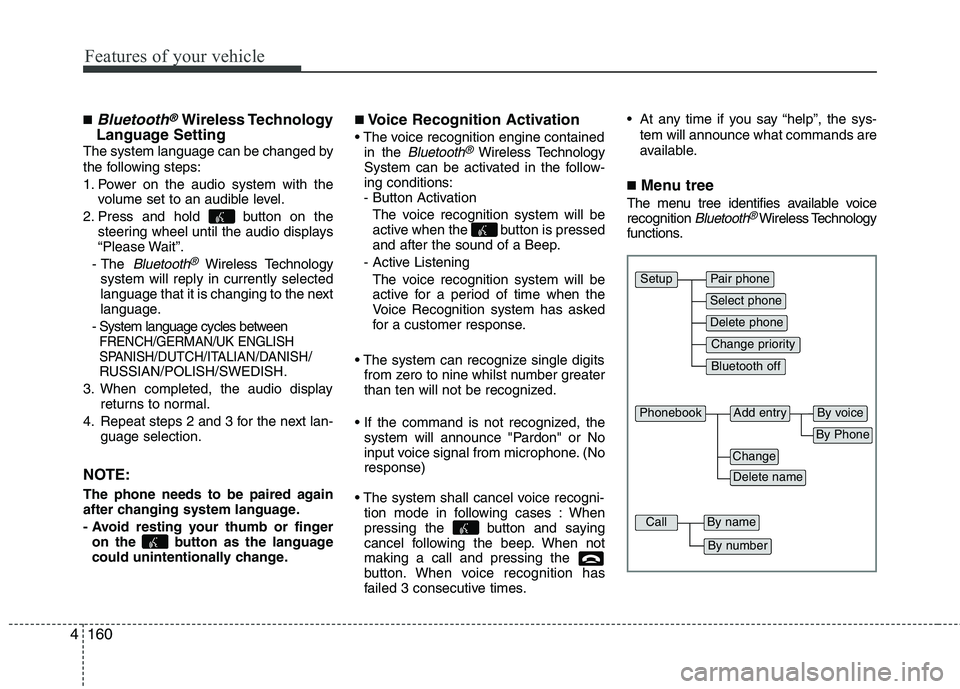
■Menu tree
The menu tree identifies available voice
recognition Bluetooth®Wireless Technology
functions.
Pair phone
Select phone
Change priority
Delete phone
Bluetooth off
Setup
Add entryPhonebook
Change
Delete name
By Phone
By voice
CallBy name
By number
Page 268 of 420
527
Driving your vehicle
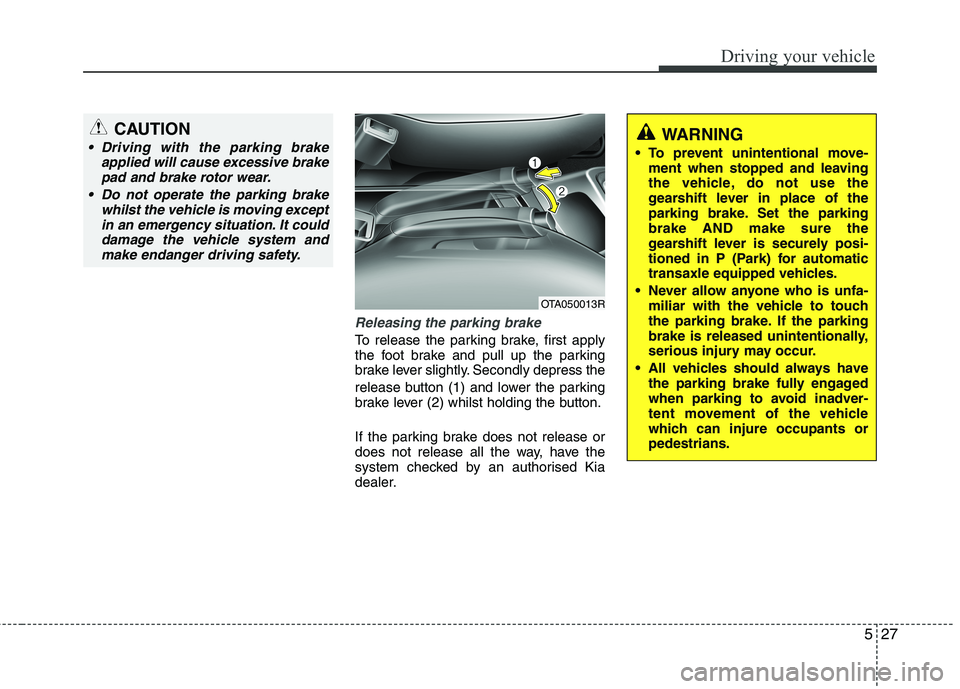
Releasing the parking brake
To release the parking brake, first apply
the foot brake and pull up the parking
brake lever slightly. Secondly depress the
release button (1) and lower the parking
brake lever (2) whilst holding the button.
If the parking brake does not release or
does not release all the way, have the
system checked by an authorised Kia
dealer.
WARNING
To prevent unintentional move-
ment when stopped and leaving
the vehicle, do not use the
gearshift lever in place of the
parking brake. Set the parking
brake AND make sure the
gearshift lever is securely posi-
tioned in P (Park) for automatic
transaxle equipped vehicles.
Never allow anyone who is unfa-
miliar with the vehicle to touch
the parking brake. If the parking
brake is released unintentionally,
serious injury may occur.
All vehicles should always have
the parking brake fully engaged
when parking to avoid inadver-
tent movement of the vehicle
which can injure occupants or
pedestrians.
OTA050013R
CAUTION
Driving with the parking brake
applied will cause excessive brake
pad and brake rotor wear.
Do not operate the parking brake
whilst the vehicle is moving except
in an emergency situation. It could
damage the vehicle system and
make endanger driving safety.