ECO mode KIA NIRO 2017 User Guide
[x] Cancel search | Manufacturer: KIA, Model Year: 2017, Model line: NIRO, Model: KIA NIRO 2017Pages: 552, PDF Size: 14.92 MB
Page 164 of 552
461
Features of your vehicle
Instant Fuel Economy (2)
This mode displays the instant fueleconomy during the last few sec-
onds when the vehicle speed is
more than 6 mph (10 km/h).
- Fuel economy range : 0.0 ~ 50.0MPG or 0.0 ~ 30 L/100kmTrip A/B
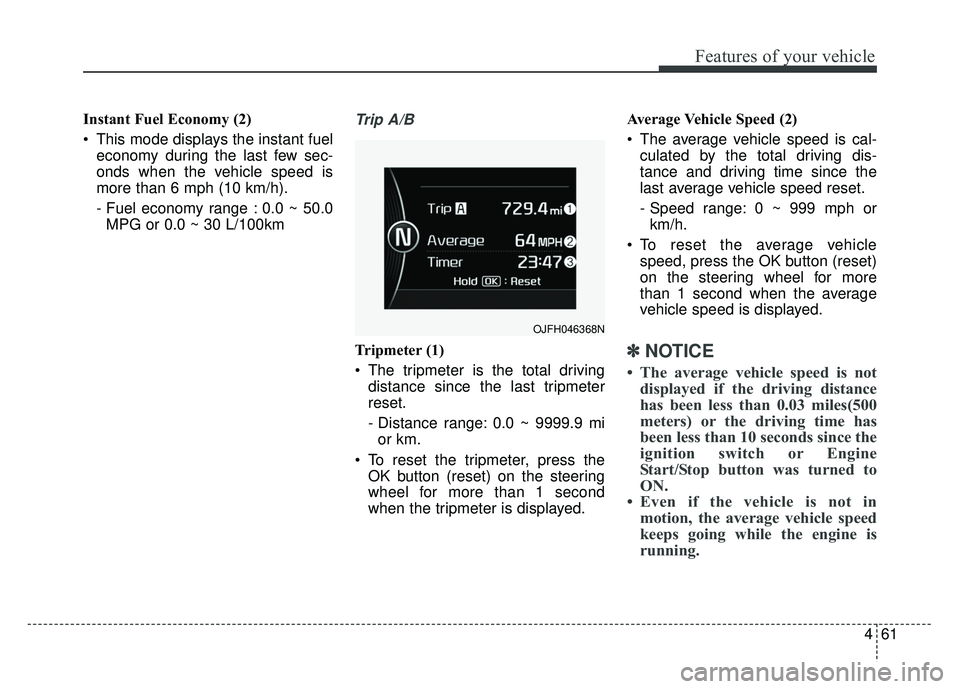
Tripmeter (1)
The tripmeter is the total driving distance since the last tripmeter
reset.
- Distance range: 0.0 ~ 9999.9 mior km.
To reset the tripmeter, press the OK button (reset) on the steering
wheel for more than 1 second
when the tripmeter is displayed. Average Vehicle Speed (2)
The average vehicle speed is cal-
culated by the total driving dis-
tance and driving time since the
last average vehicle speed reset.
- Speed range: 0 ~ 999 mph orkm/h.
To reset the average vehicle speed, press the OK button (reset)
on the steering wheel for more
than 1 second when the average
vehicle speed is displayed.✽ ✽ NOTICE
• The average vehicle speed is not
displayed if the driving distance
has been less than 0.03 miles(500
meters) or the driving time has
been less than 10 seconds since the
ignition switch or Engine
Start/Stop button was turned to
ON.
• Even if the vehicle is not in motion, the average vehicle speed
keeps going while the engine is
running.
OJFH046368N
Page 165 of 552
Features of your vehicle
62
4
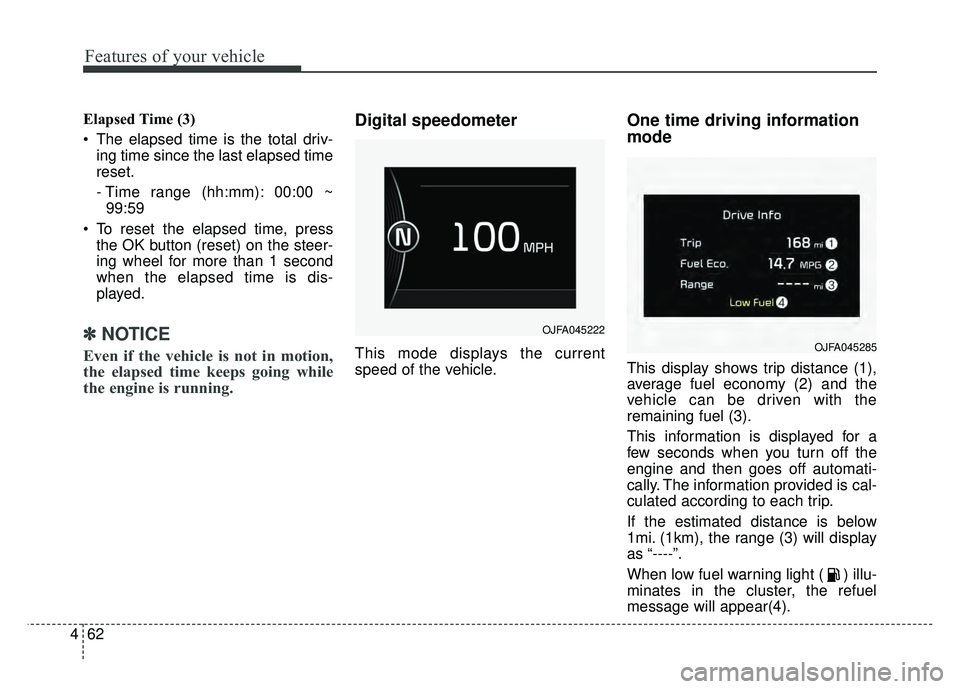
Elapsed Time (3)
The elapsed time is the total driv-
ing time since the last elapsed time
reset.
- Time range (hh:mm): 00:00 ~99:59
To reset the elapsed time, press the OK button (reset) on the steer-
ing wheel for more than 1 second
when the elapsed time is dis-
played.
✽ ✽ NOTICE
Even if the vehicle is not in motion,
the elapsed time keeps going while
the engine is running.
Digital speedometer
This mode displays the current
speed of the vehicle.
One time driving information
mode
This display shows trip distance (1),
average fuel economy (2) and the
vehicle can be driven with the
remaining fuel (3).
This information is displayed for a
few seconds when you turn off the
engine and then goes off automati-
cally. The information provided is cal-
culated according to each trip.
If the estimated distance is below
1mi. (1km), the range (3) will display
as “----”.
When low fuel warning light ( ) illu-
minates in the cluster, the refuel
message will appear(4).
OJFA045222
OJFA045285
Page 168 of 552
465
Features of your vehicle
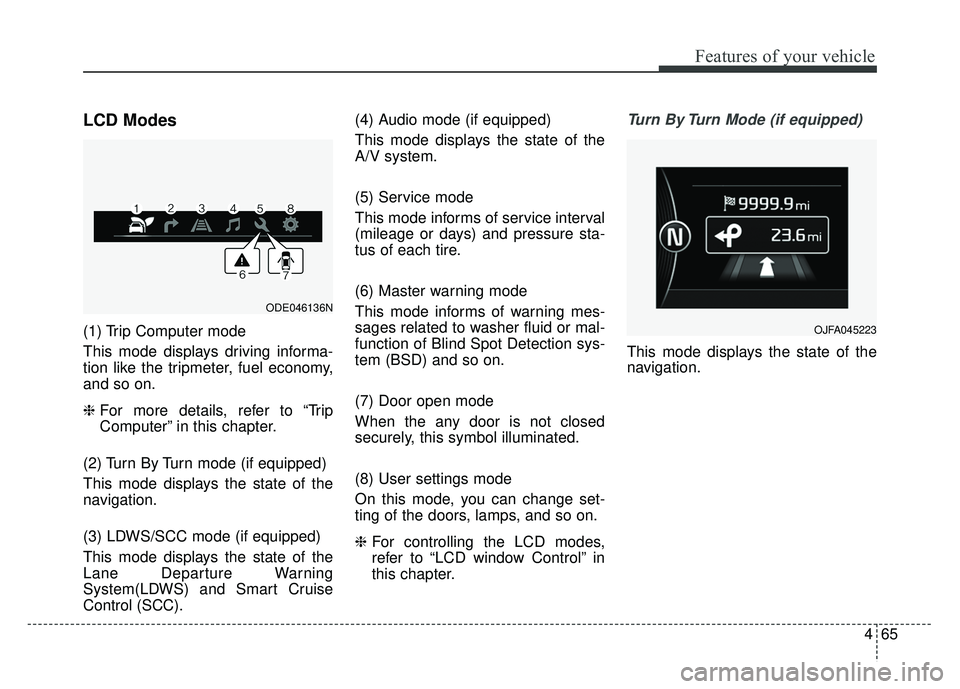
LCD Modes
(1) Trip Computer mode
This mode displays driving informa-
tion like the tripmeter, fuel economy,
and so on.
❈For more details, refer to “Trip
Computer” in this chapter.
(2) Turn By Turn mode (if equipped)
This mode displays the state of the
navigation.
(3) LDWS/SCC mode (if equipped)
This mode displays the state of the
Lane Departure Warning
System(LDWS) and Smart Cruise
Control (SCC). (4) Audio mode (if equipped)
This mode displays the state of the
A/V system.
(5) Service mode
This mode informs of service interval
(mileage or days) and pressure sta-
tus of each tire.
(6) Master warning mode
This mode informs of warning mes-
sages related to washer fluid or mal-
function of Blind Spot Detection sys-
tem (BSD) and so on.
(7) Door open mode
When the any door is not closed
securely, this symbol illuminated.
(8) User settings mode
On this mode, you can change set-
ting of the doors, lamps, and so on.
❈
For controlling the LCD modes,
refer to “LCD window Control” in
this chapter.
Turn By Turn Mode (if equipped)
This mode displays the state of the
navigation.
ODE046136N
OJFA045223
Page 169 of 552
Features of your vehicle
66
4
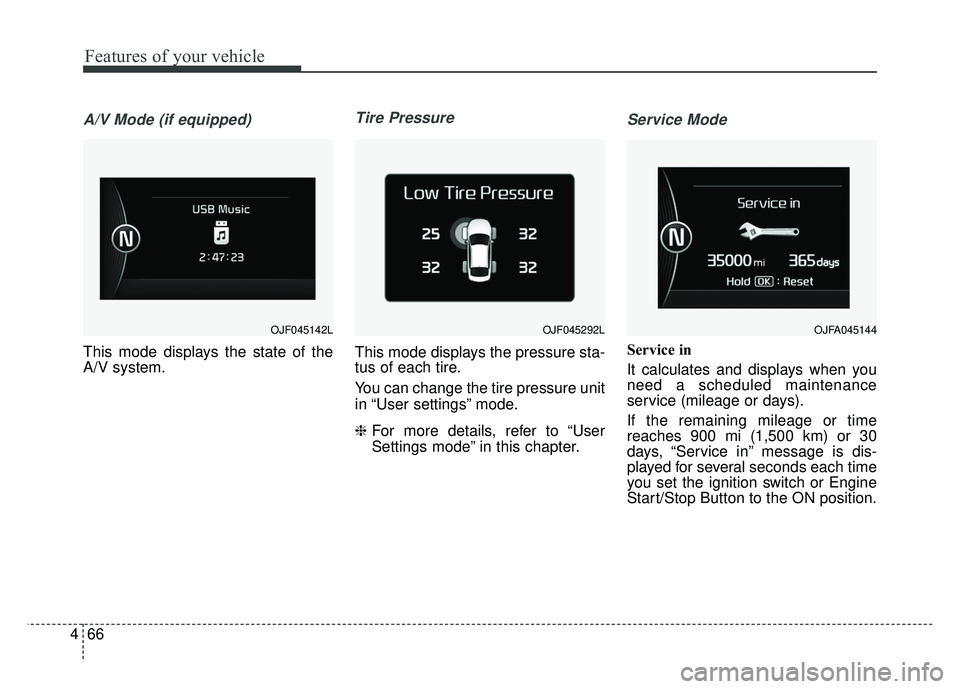
A/V Mode (if equipped)
This mode displays the state of the
A/V system.
Tire Pressure
This mode displays the pressure sta-
tus of each tire.
You can change the tire pressure unit
in “User settings” mode.
❈ For more details, refer to “User
Settings mode” in this chapter.
Service Mode
Service in
It calculates and displays when you
need a scheduled maintenance
service (mileage or days).
If the remaining mileage or time
reaches 900 mi (1,500 km) or 30
days, “Service in” message is dis-
played for several seconds each time
you set the ignition switch or Engine
Start/Stop Button to the ON position.
OJF045142LOJFA045144 OJF045292L
Page 170 of 552
467
Features of your vehicle
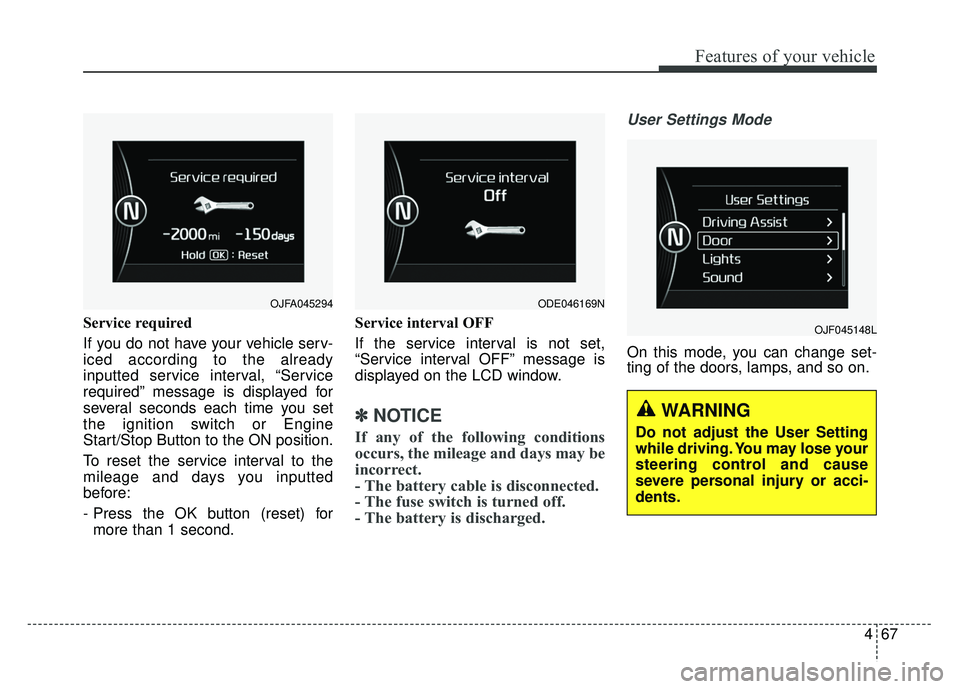
Service required
If you do not have your vehicle serv-
iced according to the already
inputted service interval, “Service
required” message is displayed for
several seconds each time you set
the ignition switch or Engine
Start/Stop Button to the ON position.
To reset the service interval to the
mileage and days you inputted
before:
- Press the OK button (reset) formore than 1 second. Service interval OFF
If the service interval is not set,
“Service interval OFF” message is
displayed on the LCD window.
✽ ✽
NOTICE
If any of the following conditions
occurs, the mileage and days may be
incorrect.
- The battery cable is disconnected.
- The fuse switch is turned off.
- The battery is discharged.
User Settings Mode
On this mode, you can change set-
ting of the doors, lamps, and so on.
OJF045148L
OJFA045294 ODE046169N
WARNING
Do not adjust the User Setting
while driving. You may lose your
steering control and cause
severe personal injury or acci-
dents.
Page 173 of 552
Features of your vehicle
70
4
Other Features
Fuel Economy Auto Reset
- Off : The average fuel economy willnot reset automatically whenever
refueling.
- After Ignition : The average fuel economy will reset automatically
when driving.
- After Refueling : The average fuel economy will reset automatically
when refueling.
❈ For more details, refer to “Trip
Computer” in this chapter.
Fuel Economy Unit : Choose the fuel economy unit. (US gallon,UK
gallon)
Temperature Unit : Choose the temperature unit. (°C, °F)
Tire Pressure Unit : Choose the tire pressure unit. (psi, kPa, Bar)
Reset
You can reset the menus in the User
Settings Mode. All menus in the User
Settings Mode are initialized, except
service interval.Coasting guide (if equipped)
A chime will sound and the coasting
guide indicator will blink four times to
inform the driver when to take the
foot off from the accelerator by antic-
ipating a decelerating event* based
on the analysis of driving routes and
road conditions of the navigation. It
encourages the driver to remove foot
from the pedal and allow coasting
down the road with EV motor only.
This helps prevent unnecessary fuel
consumption and increases fuel effi-
ciency.
❈ Example of a deceleration event is
going down an extended hill, slow-
ing down approaching a toll booth,
and approaching reduced speed
zones.
Press the Engine Start/Stop button
and put the shift lever in P(Park). In
the User Settings Mode, select
Driving Assist, Coasting Guide, and
then On to turn on the system.
Cancel the selection of coasting
guide to turn off the system. For the
explanation of the system, press and
hold the [OK] button.
Page 174 of 552
471
Features of your vehicle
To activate the system, take the fol-
lowing procedures. Enter your desti-
nation information on the navigation
and select the driving route. Select
the ECO mode in the Integrated
Driving Control System. Then, satisfy
the following.
- The driving speed should bebetween 37 mph (60 km/h) and 99
mph (160 km/h).
❈ The operating speed may vary due
to difference between instrument
cluster and navigation effected by
tire inflation level.Warning messages
Warning messages appear on the
LCD to warn the driver. It is located in
the center of the instrument cluster.
The warning message may appear
differently depending on the type of
instrument cluster and some may not
show the warning message at all.
The warning message is shown in
either symbol, symbol and text, or
text type only. You can choose the
preferred language by selecting the
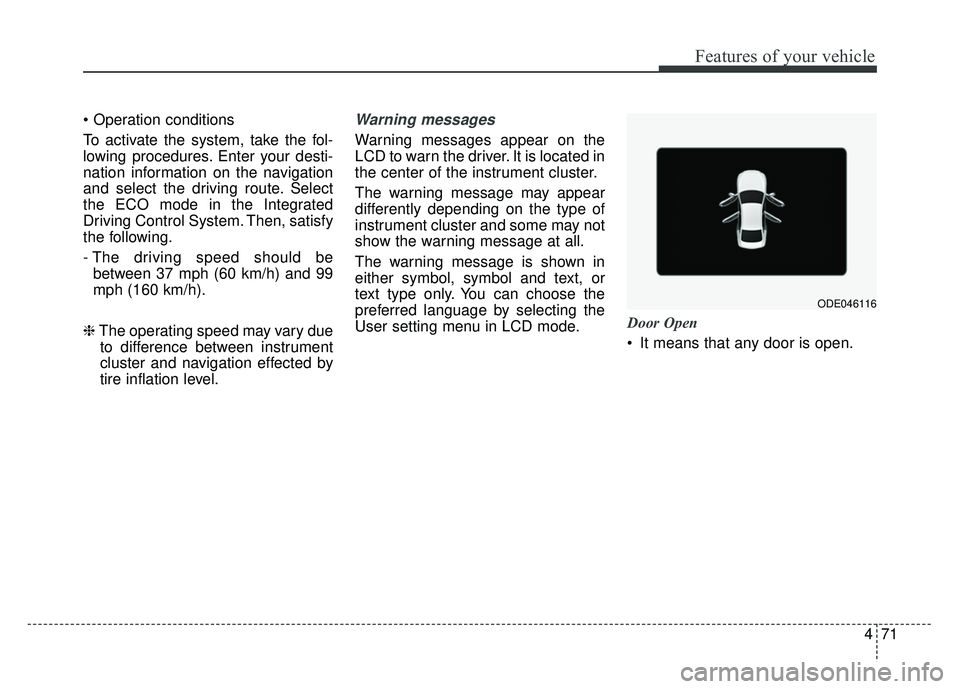
User setting menu in LCD mode. Door Open
It means that any door is open.
ODE046116
Page 178 of 552
475
Features of your vehicle
Press START button again
(for smart key system)
This warning message illuminatesif you can not operate the Engine
Start/Stop Button when there is a
problem with the Engine Start/Stop
Button system.
It means that you could start the engine by pressing the Engine
Start/ Stop Button once more.
If the warning illuminates each time you press the Engine
Start/Stop Button, have your vehi-
cle inspected by an authorized Kia
dealer.
Press START button with smart key
(for smart key system)
This warning message illuminates if you press the Engine Start/Stop
Button while the warning message
“Key not detected” is illuminating.
At this time, the immobilizer indica- tor light blinks. Check fuse “BRAKE SWITCH”
(for smart key system)
This warning message illuminates
if the brake switch fuse is discon-
nected.
It means that you should replace the fuse with a new one. If that is
not possible, you can start the
engine by pressing the Engine
Start/Stop Button for 10 seconds in
the ACC position.
Shift to P or N to start engine
(for smart key system)
This warning message illuminates if you try to start the engine with
the shift lever not in the P (Park) or
N (Neutral) position.
✽ ✽ NOTICE
You can start the engine with the
shift lever in the N (Neutral) posi-
tion. But, for your safety, we recom-
mend that you start the engine with
the shift lever in the P (Park) posi-
tion.
Low Washer Fluid
This warning message illuminates
on the service reminder mode if
the washer fluid level in the reser-
voir is nearly empty.
It means that you should refill the washer fluid.
Low Fuel
This warning message illuminates if the fuel tank is nearly empty.
- When the low fuel level warning
light is illuminates.
Add fuel as soon as possible.
Page 187 of 552
Features of your vehicle
84
4
This warning light remains on after
blinking for approximately 60 seconds
or repeats blinking and off at the
intervals of approximately 3 seconds:
When there is a malfunction with
the TPMS.
In this case, have your vehicle
inspected by an authorized Kia
dealer as soon as possible.
❈ For more details, refer to “Tire
Pressure Monitoring System
(TPMS)” in chapter 7. The TPMS cannot alert you to
severe and sudden tire damage
caused by external factors.
If you notice any vehicle instability, immediately take your foot off the
accelerator pedal, apply the brakes
gradually with light force, and slow-
ly move to a safe position off the
road.Master Warning light
(if equipped)
This warning light informs the driv- er of the following situations
- Blind Spot Detection fail
- Smart Cruise Control fail
- Blind Spot Detection automaticcancelation
- Smart Cruise Control radar fail
- Engine oil shortage and so on
The Master Warning Light illumi-
nates when more than one of the
above warning situations occur. At
this time, the LCD Modes Icon will
change from ( ) to ( ).
If the warning situation is solved, the
master warning light will be turned off
and the LCD Modes Icon will be
changed back to its previous icon ( ).
WARNING - Low tire pressure
Significantly low tire pressure makes the vehicle unstable
and can contribute to loss of
vehicle control and increased
braking distances.
Continued driving or low pres- sure tires will cause the tires to
overheat and fail.
Page 192 of 552
![KIA NIRO 2017 User Guide 489
Features of your vehicle
Lane Departure WarningSystem (LDWS) IndicatorLight (if equipped)
This indicator light illuminates:
[White] When the lane departure warning system does not detect
the lane](/img/2/54822/w960_54822-191.png "KIA NIRO 2017 User Guide 489
Features of your vehicle
Lane Departure WarningSystem (LDWS) IndicatorLight (if equipped)
This indicator light illuminates:
[White] When the lane departure warning system does not detect
the lane")
489
Features of your vehicle
Lane Departure WarningSystem (LDWS) IndicatorLight (if equipped)
This indicator light illuminates:
[White] When the lane departure warning system does not detect
the lane line.
[Green] When you activate the lane departure warning system by
pressing the LDWS button.
[Yellow] When there is a malfunc- tion with the lane departure warn-
ing system.
In this case, have your vehicle inspect-
ed by an authorized Kia dealer.
❈ For more details, refer to “Lane
Departure Warning System
(LDWS)” in chapter 6.
ECO Indicator Light
(if equipped)
This indicator light illuminates :
When the Active ECO system is activated by pressing the DRIVE
mode button.
The ECO indicator (green) will illu- minate to show that the Active
ECO is operating.
❈ For more details, refer to “Drive
Mode Integrated Control System"
in chapter 6.
SPORT Mode Indicator
Light (if equipped)
This indicator light illuminates:
When you select “SPORT” mode as drive mode.
❈ For more details, refer to “Drive
Mode” in chapter 6.
EV Mode Indicator
This indicator illuminates when the
vehicle is driven by the electric
motor.
EV