camera KIA NIRO 2018 Owners Manual
[x] Cancel search | Manufacturer: KIA, Model Year: 2018, Model line: NIRO, Model: KIA NIRO 2018Pages: 616, PDF Size: 18.3 MB
Page 62 of 616
23
Your vehicle at a glance
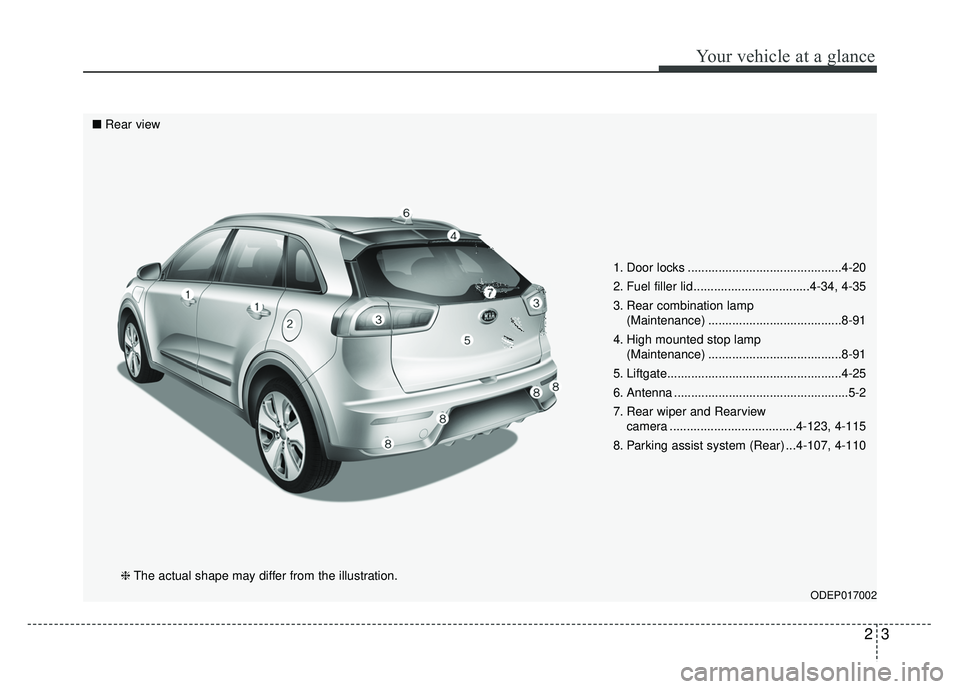
1. Door locks .............................................4-20
2. Fuel filler lid ..................................4-34, 4-35
3. Rear combination lamp (Maintenance) .......................................8-91
4. High mounted stop lamp (Maintenance) .......................................8-91
5. Liftgate...................................................4-25
6. Antenna ...................................................5-2
7. Rear wiper and Rearview camera .....................................4-123, 4-115
8. Parking assist system (Rear) ...4-107, 4-110
ODEP017002
■ Rear view
❈The actual shape may differ from the illustration.
Page 135 of 616
Instrument cluster . . . . . . . . . . . . . . . . . . . . . . . . . 4-53
. . . . . . . . . . . . . . . . . . . . . 4-56
. . . . . . . . . . . . . . . . . . . . . . . . . . 4-56
. . . . . . . . . . . . . . . . . . . . . . . . . . . . . . . . . . . . \
. 4-57
. . . . . . . . . . 4-63
LCD windows . . . . . . . . . . . . . . . . . . . . . . . . . . . . . 4-64
. . . . . . . . . . . . . . . . . . . . . . . . . . . . . . . . . . . 4-\
64
for Hybrid) . . . . . 4-64
. . . . . . . . . . . . . . . . . . . . . . . . . . . 4-67
. . . . . . . . . . . . . 4-68
. . . . . . . . . . . . . . . . . . . . . . . . . . . . . . . . . 4-69
for Plug-in Hybrid) . . . . . . . . . . . . . . . . . . . . . . . . . . 4-71
. . . . . . . . . . . . . . . . . . . . . . . . . . . . . . . . . 4-75
Warning and indicator lights . . . . . . . . . . . . . . . . 4-94
. . . . . . . . . . . . . . . . . . . . . . . . . . . . . . . 4-94
Rear parking assist system . . . . . . . . . . . . . . . . . 4-107
system . . . . . . . . . . . . . . . . . . . . . . . . . . . . . . . . . . . . \
4-108
. . . . . . . . . 4-109
. . . . . . . . . . . . . . . . . . . . . . . . . . . . . . . 4-109
Parking assist system . . . . . . . . . . . . . . . . . . . . . . 4-110
. . . . . . . . . . 4-110
system . . . . . . . . . . . . . . . . . . . . . . . . . . . . . . . . . . . . \
4-112
. . . . . . . . . . . . . . . . . . . . . . . . . . . . . . . 4-114
Rearview camera . . . . . . . . . . . . . . . . . . . . . . . . . 4-115
Lighting . . . . . . . . . . . . . . . . . . . . . . . . . . . . . . . . . 4-116
. . . . . . . . . . . . . . . . . . . . . 4-116
. . . . . . . . . . . . . . . . . . . . . . . . 4-116
. . . . . . . . . . . . . . . . . . . . . . . . . . . . . 4-117
. . . . . . . . . . . 4-119
. . . . . . . . . . . . . . . . . . . . . . . . . . . . . 4-120
. . . . . . . . . . . . . . . . . . . . . . . . . . . . . . 4-120
Wipers and washers . . . . . . . . . . . . . . . . . . . . . . . 4-121
. . . . . . . . . . . . . . . . . . . . . . . . . . . 4-121
. . . . . . . . . . . . . . . . . . . . . 4-122
. . . . . . . . . 4-123
Interior lights . . . . . . . . . . . . . . . . . . . . . . . . . . . . 4-125
. . . . . . . . . . . . . . . . . . . 4-125
. . . . . . . . . . . . . . . . . . . . . . . . . . . . . . . . . 4-125
. . . . . . . . . . . . . . . . . . . . . . . . . . . . . . . . . . 4-12\
6
. . . . . . . . . . . . . . . . . . . . . . . . . . 4-127
. . . . . . . . . . . . . . . . . . . . . . . . . . 4-127
4
Page 248 of 616
4115
Features of your vehicle
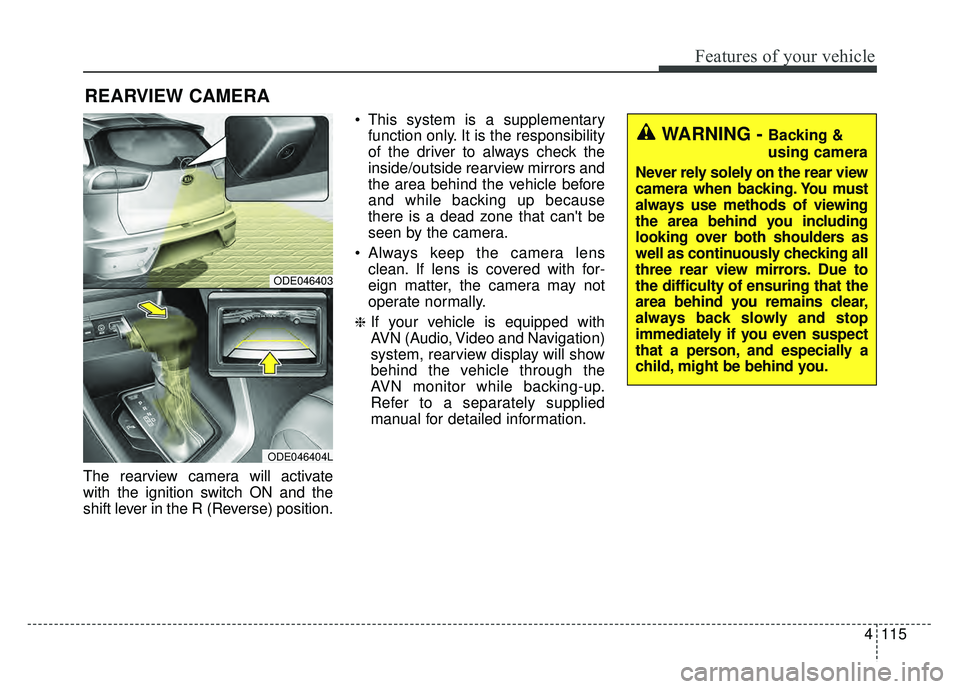
The rearview camera will activate
with the ignition switch ON and the
shift lever in the R (Reverse) position. This system is a supplementary
function only. It is the responsibility
of the driver to always check the
inside/outside rearview mirrors and
the area behind the vehicle before
and while backing up because
there is a dead zone that can't be
seen by the camera.
Always keep the camera lens clean. If lens is covered with for-
eign matter, the camera may not
operate normally.
❈If your vehicle is equipped with
AVN (Audio, Video and Navigation)
system, rearview display will show
behind the vehicle through the
AVN monitor while backing-up.
Refer to a separately supplied
manual for detailed information.
REARVIEW CAMERA
WARNING - Backing &
using camera
Never rely solely on the rear view
camera when backing. You must
always use methods of viewing
the area behind you including
looking over both shoulders as
well as continuously checking all
three rear view mirrors. Due to
the difficulty of ensuring that the
area behind you remains clear,
always back slowly and stop
immediately if you even suspect
that a person, and especially a
child, might be behind you.
ODE046403
ODE046404L
Page 312 of 616
Audio system
13
5
(Continued)
• Do not touch the USB connections.
• Connecting and disconnecting
USB devices rapidly over a short
period of time can cause equip-
ment failure.
• Abnormal sounds may be audible when the USB device is discon-
nected.
• Turn the audio off before connect- ing or disconnecting external USB
devices.
• Recognition may take longer depending on the type, capacity or
file format of the external USB
device. This is not a product mal-
function.
• Use of USB devices for purposes other than playing music files is
prohibited.
• Image display and video playback are not supported.
• Use of USB accessories, including charge and heat though the USB
I/F, can lead to reduced product
performance or malfunctions. Do
not use USB devices or accessories
for these purposes. (Continued)(Continued)
• Use of aftermarket USB hubs and
extension cables can result in the
vehicle’s audio system failing to rec-
ognize your USB device. Connect
the USB device directly to the mul-
timedia port of your vehicle.
• When using high-capacity USB devices with logical drive divi-
sions, only files saved on the high-
est level logical drive can be
played.
If applications are loaded on a
USB drive, file playback may fail.
• Some MP3 players, cell phones, digital cameras, etc. (USB devices
that are not recognized as mobile
storage) may not operate normally
when connected.
• USB charging may not be sup- ported by some mobile devices.
• Operation is guaranteed only for standard (Metal Cover Type) USB
Memory drives.
• Operation of HDD, CF, SD and memory stick devices is not guar-
anteed. (Continued)(Continued)
• DRM (Digital Rights Management)
files cannot be played.
• SD-type USB memory, CF-type USB memory, and other USB
memory devices that require
adapters for connection are not
supported.
• Proper operation of USB HDDs or USB drives with connectors that
loosen due to vehicle vibrations is
not guaranteed. (iStick, etc.)
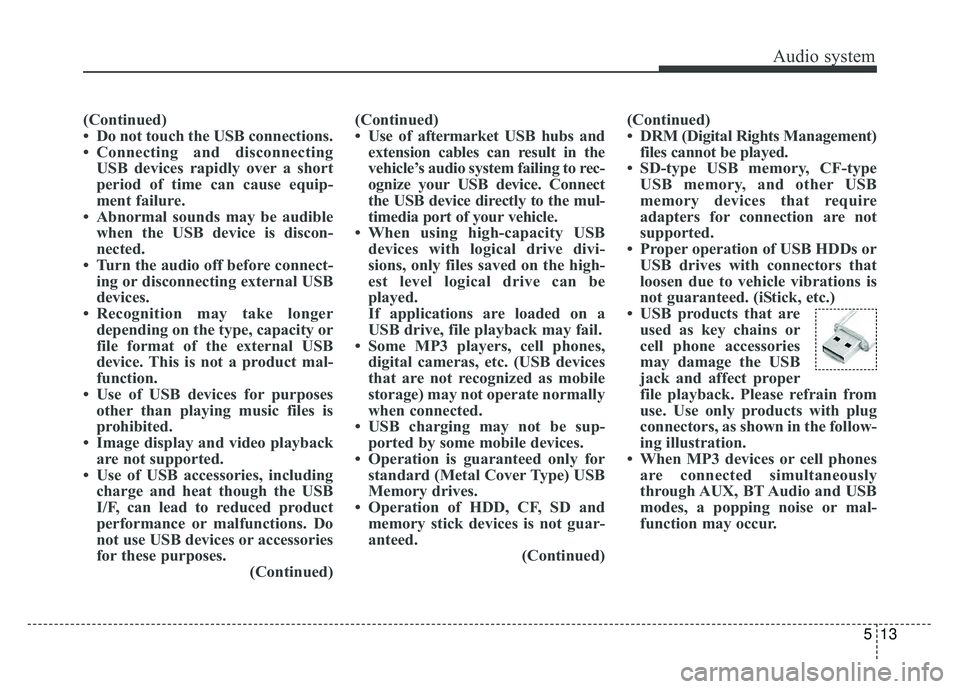
• USB products that are used as key chains or
cell phone accessories
may damage the USB
jack and affect proper
file playback. Please refrain from
use. Use only products with plug
connectors, as shown in the follow-
ing illustration.
• When MP3 devices or cell phones are connected simultaneously
through AUX, BT Audio and USB
modes, a popping noise or mal-
function may occur.
Page 370 of 616

Driving your vehicle
36
6
AUTONOMOUS EMERGENCY BRAKING (AEB) (IF EQUIPPED)
The AEB system is to reduce or to
avoid accident risk. It recognizes the
distance from the vehicle ahead or
the pedestrian through the sensors
(i.e. radar and camera), and, if nec-
essary, warns the driver of accident
risk with the warning message or the
warning alarms.✽ ✽
NOTICE
Take the following precautions when
using the Autonomous Emergency
Braking (AEB):
• This system is only a supplemental
system and it is not intended to,
nor does it replace the need for
extreme care and attention of the
driver. The sensing range and
objects detectable by the sensors
are limited. Pay attention to the
road conditions at all times.
• NEVER drive too fast in accor- dance with the road conditions or
while cornering.
• Always drive cautiously to prevent unexpected and sudden situations
from occurring. AEB does not stop
the vehicle completely and does
not avoid collisions.
System setting and activation
System setting
The driver can activate the AEB by
placing the engine start/stop button
to the ON position and by selecting
'User Settings', 'Driving Assist', and
'Autonomous Emergency Braking
System'. The AEB deactivates, when
the driver cancels the system setting.
WARNING
-
Autonomous Emergency
Braking (AEB) Limitations
The AEB system is a supple-
mental system and is not a sub-
stitute for safe driving prac-
tices. It is the responsibility of
the driver to always check the
speed and distance to the vehi-
cle ahead to ensure it is safety
to use the AEB system.
Page 377 of 616

643
Driving your vehicle
Limitation of the system
The AEB is an assistant system for a
driver in a certain risky driving condi-
tion and it does not take every
responsibility for all risks from driving
condition.
The AEB monitors the driving situa-
tions through the radar and the cam-
era sensor. For any vehicle activity
occurring outside the sensor range,
the AEB may not function. The driver
should exercise caution in the follow-
ing situations, as the AEB operation
may be limited:
Recognizing vehicles
- The radar or the camera is contam-inated with foreign substances.
- It heavily rains or snows.
- There is electromagnetic interfer- ence.
- Something in the path of travel deflects the radar waves.
- The vehicle in front has a narrow body. (i.e. motorcycles and bicycles)
- The driver’s view is degraded by driving towards sunlight, reflected
light, or darkness.
- The camera cannot see the full profile of the vehicle in front.
- The vehicle in front is a special vehicle, such as a heavily-loaded
truck or a trailer.
The vehicle in front does not turn
ON the rear lights, does not have
rear lights, has asymmetric rear
lights, or has rear lights out of angle. - The outside brightness is greatly
changed, such as entering/exiting
the tunnel.
- The vehicle driving is unstable.
- The radar/camera sensor recogni- tion is limited.
- When driving on uneven surfaces or roads with sudden gradient
changes
- The vehicle driving indoors or in an underground parking lot.
Page 380 of 616

Driving your vehicle
46
6
Recognizing pedestrians
- The pedestrian is not fully captured
by the camera sensor, or the
pedestrian does not walk in the
upright position.
- The pedestrian moves very fast.
- The pedestrian abruptly appears in front.
- The pedestrian wears clothes sim- ilar in color to the background.
- Conditions outside are too bright or too dark.
- The vehicle drives at night or in the darkness.
- There is an item similar in shape a person’s body structure.
- The pedestrian is small.
- The pedestrian has impaired mobility.
- The pedestrian blends in with their surroundings.
- Sensor recognition is limited by rain, snow, fog, etc.
- There is a group of pedestrians.
✽ ✽ NOTICE
The system may temporarily cancel
due to the strong electric waves.
Pay great caution to the vehicle in
front, when it has heavy loading
extended rearward, or when it has
higher ground clearance.
The sensor only detects pedestri- an, not carts, bicycles, motorcy-
cles, luggage bags, or strollers.
WARNING - Testing the
AEB
The AEB does not operate in
certain situations. Thus, never
test-operate the AEB against a
person or an object. It may
cause a severe injury or even
death.
WARNING - AEB and
Towing
Cancel the AEB in the User
Settings on the LCD display,
before towing another vehicle.
While towing, the brake applica-
tion may adversely affect your
vehicle safety.
Page 408 of 616
Driving your vehicle
74
6
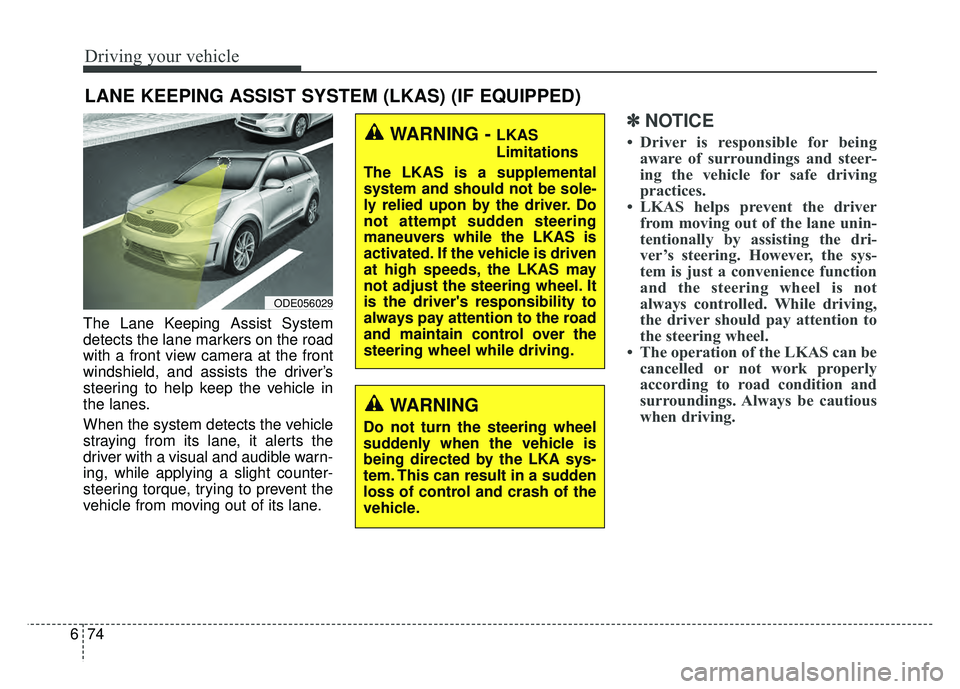
The Lane Keeping Assist System
detects the lane markers on the road
with a front view camera at the front
windshield, and assists the driver’s
steering to help keep the vehicle in
the lanes.
When the system detects the vehicle
straying from its lane, it alerts the
driver with a visual and audible warn-
ing, while applying a slight counter-
steering torque, trying to prevent the
vehicle from moving out of its lane.
✽ ✽
NOTICE
• Driver is responsible for being
aware of surroundings and steer-
ing the vehicle for safe driving
practices.
• LKAS helps prevent the driver from moving out of the lane unin-
tentionally by assisting the dri-
ver’s steering. However, the sys-
tem is just a convenience function
and the steering wheel is not
always controlled. While driving,
the driver should pay attention to
the steering wheel.
• The operation of the LKAS can be cancelled or not work properly
according to road condition and
surroundings. Always be cautious
when driving.
LANE KEEPING ASSIST SYSTEM (LKAS) (IF EQUIPPED)
WARNING
Do not turn the steering wheel
suddenly when the vehicle is
being directed by the LKA sys-
tem. This can result in a sudden
loss of control and crash of the
vehicle.
ODE056029
WARNING - LKAS
Limitations
The LKAS is a supplemental
system and should not be sole-
ly relied upon by the driver. Do
not attempt sudden steering
maneuvers while the LKAS is
activated. If the vehicle is driven
at high speeds, the LKAS may
not adjust the steering wheel. It
is the driver's responsibility to
always pay attention to the road
and maintain control over the
steering wheel while driving.
Page 409 of 616
675
Driving your vehicle
Do not disassemble a front viewcamera temporarily for tinted win-
dow or attaching any types of coat-
ings and accessories. If you disas-
semble the camera and assemble
it again, take your vehicle to an
authorized Kia dealer and have the
system checked to need a calibra-
tion.
When you replace the windshield glass, front view camera or related
parts of the steering, take your
vehicle to an authorized Kia dealer
and have the system checked to
need a calibration.
The system detects lane markers and controls the steering wheel by
a front view camera, therefore, if
the lane markers are hard to
detect, the system may not work
properly. Always be cautious when
using the system.
When the lane markers are hard to detect, please refer to “Driver’s
Attention”.
Do not remove or damage the related parts of LKAS. Do not place objects on the crash
pad that reflects light such as mir-
rors, white paper, etc. it may cause
malfunction of LKAS if the sunlight
is reflected.
You may not hear warning sound of LKAS because of the excessive
audio sound.
If you continue to drive with your hands off the steering wheel, the
LKAS will stop controlling the
steering wheel after the hands off
alarm. After then, if you drive with
your hands on the steering wheel,
the control will be activated again.
If the vehicle speed is high, steer- ing torque for assistance will not be
enough to keep your vehicle within
the lane. If so, the vehicle may
move out of its lane. Obey speed
limit when using LKAS.
If you attach objects to the steering wheel, the system may not assist
steering.
If you attach objects to the steering wheel, hands off alarm may not
work properly.LKAS operation
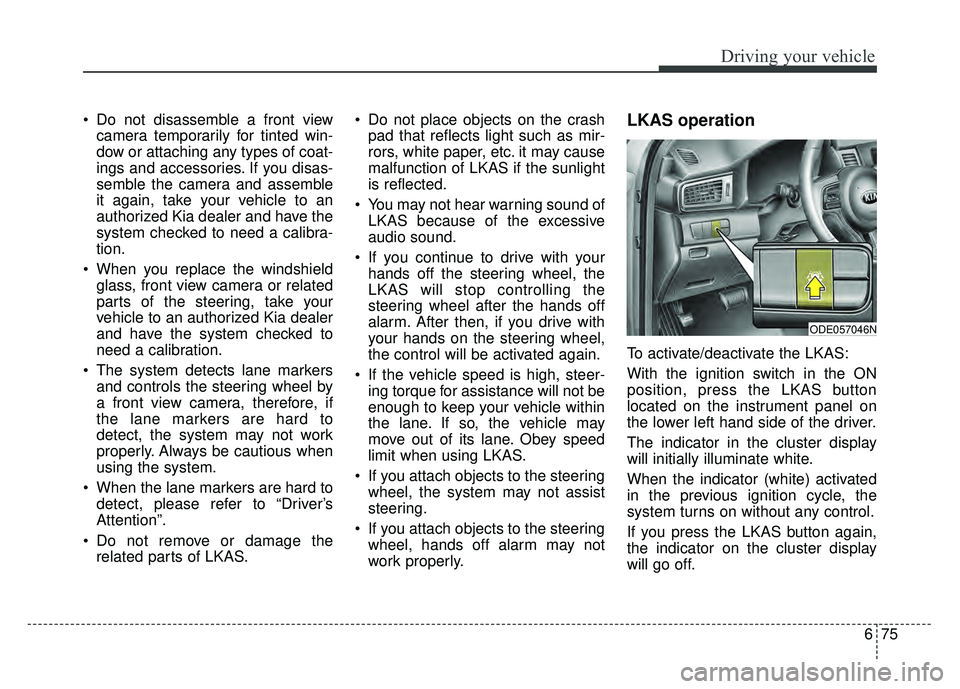
To activate/deactivate the LKAS:
With the ignition switch in the ON
position, press the LKAS button
located on the instrument panel on
the lower left hand side of the driver.
The indicator in the cluster display
will initially illuminate white.
When the indicator (white) activated
in the previous ignition cycle, the
system turns on without any control.
If you press the LKAS button again,
the indicator on the cluster display
will go off.
ODE057046N
Page 418 of 616

Driving your vehicle
84
6
Resetting the system
The last break time is set to 00:00
and the driver's attention level is
set to 5 (very attentive) when the
driver resets the Driver Attention
Alert system.
The Driver Attention Alert system resets in the following situations.
- The engine is turned OFF.
- The driver unfastens the seat beltand then opens the driver’s door.
- Stop lasting more than 10 min- utes.
The Driver Attention Alert system operates again, when the driver
restarts driving.
System disabled
The Driver Attention Alert system
enters the ready status and displays
the 'Disabled' screen in the following
situations.
- The camera sensor keeps failing todetect the lanes.
- Driving speed remains under 40 mph (64 km/h) or over 110 mph
(177 km/h).
System malfunction
When the “Check Driver Attention
Alert” warning message appears, the
system is not working properly. In this
case, have the vehicle inspected by
an authorized Kia dealer.
ODE057138LODE057139L