switch KIA NIRO 2019 Owners Manual
[x] Cancel search | Manufacturer: KIA, Model Year: 2019, Model line: NIRO, Model: KIA NIRO 2019Pages: 611, PDF Size: 15.28 MB
Page 406 of 611
Driving your vehicle
70
6
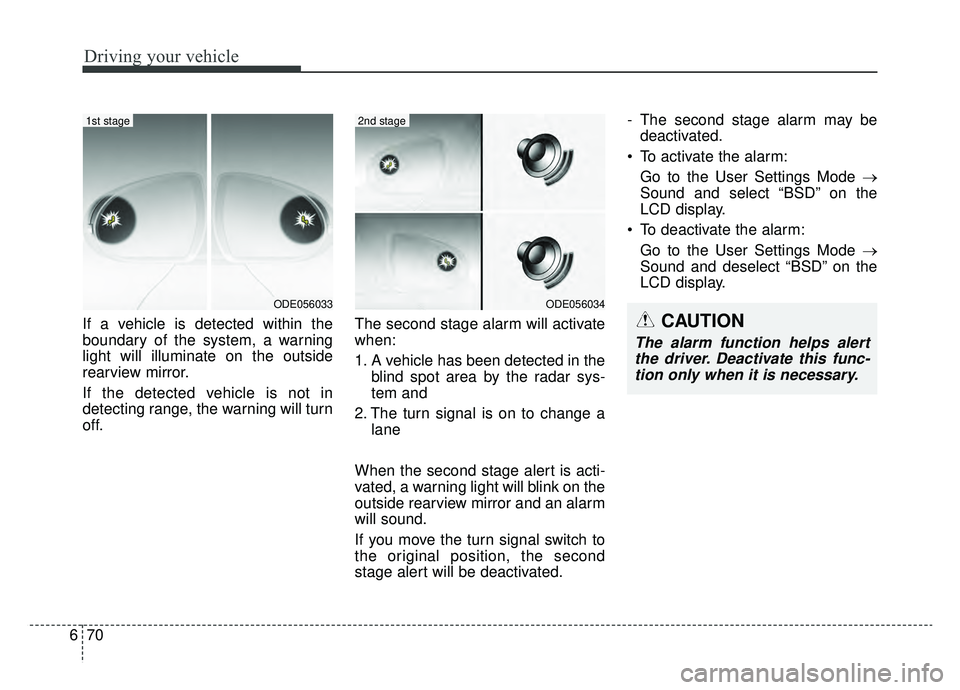
If a vehicle is detected within the
boundary of the system, a warning
light will illuminate on the outside
rearview mirror.
If the detected vehicle is not in
detecting range, the warning will turn
off. The second stage alarm will activate
when:
1. A vehicle has been detected in the
blind spot area by the radar sys-
tem and
2. The turn signal is on to change a lane
When the second stage alert is acti-
vated, a warning light will blink on the
outside rearview mirror and an alarm
will sound.
If you move the turn signal switch to
the original position, the second
stage alert will be deactivated. - The second stage alarm may be
deactivated.
To activate the alarm: Go to the User Settings Mode →
Sound and select “BSD” on the
LCD display.
To deactivate the alarm: Go to the User Settings Mode →
Sound and deselect “BSD” on the
LCD display.
ODE056034
2nd stage
ODE056033
1st stage
CAUTION
The alarm function helps alertthe driver. Deactivate this func-tion only when it is necessary.
Page 407 of 611
671
Driving your vehicle
Detecting sensor
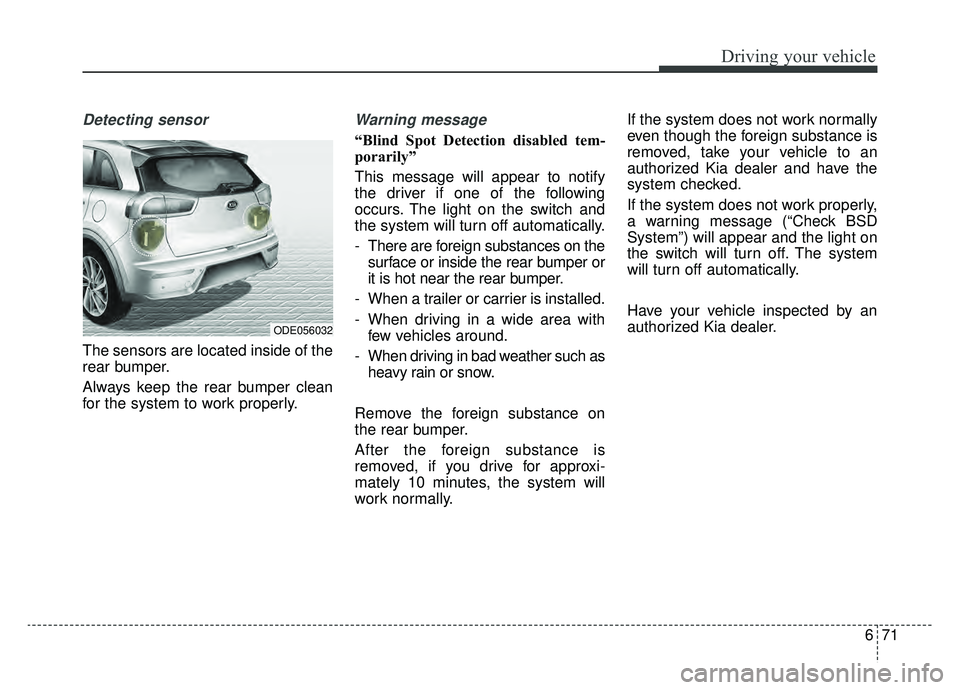
The sensors are located inside of the
rear bumper.
Always keep the rear bumper clean
for the system to work properly.
Warning message
“Blind Spot Detection disabled tem-
porarily”
This message will appear to notify
the driver if one of the following
occurs. The light on the switch and
the system will turn off automatically.
- There are foreign substances on thesurface or inside the rear bumper or
it is hot near the rear bumper.
- When a trailer or carrier is installed.
- When driving in a wide area with few vehicles around.
- When driving in bad weather such as heavy rain or snow.
Remove the foreign substance on
the rear bumper.
After the foreign substance is
removed, if you drive for approxi-
mately 10 minutes, the system will
work normally. If the system does not work normally
even though the foreign substance is
removed, take your vehicle to an
authorized Kia dealer and have the
system checked.
If the system does not work properly,
a warning message (“Check BSD
System”) will appear and the light on
the switch will turn off. The system
will turn off automatically.
Have your vehicle inspected by an
authorized Kia dealer.
ODE056032
Page 413 of 611
677
Driving your vehicle
Do not disassemble a front viewcamera temporarily for tinted win-
dow or attaching any types of coat-
ings and accessories. If you disas-
semble the camera and assemble
it again, take your vehicle to an
authorized Kia dealer and have the
system checked to need a calibra-
tion.
When you replace the windshield glass, front view camera or related
parts of the steering, take your
vehicle to an authorized Kia dealer
and have the system checked to
need a calibration.
The system detects lane markers and controls the steering wheel by
a front view camera, therefore, if
the lane markers are hard to
detect, the system may not work
properly. Always be cautious when
using the system.
When the lane markers are hard to detect, please refer to “Driver’s
Attention”.
Do not remove or damage the related parts of LKAS. Do not place objects on the crash
pad that reflects light such as mir-
rors, white paper, etc. it may cause
malfunction of LKAS if the sunlight
is reflected.
You may not hear warning sound of LKAS because of the excessive
audio sound.
If you continue to drive with your hands off the steering wheel, the
LKAS will stop controlling the
steering wheel after the hands off
alarm. After then, if you drive with
your hands on the steering wheel,
the control will be activated again.
If the vehicle speed is high, steer- ing torque for assistance will not be
enough to keep your vehicle within
the lane. If so, the vehicle may
move out of its lane. Obey speed
limit when using LKAS.
If you attach objects to the steering wheel, the system may not assist
steering.
If you attach objects to the steering wheel, hands off alarm may not
work properly.LKAS operation
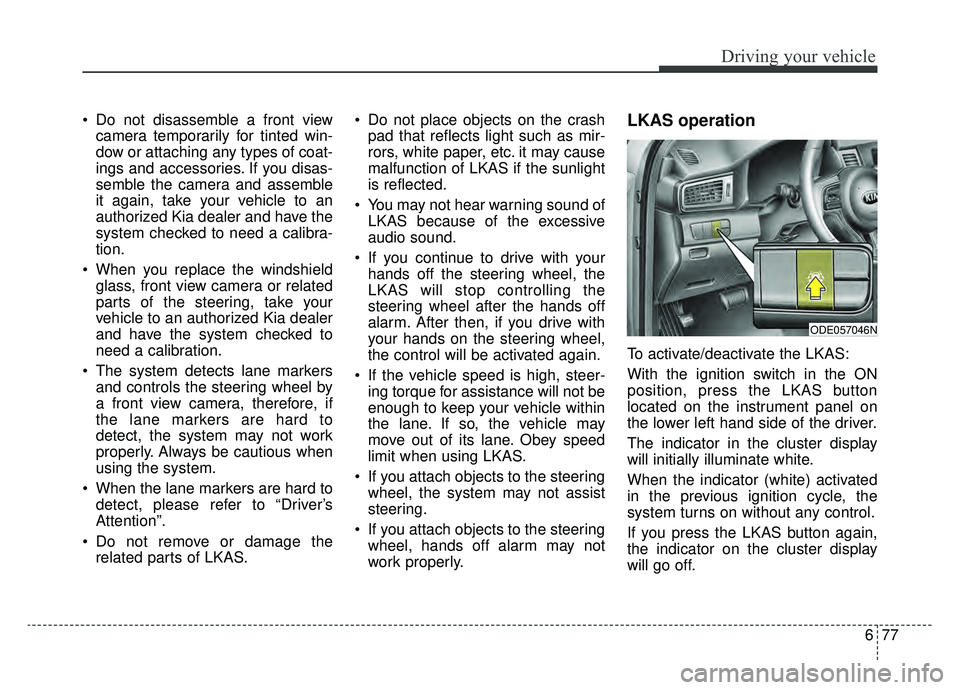
To activate/deactivate the LKAS:
With the ignition switch in the ON
position, press the LKAS button
located on the instrument panel on
the lower left hand side of the driver.
The indicator in the cluster display
will initially illuminate white.
When the indicator (white) activated
in the previous ignition cycle, the
system turns on without any control.
If you press the LKAS button again,
the indicator on the cluster display
will go off.
ODE057046N
Page 442 of 611
What to do in an emergency
27
ROAD WARNING
Hazard warning flasher
The hazard warning flasher serves
as a warning to other drivers to exer-
cise extreme caution when
approaching, overtaking, or passing
your vehicle.
It should be used whenever emer-
gency repairs are being made or
when the vehicle is stopped near the
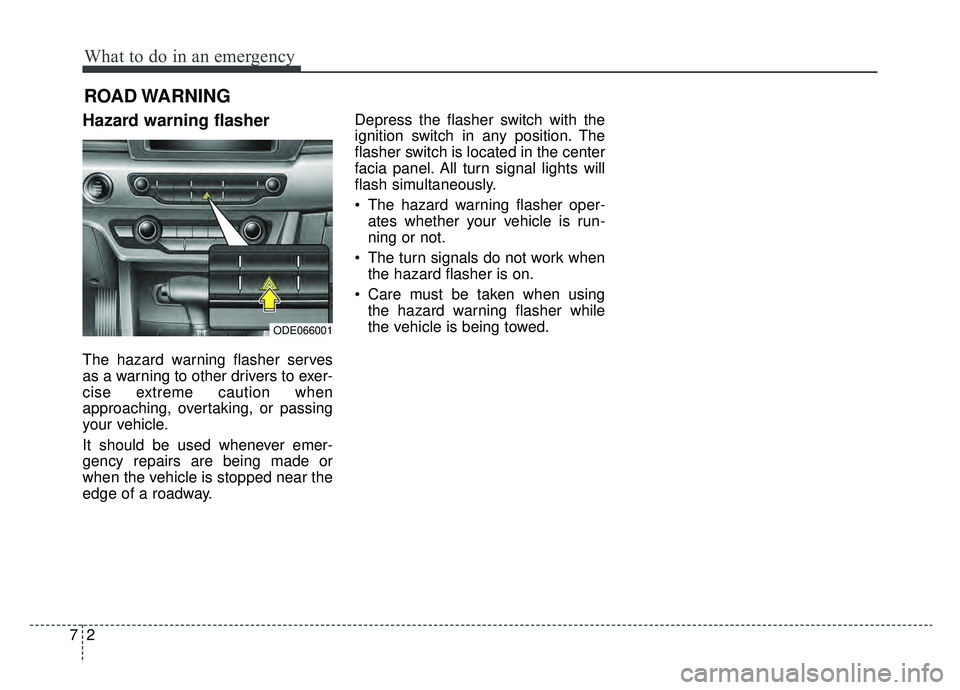
edge of a roadway.Depress the flasher switch with the
ignition switch in any position. The
flasher switch is located in the center
facia panel. All turn signal lights will
flash simultaneously.
• The hazard warning flasher oper-
ates whether your vehicle is run-
ning or not.
The turn signals do not work when the hazard flasher is on.
Care must be taken when using the hazard warning flasher while
the vehicle is being towed.
ODE066001
Page 444 of 611
What to do in an emergency
47
IF THE ENGINE WILL NOT START
If engine doesn't turn over or
turns over slowly
1. Be sure the shift lever is in N(Neutral) or P (Park) and the
emergency brake is set.
2. Check the battery connections to be sure they are clean and tight.
3. Turn on the interior light. If the light dims or goes out when you oper-
ate the starter, the battery is dis-
charged.
4. Check the starter connections to be sure they are securely tight-
ened.
5. Do not push or pull the vehicle to start it. See instructions for "Jump
starting".
If engine turns over normally
but does not start
1. Check the fuel level.
2. With the ignition switch in theLOCK position, check all connec-
tors at the ignition coils and spark
plugs. Reconnect any that may be
disconnected or loose.
3. Check the fuel line in the engine compartment.
4. If the engine still does not start, call an authorized Kia dealer or
seek other qualified assistance.
WARNING - Push/
pull start
Do not push or pull the vehicle
to start it. Push or pull starting
may cause the catalytic con-
verter to overload and create a
fire hazard.
Page 445 of 611
75
What to do in an emergency
EMERGENCY STARTING
Before Jump Starting
(For Hybrid)
Over discharge of 12V battery
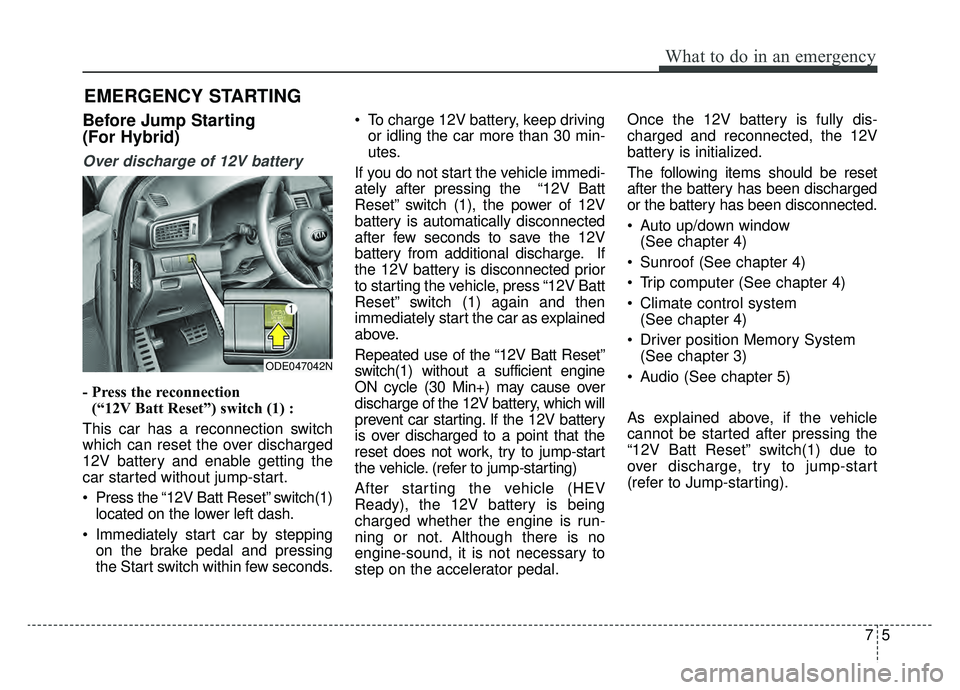
- Press the reconnection(“12V Batt Reset”) switch (1) :
This car has a reconnection switch
which can reset the over discharged
12V battery and enable getting the
car started without jump-start.
Press the “12V Batt Reset” switch(1) located on the lower left dash.
Immediately start car by stepping on the brake pedal and pressing
the Start switch within few seconds. To charge 12V battery, keep driving
or idling the car more than 30 min-
utes.
If you do not start the vehicle immedi-
ately after pressing the “12V Batt
Reset” switch (1), the power of 12V
battery is automatically disconnected
after few seconds to save the 12V
battery from additional discharge. If
the 12V battery is disconnected prior
to starting the vehicle, press “12V Batt
Reset” switch (1) again and then
immediately start the car as explained
above.
Repeated use of the “12V Batt Reset”
switch(1) without a sufficient engine
ON cycle (30 Min+) may cause over
discharge of the 12V battery, which will
prevent car starting. If the 12V battery
is over discharged to a point that the
reset does not work, try to jump-start
the vehicle. (refer to jump-starting)
After starting the vehicle (HEV
Ready), the 12V battery is being
charged whether the engine is run-
ning or not. Although there is no
engine-sound, it is not necessary to
step on the accelerator pedal. Once the 12V battery is fully dis-
charged and reconnected, the 12V
battery is initialized.
The following items should be reset
after the battery has been discharged
or the battery has been disconnected.
Auto up/down window
(See chapter 4)
Sunroof (See chapter 4)
Trip computer (See chapter 4)
Climate control system (See chapter 4)
Driver position Memory System (See chapter 3)
Audio (See chapter 5)
As explained above, if the vehicle
cannot be started after pressing the
“12V Batt Reset” switch(1) due to
over discharge, try to jump-start
(refer to Jump-starting).
ODE047042N
Page 446 of 611
What to do in an emergency
67
Charging method for 12V battery
(A) It is recommended to charge the12V battery by starting and run-
ning the vehicle (HEV Ready
Mode) for a minimum of 30 min-
utes if a 12V reset, or jump start
has been used.
(B) If you cannot start the vehicle :
After connecting the jumper cables at the recommended locations, you
should press “12V batt Reset”
switch(1) to charge the battery.
The voltage range of the charger should be 13.3~14V and its current
range should be less than 60A.
(13.8V is recommended).
External power source using 12V
battery(Except the use of dash cameras)
The use of external power acces-
sories may reduce performance and
function of the vehicle. Especially,
the use of dash cameras may cause
a shut off the power of the vehicle
prior to the dash camera’s automatic
shut-down.
If the power of the car is shut off,
start the vehicle as explained above
(refer to “Over discharge of 12V bat-
tery”)
CAUTION
• The use of an improper charg- er with a voltage and currentrange higher than specifiedmay cause overheating anddamage to the 12V battery.
The use of an incorrect charg- er will lead to a power shut-offto save the 12V battery. Stopusing the incorrect chargeronce the power of the vehicleis shut off.
Page 454 of 611
What to do in an emergency
14
7
✽ ✽
NOTICE
If the TPMS, Low Tire Pressure
indicator does not illuminate for 3
seconds when the ignition switch is
turned to the ON position or engine
is running, or if they remain illumi-
nated after coming on for approxi-
mately 3 seconds, take your vehicle
to your nearest authorized Kia deal-
er and have the system checked.
Low tire pressure
telltale
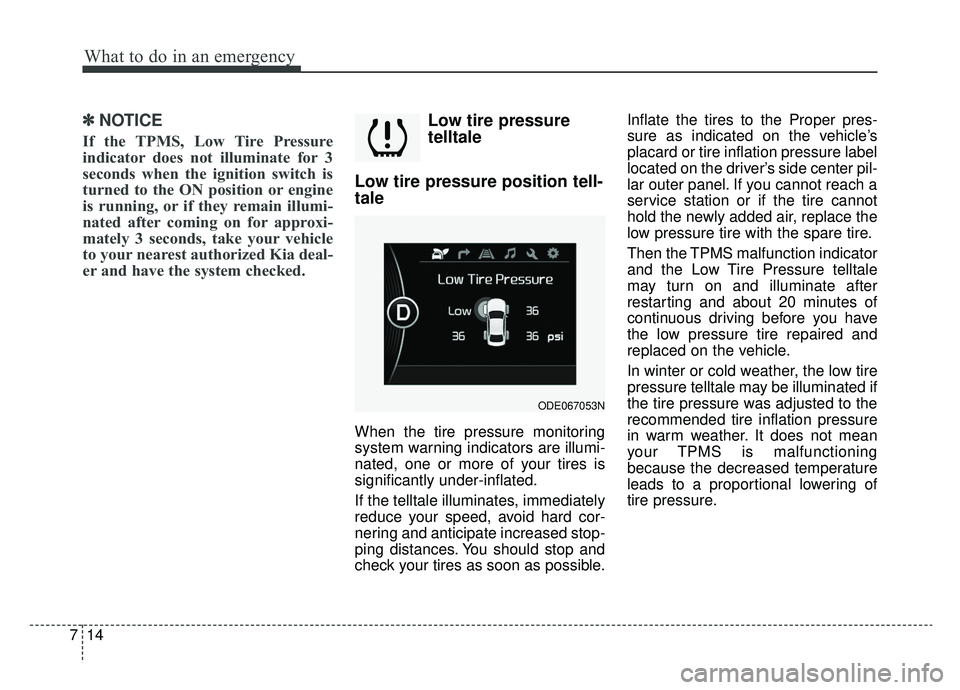
Low tire pressure position tell-
tale
When the tire pressure monitoring
system warning indicators are illumi-
nated, one or more of your tires is
significantly under-inflated.
If the telltale illuminates, immediately
reduce your speed, avoid hard cor-
nering and anticipate increased stop-
ping distances. You should stop and
check your tires as soon as possible. Inflate the tires to the Proper pres-
sure as indicated on the vehicle’s
placard or tire inflation pressure label
located on the driver’s side center pil-
lar outer panel. If you cannot reach a
service station or if the tire cannot
hold the newly added air, replace the
low pressure tire with the spare tire.
Then the TPMS malfunction indicator
and the Low Tire Pressure telltale
may turn on and illuminate after
restarting and about 20 minutes of
continuous driving before you have
the low pressure tire repaired and
replaced on the vehicle.
In winter or cold weather, the low tire
pressure telltale may be illuminated if
the tire pressure was adjusted to the
recommended tire inflation pressure
in warm weather. It does not mean
your TPMS is malfunctioning
because the decreased temperature
leads to a proportional lowering of
tire pressure.
ODE067053N
Page 462 of 611
What to do in an emergency
22
7
■for 18 inch tire
ODE067044■for 16 inch tireODE068044L
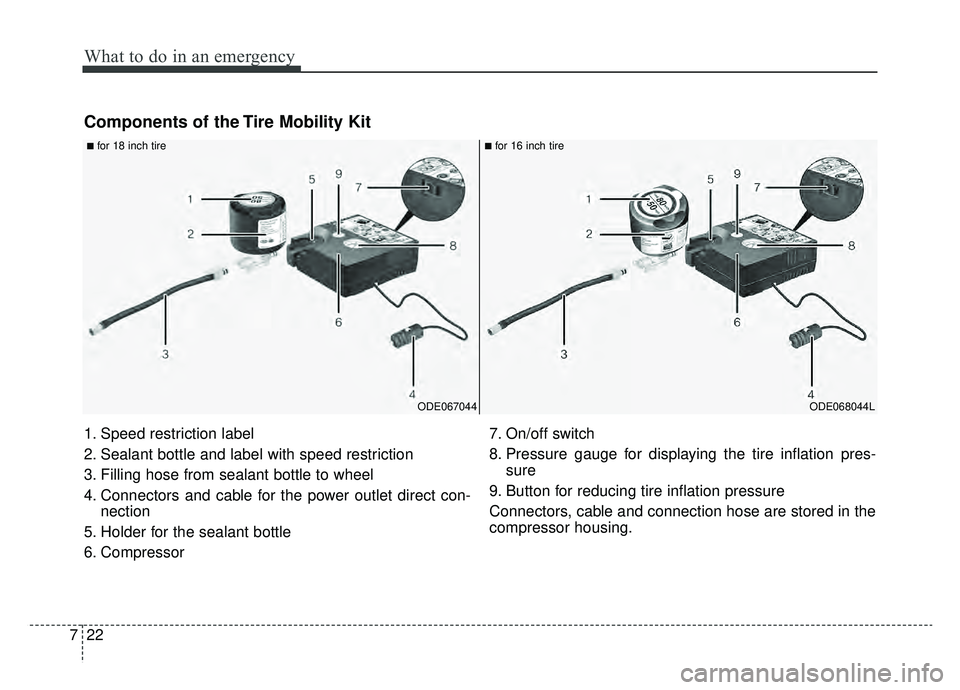
1. Speed restriction label
2. Sealant bottle and label with speed restriction
3. Filling hose from sealant bottle to wheel
4. Connectors and cable for the power outlet direct con-nection
5. Holder for the sealant bottle
6. Compressor 7. On/off switch
8. Pressure gauge for displaying the tire inflation pres-
sure
9. Button for reducing tire inflation pressure
Connectors, cable and connection hose are stored in the
compressor housing.
Components of the Tire Mobility Kit
Page 465 of 611
725
What to do in an emergency
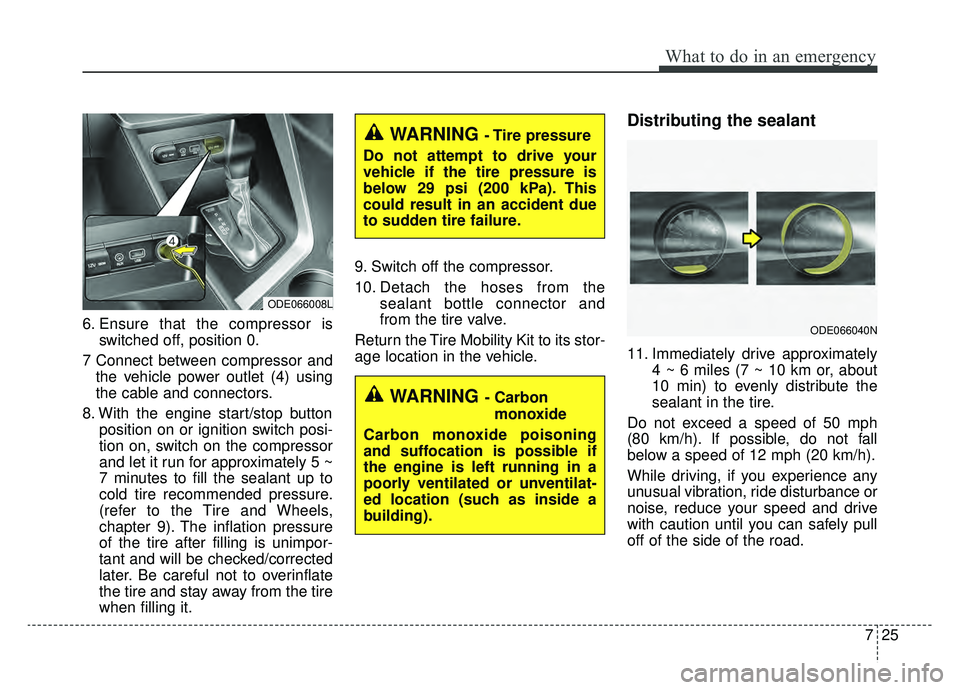
6. Ensure that the compressor isswitched off, position 0.
7 Connect between compressor and the vehicle power outlet (4) using
the cable and connectors.
8. With the engine start/stop button position on or ignition switch posi-
tion on, switch on the compressor
and let it run for approximately 5 ~
7 minutes to fill the sealant up to
cold tire recommended pressure.
(refer to the Tire and Wheels,
chapter 9). The inflation pressure
of the tire after filling is unimpor-
tant and will be checked/corrected
later. Be careful not to overinflate
the tire and stay away from the tire
when filling it. 9. Switch off the compressor.
10. Detach the hoses from the
sealant bottle connector and
from the tire valve.
Return the Tire Mobility Kit to its stor-
age location in the vehicle.
Distributing the sealant
11. Immediately drive approximately 4 ~ 6 miles (7 ~ 10 km or, about
10 min) to evenly distribute the
sealant in the tire.
Do not exceed a speed of 50 mph
(80 km/h). If possible, do not fall
below a speed of 12 mph (20 km/h).
While driving, if you experience any
unusual vibration, ride disturbance or
noise, reduce your speed and drive
with caution until you can safely pull
off of the side of the road.
ODE066008L
WARNING - Carbon monoxide
Carbon monoxide poisoning
and suffocation is possible if
the engine is left running in a
poorly ventilated or unventilat-
ed location (such as inside a
building).
ODE066040N
WARNING - Tire pressure
Do not attempt to drive your
vehicle if the tire pressure is
below 29 psi (200 kPa). This
could result in an accident due
to sudden tire failure.