switch KIA NIRO 2019 Owner's Manual
[x] Cancel search | Manufacturer: KIA, Model Year: 2019, Model line: NIRO, Model: KIA NIRO 2019Pages: 611, PDF Size: 15.28 MB
Page 150 of 611
415
Features of your vehicle
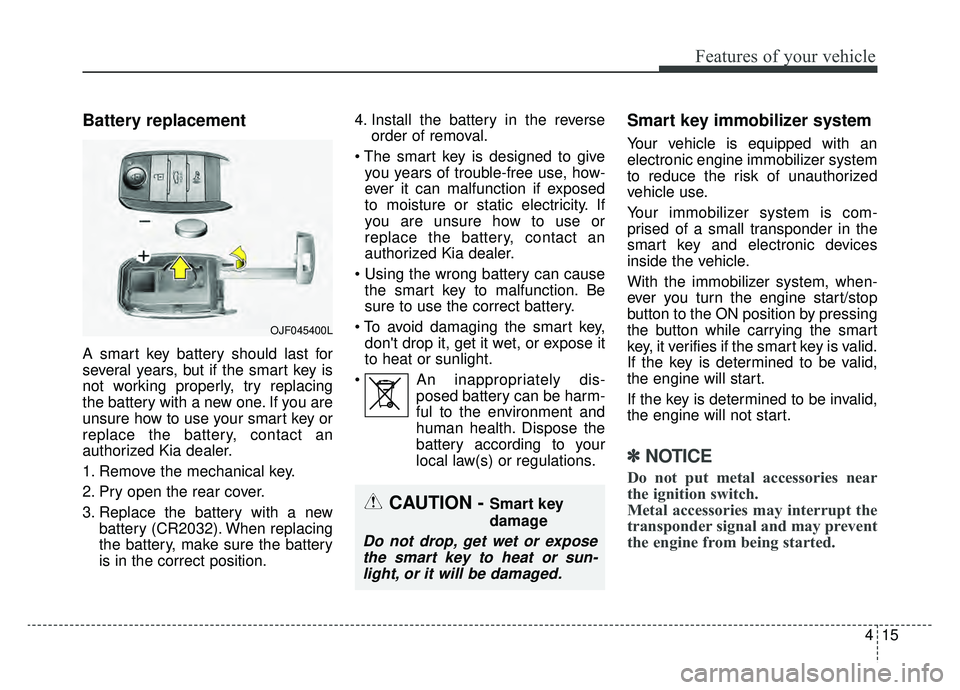
Battery replacement
A smart key battery should last for
several years, but if the smart key is
not working properly, try replacing
the battery with a new one. If you are
unsure how to use your smart key or
replace the battery, contact an
authorized Kia dealer.
1. Remove the mechanical key.
2. Pry open the rear cover.
3. Replace the battery with a newbattery (CR2032). When replacing
the battery, make sure the battery
is in the correct position. 4. Install the battery in the reverse
order of removal.
you years of trouble-free use, how-
ever it can malfunction if exposed
to moisture or static electricity. If
you are unsure how to use or
replace the battery, contact an
authorized Kia dealer.
the smart key to malfunction. Be
sure to use the correct battery.
don't drop it, get it wet, or expose it
to heat or sunlight.
An inappropriately dis- posed battery can be harm-
ful to the environment and
human health. Dispose the
battery according to your
local law(s) or regulations.
Smart key immobilizer system
Your vehicle is equipped with an
electronic engine immobilizer system
to reduce the risk of unauthorized
vehicle use.
Your immobilizer system is com-
prised of a small transponder in the
smart key and electronic devices
inside the vehicle.
With the immobilizer system, when-
ever you turn the engine start/stop
button to the ON position by pressing
the button while carrying the smart
key, it verifies if the smart key is valid.
If the key is determined to be valid,
the engine will start.
If the key is determined to be invalid,
the engine will not start.
✽ ✽NOTICE
Do not put metal accessories near
the ignition switch.
Metal accessories may interrupt the
transponder signal and may prevent
the engine from being started.
OJF045400L
CAUTION - Smart key
damage
Do not drop, get wet or expose
the smart key to heat or sun-light, or it will be damaged.
Page 155 of 611
Features of your vehicle
20
4
DOOR LOCKS
Operating door locks from
outside the vehicle
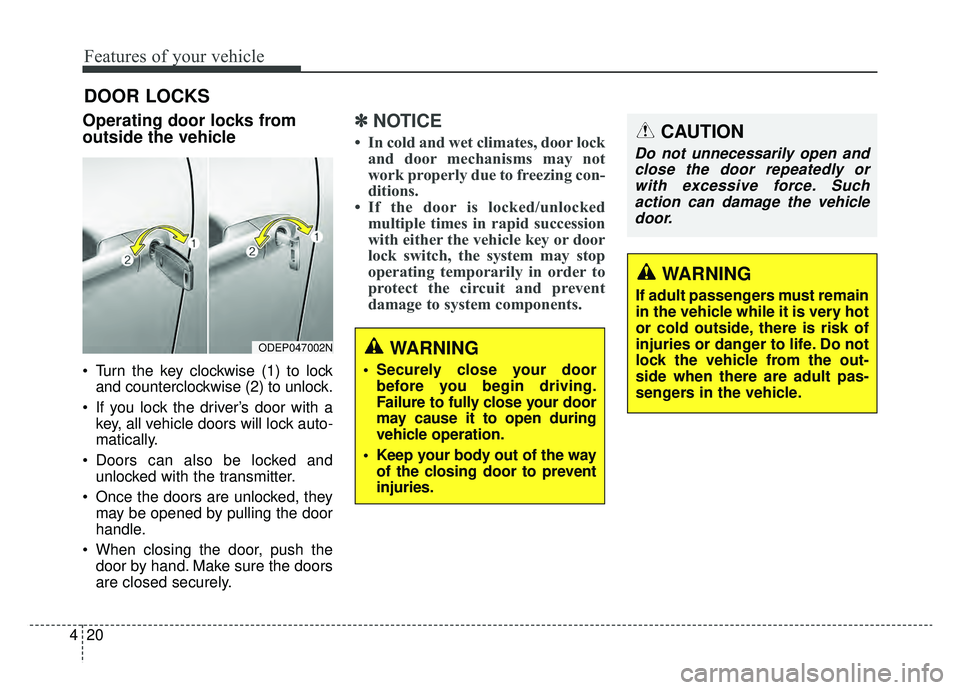
Turn the key clockwise (1) to lock
and counterclockwise (2) to unlock.
If you lock the driver’s door with a key, all vehicle doors will lock auto-
matically.
Doors can also be locked and unlocked with the transmitter.
Once the doors are unlocked, they may be opened by pulling the door
handle.
When closing the door, push the door by hand. Make sure the doors
are closed securely.
✽ ✽ NOTICE
• In cold and wet climates, door lock
and door mechanisms may not
work properly due to freezing con-
ditions.
• If the door is locked/unlocked multiple times in rapid succession
with either the vehicle key or door
lock switch, the system may stop
operating temporarily in order to
protect the circuit and prevent
damage to system components.
ODEP047002NWARNING
• Securely close your door
before you begin driving.
Failure to fully close your door
may cause it to open during
vehicle operation.
Keep your body out of the way of the closing door to prevent
injuries.
CAUTION
Do not unnecessarily open andclose the door repeatedly orwith excessive force. Suchaction can damage the vehicledoor.
WARNING
If adult passengers must remain
in the vehicle while it is very hot
or cold outside, there is risk of
injuries or danger to life. Do not
lock the vehicle from the out-
side when there are adult pas-
sengers in the vehicle.
Page 156 of 611
421
Features of your vehicle
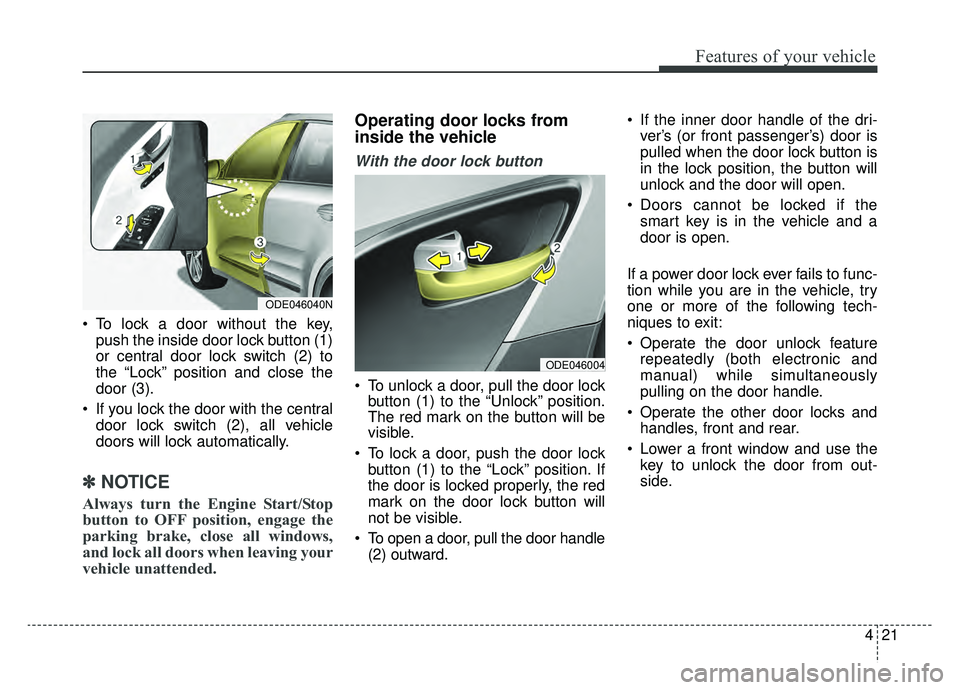
To lock a door without the key,push the inside door lock button (1)
or central door lock switch (2) to
the “Lock” position and close the
door (3).
If you lock the door with the central door lock switch (2), all vehicle
doors will lock automatically.
✽ ✽ NOTICE
Always turn the Engine Start/Stop
button to OFF position, engage the
parking brake, close all windows,
and lock all doors when leaving your
vehicle unattended.
Operating door locks from
inside the vehicle
With the door lock button
To unlock a door, pull the door lock
button (1) to the “Unlock” position.
The red mark on the button will be
visible.
To lock a door, push the door lock button (1) to the “Lock” position. If
the door is locked properly, the red
mark on the door lock button will
not be visible.
To open a door, pull the door handle (2) outward. If the inner door handle of the dri-
ver’s (or front passenger’s) door is
pulled when the door lock button is
in the lock position, the button will
unlock and the door will open.
Doors cannot be locked if the smart key is in the vehicle and a
door is open.
If a power door lock ever fails to func-
tion while you are in the vehicle, try
one or more of the following tech-
niques to exit:
Operate the door unlock feature repeatedly (both electronic and
manual) while simultaneously
pulling on the door handle.
Operate the other door locks and handles, front and rear.
Lower a front window and use the key to unlock the door from out-
side.
ODE046004
ODE046040N
Page 157 of 611
Features of your vehicle
22
4
With central door lock switch
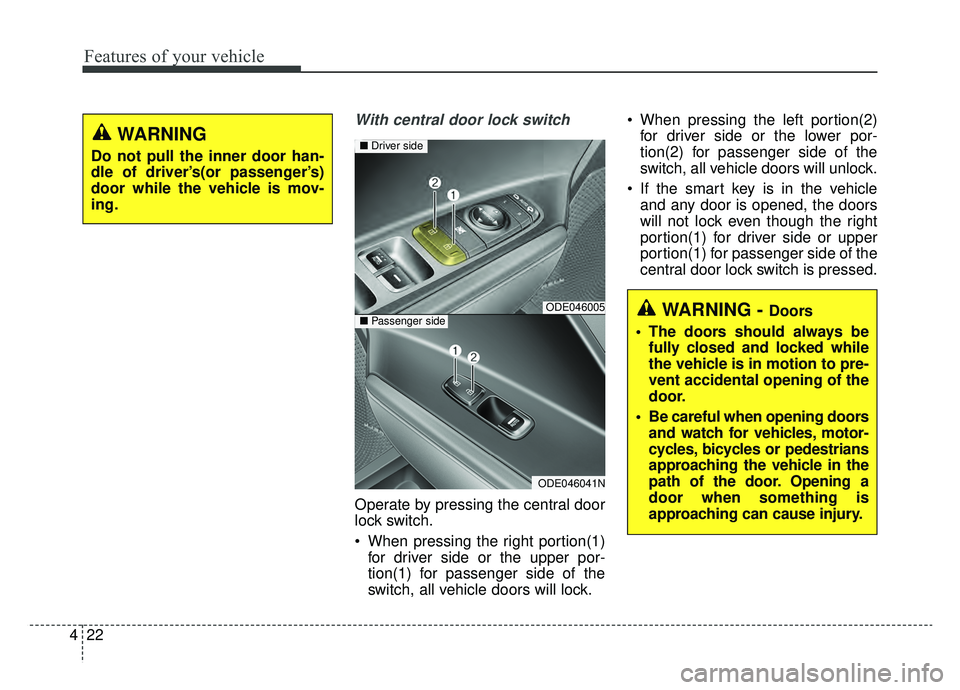
Operate by pressing the central door
lock switch.
When pressing the right portion(1)
for driver side or the upper por-
tion(1) for passenger side of the
switch, all vehicle doors will lock. When pressing the left portion(2)
for driver side or the lower por-
tion(2) for passenger side of the
switch, all vehicle doors will unlock.
If the smart key is in the vehicle and any door is opened, the doors
will not lock even though the right
portion(1) for driver side or upper
portion(1) for passenger side of the
central door lock switch is pressed.
WARNING - Doors
The doors should always be fully closed and locked while
the vehicle is in motion to pre-
vent accidental opening of the
door.
Be careful when opening doors and watch for vehicles, motor-
cycles, bicycles or pedestrians
approaching the vehicle in the
path of the door. Opening a
door when something is
approaching can cause injury.ODE046005
ODE046041N
■ Driver side
■Passenger side
WARNING
Do not pull the inner door han-
dle of driver’s(or passenger’s)
door while the vehicle is mov-
ing.
Page 160 of 611
425
Features of your vehicle
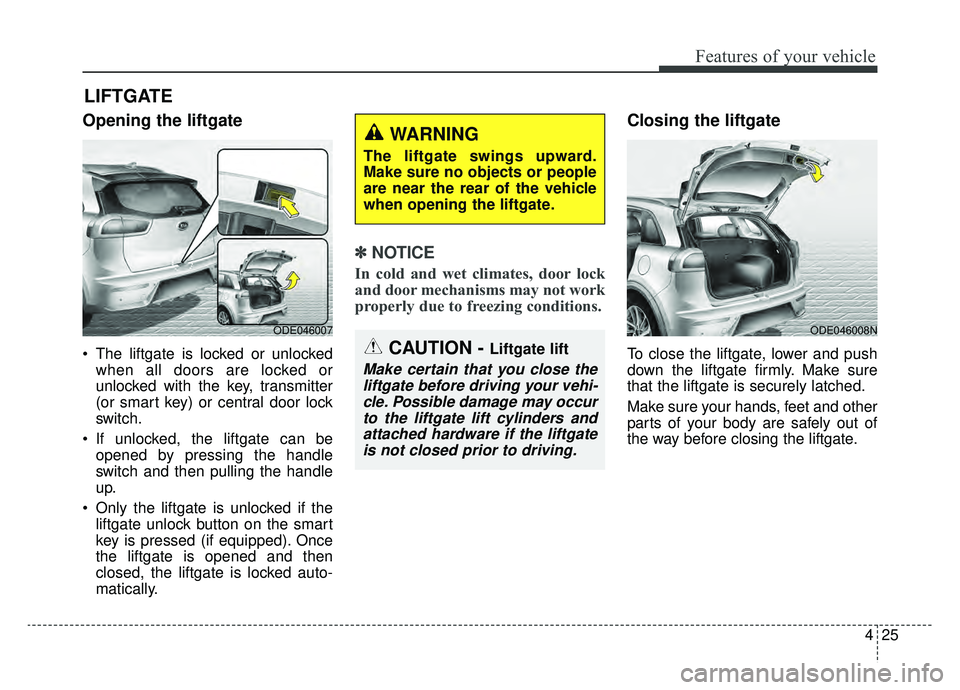
Opening the liftgate
The liftgate is locked or unlockedwhen all doors are locked or
unlocked with the key, transmitter
(or smart key) or central door lock
switch.
If unlocked, the liftgate can be opened by pressing the handle
switch and then pulling the handle
up.
Only the liftgate is unlocked if the liftgate unlock button on the smart
key is pressed (if equipped). Once
the liftgate is opened and then
closed, the liftgate is locked auto-
matically.
✽ ✽ NOTICE
In cold and wet climates, door lock
and door mechanisms may not work
properly due to freezing conditions.
Closing the liftgate
To close the liftgate, lower and push
down the liftgate firmly. Make sure
that the liftgate is securely latched.
Make sure your hands, feet and other
parts of your body are safely out of
the way before closing the liftgate.
LIFTGATE
ODE046007 ODE046008N
CAUTION - Liftgate lift
Make certain that you close the
liftgate before driving your vehi-cle. Possible damage may occurto the liftgate lift cylinders andattached hardware if the liftgateis not closed prior to driving.
WARNING
The liftgate swings upward.
Make sure no objects or people
are near the rear of the vehicle
when opening the liftgate.
Page 162 of 611
427
Features of your vehicle
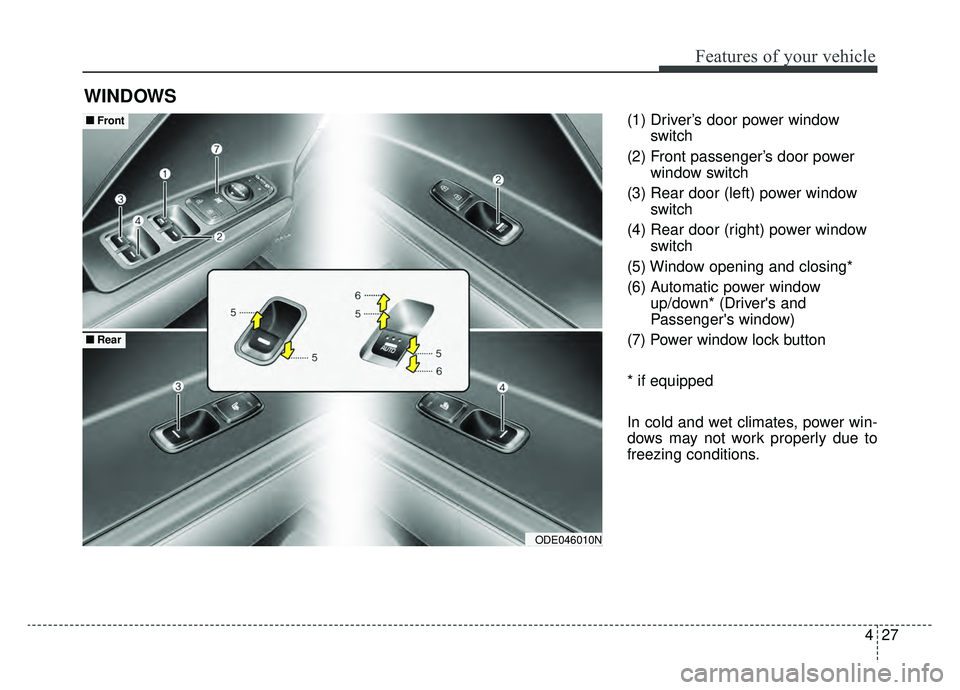
(1) Driver’s door power windowswitch
(2) Front passenger’s door power window switch
(3) Rear door (left) power window switch
(4) Rear door (right) power window switch
(5) Window opening and closing*
(6) Automatic power window up/down* (Driver's and
Passenger's window)
(7) Power window lock button
* if equipped
In cold and wet climates, power win-
dows may not work properly due to
freezing conditions.
WINDOWS
ODE046010N
■ ■ Front
■ ■Rear
Page 163 of 611
Features of your vehicle
28
4
Power windows
The ignition switch or Engine
Star/Stop button must be in the ON
position for power windows to oper-
ate.
Each door has a power window
switch that controls the door's win-
dow. The driver has a power window
lock button which can block the oper-
ation of rear passenger windows.
The power windows can be operated
for approximately 30 seconds after
the engine is turned off.
However, if the front doors are
opened, the power windows cannot
be operated even within the 30 sec-
ond period.
If the window cannot be closed
because it is blocked by objects,
remove the objects and close the
window.
✽ ✽
NOTICE
While driving with the rear windows
down or with the sunroof (if
equipped) in an open (or partially
open) position, your vehicle may
demonstrate a wind buffeting or
pulsation noise. This noise is a nor-
mal occurrence and can be reduced
or eliminated by taking the follow-
ing actions. If the noise occurs with
one or both of the rear windows
down, partially lower both front
windows approximately one inch. If
you experience the noise with the
sunroof open, slightly reduce the
size of the sunroof opening.
Window opening and closing
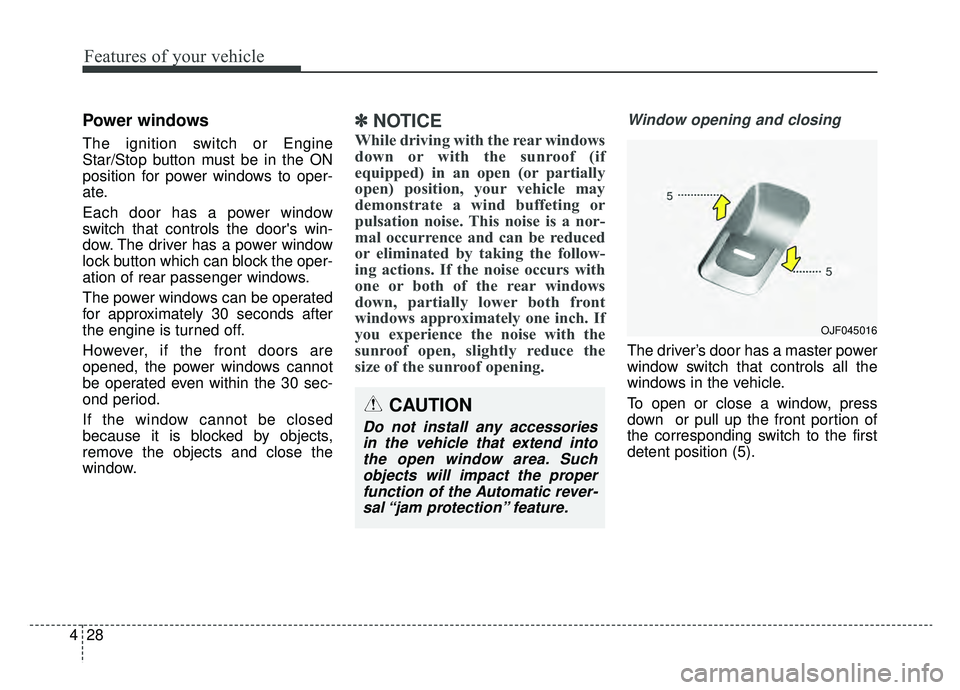
The driver’s door has a master power
window switch that controls all the
windows in the vehicle.
To open or close a window, press
down or pull up the front portion of
the corresponding switch to the first
detent position (5).
OJF045016
CAUTION
Do not install any accessories
in the vehicle that extend intothe open window area. Suchobjects will impact the properfunction of the Automatic rever-sal “jam protection” feature.
Page 164 of 611
429
Features of your vehicle
Auto up/down window (if equipped)
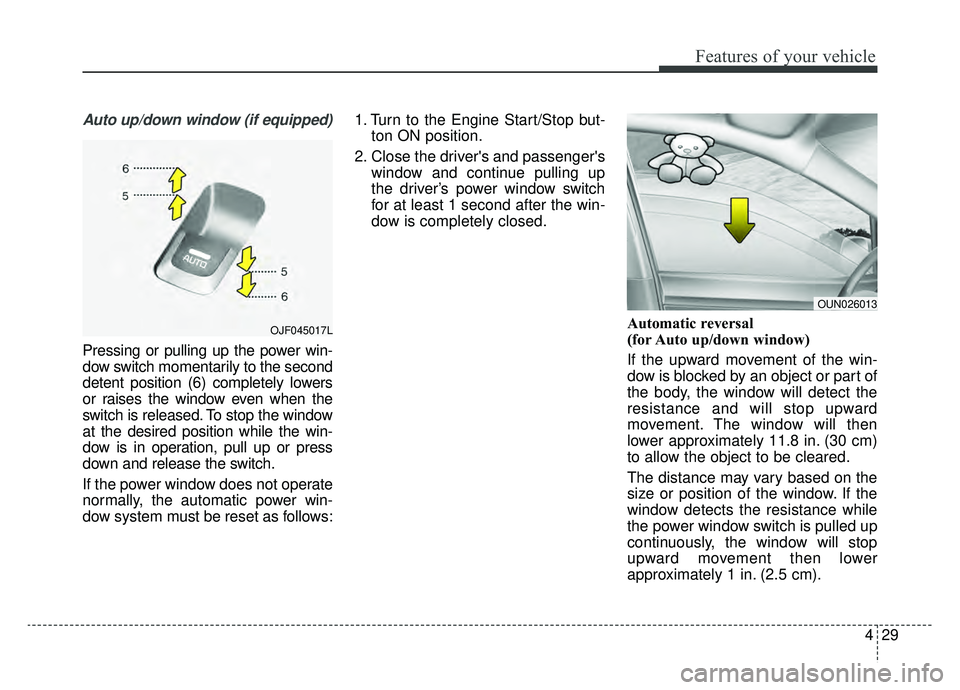
Pressing or pulling up the power win-
dow switch momentarily to the second
detent position (6) completely lowers
or raises the window even when the
switch is released. To stop the window
at the desired position while the win-
dow is in operation, pull up or press
down and release the switch.
If the power window does not operate
normally, the automatic power win-
dow system must be reset as follows:1. Turn to the Engine Start/Stop but-
ton ON position.
2. Close the driver's and passenger's window and continue pulling up
the driver’s power window switch
for at least 1 second after the win-
dow is completely closed.
Automatic reversal
(for Auto up/down window)
If the upward movement of the win-
dow is blocked by an object or part of
the body, the window will detect the
resistance and will stop upward
movement. The window will then
lower approximately 11.8 in. (30 cm)
to allow the object to be cleared.
The distance may vary based on the
size or position of the window. If the
window detects the resistance while
the power window switch is pulled up
continuously, the window will stop
upward movement then lower
approximately 1 in. (2.5 cm).
OUN026013
OJF045017L
Page 165 of 611
Features of your vehicle
30
4
If the power window switch is pulled
up continuously again within 5 sec-
onds after the window is lowered by
the automatic window reversal fea-
ture, the automatic window reversal
will not operate.
The automatic reverse feature for the
driver’s window is only active when
the “auto up” feature is used by fully
pulling up the switch. The automatic
reverse feature will not operate if the
window is raised using the halfway
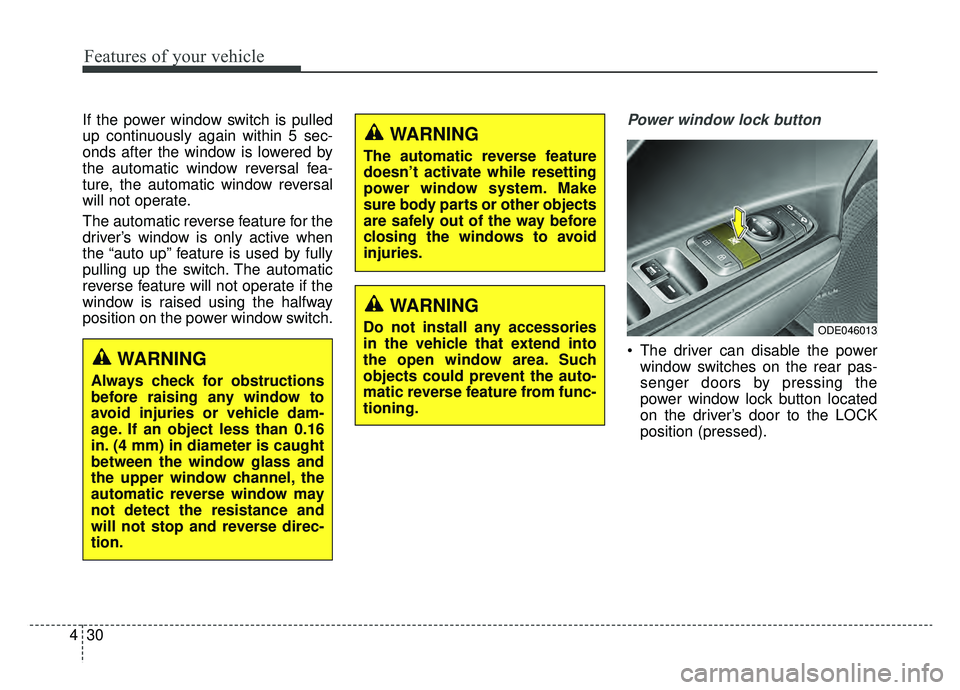
position on the power window switch.Power window lock button
The driver can disable the power
window switches on the rear pas-
senger doors by pressing the
power window lock button located
on the driver’s door to the LOCK
position (pressed).
ODE046013
WARNING
Always check for obstructions
before raising any window to
avoid injuries or vehicle dam-
age. If an object less than 0.16
in. (4 mm) in diameter is caught
between the window glass and
the upper window channel, the
automatic reverse window may
not detect the resistance and
will not stop and reverse direc-
tion.
WARNING
The automatic reverse feature
doesn’t activate while resetting
power window system. Make
sure body parts or other objects
are safely out of the way before
closing the windows to avoid
injuries.
WARNING
Do not install any accessories
in the vehicle that extend into
the open window area. Such
objects could prevent the auto-
matic reverse feature from func-
tioning.
Page 174 of 611
439
Features of your vehicle
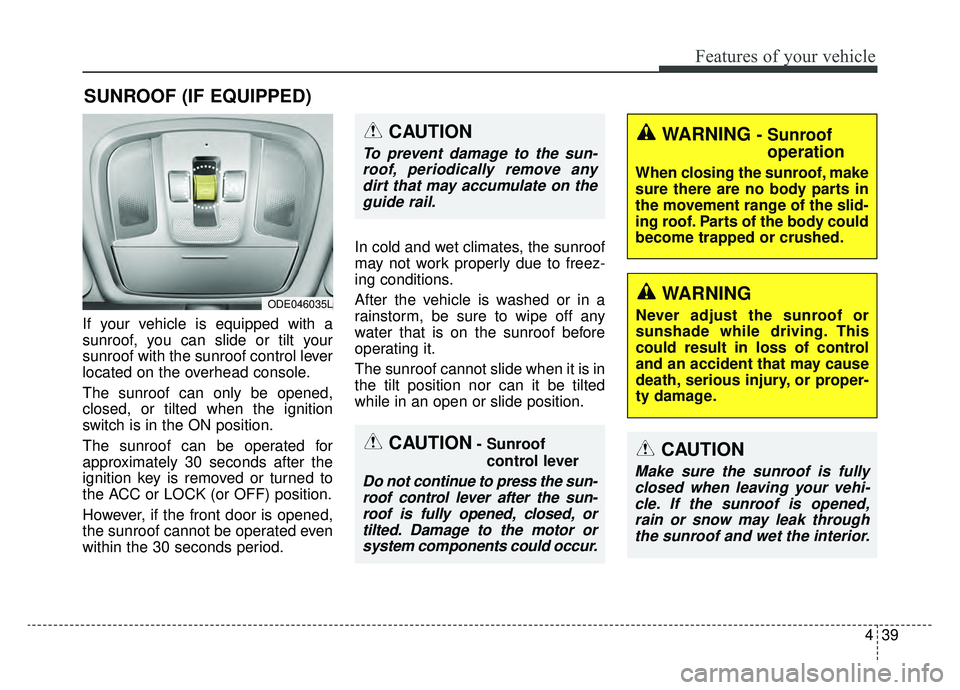
If your vehicle is equipped with a
sunroof, you can slide or tilt your
sunroof with the sunroof control lever
located on the overhead console.
The sunroof can only be opened,
closed, or tilted when the ignition
switch is in the ON position.
The sunroof can be operated for
approximately 30 seconds after the
ignition key is removed or turned to
the ACC or LOCK (or OFF) position.
However, if the front door is opened,
the sunroof cannot be operated even
within the 30 seconds period.In cold and wet climates, the sunroof
may not work properly due to freez-
ing conditions.
After the vehicle is washed or in a
rainstorm, be sure to wipe off any
water that is on the sunroof before
operating it.
The sunroof cannot slide when it is in
the tilt position nor can it be tilted
while in an open or slide position.
SUNROOF (IF EQUIPPED)
ODE046035L
CAUTION- Sunroof
control lever
Do not continue to press the sun-roof control lever after the sun-roof is fully opened, closed, ortilted. Damage to the motor orsystem components could occur.
CAUTION
Make sure the sunroof is fullyclosed when leaving your vehi-cle. If the sunroof is opened,rain or snow may leak throughthe sunroof and wet the interior.
WARNING - Sunroof operation
When closing the sunroof, make
sure there are no body parts in
the movement range of the slid-
ing roof. Parts of the body could
become trapped or crushed.
CAUTION
To prevent damage to the sun-
roof, periodically remove anydirt that may accumulate on theguide rail.
WARNING
Never adjust the sunroof or
sunshade while driving. This
could result in loss of control
and an accident that may cause
death, serious injury, or proper-
ty damage.