trailer KIA NIRO 2021 User Guide
[x] Cancel search | Manufacturer: KIA, Model Year: 2021, Model line: NIRO, Model: KIA NIRO 2021Pages: 710, PDF Size: 14.77 MB
Page 425 of 710

Driving your vehicle
102 5
Warning message
Blind-Spot Collision Warning (BCW)
system disabled. Radar blocked
This warning message may appear
when :
- One or both of the sensors on the
rear bumper is blocked by dirt or
snow or a foreign object.
- Driving in rural areas where the
sensor does not detect another
vehicle for an extended period of
time.
- When there is inclement weather
such as heavy snow or rain.If any of these conditions occur, the
light on the Blind-Spot Safety button
and the function will turn off automat-
ically.
Turn off BCW (if equipped) when a
trailer or carrier is installed.
- Press the Blind-Spot Safety button
(the indicator on the button extin-
guish) or “User Settings Driver
Assistance Blind-Spot Safety
Off ”.
- Deactivate RCCW by deselecting
“User Settings Driver Assistance
Blind-Spot Safety Rear Cross-
Traffic Safety”.
If you use BCW, remove a trailer or
carrier.
When BCW canceled warning mes-
sage is displayed in the cluster,
check to make sure that the rear
bumper is free from any dirt or snow
in the areas where the sensor is
located. Remove any dirt, snow, or
foreign material that could interfere
with the radar sensors.
(Continued)
Have the vehicle inspected by
an authorized Kia dealer.
Do not apply foreign objects
such as a bumper sticker or a
bumper guard near the radar
sensor or apply paint to the
sensor area. Doing so may
adversely affect the perform-
ance of the sensor.
NEVER install any acces-
sories or stickers on the front
windshield, nor tint the front
windshield.
Pay extreme caution to keep
the camera sensor out of water.
NEVER locate any reflective
objects (i.e. white paper, mir-
ror) over the crash pad. Any
light reflection may cause a
malfunction of the function.
OJF058433L
Page 426 of 710

5103
Driving your vehicle
After any dirt or debris is removed,
BCW should operate normally after
about 10 minutes of driving the vehi-
cle.
If the function still does not operate
normally, have your vehicle inspect-
ed by an authorized Kia dealer.
Check Blind-Spot Collision Warning
system
If there is a problem with BCW, a
warning message will appear and the
light on the switch will turn off. The
function will turn off automatically. We
recommend that you have your vehi-
cle inspected by an authorized Kia
dealer.Limitations of the function
The driver must be cautious in the
below situations, because the func-
tion may not detect other vehicles or
objects in certain circumstances.
When a trailer or carrier is installed.
The vehicle drives in inclement
weather such as heavy rain or
snow.
The sensor is polluted with rain,
snow, mud, etc.
The rear bumper where the sensor
is located is covered with a foreign
object such as a bumper sticker, a
bumper guard, a bike rack, etc.
The rear bumper is damaged, or
the sensor is out of the original
default position.
The vehicle height gets lower or
higher due to heavy loading in a
liftgate, abnormal tire pressure,
etc.
When the temperature of the rear
bumper is high.
When the sensors are blocked by
other vehicles, walls or parking-lot
pillars.
OJF058435L
Page 427 of 710

Driving your vehicle
104 5
The vehicle drives on a curved road.
The vehicle drives through a tollgate.
The road pavement (or the periph-
eral ground) abnormally contains
metallic components (i.e. possibly
due to subway construction).
There is a fixed object near the
vehicle, such as a guardrail.
While going down or up a steep
road where the height of the lane is
different.
Driving on a narrow road where
trees or grass or overgrown.
Driving in rural areas where the
sensor does not detect another
vehicle or structure for an extended
period of time.
Driving on a wet road.
Driving on a road where the guardrail
or wall is in double structure.
A big vehicle is near such as a bus
or truck.
When the other vehicle approach-
es very close.
When the other vehicle passes at a
very fast speed. While changing lanes.
If the vehicle has started at the
same time as the vehicle next to
you and has accelerated.
When the vehicle in the next lane
moves two lanes away from you
OR when the vehicle two lanes
away moves to the next lane from
you.
A motorcycle or bicycle is near.
A flat trailer is near.
If there are small objects in the
detecting area such as a shopping
cart or a baby stroller.
If there is a low height vehicle such
as a sports car.
The brake pedal is depressed.
ESC (Electronic Stability Control)
is activated.
ESC (Electronic Stability Control)
malfunctions.
The tire pressure is low or a tire is
damaged.
The brake is reworked. The vehicle abruptly changes driv-
ing direction.
The vehicle makes sharp lane
changes.
The vehicle sharply stops.
Temperature is extremely low
around the vehicle.
The vehicle severely vibrates while
driving over a bumpy road,
uneven/bumpy road, or concrete
patch.
The vehicle drives on a slippery
surface due to snow, water puddle,
or ice.
Lane Departure Warning or Lane
Keeping Assist do not operate nor-
mally.
For more information refer to “Lane
Keeping Assist (LKA)” in this chap-
ter.
Page 460 of 710
5137
Driving your vehicle
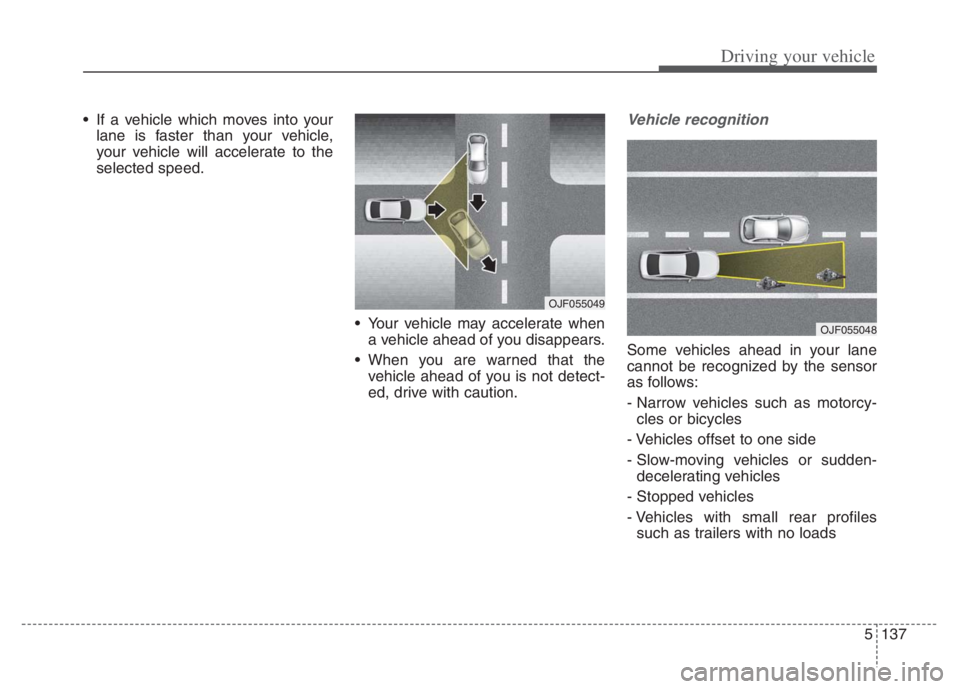
If a vehicle which moves into your
lane is faster than your vehicle,
your vehicle will accelerate to the
selected speed.
Your vehicle may accelerate when
a vehicle ahead of you disappears.
When you are warned that the
vehicle ahead of you is not detect-
ed, drive with caution.Vehicle recognition
Some vehicles ahead in your lane
cannot be recognized by the sensor
as follows:
- Narrow vehicles such as motorcy-
cles or bicycles
- Vehicles offset to one side
- Slow-moving vehicles or sudden-
decelerating vehicles
- Stopped vehicles
- Vehicles with small rear profiles
such as trailers with no loads
OJF055049
OJF055048
Page 462 of 710
5139
Driving your vehicle
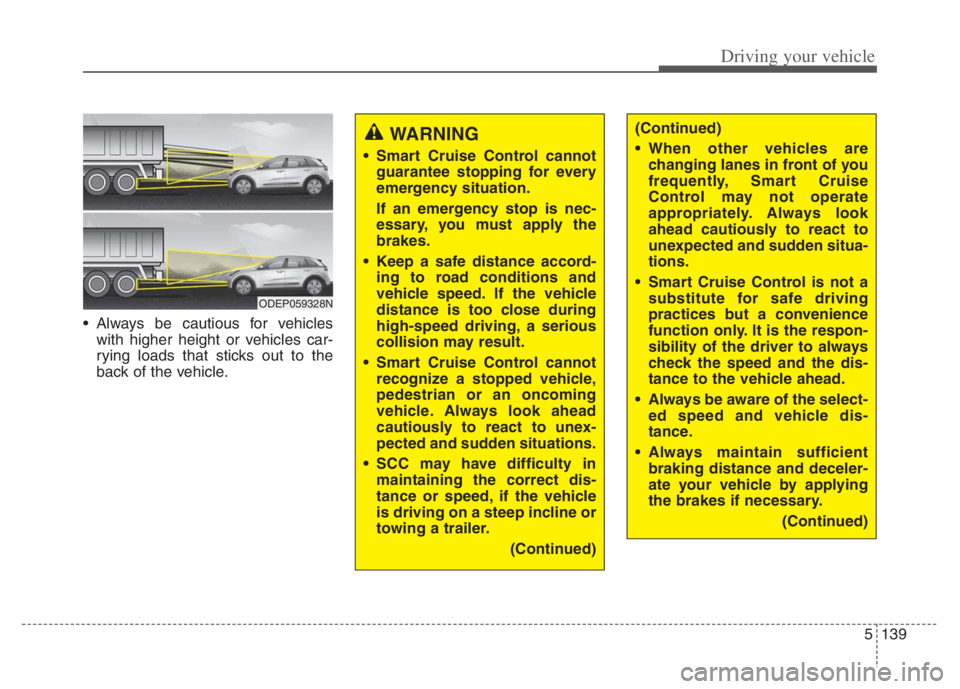
Always be cautious for vehicles
with higher height or vehicles car-
rying loads that sticks out to the
back of the vehicle.
WARNING
Smart Cruise Control cannot
guarantee stopping for every
emergency situation.
If an emergency stop is nec-
essary, you must apply the
brakes.
Keep a safe distance accord-
ing to road conditions and
vehicle speed. If the vehicle
distance is too close during
high-speed driving, a serious
collision may result.
Smart Cruise Control cannot
recognize a stopped vehicle,
pedestrian or an oncoming
vehicle. Always look ahead
cautiously to react to unex-
pected and sudden situations.
SCC may have difficulty in
maintaining the correct dis-
tance or speed, if the vehicle
is driving on a steep incline or
towing a trailer.
(Continued)
ODEP059328N
(Continued)
When other vehicles are
changing lanes in front of you
frequently, Smart Cruise
Control may not operate
appropriately. Always look
ahead cautiously to react to
unexpected and sudden situa-
tions.
Smart Cruise Control is not a
substitute for safe driving
practices but a convenience
function only. It is the respon-
sibility of the driver to always
check the speed and the dis-
tance to the vehicle ahead.
Always be aware of the select-
ed speed and vehicle dis-
tance.
Always maintain sufficient
braking distance and deceler-
ate your vehicle by applying
the brakes if necessary.
(Continued)
Page 470 of 710
5147
Driving your vehicle
After you pass through a tollgate
on a highway, Navigation-based
Smart Cruise Control operates
based on the first lane. If you enter
one of the other lanes, the function
might not properly decelerate.
The vehicle will accelerate if the
driver depresses the accelerate
pedal while Navigation-based
Smart Cruise Control is operating,
and function will not decelerate the
vehicle. If not depressing the accel-
erator pedal sufficiently, the vehicle
speed may decrease.
If the driver accelerates and
releases the accelerator pedal
while the Navigation-based Smart
Cruise Control is operating, the
vehicle may not decelerate suffi-
ciently or may rapidly decelerate to
a safe speed.
If the curve is too large or too
small, Navigation-based Smart
Cruise Control may not operate.✽ ✽
NOTICE
• When the function is activated, the
vehicle decelerates automatically
before reaching the curved road
according to its curvature, and the
driving speed returns to the speed
set by Smart Cruise Control after
passing the curved section.
• The speed information on the clus-
ter and navigation may differ
• The time gap could occur between
the navigation's guidance and
when Navigation-based Smart
Cruise Control operation starts
and ends.
• Even if you are driving at a speed
lower than Smart Cruise Control
set speed, acceleration may be lim-
ited by the speeding cameras and
curve sections ahead.
• If Navigation-based Smart Cruise
Control is operating while leaving
the main road to enter an inter-
change, junction, rest area, etc.,
the function may operate for a cer-
tain period of time.
(Continued)(Continued)
Navigation-based Smart
Cruise Control may not oper-
ate due to the existence of
leading vehicles and the driv-
ing conditions of the vehicle.
Always pay attention to road
and driving conditions while
driving.
When you are towing a trailer
or another vehicle, we recom-
mend that Navigation-based
Smart Cruise Control is
turned off due to safety rea-
sons.
Page 476 of 710
5153
Driving your vehicle
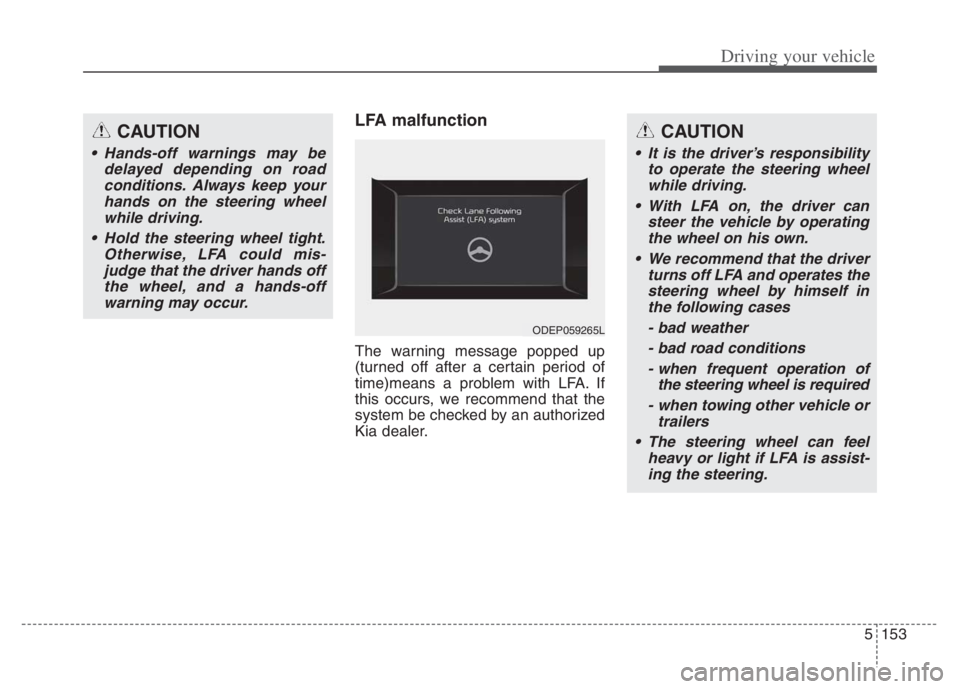
LFA malfunction
The warning message popped up
(turned off after a certain period of
time)means a problem with LFA. If
this occurs, we recommend that the
system be checked by an authorized
Kia dealer.
CAUTION
Hands-off warnings may be
delayed depending on road
conditions. Always keep your
hands on the steering wheel
while driving.
Hold the steering wheel tight.
Otherwise, LFA could mis-
judge that the driver hands off
the wheel, and a hands-off
warning may occur.
CAUTION
It is the driver’s responsibility
to operate the steering wheel
while driving.
With LFA on, the driver can
steer the vehicle by operating
the wheel on his own.
We recommend that the driver
turns off LFA and operates the
steering wheel by himself in
the following cases
- bad weather
- bad road conditions
- when frequent operation of
the steering wheel is required
- when towing other vehicle or
trailers
The steering wheel can feel
heavy or light if LFA is assist-
ing the steering.
ODEP059265L
Page 485 of 710
Driving your vehicle
162 5
* Refer to “Smart Cruise Control
(SCC)” in this chapter. for cautions
and warnings about vehicle dis-
tance control and front radar.
* Refer to “Lane Following Assist
(LFA) “ in this chapter. for cautions
and warnings about steering con-
trol and front view camera.CAUTION
Highway Driving Assist may not
function properly in the follow-
ing situations:
The navigation is not working
properly.
The navigation is not updated.
The real-time GPS or map
information provided has
errors.
The navigation is overloaded
by performing functions such
as route search, video play-
back, voice recognition, etc.
are performing simultaneously.
The navigation is recalculat-
ing the route while driving.
GPS signals are blocked in
areas such as a tunnel.
The driver goes off course or
the route to the destination is
changed or canceled by reset-
ting the navigation.
The vehicle enters a service
station or rest area
(Continued)
(Continued)
The speed limit of selected
highway section is changed
due to road conditions.
Android Auto or Car Play is
operating.
The navigation cannot detect
the current vehicle position
(ex: elevated roads including
overpass adjacent to general
roads or nearby roads exist in
a parallel way).
The navigation is being updat-
ed while driving.
The navigation is being reset
while driving.
The road is slippery due to
bad weather such as rain or
snow.
If your vehicle tows a trailer or
another vehicle, you should
release Highway Driving
Assist system. Operating the
brake system or steering sys-
tem while towing may
adversely affect the safety.
Page 491 of 710
Driving your vehicle
168 5
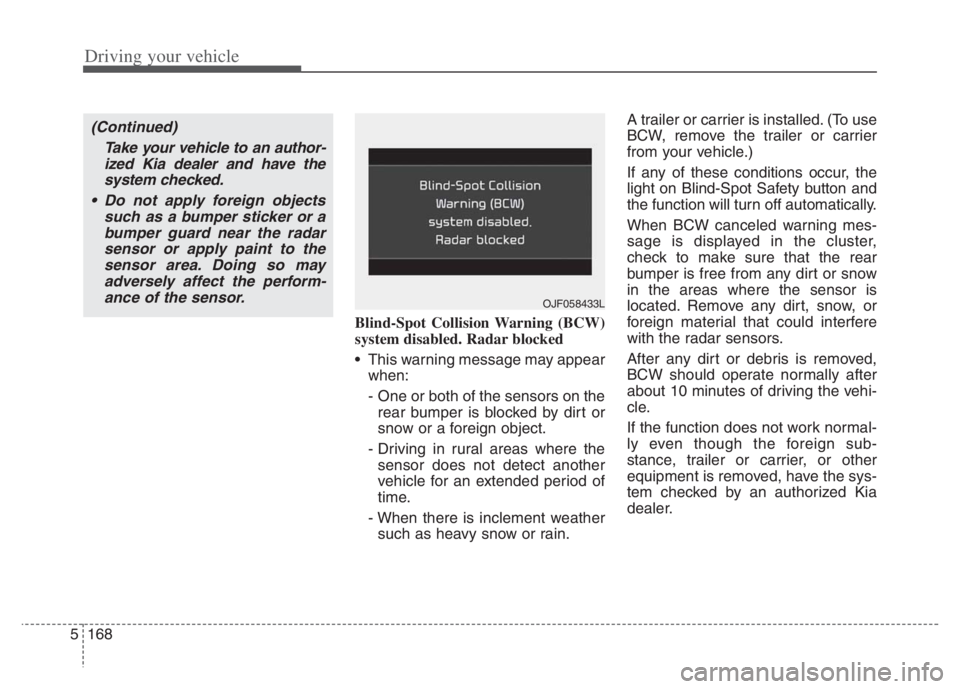
Blind-Spot Collision Warning (BCW)
system disabled. Radar blocked
This warning message may appear
when:
- One or both of the sensors on the
rear bumper is blocked by dirt or
snow or a foreign object.
- Driving in rural areas where the
sensor does not detect another
vehicle for an extended period of
time.
- When there is inclement weather
such as heavy snow or rain.A trailer or carrier is installed. (To use
BCW, remove the trailer or carrier
from your vehicle.)
If any of these conditions occur, the
light on Blind-Spot Safety button and
the function will turn off automatically.
When BCW canceled warning mes-
sage is displayed in the cluster,
check to make sure that the rear
bumper is free from any dirt or snow
in the areas where the sensor is
located. Remove any dirt, snow, or
foreign material that could interfere
with the radar sensors.
After any dirt or debris is removed,
BCW should operate normally after
about 10 minutes of driving the vehi-
cle.
If the function does not work normal-
ly even though the foreign sub-
stance, trailer or carrier, or other
equipment is removed, have the sys-
tem checked by an authorized Kia
dealer.
OJF058433L
(Continued)
Take your vehicle to an author-
ized Kia dealer and have the
system checked.
Do not apply foreign objects
such as a bumper sticker or a
bumper guard near the radar
sensor or apply paint to the
sensor area. Doing so may
adversely affect the perform-
ance of the sensor.
Page 492 of 710
5169
Driving your vehicle
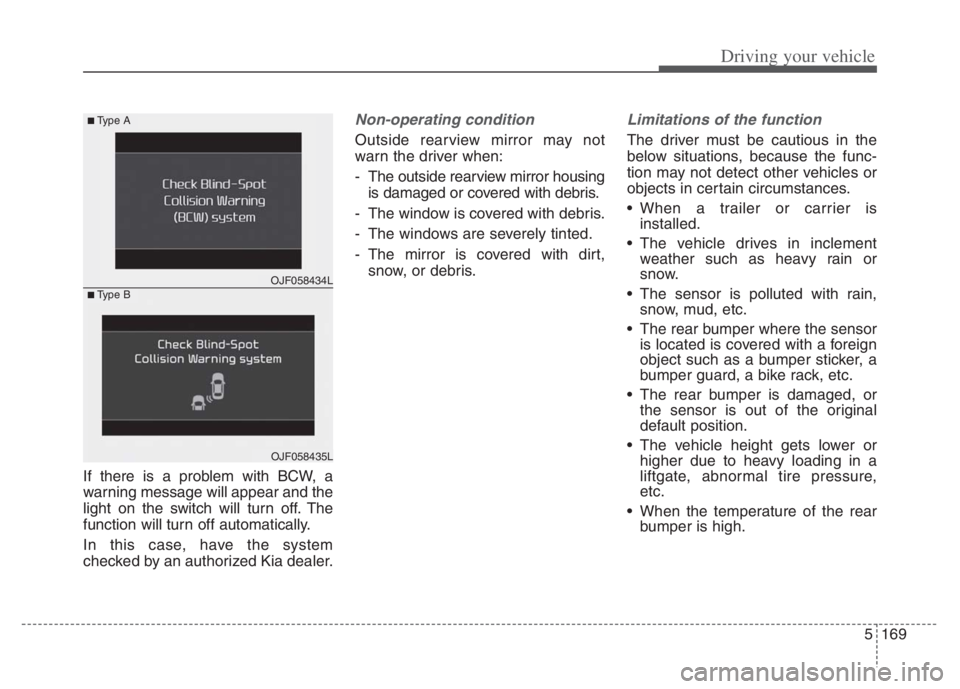
If there is a problem with BCW, a
warning message will appear and the
light on the switch will turn off. The
function will turn off automatically.
In this case, have the system
checked by an authorized Kia dealer.
Non-operating condition
Outside rearview mirror may not
warn the driver when:
- The outside rearview mirror housing
is damaged or covered with debris.
- The window is covered with debris.
- The windows are severely tinted.
- The mirror is covered with dirt,
snow, or debris.
Limitations of the function
The driver must be cautious in the
below situations, because the func-
tion may not detect other vehicles or
objects in certain circumstances.
When a trailer or carrier is
installed.
The vehicle drives in inclement
weather such as heavy rain or
snow.
The sensor is polluted with rain,
snow, mud, etc.
The rear bumper where the sensor
is located is covered with a foreign
object such as a bumper sticker, a
bumper guard, a bike rack, etc.
The rear bumper is damaged, or
the sensor is out of the original
default position.
The vehicle height gets lower or
higher due to heavy loading in a
liftgate, abnormal tire pressure,
etc.
When the temperature of the rear
bumper is high.
OJF058434L
■Type A
■Type B
OJF058435L