key KIA NIRO 2021 Owner's Guide
[x] Cancel search | Manufacturer: KIA, Model Year: 2021, Model line: NIRO, Model: KIA NIRO 2021Pages: 710, PDF Size: 14.77 MB
Page 169 of 710
429
Features of your vehicle
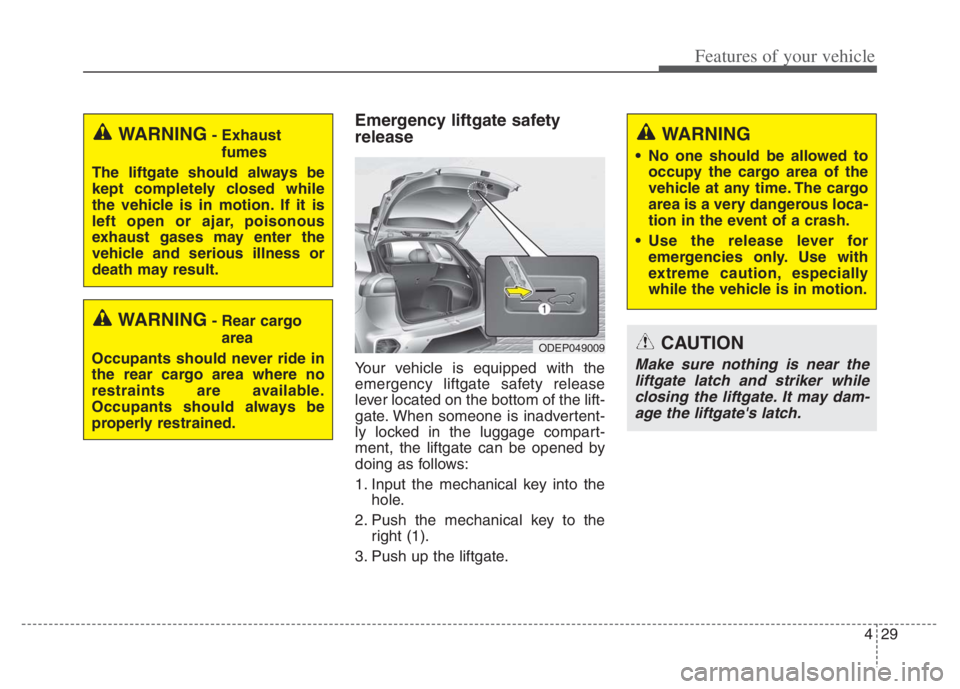
Emergency liftgate safety
release
Your vehicle is equipped with the
emergency liftgate safety release
lever located on the bottom of the lift-
gate. When someone is inadvertent-
ly locked in the luggage compart-
ment, the liftgate can be opened by
doing as follows:
1. Input the mechanical key into the
hole.
2. Push the mechanical key to the
right (1).
3. Push up the liftgate.
WARNING- Rear cargo
area
Occupants should never ride in
the rear cargo area where no
restraints are available.
Occupants should always be
properly restrained.
WARNING- Exhaust
fumes
The liftgate should always be
kept completely closed while
the vehicle is in motion. If it is
left open or ajar, poisonous
exhaust gases may enter the
vehicle and serious illness or
death may result.WARNING
No one should be allowed to
occupy the cargo area of the
vehicle at any time. The cargo
area is a very dangerous loca-
tion in the event of a crash.
Use the release lever for
emergencies only. Use with
extreme caution, especially
while the vehicle is in motion.
ODEP049009CAUTION
Make sure nothing is near the
liftgate latch and striker while
closing the liftgate. It may dam-
age the liftgate's latch.
Page 184 of 710
Features of your vehicle
44 4
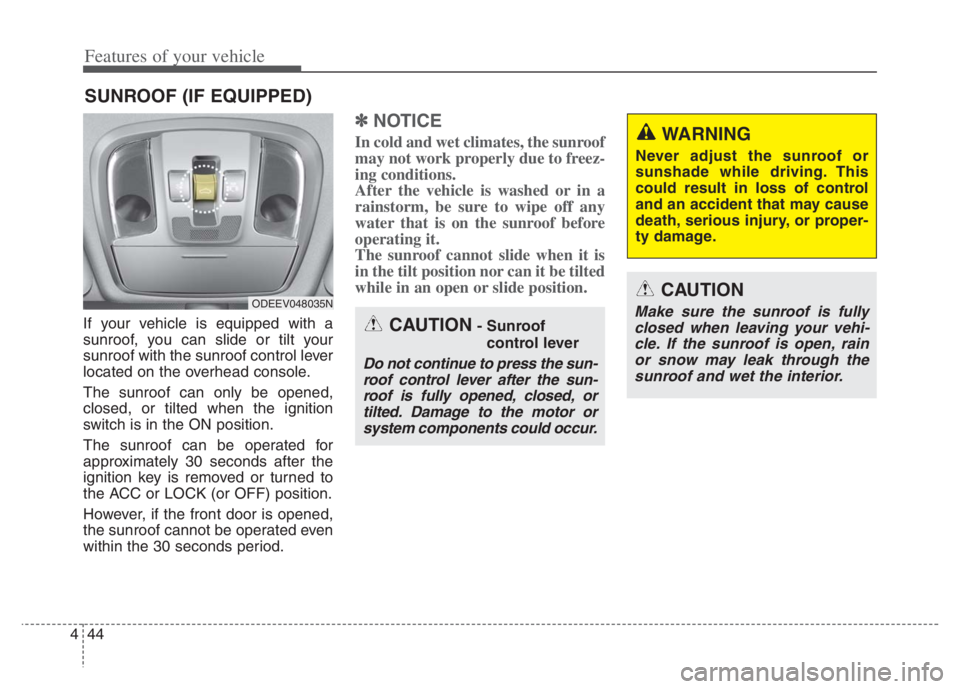
If your vehicle is equipped with a
sunroof, you can slide or tilt your
sunroof with the sunroof control lever
located on the overhead console.
The sunroof can only be opened,
closed, or tilted when the ignition
switch is in the ON position.
The sunroof can be operated for
approximately 30 seconds after the
ignition key is removed or turned to
the ACC or LOCK (or OFF) position.
However, if the front door is opened,
the sunroof cannot be operated even
within the 30 seconds period.
✽ ✽
NOTICE
In cold and wet climates, the sunroof
may not work properly due to freez-
ing conditions.
After the vehicle is washed or in a
rainstorm, be sure to wipe off any
water that is on the sunroof before
operating it.
The sunroof cannot slide when it is
in the tilt position nor can it be tilted
while in an open or slide position.
SUNROOF (IF EQUIPPED)
ODEEV048035N
CAUTION- Sunroof
control lever
Do not continue to press the sun-
roof control lever after the sun-
roof is fully opened, closed, or
tilted. Damage to the motor or
system components could occur.
CAUTION
Make sure the sunroof is fully
closed when leaving your vehi-
cle. If the sunroof is open, rain
or snow may leak through the
sunroof and wet the interior.
WARNING
Never adjust the sunroof or
sunshade while driving. This
could result in loss of control
and an accident that may cause
death, serious injury, or proper-
ty damage.
Page 188 of 710
Features of your vehicle
48 4
✽
✽
NOTICE
Do not release the lever until the
operation is completed.
If you release the lever during oper-
ation, try again from step 2.
6. Release the sunroof control lever
after all operation has completed.
(The sunroof system has been
reset.)
❈For more detailed information,
contact an authorized Kia dealer.
✽ ✽
NOTICE
If the sunroof is not reset when the
vehicle battery is disconnected or
discharged, or related fuse is blown,
the sunroof may operate improper-
ly.
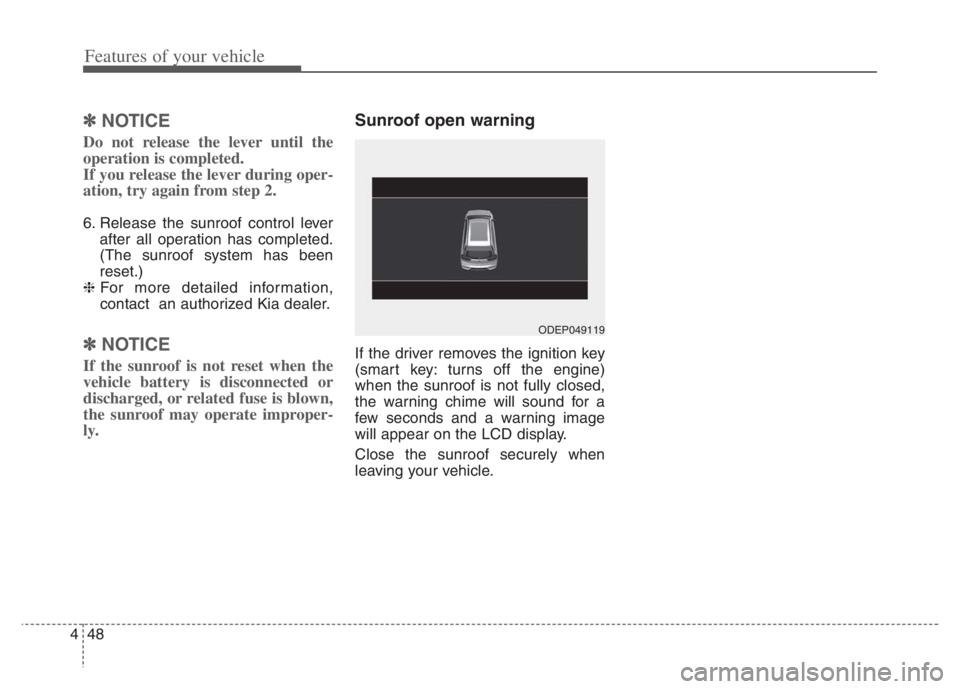
Sunroof open warning
If the driver removes the ignition key
(smart key: turns off the engine)
when the sunroof is not fully closed,
the warning chime will sound for a
few seconds and a warning image
will appear on the LCD display.
Close the sunroof securely when
leaving your vehicle.
ODEP049119
Page 205 of 710

465
Features of your vehicle
✽ ✽
NOTICE
The outside rearview mirrors will
automatically revert to their original
positions under the following condi-
tions:
1. ENGINE START/STOP button or
ignition switch is changed to the
ACC or OFF position.
2. Shift lever is moved to any posi-
tion except R.
3. Remote control outside rearview
mirror switch is placed in the
middle position.
Folding the outside rearview mirror
Electric type (if equipped)
The outside rearview mirror can be
folded or unfolded by pressing the
switch when the ENGINE
START/STOP button is in the ON posi-
tion as below.
Left : The mirror will unfold.
Right : The mirror will fold.Center (AUTO):
The mirror will fold or unfold automat-
ically as follows:
Without smart key system
- The mirror will fold or unfold when
the door is locked or unlocked by
the transmitter. (if equipped)
With smart key system
- The mirror will fold or unfold when
the door is locked or unlocked by
the smart key.
- The mirror will fold or unfold when
the door is locked or unlocked by
the button on the outside door
handle.
- The mirror will unfold when you
approach the vehicle (all doors
closed and locked) with a smart
key in possession. (if equipped)CAUTION
If outside rearview mirror is
positioned at the outermost
(left/right/bottom), the automat-
ic mirror control function may
not properly work while vehicle
move backward.
ODEP049030L
Page 224 of 710

Features of your vehicle
84 4
ItemsExplanation
Automatically Lock
Enable on shift: All doors will be automatically locked if the vehicle is shifted from the P (Park)
position to the R (Reverse), N (Neutral), or D (Drive) position.
Enable on speed: All doors will be automatically locked when the vehicle speed exceeds 9.3 mph
(15 km/h).
Automatically Unlock
On shift to P: All doors will be automatically unlocked if the gear is shifted to the P (Park) posi-
tion.
Vehicle off/On key out : All doors will be automatically unlocked when the ENGINE START/STOP
button is set to the OFF position or the ignition key is removed from the
ignition switch.
Off : The auto door unlock operation will be canceled.
Two Press Unlock
If this item is checked, the two press unlock will be activated.
Press the door unlock button once to unlock the driver's door, and press the button once more
within 4 seconds to unlock the rest of the doors.
Horn Feedback
(if equipped) If this item is checked, the horn feedback will be activated.
After locking the door by pressing the lock button on the transmitter, if you press the lock button
again within 4 seconds, the warning sound will operate once to indicate that all doors are locked.
2. Door
❈The information provided may differ depending on which functions are applicable to your vehicle.
Page 226 of 710

Features of your vehicle
86 4
ItemsExplanation
Seat Easy Access
Off : The seat easy access function will be deactivated.
Normal/Extended: When you turn off the engine, the driver's seat will automatically move rear-
ward short (Normal) or long (Extended) for you to enter or exit the vehicle more comfortably.
If you change the ignition key or ENGINE START/STOP button from OFF to ACC position, the
driver’s seat will return to the original position.
❈For more details, refer to “Driver Position Memory System” in chapter 3.
Welcome Mirror/Light If this item checked, the Welcome Mirror/Light will be activated.
Wireless Charging System If this item checked, the wireless charging system in the front seat will be activated.
Wiper/Lights Display If this item checked, the Wiper/Lights Display will be activated.
Auto Rear Wiper (in R) If this item checked, the Auto rear wiper will be activated.
Gear Position Pop-up If this item is checked, the Gear position pop-up display will be activated.
Coasting Guide Enable Coasting Guide : To activate or deactivate the Coasting guide.
Sound : To activate or deactivate the Coasting guide sound.
Start Coasting Choose the initial guiding time for Coasting guide. (Early/Normal/Late)
Icy road warning If this item is checked, the Icy road warning display will be activated.
Rear Occupant Alert If this item is checked, the Rear Occupant Alert (ROA) display will be activated.
5. Convenience (if equipped)
❈The information provided may differ depending on which functions are applicable to your vehicle.
Page 237 of 710

497
Features of your vehicle
Wiper mode
This indicator displays which wiper
speed is selected using the wiper
control.
You can activate or deactivate
Wiper/Lights Display function from
the User Settings mode in the cluster
LCD display.
Turn FUSE SWITCH on
• This warning message illuminatesif the fuse switch in the Inner fuse
panel is OFF.
It means that you should turn the fuse switch on.
❈ For more details, refer to “Fuses”
in chapter 7.
Engine has Overheated
This warning message illuminates
when the engine coolant tempera-
ture is above 248°F (120°C). This
means that the engine is overheated
and may be damaged.
If your vehicle is overheated, refer to
“Overheating” in chapter 6.
Shift to P (for smart key system)
This warning message illuminates
if you try to turn off the engine with-
out the shift lever in P (Park) posi-
tion.
At this time, the ENGINE START/STOP button turns to the
ACC position (If you press the
ENGINE START/STOP button once
more, it will turn to the ON position).
Low key battery
(for smart key system)
This warning message illuminates if the battery of the smart key is
discharged when the ENGINE
START/STOP button changes to
the OFF position.
ODEP049604N
ODEP049605N
■ Front
■Rear
Page 238 of 710

Features of your vehicle
98 4
Press START button while turning
wheel (for smart key system)
This warning message illuminates
if the steering wheel does not
unlock normally when the ENGINE
START/STOP button is pressed.
It means that you should press the
ENGINE START/STOP button
while turning the steering wheel
right and left.
Steering wheel not locked
(for smart key system)
This warning message illuminates
if the steering wheel does not lock
when the ENGINE START/STOP
button changes to the OFF posi-
tion.
Check Steering Wheel Lock
System (for smart key system)
This warning message illuminates
if the steering wheel does not lock
normally when the ENGINE
START/STOP button changes to
the OFF position.
Press brake pedal to start engine
(for smart key system)
This warning message illuminates
if the ENGINE START/STOP button
changes to the ACC position twice
by pressing the button repeatedly
without depressing the brake pedal.
It means that you should depress
the brake pedal to start the engine.
Key not in vehicle (for smart key
system)
This warning message illuminates
if the smart key is not in the vehicle
when you press the ENGINE
START/STOP button.
It means that you should always
have the smart key with you.
Key not detected (for smart key
system)
This warning message illuminates
if the smart key is not detected
when you press the ENGINE
START/STOP button.
Page 239 of 710

499
Features of your vehicle
Press START button again
(for smart key system)
This warning message illuminates
if you can not operate the ENGINE
START/STOP button when there is
a problem with the ENGINE
START/STOP button system.
It means that you could start the
engine by pressing the ENGINE
START/STOP button once more.
If the warning illuminates each
time you press the ENGINE
START/STOP button, have your
vehicle inspected by an authorized
Kia dealer.
Press START button with key (for
smart key system)
This warning message illuminates
if you press the ENGINE
START/STOP button while the
warning message “Key not detect-
ed” is illuminating.
At this time, the immobilizer indica-
tor light blinks.
Check BRAKE SWITH fuse
(for smart key system)
This warning message illuminates
if the brake switch fuse is discon-
nected.
It means that you should replace
the fuse with a new one. If that is
not possible, you can start the
engine by pressing the ENGINE
START/STOP button for 10 sec-
onds in the ACC position.
Shift to P or N to start engine
(for smart key system)
This warning message illuminates
if you try to start the engine with
the shift lever not in the P (Park) or
N (Neutral) position.
✽ ✽
NOTICE
You can start the engine with the
shift lever in the N (Neutral) posi-
tion. But, for your safety, we recom-
mend that you start the engine with
the shift lever in the P (Park) posi-
tion.
Low washer fluid
This warning message illuminates
on the service reminder mode if
the washer fluid level in the reser-
voir is nearly empty.
It means that you should refill the
washer fluid.
Low fuel
This warning message illuminates
if the fuel tank is nearly empty.
- When the low fuel level warning
light is illuminates.
Add fuel as soon as possible.
Page 256 of 710

Features of your vehicle
116 4
Electronic Stability
Control (ESC) OFF
Indicator Light
This indicator light illuminates:
Once you set the ignition switch or
ENGINE START/STOP button to
the ON position.
- It illuminates for approximately 3
seconds and then goes off.
When you deactivate the ESC sys-
tem by pressing the ESC OFF but-
ton.
❈For more details, refer to
“Electronic Stability Control (ESC)”
in chapter 5.
Immobilizer Indicator
Light (Without Smart Key)
This indicator light illuminates:
When the vehicle detects the
immobilizer in your key properly
while the ignition switch is ON.
- At this time, you can start the
engine.
- The indicator light goes off after
starting the engine.
This indicator light blinks:
When there is a malfunction with
the immobilizer system.
In this case, have your vehicle
inspected by an authorized Kia
dealer.
Immobilizer Indicator
Light (With Smart Key)
This indicator light illuminates for up
to 30 seconds:
When the vehicle detects the
smart key in the vehicle properly
while the ENGINE START/STOP
button is ACC or ON.
- At this time, you can start the
engine.
- The indicator light goes off after
starting the engine.
This indicator light blinks for a few
seconds:
When the smart key is not in the
vehicle.
- At this time, you can not start the
engine.