lights KIA NIRO 2021 Service Manual
[x] Cancel search | Manufacturer: KIA, Model Year: 2021, Model line: NIRO, Model: KIA NIRO 2021Pages: 710, PDF Size: 14.77 MB
Page 328 of 710

55
Driving your vehicle
Before entering vehicle
• Be sure that all windows, outside
mirror(s), and outside lights are
clean.
Check the condition of the tires.
Check under the vehicle for any
sign of leaks.
Be sure there are no obstacles
behind you if you intend to back up.
Necessary inspections
Fluid levels, such as engine oil,
engine coolant, brake fluid, and
washer fluid should be checked on a
regular basis, at the exact interval
depending on the fluid. Further
details are provided in chapter 7,
“Maintenance”.
Before starting
Close and lock all doors.
Position the seat so that all con-
trols are easily reached.
Buckle your seat belt.
Adjust the inside and outside
rearview mirrors.
Be sure that all lights work.
Check all gauges.
Check the operation of warning
lights when the ignition switch or
ENGINE START/STOP button is in
the ON position.
Release the parking brake and
make sure the brake warning light
goes out.
For safe operation, be sure you are
familiar with your vehicle and its
equipment.
BEFORE DRIVING
WARNING - Distracted
driving
Focus on the road while driving.
The driver's primary responsi-
bility is in the safe and legal
operation of the vehicle. Any
handled devices, other equip-
ment or vehicle systems that
distract the driver should not be
used during vehicle operation.
Page 331 of 710
Driving your vehicle
8 5
ON
The warning lights can be checked
before the engine is started. This is
the normal running position after the
engine is started.
Do not leave the ignition switch ON if
the engine is not running to prevent
battery discharge.START
Turn the ignition switch to the START
position to start the engine. The
engine will crank until you release
the key; then it returns to the ON
position. The brake warning light can
be checked in this position.
The anti-theft steering column lock (if
equipped) is not a substitute for the
parking brake. Before leaving the dri-
ver’s seat, always make sure the shift
lever is engaged in P (Park) for dual
clutch transmission, set the parking
brake fully and shut the engine off.
Unexpected and sudden vehicle
movement may occur if these pre-
cautions are not taken.
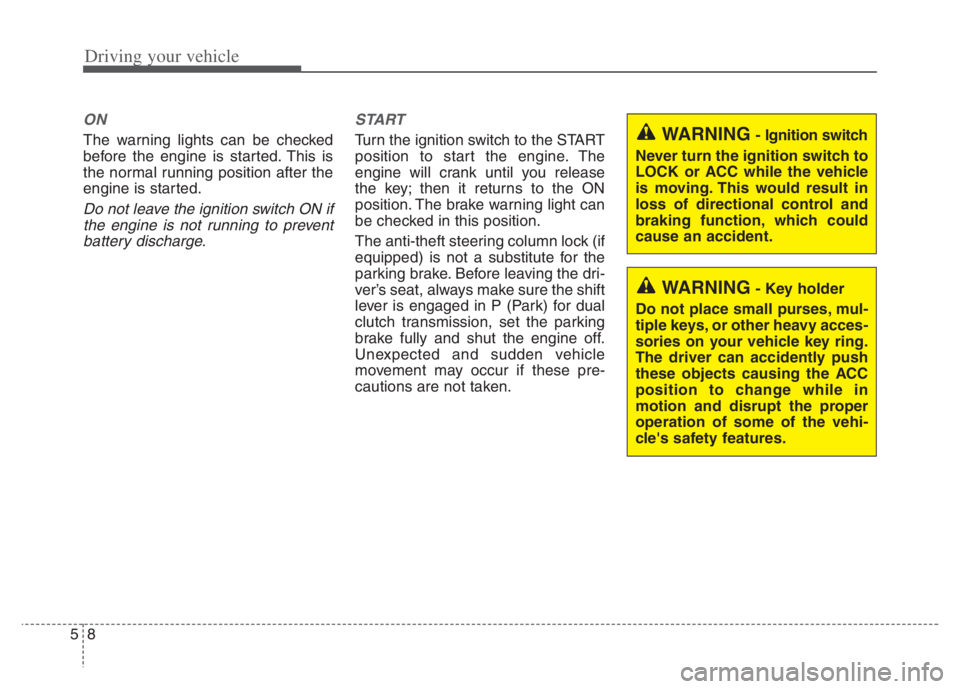
WARNING- Key holder
Do not place small purses, mul-
tiple keys, or other heavy acces-
sories on your vehicle key ring.
The driver can accidently push
these objects causing the ACC
position to change while in
motion and disrupt the proper
operation of some of the vehi-
cle's safety features.
WARNING- Ignition switch
Never turn the ignition switch to
LOCK or ACC while the vehicle
is moving. This would result in
loss of directional control and
braking function, which could
cause an accident.
Page 335 of 710

Driving your vehicle
12 5
ACC(Accessory)
Press the ENGINE START/STOP
button while it is in the OFF position
without depressing the brake pedal.
If the ENGINE START/STOP button
is in the ACC position for more than
1 hour, the button is turned off auto-
matically to prevent battery dis-
charge.
ON
Press the ENGINE START/STOP
button while it is in the ACC position
without depressing the brake pedal.
The warning lights can be checked
before the engine is started. Do not
leave the ENGINE START/STOP
button in the ON position for a long
time. The battery may discharge,
because the engine is not running.
START/RUN
To start the engine, depress the
brake pedal and press the ENGINE
START/ STOP button with the shift
lever in the P (Park) position. For
your safety, start the engine with the
shift lever in the P (Park) position.
If you press the ENGINE START/STOP
button without depressing the brake
pedal for dual clutch transmission vehi-
cles, the engine will not start and the
ENGINE START/STOP button
changes as follow:
OFF ➔ACC ➔ON ➔OFF or ACC
Not illuminated AmberRed
Page 366 of 710
543
Driving your vehicle
(Continued)
In these cases, the brake warning
light comes on, the AUTO HOLD
indicator changes from green to
white, and a warning sounds and a
message will appear to inform you
that EPB has been automatically
engaged. Before driving off again,
press foot brake pedal, check the
surrounding area near your vehi-
cle and release parking brake
manually with the EPB switch.
• If the AUTO HOLD indicator
lights up yellow, the Auto Hold is
not working properly. Take your
vehicle to an authorized Kia deal-
er and have the system checked.
• While operating Auto Hold, you
may hear mechanical noise.
However, it is normal operation
noise.Warning messages
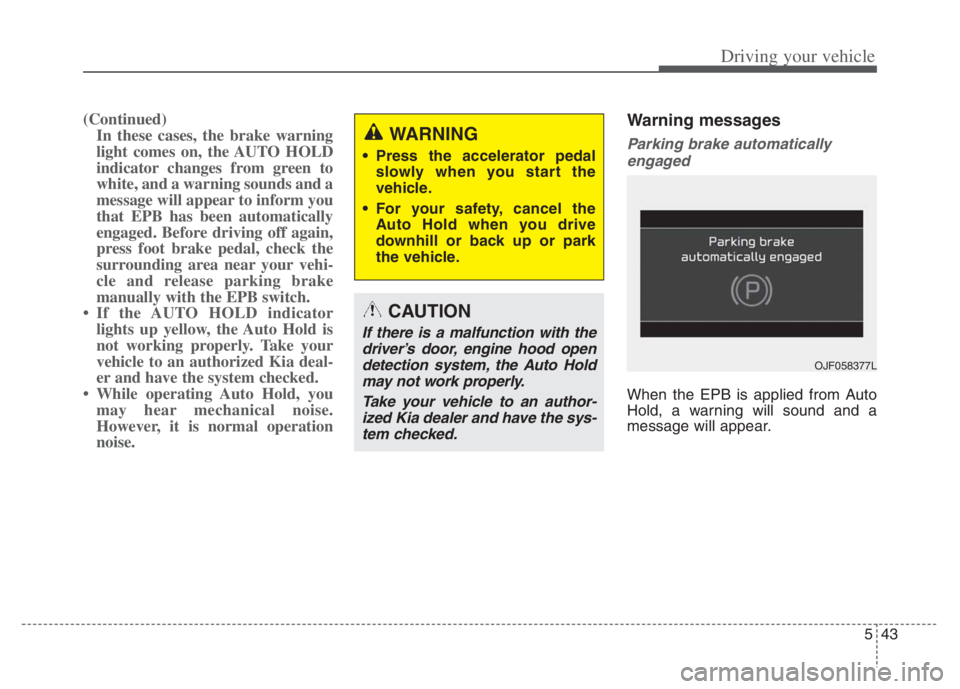
Parking brake automatically
engaged
When the EPB is applied from Auto
Hold, a warning will sound and a
message will appear.
WARNING
Press the accelerator pedal
slowly when you start the
vehicle.
For your safety, cancel the
Auto Hold when you drive
downhill or back up or park
the vehicle.
CAUTION
If there is a malfunction with the
driver’s door, engine hood open
detection system, the Auto Hold
may not work properly.
Take your vehicle to an author-
ized Kia dealer and have the sys-
tem checked.
OJF058377L
Page 371 of 710

Driving your vehicle
48 5
The Electronic Stability Control (ESC)
system is an electronic system
designed to help the driver maintain
vehicle control under adverse condi-
tions. It is not a substitute for safe driv-
ing practices. Factors including speed,
road conditions and driver steering
input can all affect whether ESC will be
effective in preventing a loss of control.
It is still your responsibility to drive and
corner at reasonable speeds and to
leave a sufficient margin of safety.
When you apply your brakes under
conditions which may lock the wheels,
you may hear a “tik-tik’’ sound from the
brakes, or feel a corresponding sensa-
tion in the brake pedal. This is normal
and it means your ESC is active.
✽ ✽
NOTICE
A click sound may be heard in the
engine compartment when the vehi-
cle begins to move after the engine is
started. These conditions are normal
and indicate that the Electronic
Stability Control System is function-
ing properly.
ESC operation
ESC ON condition
When the ignition switch or
the ENGINE START/STOP
button is turned ON, ESC
and ESC OFF indicator
lights illuminate for approxi-
mately 3 seconds, then
ESC is turned on.
ton for at least half a sec-
ond after turning the igni-
tion switch or the ENGINE
START/STOP button ON
to turn ESC off. (ESC OFF
indicator will illuminate). To
turn the ESC on, press the
ESC OFF button (ESC
OFF indicator light will go
off).
you may hear a slight tick-
ing sound. This is the ESC
performing an automatic
system self-check and does
not indicate a problem.When operating
When the ESC is in opera-
tion, the ESC indicator light
blinks.
Stability Control is operat-
ing properly, you can feel a
slight pulsation in the vehi-
cle. This is only the effect
of brake control and indi-
cates nothing unusual.
mud or driving on a slip-
pery road, pressing the
accelerator pedal may not
cause the engine rpm
(revolutions per minute) to
increase.
-
Page 386 of 710
563
Driving your vehicle
Limitation of the function
Forward Collision-Avoidance Assist
is designed to monitor the vehicle
ahead in the roadway through front
view camera recognition to warn the
driver that a collision is imminent,
and if necessary, apply emergency
braking. In certain situations, the
front view camera may not be able to
detect the vehicle ahead or pedestri-
an ahead. In these cases, FCA may
not operate normally. The driver must
pay careful attention in the following
situations where FCA operation may
be limited.
Recognizing vehicles
The sensor may be limited when:
The function may not work around
15 seconds after starting the vehi-
cle or the initialization or rebooting
of the front view camera.
The front view camera is blocked
with a foreign object or debris
The front view camera lens is con-
taminated due to tinted, filmed or
coated windshield, damaged
glass, or stuck of foreign matter
(sticker, bug, etc.) on the glass
Inclement weather such as heavy
rain or snow obscures the field of
view of the front view camera
There is interference by electro-
magnetic waves
The front view camera recognition
is limited
The vehicle in front is too small to
be detected (for example a motor
cycle or bicycle etc.)
The vehicle in front is an oversize
vehicle or trailer that is too big to
be detected by the front view cam-
era recognition function (for exam-
ple a tractor trailer, etc.) The driver's field of view is not well
illuminated (either too dark or too
much reflection or too much back-
light that obscures the field of view)
The vehicle in front does not have
their rear lights properly turned
ON.
The outside brightness changes
suddenly, for example when enter-
ing or exiting a tunnel
The vehicle in front is driving errat-
ically
The vehicle is on unpaved or
uneven rough surfaces, or road
with sudden gradient changes.
The vehicle is under ground level
or inside a building.
The vehicle is driven near areas
containing metal substances as a
construction zone, railroad, etc.
The sensor recognition changes
suddenly when passing over a
speed bump
The vehicle shakes heavily.
You are on a roundabout and the
vehicle in front circles
Page 403 of 710
Driving your vehicle
80 5
The front view camera’s field of
view is not well illuminated (either
too dark or too much reflection or
too much backlight that obscures
the field of view)
The vehicle in front does not have
their rear lights or their rear lights
does not turned ON or their rear
lights are located unusually.
The outside brightness changes
suddenly, for example when enter-
ing or exiting a tunnel
When light coming from a street
light or an oncoming vehicle is
reflected on a wet road surface
such as a puddle in the road
The field of view in front is
obstructed by sun glare
The vehicle in front is driving errat-
ically
The vehicle is on unpaved or
uneven rough surfaces, or road
with sudden gradient changes.
The vehicle is driven near areas
containing metal substances as a
construction zone, railroad, etc. The vehicle drives inside a build-
ing, such as a basement parking
lot
The front view camera does not
recognize the entire vehicle in
front.
The front view camera is damaged.
The brightness outside is too low
such as when the headlamps are
not on at night or the vehicle is
going through a tunnel.
The shadow is on the road by a
median strip, trees, etc.
The vehicle drives through a toll-
gate.
The windshield glass is fogged up; a
clear view of the road is obstructed.
The rear part of the vehicle in front
is not normally visible. (the vehicle
turns in other direction or the vehi-
cle is overturned.)
The adverse road conditions cause
excessive vehicle vibrations while
driving The sensor recognition changes
suddenly when passing over a
speed bump
The vehicle in front is moving lon-
gitudinally to the driving direction
The vehicle in front is stopped lon-
gitudinally
The vehicle in front is driving
towards your vehicle or reversing
You are on a roundabout and the
vehicle in front circles
It is difficult to secure the field of
view of the front view camera such
as backlight, reflected light, and
darkness.
When the front view camera is
blocked by continuous washer
spray and wiper operation.
The vehicle in front is a special
purpose vehicle, a trailer, or a truck
loading with unusual shape of lug-
gage.
The ambient light is too high or low.
The front view camera is contami-
nated by front glass tinting, attach-
ing film, water proof coating, dam-
aged, foreign material such as a
sticker, worm, etc.
Page 404 of 710
581
Driving your vehicle
When the front view camera
(including lens) or front radar is
damaged.
If not using headlamp or using
weak light in the night or in a tun-
nel.
Backlight is shining in the driving
direction of the vehicle. (Including
oncoming vehicle headlights.)
When the rear part of the front
vehicle is small or low.
When a trailer or other vehicle is
towing the front vehicle.
When the ground clearance of the
front vehicle is high.
When a front vehicle makes sud-
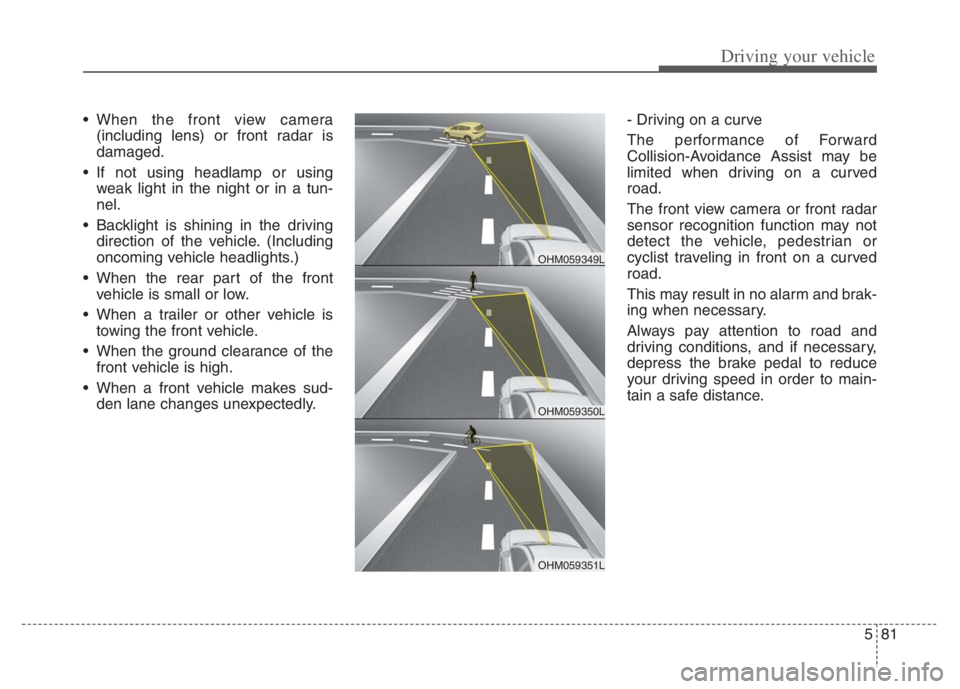
den lane changes unexpectedly.- Driving on a curve
The performance of Forward
Collision-Avoidance Assist may be
limited when driving on a curved
road.
The front view camera or front radar
sensor recognition function may not
detect the vehicle, pedestrian or
cyclist traveling in front on a curved
road.
This may result in no alarm and brak-
ing when necessary.
Always pay attention to road and
driving conditions, and if necessary,
depress the brake pedal to reduce
your driving speed in order to main-
tain a safe distance.
OHM059350L
OHM059349L
OHM059351L
Page 477 of 710
Driving your vehicle
154 5
Limitation of the function
If the driver turns on the turn signal
light or the emergency warning
light to change the lane
- Operate the turn signal light
switch before changing the lane
- If you change the lane without
operating the turn signal lights,
steering reaction force of the
wheel may occur.
Once LFA is turned on or the lane
is changed, the vehicle should be
in the center of the road to switch
to the steering assist mode. If the
driver keeps driving along the lane,
LFA will not assist the steering.
When the ESC or VSM is activat-
ed, the function does not assist
steering.
When driving on a curved road at a
high speed, steering assist mode
may not work.
When driving at a speed faster
than 110 mph (180 km/h), steering
assist mode may not work. When sudden steering is made,
the function could be temporarily
deactivated.
If you change the lane in a hurry,
the function does not assist the
steering.
If the vehicle suddenly stops, it
does not assist the steering.
If the lane is too narrow or too
wide, steering is not assisted.
If the function is not able to recog-
nize a vehicle in front and either of
the lanes is not recognized, the
steering is not assisted
If the radius is too small for the
curve
Cautions for the driver
If the lane recognition is difficult or
limited for LFA as shown below, the
driver may need to be careful
because it may not operate or may
cause unnecessary operation.
• Roads or lane markings in bad con-
dition
- When The lane is tainted or invisible
- When the driver cannot see the
lane due to rain, snow, dust,
sand, oil, puddles, etc
- When roads are set or the colors
of the lane and road are not dis-
tinctive
- If there is a sign other than the
lane near the lane or a mark sim-
ilar to the lane
- When the lane is not clear or
damaged
- If the road is covered in the shad-
ows of objects around the road,
such as medians, guard rails,
noise walls, and trees
Page 478 of 710
5155
Driving your vehicle
- If the number of lanes increases
or decreases, or if the lanes inter-
sect with each other more
intensely (tollgate entry section,
road section / joining section,
etc.)
- When there are two or more lane
markings such as a construction
section, a designated lane, etc.
- When the lane is crowded such
as the construction section or the
lane is replaced by some struc-
tures
- If there is a road marking such as
a zigzag lane, crosswalk mark, or
road surface milestone
- When a lane suddenly becomes
invisible or disappears from an
intersection
• The external environment affecting
the function
- If the outside brightness of the vehi-
cle suddenly changes, such as
when entering or exiting the tunnel
or passing under the bridge- If the vehicle's headlights are not
used at night or in the tunnel, or the
brightness of the headlights is too
weak
- If there are boundary structures
such as tollgate booths and side-
walk blocks
- If it is difficult to distinguish lanes
due to the reflection on the wet road
made by sunlight, streetlight, and
oncoming traffic.
- When the backlight is strongly reflect-
ed in the direction of the vehicle
- When Driving to the left or right lane
by bus lane or on the bus lane
- If there is no enough distance
between the front car or if the lane
is covered by the car ahead of me
- When the lane change is large,
such as a steep curve or a continu-
ous curve
- When passing through speed
bump, sudden up / down or left /
right slope
- If the vehicle is severely shaken
- When the temperature around the
mirror is very high due to direct sun-
light• When the front view camera has
poor visibility
- If the windshield of the vehicle
and the camera lens are covered
with dust, fingerprints, or tinting.
- If the camera has poor visibility
due to bad weather such as fog,
heavy rain, heavy snow.
- If moisture is not completely
removed from the windscreen.
- When placing objects on the
dashboard, etc.