engine KIA NIRO HYBRID EV 2021 Owners Manual
[x] Cancel search | Manufacturer: KIA, Model Year: 2021, Model line: NIRO HYBRID EV, Model: KIA NIRO HYBRID EV 2021Pages: 667, PDF Size: 9.17 MB
Page 433 of 667
5107
Driving your vehicle
Smart Cruise Control system will
be temporarily canceled when:
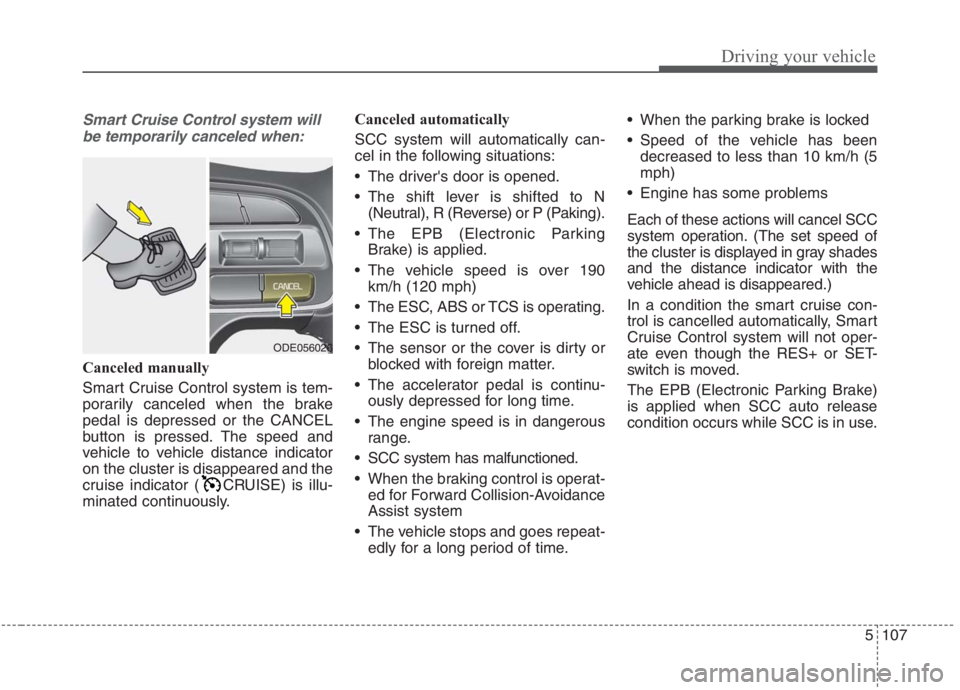
Canceled manually
Smart Cruise Control system is tem-
porarily canceled when the brake
pedal is depressed or the CANCEL
button is pressed. The speed and
vehicle to vehicle distance indicator
on the cluster is disappeared and the
cruise indicator ( CRUISE) is illu-
minated continuously.Canceled automatically
SCC system will automatically can-
cel in the following situations:
The driver's door is opened.
The shift lever is shifted to N
(Neutral), R (Reverse) or P (Paking).
The EPB (Electronic Parking
Brake) is applied.
The vehicle speed is over 190
km/h (120 mph)
The ESC, ABS or TCS is operating.
The ESC is turned off.
The sensor or the cover is dirty or
blocked with foreign matter.
The accelerator pedal is continu-
ously depressed for long time.
The engine speed is in dangerous
range.
SCC system has malfunctioned.
When the braking control is operat-
ed for Forward Collision-Avoidance
Assist system
The vehicle stops and goes repeat-
edly for a long period of time. When the parking brake is locked
Speed of the vehicle has been
decreased to less than 10 km/h (5
mph)
Engine has some problems
Each of these actions will cancel SCC
system operation. (The set speed of
the cluster is displayed in gray shades
and the distance indicator with the
vehicle ahead is disappeared.)
In a condition the smart cruise con-
trol is cancelled automatically, Smart
Cruise Control system will not oper-
ate even though the RES+ or SET-
switch is moved.
The EPB (Electronic Parking Brake)
is applied when SCC auto release
condition occurs while SCC is in use.
ODE056026
Page 435 of 667
5109
Driving your vehicle
✽ ✽
NOTICE
To reduce the risk of an accident,
always check the road conditions
when reactivating the smart cruise
control using the RES+ switch to
ensure the road conditions permit
safe use of the cruise control.
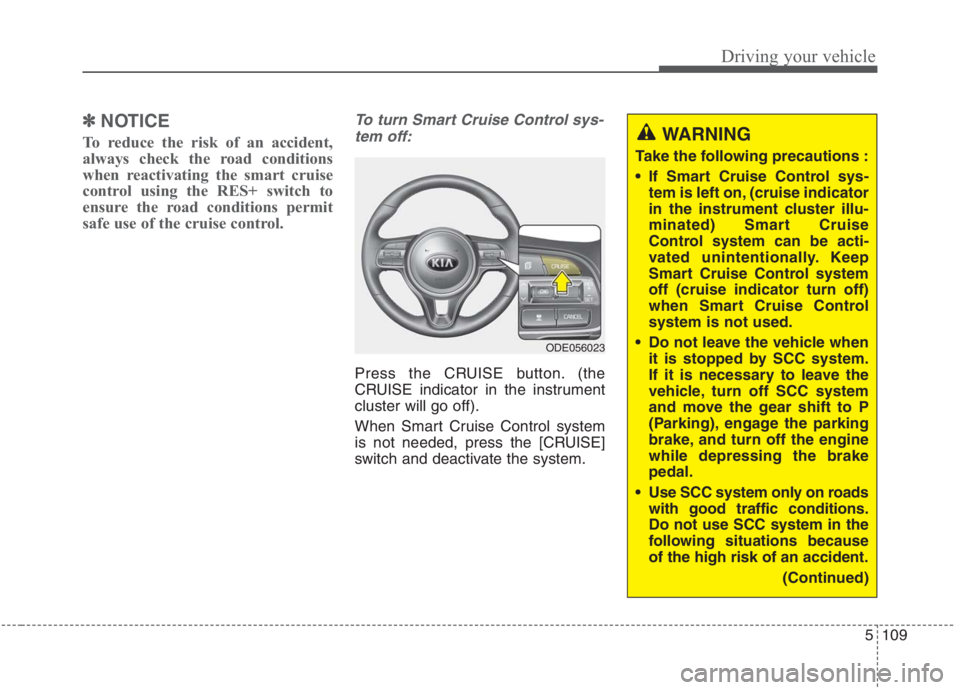
To turn Smart Cruise Control sys-
tem off:
Press the CRUISE button. (the
CRUISE indicator in the instrument
cluster will go off).
When Smart Cruise Control system
is not needed, press the [CRUISE]
switch and deactivate the system.
ODE056023
WARNING
Take the following precautions :
If Smart Cruise Control sys-
tem is left on, (cruise indicator
in the instrument cluster illu-
minated) Smart Cruise
Control system can be acti-
vated unintentionally. Keep
Smart Cruise Control system
off (cruise indicator turn off)
when Smart Cruise Control
system is not used.
Do not leave the vehicle when
it is stopped by SCC system.
If it is necessary to leave the
vehicle, turn off SCC system
and move the gear shift to P
(Parking), engage the parking
brake, and turn off the engine
while depressing the brake
pedal.
Use SCC system only on roads
with good traffic conditions.
Do not use SCC system in the
following situations because
of the high risk of an accident.
(Continued)
Page 438 of 667
Driving your vehicle
112 5
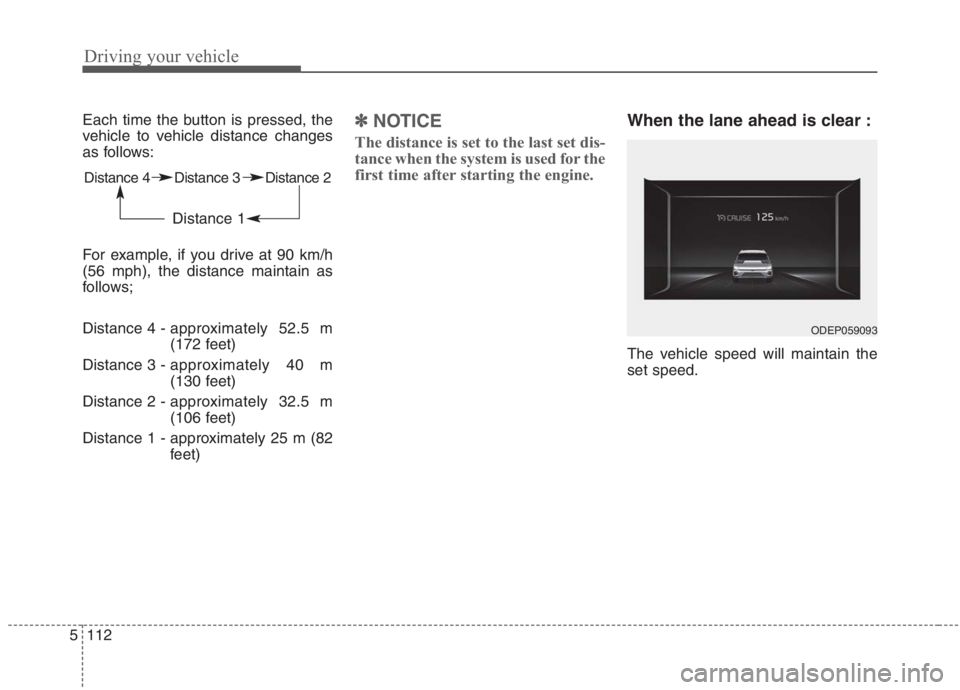
Each time the button is pressed, the
vehicle to vehicle distance changes
as follows:
For example, if you drive at 90 km/h
(56 mph), the distance maintain as
follows;
Distance 4 - approximately 52.5 m
(172 feet)
Distance 3 - approximately 40 m
(130 feet)
Distance 2 - approximately 32.5 m
(106 feet)
Distance 1 - approximately 25 m (82
feet) ✽ ✽
NOTICE
The distance is set to the last set dis-
tance when the system is used for the
first time after starting the engine.
When the lane ahead is clear :
The vehicle speed will maintain the
set speed.
Distance 4 Distance 3 Distance 2
Distance 1
ODEP059093
Page 443 of 667
5117
Driving your vehicle
Warning message
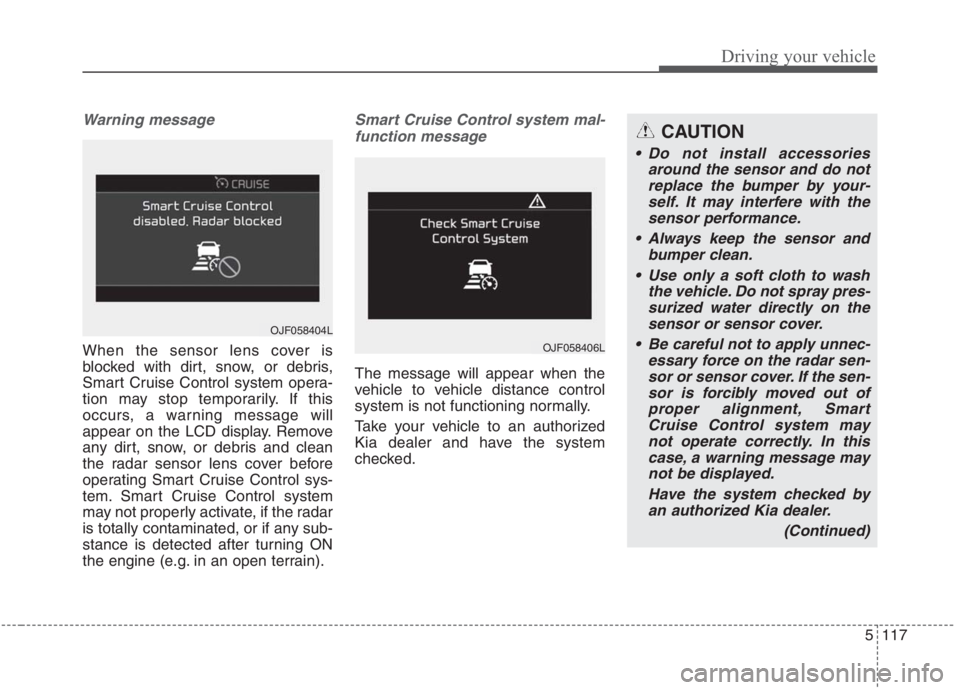
When the sensor lens cover is
blocked with dirt, snow, or debris,
Smart Cruise Control system opera-
tion may stop temporarily. If this
occurs, a warning message will
appear on the LCD display. Remove
any dirt, snow, or debris and clean
the radar sensor lens cover before
operating Smart Cruise Control sys-
tem. Smart Cruise Control system
may not properly activate, if the radar
is totally contaminated, or if any sub-
stance is detected after turning ON
the engine (e.g. in an open terrain).
Smart Cruise Control system mal-
function message
The message will appear when the
vehicle to vehicle distance control
system is not functioning normally.
Take your vehicle to an authorized
Kia dealer and have the system
checked.
OJF058404L
OJF058406L
CAUTION
Do not install accessories
around the sensor and do not
replace the bumper by your-
self. It may interfere with the
sensor performance.
Always keep the sensor and
bumper clean.
Use only a soft cloth to wash
the vehicle. Do not spray pres-
surized water directly on the
sensor or sensor cover.
Be careful not to apply unnec-
essary force on the radar sen-
sor or sensor cover. If the sen-
sor is forcibly moved out of
proper alignment, Smart
Cruise Control system may
not operate correctly. In this
case, a warning message may
not be displayed.
Have the system checked by
an authorized Kia dealer.
(Continued)
Page 445 of 667
5119
Driving your vehicle
1. Turn Smart Cruise Control system
on (the cruise indicator light will be
on but the system will not be acti-
vated).
2. Push the distance to distance
switch for more than 2 seconds.
3. Choose between "Smart Cruise
Control" and "Cruise Control".
When the system is canceled using
the CRUISE button or the CRUISE
button is used after the engine is
turned on, the Smart Cruise Control
mode will turn on.Limitations of the system
Smart Cruise Control system may
have limits to its ability to detect dis-
tance to the vehicle ahead due to
road and traffic conditions.
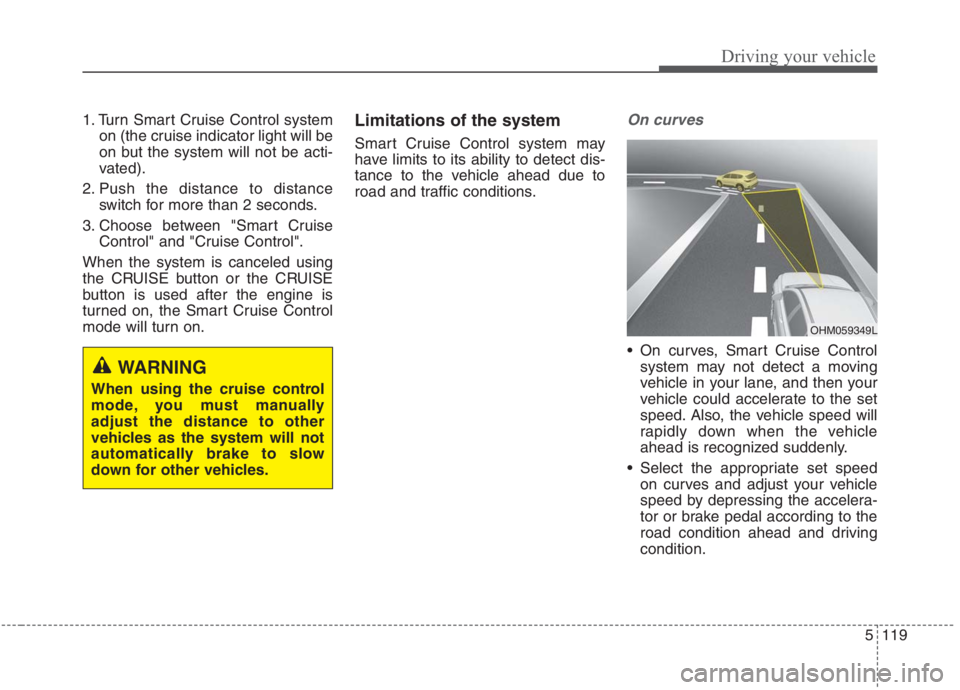
On curves
On curves, Smart Cruise Control
system may not detect a moving
vehicle in your lane, and then your
vehicle could accelerate to the set
speed. Also, the vehicle speed will
rapidly down when the vehicle
ahead is recognized suddenly.
Select the appropriate set speed
on curves and adjust your vehicle
speed by depressing the accelera-
tor or brake pedal according to the
road condition ahead and driving
condition.
WARNING
When using the cruise control
mode, you must manually
adjust the distance to other
vehicles as the system will not
automatically brake to slow
down for other vehicles.
OHM059349L
Page 452 of 667
Driving your vehicle
126 5
LFA system operation
To use Lane Following Assist two
steps are necessary:
(1) LFA system has to be enabled,
and
(2) SCC system has to be activated
With the ignition switch or ENGINE
START/STOP button in the [ON],
select or release the setting from
“User setting →Driver Assistance →
Driving Assist →Lane Following
Assist”.
Select LFA system in the user setting
of the instrument panel.
The LFA system status is remem-
bered by the system and therefore
does not need to be enabled again
for each new journey.
(Continued)
- Depending on your surround-
ings and road conditions, LFA
system could fail to recognize
the lane and stop working. In
turn, extra caution is required
while driving with LFA system
on.
- Be sure to check the non-
operating conditions and cau-
tions for the driver before
using LFA system.
- Do not place reflective materi-
als such as white paper or
mirror on the crash pad.
Sunlight reflections can cause
a malfunction in LFA system.
- Too big sound from the sound
system can interrupt the
alarming sound from LFA sys-
tem.
(Continued)(Continued)
- Keeping your hands off the
wheel while driving will trigger
the hands-off warning and
deactivate the steering-assist
system. Put your hands back
on the wheel, then the steer-
ing-assist system will be re-
activated.
- When driving at a high speed,
the steering assist force can
become weak and the vehicle
can drive out of its lane. Extra
caution is required, and com-
ply with the speed limit.
- Attaching an object to the
steering wheel could deter
steering assistance.
- Attaching an object to the
steering wheel could deter the
hands-off alarming system.
Page 468 of 667
Driving your vehicle
142 5
Your vehicle's fuel economy depends
mainly on your style of driving, where
you drive and when you drive.
Each of these factors affects how
many kilometers (miles) you can get
from a liter (gallon) of fuel. To operate
your vehicle as economically as pos-
sible, use the following driving sug-
gestions to help save money in both
fuel and repairs:
Drive smoothly. Accelerate at a
moderate rate. Don't make "jack-
rabbit" starts or full-throttle shifts
and maintain a steady cruising
speed. Don't race between stop-
lights. Try to adjust your speed to
the traffic so you don't have to
change speeds unnecessarily.
Avoid heavy traffic whenever pos-
sible. Always maintain a safe dis-
tance from other vehicles so you
can avoid unnecessary braking.
This also reduces brake wear.
Drive at a moderate speed. The
faster you drive, the more fuel your
vehicle uses. Driving at a moderate
speed, especially on the highway,
is one of the most effective ways to
reduce fuel consumption. Don't "ride" the brake pedal. This
can increase fuel consumption and
also increase wear on these com-
ponents. In addition, driving with
your foot resting on the brake pedal
may cause the brakes to overheat,
which reduces their effectiveness
and may lead to more serious con-
sequences.
Take care of your tires. Keep them
inflated to the recommended pres-
sure. Incorrect inflation, either too
much or too little, results in unnec-
essary tire wear. Check the tire
pressures at least once a month.
Be sure that the wheels are
aligned correctly. Improper align-
ment can result from hitting curbs
or driving too fast over irregular
surfaces. Poor alignment causes
faster tire wear and may also result
in other problems as well as
greater fuel consumption. Keep your vehicle in good condi-
tion. For better fuel economy and
reduced maintenance costs, main-
tain your vehicle in accordance
with the maintenance schedule in
chapter 8. If you drive your vehicle
in severe conditions, more frequent
maintenance is required (see
chapter 8 for details).
Keep your vehicle clean. For maxi-
mum service, your vehicle should
be kept clean and free of corrosive
materials. It is especially important
that mud, dirt, ice, etc. not be
allowed to accumulate on the
underside of the vehicle. This extra
weight can result in increased fuel
consumption and also contribute to
corrosion.
Travel lightly. Don't carry unneces-
sary weight in your vehicle. Weight
reduces fuel economy.
Don't let the engine idle longer
than necessary. If you are waiting
(and not in traffic), turn off your
engine and restart only when
you're ready to go.
ECONOMICAL OPERATION
Page 469 of 667
5143
Driving your vehicle
Remember, your vehicle does not
require extended warm-up. After
the engine has started, allow the
engine to run for 10 to 20 seconds
prior to placing the vehicle in gear.
In very cold weather, however, give
your engine a slightly longer warm-
up period.
Don't "lug" or "over-rev" the engine.
Lugging is driving too slowly in a
very high gear resulting in engine
bucking. If this happens, shift to a
lower gear. Over-revving is racing
the engine beyond its safe limit.
This can be avoided by shifting at
the recommended speed. Use your air conditioning sparingly.
The air conditioning system is
operated by engine power so your
fuel economy is reduced when you
use it.
Opening windows at high speeds
can reduce fuel economy.
Fuel economy is less in crosswinds
and headwinds. To help offset
some of this loss, slow down when
driving in these conditions.
Keeping a vehicle in good operating
condition is important both for econ-
omy and safety. Therefore, have an
authorized Kia dealer perform
scheduled inspections and mainte-
nance.
WARNING - Engine off
during motion
Never turn the engine off to
coast down hills or anytime the
vehicle is in motion. The power
steering and power brakes will
not function properly without
the engine running.
In addition, turning off the
engine start/stop button while
driving could engage the steer-
ing wheel lock, resulting in loss
of vehicle steering. Keep the
engine on and downshift to an
appropriate gear for an engine
braking effect.
Page 472 of 667
Driving your vehicle
146 5
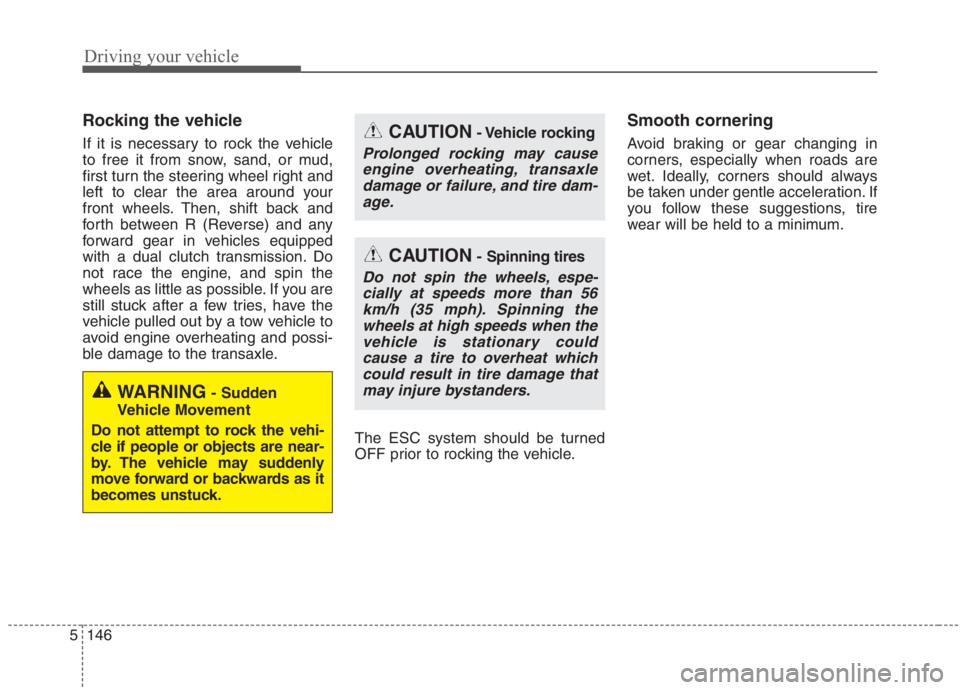
Rocking the vehicle
If it is necessary to rock the vehicle
to free it from snow, sand, or mud,
first turn the steering wheel right and
left to clear the area around your
front wheels. Then, shift back and
forth between R (Reverse) and any
forward gear in vehicles equipped
with a dual clutch transmission. Do
not race the engine, and spin the
wheels as little as possible. If you are
still stuck after a few tries, have the
vehicle pulled out by a tow vehicle to
avoid engine overheating and possi-
ble damage to the transaxle.
The ESC system should be turned
OFF prior to rocking the vehicle.
Smooth cornering
Avoid braking or gear changing in
corners, especially when roads are
wet. Ideally, corners should always
be taken under gentle acceleration. If
you follow these suggestions, tire
wear will be held to a minimum.CAUTION- Vehicle rocking
Prolonged rocking may cause
engine overheating, transaxle
damage or failure, and tire dam-
age.
CAUTION- Spinning tires
Do not spin the wheels, espe-
cially at speeds more than 56
km/h (35 mph). Spinning the
wheels at high speeds when the
vehicle is stationary could
cause a tire to overheat which
could result in tire damage that
may injure bystanders.
WARNING- Sudden
Vehicle Movement
Do not attempt to rock the vehi-
cle if people or objects are near-
by. The vehicle may suddenly
move forward or backwards as it
becomes unstuck.
Page 474 of 667
Driving your vehicle
148 5
Driving in flooded areas
Avoid driving through flooded areas
unless you are sure the water is no
higher than the bottom of the wheel
hub. Drive through any water slowly.
Allow adequate stopping distance
because brake performance may be
affected.
After driving through water, dry the
brakes by gently applying them sev-
eral times while the vehicle is moving
slowly.
Driving off-road
Drive carefully off-road because your
vehicle may be damaged by rocks or
roots of trees. Become familiar with
the off-road conditions where you
are going to drive before you begin
driving.
Highway driving
Tires
Adjust the tire inflation pressures to
specification. Low tire inflation pres-
sures will result in overheating and
possible failure of the tires.
Avoid using worn or damaged tires
which may result in reduced traction
or tire failure.
Never exceed the maximum tire
inflation pressure shown on the tires.
Fuel, engine coolant and engine oil
High speed travel consumes more
fuel than urban motoring. Do not for-
get to check both the engine coolant
and engine oil.
Drive belt
A loose or damaged drive belt may
result in overheating of the engine.
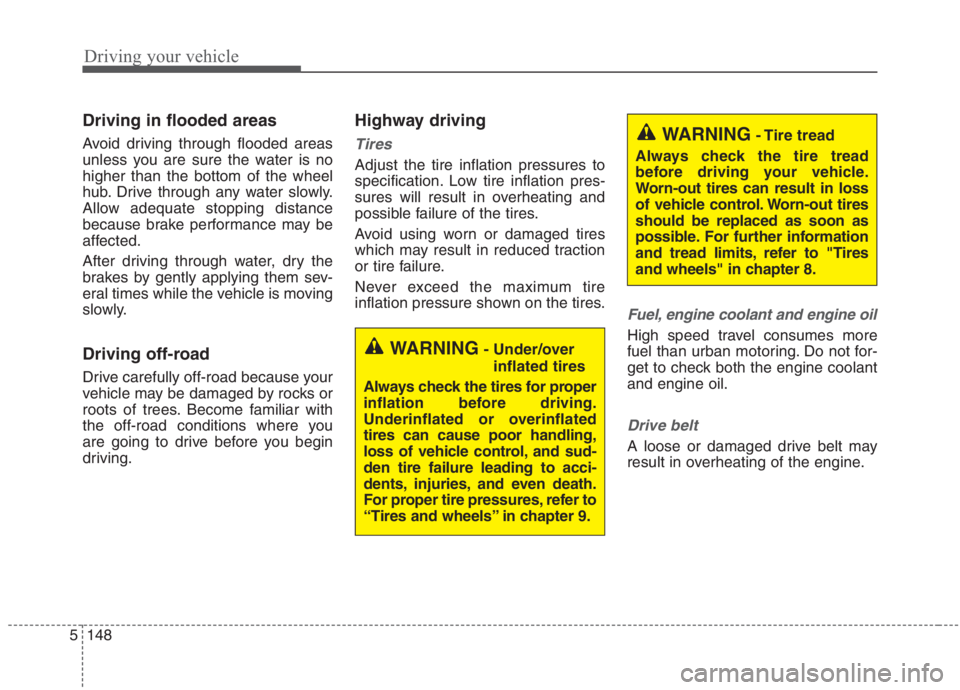
WARNING- Under/over
inflated tires
Always check the tires for proper
inflation before driving.
Underinflated or overinflated
tires can cause poor handling,
loss of vehicle control, and sud-
den tire failure leading to acci-
dents, injuries, and even death.
For proper tire pressures, refer to
“Tires and wheels” in chapter 9.
WARNING- Tire tread
Always check the tire tread
before driving your vehicle.
Worn-out tires can result in loss
of vehicle control. Worn-out tires
should be replaced as soon as
possible. For further information
and tread limits, refer to "Tires
and wheels" in chapter 8.