stop start KIA NIRO HYBRID EV 2021 Workshop Manual
[x] Cancel search | Manufacturer: KIA, Model Year: 2021, Model line: NIRO HYBRID EV, Model: KIA NIRO HYBRID EV 2021Pages: 667, PDF Size: 9.17 MB
Page 251 of 667
4111
Features of your vehicle
Low Tire Pressure
Warning Light
This warning light illuminates:
Once you set the ignition switch or
ENGINE START/STOP button to
the ON position.
- It illuminates for approximately 3
seconds and then goes off.
When one or more of your tires are
significantly underinflated.
❈For more details, refer to “Tire
Pressure Monitoring System
(TPMS)” in chapter 6.This warning light remains on after
blinking for approximately 70 seconds
or repeats blinking on and off at the
intervals of approximately 4 seconds:
When there is a malfunction with
the TPMS.
In this case, have your vehicle
inspected by an authorized Kia
dealer as soon as possible.
❈For more details, refer to “Tire
Pressure Monitoring System
(TPMS)” in chapter 6. The TPMS cannot alert you to
severe and sudden tire damage
caused by external factors.
If you notice any vehicle instability,
immediately take your foot off the
accelerator pedal, apply the brakes
gradually with light force, and slow-
ly move to a safe position off the
road.
WARNING - Low tire
pressure
Significantly low tire pressure
makes the vehicle unstable
and can contribute to loss of
vehicle control and increased
braking distances.
Continued driving on low pres-
sure tires may cause the tires
to overheat and fail.
Page 253 of 667
4113
Features of your vehicle
Electronic Parking Brake
(EPB) Warning Light
(if equipped)
This warning light illuminates:
Once you set the ignition switch or
ENGINE START/STOP button to
the ON position.
- It illuminates for approximately 3
seconds and then goes off.
When there is a malfunction with
the EPB.
In this case, have your vehicle
inspected by an authorized Kia
dealer.
✽ ✽
NOTICE- Electronic Parking
Brake (EPB) Warning Light
The Electronic Parking Brake
(EPB) Warning Light may illumi-
nate when the Electronic Stability
control (ESC) Indicator Light comes
on to indicate that the ESC is not
working properly (This does not
indicate malfunction of the EPB).
LED Headlamp Warning
Light (if equipped)
This warning light illuminates:
Once you set the ignition switch or
ENGINE START/STOP button to
the ON position.
- It illuminates for approximately 3
seconds and then goes off.
When there is a malfunction with
the LED headlamp.
In this case, have your vehicle inspect-
ed by an authorized Kia dealer.
Forward Collision-
Avoidance Assist
System Warning Light
(if equipped)
This warning light illuminates:
Once you set the ignition switch or
ENGINE START/STOP button to
the ON position.
- The FCA warning light illuminates
for approximately 3 seconds and
then turns off.
When there is a malfunction with
FCA.
If this occurs, have your vehicle
inspected by an authorized Kia
dealer.
❈For more details, refer to “Forward
Collision-Avoidance Assist (FCA)”
in chapter 5.
CAUTION - LED
Headlamp Warning Light
Continuous driving with the
LED Headlamp Warning Light
on can reduce LED headlamp
(low beam) life.
EPB
Page 254 of 667
Features of your vehicle
114 4
Icy Road Warning Light
This warning light is to warn the
driver the road may be icy.
When the temperature on the out-
side temperature gauge is approx-
imately below 4°C (39°F), the Icy
Road Warning Light and Outside
Temperature Gauge blinks and
then illuminates. Also, the warning
chime sounds 1 time.
✽ ✽
NOTICE
If the icy road warning light appears
while driving, you should drive
more attentively and safely, refrain-
ing from over-speeding, rapid accel-
eration, sudden braking or sharp
turning, etc.
Indicator Lights
Charging Cable
Connection Indicator
(Plug-in hybrid)
This indicator illuminates in red when
the charging cable is connected.
Electronic Stability Control (ESC)
Indicator Light
This indicator light illumi-
nates:
Once you set the ignition switch or
ENGINE START/STOP button to
the ON position.
- It illuminates for approximately 3
seconds and then goes off.
When there is a malfunction with
the ESC system.
In this case, have your vehicle
inspected by an authorized Kia
dealer.
This indicator light blinks:
While the ESC is operating.
❈For more details, refer to
“Electronic Stability Control (ESC)”
in chapter 5.
Page 255 of 667
4115
Features of your vehicle
Electronic Stability
Control (ESC) OFF
Indicator Light
This indicator light illuminates:
Once you set the ignition switch or
ENGINE START/STOP button to
the ON position.
- It illuminates for approximately 3
seconds and then goes off.
When you deactivate the ESC sys-
tem by pressing the ESC OFF but-
ton.
❈For more details, refer to
“Electronic Stability Control (ESC)”
in chapter 5.
Immobilizer Indicator
Light (Without Smart Key)
This indicator light illuminates:
When the vehicle detects the
immobilizer in your key properly
while the ignition switch is ON.
- At this time, you can start the
engine.
- The indicator light goes off after
starting the engine.
This indicator light blinks:
When there is a malfunction with
the immobilizer system.
In this case, have your vehicle
inspected by an authorized Kia
dealer.
Immobilizer Indicator
Light (With Smart Key)
This indicator light illuminates for up
to 30 seconds:
When the vehicle detects the
smart key in the vehicle properly
while the ENGINE START/STOP
button is ACC or ON.
- At this time, you can start the
engine.
- The indicator light goes off after
starting the engine.
This indicator light blinks for a few
seconds:
When the smart key is not in the
vehicle.
- At this time, you can not start the
engine.
Page 256 of 667
Features of your vehicle
116 4
This indicator light illuminates for 2
seconds and goes off:
When the vehicle cannot detect the
smart key which is in the vehicle
while the ENGINE START/STOP
button is ON.
In this case, have your vehicle
inspected by an authorized Kia
dealer.
This indicator light blinks:
When the battery of the smart key
is weak.
- At this time, you cannot start the
engine. However, you can start
the engine if you press the
ENGINE START/STOP button
with the smart key. (For more
details, refer to “Starting the
hybrid system” in chapter 5.)
When there is a malfunction with
the immobilizer system.
In this case, have your vehicle
inspected by an authorized Kia
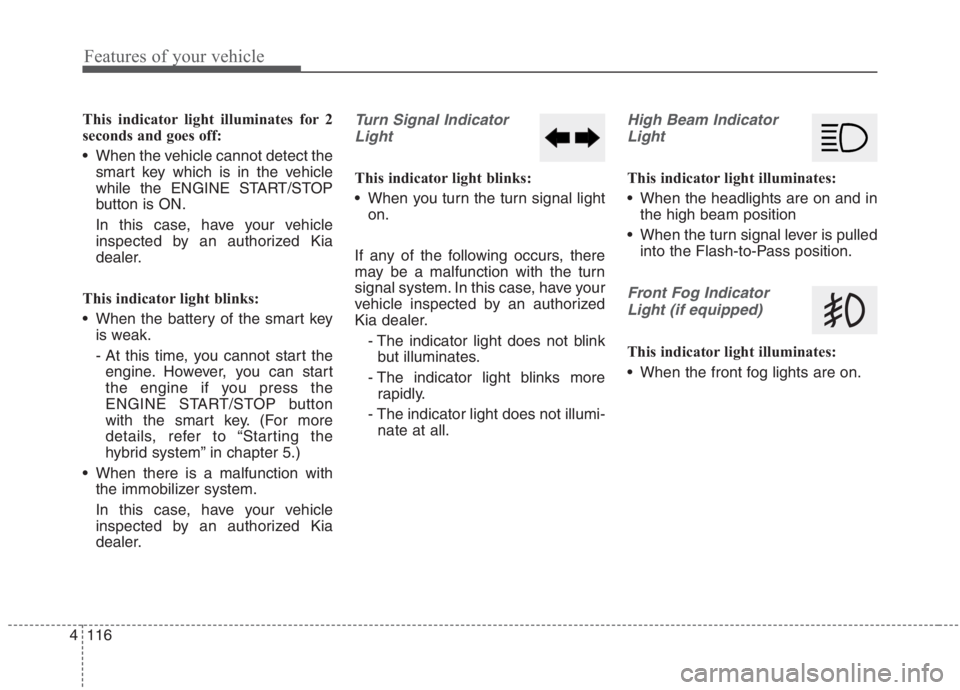
dealer.Turn Signal Indicator
Light
This indicator light blinks:
When you turn the turn signal light
on.
If any of the following occurs, there
may be a malfunction with the turn
signal system. In this case, have your
vehicle inspected by an authorized
Kia dealer.
- The indicator light does not blink
but illuminates.
- The indicator light blinks more
rapidly.
- The indicator light does not illumi-
nate at all.
High Beam Indicator
Light
This indicator light illuminates:
When the headlights are on and in
the high beam position
When the turn signal lever is pulled
into the Flash-to-Pass position.
Front Fog Indicator
Light (if equipped)
This indicator light illuminates:
When the front fog lights are on.
Page 262 of 667
Features of your vehicle
122 4
This system will activate when
backing up with the ignition switch
or ENGINE START/STOP button to
the ON position.
If the vehicle is moving at a speed
over 5 km/h (3 mph), the system
may not be activated correctly.
The sensing distance while the
back-up warning system is in oper-
ation is approximately 120 cm (48
in) at the rear bumper center area,
60 cm (24 in) at the rear bumper
both side area.
When more than two objects are
sensed at the same time, the clos-
est one will be recognized first.
Types of warning sound
When an object is 60 cm to 120 cm
(24 in to 48 in) from the rear
bumper: Buzzer beeps intermit-
tently.
When an object is 30 cm to 60 cm
(12 in to 24 in) from the rear
bumper: Buzzer beeps more fre-
quently.
When an object is within 30 cm (12
in) of the rear bumper:
Buzzer sounds continuously.
Non-operational conditions of
Reverse Parking Distance
Warning system
Reverse Parking Distance
Warning system may not operate
properly when:
1. Moisture is frozen to the sensor. (It
will operate normally once the
moisture clears.
2. The sensor is covered with foreign
matter, such as snow or water, or
the sensor cover is blocked. (It will
operate normally when the materi-
al is removed or the sensor is no
longer blocked.)
3. Driving on uneven road surfaces
(unpaved roads, gravel, bumps,
gradient).
4. Objects generating excessive
noise (vehicle horns, loud motor-
cycle engines, or truck air brakes)
are within range of the sensor.
5. Heavy rain or water spray exists.
6. Wireless transmitters or mobile
phones are within range of the
sensor.
7. The sensor is covered with snow.
8. Trailer towingThe detecting range may decrease
when:
1. The sensor is covered with foreign
matter such as snow or water.
(The sensing range will return to
normal when removed.)
2. Outside air temperature is
extremely hot or cold.
The following objects may not be
recognized by the sensor:
1. Sharp or slim objects such as
ropes, chains or small poles.
2. Objects which tend to absorb the
sensor frequency such as clothes,
sound absorbent material or snow.
3. Undetectable objects smaller than
100 cm (4 in) in height and nar-
rower than 14 cm (6 in) in diame-
ter.
Page 297 of 667
4157
Features of your vehicle
Sunroof inside air recircula-
tion (if equipped)
The outside (fresh) air position is
automatically selected when the sun-
roof is opened.
When you select the recirculated air
position, the system maintains the
recirculated air position for 3 minutes
and then automatically converts to
the outside (fresh) air position.
When the sunroof is closed, the air
intake position will return to the orig-
inal position that was selected.
Recirculated air at washer
fluid spray
To prevent the odor from entering to
inside the vehicle, the ventilation sys-
tem changes to Recirculated Air
Mode for a while when the wind-
shield washer fluid sprayed.
However, at low outside temperature,
to prevent from windshield fogging,
the system continues to outside air
mode.
System setting
1. ENGINE START/STOP button is
On or ignition switch ON.
2. Select Floor-Level ( ) air flow
direction by pressing
Mode Selection button.
3. With pressing Air Conditioning but-
ton, press the Recirculated Air but-
ton more than 4 times within 2
seconds.
4. If the system is set up, the indica-
tor on Recirculated Air button will
blinks 6 times.
System cancellation
1. ENGINE START/STOP button is
On or ignition switch ON.
2. Select Floor-Level ( ) air flow
direction by pressing
Mode Selection button.
3. With pressing Air Conditioning but-
ton, press the Recirculated Air but-
ton more than 4 times within 2
seconds.
4. If the system is cancelled, the indi-
cator on Recirculated Air button
will blinks 3 times.
Page 308 of 667
Features of your vehicle
168 4
During mild weather or under condi-
tions where the operation of the seat
warmer is not needed, keep the
switches in the “OFF” position.
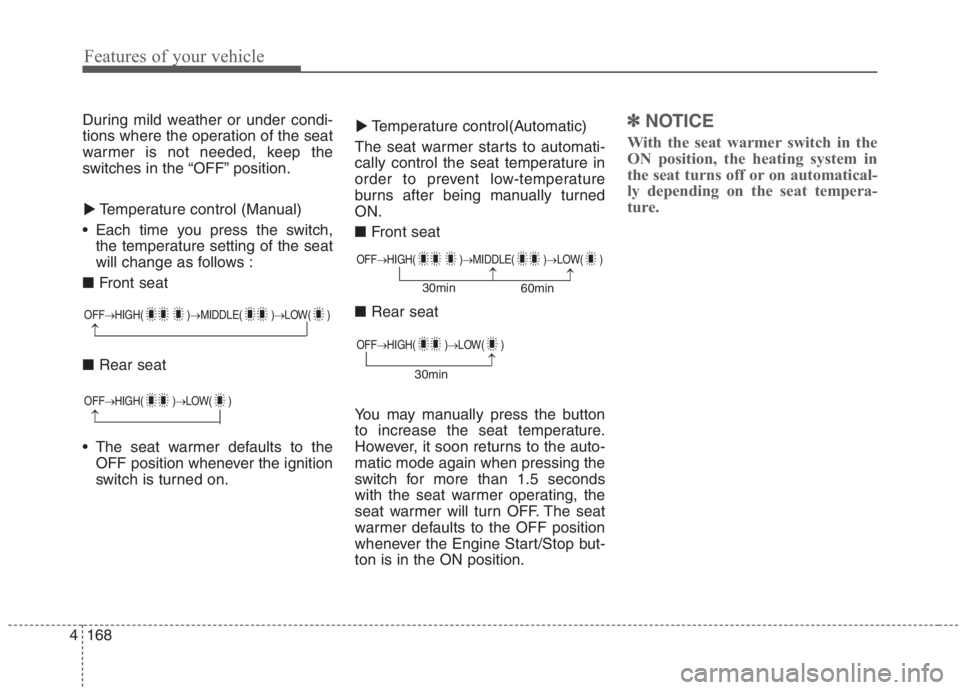
Temperature control (Manual)
Each time you press the switch,
the temperature setting of the seat
will change as follows :
■ Front seat
■ Rear seat
The seat warmer defaults to the
OFF position whenever the ignition
switch is turned on.Temperature control(Automatic)
The seat warmer starts to automati-
cally control the seat temperature in
order to prevent low-temperature
burns after being manually turned
ON.
■ Front seat
■ Rear seat
You may manually press the button
to increase the seat temperature.
However, it soon returns to the auto-
matic mode again when pressing the
switch for more than 1.5 seconds
with the seat warmer operating, the
seat warmer will turn OFF. The seat
warmer defaults to the OFF position
whenever the Engine Start/Stop but-
ton is in the ON position.✽ ✽
NOTICE
With the seat warmer switch in the
ON position, the heating system in
the seat turns off or on automatical-
ly depending on the seat tempera-
ture.▼ ▼
OFF→HIGH( )→MIDDLE( )→LOW( )
→
OFF→HIGH( )→MIDDLE( )→LOW( )
→→30min
60min
OFF→HIGH( )→LOW( )
→
OFF→HIGH( )→LOW( )
→30min
Page 311 of 667
4171
Features of your vehicle
Only use 12V electric accessories
which are less than 10A in electric
capacity.
Adjust the air-conditioner or heater
to the lowest operating level when
using the power outlet.
Close the cover when not in use.
Some electronic devices can cause
electronic interference when
plugged into a vehicle’s power out-
let. These devices may cause
excessive audio static and malfunc-
tions in other electronic systems or
devices used in your vehicle.
Push the plug in as far as it will go.
If good contact is not made, the
plug may overheat and the fuse
may open.
Plug in battery equipped electronic
devices with reverse current pro-
tection. The current from the bat-
tery may flow into the vehicle’s
electri cal/electronic system and
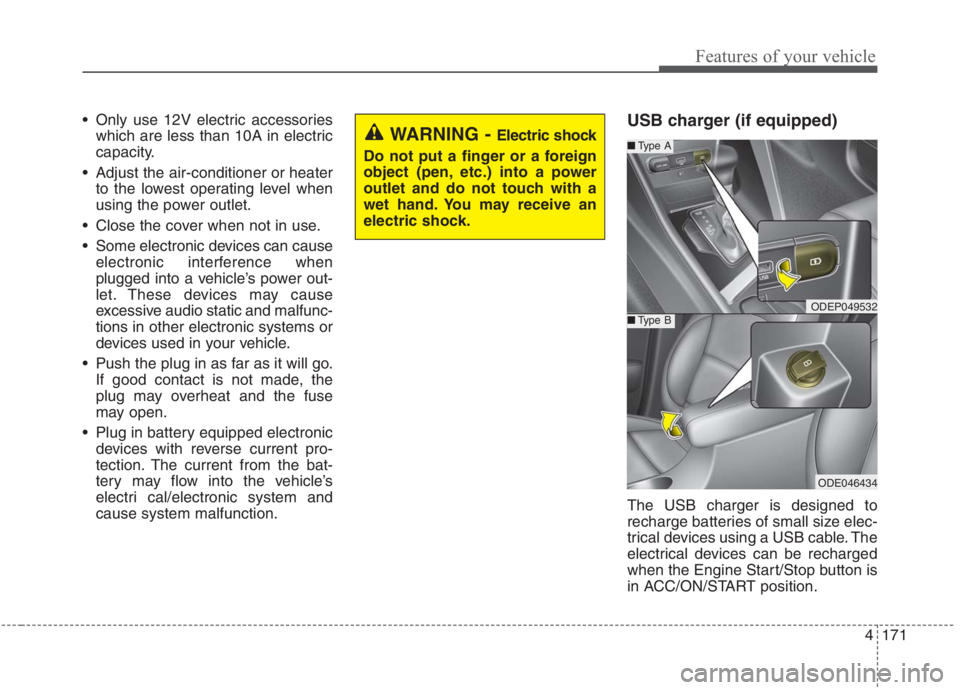
cause system malfunction.USB charger (if equipped)
The USB charger is designed to
recharge batteries of small size elec-
trical devices using a USB cable. The
electrical devices can be recharged
when the Engine Start/Stop button is
in ACC/ON/START position.
WARNING - Electric shock
Do not put a finger or a foreign
object (pen, etc.) into a power
outlet and do not touch with a
wet hand. You may receive an
electric shock.
ODEP049532
■Type A
■Type B
ODE046434
Page 327 of 667
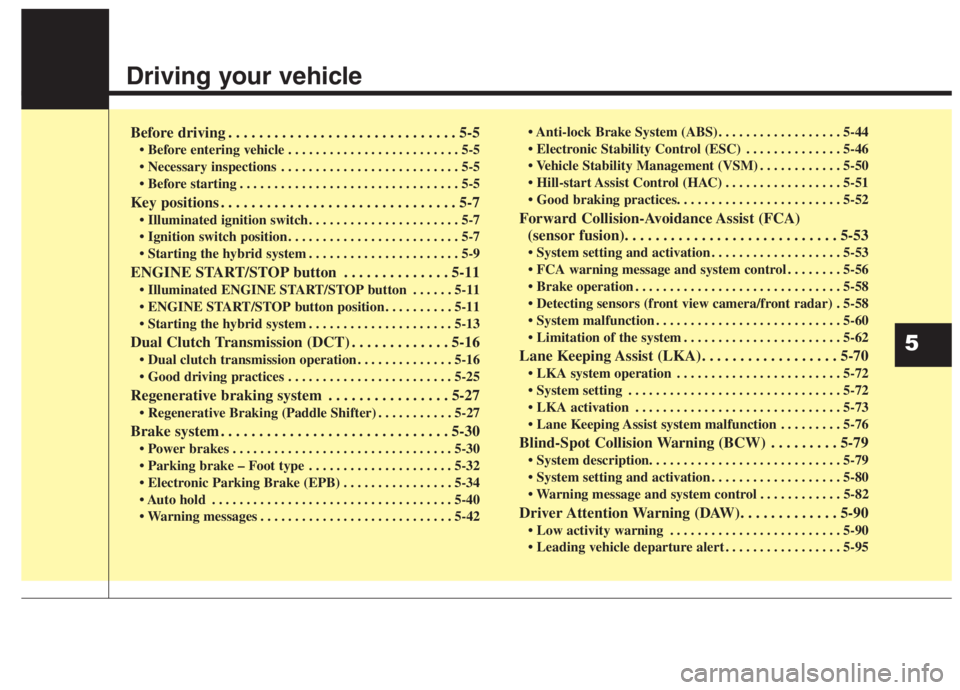
Driving your vehicle
Before driving . . . . . . . . . . . . . . . . . . . . . . . . . . . . . . 5-5
• Before entering vehicle . . . . . . . . . . . . . . . . . . . . . . . . . 5-5
. . . . . . . . . . . . . . . . . . . . . . . . . . 5-5
. . . . . . . . . . . . . . . . . . . . . . . . . . . . . . . . 5-5
Key positions . . . . . . . . . . . . . . . . . . . . . . . . . . . . . . . 5-7
. . . . . . . . . . . . . . . . . . . . . . 5-7
. . . . . . . . . . . . . . . . . . . . . . . . . 5-7
. . . . . . . . . . . . . . . . . . . . . . 5-9
ENGINE START/STOP button . . . . . . . . . . . . . . 5-11
. . . . . . 5-11
. . . . . . . . . . 5-11
. . . . . . . . . . . . . . . . . . . . . 5-13
Dual Clutch Transmission (DCT) . . . . . . . . . . . . . 5-16
. . . . . . . . . . . . . . 5-16
. . . . . . . . . . . . . . . . . . . . . . . . 5-25
Regenerative braking system . . . . . . . . . . . . . . . . 5-27
. . . . . . . . . . . 5-27
Brake system . . . . . . . . . . . . . . . . . . . . . . . . . . . . . . 5-30
. . . . . . . . . . . . . . . . . . . . . . . . . . . . . . . . 5-30
. . . . . . . . . . . . . . . . . . . . . 5-32
. . . . . . . . . . . . . . . . 5-34
. . . . . . . . . . . . . . . . . . . . . . . . . . . . . . . . . . . 5-40
. . . . . . . . . . . . . . . . . . . . . . . . . . . . 5-42 . . . . . . . . . . . . . . . . . . 5-44
. . . . . . . . . . . . . . 5-46
. . . . . . . . . . . . 5-50
. . . . . . . . . . . . . . . . . 5-51
Forward Collision-Avoidance Assist (FCA)
(sensor fusion). . . . . . . . . . . . . . . . . . . . . . . . . . . . 5-53
. . . . . . . . . . . . . . . . . . . 5-53
. . . . . . . . 5-56
. . . . . . . . . . . . . . . . . . . . . . . . . . . . . . 5-58
. 5-58
. . . . . . . . . . . . . . . . . . . . . . . . . . . 5-60
. . . . . . . . . . . . . . . . . . . . . . . 5-62
Lane Keeping Assist (LKA). . . . . . . . . . . . . . . . . . 5-70
. . . . . . . . . . . . . . . . . . . . . . . . 5-72
. . . . . . . . . . . . . . . . . . . . . . . . . . . . . . . 5-72
. . . . . . . . . . . . . . . . . . . . . . . . . . . . . . 5-73
. . . . . . . . . 5-76
Blind-Spot Collision Warning (BCW) . . . . . . . . . 5-79
. . . . . . . . . . . . . . . . . . . 5-80
. . . . . . . . . . . . 5-82
Driver Attention Warning (DAW). . . . . . . . . . . . . 5-90
. . . . . . . . . . . . . . . . . . . . . . . . . 5-90
. . . . . . . . . . . . . . . . . 5-95
5