lights KIA NIRO PHEV 2018 Owner's Manual
[x] Cancel search | Manufacturer: KIA, Model Year: 2018, Model line: NIRO PHEV, Model: KIA NIRO PHEV 2018Pages: 616, PDF Size: 18.3 MB
Page 189 of 616
Features of your vehicle
56
4
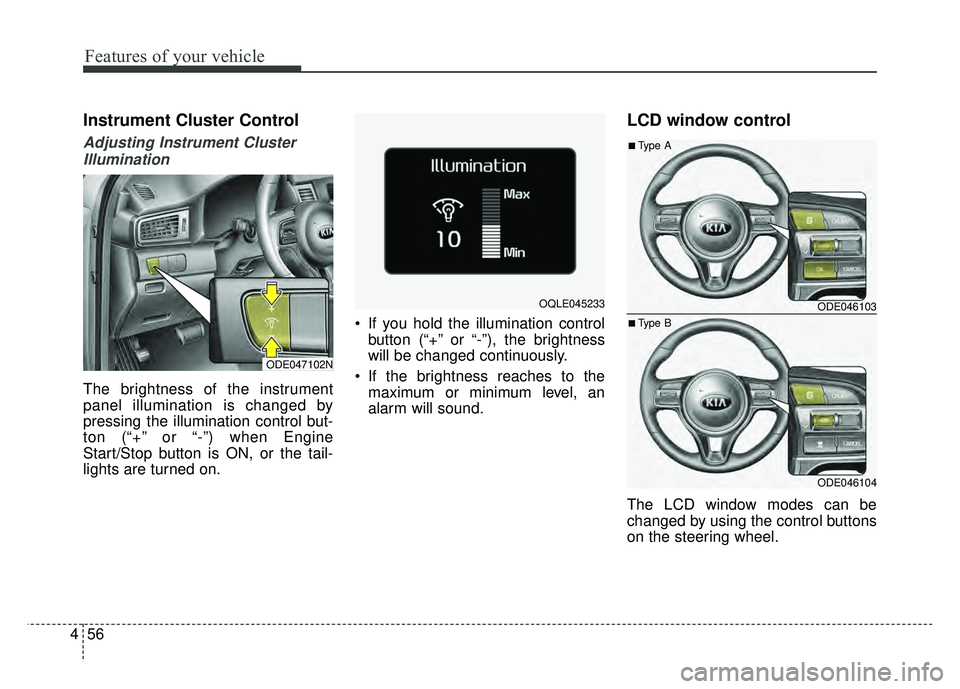
Instrument Cluster Control
Adjusting Instrument Cluster
Illumination
The brightness of the instrument
panel illumination is changed by
pressing the illumination control but-
ton (“+” or “-”) when Engine
Start/Stop button is ON, or the tail-
lights are turned on. If you hold the illumination control
button (“+” or “-”), the brightness
will be changed continuously.
If the brightness reaches to the maximum or minimum level, an
alarm will sound.
LCD window control
The LCD window modes can be
changed by using the control buttons
on the steering wheel.
ODE047102N
OQLE045233 ODE046103
ODE046104
■Type A
■Type B
Page 216 of 616
483
Features of your vehicle
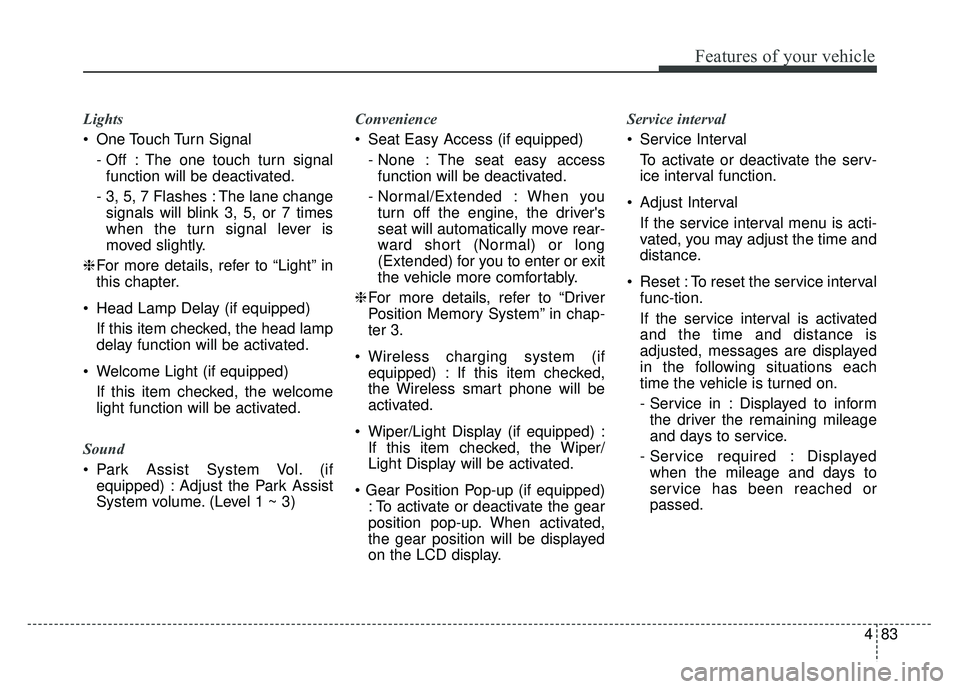
Lights
One Touch Turn Signal- Off : The one touch turn signalfunction will be deactivated.
- 3, 5, 7 Flashes : The lane change signals will blink 3, 5, or 7 times
when the turn signal lever is
moved slightly.
❈ For more details, refer to “Light” in
this chapter.
Head Lamp Delay (if equipped) If this item checked, the head lamp
delay function will be activated.
Welcome Light (if equipped) If this item checked, the welcome
light function will be activated.
Sound
Park Assist System Vol. (if equipped) : Adjust the Park Assist
System volume. (Level 1 ~ 3) Convenience
Seat Easy Access (if equipped)
- None : The seat easy accessfunction will be deactivated.
- Normal/Extended : When you turn off the engine, the driver's
seat will automatically move rear-
ward short (Normal) or long
(Extended) for you to enter or exit
the vehicle more comfortably.
❈ For more details, refer to “Driver
Position Memory System” in chap-
ter 3.
Wireless charging system (if equipped) : If this item checked,
the Wireless smart phone will be
activated.
Wiper/Light Display (if equipped) : If this item checked, the Wiper/
Light Display will be activated.
: To activate or deactivate the gear
position pop-up. When activated,
the gear position will be displayed
on the LCD display. Service interval
Service Interval
To activate or deactivate the serv-
ice interval function.
Adjust Interval If the service interval menu is acti-
vated, you may adjust the time and
distance.
Reset : To reset the service interval func-tion.
If the service interval is activated
and the time and distance is
adjusted, messages are displayed
in the following situations each
time the vehicle is turned on.
- Service in : Displayed to informthe driver the remaining mileage
and days to service.
- Service required : Displayed when the mileage and days to
service has been reached or
passed.
Page 227 of 616
Features of your vehicle
94
4
Warning lights
✽
✽
NOTICE - Warning lights
Make sure that all warning lights
are OFF after starting the engine. If
any light is still ON, this indicates a
situation that needs attention.
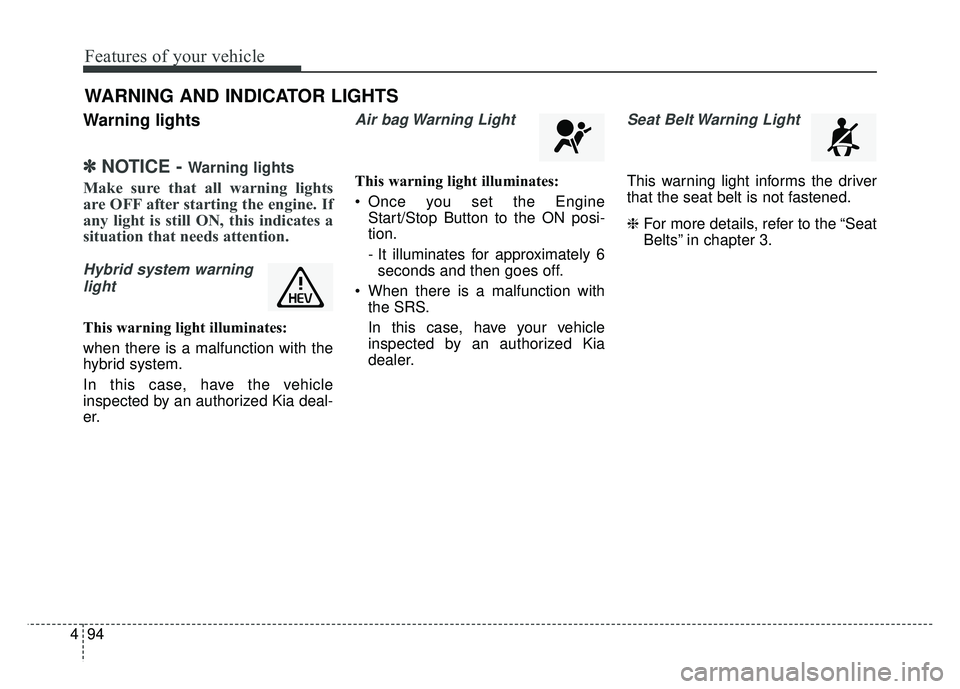
Hybrid system warning
light
This warning light illuminates:
when there is a malfunction with the
hybrid system.
In this case, have the vehicle
inspected by an authorized Kia deal-
er.
Air bag Warning Light
This warning light illuminates:
Once you set the Engine Start/Stop Button to the ON posi-
tion.
- It illuminates for approximately 6seconds and then goes off.
When there is a malfunction with the SRS.
In this case, have your vehicle
inspected by an authorized Kia
dealer.
Seat Belt Warning Light
This warning light informs the driver
that the seat belt is not fastened.
❈ For more details, refer to the “Seat
Belts” in chapter 3.
WARNING AND INDICATOR LIGHTS
Page 229 of 616
Features of your vehicle
96
4
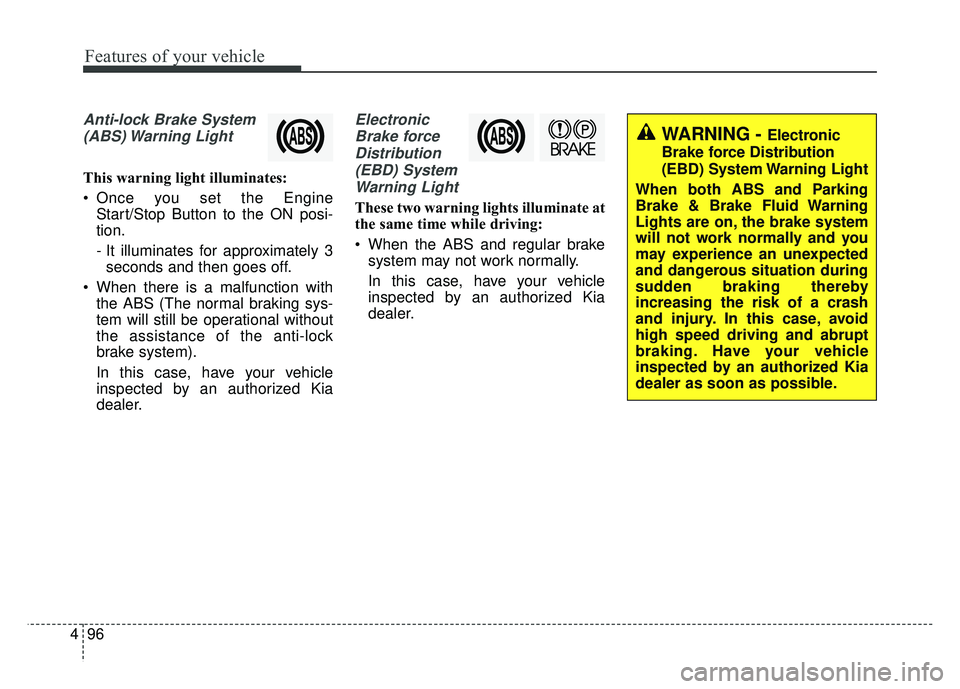
Anti-lock Brake System
(ABS) Warning Light
This warning light illuminates:
Once you set the Engine Start/Stop Button to the ON posi-
tion.
- It illuminates for approximately 3seconds and then goes off.
When there is a malfunction with the ABS (The normal braking sys-
tem will still be operational without
the assistance of the anti-lock
brake system).
In this case, have your vehicle
inspected by an authorized Kia
dealer.
Electronic
Brake forceDistribution(EBD) SystemWarning Light
These two warning lights illuminate at
the same time while driving:
When the ABS and regular brake system may not work normally.
In this case, have your vehicle
inspected by an authorized Kia
dealer.
WARNING - Electronic
Brake force Distribution
(EBD) System Warning Light
When both ABS and Parking
Brake & Brake Fluid Warning
Lights are on, the brake system
will not work normally and you
may experience an unexpected
and dangerous situation during
sudden braking thereby
increasing the risk of a crash
and injury. In this case, avoid
high speed driving and abrupt
braking. Have your vehicle
inspected by an authorized Kia
dealer as soon as possible.
Page 230 of 616
497
Features of your vehicle
✽
✽NOTICE- Electronic Brake
force Distribution (EBD)
System Warning Light
When the ABS Warning Light is on
or both ABS and Parking Brake &
Brake Fluid Warning Lights are on,
the speedometer, odometer, or trip-
meter may not work. Also, the EPS
Warning Light may illuminate and
the steering effort may increase or
decrease.
In this case, have your vehicle inspect-
ed by an authorized Kia dealer as
soon as possible.
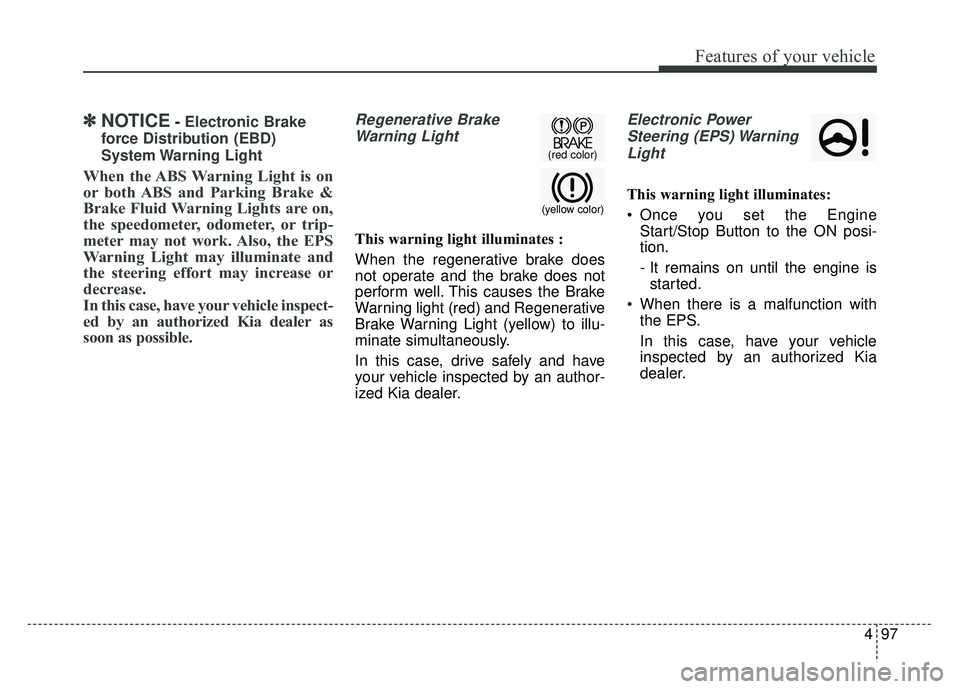
Regenerative Brake Warning Light
This warning light illuminates :
When the regenerative brake does
not operate and the brake does not
perform well. This causes the Brake
Warning light (red) and Regenerative
Brake Warning Light (yellow) to illu-
minate simultaneously.
In this case, drive safely and have
your vehicle inspected by an author-
ized Kia dealer.
Electronic PowerSteering (EPS) WarningLight
This warning light illuminates:
Once you set the Engine Start/Stop Button to the ON posi-
tion.
- It remains on until the engine isstarted.
When there is a malfunction with the EPS.
In this case, have your vehicle
inspected by an authorized Kia
dealer.(yellow color)
(red color)
Page 235 of 616
Features of your vehicle
102
4
Indicator Lights
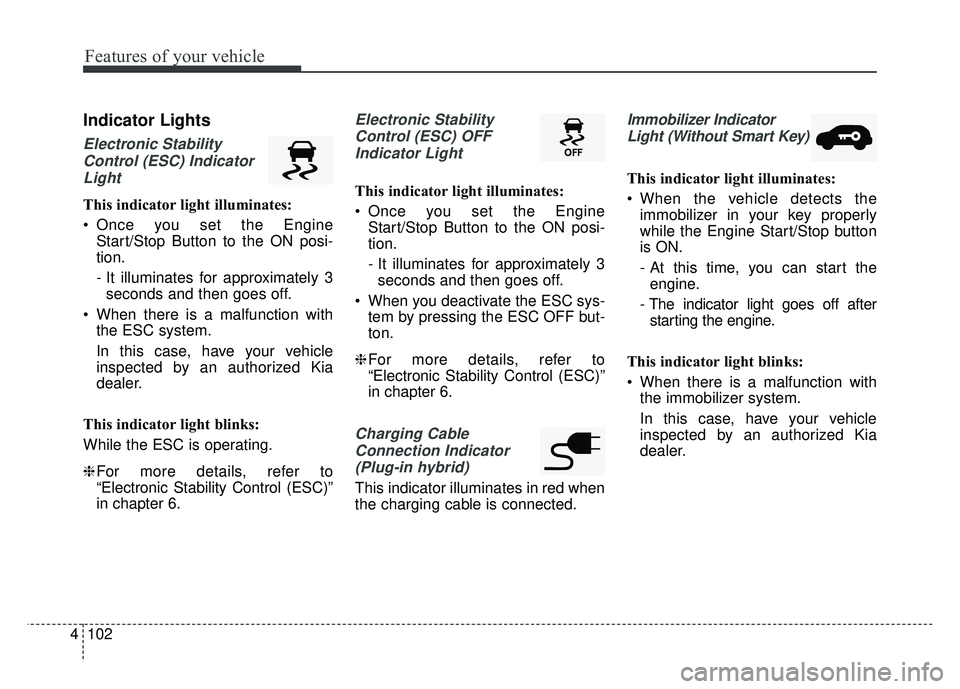
Electronic Stability
Control (ESC) IndicatorLight
This indicator light illuminates:
Once you set the Engine Start/Stop Button to the ON posi-
tion.
- It illuminates for approximately 3seconds and then goes off.
When there is a malfunction with the ESC system.
In this case, have your vehicle
inspected by an authorized Kia
dealer.
This indicator light blinks:
While the ESC is operating.
❈ For more details, refer to
“Electronic Stability Control (ESC)”
in chapter 6.
Electronic Stability
Control (ESC) OFFIndicator Light
This indicator light illuminates:
Once you set the Engine Start/Stop Button to the ON posi-
tion.
- It illuminates for approximately 3seconds and then goes off.
When you deactivate the ESC sys- tem by pressing the ESC OFF but-
ton.
❈ For more details, refer to
“Electronic Stability Control (ESC)”
in chapter 6.
Charging Cable
Connection Indicator (Plug-in hybrid)
This indicator illuminates in red when
the charging cable is connected.
Immobilizer IndicatorLight (Without Smart Key)
This indicator light illuminates:
When the vehicle detects the immobilizer in your key properly
while the Engine Start/Stop button
is ON.
- At this time, you can start theengine.
- The indicator light goes off after starting the engine.
This indicator light blinks:
When there is a malfunction with the immobilizer system.
In this case, have your vehicle
inspected by an authorized Kia
dealer.
Page 237 of 616
Features of your vehicle
104
4
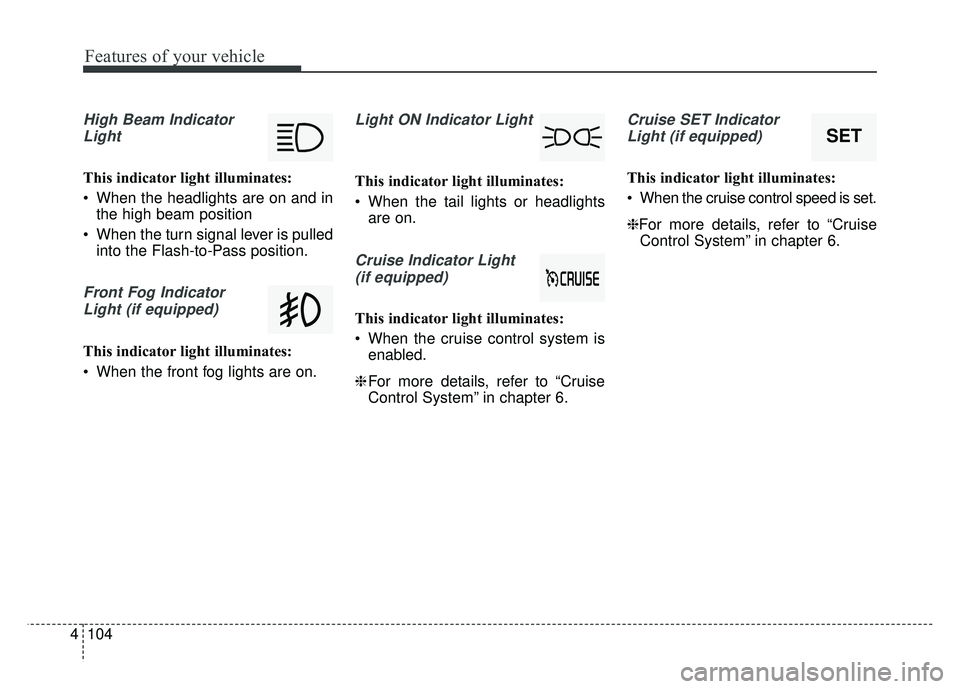
High Beam Indicator
Light
This indicator light illuminates:
When the headlights are on and in the high beam position
When the turn signal lever is pulled into the Flash-to-Pass position.
Front Fog Indicator
Light (if equipped)
This indicator light illuminates:
When the front fog lights are on.
Light ON Indicator Light
This indicator light illuminates:
When the tail lights or headlights are on.
Cruise Indicator Light
(if equipped)
This indicator light illuminates:
When the cruise control system is enabled.
❈ For more details, refer to “Cruise
Control System” in chapter 6.
Cruise SET Indicator
Light (if equipped)
This indicator light illuminates:
When the cruise control speed is set.
❈For more details, refer to “Cruise Control System” in chapter 6.
SET
Page 249 of 616
Features of your vehicle
116
4
Battery saver function
The purpose of this feature is to
prevent the battery from being dis-
charged if the lights are left in the
ON position. The system automati-
cally shuts off the parking lights 30
seconds after the ignition key is
removed and the driver’s door is
opened and closed.
With this feature, the parking lights will turn off automatically if the driver
parks on the side of the road at night
and opens the driver’s side door.
If necessary, to keep the parking
lights on when the ignition key is
removed, perform the following:
1) Open the driver-side door.
2) Turn the parking lights OFF and ON again using the light switch
on the steering column.
Headlight escort function
(if equipped)
If you turn the ignition switch to the
ACC or OFF position with the head-
lights ON, the headlights remain on
for about 5 minutes. However, if the
driver's door is opened and closed,
the headlights are turned off after 15
seconds.
The headlights can be turned off by
pressing the lock button on the trans-
mitter (or smart key) one more or
turning the light switch to the OFF
position.
Daytime running light
(if equipped)
The Daytime Running Lights (DRL)
can make it easier for others to see the
front of your vehicle during the day.
DRL can be helpful in many different
driving conditions, and it is especially
helpful after dawn and before sunset.
The DRL system will turn the dedi-
cated lamp OFF when:
1. The headlight switch is on
2. The engine is off
3. The front fog light is on.
4. Engaging the Parking Brake
LIGHTING
Page 250 of 616
4117
Features of your vehicle
Lighting control
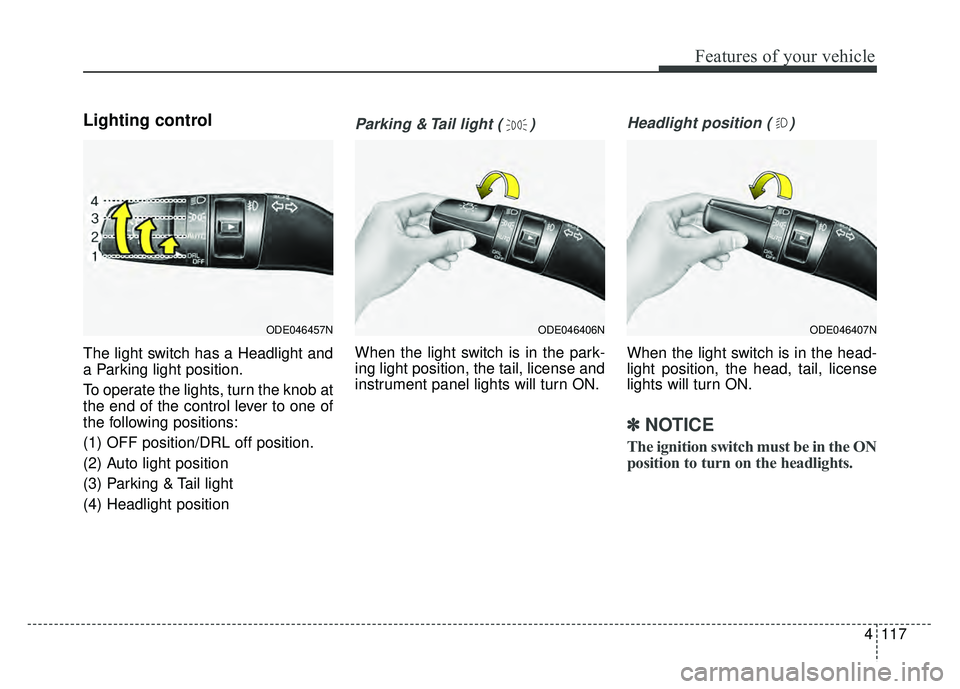
The light switch has a Headlight and
a Parking light position.
To operate the lights, turn the knob at
the end of the control lever to one of
the following positions:
(1) OFF position/DRL off position.
(2) Auto light position
(3) Parking & Tail light
(4) Headlight position
Parking & Tail light ( )
When the light switch is in the park-
ing light position, the tail, license and
instrument panel lights will turn ON.
Headlight position ( )
When the light switch is in the head-
light position, the head, tail, license
lights will turn ON.
✽ ✽NOTICE
The ignition switch must be in the ON
position to turn on the headlights.
ODE046457NODE046407NODE046406N
Page 251 of 616
Features of your vehicle
118
4
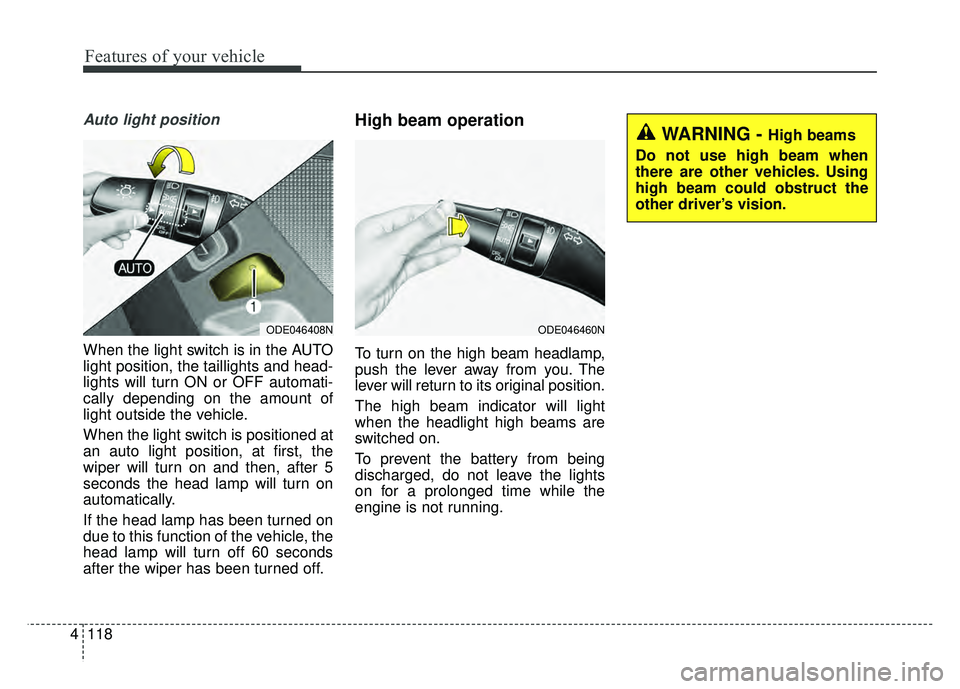
Auto light position
When the light switch is in the AUTO
light position, the taillights and head-
lights will turn ON or OFF automati-
cally depending on the amount of
light outside the vehicle.
When the light switch is positioned at
an auto light position, at first, the
wiper will turn on and then, after 5
seconds the head lamp will turn on
automatically.
If the head lamp has been turned on
due to this function of the vehicle, the
head lamp will turn off 60 seconds
after the wiper has been turned off.
High beam operation
To turn on the high beam headlamp,
push the lever away from you. The
lever will return to its original position.
The high beam indicator will light
when the headlight high beams are
switched on.
To prevent the battery from being
discharged, do not leave the lights
on for a prolonged time while the
engine is not running.
ODE046408NODE046460N
WARNING - High beams
Do not use high beam when
there are other vehicles. Using
high beam could obstruct the
other driver’s vision.