stop KIA NIRO PHEV 2021 Navigation System Quick Reference Guide
[x] Cancel search | Manufacturer: KIA, Model Year: 2021, Model line: NIRO PHEV, Model: KIA NIRO PHEV 2021Pages: 316, PDF Size: 10.58 MB
Page 173 of 316

7-13
POI nameSheetz
Shell
Sinclair
Speedway
Sunoco
TEXACO
TravelCenters of America
Ultramar
Valero
Wawa
Hess Express
Irving
Pemex
7-Eleven
Costco
Parking
Auto Services AAA
Advance Auto Parts
America's Tire
AutoZone
BOSCH Car Service
Canadian Tire
Certigard
Chevron
CITGO
Discount Tire
Exxon
Firestone
GOODYEAR
Gulf
Jiffy Lube
Kal TireAutomotive
POI name
KIA Dealerships
Gas Stations76
ampm
ARCO
BP
Gas+
Casey's General Store
Cenex
Chevron
CITGO
Conoco
Esso
Exxon
Fleetfuels
GetGo
Giant Gasoline
Gulf
Husky
Ingles Gas Express
Marathon
Martin's Gasoline
Meijer Gas Station
Mobil
Murphy Express
Murphy USA
Petro Stopping Centers
PETRO-CANADA
Phillips 66
Pioneer
QuikTrip
Rutter's
Page 176 of 316

7-16
POI nameWalmart
Big Lots
Macy's
Marshalls
Ross Dress For Less
Convenience Stores 7-Eleven
ampm
BP
Circle K
Fleetfuels
GetGo
Kangaroo Express
Murphy Express
Murphy USA
Petro Stopping Centers
QuikTrip
Rutter's
TravelCenters of America
Wawa
Cumberland Farms
Hess Express
Mac's
Mini Mart
Quick Stop
Valero Corner Store
Shopping Centers
Grocery Stores Giant Eagle
Giant Food Stores
IGA
Ingles MarketsPOI name
Tourist Information
Tourist Attractions
Travel Agents
Rest AreasComplete Rest Area
Parking and Rest Room Only
Parking Only
Motorway Service Area
Scenic Overlook
City Centers
Campgrounds
Ferry Terminals
Bus Stations
Local Transit
Railway Station
Commuter Rail Station
Shopping
POI name
Department Stores Canadian Tire
Dollar General
Dollar Tree
Family Dollar
JCPenney
Kmart
Kohl's
Nordstrom
Sears
Sears Hometown Store
Target
T.J. Maxx
Page 177 of 316
7-17
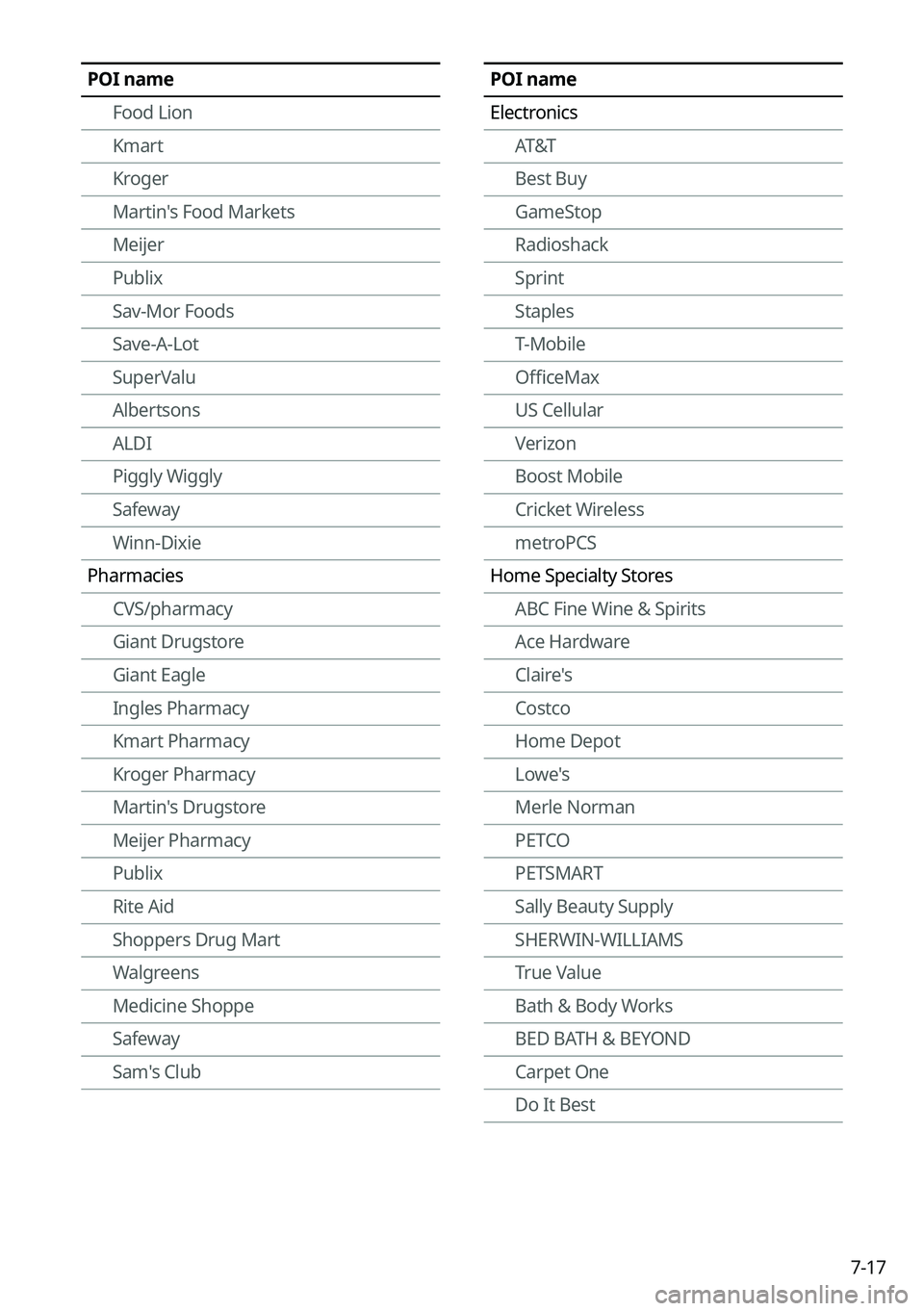
POI name
ElectronicsAT&T
Best Buy
GameStop
Radioshack
Sprint
Staples
T-Mobile
OfficeMax
US Cellular
Verizon
Boost Mobile
Cricket Wireless
metroPCS
Home Specialty Stores ABC Fine Wine & Spirits
Ace Hardware
Claire's
Costco
Home Depot
Lowe's
Merle Norman
PETCO
PETSMART
Sally Beauty Supply
SHERWIN-WILLIAMS
True Value
Bath & Body Works
BED BATH & BEYOND
Carpet One
Do It BestPOI name
Food Lion
Kmart
Kroger
Martin's Food Markets
Meijer
Publix
Sav-Mor Foods
Save-A-Lot
SuperValu
Albertsons
ALDI
Piggly Wiggly
Safeway
Winn-Dixie
Pharmacies CVS/pharmacy
Giant Drugstore
Giant Eagle
Ingles Pharmacy
Kmart Pharmacy
Kroger Pharmacy
Martin's Drugstore
Meijer Pharmacy
Publix
Rite Aid
Shoppers Drug Mart
Walgreens
Medicine Shoppe
Safeway
Sam's Club
Page 182 of 316
7-22
Voice Memo
You can use the microphone on the vehicle to record and play voice memos.
Using the voice memos
On the All Menus screen, press Voice Memo.
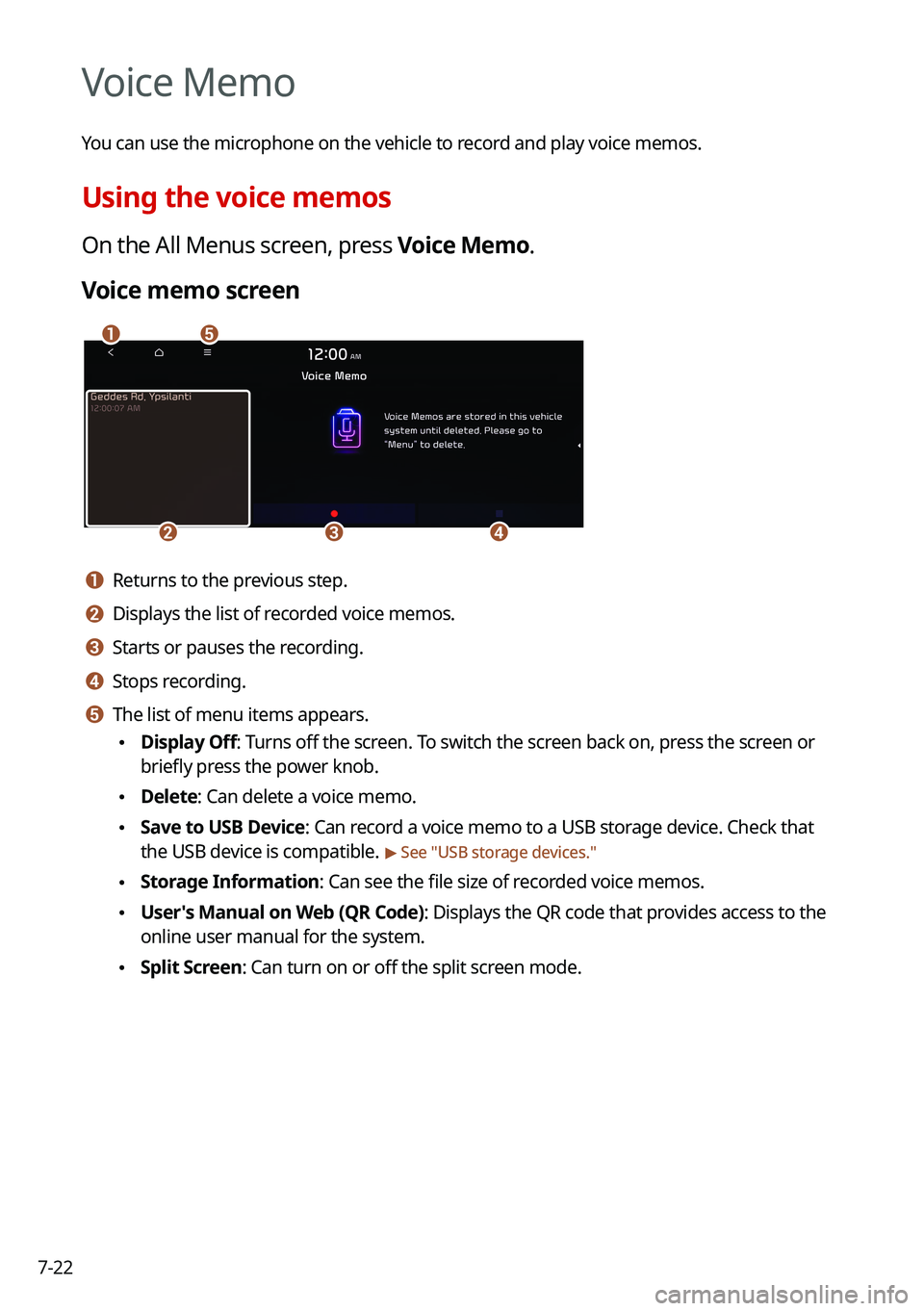
Voice memo screen
\037\036
\035\034\033
a a Returns to the previous step.
b b Displays the list of recorded voice memos.
c c Starts or pauses the recording.
d d Stops recording.
e e The list of menu items appears.
\225Display Off: Turns off the screen. To switch the screen back on, press the screen or
briefly press the power knob.
\225Delete: Can delete a voice memo.
\225Save to USB Device: Can record a voice memo to a USB storage device. Check that
the USB device is compatible.
> See "USB storage devices."
\225Storage Information: Can see the file size of recorded voice memos.
\225User's Manual on Web (QR Code): Displays the QR code that provides access to the
online user manual for the system.
\225Split Screen: Can turn on or off the split screen mode.
Page 183 of 316

7-23
Recording a voice memo
1 On the Voice Memo screen, press .
It starts recording a voice memo.
2 When recording is finished, press on the screen or press the End
Call button on the steering wheel.
The voice memo is automatically saved.
0000
A
To adjust the recording sound volume during voice recording, drag the control bar.
0000
A
To temporarily stop recording, press
.
0000
A
When recording starts, the other audio functions are muted or playback is paused.
0000
A
When you make or receive a call while recording, the recording is paused.
0000
A
When you make an emergency call or you are connected to an emergency call
after airbag deployment, the recording is stopped and the recorded voice memo is
automatically saved.
Playing a voice memo
You can select and play a recorded voice memo.
From the list of Voice Memos, press the desired voice memo.
Page 197 of 316
9-3
Configuring the vehicle settings (Type1)
(if equipped)
You can configure the functions for driving and related environments.
\335Warning
Make sure you stop the vehicle before changing settings to ensure safety.0000
A
Vehicle settings can be changed only when the vehicle is on.
0000
A
Available settings may differ depending on the vehicle model and specifications.
0000
A
Depending on the climate control system, some functions may not be supported.
1 On the All Menus screen, press Setup >
Vehicle.
The vehicle settings screen appears.
2 Configure the settings required:
0000
A
Press Menu >
Search for Settings or press and enter a keyword to search for a
setting item. You can also search for a setting item by voice.
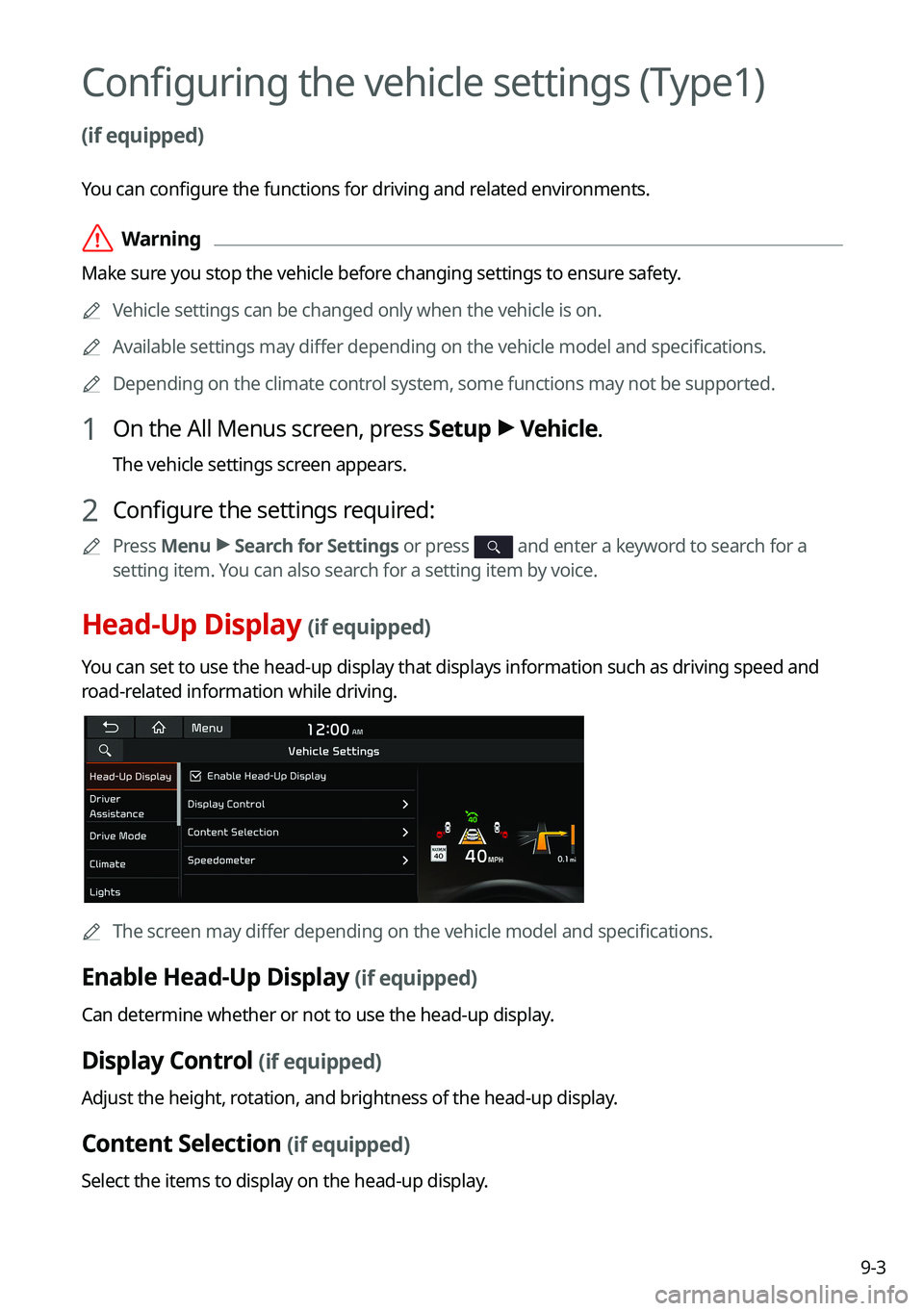
Head-Up Display (if equipped)
You can set to use the head-up display that displays information such as \
driving speed and
road-related information while driving.
0000
A
The screen may differ depending on the vehicle model and specifications.
Enable Head-Up Display (if equipped)
Can determine whether or not to use the head-up display.
Display Control (if equipped)
Adjust the height, rotation, and brightness of the head-up display.
Content Selection (if equipped)
Select the items to display on the head-up display.
Page 209 of 316
9-15
Rear Seat Heating Control (if equipped)
You can set to enable the warmer for the rear-left and rear-right seats.
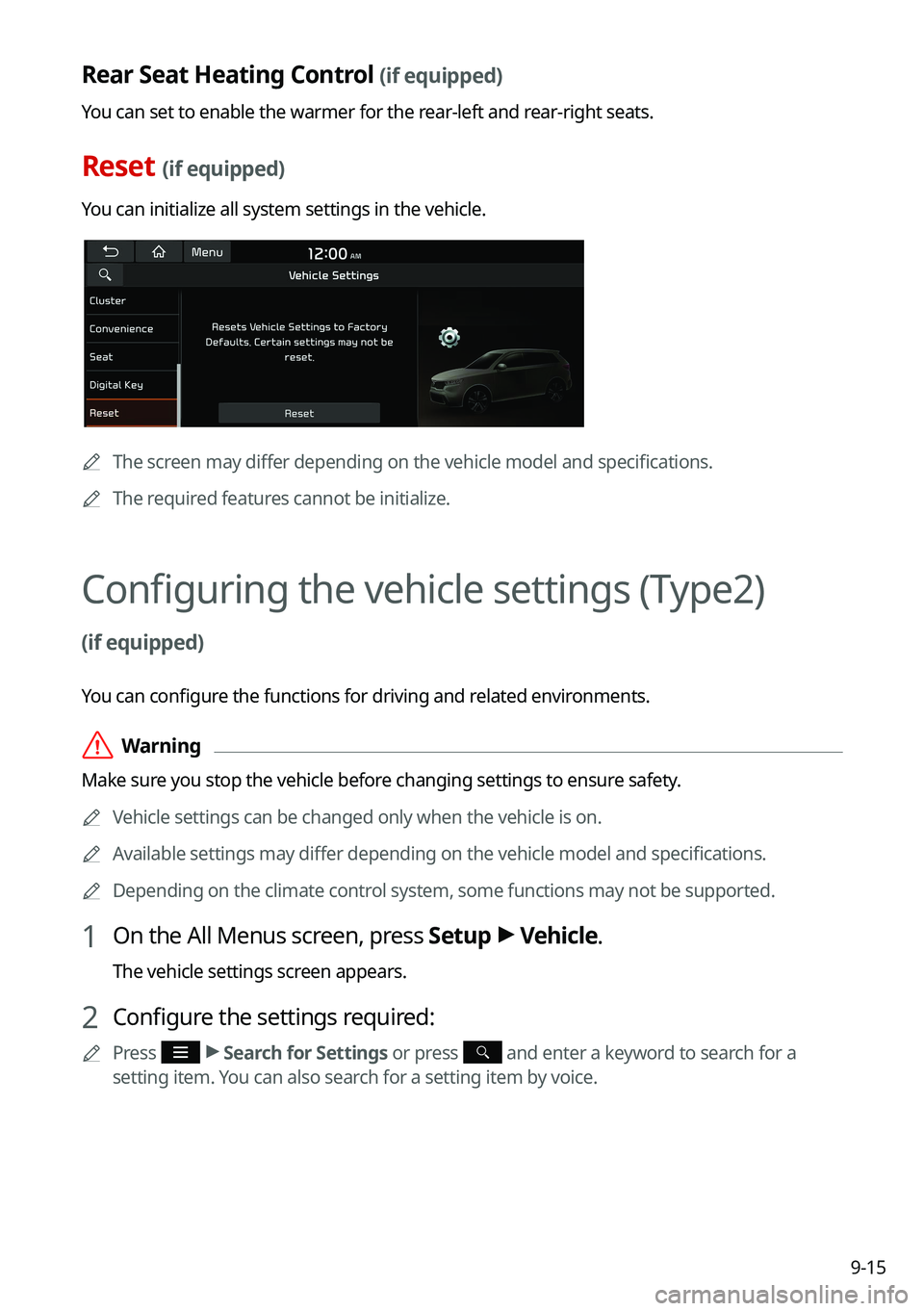
Reset (if equipped)
You can initialize all system settings in the vehicle.
0000AThe screen may differ depending on the vehicle model and specifications.
0000
A
The required features cannot be initialize.
Configuring the vehicle settings (Type2)
(if equipped)
You can configure the functions for driving and related environments.
\335Warning
Make sure you stop the vehicle before changing settings to ensure safety.
0000
A
Vehicle settings can be changed only when the vehicle is on.
0000
A
Available settings may differ depending on the vehicle model and specifications.
0000
A
Depending on the climate control system, some functions may not be supported.
1 On the All Menus screen, press Setup >
Vehicle.
The vehicle settings screen appears.
2 Configure the settings required:
0000
A
Press >
Search for Settings or press and enter a keyword to search for a
setting item. You can also search for a setting item by voice.
Page 248 of 316
9-54
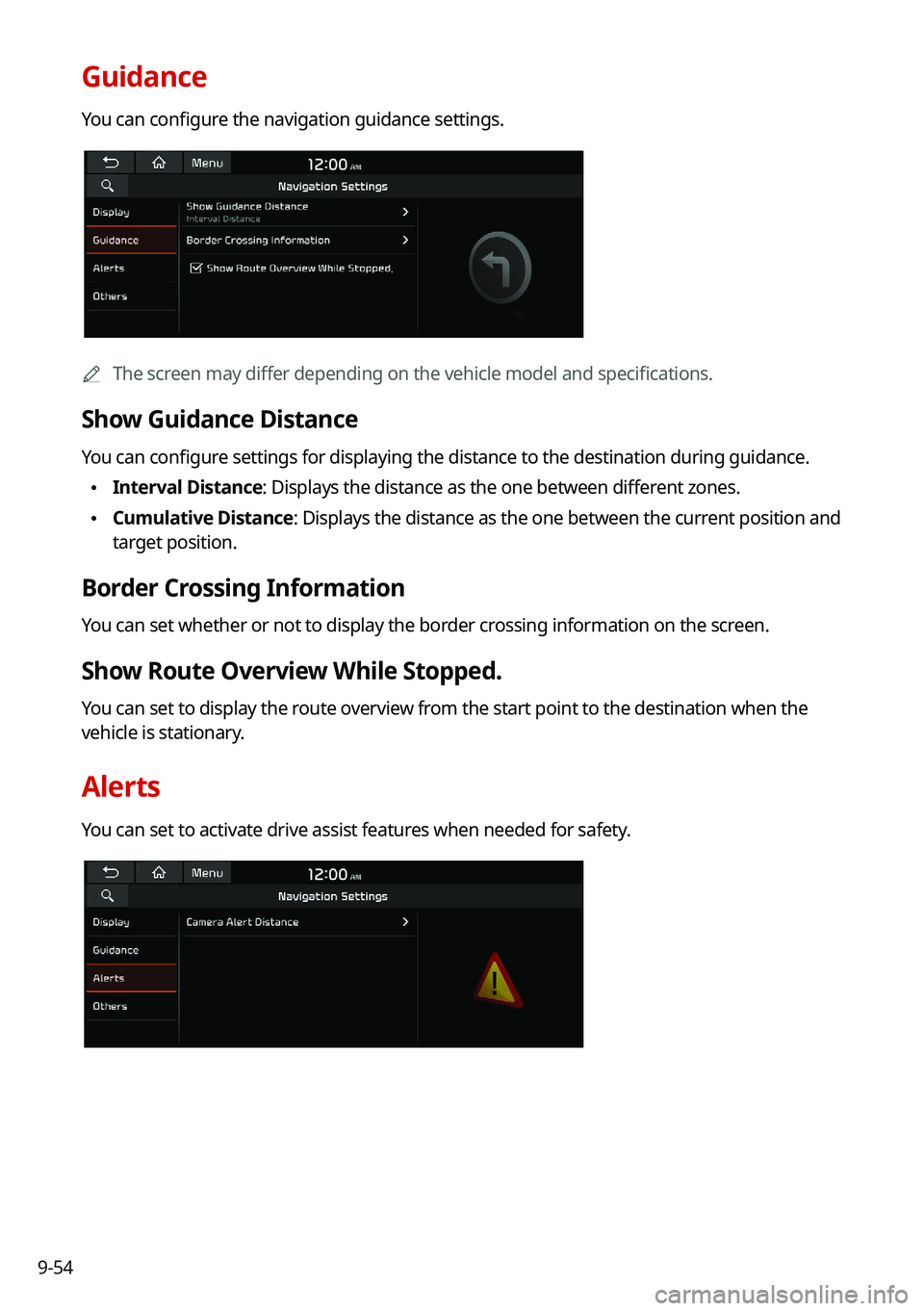
Guidance
You can configure the navigation guidance settings.
0000AThe screen may differ depending on the vehicle model and specifications.
Show Guidance Distance
You can configure settings for displaying the distance to the destination during guidance.
\225Interval Distance: Displays the distance as the one between different zones.
\225Cumulative Distance: Displays the distance as the one between the current position and
target position.
Border Crossing Information
You can set whether or not to display the border crossing information on the screen.
Show Route Overview While Stopped.
You can set to display the route overview from the start point to the destination when the
vehicle is stationary.
Alerts
You can set to activate drive assist features when needed for safety.
Page 254 of 316
9-60
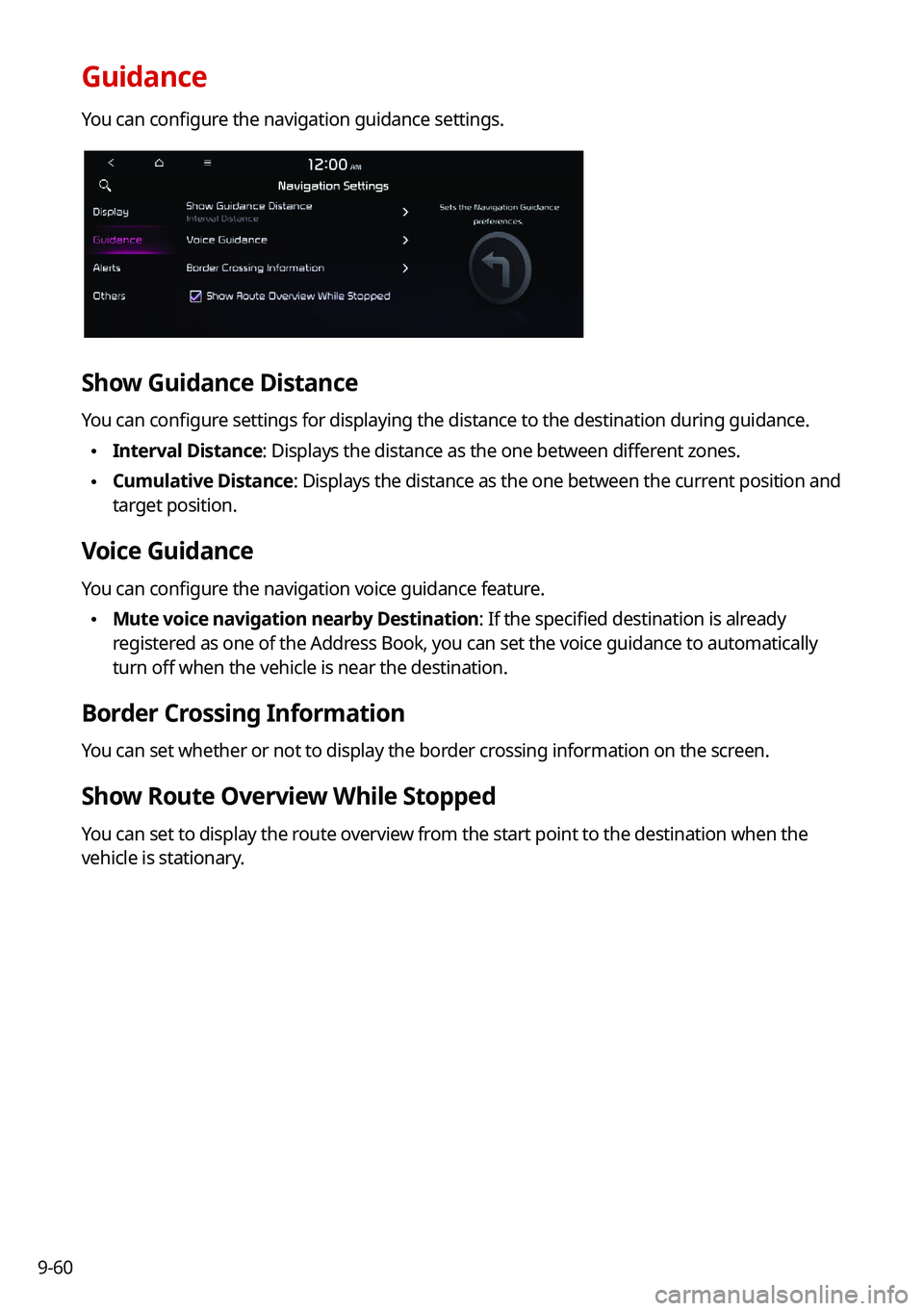
Guidance
You can configure the navigation guidance settings.
Show Guidance Distance
You can configure settings for displaying the distance to the destination during guidance.
\225Interval Distance: Displays the distance as the one between different zones.
\225Cumulative Distance: Displays the distance as the one between the current position and
target position.
Voice Guidance
You can configure the navigation voice guidance feature.
\225Mute voice navigation nearby Destination: If the specified destination is already
registered as one of the Address Book, you can set the voice guidance to automatically
turn off when the vehicle is near the destination.
Border Crossing Information
You can set whether or not to display the border crossing information on the screen.
Show Route Overview While Stopped
You can set to display the route overview from the start point to the destination when the
vehicle is stationary.
Page 285 of 316

9-91
Updating the software and map
1 Connect a USB device to the computer and run Navigation Updater for
downloading the update files.
2 Follow the instructions on the screen to download the update files.
3 Remove the USB device from the computer and then connect it to the
USB port in your vehicle.
4 Start the vehicle to turn on the system.
0000
A
You can perform update without starting the vehicle by simply locating the start
switch to "ON".
\334\334Caution
\225Perform update with the start switch "ON" when the battery is sufficiently charged
by driving the vehicle. When the battery is discharged while updating, the system
may get damaged with the update stopped.
-Note that the battery may be discharged easily in winter.
-The battery may also be discharged easily when the vehicle is not used for a long
time. Caution is required.
\225
When you start the vehicle while updating with the start switch "ON", po\
wer supply
to the system may be cut off.
5 On the All Menus screen, press Setup >
General >
SW Info/Update.
0000
A
After the system is turned on, press Yes when a pop-up window appears whether
to proceed with update. In this case, the screen changes to allow you to select the
update method.
[ Updating immediately
You can finish the update quickly.
1 On the SW Info/Update screen, press Update.
2 Press
Update Now.
3 Press OK.
The update is performed immediately after the system reboots.