ECO mode KIA NIRO PHEV 2021 User Guide
[x] Cancel search | Manufacturer: KIA, Model Year: 2021, Model line: NIRO PHEV, Model: KIA NIRO PHEV 2021Pages: 710, PDF Size: 14.77 MB
Page 153 of 710
413
Features of your vehicle
✽ ✽
NOTICE
You can active or deactivate the Two
Press Unlock function from the User
Settings mode in the LCD display.
Refer to “User Settings” in this
chapter.
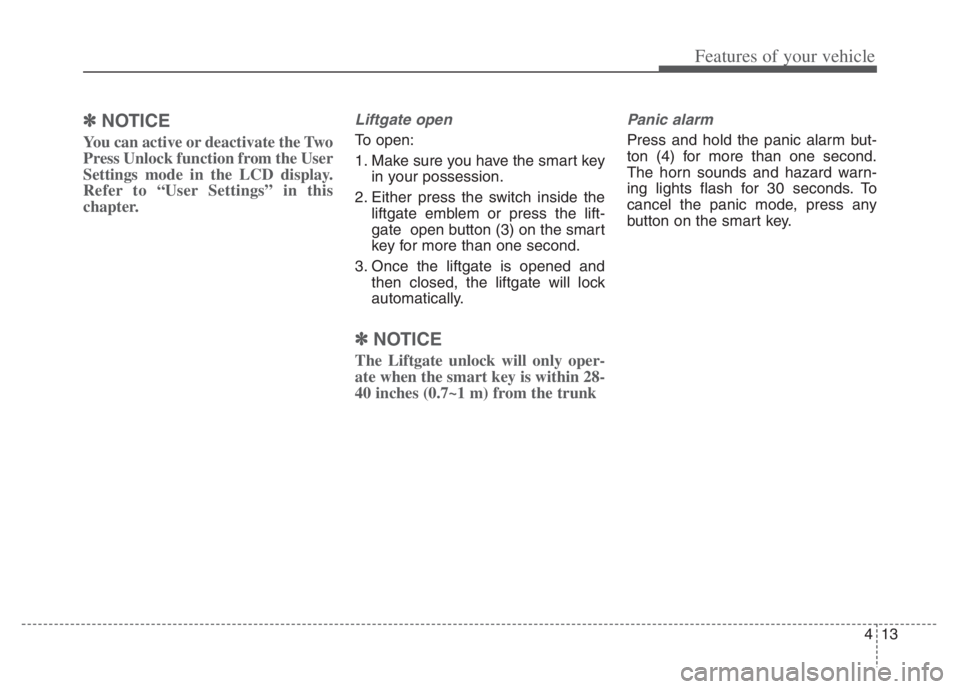
Liftgate open
To open:
1. Make sure you have the smart key
in your possession.
2. Either press the switch inside the
liftgate emblem or press the lift-
gate open button (3) on the smart
key for more than one second.
3. Once the liftgate is opened and
then closed, the liftgate will lock
automatically.
✽ ✽
NOTICE
The Liftgate unlock will only oper-
ate when the smart key is within 28-
40 inches (0.7~1 m) from the trunk
Panic alarm
Press and hold the panic alarm but-
ton (4) for more than one second.
The horn sounds and hazard warn-
ing lights flash for 30 seconds. To
cancel the panic mode, press any
button on the smart key.
Page 165 of 710
425
Features of your vehicle
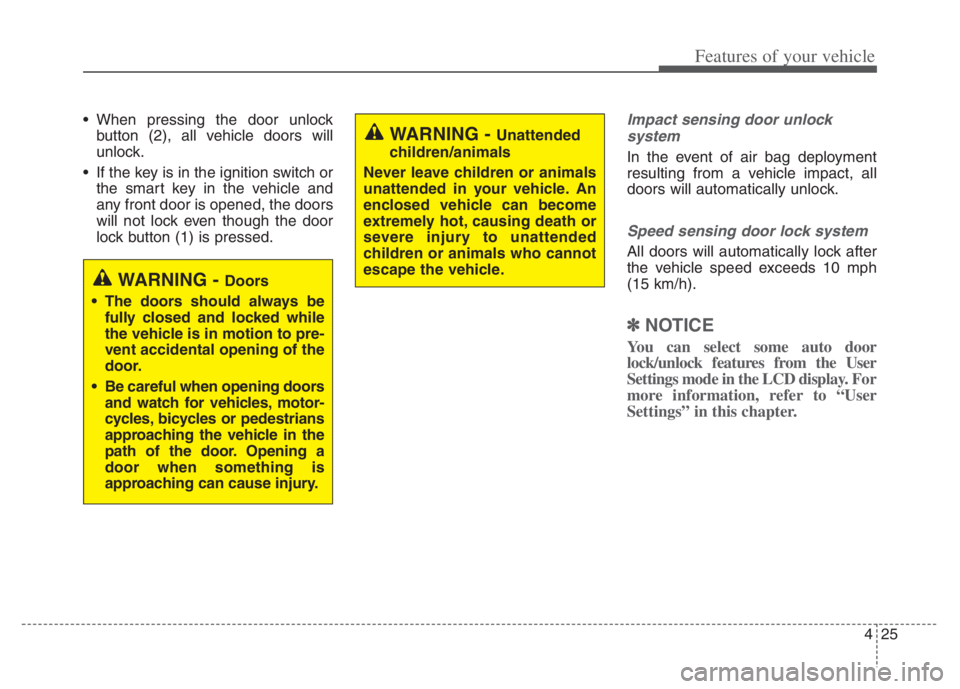
When pressing the door unlock
button (2), all vehicle doors will
unlock.
If the key is in the ignition switch or
the smart key in the vehicle and
any front door is opened, the doors
will not lock even though the door
lock button (1) is pressed.Impact sensing door unlock
system
In the event of air bag deployment
resulting from a vehicle impact, all
doors will automatically unlock.
Speed sensing door lock system
All doors will automatically lock after
the vehicle speed exceeds 10 mph
(15 km/h).
✽ ✽
NOTICE
You can select some auto door
lock/unlock features from the User
Settings mode in the LCD display. For
more information, refer to “User
Settings” in this chapter.
WARNING - Unattended
children/animals
Never leave children or animals
unattended in your vehicle. An
enclosed vehicle can become
extremely hot, causing death or
severe injury to unattended
children or animals who cannot
escape the vehicle.
WARNING - Doors
The doors should always be
fully closed and locked while
the vehicle is in motion to pre-
vent accidental opening of the
door.
Be careful when opening doors
and watch for vehicles, motor-
cycles, bicycles or pedestrians
approaching the vehicle in the
path of the door. Opening a
door when something is
approaching can cause injury.
Page 183 of 710
443
Features of your vehicle
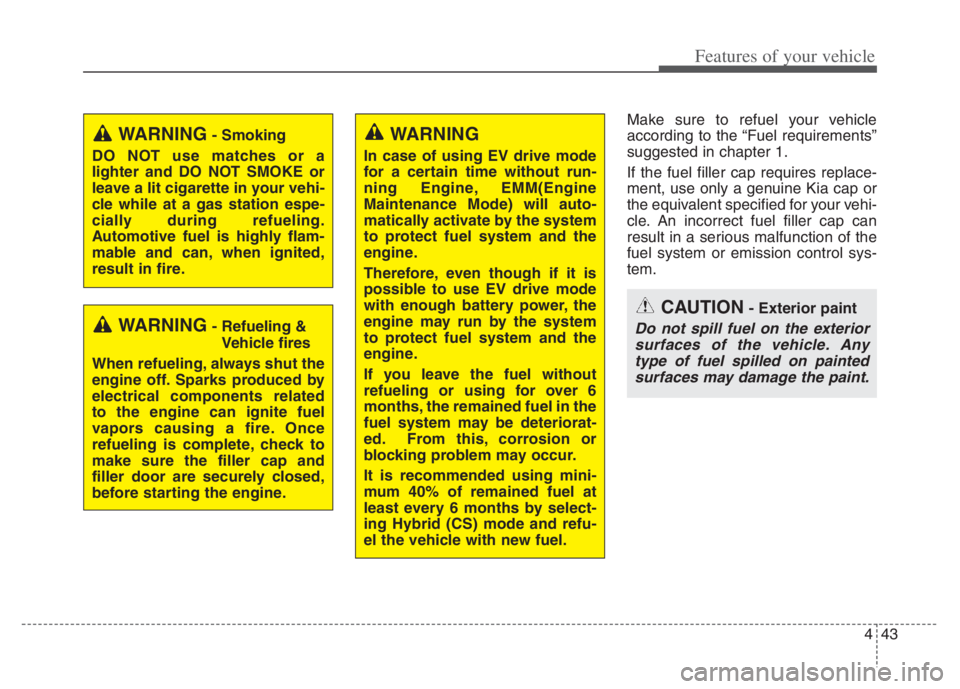
Make sure to refuel your vehicle
according to the “Fuel requirements”
suggested in chapter 1.
If the fuel filler cap requires replace-
ment, use only a genuine Kia cap or
the equivalent specified for your vehi-
cle. An incorrect fuel filler cap can
result in a serious malfunction of the
fuel system or emission control sys-
tem.
WARNING- Smoking
DO NOT use matches or a
lighter and DO NOT SMOKE or
leave a lit cigarette in your vehi-
cle while at a gas station espe-
cially during refueling.
Automotive fuel is highly flam-
mable and can, when ignited,
result in fire.
WARNING- Refueling &
Vehicle fires
When refueling, always shut the
engine off. Sparks produced by
electrical components related
to the engine can ignite fuel
vapors causing a fire. Once
refueling is complete, check to
make sure the filler cap and
filler door are securely closed,
before starting the engine.
WARNING
In case of using EV drive mode
for a certain time without run-
ning Engine, EMM(Engine
Maintenance Mode) will auto-
matically activate by the system
to protect fuel system and the
engine.
Therefore, even though if it is
possible to use EV drive mode
with enough battery power, the
engine may run by the system
to protect fuel system and the
engine.
If you leave the fuel without
refueling or using for over 6
months, the remained fuel in the
fuel system may be deteriorat-
ed. From this, corrosion or
blocking problem may occur.
It is recommended using mini-
mum 40% of remained fuel at
least every 6 months by select-
ing Hybrid (CS) mode and refu-
el the vehicle with new fuel.
CAUTION- Exterior paint
Do not spill fuel on the exterior
surfaces of the vehicle. Any
type of fuel spilled on painted
surfaces may damage the paint.
Page 198 of 710
Features of your vehicle
58
4
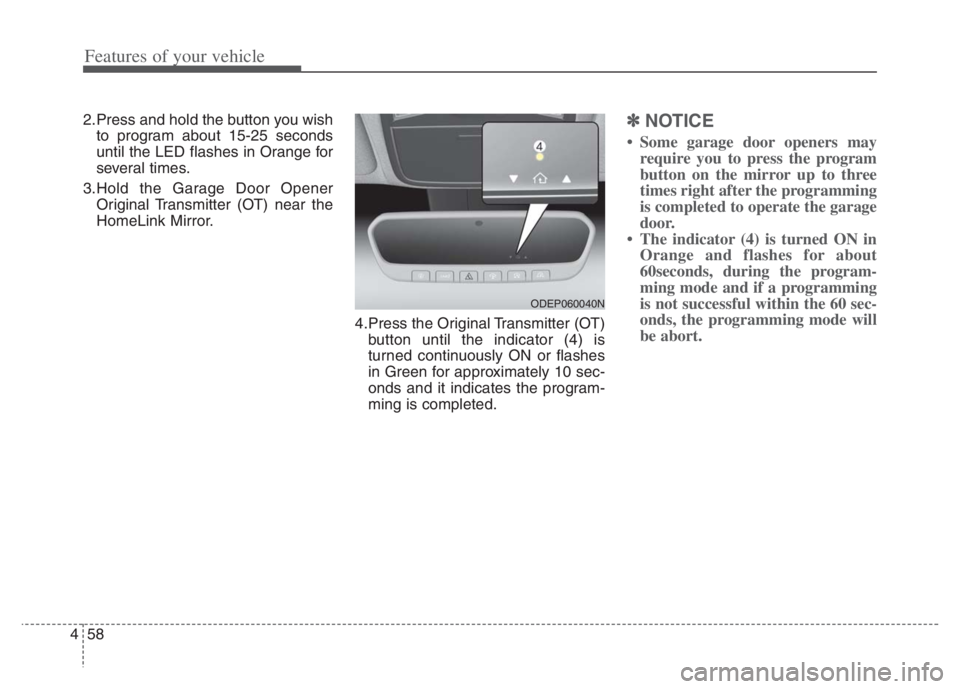
2.Press and hold the button you wish
to program about 15-25 seconds
until the LED flashes in Orange for
several times.
3.Hold the Garage Door Opener Original Transmitter (OT) near the
HomeLink Mirror.
4.Press the Original Transmitter (OT)button until the indicator (4) is
turned continuously ON or flashes
in Green for approximately 10 sec-
onds and it indicates the program-
ming is completed.✽ ✽ NOTICE
• Some garage door openers may
require you to press the program
button on the mirror up to three
times right after the programming
is completed to operate the garage
door.
• The indicator (4) is turned ON in Orange and flashes for about
60seconds, during the program-
ming mode and if a programming
is not successful within the 60 sec-
onds, the programming mode will
be abort.
ODEP060040N
Page 210 of 710
Features of your vehicle
70 4
Tachometer (if equipped)
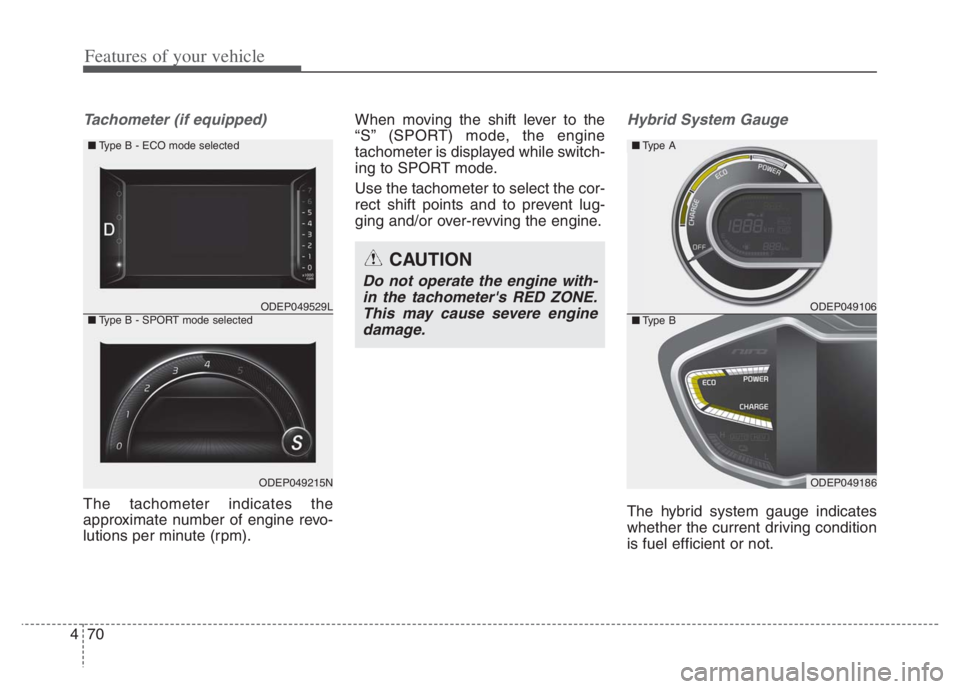
The tachometer indicates the
approximate number of engine revo-
lutions per minute (rpm).When moving the shift lever to the
“S” (SPORT) mode, the engine
tachometer is displayed while switch-
ing to SPORT mode.
Use the tachometer to select the cor-
rect shift points and to prevent lug-
ging and/or over-revving the engine.
Hybrid System Gauge
The hybrid system gauge indicates
whether the current driving condition
is fuel efficient or not.
ODEP049529L
ODEP049215N ■Type B - ECO mode selected
■Type B - SPORT mode selected
CAUTION
Do not operate the engine with-
in the tachometer's RED ZONE.
This may cause severe engine
damage.
ODEP049106
ODEP049186
■Type A
■Type B
Page 215 of 710
475
Features of your vehicle
Outside Temperature Gauge
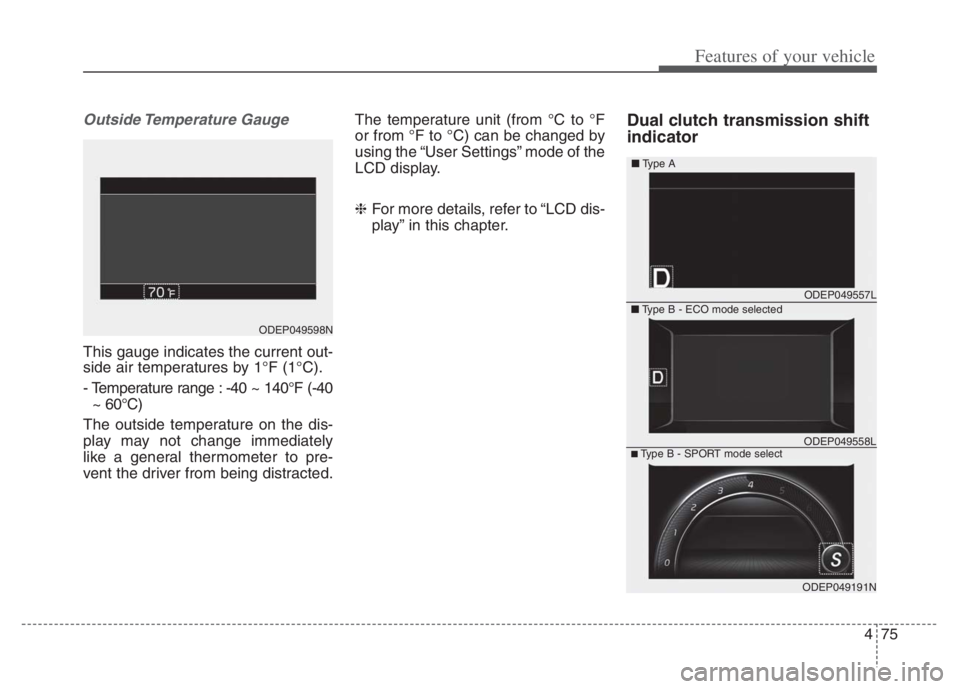
This gauge indicates the current out-
side air temperatures by 1°F (1°C).
- Temperature range : -40 ~ 140°F (-40
~ 60°C)
The outside temperature on the dis-
play may not change immediately
like a general thermometer to pre-
vent the driver from being distracted.The temperature unit (from °C to °F
or from °F to °C) can be changed by
using the “User Settings” mode of the
LCD display.
❈For more details, refer to “LCD dis-
play” in this chapter.
Dual clutch transmission shift
indicator
ODEP049598N
ODEP049557L
ODEP049191N
■Type A
■Type B - ECO mode selected
■Type B - SPORT mode selectODEP049558L
Page 218 of 710
Features of your vehicle
78 4
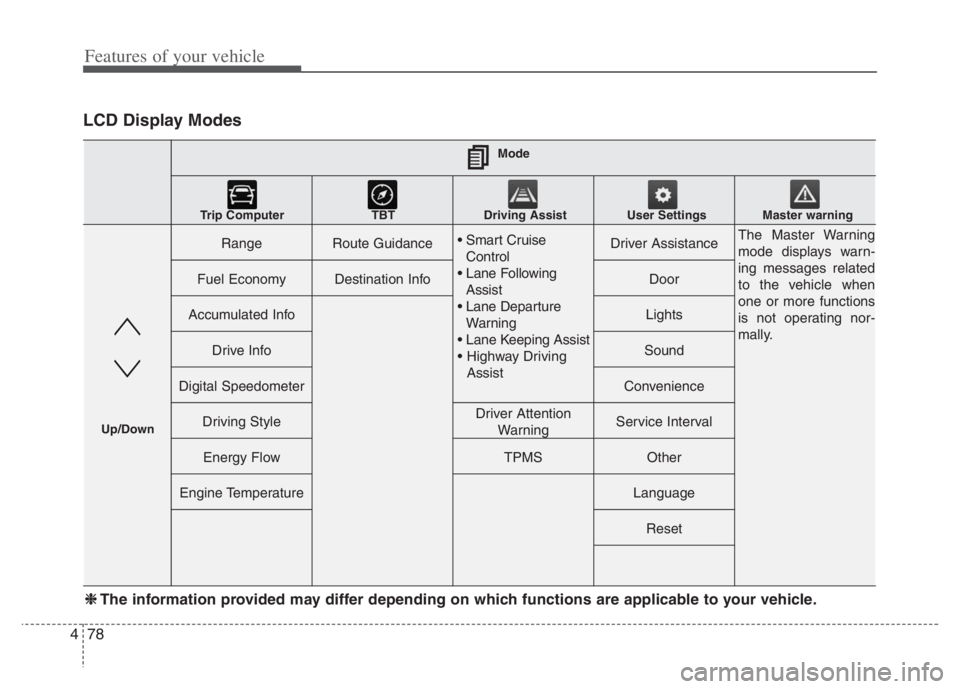
LCD Display Modes
RangeRoute Guidance
Control
Assist
Warning
AssistDriver AssistanceThe Master Warning
mode displays warn-
ing messages related
to the vehicle when
one or more functions
is not operating nor-
mally.
Fuel EconomyDestination InfoDoor
Accumulated InfoLights
Drive InfoSound
Digital SpeedometerConvenience
Driving StyleDriver Attention
WarningService Interval
Energy FlowTPMSOther
Engine TemperatureLanguage
Reset
Mode
Trip Computer TBT Driving Assist User Settings
Master warning
Up/Down
❈ ❈
The information provided may differ depending on which functions are applicable to your vehicle.
Page 219 of 710
479
Features of your vehicle
Trip computer mode
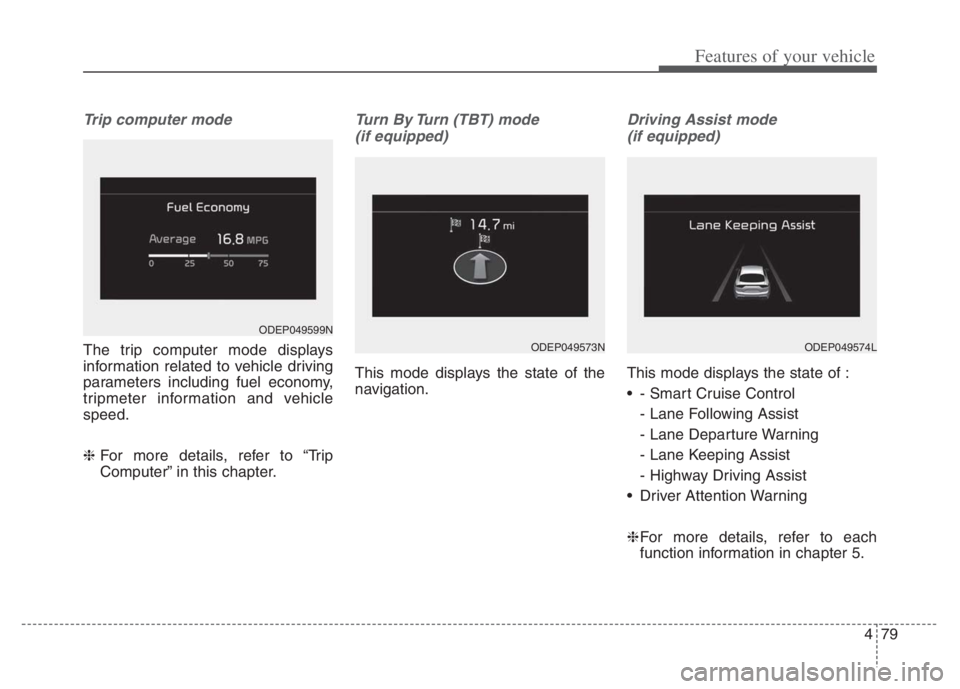
The trip computer mode displays
information related to vehicle driving
parameters including fuel economy,
tripmeter information and vehicle
speed.
❈ For more details, refer to “Trip
Computer” in this chapter.
Turn By Turn (TBT) mode
(if equipped)
This mode displays the state of the
navigation.
Driving Assist mode
(if equipped)
This mode displays the state of :
- Smart Cruise Control
- Lane Following Assist
- Lane Departure Warning
- Lane Keeping Assist
- Highway Driving Assist
Driver Attention Warning
❈For more details, refer to each
function information in chapter 5.
ODEP049599N
ODEP049574LODEP049573N
Page 230 of 710
Features of your vehicle
90 4
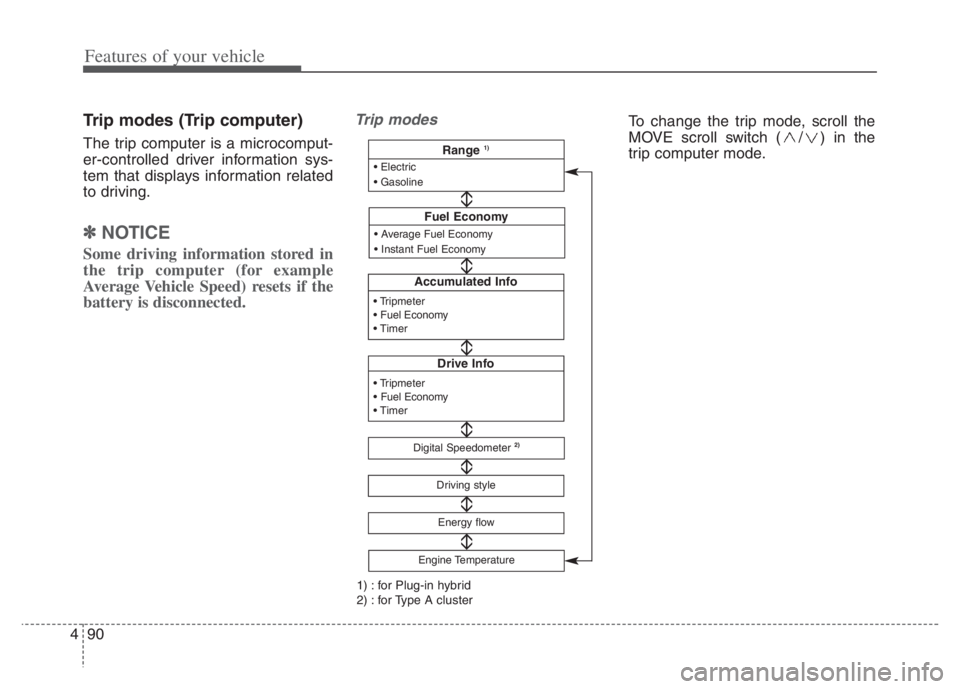
Trip modes (Trip computer)
The trip computer is a microcomput-
er-controlled driver information sys-
tem that displays information related
to driving.
✽ ✽
NOTICE
Some driving information stored in
the trip computer (for example
Average Vehicle Speed) resets if the
battery is disconnected.
Trip modes
Accumulated Info
Drive Info
Digital Speedometer2)
Driving style
Fuel Economy
Energy flow
Engine Temperature
Range 1)
1) : for Plug-in hybrid
2) : for Type A cluster
To change the trip mode, scroll the
MOVE scroll switch ( / ) in the
trip computer mode.
Page 232 of 710
Features of your vehicle
92 4
Manual reset
To clear the average fuel economy
manually, press the OK button
(reset) on the steering wheel for
more than 1 second when the aver-
age fuel economy is displayed.Automatic reset
To make the average fuel economy
be reset automatically whenever
refueling, select the “Fuel Economy
Reset” mode in User Setting menu of
the LCD display (Refer to “LCD dis-
play”).
OFF - You may set to default man-
ually by using the trip switch reset
button.
After ignition - The vehicle will
automatically set to default once 4
hours pass after the ignition switch
or ENGINE START/STOP button is
turned to the OFF position.
After refueling - After refueling
more than 1.6 gallons (6 liters) and
driving over 1 mph (1 km/h), the
vehicle will reset to default auto-
matically.
✽ ✽
NOTICE
The average vehicle speed is not dis-
played, when the vehicle drives
shorter than 0.2 miles(300 meters)
or less than 10 seconds after turning
ON the ignition switch or ENGINE
START/STOP button.
Instant Fuel Economy (2)
This mode displays the instant fuel
economy while driving.
- Fuel economy range : 0.0 ~ 75
MPG or 0.0 ~ 30 L/100km, km/L