alarm KIA NIRO PHEV 2021 User Guide
[x] Cancel search | Manufacturer: KIA, Model Year: 2021, Model line: NIRO PHEV, Model: KIA NIRO PHEV 2021Pages: 710, PDF Size: 14.77 MB
Page 276 of 710
Features of your vehicle
136 4
Do not use the interior lights for
extended periods when the engine is
not running.
It may cause battery discharge.Automatic turn off function
The interior lights automatically turn
off approximately 20 minutes after
the ignition switch is turned off, if the
lights are in the ON position.
If your vehicle is equipped with the
theft alarm system, the interior lights
automatically turn off approximately
5 seconds after the system is armed.
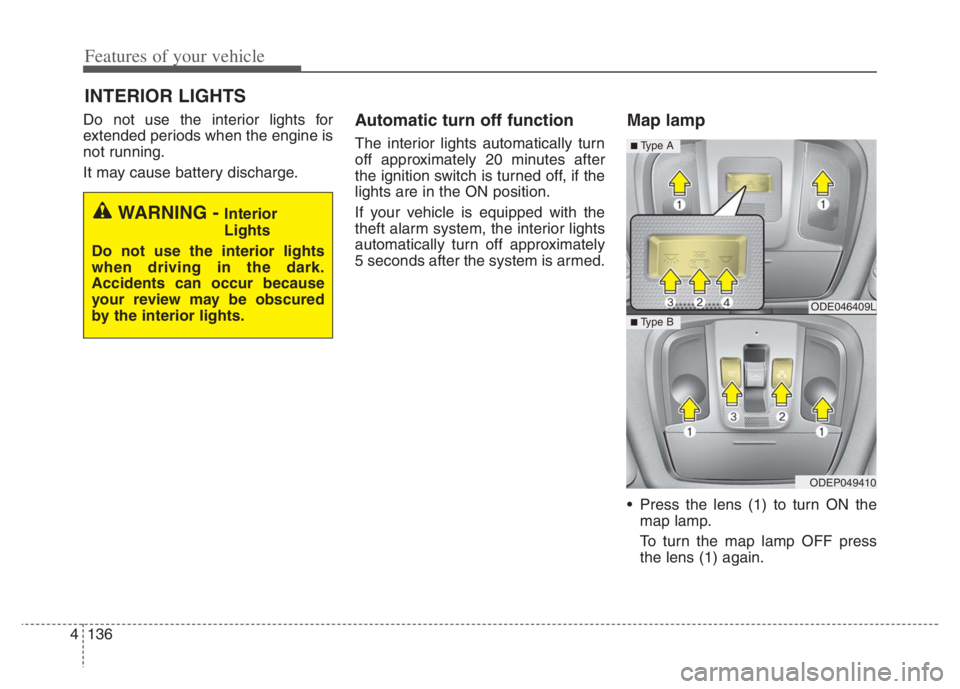
Map lamp
Press the lens (1) to turn ON the
map lamp.
To turn the map lamp OFF press
the lens (1) again.
INTERIOR LIGHTS
WARNING - Interior
Lights
Do not use the interior lights
when driving in the dark.
Accidents can occur because
your review may be obscured
by the interior lights.
ODE046409L
ODEP049410
■ Type B
■ Type A
Page 377 of 710
Driving your vehicle
54 5
FCA is designed to detect the vehicle
ahead or pedestrian ahead in the
roadway through front view camera
recognition to warn the driver that a
collision is imminent, and if neces-
sary, apply emergency braking.
❈FCA stands for Forward Collision-
Avoidance AssistFunction setting and activa-
tion
Forward safety
The driver can activate FCA by plac-
ing the ignition switch or ENGINE
START/STOP button to the ON posi-
tion and by selecting:
“User Settings Driver Assistance
Forward Safety”
- If you select “Active Assist”, FCA
activates. FCA produces warning
messages and warning alarms in
accordance with the collision risk
levels. Also, it controls the brakes
in accordance with the collision
risk levels.
- If you select “Warning Only”, FCA
activates and produces only warn-
ing alarms in accordance with the
collision risk levels. You should
control the brake directly because
FCA do not control the brake.
- If you select “Off ”, FCA deacti-
vates,
FORWARD COLLISION-AVOIDANCE ASSIST (FCA) (FRONT VIEW CAMERA ONLY)
(IF EQUIPPED)
WARNING
Take the following precautions
when using Forward Collision-
Avoidance Assist :
This function is only a supple-
mental function and it is not
intended to, nor does it replace
the need for extreme care and
attention of the driver. The
sensing range and objects
detectable by the sensors are
limited. Pay attention to the
road conditions at all times.
NEVER drive too fast in accor-
dance with the road condi-
tions or while cornering.
Always drive cautiously to
prevent unexpected and sud-
den situations from occur-
ring. FCA does not stop the
vehicle completely and is only
intended to help mitigate an
imminent collision.
Page 379 of 710
Driving your vehicle
56 5
✽
✽
NOTICE
If you change the warning timing,
the warning timing of other systems
may change. Always be aware of
warning timing before changing the
warning timing.
Prerequisite for activation
FCA gets ready to be activated,
when the “Active Assist”, or “Warning
Only”, under the Forward Safety is
selected on the LCD display, and
when the following prerequisites are
satisfied.
- The ESC is activated.
- The driving speed is over 5 mph (8
km/h). (However, FCA is activated
within certain driving speed.)
- The function detects a vehicle or a
pedestrian in front, which may col-
lide with your vehicle. (FCA may
not be activated or may sound a
warning alarm in accordance with
the driving situation or vehicle con-
dition.)
❈FCA may not operate properly
according to the frontal situation,
the direction and speed of pedes-
trian.WARNING
Completely stop the vehicle
on a safe location before oper-
ating the switch on the steer-
ing wheel to activate/deacti-
vate FCA.
FCA automatically activates
upon placing the ignition
switch to the ON position. The
driver can deactivate FCA by
canceling the function setting
on the LCD display or
Infotainment System screen.
FCA automatically deacti-
vates upon canceling the
ESC. When the ESC is can-
celed, FCA cannot be activat-
ed on the LCD display or
Infotainment System screen.
FCA warning light will illumi-
nate, which is normal.
Page 380 of 710
557
Driving your vehicle
FCA warning message and
function control
FCA produces warning messages
and warning alarms in accordance
with the collision risk levels, such as
abrupt stopping of the vehicle in
front, insufficient braking distance,
pedestrian detection. Also, it controls
the brakes in accordance with the
collision risk levels.
The driver can select the initial warn-
ing activation time in the ‘Settings’ on
the LCD display or Infotainment
System screen. The options for the
initial Forward Collision Warning
include Normal or Late initial warning
time.
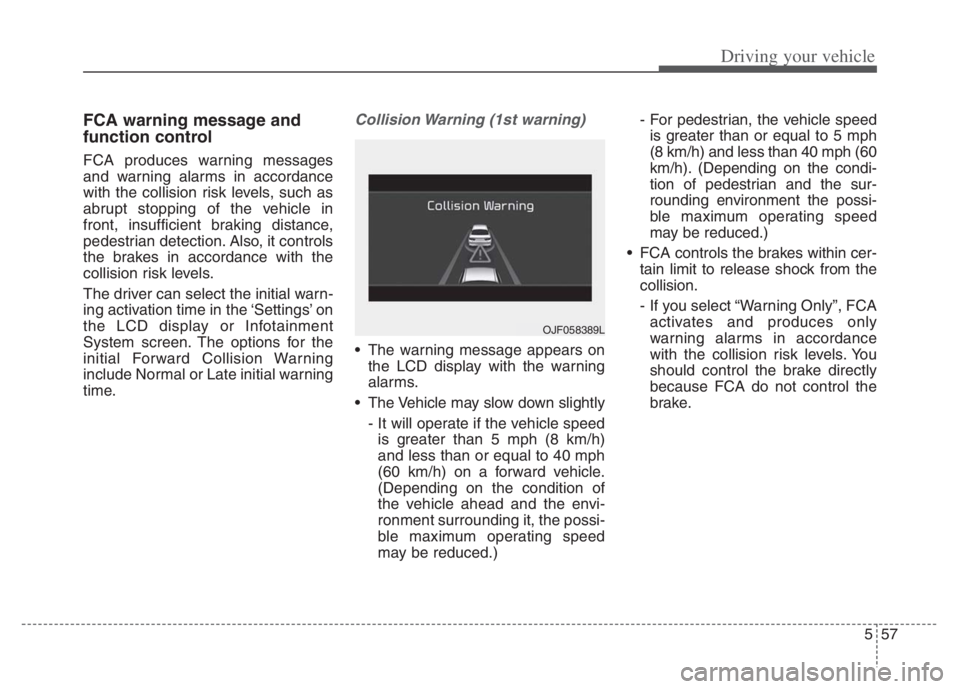
Collision Warning (1st warning)
The warning message appears on
the LCD display with the warning
alarms.
The Vehicle may slow down slightly
- It will operate if the vehicle speed
is greater than 5 mph (8 km/h)
and less than or equal to 40 mph
(60 km/h) on a forward vehicle.
(Depending on the condition of
the vehicle ahead and the envi-
ronment surrounding it, the possi-
ble maximum operating speed
may be reduced.)- For pedestrian, the vehicle speed
is greater than or equal to 5 mph
(8 km/h) and less than 40 mph (60
km/h). (Depending on the condi-
tion of pedestrian and the sur-
rounding environment the possi-
ble maximum operating speed
may be reduced.)
FCA controls the brakes within cer-
tain limit to release shock from the
collision.
- If you select “Warning Only”, FCA
activates and produces only
warning alarms in accordance
with the collision risk levels. You
should control the brake directly
because FCA do not control the
brake.
OJF058389L
Page 381 of 710
Driving your vehicle
58 5
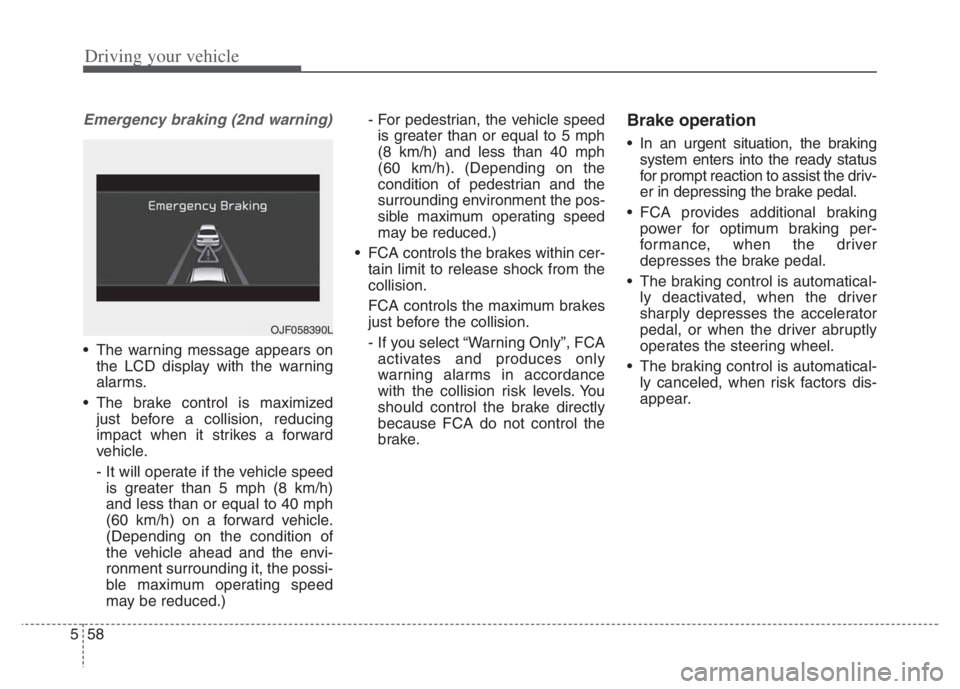
Emergency braking (2nd warning)
The warning message appears on
the LCD display with the warning
alarms.
The brake control is maximized
just before a collision, reducing
impact when it strikes a forward
vehicle.
- It will operate if the vehicle speed
is greater than 5 mph (8 km/h)
and less than or equal to 40 mph
(60 km/h) on a forward vehicle.
(Depending on the condition of
the vehicle ahead and the envi-
ronment surrounding it, the possi-
ble maximum operating speed
may be reduced.)- For pedestrian, the vehicle speed
is greater than or equal to 5 mph
(8 km/h) and less than 40 mph
(60 km/h).(Depending on the
condition of pedestrian and the
surrounding environment the pos-
sible maximum operating speed
may be reduced.)
FCA controls the brakes within cer-
tain limit to release shock from the
collision.
FCA controls the maximum brakes
just before the collision.
- If you select “Warning Only”, FCA
activates and produces only
warning alarms in accordance
with the collision risk levels. You
should control the brake directly
because FCA do not control the
brake.
Brake operation
In an urgent situation, the braking
system enters into the ready status
for prompt reaction to assist the driv-
er in depressing the brake pedal.
FCA provides additional braking
power for optimum braking per-
formance, when the driver
depresses the brake pedal.
The braking control is automatical-
ly deactivated, when the driver
sharply depresses the accelerator
pedal, or when the driver abruptly
operates the steering wheel.
The braking control is automatical-
ly canceled, when risk factors dis-
appear.
OJF058390L
Page 382 of 710
559
Driving your vehicle
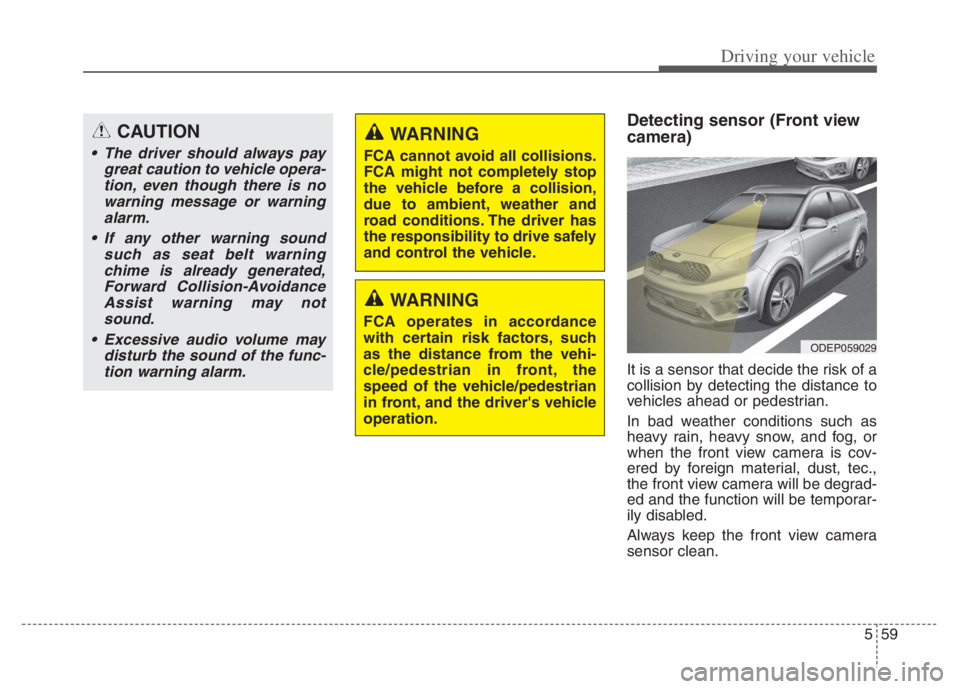
Detecting sensor (Front view
camera)
It is a sensor that decide the risk of a
collision by detecting the distance to
vehicles ahead or pedestrian.
In bad weather conditions such as
heavy rain, heavy snow, and fog, or
when the front view camera is cov-
ered by foreign material, dust, tec.,
the front view camera will be degrad-
ed and the function will be temporar-
ily disabled.
Always keep the front view camera
sensor clean.
WARNING
FCA cannot avoid all collisions.
FCA might not completely stop
the vehicle before a collision,
due to ambient, weather and
road conditions. The driver has
the responsibility to drive safely
and control the vehicle.
WARNING
FCA operates in accordance
with certain risk factors, such
as the distance from the vehi-
cle/pedestrian in front, the
speed of the vehicle/pedestrian
in front, and the driver's vehicle
operation.
CAUTION
The driver should always pay
great caution to vehicle opera-
tion, even though there is no
warning message or warning
alarm.
If any other warning sound
such as seat belt warning
chime is already generated,
Forward Collision-Avoidance
Assist warning may not
sound.
Excessive audio volume may
disturb the sound of the func-
tion warning alarm.
ODEP059029
Page 388 of 710
565
Driving your vehicle
The pedestrian has impaired
mobility.
When the pedestrian suddenly
interrupts in front of the vehicle.
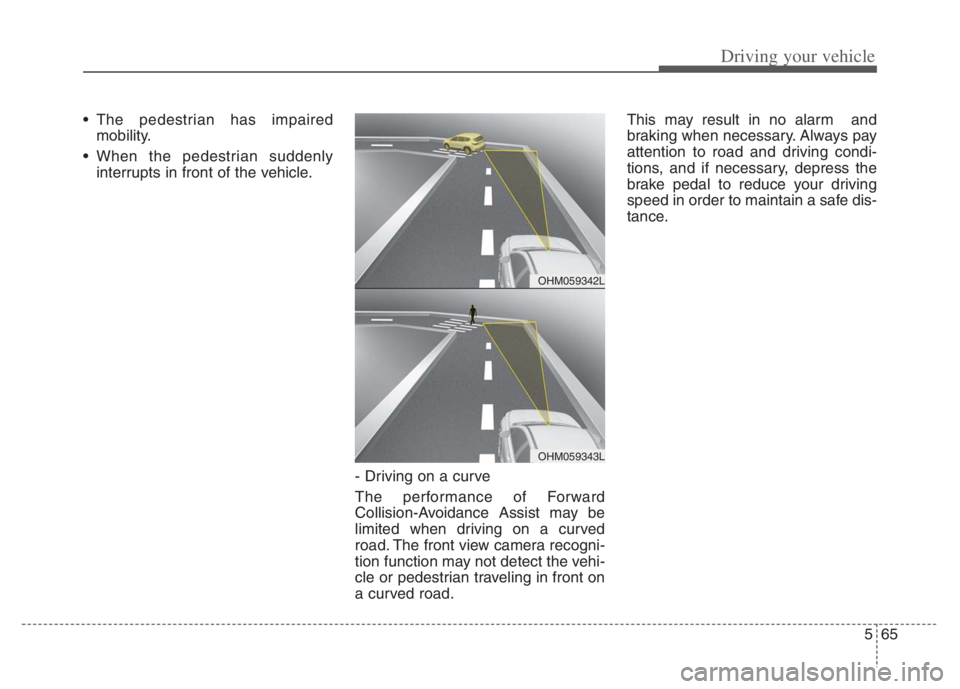
- Driving on a curve
The performance of Forward
Collision-Avoidance Assist may be
limited when driving on a curved
road. The front view camera recogni-
tion function may not detect the vehi-
cle or pedestrian traveling in front on
a curved road.This may result in no alarm and
braking when necessary. Always pay
attention to road and driving condi-
tions, and if necessary, depress the
brake pedal to reduce your driving
speed in order to maintain a safe dis-
tance.
OHM059342L
OHM059343L
Page 389 of 710
Driving your vehicle
66 5
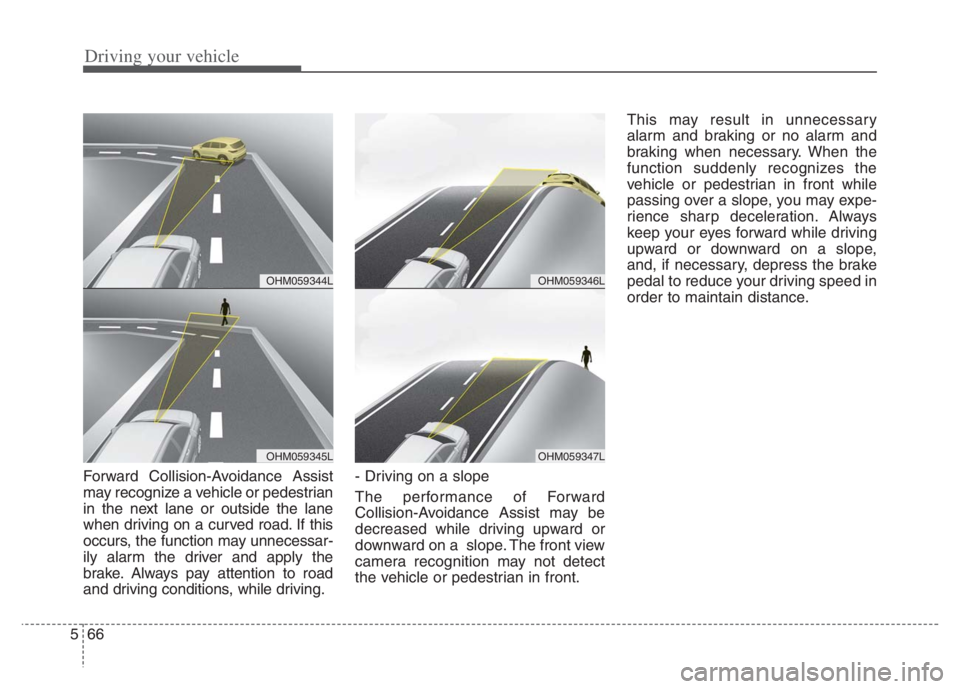
Forward Collision-Avoidance Assist
may recognize a vehicle or pedestrian
in the next lane or outside the lane
when driving on a curved road. If this
occurs, the function may unnecessar-
ily alarm the driver and apply the
brake. Always pay attention to road
and driving conditions, while driving.- Driving on a slope
The performance of Forward
Collision-Avoidance Assist may be
decreased while driving upward or
downward on a slope. The front view
camera recognition may not detect
the vehicle or pedestrian in front.This may result in unnecessary
alarm and braking or no alarm and
braking when necessary. When the
function suddenly recognizes the
vehicle or pedestrian in front while
passing over a slope, you may expe-
rience sharp deceleration. Always
keep your eyes forward while driving
upward or downward on a slope,
and, if necessary, depress the brake
pedal to reduce your driving speed in
order to maintain distance.
OHM059346L
OHM059347L
OHM059344L
OHM059345L
Page 393 of 710
Driving your vehicle
70 5
FCA is to reduce or to avoid accident
risk. It recognizes the distance from
the vehicle ahead, the pedestrian or
the cyclist through the sensors (i.e.
front view camera and front radar),
and, if necessary, warns the driver of
accident risk with the warning mes-
sage or the warning alarms and
apply emergency braking.
❈FCA stands for Forward Collision-
Avoidance Assist.
❈Sensor fusion (front view camera
+ front radar) FCA operates for the
vehicle ahead, the pedestrian or
the cyclist in front.Function setting and activa-
tion
Forward safety
The driver can activate FCA by plac-
ing the ignition switch or ENGINE
START/STOP button to the ON posi-
tion and by selecting:
“User Settings Driver Assistance
Forward Safety”
- If you select “Active Assist”, FCA
activates. FCA produces warning
messages and warning alarms in
accordance with the collision risk
levels. Also, it controls the brakes
in accordance with the collision
risk levels.
- If you select “Warning Only”, FCA
activates and produces only warn-
ing alarms in accordance with the
collision risk levels. You should
control the brake directly because
FCA do not control the brake.
- If you select “Off ”, FCA deacti-
vates,
FORWARD COLLISION-AVOIDANCE ASSIST (FCA) (SENSOR FUSION) (IF EQUIPPED)
WARNING
Take the following precautions
when using Forward Collision-
Avoidance Assist :
This function is only a supple-
mental function and it is not
intended to, nor does it replace
the need for the extreme care
and attention of the driver. The
sensing range and objects
detectable by the sensors are
limited. Pay attention to the
road conditions at all times.
NEVER drive too fast in accor-
dance with the road condi-
tions or while cornering.
Always drive cautiously to
prevent unexpected and sud-
den situations from occur-
ring. FCA does not stop the
vehicle completely and is only
intended to help mitigate an
imminent collision.
Page 394 of 710
571
Driving your vehicle
The warning light illumi-
nates on the LCD display,
when you cancel FCA. The
driver can monitor the
FCA ON/OFF status on the LCD dis-
play. Also, the warning light illumi-
nates when the ESC (Electronic
Stability Control) is turned off. When
the warning light remains ON with
FCA activated, have your vehicle
inspected by an authorized Kia deal-
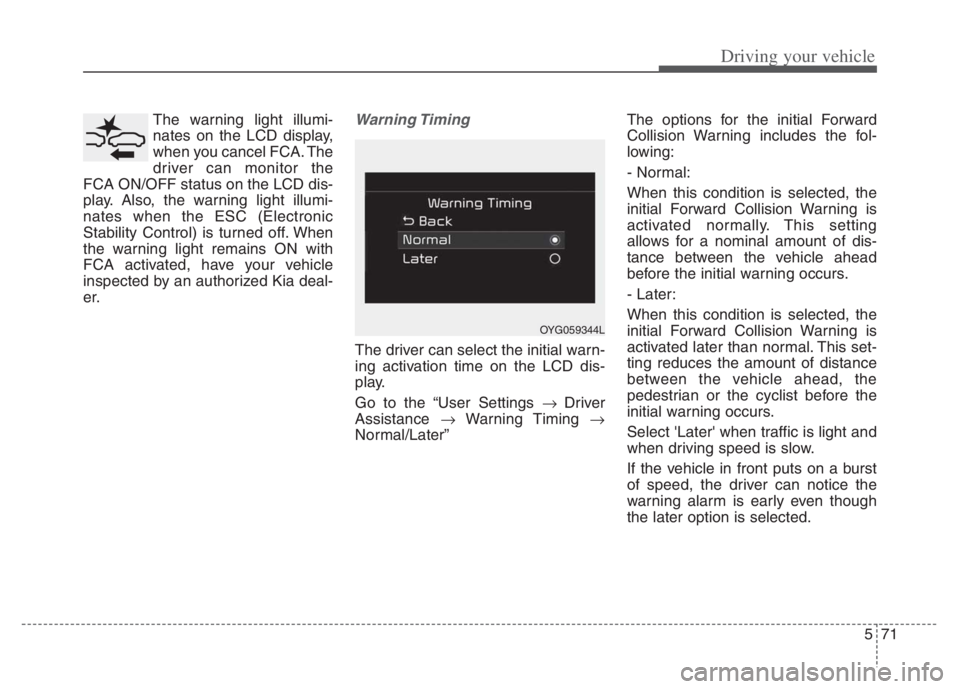
er.Warning Timing
The driver can select the initial warn-
ing activation time on the LCD dis-
play.
Go to the “User Settings Driver
Assistance Warning Timing
Normal/Later”The options for the initial Forward
Collision Warning includes the fol-
lowing:
- Normal:
When this condition is selected, the
initial Forward Collision Warning is
activated normally. This setting
allows for a nominal amount of dis-
tance between the vehicle ahead
before the initial warning occurs.
- Later:
When this condition is selected, the
initial Forward Collision Warning is
activated later than normal. This set-
ting reduces the amount of distance
between the vehicle ahead, the
pedestrian or the cyclist before the
initial warning occurs.
Select 'Later' when traffic is light and
when driving speed is slow.
If the vehicle in front puts on a burst
of speed, the driver can notice the
warning alarm is early even though
the later option is selected.
OYG059344L