park assist KIA NIRO PHEV 2022 Owners Manual
[x] Cancel search | Manufacturer: KIA, Model Year: 2022, Model line: NIRO PHEV, Model: KIA NIRO PHEV 2022Pages: 710, PDF Size: 10.35 MB
Page 36 of 710

H31
Coasting guide (if equipped)
A chime will sound and the coasting
guide indicator will blink four times to
inform the driver when to take the foot
off from the accelerator by anticipat-
ing a decelerating event* based on
the analysis of driving routes and
road conditions according to the nav-
igation system. It encourages the
driver to remove foot from accelerator
pedal and allow coasting down the
road with EV motor only. This helps
prevent unnecessary fuel consump-
tion and increases fuel efficiency.
❈Examples of a deceleration events
is going down an extended hill,
slowing down while approaching a
toll booth, and approaching
reduced speed zones.
Press the Engine Start/Stop button
and put the shift lever in P(Park). In
the User Settings Mode, select
Driving Assist, Coasting Guide, and
then On to turn on the system.
Cancel the selection of coasting
guide to turn off the system. For the
explanation of the system, press and
hold the [OK] button.
To activate the system, take the fol-
lowing procedures. Enter your desti-
nation information on the navigation
and select the driving route. Then,
satisfy the following.
- The driving speed should be
between 37 mph (60 km/h) and 99
mph (160 km/h).
❈ The operating speed may vary due
to difference between instrument
cluster and navigation effected by
tire inflation level.
✽ ✽ NOTICE
Coasting guide is only a supplemen-
tal system to assist with fuel-efficient
driving. Thus, the operating condi-
tions may be different in accordance
with traffic/road conditions (i.e.
driving in a traffic jam, driving on a
slope, driving on a curve). Thus,
take the actual driving conditions
into consideration, such as distances
from the vehicles ahead/ behind,
while referring to the coasting guide
system as guidance.
Page 66 of 710
25
Your vehicle at a glance
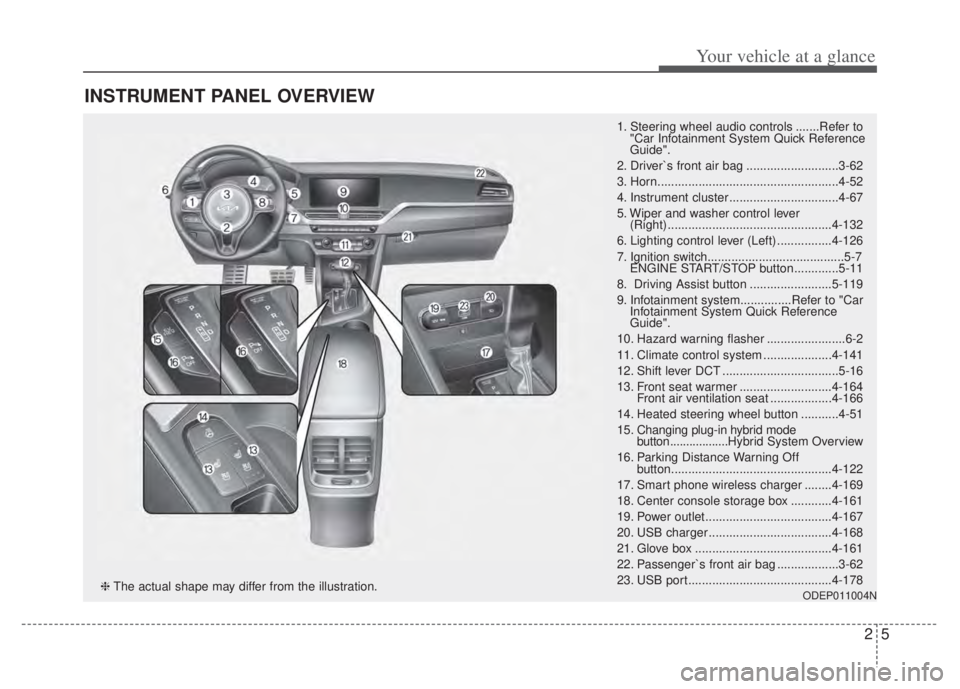
INSTRUMENT PANEL OVERVIEW
1. Steering wheel audio controls .......Refer to"Car Infotainment System Quick Reference
Guide".
2. Driver`s front air bag ...........................3-62
3. Horn.....................................................4-52
4. Instrument cluster ................................4-67
5. Wiper and washer control lever (Right) ................................................4-132
6. Lighting control lever (Left) ................4-126
7. Ignition switch........................................5-7 ENGINE START/STOP button .............5-11
8. Driving Assist button ........................5-119
9. Infotainment system...............Refer to "Car Infotainment System Quick Reference
Guide".
10. Hazard warning flasher .......................6-2
11. Climate control system ....................4-141
12. Shift lever DCT ..................................5-16
13. Front seat warmer ...........................4-164 Front air ventilation seat ..................4-166
14. Heated steering wheel button ...........4-51
15. Changing plug-in hybrid mode button.................. Hybrid System Overview
16. Parking Distance Warning Off button...............................................4-122
17. Smart phone wireless charger ........4-169
18. Center console storage box ............4-161
19. Power outlet.....................................4-167
20. USB charger ....................................4-168
21. Glove box ........................................4-161
22. Passenger`s front air bag ..................3-62
23. USB port..........................................4-178
ODEP011004N❈ The actual shape may differ from the illustration.
Page 221 of 710
481
Features of your vehicle
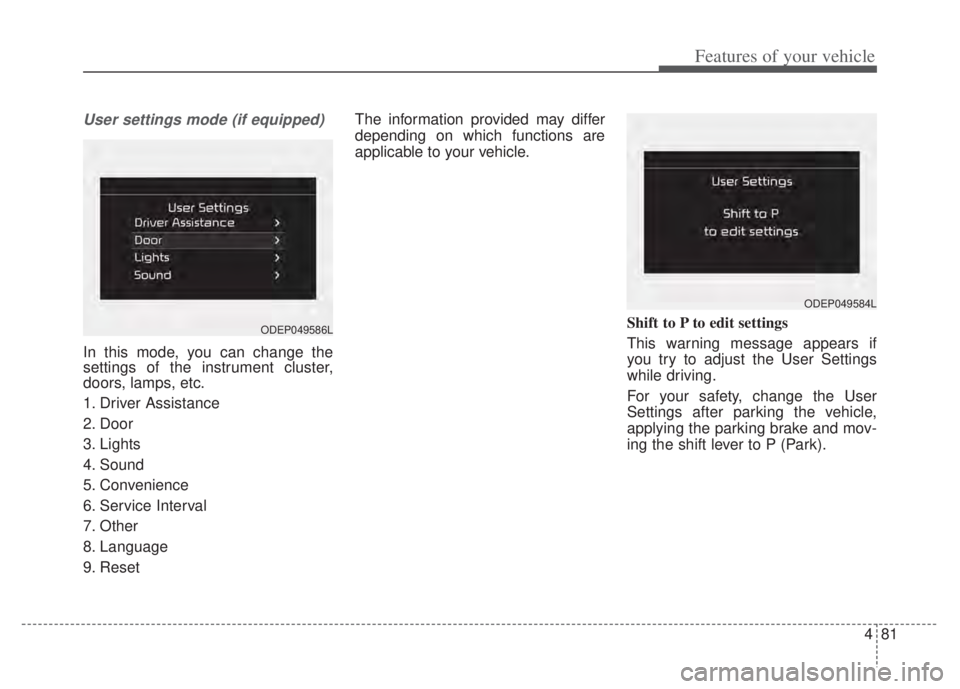
User settings mode (if equipped)
In this mode, you can change the
settings of the instrument cluster,
doors, lamps, etc.
1. Driver Assistance
2. Door
3. Lights
4. Sound
5. Convenience
6. Service Interval
7. Other
8. Language
9. ResetThe information provided may differ
depending on which functions are
applicable to your vehicle.
Shift to P to edit settings
This warning message appears if
you try to adjust the User Settings
while driving.
For your safety, change the User
Settings after parking the vehicle,
applying the parking brake and mov-
ing the shift lever to P (Park).
ODEP049584L
ODEP049586L
Page 223 of 710

483
Features of your vehicle
ItemsExplanation
Forward Safety
Active Assist/Warning Only/Off
To select the function.
❈For more details, refer to “Forward Collision-Avoidance Assist (FCA)” in chapter 5.
Lane Safety
Lane Keeping Assist/Lane Departure Warning/Off
To select the function.
❈For more details, refer to “Lane Keeping Assist (LKA)” in chapter 5.
Blind-Spot Safety
Warning Only/Off
To select the function.
❈For more details, refer to “Blind-Spot Collision Warning (BCW)” in chapter 5.
Parking Safety
Rear Cross-Traffic Safety
To select the function.
❈For more details, refer to “Rear Cross-Traffic Collision Warning (RCCW)” in chapter 5.
❈ The information provided may differ depending on which functions are applicable to your vehicle.
Page 225 of 710

485
Features of your vehicle
ItemsExplanation
One Touch Turn Signal
Off : The one touch turn signal function will be deactivated.
3, 5, 7 Flashes : The turn signal indicator will blink 3, 5, or 7 times when the turn signal lever ismoved slightly.
❈ For more details, refer to “Lighting” in this chapter.
Ambient Light Brightness Adjust the brightness of the Ambient light.
- Off/Level 1,2,3,4
Ambient Light Color Select the color of the ambient light.- White, Gray, Blue, Eco Green, Bronze, Red
Headlight DelayTo activate or deactivate the headlight delay function.
High Beam AssistTo activate or deactivate High Beam Assist function.
3. Lights (if equipped)
❈ The information provided may differ depending on which functions are applicable to your vehicle.
ItemsExplanation
Parking Distance Warning
Volume Adjust the Park Distance Warning system volume (High/Low).
4. Sound
❈The information provided may differ depending on which functions are applicable to your vehicle.
Page 248 of 710
Features of your vehicle
108
4
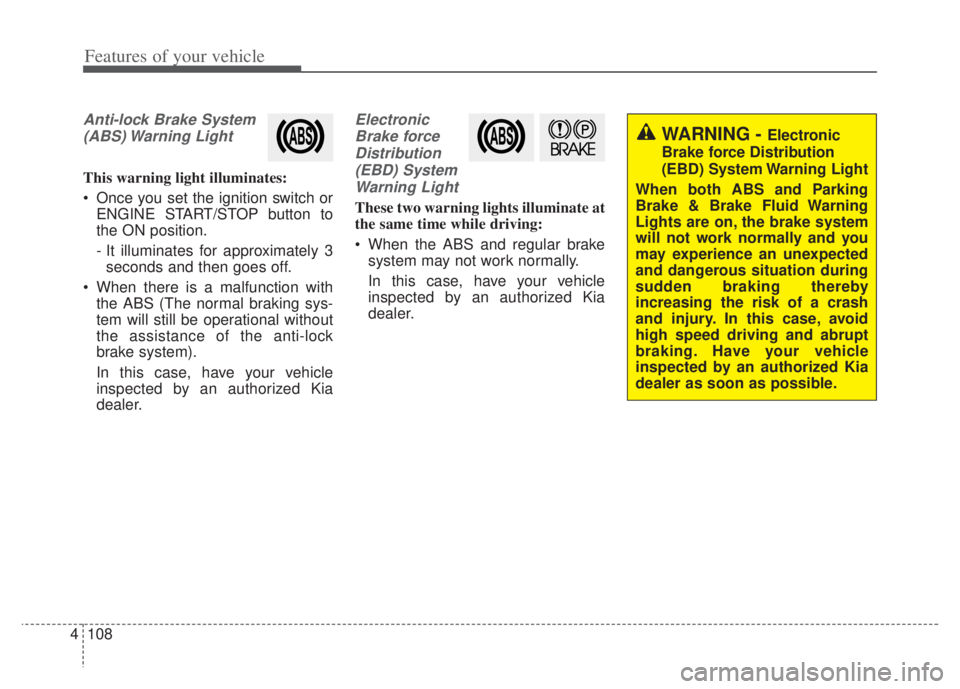
Anti-lock Brake System
(ABS) Warning Light
This warning light illuminates:
Once you set the ignition switch or ENGINE START/STOP button to
the ON position.
- It illuminates for approximately 3seconds and then goes off.
When there is a malfunction with the ABS (The normal braking sys-
tem will still be operational without
the assistance of the anti-lock
brake system).
In this case, have your vehicle
inspected by an authorized Kia
dealer.
Electronic
Brake forceDistribution(EBD) SystemWarning Light
These two warning lights illuminate at
the same time while driving:
When the ABS and regular brake system may not work normally.
In this case, have your vehicle
inspected by an authorized Kia
dealer.
WARNING - Electronic
Brake force Distribution
(EBD) System Warning Light
When both ABS and Parking
Brake & Brake Fluid Warning
Lights are on, the brake system
will not work normally and you
may experience an unexpected
and dangerous situation during
sudden braking thereby
increasing the risk of a crash
and injury. In this case, avoid
high speed driving and abrupt
braking. Have your vehicle
inspected by an authorized Kia
dealer as soon as possible.
Page 254 of 710
Features of your vehicle
114
4
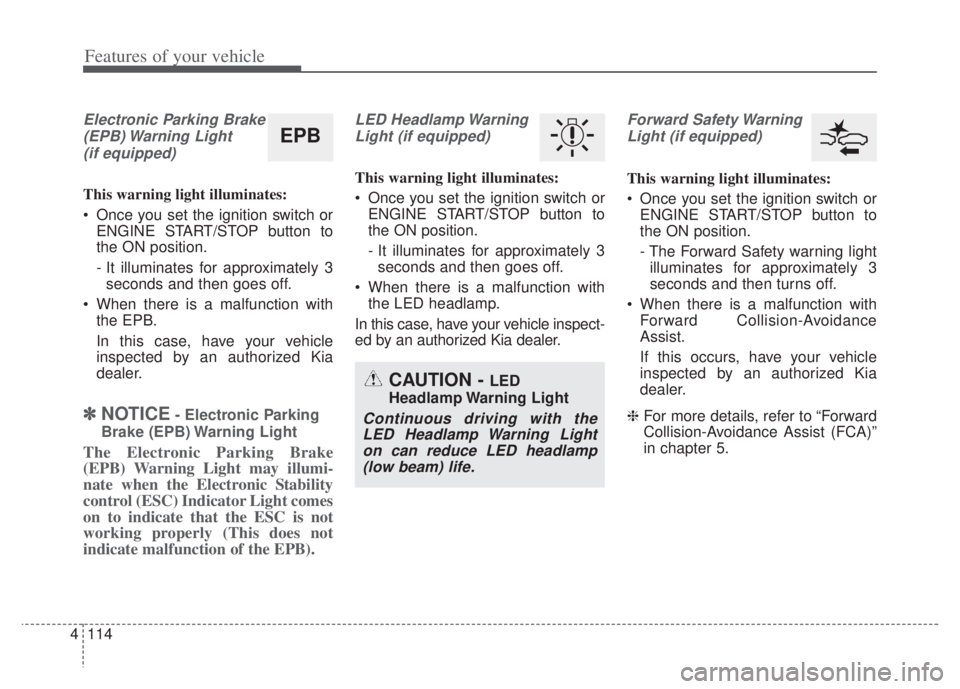
Electronic Parking Brake
(EPB) Warning Light(if equipped)
This warning light illuminates:
Once you set the ignition switch or ENGINE START/STOP button to
the ON position.
- It illuminates for approximately 3seconds and then goes off.
When there is a malfunction with the EPB.
In this case, have your vehicle
inspected by an authorized Kia
dealer.
✽ ✽ NOTICE- Electronic Parking
Brake (EPB) Warning Light
The Electronic Parking Brake
(EPB) Warning Light may illumi-
nate when the Electronic Stability
control (ESC) Indicator Light comes
on to indicate that the ESC is not
working properly (This does not
indicate malfunction of the EPB).
LED Headlamp Warning Light (if equipped)
This warning light illuminates:
Once you set the ignition switch or ENGINE START/STOP button to
the ON position.
- It illuminates for approximately 3seconds and then goes off.
When there is a malfunction with the LED headlamp.
In this case, have your vehicle inspect-
ed by an authorized Kia dealer.
Forward Safety Warning Light (if equipped)
This warning light illuminates:
Once you set the ignition switch or ENGINE START/STOP button to
the ON position.
- The Forward Safety warning lightilluminates for approximately 3
seconds and then turns off.
When there is a malfunction with Forward Collision-Avoidance
Assist.
If this occurs, have your vehicle
inspected by an authorized Kia
dealer.
❈ For more details, refer to “Forward
Collision-Avoidance Assist (FCA)”
in chapter 5.
CAUTION - LED
Headlamp Warning Light
Continuous driving with the LED Headlamp Warning Lighton can reduce LED headlamp(low beam) life.
EPB
Page 262 of 710

Features of your vehicle
122
4
Reverse Parking Distance Warning
assists the driver during backward
movement of the vehicle by chiming if
any object is sensed within a distance
of 48 inches (120 cm) behind the
vehicle.
This function is a supplemental func-
tion and it is not intended to nor does
it replace the need for extreme care
and attention of the driver. The sens-
ing range and objects detectable by
rear ultrasonic sensors (➀) are limited.
Whenever backing-up, pay as much
attention to what is behind you as you
would in a vehicle without a Reverse
Parking Distance Warning.
Reverse Parking Distance
Warning operation
Operating condition
Press the Parking Distance Warning
Off button to turn off the Reverse
Parking Distance Warning. The indi-
cator light on the button will turn on.
REVERSE PARKING DISTANCE WARNING (PDW) (IF EQUIPPED)
WARNING
-
Reverse Parking Distance
Warning
Never rely solely on Reverse
Parking Distance Warning.
Always perform a visual inspec-
tion to make sure the vehicle is
clear of all obstructions before
moving the vehicle in any direc-
tion. Stop immediately if you are
aware of a child or other person
anywhere near your vehicle.
Some objects may not be
detected by the sensors, due to
the object's size or material.
ODEP041400N
ODEP049610N
ODEP049607N
■ Type A
■Type B
Page 376 of 710

553
Driving your vehicle
Good braking practices
Check to be sure the parking brakeis not engaged and the parking
brake indicator light is out before
driving away.
Driving through water may get the brakes wet. They can also get wet
when the vehicle is washed. Wet
brakes can be dangerous! Your
vehicle will not stop as quickly if the
brakes are wet. Wet brakes may
cause the vehicle to pull to one side.
To dry the brakes, apply the brakes
lightly until the braking action
returns to normal, taking care to
keep the vehicle under control at all
times. If the braking action does not
return to normal, stop as soon as it
is safe to do so and call an author-
ized Kia dealer for assistance.
Don't coast down hills with the vehicle out of gear. This is extreme-
ly hazardous. Keep the vehicle in
gear at all times, use the brakes to
slow down, then shift to a lower
gear so that engine braking will
help you maintain a safe speed. Don't "ride" the brake pedal.
Resting your foot on the brake
pedal while driving can be danger-
ous because the brakes might
overheat and lose their effective-
ness. It also increases the wear of
the brake components.
If a tire goes flat while you are driv- ing, apply the brakes gently and
keep the vehicle pointed straight
ahead while you slow down. When
you are moving slowly enough for it
to be safe to do so, pull off the road
and stop in a safe place.
If your vehicle is equipped with a dual clutch transmission, don't let
your vehicle creep forward. To
avoid creeping forward, keep your
foot firmly on the brake pedal when
the vehicle is stopped.
Be cautious when parking on a hill. Firmly engage the parking brake
and place the shift lever in P (Dual
clutch transmission). If your vehicle
is facing downhill, turn the front
wheels into the curb to help keep
the vehicle from rolling. If your vehicle is facing uphill, turn
the front wheels away from the
curb to help keep the vehicle from
rolling. If there is no curb or if it is
required by other conditions to
keep the vehicle from rolling, block
the wheels.
Under some conditions your park- ing brake can freeze in the
engaged position. This is most like-
ly to happen when there is an
accumulation of snow or ice
around or near the rear brakes or if
the brakes are wet. If there is a risk
that the parking brake may freeze,
apply it only temporarily while you
put the shift lever in P (Dual clutch
transmission) and block the rear
wheels so the vehicle cannot roll.
Then release the parking brake.
Do not hold the vehicle on an incline with the accelerator pedal.
This can cause the transaxle to
overheat. Always use the brake
pedal or parking brake.
Page 385 of 710

Driving your vehicle
62
5
(Continued)
If there is a malfunction with
Forward Collision-Avoidance
Assist, the autonomous emer-
gency braking may not be
applied even through the
braking system is operating
normally.
If the vehicle in front stops suddenly, you may have less
control of the brake system.
Therefore, always keep a safe
distance between your vehicle
and the vehicle in front of you.
Forward Collision-Avoidance Assist may activate during
braking and the vehicle may
stop, suddenly shifting loose
objects toward the passen-
gers. Always keep loose
objects secured.
Forward Collision-Avoidance Assist may not activate if the
driver applies the brake pedal
to avoid a collision.
(Continued)(Continued)
Even if there is any problemwith the brake control function
of Forward Collision-Avoidance
Assist, the vehicle's basic brak-
ing performance will operate
normally. However, brake con-
trol function for avoiding colli-
sions may not activate.
Forward Collision-Avoidance Assist operates only to detect
vehicles, pedestrian in front of
the vehicle.
Forward Collision-Avoidance Assist does not operate when
the vehicle is in reverse.
Forward Collision-Avoidance Assist is not designed to
detect other objects on the
road such as animals.
Forward Collision-Avoidance Assist does not detect vehi-
cles in the opposite lane.
Forward Collision-Avoidance Assist does not detect cross
traffic vehicles that are
approaching.
(Continued)(Continued)
Forward Collision-AvoidanceAssist cannot detect the driv-
er approaching the side view
of a parked vehicle (for exam-
ple on a dead end street.) In
these situations, you must
maintain a safe braking dis-
tance, and if necessary,
depress the brake pedal to
reduce the driving speed in
order to maintain a safe dis-
tance.
Forward Collision-Avoidance Assist may not activate as a
result of the road conditions,
inclement weather, driving
conditions or traffic condi-
tions.
Forward Collision-Avoidance Assist does not operate for all
vehicles and pedestrian.