lock KIA NIRO PHEV 2022 Owners Manual
[x] Cancel search | Manufacturer: KIA, Model Year: 2022, Model line: NIRO PHEV, Model: KIA NIRO PHEV 2022Pages: 710, PDF Size: 10.35 MB
Page 368 of 710
![KIA NIRO PHEV 2022 Owners Manual 545
Driving your vehicle
AUTO HOLD conditions not met.Close door and hood
When you press the [AUTO HOLD]
switch, if the driver’s door, engine
hood are not closed, a warning will
sound and a message](/img/2/54743/w960_54743-367.png "KIA NIRO PHEV 2022 Owners Manual 545
Driving your vehicle
AUTO HOLD conditions not met.Close door and hood
When you press the [AUTO HOLD]
switch, if the driver’s door, engine
hood are not closed, a warning will
sound and a message")
545
Driving your vehicle
AUTO HOLD conditions not met.Close door and hood
When you press the [AUTO HOLD]
switch, if the driver’s door, engine
hood are not closed, a warning will
sound and a message will appear on
the LCD display. At this moment,
press the [AUTO HOLD] button after
closing the driver’s door and hood.
Anti-lock brake system (ABS)
ABS (or ESC) will not prevent acci-
dents due to improper or dangerous
driving maneuvers. Even though
vehicle control is improved during
emergency braking, always maintain
a safe distance between you and
objects ahead. Vehicle speeds
should always be reduced during
extreme road conditions. The vehicle
should be driven at reduced speeds
in the following circumstances:
When driving on rough, gravel or snow-covered roads
When driving with tire chains installed
When driving on roads where the road surface is pitted or has differ-
ent surface heights.
Driving in these conditions increases
the stopping distance for your vehicle. The ABS continuously senses the
speed of the wheels. If the wheels
are going to lock, the ABS system
repeatedly modulates the hydraulic
brake pressure to the wheels.
When you apply your brakes under
conditions which may lock the
wheels, you may hear a “tik-tik’’
sound from the brakes, or feel a cor-
responding sensation in the brake
pedal. This is normal and it means
your ABS is active.
In order to obtain the maximum benefit
from your ABS in an emergency situa-
tion, do not attempt to modulate your
brake pressure and do not try to pump
your brakes. Press your brake pedal as
hard as possible to allow the ABS to
control the force being delivered to the
brakes.
✽ ✽
NOTICE
A click sound may be heard in the
engine compartment when the vehi-
cle begins to move after the engine is
started. These conditions are normal
and indicate that the anti-lock brake
system is functioning properly.
ODEP059313L
Page 369 of 710
Driving your vehicle
46
5
Even with the anti-lock brake sys-
tem, your vehicle still requires suf-
ficient stopping distance. Always
maintain a safe distance from the
vehicle in front of you.
Always slow down when cornering. The anti-lock brake system cannot
prevent accidents resulting from
excessive speeds.
On loose or uneven road surfaces, operation of the anti-lock brake
system may result in a longer stop-
ping distance than for vehicles
equipped with a conventional
brake system. The ABS warning light will stay on for
approximately 3 seconds after the
ignition switch or the ENGINE
START/STOP button is ON. During
that time, the ABS will go through
self-diagnosis and the light will go off
if everything is normal. If the light
stays on, you may have a problem
with your ABS. Contact an author-
ized Kia dealer as soon as possible. When you drive on a road having
poor traction, such as an icy road,
and have operated your brakes
continuously, the ABS will be active
continuously and the ABS warning
light may illuminate. Pull your vehi-
cle over to a safe place and stop
the engine.
Restart the engine. If the ABS warning light goes off, then your
ABS system is normal. Otherwise,
you may have a problem with the
ABS. Contact an authorized Kia
dealer as soon as possible.
W-78
Page 371 of 710

Driving your vehicle
48
5
The Electronic Stability Control (ESC)
system is an electronic system
designed to help the driver maintain
vehicle control under adverse condi-
tions. It is not a substitute for safe driv-
ing practices. Factors including speed,
road conditions and driver steering
input can all affect whether ESC will be
effective in preventing a loss of control.
It is still your responsibility to drive and
corner at reasonable speeds and to
leave a sufficient margin of safety.
When you apply your brakes under
conditions which may lock the wheels,
you may hear a “tik-tik’’ sound from the
brakes, or feel a corresponding sensa-
tion in the brake pedal. This is normal
and it means your ESC is active.
✽ ✽
NOTICE
A click sound may be heard in the
engine compartment when the vehi-
cle begins to move after the engine is
started. These conditions are normal
and indicate that the Electronic
Stability Control System is function-
ing properly.
ESC operation
ESC ON condition
When the ignition switch orthe ENGINE START/STOP
button is turned ON, ESC
and ESC OFF indicator
lights illuminate for approxi-
mately 3 seconds, then
ESC is turned on.
ton for at least half a sec-
ond after turning the igni-
tion switch or the ENGINE
START/STOP button ON
to turn ESC off. (ESC OFF
indicator will illuminate). To
turn the ESC on, press the
ESC OFF button (ESC
OFF indicator light will go
off).
you may hear a slight tick-
ing sound. This is the ESC
performing an automatic
system self-check and does
not indicate a problem. When operating
When the ESC is in opera-
tion, the ESC indicator light
blinks.
Stability Control is operat-
ing properly, you can feel a
slight pulsation in the vehi-
cle. This is only the effect
of brake control and indi-
cates nothing unusual.
mud or driving on a slip-
pery road, pressing the
accelerator pedal may not
cause the engine rpm
(revolutions per minute) to
increase.
-
Page 376 of 710

553
Driving your vehicle
Good braking practices
Check to be sure the parking brakeis not engaged and the parking
brake indicator light is out before
driving away.
Driving through water may get the brakes wet. They can also get wet
when the vehicle is washed. Wet
brakes can be dangerous! Your
vehicle will not stop as quickly if the
brakes are wet. Wet brakes may
cause the vehicle to pull to one side.
To dry the brakes, apply the brakes
lightly until the braking action
returns to normal, taking care to
keep the vehicle under control at all
times. If the braking action does not
return to normal, stop as soon as it
is safe to do so and call an author-
ized Kia dealer for assistance.
Don't coast down hills with the vehicle out of gear. This is extreme-
ly hazardous. Keep the vehicle in
gear at all times, use the brakes to
slow down, then shift to a lower
gear so that engine braking will
help you maintain a safe speed. Don't "ride" the brake pedal.
Resting your foot on the brake
pedal while driving can be danger-
ous because the brakes might
overheat and lose their effective-
ness. It also increases the wear of
the brake components.
If a tire goes flat while you are driv- ing, apply the brakes gently and
keep the vehicle pointed straight
ahead while you slow down. When
you are moving slowly enough for it
to be safe to do so, pull off the road
and stop in a safe place.
If your vehicle is equipped with a dual clutch transmission, don't let
your vehicle creep forward. To
avoid creeping forward, keep your
foot firmly on the brake pedal when
the vehicle is stopped.
Be cautious when parking on a hill. Firmly engage the parking brake
and place the shift lever in P (Dual
clutch transmission). If your vehicle
is facing downhill, turn the front
wheels into the curb to help keep
the vehicle from rolling. If your vehicle is facing uphill, turn
the front wheels away from the
curb to help keep the vehicle from
rolling. If there is no curb or if it is
required by other conditions to
keep the vehicle from rolling, block
the wheels.
Under some conditions your park- ing brake can freeze in the
engaged position. This is most like-
ly to happen when there is an
accumulation of snow or ice
around or near the rear brakes or if
the brakes are wet. If there is a risk
that the parking brake may freeze,
apply it only temporarily while you
put the shift lever in P (Dual clutch
transmission) and block the rear
wheels so the vehicle cannot roll.
Then release the parking brake.
Do not hold the vehicle on an incline with the accelerator pedal.
This can cause the transaxle to
overheat. Always use the brake
pedal or parking brake.
Page 386 of 710

563
Driving your vehicle
Limitation of Forward
Collision-Avoidance Assist
Forward Collision-Avoidance Assist
is designed to monitor the vehicle
ahead in the roadway through front
view camera recognition to warn the
driver that a collision is imminent,
and if necessary, apply emergency
braking. In certain situations, the
front view camera may not be able to
detect the vehicle ahead or pedestri-
an ahead. In these cases, Forward
Collision-Avoidance Assist may not
operate normally. The driver must
pay careful attention in the following
situations where Forward Collision-
Avoidance Assist operation may be
limited.
Recognizing vehicles
The sensor may be limited when:
The function may not work around15 seconds after starting the vehi-
cle or the initialization or rebooting
of the front view camera.
The front view camera is blocked with a foreign object or debris
The front view camera lens is con- taminated due to tinted, filmed or
coated windshield, damaged
glass, or stuck of foreign matter
(sticker, bug, etc.) on the glass
Inclement weather such as heavy rain or snow obscures the field of
view of the front view camera
There is interference by electro- magnetic waves
The front view camera recognition is limited
The vehicle in front is too small to be detected (for example a motor
cycle or bicycle etc.)
The vehicle in front is an oversize vehicle or trailer that is too big to
be detected by the front view cam-
era recognition function (for exam-
ple a tractor trailer, etc.) The driver's field of view is not well
illuminated (either too dark or too
much reflection or too much back-
light that obscures the field of view)
The vehicle in front does not have their rear lights properly turned
ON.
The outside brightness changes suddenly, for example when enter-
ing or exiting a tunnel
The vehicle in front is driving errat- ically
The vehicle is on unpaved or uneven rough surfaces, or road
with sudden gradient changes.
The vehicle is under ground level or inside a building.
The vehicle is driven near areas containing metal substances as a
construction zone, railroad, etc.
The sensor recognition changes suddenly when passing over a
speed bump
The vehicle shakes heavily.
You are on a roundabout and the vehicle in front circles
Page 387 of 710
Driving your vehicle
64
5
The front view camera is broken.
The headlamps are not on at night
or in a tunnel, or light level is low.
The light of street, sun, oncoming vehicle and so on reflects from the
water on the road.
When light shines brightly in the reverse direction you drive.
The shadow is on the lane marker by a median strip, trees, etc.
The windshield glass is fogged up; a clear view of the road is obstruct-
ed
The front view camera sensor recognition is limited
When only a part of vehicle image does not cover the entire vehicle.
When the front view camera is blocked by continuous washer
spray and wiper operation.
The vehicle in front is a special purpose vehicle, a trailer, or a truck
loading with unusual shape of lug-
gage.
The ambient light is too high or low.
The vehicle is passing a tunnel, a tollgate, or partially paved road. The windshield glass is fogged up;
It is hard to see the rear side of the
vehicle in front.
When it is hard to see the rear side of the front vehicle. (The front vehi-
cle is turning or is overturned.)
When the rear part of the front vehicle is small or low.
When a trailer or other vehicle is towing the front vehicle.
When the ground clearance of the front vehicle is high.
When a front vehicle makes sud- den lane changes unexpectedly.Detecting pedestrian
The sensor may be limited when:
The pedestrian is not fully detectedby the front view camera recogni-
tion function, for example, if the
pedestrian is leaning over or is not
fully walking upright.
The pedestrian is moving very quickly or appears abruptly in the
front view camera detection area.
The pedestrian is wearing clothing that easily blends into the back-
ground, making it difficult to be
detected by the front view camera
recognition function.
The outside lighting is too bright (e.g. when driving in bright sunlight
or in sun glare) or too dark (e.g.
when driving on a dark rural road
at night).
It is difficult to detect and distin- guish the pedestrian from other
objects in the surroundings, for
example, when there is a group of
pedestrian or a large crowd.
There is an item similar to a per- son's body structure.
The pedestrian is small.
Page 403 of 710

Driving your vehicle
80
5
Recognizing vehicles
The sensor may be limited when:
The front view camera or front
radar sensor is blocked with a for-
eign object or debris
The front view camera lens is con- taminated due to tinted, filmed or
coated windshield, damaged
glass, or stuck of foreign matter
(sticker, bug, etc.) on the glass
Inclement weather such as heavy rain or snow obscures the field of
view of the front radar sensor or
front view camera
There is interference by electro- magnetic waves
There is severe irregular reflection from the front view camera sensor
The front view camera/front radar sensor recognition is limited
The vehicle in front is too small to be detected (for example a motor-
cycle etc.)
The vehicle in front is an oversize vehicle or trailer that is too big to
be detected by the front view cam-
era recognition function (for exam-
ple a tractor trailer, etc.) The front view camera’s field of
view is not well illuminated (either
too dark or too much reflection or
too much backlight that obscures
the field of view)
The vehicle in front does not have their rear lights or their rear lights
does not turned ON or their rear
lights are located unusually.
The outside brightness changes suddenly, for example when enter-
ing or exiting a tunnel
When light coming from a street light or an oncoming vehicle is
reflected on a wet road surface
such as a puddle in the road
The field of view in front is obstructed by sun glare
The vehicle in front is driving errat- ically
The vehicle is on unpaved or uneven rough surfaces, or road
with sudden gradient changes.
The vehicle is driven near areas containing metal substances as a
construction zone, railroad, etc. The vehicle drives inside a build-
ing, such as a basement parking
lot
The front view camera does not recognize the entire vehicle in
front.
The front view camera is damaged.
The brightness outside is too low such as when the headlamps are
not on at night or the vehicle is
going through a tunnel.
The shadow is on the road by a median strip, trees, etc.
The vehicle drives through a toll- gate.
The windshield glass is fogged up; a clear view of the road is obstructed.
The rear part of the vehicle in front is not normally visible. (the vehicle
turns in other direction or the vehi-
cle is overturned.)
The adverse road conditions cause excessive vehicle vibrations while
driving
Page 404 of 710

581
Driving your vehicle
The sensor recognition changessuddenly when passing over a
speed bump
The vehicle in front is moving lon- gitudinally to the driving direction
The vehicle in front is stopped lon- gitudinally
The vehicle in front is driving towards your vehicle or reversing
You are on a roundabout and the vehicle in front circles
It is difficult to secure the field of view of the front view camera such
as backlight, reflected light, and
darkness.
When the front view camera is blocked by continuous washer
spray and wiper operation.
The vehicle in front is a special purpose vehicle, a trailer, or a truck
loading with unusual shape of lug-
gage.
The ambient light is too high or low.
The front view camera is contami- nated by front glass tinting, attach-
ing film, water proof coating, dam-
aged, foreign material such as a
sticker, worm, etc. When the front view camera
(including lens) or front radar is
damaged.
If not using headlamp or using weak light in the night or in a tun-
nel.
Backlight is shining in the driving direction of the vehicle. (Including
oncoming vehicle headlights.)
When the rear part of the front vehicle is small or low.
When a trailer or other vehicle is towing the front vehicle.
When the ground clearance of the front vehicle is high.
When a front vehicle makes sud- den lane changes unexpectedly.
OHM059350L
OHM059349L
OHM059351L
Page 424 of 710
5101
Driving your vehicle
Warning message
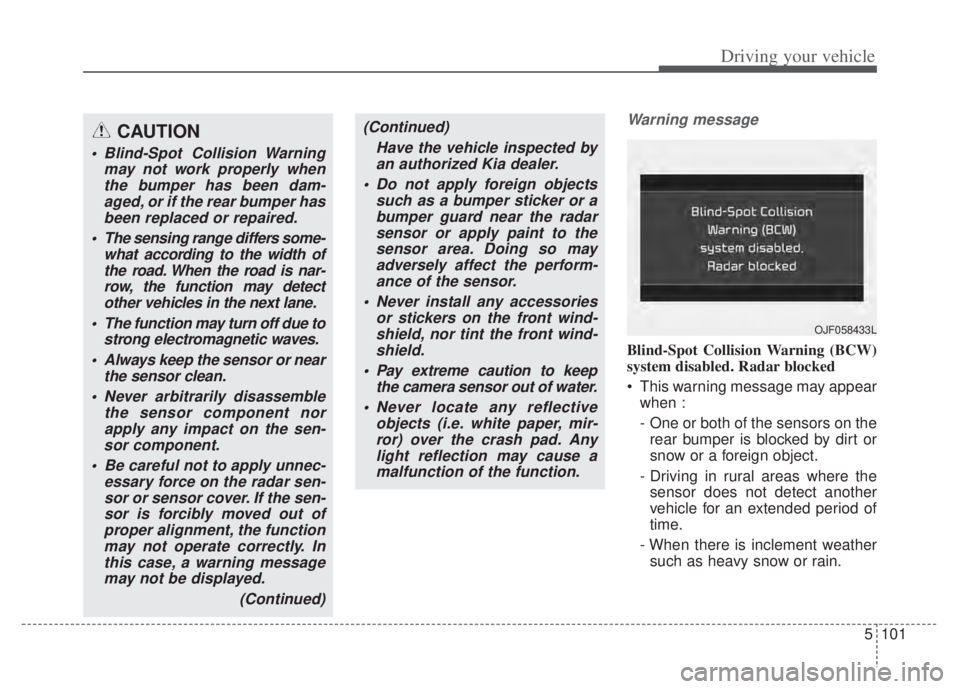
Blind-Spot Collision Warning (BCW)
system disabled. Radar blocked
This warning message may appearwhen :
- One or both of the sensors on therear bumper is blocked by dirt or
snow or a foreign object.
- Driving in rural areas where the sensor does not detect another
vehicle for an extended period of
time.
- When there is inclement weather such as heavy snow or rain.
CAUTION
Blind-Spot Collision Warning may not work properly whenthe bumper has been dam-aged, or if the rear bumper hasbeen replaced or repaired.
The sensing range differs some- what according to the width ofthe road. When the road is nar-row, the function may detectother vehicles in the next lane.
The function may turn off due to strong electromagnetic waves.
Always keep the sensor or near the sensor clean.
Never arbitrarily disassemble the sensor component norapply any impact on the sen-sor component.
Be careful not to apply unnec- essary force on the radar sen-sor or sensor cover. If the sen-sor is forcibly moved out ofproper alignment, the functionmay not operate correctly. Inthis case, a warning messagemay not be displayed.
(Continued)
(Continued)Have the vehicle inspected byan authorized Kia dealer.
Do not apply foreign objects such as a bumper sticker or abumper guard near the radarsensor or apply paint to thesensor area. Doing so mayadversely affect the perform-ance of the sensor.
Never install any accessories or stickers on the front wind-shield, nor tint the front wind-shield.
Pay extreme caution to keep the camera sensor out of water.
Never locate any reflective objects (i.e. white paper, mir-ror) over the crash pad. Anylight reflection may cause amalfunction of the function.
OJF058433L
Page 426 of 710

5103
Driving your vehicle
Limitations of Blind-SpotCollision Warning
The driver must be cautious in the
below situations, because the func-
tion may not detect other vehicles or
objects in certain circumstances.
When a trailer or carrier is installed.
The vehicle drives in inclement weather such as heavy rain or
snow.
The sensor is polluted with rain, snow, mud, etc.
The rear bumper where the sensor is located is covered with a foreign
object such as a bumper sticker, a
bumper guard, a bike rack, etc.
The rear bumper is damaged, or the sensor is out of the original
default position.
The vehicle height gets lower or higher due to heavy loading in a
liftgate, abnormal tire pressure,
etc.
When the temperature of the rear bumper is high.
When the sensors are blocked by other vehicles, walls or parking-lot
pillars. The vehicle drives on a curved road.
The vehicle drives through a tollgate.
The road pavement (or the periph-
eral ground) abnormally contains
metallic components (i.e. possibly
due to subway construction).
There is a fixed object near the vehicle, such as a guardrail.
While going down or up a steep road where the height of the lane is
different.
Driving on a narrow road where trees or grass or overgrown.
Driving in rural areas where the sensor does not detect another
vehicle or structure for an extended
period of time.
Driving on a wet road.
Driving on a road where the guardrail or wall is in double structure.
A big vehicle is near such as a bus or truck.
When the other vehicle approach- es very close.
When the other vehicle passes at a very fast speed. While changing lanes.
If the vehicle has started at the
same time as the vehicle next to
you and has accelerated.
When the vehicle in the next lane moves two lanes away from you
OR when the vehicle two lanes
away moves to the next lane from
you.
A motorcycle or bicycle is near.
A flat trailer is near.
If there are small objects in the detecting area such as a shopping
cart or a baby stroller.
If there is a low height vehicle such as a sports car.
The brake pedal is depressed.
ESC (Electronic Stability Control) is activated.
ESC (Electronic Stability Control) malfunctions.
The tire pressure is low or a tire is damaged.
The brake is reworked.