charging KIA NIRO PHEV 2022 Service Manual
[x] Cancel search | Manufacturer: KIA, Model Year: 2022, Model line: NIRO PHEV, Model: KIA NIRO PHEV 2022Pages: 710, PDF Size: 10.35 MB
Page 240 of 710

Features of your vehicle
100
4
Device in wireless charger
(if equipped)
If a smart phone is still left on the wire-
less charging pad unattended, even
when the ENGINE START/STOP but-
ton is turned to the ACC or OFF posi-
tion. And the instrument panel's one
time driving information mode has fin-
ished, a warning message will lit up on
the instrument panel.
❈ For more details, refer to “Wireless
smart phone charging system” in
this chapter.
Check Hybrid system
This warning message illuminates
when there is a problem with the
hybrid control system.
Refrain from driving when the warn-
ing message is displayed.
In this case, have your vehicle inspect-
ed by an authorized Kia dealer.
Check Hybrid system. Turn
engine off
This warning message illuminates
when there is a problem with the
hybrid system. The “ ” indicator
will blink and a warning chime will
sound until the problem is solved.
In this case, have your vehicle inspect-
ed by an authorized Kia dealer.
Check Hybrid system. Do not startengine
This warning message illuminates
when the hybrid battery power
(SOC) level is low. A warning chime
will sound until the problem is solved.
In this case, have your vehicle inspect-
ed by an authorized Kia dealer.
Stop vehicle and check powersupply
This warning message illuminates
when a failure occurs in the power
supply system.
In this case, park the vehicle in a
safe location and tow your vehicle to
the nearest authorized Kia dealer
and have the vehicle inspected.
Page 242 of 710

Features of your vehicle
102
4
❈ Example of a deceleration event is
going down an extended hill, slow-
ing down approaching a toll booth,
and approaching reduced speed
zones.
The driver can activate or deactivate
the Coasting Guide by placing the igni-
tion switch or ENGINE START/STOP
in the ON position and by selecting
“User Settings Convenience
Coasting Guide Enable Coasting
Guide”.
For the explanation of the system,
press and hold the [OK] bu tton.
To activate the system, take the fol-
lowing procedures. Enter your desti-
nation information on the navigation
and select the driving route. Select
the ECO mode by driving the vehicle
in D (Drive). Then, satisfy the follow-
ing.
- The driving speed should be
between 37 mph (60 km/h) and 99
mph (160km/h).
❈ The operating speed may vary due
to difference between instrument
cluster and navigation effected by
tire inflation level.Unplug vehicle to start
(Plug-in hybrid)
The message is displayed when you
start the engine without unplugging
the charging cable. Unplug the
charging cable, and then start the
vehicle.
Remaining Time (Plug-in hybrid)
The message is displayed to notify
the remaining time to fully charge the
battery.
Page 243 of 710

4103
Features of your vehicle
Shift to P to charge (Plug-in hybrid)
The message is displayed when the
charging connector is plugged with
the shift lever in R (Reverse), N
(Neutral) or D (Drive). Move the shift
lever to P (Park) and re-start the
charging process.
Electric Mode/AutomaticMode/Hybrid Mode (Plug-in hybrid)
A corresponding message is dis-
played when a mode is selected by
pressing the EV/HEV button.
Low battery. Maintaining Hybridmode (Plug-in hybrid)
This message is displayed when
unable to convert to EV mode even
when pressing the EV/HEV button
during HEV mode driving due to
insufficient high-voltage (hybrid) bat-
tery level.
Low system temperature.Switching to Hybrid mode/Highsystem temperature. Switching toHybrid mode (Plug-in hybrid)
This message is displayed when the
temperature of the high-voltage
(hybrid) battery is too low or high.
This warning message is to protect
the battery and the hybrid system.
Low system temperature.Maintaining Hybrid mode/Highsystem temperature. MaintainingHybrid mode (Plug-in hybrid)
This message is displayed when the
temperature of the high-voltage
(hybrid) battery is too low or too high.
This warning message is to protect
the battery and the hybrid system.
Wait until fuel door opens (Plug-in hybrid)
This message is displayed when you
attempt to open the fuel filler door
with the fuel tank pressurized. Wait
until the fuel tank is depressurized.
Page 244 of 710

Features of your vehicle
104
4
Fuel door open (Plug-in hybrid)
This message is displayed when the
fuel filler door opens after the fuel
tank is depressurized. If this mes-
sage is displayed, you can refuel the
fuel tank.
Charging stopped. Check the AC
charger (Plug-in hybrid)
This messages is displayed when
the charging failed by external charg-
er error.
The purpose of this message is to let
you know the error has occurred in
the charger itself, not in the vehicle.
Charging stopped. Check thecable connection (Plug-in hybrid)
This messages is displayed when
charging is stopped because the
charging connector is not correctly
connected to the charging inlet. If this
occur, separate the charging con-
nector and re-connect it and check
whether there is any problem (exter-
nal damage, foreign substances,
etc.) with the charging connector and
charging inlet. If the same problem
occurs when charging the vehicle
with a replaced charging cable or
genuine Kia portable charger, have
your vehicle inspected by an author-
ized Kia dealer.
Charging Door Open (Plug-in hybrid)
This message indicates that the
charging door is open while in driv-
ing-ready state to encourage you to
inspect and close the door.(Driving
with the charging door open may
result in moisture inflow or damage.
This message is used to prevent
such occurrences.)
Page 250 of 710

Features of your vehicle
110
4
Malfunction Indicator
Lamp (MIL)
This warning light illuminates:
Once you set the ignition switch or ENGINE START/STOP button to
the ON position.
- It remains on until the engine isstarted.
When there is a malfunction with the emission control system.
In this case, have your vehicle
inspected by an authorized Kia
dealer.
Charging System
Warning Light
This warning light illuminates:
Once you set the ignition switch or ENGINE START/STOP button to
the ON position.
- It remains on until the engine isstarted.
When there is a malfunction with either the alternator or electrical
charging system.
If there is a malfunction with either
the alternator or electrical charging
system:
1.Drive carefully to the nearest safe location and stop your vehicle.
2.Turn the engine off and check the alternator drive belt for looseness
or breakage.
If the belt is adjusted properly,
there may be a problem in the elec-
trical charging system.
In this case, have your vehicle
inspected by an authorized Kia
dealer as soon as possible.
CAUTION - Catalytic
Converter Damage
If the Malfunction Indicator Lamp (MIL) illuminates, poten-tial catalytic converter damageis possible which could result inloss of engine power.
In this case, have your vehicleinspected by an authorized Kiadealer as soon as possible.
CAUTION - Malfunction
Indicator Lamp (MIL)
Driving with the Malfunction Indicator Lamp (MIL) on maycause damage to the emissioncontrol systems which couldaffect drivability and/or fueleconomy.
Page 255 of 710

4115
Features of your vehicle
Icy Road Warning Light
This warning light is to warn thedriver the road may be icy.
When the temperature on the out- side temperature gauge is approx-
imately below 39°F (4°C), the Icy
Road Warning Light and Outside
Temperature Gauge blinks and
then illuminates. Also, the warning
chime sounds 1 time.
✽ ✽ NOTICE
If the icy road warning light appears
while driving, you should drive
more attentively and safely, refrain-
ing from over-speeding, rapid accel-
eration, sudden braking or sharp
turning, etc.
Indicator Lights
Charging Cable
Connection Indicator (Plug-in hybrid)
This indicator illuminates in red when
the charging cable is connected.
Electronic Stability Control (ESC)Indicator Light
This indicator light illumi-
nates:
Once you set the ignition switch or ENGINE START/STOP button to
the ON position.
- It illuminates for approximately 3seconds and then goes off.
When there is a malfunction with the ESC system.
In this case, have your vehicle
inspected by an authorized Kia
dealer.
This indicator light blinks:
While the ESC is operating.
❈ For more details, refer to
“Electronic Stability Control (ESC)”
in chapter 5.
Page 278 of 710
Features of your vehicle
138
4
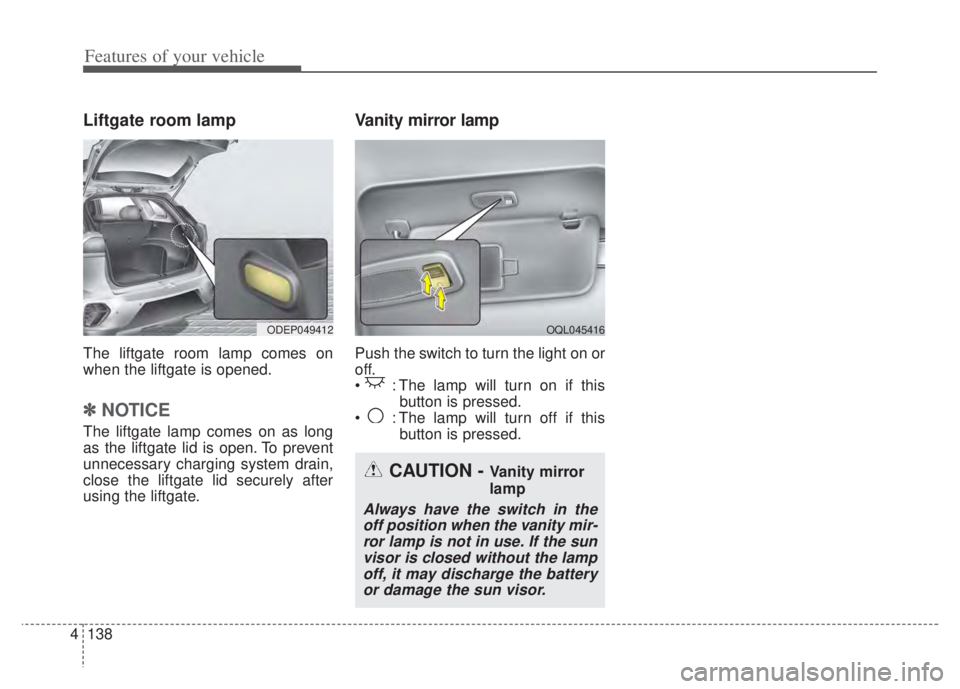
Liftgate room lamp
The liftgate room lamp comes on
when the liftgate is opened.
✽ ✽
NOTICE
The liftgate lamp comes on as long
as the liftgate lid is open. To prevent
unnecessary charging system drain,
close the liftgate lid securely after
using the liftgate.
Vanity mirror lamp
Push the switch to turn the light on or
off.
: The lamp will turn on if this
button is pressed.
: The lamp will turn off if this button is pressed.
OQL045416ODEP049412
CAUTION - Vanity mirror
lamp
Always have the switch in theoff position when the vanity mir-ror lamp is not in use. If the sunvisor is closed without the lampoff, it may discharge the batteryor damage the sun visor.
Page 308 of 710
Features of your vehicle
168
4
Only use 12V electric accessories
which are less than 10A in electric
capacity.
Adjust the air-conditioner or heater to the lowest operating level when
using the power outlet.
Close the cover when not in use.
Some electronic devices can cause electronic interference when
plugged into a vehicle’s power out-
let. These devices may cause
excessive audio static and malfunc-
tions in other electronic systems or
devices used in your vehicle.
Push the plug in as far as it will go. If good contact is not made, the
plug may overheat and the fuse
may open.
Plug in battery equipped electronic devices with reverse current pro-
tection. The current from the bat-
tery may flow into the vehicle’s
electri cal/electronic system and
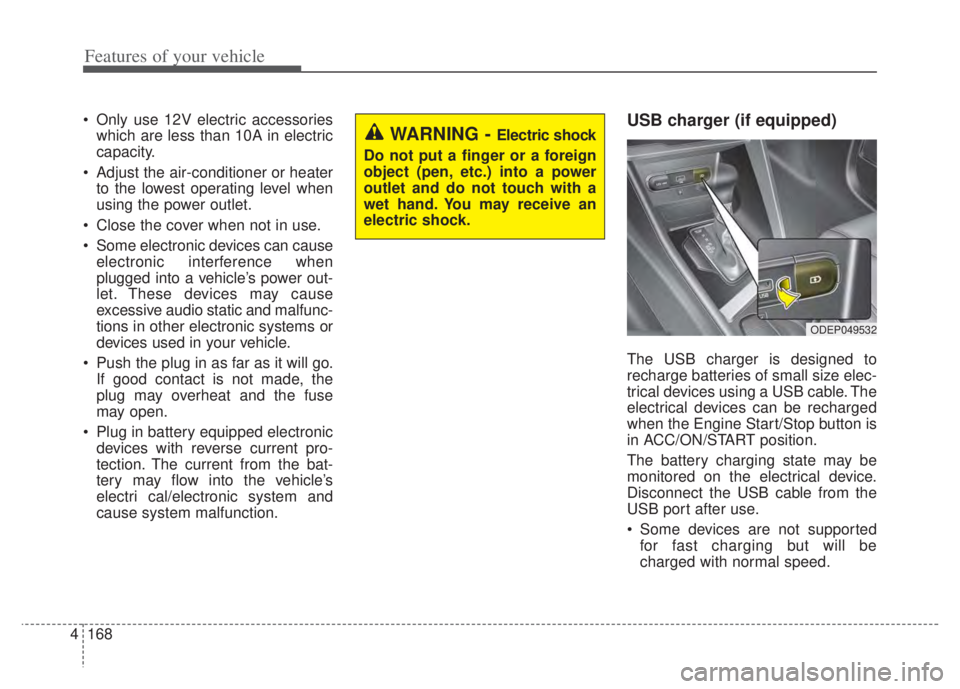
cause system malfunction.USB charger (if equipped)
The USB charger is designed to
recharge batteries of small size elec-
trical devices using a USB cable. The
electrical devices can be recharged
when the Engine Start/Stop button is
in ACC/ON/START position.
The battery charging state may be
monitored on the electrical device.
Disconnect the USB cable from the
USB port after use.
Some devices are not supportedfor fast charging but will be
charged with normal speed.
WARNING - Electric shock
Do not put a finger or a foreign
object (pen, etc.) into a power
outlet and do not touch with a
wet hand. You may receive an
electric shock.
ODEP049532
Page 309 of 710
4169
Features of your vehicle
Use the USB charger when theengine is running to prevent bat-
tery discharge.
Only devices that fit the USB port can be used.
The USB charger can be used only for battery charging purposes.
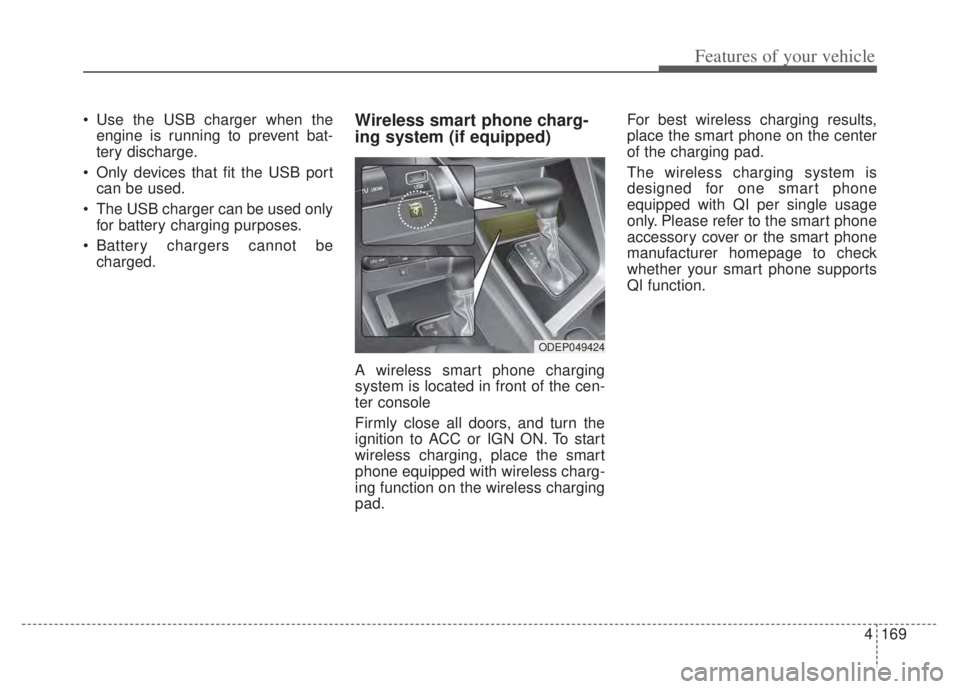
Battery chargers cannot be charged.Wireless smart phone charg-
ing system (if equipped)
A wireless smart phone charging
system is located in front of the cen-
ter console
Firmly close all doors, and turn the
ignition to ACC or IGN ON. To start
wireless charging, place the smart
phone equipped with wireless charg-
ing function on the wireless charging
pad. For best wireless charging results,
place the smart phone on the center
of the charging pad.
The wireless charging system is
designed for one smart phone
equipped with QI per single usage
only. Please refer to the smart phone
accessory cover or the smart phone
manufacturer homepage to check
whether your smart phone supports
QI function.
ODEP049424
Page 310 of 710

Features of your vehicle
170
4
Wireless smart phone charging
1. Remove any object on the smart
phone charging pad including the
smart key. If there is any foreign
object on the pad other than a
smart phone, the wireless charging
function may not operate properly.
2. Place the smart phone on the cen- ter of the wireless charging pad.
3. The indicator light will change to orange once the wireless charging
begins. After the charging is com-
plete, the orange light will change
to green.
4. You can choose to turn the wireless charging function to either ON or
OFF by selecting the USM on the
instrument cluster. (Please refer to
“Instrument Cluster” for details).
If the wireless charging does not
work, gently move your smart phone
around the pad until the charging
indicator light turns orange.
Depending on the smart phone, the
charging indicator light may not turn
green even after the charging is com-
plete. If the wireless charging is not func-
tioning properly, the orange light will
blink and flash for ten seconds then
turn off. In such cases, remove the
smart phone from the pad and
replace it on the pad again, or double
check the charging status.
If you leave the smart phone on the
charging pad when the vehicle igni-
tion is in OFF, the vehicle will alert
you through warning messages and
sound (applicable for vehicles with
voice guidance function) after the
‘Good bye’ function on the instru-
ment cluster ends.WARNING - Distracted
driving
Driving while distracted can
result in a loss of vehicle con-
trol that may lead to an acci-
dent, severe personal injury, or
death. The driver's primary
responsibility is in the safe and
legal operation of a vehicle. Any
use of handheld devices, other
equipment, or vehicle systems
that take the driver's eyes,
attention, and focus away from
the safe operation of a vehicle
are not permissible by law.
These should never be used
during the operation of the vehi-
cle.