ESP KIA NIRO PHEV 2022 Workshop Manual
[x] Cancel search | Manufacturer: KIA, Model Year: 2022, Model line: NIRO PHEV, Model: KIA NIRO PHEV 2022Pages: 710, PDF Size: 10.35 MB
Page 433 of 710

Driving your vehicle
110
5
WARNING
Driver Attention Warning is
not a substitute for safe driv-
ing practices, but a conven-
ience function only. It is the
driver's responsibility to
always drive cautiously and
safely.
A fatigued driver should take a break, even if there is no
suggestion to do so by Driver
Attention Warning.
Driver Attention Warning standby
Driver Attention Warning enters the
ready status and displays the
‘Standby’ screen in the following situ-
ations.
- Driving speed is over 110 mph(180 km/h).
Driver Attention Warning malfunc-
tion
When the “Check Driver Attention
Warning (DAW) system” warning
message appears, the function is not
working properly. If this occurs, have
the function checked by an author-
ized Kia dealer.
OJF058429L
ODEP051412L
Page 447 of 710

Driving your vehicle
124
5
To restart Smart Cruise Control:
If any method other than the Driving
Assist button was used to cancel
cruising speed and the function is
still activated, the cruising speed will
automatically resume when you
move the switch up (to RES+).
If you move the switch up (to RES+),
the speed will resume to the recently
set speed. However, if vehicle speed
drops below 5 mph (10 km/h), it will
resume when there is a vehicle in
front of your vehicle.
CAUTION
If Smart Cruise Control is can-
celled by other than the reasonsmentioned, have the functionchecked by an authorized Kiadealer.
CAUTION
Smart Cruise Control is auto-matically cancelled, the warningchime will sound and a mes-sage will appear for a few sec-onds.
You must adjust the vehiclespeed by depressing the accel-erator or brake pedal accordingto the road condition ahead anddriving condition.
Always check the road condi-tions. Do not rely on the warningchime.
OJF058397L
ODEEV051025
Page 449 of 710

Driving your vehicle
126
5
(Continued)
- Highway interchange andtollgate
- Road surrounded by multi- ple steel constructions (sub-
way construction, steel tun-
nel, etc)
- Parking lot
- Lanes beside guard rail on a road
- Slippery road with rain, ice, or snow covered
- Abrupt curved road
- Steep hills
- Windy roads
- Off roads
- Rods under construction
- Rumble strip
- When driving near crash bar- riers
(Continued)(Continued)- When the vehicle sensingability decreases due to
vehicle modification that
causes a difference in the
level of the vehicle's front
and rear
- When driving with limited view (possibly due to bad
weather, such as fog, snow,
rain or sandstorm)
Pay particular attention to the driving conditions whenever
using Smart Cruise Control.
Smart Cruise Control is not a substitute for safe driving. It is
the responsibility of the driver
to always check the speed
and distance of the vehicle
ahead.
Be careful when driving downhill using Smart Cruise
Control.
(Continued)(Continued)
Smart Cruise Control shouldnot be used when the vehicle
is being towed.
Always set the vehicle speed under the applicable speed
limit.
Unexpected situations may lead to accidents. Pay contin-
uous attention to road condi-
tions and your surroundings
even when Smart Cruise
Control is operating.
Page 454 of 710
5131
Driving your vehicle
In traffic situation
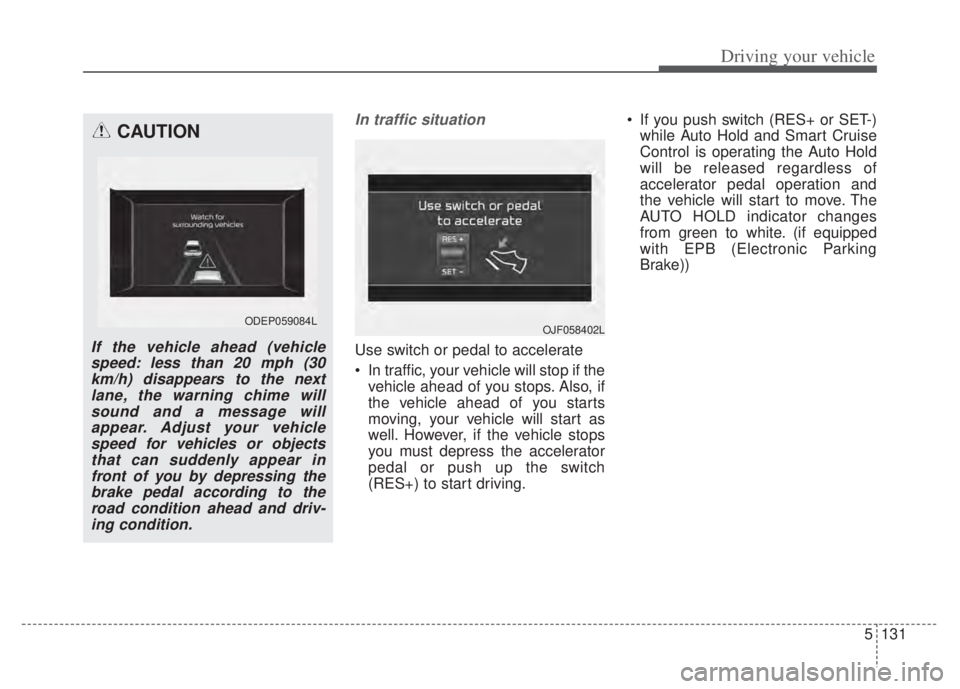
Use switch or pedal to accelerate
In traffic, your vehicle will stop if thevehicle ahead of you stops. Also, if
the vehicle ahead of you starts
moving, your vehicle will start as
well. However, if the vehicle stops
you must depress the accelerator
pedal or push up the switch
(RES+) to start driving. If you push switch (RES+ or SET-)
while Auto Hold and Smart Cruise
Control is operating the Auto Hold
will be released regardless of
accelerator pedal operation and
the vehicle will start to move. The
AUTO HOLD indicator changes
from green to white. (if equipped
with EPB (Electronic Parking
Brake))
CAUTION
If the vehicle ahead (vehiclespeed: less than 20 mph (30km/h) disappears to the nextlane, the warning chime willsound and a message willappear. Adjust your vehiclespeed for vehicles or objectsthat can suddenly appear infront of you by depressing thebrake pedal according to theroad condition ahead and driv-ing condition.
ODEP059084L OJF058402L
Page 462 of 710

5139
Driving your vehicle
Always be cautious for vehicleswith higher height or vehicles car-
rying loads that sticks out to the
back of the vehicle.
WARNING
Smart Cruise Control cannotguarantee stopping for every
emergency situation.
If an emergency stop is nec-
essary, you must apply the
brakes.
Keep a safe distance accord- ing to road conditions and
vehicle speed. If the vehicle
distance is too close during
high-speed driving, a serious
collision may result.
Smart Cruise Control cannot recognize a stopped vehicle,
pedestrian or an oncoming
vehicle. Always look ahead
cautiously to react to unex-
pected and sudden situations.
Smart Cruise Control may have difficulty in maintaining the
correct distance or speed, if
the vehicle is driving on a
steep incline or towing a trailer.
(Continued)
ODEP051328N
(Continued)
When other vehicles arechanging lanes in front of you
frequently, Smart Cruise
Control may not operate
appropriately. Always look
ahead cautiously to react to
unexpected and sudden situa-
tions.
Smart Cruise Control is not a substitute for safe driving
practices but a convenience
function only. It is the respon-
sibility of the driver to always
check the speed and the dis-
tance to the vehicle ahead.
Always be aware of the select- ed speed and vehicle dis-
tance.
Always maintain sufficient braking distance and deceler-
ate your vehicle by applying
the brakes if necessary.
(Continued)
Page 463 of 710

Driving your vehicle
140
5
This device complies with Part 15
of the FCC rules.
Operation is subject to the following
three conditions:
1. This device may not cause harmful
interference, and
2. This device must accept any inter- ference received, including inter-
ference that may cause undesired
operation.
3. Changes or modifications not expressly approved by the party
responsible for compliance could
void the user's authority to operate
the device.
Radio frequency radiation expo-
sure information:
This equipment complies with FCC
radiation exposure limits set forth for
an uncontrolled environment. This
equipment should be installed and
operated with minimum distance of 8
in (20 cm) between the radiator
(antenna) and your body.
This transmitter must not be colocat-
ed or operating in conjunction with
any other antenna or transmitter.
CAUTION
Smart Cruise Control may not operate temporarily due to elec-trical interference.
(Continued)
As Smart Cruise Control may not recognize complex driv-
ing situations, always pay
attention to driving conditions
and control your vehicle
speed.
For safe operation, carefully read and follow the instruc-
tions in this manual before
use.
If another warning sound, such as the fasten seat belt
warning, is played, Smart
Cruise Control warning sound
may not occur.
When driving with Smart Cruise Control set, the func-
tion may not detect parked
vehicles ahead. Be careful if
this occurs and do not rely
solely on Smart Cruise
Control.
Please turn off Smart Cruise Control when the vehicle is
being towed.
(Continued)(Continued)
If the vehicle ahead is nolonger detected while you are
driving with the set distance,
the vehicle may accelerate
until it reached the set speed.
If this occurs, be cautious and
control your vehicle speed if
needed.
Be cautious and be careful of dangerous situations when
driving on a slippery road.
Beware of dangerous situa- tions as you may quickly pass
the vehicle driving in the next
lane.
Page 469 of 710

Driving your vehicle
146
5
(Continued)
The navigation's speed limit
information may differ from
the actual speed limit informa-
tion on the road. It is the dri-
ver's responsibility to check
the speed limit on the actual
driving road or lane.
Highway Auto Curve Slowdown will automatically
cancel when you leave the
main road of the highway.
Always pay attention to road
and driving conditions while
driving.
Navigation-based Smart Cruise Control may not operate due to
the existence of leading vehi-
cles and the driving conditions
of the vehicle. Always pay
attention to road and driving
conditions while driving.
When you are towing a trailer or another vehicle, we recom-
mend that Navigation-based
Smart Cruise Control is turned
off due to safety reasons.
[3]: Driving route, [4]: Main road, [5]: Set route,
[6]: Branch line
When there is a differencebetween the navigation route
(main road) and the driving route
(branch line), Highway Auto Curve
Slowdown function may temporari-
ly operate due to the navigation
information of the highway curve
section.
When it is judged that you are driv- ing out of the route by entering the
highway interchange and junction,
Highway Auto Curve Slowdown
function will not operate.
[3]: Driving route, [5]: Main road, [6]: Branch
line
If there is no destination set on thenavigation, Highway Auto Curve
Slowdown function will operate
based on the curve information on
the main road.
Even if you depart from the main road, Highway Auto Curve
Slowdown function may temporari-
ly operate due to navigation infor-
mation of the highway curve sec-
tion
ODEP050002N
WARNING
Navigation-based SmartCruise Control is not a substi-
tute for safe driving practices,
but a convenience function.
Always have your eyes on the
road, and it is the responsibil-
ity of the driver to avoid violat-
ing traffic laws.
(Continued)
Page 470 of 710

5147
Driving your vehicle
After you pass through a tollgateon a highway, Navigation-based
Smart Cruise Control operates
based on the first lane. If you enter
one of the other lanes, the function
might not properly decelerate.
The vehicle will accelerate if the driver depresses the accelerate
pedal while Navigation-based
Smart Cruise Control is operating,
and function will not decelerate the
vehicle. If not depressing the accel-
erator pedal sufficiently, the vehicle
speed may decrease.
If the driver accelerates and releases the accelerator pedal
while the Navigation-based Smart
Cruise Control is operating, the
vehicle may not decelerate suffi-
ciently or may rapidly decelerate to
a safe speed.
If the curve is too large or too small, Navigation-based Smart
Cruise Control may not operate.✽ ✽ NOTICE
• When the function is activated, the
vehicle decelerates automatically
before reaching the curved road
according to its curvature, and the
driving speed returns to the speed
set by Smart Cruise Control after
passing the curved section.
• The speed information on the clus- ter and navigation may differ
• The time gap could occur between the navigation's guidance and
when Navigation-based Smart
Cruise Control operation starts
and ends.
• Even if you are driving at a speed lower than Smart Cruise Control
set speed, acceleration may be lim-
ited by the speeding cameras and
curve sections ahead.
• If Navigation-based Smart Cruise Control is operating while leaving
the main road to enter an inter-
change, junction, rest area, etc.,
the function may operate for a cer-
tain period of time.
• Deceleration by Navigation-based Smart Cruise Control may not be
sufficient due to road conditions
such as uneven road surfaces, nar-
row lanes, etc.
This device complies with Part 15
of the FCC rules.
Operation is subject to the following
three conditions:
1. This device may not cause harmful
interference, and
2. This device must accept any inter- ference received, including inter-
ference that may cause undesired
operation.
3. Changes or modifications not expressly approved by the party
responsible for compliance could
void the user's authority to operate
the device.
Radio frequency radiation expo-
sure information:
This equipment complies with FCC
radiation exposure limits set forth for
an uncontrolled environment. This
equipment should be installed and
operated with minimum distance of 8
in (20 cm) between the radiator
(antenna) and your body.
This transmitter must not be colocat-
ed or operating in conjunction with
any other antenna or transmitter.
Page 471 of 710
Driving your vehicle
148
5
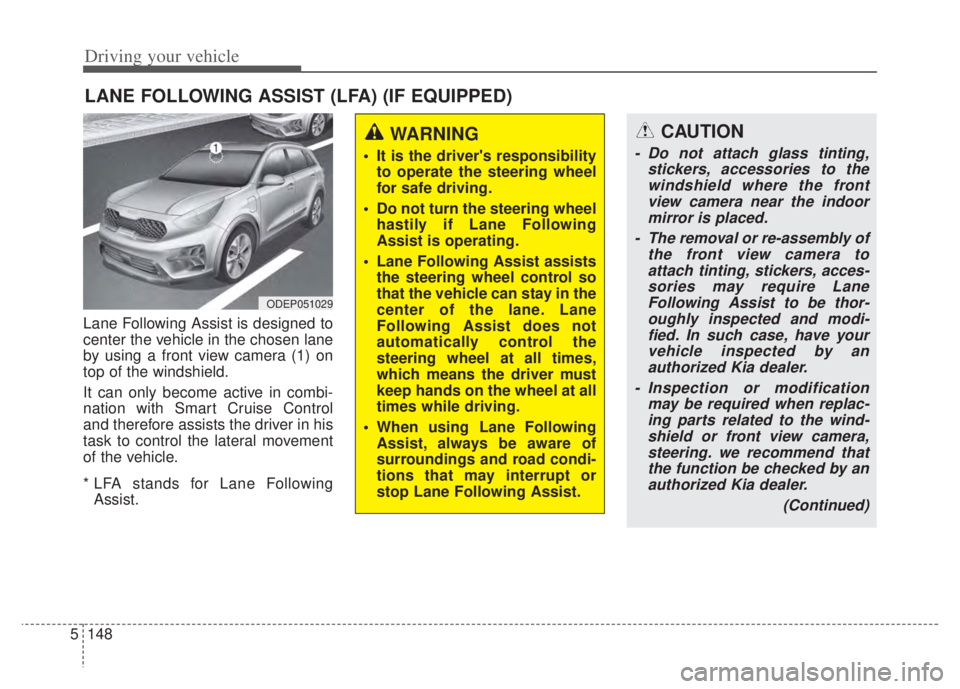
Lane Following Assist is designed to
center the vehicle in the chosen lane
by using a front view camera (1) on
top of the windshield.
It can only become active in combi-
nation with Smart Cruise Control
and therefore assists the driver in his
task to control the lateral movement
of the vehicle.
* LFA stands for Lane Following
Assist.
LANE FOLLOWING ASSIST (LFA) (IF EQUIPPED)
ODEP051029
WARNING
It is the driver's responsibility to operate the steering wheel
for safe driving.
Do not turn the steering wheel hastily if Lane Following
Assist is operating.
Lane Following Assist assists the steering wheel control so
that the vehicle can stay in the
center of the lane. Lane
Following Assist does not
automatically control the
steering wheel at all times,
which means the driver must
keep hands on the wheel at all
times while driving.
When using Lane Following Assist, always be aware of
surroundings and road condi-
tions that may interrupt or
stop Lane Following Assist.
CAUTION
- Do not attach glass tinting, stickers, accessories to thewindshield where the frontview camera near the indoormirror is placed.
- The removal or re-assembly of the front view camera toattach tinting, stickers, acces-sories may require LaneFollowing Assist to be thor-oughly inspected and modi-fied. In such case, have yourvehicle inspected by anauthorized Kia dealer.
- Inspection or modification may be required when replac-ing parts related to the wind-shield or front view camera,steering. we recommend thatthe function be checked by anauthorized Kia dealer.
(Continued)
Page 475 of 710

Driving your vehicle
152
5
Lane Following Assist mal-
function
The warning message popped up
(turned off after a certain period of
time)means a problem with Lane
Following Assist. If this occurs, we
recommend that the function be
checked by an authorized Kia dealer.
Limitation of Lane Following
Assist
If the driver turns on the turn signal
light or the emergency warning
light to change the lane
- Operate the turn signal lightswitch before changing the lane
- If you change the lane without operating the turn signal lights,
steering reaction force of the
wheel may occur.
Once Lane Following Assist is turned on or the lane is changed,
the vehicle should be in the center
of the road to switch to the steering
assist mode. If the driver keeps
driving along the lane, Lane
Following Assist will not assist the
steering.
When the ESC or VSM is activat- ed, the function does not assist
steering.
When driving on a curved road at a high speed, steering assist mode
may not work.
When driving at a speed faster than 110 mph (180 km/h), steering
assist mode may not work.
CAUTION
It is the driver’s responsibility to operate the steering wheelwhile driving.
With Lane Following Assist on, the driver can steer thevehicle by operating the wheelon his own.
We recommend that the driver turns off Lane FollowingAssist and operates the steer-ing wheel by himself in the fol-lowing cases
- bad weather- bad road conditions- when frequent operation of the steering wheel is required
- when towing other vehicle or trailers
The steering wheel can feel heavy or light if LaneFollowing Assist is assistingthe steering.
ODEP059265L