drive axle KIA NIRO PHEV 2022 Owners Manual
[x] Cancel search | Manufacturer: KIA, Model Year: 2022, Model line: NIRO PHEV, Model: KIA NIRO PHEV 2022Pages: 710, PDF Size: 10.35 MB
Page 332 of 710
59
Driving your vehicle
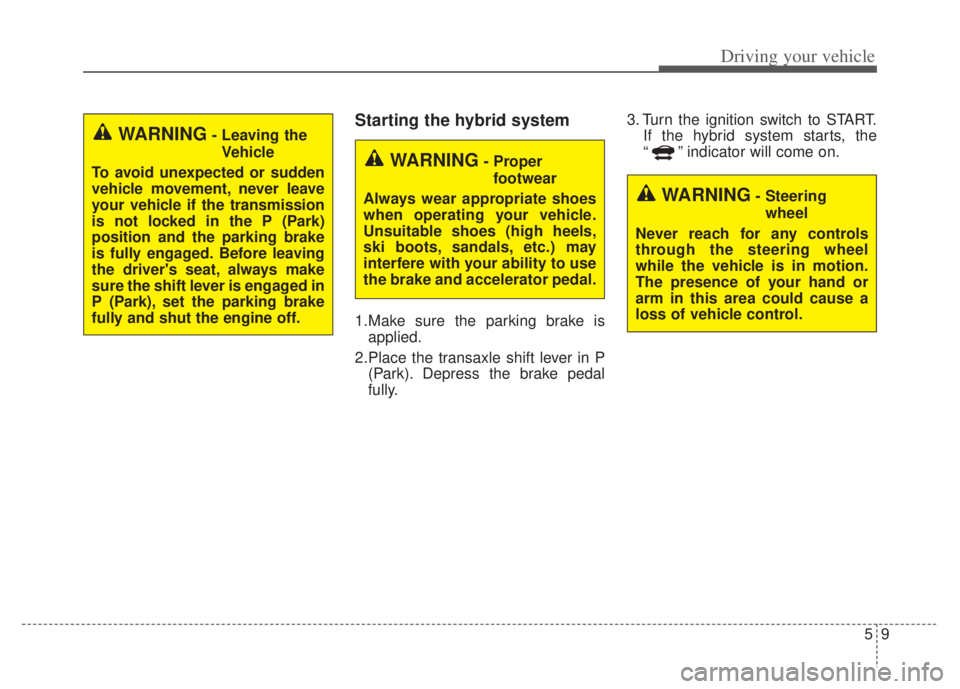
Starting the hybrid system
1.Make sure the parking brake isapplied.
2.Place the transaxle shift lever in P (Park). Depress the brake pedal
fully. 3. Turn the ignition switch to START.
If the hybrid system starts, the
“ ” indicator will come on.
WARNING- Leaving the
Vehicle
To avoid unexpected or sudden
vehicle movement, never leave
your vehicle if the transmission
is not locked in the P (Park)
position and the parking brake
is fully engaged. Before leaving
the driver's seat, always make
sure the shift lever is engaged in
P (Park), set the parking brake
fully and shut the engine off.
WARNING- Proper footwear
Always wear appropriate shoes
when operating your vehicle.
Unsuitable shoes (high heels,
ski boots, sandals, etc.) may
interfere with your ability to use
the brake and accelerator pedal.
WARNING- Steering wheel
Never reach for any controls
through the steering wheel
while the vehicle is in motion.
The presence of your hand or
arm in this area could cause a
loss of vehicle control.
Page 341 of 710

Driving your vehicle
18
5
When you turn the engine on and
off, you may hear clicking sounds
as the system foes through a self-
test. This is a normal sound for the
dual clutch transmission.
During the first 1,000 miles (1,500 km), you may feel that the vehicle
may not be smooth when acceler-
ating at low speed. During this
break-in period, the shift quality
and performance of your new vehi-
cle is continuously optimized.DCT warning messages
This warning message is displayed
when the vehicle is driven slowly on
a grade and the vehicle detects that
the brake pedal is not applied. Steep grade
Driving up hills or on steep grades:
To hold the vehicle on an incline,
use the foot brake or the parking
brake.
When in stop-and-go traffic on an incline, keep some distance ahead
before moving the vehicle forward.
Then hold the vehicle on the incline
with the foot brake.
If the vehicle is held on a hill by applying the accelerator pedal or
by creeping with the brake pedal
dis-engaged, the clutch and trans-
mission may overheat which can
result in damage. In this situation, a
warning message will appear on
the LCD display.
If the LCD warning is active, the foot brake must be applied.
Ignoring the warnings can lead to damage to the transmission.CAUTION
To avoid damage to your transaxle, do not try to accel-erate in R (Reverse) or any for-ward gear position with thebrakes on.
When stopped on slope, do not hold the vehicle withaccelerator pedal. Use theservice brake or the parkingbrake.
OBDM059150L
Page 348 of 710

525
Driving your vehicle
Shift lock system
For your safety, the dual clutch trans-
mission has a shift lock system which
prevents shifting the transaxle from P
(Park) into R (Reverse) unless the
brake pedal is depressed.
To shift the transaxle from P (Park)
into R (Reverse):
1. Depress and hold the brake pedal.
2. Start the engine or turn the ignitionswitch or ENGINE START/STOP
button to the ON position.
3. Move the shift lever.
If the brake pedal is repeatedly
depressed and released with the shift
lever in the P (Park) position, a chat-
tering noise & vibration near the shift
lever may be heard. This is a normal
condition. Shift-lock override
If the shift lever cannot be moved
from the P (Park) position into R
(Reverse) position with the brake
pedal depressed, continue depress-
ing the brake, then do the following:
1. Place the ignition switch or
ENGINE START/STOP button in
the LOCK/OFF position.
2. Apply the parking brake.
3. Carefully remove the cap (1) cov- ering the shift-lock release access
hole.
4. Insert a tool (e.g. flathead screw- driver) into the access hole and
press down on the tool.WARNING - Shifting from
park
Always fully depress the brake
pedal before and while shifting
out of the P (park) position into
another position to avoid inad-
vertent motion of the vehicle
which could injure persons in or
around the vehicle.
ODEP059013L
Page 350 of 710

527
Driving your vehicle
Always use the parking brake. Donot depend on placing the
transaxle in P (Park) to keep the
car from moving.
Exercise extreme caution when driving on a slippery surface. Be
especially careful when braking,
accelerating or shifting gears. On a
slippery surface, an abrupt change
in vehicle speed can cause the
drive wheels to lose traction and
the vehicle to go out of control.
Optimum vehicle performance and economy is obtained by smoothly
depressing and releasing the
accelerator pedal.
CAUTION
- Holding the Vehicle Using
Accelerator Pedal
Do not attempt to hold yourvehicle on a hill by applying theaccelerator pedal. This cancause your clutch and transmis-sion to be damaged as a resultof overheating.
WARNING
If your vehicle becomes stuck in
snow, mud, sand, etc., then you
may attempt to rock the vehicle
free by moving it forward and
backward. Do not attempt this
procedure if people or objects
are anywhere near the vehicle.
During the rocking operation the
vehicle may suddenly move for-
ward of backward as it becomes
unstuck, causing injury or dam-
age to nearby people or objects.
WARNING
When driving uphill or downhill,
always shift to D (Drive) for driv-
ing forward or shift to R
(Reverse) for driving backwards,
and check the gear position
indicated on the cluster before
driving.
Driving in the opposite direction
of the selected gear can lead to
a dangerous situation by shut-
ting off the engine and affecting
the braking performance.
Page 518 of 710
5195
Driving your vehicle
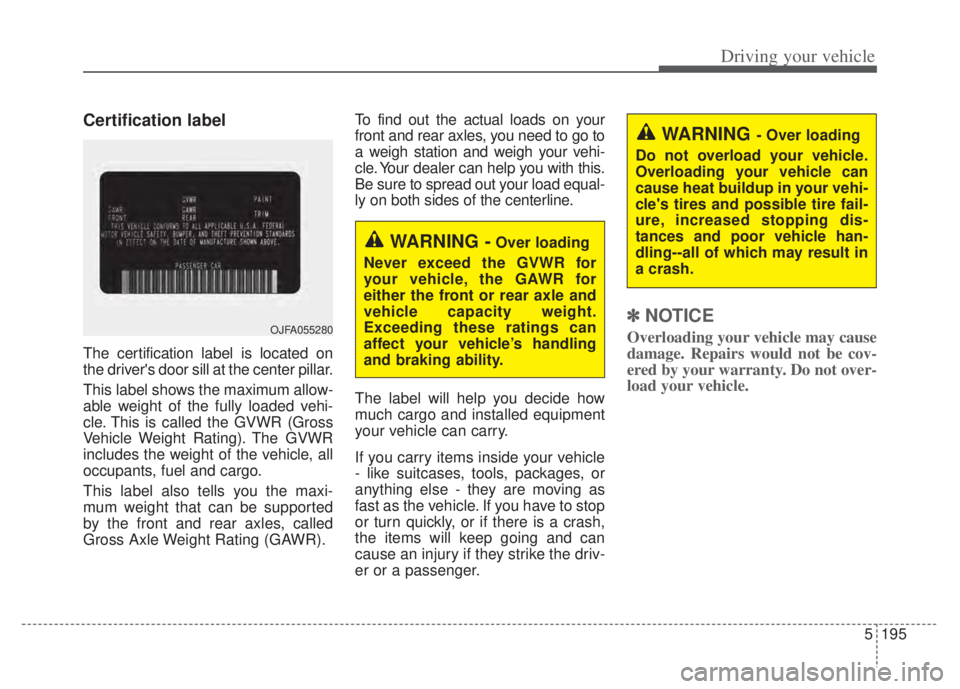
Certification label
The certification label is located on
the driver's door sill at the center pillar.
This label shows the maximum allow-
able weight of the fully loaded vehi-
cle. This is called the GVWR (Gross
Vehicle Weight Rating). The GVWR
includes the weight of the vehicle, all
occupants, fuel and cargo.
This label also tells you the maxi-
mum weight that can be supported
by the front and rear axles, called
Gross Axle Weight Rating (GAWR).To find out the actual loads on your
front and rear axles, you need to go to
a weigh station and weigh your vehi-
cle. Your dealer can help you with this.
Be sure to spread out your load equal-
ly on both sides of the centerline.
The label will help you decide how
much cargo and installed equipment
your vehicle can carry.
If you carry items inside your vehicle
- like suitcases, tools, packages, or
anything else - they are moving as
fast as the vehicle. If you have to stop
or turn quickly, or if there is a crash,
the items will keep going and can
cause an injury if they strike the driv-
er or a passenger.
✽ ✽
NOTICE
Overloading your vehicle may cause
damage. Repairs would not be cov-
ered by your warranty. Do not over-
load your vehicle.OJFA055280
WARNING -Over loading
Never exceed the GVWR for
your vehicle, the GAWR for
either the front or rear axle and
vehicle capacity weight.
Exceeding these ratings can
affect your vehicle’s handling
and braking ability.
WARNING - Over loading
Do not overload your vehicle.
Overloading your vehicle can
cause heat buildup in your vehi-
cle's tires and possible tire fail-
ure, increased stopping dis-
tances and poor vehicle han-
dling--all of which may result in
a crash.
Page 519 of 710
Driving your vehicle
196
5
VEHICLE WEIGHT
This chapter will guide you in the
proper loading of your vehicle and/or
trailer, to keep your loaded vehicle
weight within its design rating capa-
bility, with or without a trailer. Properly
loading your vehicle will provide max-
imum return of the vehicle design
performance. Before loading your
vehicle, familiarize yourself with the
following terms for determining your
vehicle's weight ratings, with or with-
out a trailer, from the vehicle's speci-
fications and the compliance label:Base curb weight
This is the weight of the vehicle
including a full tank of fuel and all
standard equipment. It does not
include passengers, cargo, or option-
al equipment.
Vehicle curb weight
This is the weight of your new vehicle
when you picked it up from your deal-
er plus any aftermarket equipment.
Cargo weight
This figure includes all weight added
to the Base Curb Weight, including
cargo and optional equipment.
GAW (Gross axle weight)
This is the total weight placed on
each axle (front and rear) - including
vehicle curb weight and all payload.
GAWR
(Gross axle weight rating)
This is the maximum allowable
weight that can be carried by a single
axle (front or rear). These numbers
are shown on the compliance label.
The total load on each axle must
never exceed its GAWR.
GVW (Gross vehicle weight)
This is the Base Curb Weight plus
actual Cargo Weight plus passen-
gers.
GVWR
(Gross vehicle weight rating)
This is the maximum allowable
weight of the fully loaded vehicle
(including all options, equipment,
passengers and cargo). The GVWR
is shown on the certification label
located on the driver’s door sill.
Page 560 of 710
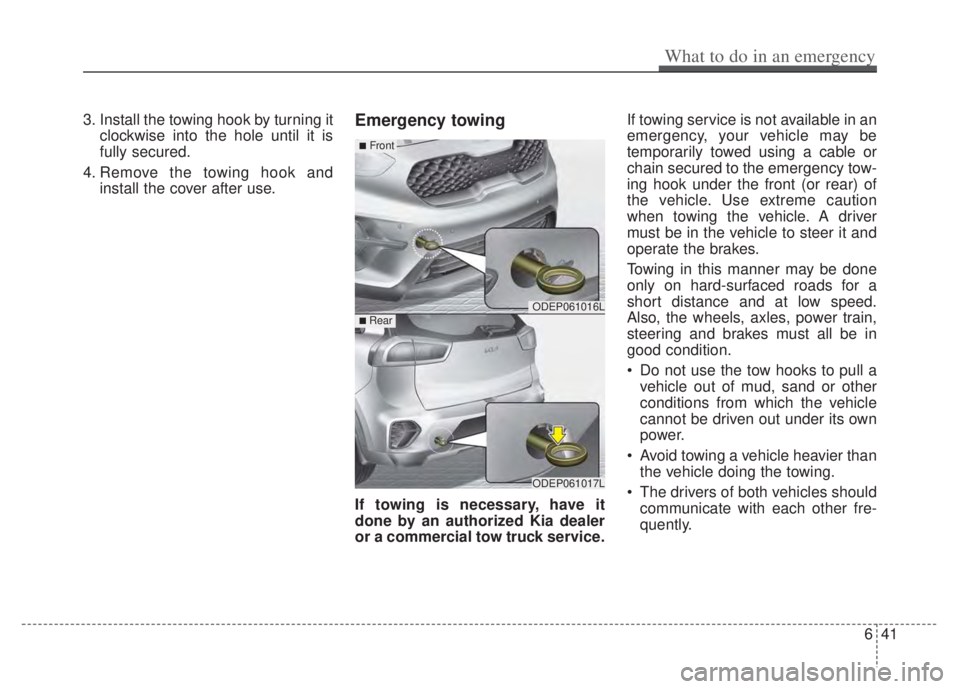
3. Install the towing hook by turning itclockwise into the hole until it is
fully secured.
4. Remove the towing hook and install the cover after use.Emergency towing
If towing is necessary, have it
done by an authorized Kia dealer
or a commercial tow truck service. If towing service is not available in an
emergency, your vehicle may be
temporarily towed using a cable or
chain secured to the emergency tow-
ing hook under the front (or rear) of
the vehicle. Use extreme caution
when towing the vehicle. A driver
must be in the vehicle to steer it and
operate the brakes.
Towing in this manner may be done
only on hard-surfaced roads for a
short distance and at low speed.
Also, the wheels, axles, power train,
steering and brakes must all be in
good condition.
Do not use the tow hooks to pull a
vehicle out of mud, sand or other
conditions from which the vehicle
cannot be driven out under its own
power.
Avoid towing a vehicle heavier than the vehicle doing the towing.
The drivers of both vehicles should communicate with each other fre-
quently.
ODEP061016L
ODEP061017L
■Front
■ Rear
What to do in an emergency
41
6