tow KIA Opirus 2004 1.G User Guide
[x] Cancel search | Manufacturer: KIA, Model Year: 2004, Model line: Opirus, Model: KIA Opirus 2004 1.GPages: 296, PDF Size: 29.34 MB
Page 153 of 296
439
1
2
3
4
5
6
7
8
9
Driving your vehicle
Low brake fluid level warningIf the warning light remains on, it may
indicate that the brake fluid level in
the reservoir is low.
If the warning light remains on:
1. Drive carefully to the nearest safelocation and stop your vehicle.
2. With the engine stopped, check the brake fluid level immediately
and add fluid as required. Then
check all brake components for
fluid leaks.
3. Do not drive the vehicle if leaks are found, the warning light
remains on or the brakes do not
operate properly. Have it towed to
any Authorized Kia Dealer for a
brake system inspection and nec-
essary repairs. To check bulb operation, check
whether the parking brake and brake
fluid warning light illuminates when
the ignition switch is in the ON posi-
tion.
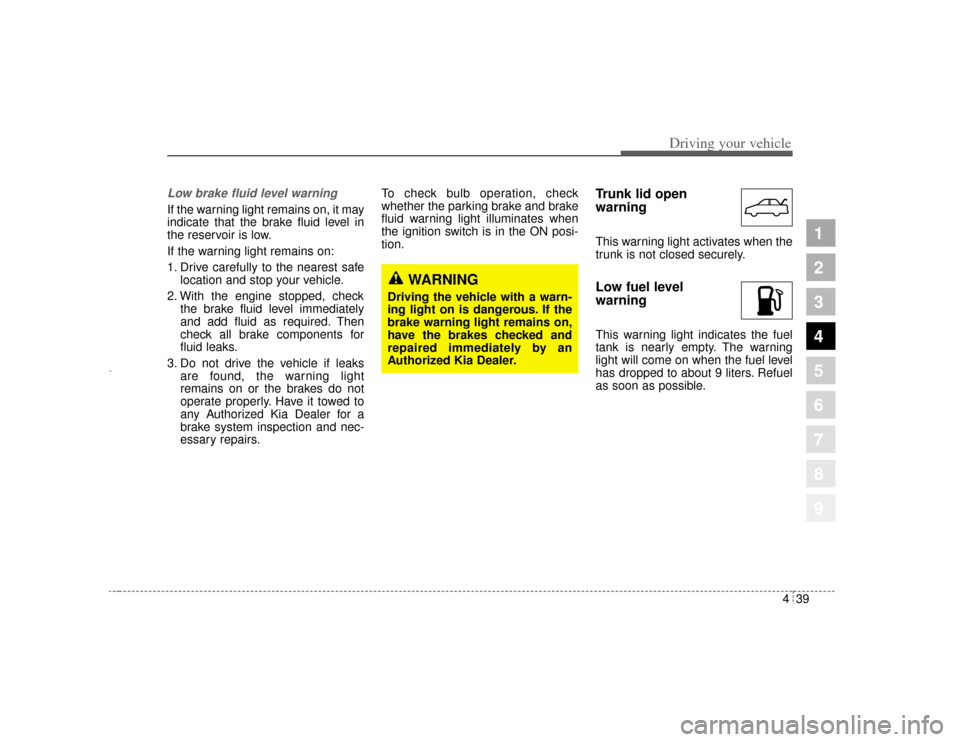
Trunk lid open
warningThis warning light activates when the
trunk is not closed securely.Low fuel level
warningThis warning light indicates the fuel
tank is nearly empty. The warning
light will come on when the fuel level
has dropped to about 9 liters. Refuel
as soon as possible.
WARNING
Driving the vehicle with a warn-
ing light on is dangerous. If the
brake warning light remains on,
have the brakes checked and
repaired immediately by an
Authorized Kia Dealer.
Opirus-ENG (CAN) 4.qxd 7/8/03 2:19 PM Page 39
Page 154 of 296
Driving your vehicle40
4
1
2
3
4
5
6
7
8
9
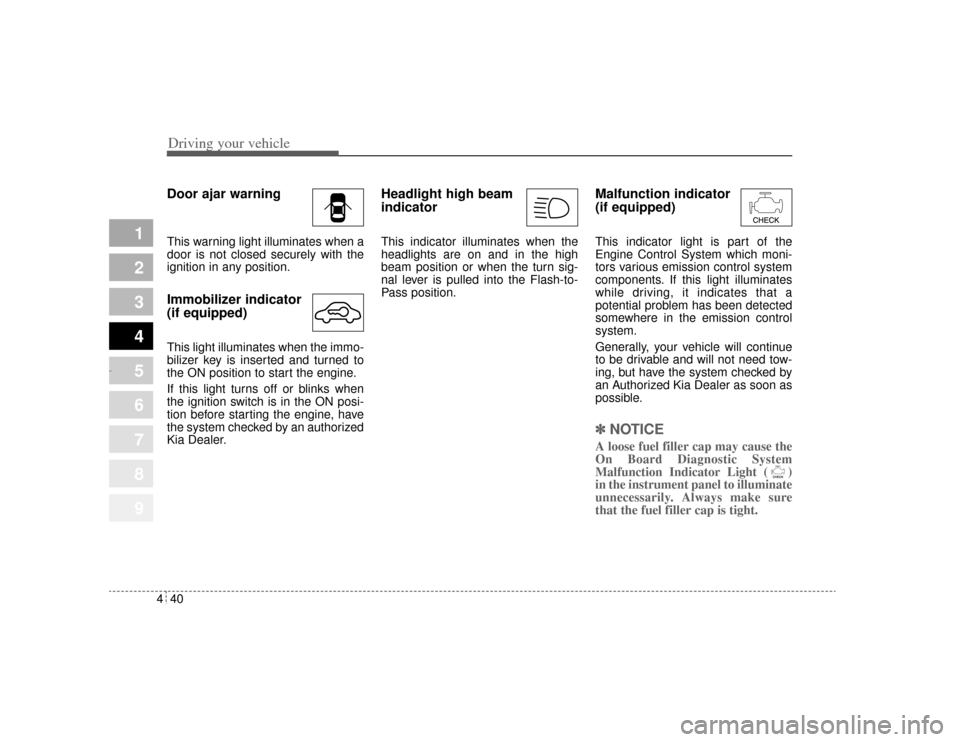
Door ajar warningThis warning light illuminates when a
door is not closed securely with the
ignition in any position.Immobilizer indicator
(if equipped)This light illuminates when the immo-
bilizer key is inserted and turned to
the ON position to start the engine.
If this light turns off or blinks when
the ignition switch is in the ON posi-
tion before starting the engine, have
the system checked by an authorized
Kia Dealer.
Headlight high beam
indicator This indicator illuminates when the
headlights are on and in the high
beam position or when the turn sig-
nal lever is pulled into the Flash-to-
Pass position.
Malfunction indicator
(if equipped)This indicator light is part of the
Engine Control System which moni-
tors various emission control system
components. If this light illuminates
while driving, it indicates that a
potential problem has been detected
somewhere in the emission control
system.
Generally, your vehicle will continue
to be drivable and will not need tow-
ing, but have the system checked by
an Authorized Kia Dealer as soon as
possible.✽ ✽
NOTICEA loose fuel filler cap may cause the
On Board Diagnostic System
Malfunction Indicator Light ( )
in the instrument panel to illuminate
unnecessarily. Always make sure
that the fuel filler cap is tight.
Opirus-ENG (CAN) 4.qxd 7/8/03 2:19 PM Page 40
Page 159 of 296
445
1
2
3
4
5
6
7
8
9
Driving your vehicle
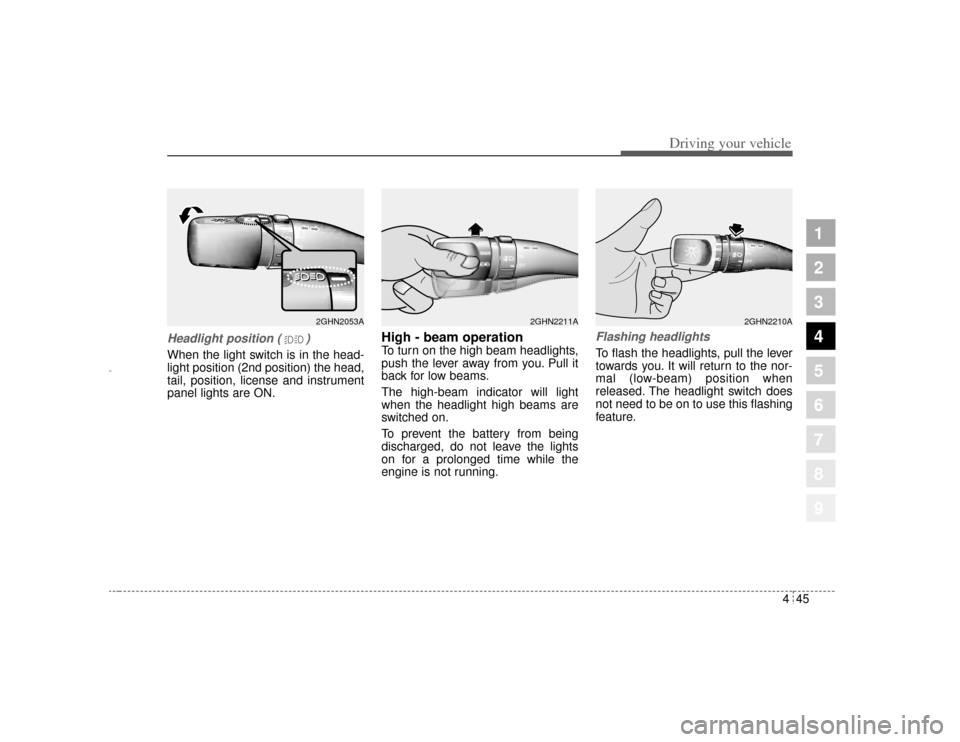
Headlight position ( )When the light switch is in the head-
light position (2nd position) the head,
tail, position, license and instrument
panel lights are ON.
High - beam operation To turn on the high beam headlights,
push the lever away from you. Pull it
back for low beams.
The high-beam indicator will light
when the headlight high beams are
switched on.
To prevent the battery from being
discharged, do not leave the lights
on for a prolonged time while the
engine is not running.
Flashing headlights To flash the headlights, pull the lever
towards you. It will return to the nor-
mal (low-beam) position when
released. The headlight switch does
not need to be on to use this flashing
feature.
2GHN2053A
2GHN2210A
2GHN2211A
Opirus-ENG (CAN) 4.qxd 7/8/03 2:19 PM Page 45
Page 160 of 296
Driving your vehicle46
4
1
2
3
4
5
6
7
8
9
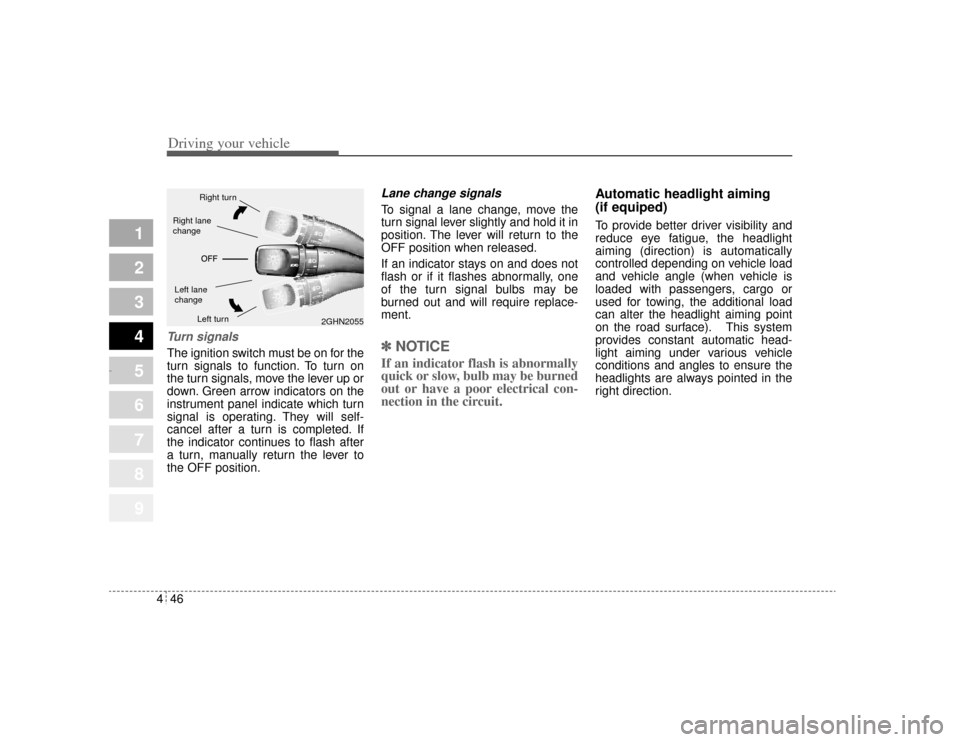
Turn signalsThe ignition switch must be on for the
turn signals to function. To turn on
the turn signals, move the lever up or
down. Green arrow indicators on the
instrument panel indicate which turn
signal is operating. They will self-
cancel after a turn is completed. If
the indicator continues to flash after
a turn, manually return the lever to
the OFF position.
Lane change signals To signal a lane change, move the
turn signal lever slightly and hold it in
position. The lever will return to the
OFF position when released.
If an indicator stays on and does not
flash or if it flashes abnormally, one
of the turn signal bulbs may be
burned out and will require replace-
ment.✽ ✽
NOTICEIf an indicator flash is abnormally
quick or slow, bulb may be burned
out or have a poor electrical con-
nection in the circuit. Automatic headlight aiming
(if equiped)
To provide better driver visibility and
reduce eye fatigue, the headlight
aiming (direction) is automatically
controlled depending on vehicle load
and vehicle angle (when vehicle is
loaded with passengers, cargo or
used for towing, the additional load
can alter the headlight aiming point
on the road surface). This system
provides constant automatic head-
light aiming under various vehicle
conditions and angles to ensure the
headlights are always pointed in the
right direction.
2GHN2055
Right turnLeft turn
Left lane
changeRight lane
change
Opirus-ENG (CAN) 4.qxd 7/8/03 2:19 PM Page 46
Page 166 of 296
Driving your vehicle52
4
1
2
3
4
5
6
7
8
9
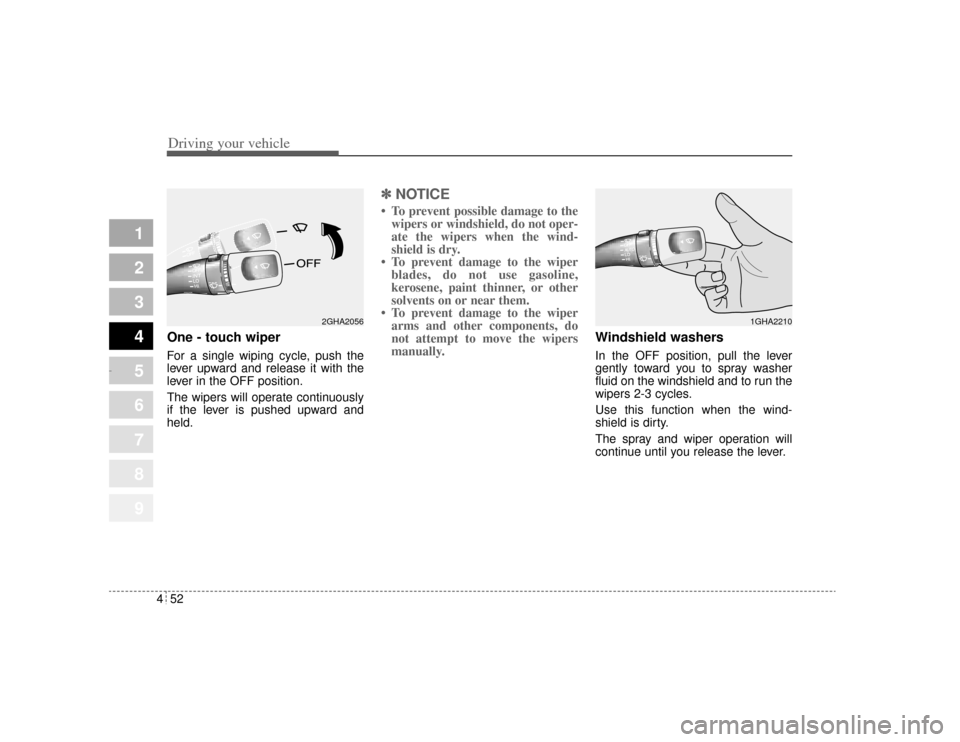
One - touch wiper For a single wiping cycle, push the
lever upward and release it with the
lever in the OFF position.
The wipers will operate continuously
if the lever is pushed upward and
held.
✽ ✽
NOTICE• To prevent possible damage to the
wipers or windshield, do not oper-
ate the wipers when the wind-
shield is dry.
• To prevent damage to the wiper blades, do not use gasoline,
kerosene, paint thinner, or other
solvents on or near them.
• To prevent damage to the wiper arms and other components, do
not attempt to move the wipers
manually.
Windshield washers In the OFF position, pull the lever
gently toward you to spray washer
fluid on the windshield and to run the
wipers 2-3 cycles.
Use this function when the wind-
shield is dirty.
The spray and wiper operation will
continue until you release the lever.
2GHA2056
1GHA2210
Opirus-ENG (CAN) 4.qxd 7/8/03 2:19 PM Page 52
Page 177 of 296
463
1
2
3
4
5
6
7
8
9
Driving your vehicle
Face position Air flow is directed towardthe upper body and face.
Additionally, each outlet can be controlled to direct the
air discharged from the out-
let. (outlet port: )
Face - floor position Air flow is directed towardsthe face and the floor. The
air to the floor is warmer
than the air to the face
(except when the tempera-
ture control is set to the
extreme cold position).
(outlet port: , , ) Floor position
Most of the air flow is direct-ed to the floor, with a small
amount of the air being
directed to the windshield
and side window defroster.
(outlet port: , , , )
Floor - defrost position Most of the air flow is direct-ed to the floor and the wind-
shield with a small amount
directed to the side window
defrosters.
(outlet port: , , , )
The air conditioning will automatically operate based
on the ambient temperature
and outside(fresh) air posi-
tion will be selected auto-
matically.
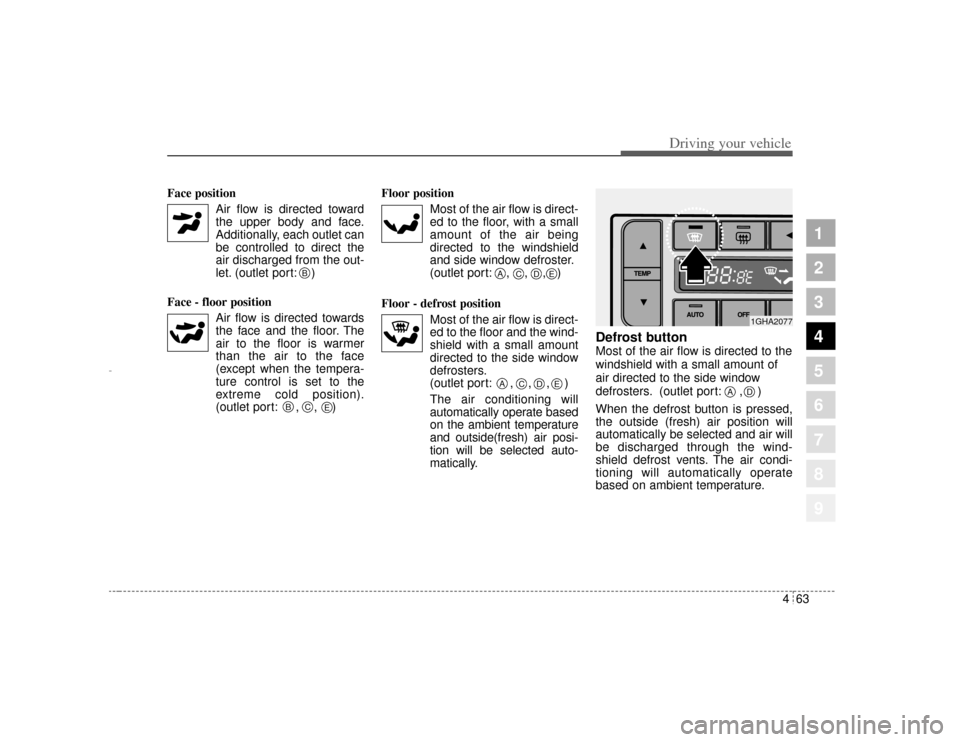
Defrost button Most of the air flow is directed to the
windshield with a small amount of
air directed to the side window
defrosters. (outlet port: , )
When the defrost button is pressed,
the outside (fresh) air position will
automatically be selected and air will
be discharged through the wind-
shield defrost vents. The air condi-
tioning will automatically operate
based on ambient temperature.
B
B
C
A
E
E
C
D
E
A
C
D
1GHA2077
A
D
Opirus-ENG (CAN) 4.qxd 7/8/03 2:19 PM Page 63
Page 187 of 296
1
2
3
4
5
6
7
8
91
2
3
4
5
6
7
8
9
Fuel requirements / 5-2
Emission control system / 5-3
Before driving / 5-5
Suggestions for economical operation / 5-6
Special driving conditions / 5-7
Trailer towing / 5-13
Overloading / 5-20
Label information / 5-21
Driving tips
Opirus CAN 5-1.qxd 7/8/03 2:21 PM Page 1
Page 193 of 296
57
Driving tips
SPECIAL DRIVING CONDITIONS Hazardous driving conditions When hazardous driving conditions
are encountered such as water,
snow, ice, mud, sand, or similar haz-
ards, follow these suggestions:
Drive cautiously and allow extradistance for braking.
Avoid sudden movements in brak- ing or steering.
When braking, pump the brake pedal with a light up-and-down
motion until the vehicle is stopped.✽ ✽ NOTICEDo not pump the brake pedal on a
vehicle equipped with ABS.
If stalled in snow, mud, or sand,
use second gear. Accelerate slow-
ly to avoid spinning the drive
wheels.
Use sand, rock salt, tire chains, or other non-slip material under the
drive wheels to provide traction
when stalled in ice, snow, or mud.
Rocking the vehicle If it is necessary to rock the vehicle
to free it from snow, sand, or mud,
first turn the steering wheel right and
left to clear the area around your
front wheels. Then, shift back and
forth between R (Reverse) and any
forward gear in vehicles equipped
with an automatic transaxle. Do not
race the engine, and spin the wheels
as little as possible. If you are still
stuck after a few tries, have the vehi-
cle pulled out by a tow vehicle to
avoid engine overheating and possi-
ble damage to the transaxle.
1
2
3
4
5
6
7
8
9
WARNING
- Downshifting
Downshifting with an automatic
transaxle, while driving on slip-
pery surfaces can cause an
accident. The sudden change in
tire speed could cause the tires
to skid. Be careful when down-
shifting on slippery surfaces.
Opirus CAN 5-1.qxd 7/8/03 2:21 PM Page 7
Page 198 of 296
Driving tips12
5
1
2
3
4
5
6
7
8
9
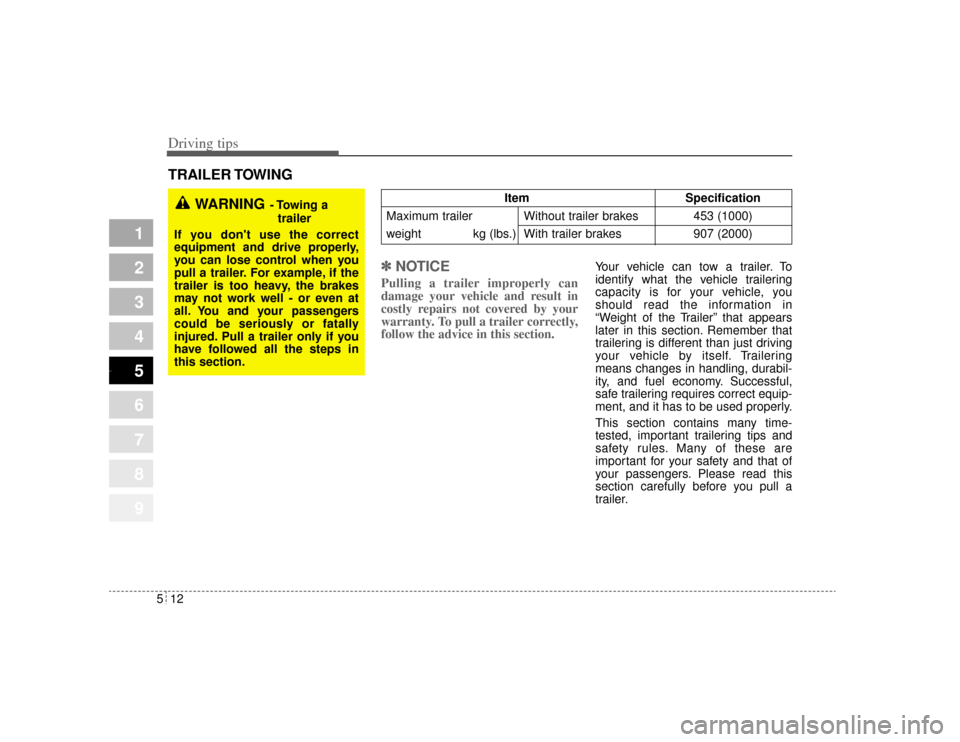
TRAILER TOWING
✽ ✽NOTICE
Pulling a trailer improperly can
damage your vehicle and result in
costly repairs not covered by your
warranty. To pull a trailer correctly,
follow the advice in this section.
Your vehicle can tow a trailer. To
identify what the vehicle trailering
capacity is for your vehicle, you
should read the information in
“Weight of the Trailer” that appears
later in this section. Remember that
trailering is different than just driving
your vehicle by itself. Trailering
means changes in handling, durabil-
ity, and fuel economy. Successful,
safe trailering requires correct equip-
ment, and it has to be used properly.
This section contains many time-
tested, important trailering tips and
safety rules. Many of these are
important for your safety and that of
your passengers. Please read this
section carefully before you pull a
trailer.
WARNING
- Towing a
trailer
If you don't use the correct
equipment and drive properly,
you can lose control when you
pull a trailer. For example, if the
trailer is too heavy, the brakes
may not work well - or even at
all. You and your passengers
could be seriously or fatally
injured. Pull a trailer only if you
have followed all the steps in
this section.
Item Specification
Maximum trailer Without trailer brakes 453 (1000)
weight kg (lbs.) With trailer brakes 907 (2000)
Opirus CAN 5-1.qxd 7/8/03 2:21 PM Page 12
Page 199 of 296

513
Driving tips
1
2
3
4
5
6
7
8
9
Load-pulling components such as
the engine, transaxle, wheel assem-
blies, and tires are forced to work
harder against the load of the added
weight. The engine is required to
operate at relatively higher speeds
and under greater loads. This addi-
tional burden generates extra heat.
The trailer also adds considerably to
wind resistance, increasing the
pulling requirements.
If you do decide to pull a trailerHere are some important points if
you decide to pull a trailer:
Consider using a sway control. Youcan ask a hitch dealer about sway
control.
After your odometer indicates 800 km (500 miles) or more, you can
tow a trailer. For the first 800 km
(500 miles) that you tow a trailer,
don’t drive over 80 km/h (50 mph)
and don’t make starts at full throt-
tle. This helps your engine and
other parts of your vehicle “wear” in
at the heavier loads.
The important considerations have to do with weight: Weight of the trailer
How heavy can a trailer safely be? It
should never weigh more than 907
kg (2000 lbs.) with trailer brakes. But
even that can be too heavy.
It depends on how you plan to use
your trailer. For example, speed, alti-
tude, road grades, outside tempera-
ture and how much your vehicle is
used to pull a trailer are all important.
The ideal trailer weight can also
depend on any special equipment
that you have on your vehicle.
Opirus CAN 5-1.qxd 7/8/03 2:21 PM Page 13