engine KIA Optima 2006 2.G Owner's Guide
[x] Cancel search | Manufacturer: KIA, Model Year: 2006, Model line: Optima, Model: KIA Optima 2006 2.GPages: 225, PDF Size: 3.77 MB
Page 103 of 225
MALFUNCTION
INDICATOR LIGHT
(IF EQUIPPED)The CHECK ENGINE or malfunction
indicator light is installed in your
vehicle’s instrument panel and responds
to signals from the vehicle’s On Board
Diagnostic (OBD -II) System. The OBD-
II System monitors the performance of the
vehicle’s Emission Control System
(ECS), which is designed to reduce the
amount of air pollutants in engine exhaust
to the levels required by government
regulations.
When you first start the engine, the check
engine light will illuminate briefly as a
system check to confirm that the OBD-II
System is operating properly. As the
engine starts, this light turns off.
However, if at any time the OBD-II
system detects a faulty signal or
determines that the ECS is not performing
to specification, the CHECK ENGINE
light will illuminate continuously or flash.
Continuously ON :If the CHECK ENGINE light comes ON
while driving and illuminates continuously,
a potential problem has been discovered in
the ECS or one of the exhaust system
components. Generally, the vehicle will
continue to be driveablebut it should
be checked by an Authorized Kia Dealer
as soon as possible. This condition is
unlikely to lead to engine damage unless
a decrease in vehicle power or poor
running conditions is immediately
apparent.
Flashing ON and OFF :If the CHECK ENGINE light begins to
flash ON and OFF, a more serious
problem with the ECS or exhaust system
component has been detected. If this
happens, and there is no degradation
to performance, the vehicle is still
driveable(avoid high speeds) but should
be checked by an Authorized Kia Dealer
at your earliest possible convenience. If
the flashing CHECK ENGINE light is
accompanied by a decrease in power or
poor running conditions, safely stop the
vehicle and immediately contact Kia
Roadside Assistance.
Note that the CHECK ENGINE light
will illuminate for a problem like a loose
or missing gas cap, but will not
illuminate as a result of low engine oil or
coolant, low automatic transaxle fluid or
engine overheating. The driver will be
alerted to these conditions by other
indicators on the instrument panel.
DRIVING YOUR VEHICLE
4-24
CHECK
MS-CNA-Eng 4(~39).QXD 7/25/2005 5:16 PM Page 24
Page 104 of 225
4-25
KEY REMINDER WARNING
CHIMEIf the driver’s door is opened and the
ignition key is left in the ignition switch,
the key reminder warning chime will
sound. This is to remind you to remove
your keys from the ignition before you
lock the vehicle.
HEADLIGHT HIGH
BEAM INDICATORThis indicator illuminates when the
headlights are on and in the high beam
position or when the turn signal lever is
pulled into the Flash-to-Pass position.DOOR AJAR WARNINGThis warning light comes on when a
door is not closed securely with the
ignition switch in any position.
CAUTION
Prolonged driving with the On
Board Diagnostic System
Malfunction Indicator Light ( )
illuminated may cause damage to
the emission control systems
which could effect driveability
and/or fuel economy.
If the On Board Diagnostic
System Malfunction Indicator
Light ( ) begins to flash ON
and OFF, potential catalytic con-
verter damage is possible which
could result in loss of engine
power. Have the On Board
Diagnostic System inspected as
soon as possible by an
Authorized Kia Dealer or other
competent repair shop.
CHECK
CHECK
✻
NOTICE
A loose fuel filler cap may cause the
On Board Diagnostic System
Malfunction Indicator Light ( ) in
the instrument panel to illuminate
unnecessarily. Always ensure that
the fuel filler cap is tight.
CHECK
MS-CNA-Eng 4(~39).QXD 7/25/2005 5:16 PM Page 25
Page 105 of 225
ANTI-LOCK BRAKE SYSTEM
(ABS) WARNING LIGHT
(IF EQUIPPED)This light illuminates when you start the
engine. The light will go off if the ABS
is operating normally. Also, this light
comes on if the key is turned to ON, and
then goes off in 2-3 seconds if the system
is operating normally. If this warning
light illuminates while the vehicle is
being driven, have the vehicle checked
by an Authorized Kia Dealer or other
competent repair shop as soon as
possible.
FRONT FOG INDICATOR
(IF EQUIPPED)This light comes on when the fog lights
are ON.CRUISE INDICATOR
(IF EQUIPPED)The cruise indicator light in the
instrument cluster is illuminated only
when the vehicle cruising speed has been
set using the control switch. The
indicator light does not illuminate when
the main cruise control switch is
activated.TRUNK LID OPEN
WARNING LIGHT This light remains on unless the trunk lid
is completely closed.
TRACTION CONTROL
INDICATOR LIGHTS
(IF EQUIPPED)The TCS indicator will illuminate when
the ignition key is turned to the “ON”
position, but should go off after 3
seconds. It means the TCS is in the
stand-by status and at the moment of the
actual operation of the TCS, the indicator
will blink.
Press the TCS switch, then the system
will be deactivated and the TCS
indicator will illuminate.
If the TCS indicator stays on in the TCS
ON mode, take your car to your
Authorized Kia Dealer and have the
system checked.
DRIVING YOUR VEHICLE
4-26
ABS
CRUISE
TCS
MS-CNA-Eng 4(~39).QXD 7/25/2005 5:16 PM Page 26
Page 107 of 225
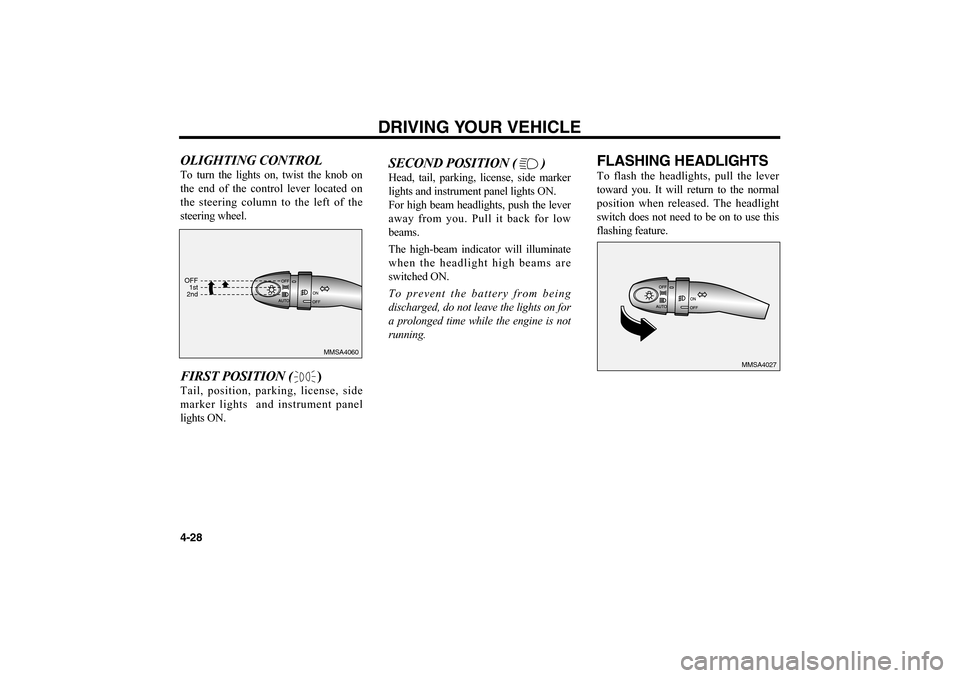
OLIGHTING CONTROLTo turn the lights on, twist the knob on
the end of the control lever located on
the steering column to the left of the
steering wheel.FIRST POSITION ()Tail, position, parking, license, side
marker lights and instrument panel
lights ON.
SECOND POSITION ( )Head, tail, parking, license, side marker
lights and instrument panel lights ON.
For high beam headlights, push the lever
away from you. Pull it back for low
beams.
The high-beam indicator will illuminate
when the headlight high beams are
switched ON.
To prevent the battery from being
discharged, do not leave the lights on for
a prolonged time while the engine is not
running.
FLASHING HEADLIGHTSTo flash the headlights, pull the lever
toward you. It will return to the normal
position when released. The headlight
switch does not need to be on to use this
flashing feature.
DRIVING YOUR VEHICLE
4-28
MMSA4060
MMSA4027 OFF
1st
2nd
MS-CNA-Eng 4(~39).QXD 7/25/2005 5:16 PM Page 28
Page 108 of 225
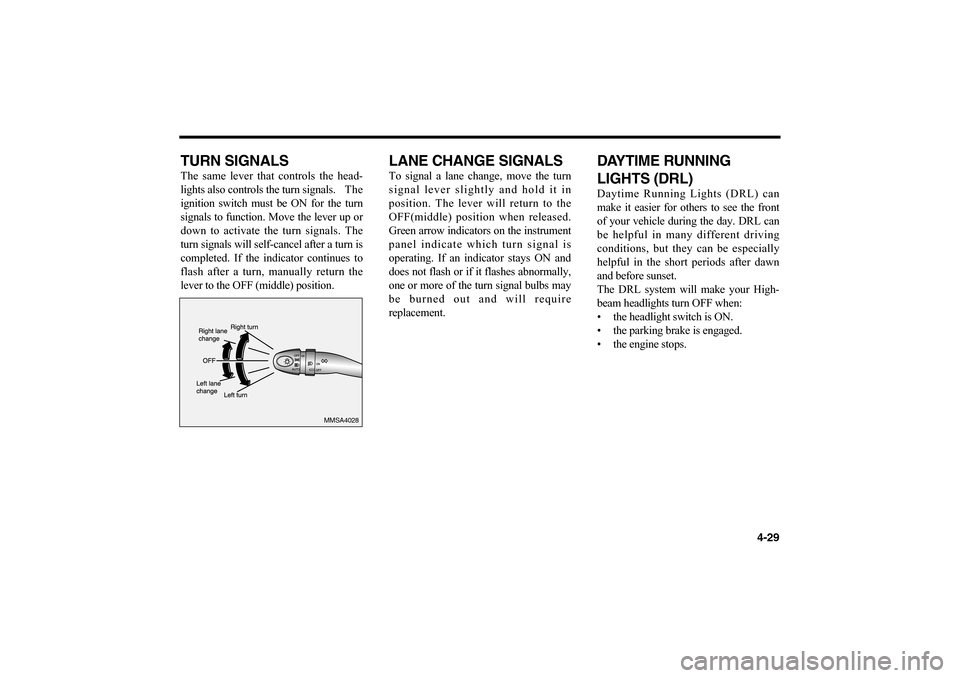
TURN SIGNALSThe same lever that controls the head-
lights also controls the turn signals. The
ignition switch must be ON for the turn
signals to function. Move the lever up or
down to activate the turn signals. The
turn signals will self-cancel after a turn is
completed. If the indicator continues to
flash after a turn, manually return the
lever to the OFF (middle) position.
LANE CHANGE SIGNALSTo signal a lane change, move the turn
signal lever slightly and hold it in
position. The lever will return to the
OFF(middle) position when released.
Green arrow indicators on the instrument
panel indicate which turn signal is
operating. If an indicator stays ON and
does not flash or if it flashes abnormally,
one or more of the turn signal bulbs may
be burned out and will require
replacement.
DAYTIME RUNNING
LIGHTS (DRL) Daytime Running Lights (DRL) can
make it easier for others to see the front
of your vehicle during the day. DRL can
be helpful in many different driving
conditions, but they can be especially
helpful in the short periods after dawn
and before sunset.
The DRL system will make your High-
beam headlights turn OFF when:
• the headlight switch is ON.
• the parking brake is engaged.
• the engine stops.
4-29
MMSA4028
MS-CNA-Eng 4(~39).QXD 7/25/2005 5:16 PM Page 29
Page 110 of 225
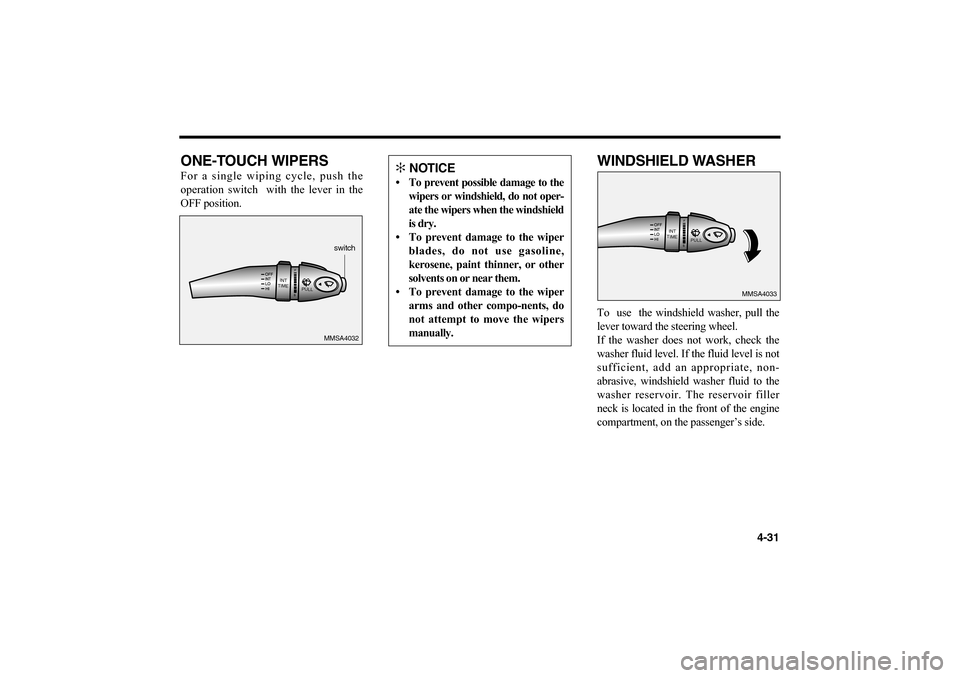
ONE-TOUCH WIPERSFor a single wiping cycle, push the
operation switch with the lever in the
OFF position.
WINDSHIELD WASHERTo use the windshield washer, pull the
lever toward the steering wheel.
If the washer does not work, check the
washer fluid level. If the fluid level is not
sufficient, add an appropriate, non-
abrasive, windshield washer fluid to the
washer reservoir. The reservoir filler
neck is located in the front of the engine
compartment, on the passenger’s side.
4-31
INT
TIME
PULL
MMSA4032switch
INT
TIME
PULL
MMSA4033
✻
NOTICE
• To prevent possible damage to the
wipers or windshield, do not oper-
ate the wipers when the windshield
is dry.
• To prevent damage to the wiper
blades, do not use gasoline,
kerosene, paint thinner, or other
solvents on or near them.
• To prevent damage to the wiper
arms and other compo-nents, do
not attempt to move the wipers
manually.
MS-CNA-Eng 4(~39).QXD 7/25/2005 5:16 PM Page 31
Page 111 of 225
CAUTION :
Do not use the washer in freezing tem-
peratures without first warming the
windshield in advance with the
defrosters; the washer solution could
freeze on contact with the windshield
and obscure your vision.
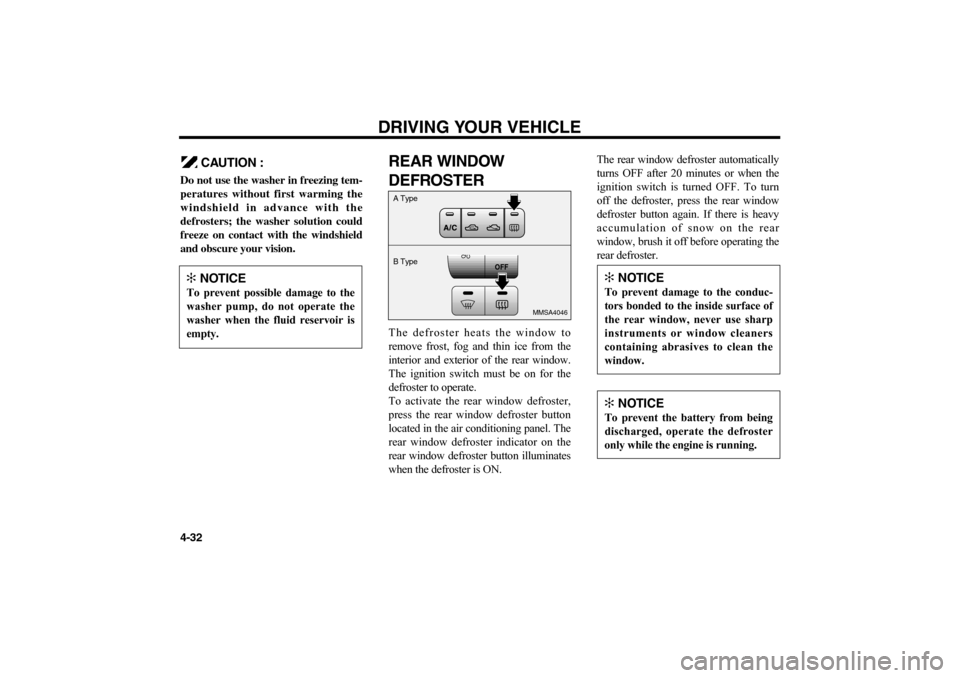
REAR WINDOW
DEFROSTERThe defroster heats the window to
remove frost, fog and thin ice from the
interior and exterior of the rear window.
The ignition switch must be on for the
defroster to operate.
To activate the rear window defroster,
press the rear window defroster button
located in the air conditioning panel. The
rear window defroster indicator on the
rear window defroster button illuminates
when the defroster is ON.The rear window defroster automatically
turns OFF after 20 minutes or when the
ignition switch is turned OFF. To turn
off the defroster, press the rear window
defroster button again. If there is heavy
accumulation of snow on the rear
window, brush it off before operating the
rear defroster.DRIVING YOUR VEHICLE
4-32
OFF
MMSA4046
A Type
B Type
✻
NOTICE
To prevent possible damage to the
washer pump, do not operate the
washer when the fluid reservoir is
empty.
✻
NOTICE
To prevent damage to the conduc-
tors bonded to the inside surface of
the rear window, never use sharp
instruments or window cleaners
containing abrasives to clean the
window.✻
NOTICE
To prevent the battery from being
discharged, operate the defroster
only while the engine is running.
MS-CNA-Eng 4(~39).QXD 7/25/2005 5:16 PM Page 32
Page 112 of 225
4-33
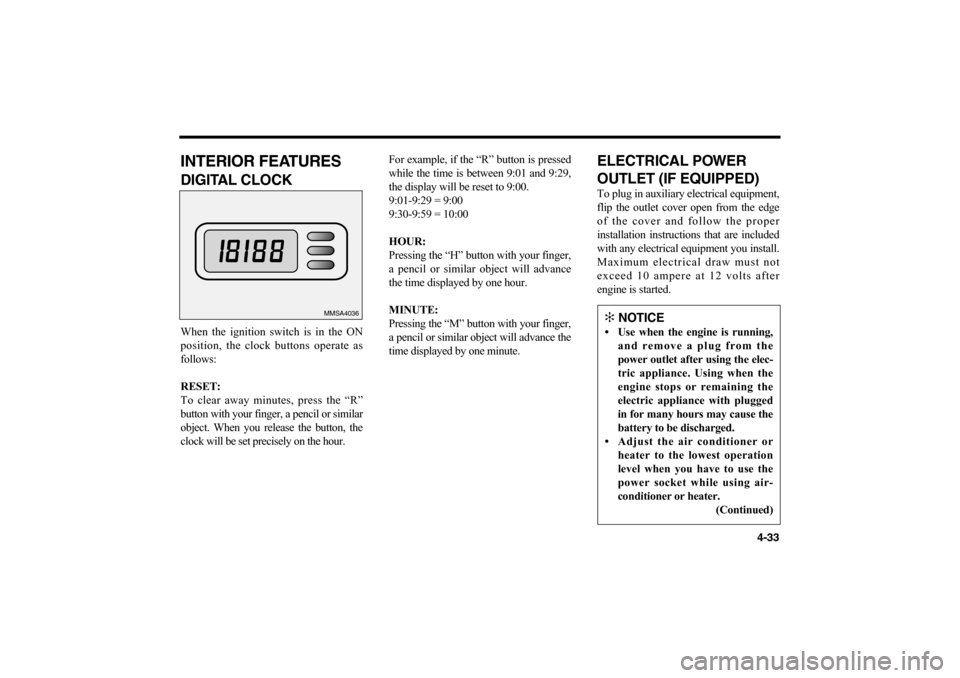
INTERIOR FEATURESDIGITAL CLOCK When the ignition switch is in the ON
position, the clock buttons operate as
follows:
RESET:
To clear away minutes, press the “R”
button with your finger, a pencil or similar
object. When you release the button, the
clock will be set precisely on the hour.For example, if the “R” button is pressed
while the time is between 9:01 and 9:29,
the display will be reset to 9:00.
9:01-9:29 = 9:00
9:30-9:59 = 10:00
HOUR:
Pressing the “H” button with your finger,
a pencil or similar object will advance
the time displayed by one hour.
MINUTE:
Pressing the “M” button with your finger,
a pencil or similar object will advance the
time displayed by one minute.
ELECTRICAL POWER
OUTLET (IF EQUIPPED)To plug in auxiliary electrical equipment,
flip the outlet cover open from the edge
of the cover and follow the proper
installation instructions that are included
with any electrical equipment you install.
Maximum electrical draw must not
exceed 10 ampere at 12 volts after
engine is started.
MMSA4036
✻
NOTICE
• Use when the engine is running,
and remove a plug from the
power outlet after using the elec-
tric appliance. Using when the
engine stops or remaining the
electric appliance with plugged
in for many hours may cause the
battery to be discharged.
• Adjust the air conditioner or
heater to the lowest operation
level when you have to use the
power socket while using air-
conditioner or heater.
(Continued)
MS-CNA-Eng 4(~39).QXD 7/25/2005 5:16 PM Page 33
Page 113 of 225
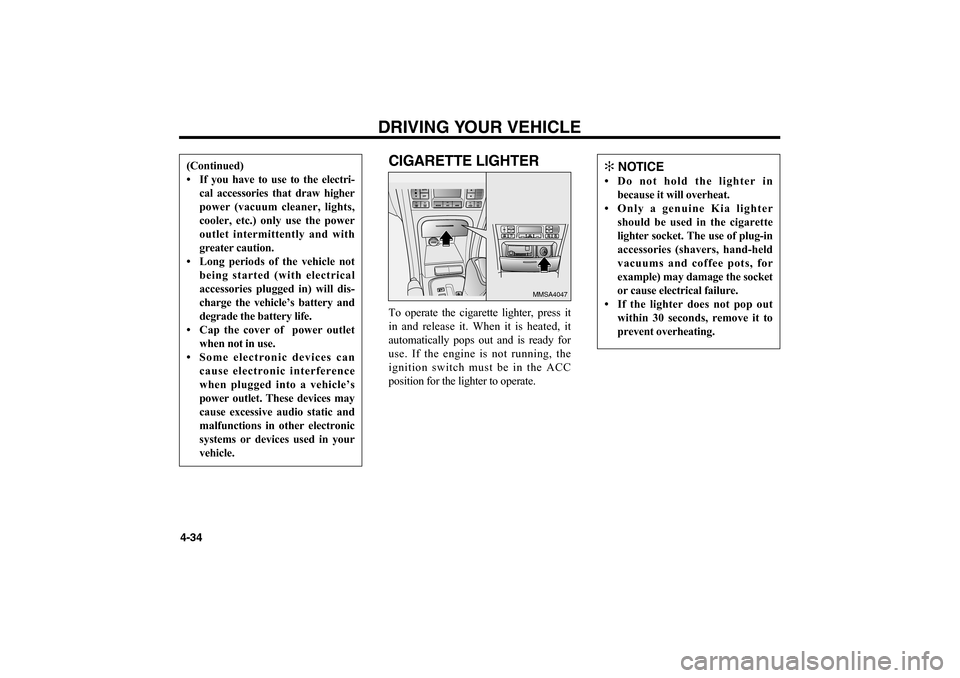
CIGARETTE LIGHTERTo operate the cigarette lighter, press it
in and release it. When it is heated, it
automatically pops out and is ready for
use. If the engine is not running, the
ignition switch must be in the ACC
position for the lighter to operate. DRIVING YOUR VEHICLE
4-34
MMSA4047
(Continued)
• If you have to use to the electri-
cal accessories that draw higher
power (vacuum cleaner, lights,
cooler, etc.) only use the power
outlet intermittently and with
greater caution.
• Long periods of the vehicle not
being started (with electrical
accessories plugged in) will dis-
charge the vehicle’s battery and
degrade the battery life.
• Cap the cover of power outlet
when not in use.
• Some electronic devices can
cause electronic interference
when plugged into a vehicle’s
power outlet. These devices may
cause excessive audio static and
malfunctions in other electronic
systems or devices used in your
vehicle.
✻
NOTICE
• Do not hold the lighter in
because it will overheat.
• Only a genuine Kia lighter
should be used in the cigarette
lighter socket. The use of plug-in
accessories (shavers, hand-held
vacuums and coffee pots, for
example) may damage the socket
or cause electrical failure.
• If the lighter does not pop out
within 30 seconds, remove it to
prevent overheating.
MS-CNA-Eng 4(~39).QXD 7/25/2005 5:16 PM Page 34
Page 118 of 225
4-39
✻
NOTICE
• Keep the main switch off when
not using the cruise control.
• Do not use the cruise control
when it may not be safe to keep
the car at a constant speed, for
instance, driving in heavy or
varying traffic, or on slippery
(rainy, icy or snow-covered) or
winding roads or over 6% up-
hill or down-hill roads.
• Pay particular attention to the
driving conditions whenever
using the cruise control system.
• During cruise-speed driving with
a manual transaxle vehicle, do
not shift into neutral without
depressing the clutch pedal,
since the engine will be over-
revved. If this happens, depress
the clutch pedal or release the
main switch.
• During normal cruise control
operation, when the set button is
activated or reactivated after
applying the brakes, the cruise
control will energize after
approximately 3 seconds. This
delay is normal.
MS-CNA-Eng 4(~39).QXD 7/25/2005 5:16 PM Page 39