instrument panel KIA Optima 2008 2.G User Guide
[x] Cancel search | Manufacturer: KIA, Model Year: 2008, Model line: Optima, Model: KIA Optima 2008 2.GPages: 289, PDF Size: 4.78 MB
Page 77 of 289
Knowing your vehicle68 3Repairing or scrapping the vehicle Repairing/replacing the steering
wheel, instrument panel, center con-
sole headliner/pillar trim, or modifying
vehicle sheet metal components could
disable the air bag system. Have such
repairs and maintenance performed by
an authorized Kia dealer.
Special care must be taken in scrap-
ping or junking an air bag-equipped
vehicle. Always refer such activities to
a qualified professional.
WARNING
- No mainte-
nance or repair
Do not work on the air bag sys-
tem’s components or wiring. This
could cause the air bags to inflate
inadvertently, possibly seriously
injuring someone. Working on the
system could also disable the
system so that the air bags would
not deploy in a collision.
Any work on the air bag system,
such as removing, installing, or
repairing the steering wheel must
be performed by a qualified Kia
technician. Improper handling of
the air bag system including the
steering wheel may result in seri-
ous personal injury or death.
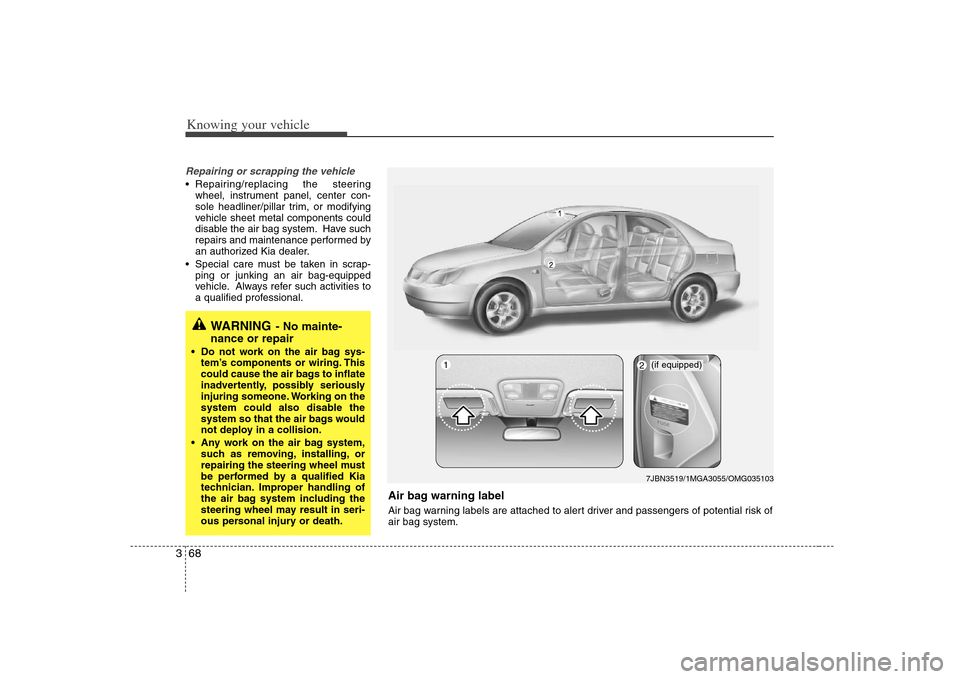
Air bag warning labelAir bag warning labels are attached to alert driver and passengers of potential risk of
air bag system.
2
(if equipped)7JBN3519/1MGA3055/OMG035103
1
Page 80 of 289
371
Knowing your vehicle
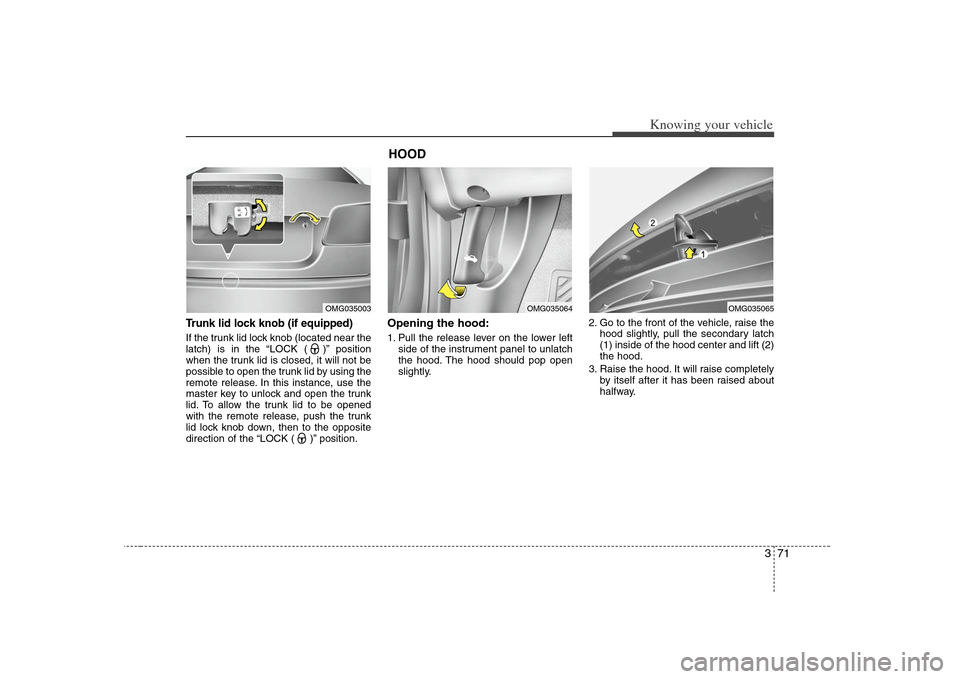
Trunk lid lock knob (if equipped)If the trunk lid lock knob (located near the
latch) is in the “LOCK ( )” position
when the trunk lid is closed, it will not be
possible to open the trunk lid by using the
remote release. In this instance, use the
master key to unlock and open the trunk
lid. To allow the trunk lid to be opened
with the remote release, push the trunk
lid lock knob down, then to the opposite
direction of the “LOCK ( )” position.
Opening the hood:1. Pull the release lever on the lower left
side of the instrument panel to unlatch
the hood. The hood should pop open
slightly.2. Go to the front of the vehicle, raise the
hood slightly, pull the secondary latch
(1) inside of the hood center and lift (2)
the hood.
3. Raise the hood. It will raise completely
by itself after it has been raised about
halfway.
OMG035003
HOOD
OMG035064
OMG035065
Page 83 of 289
Knowing your vehicle74 3
✽
✽
NOTICE• Make sure to refuel with unleaded
fuel only.
• Check to make sure the fuel filler cap is
securely closed after refueling. A loose
fuel filler cap may cause the “Check
Engine (Malfuntion indicator, )”
light in the instrument panel to illumi-
nate unnecessarily.
• If the fuel filler cap requires replace-
ment, use only a genuine Kia cap or
the equivalent specified for your vehi-
cle. An incorrect fuel filler cap can
result in a serious malfunction of the
fuel system or emission control sys-
tem.
• Do not spill fuel on the exterior sur-
faces of the vehicle. Any type of fuel
spilled on painted surfaces may dam-
age the paint.
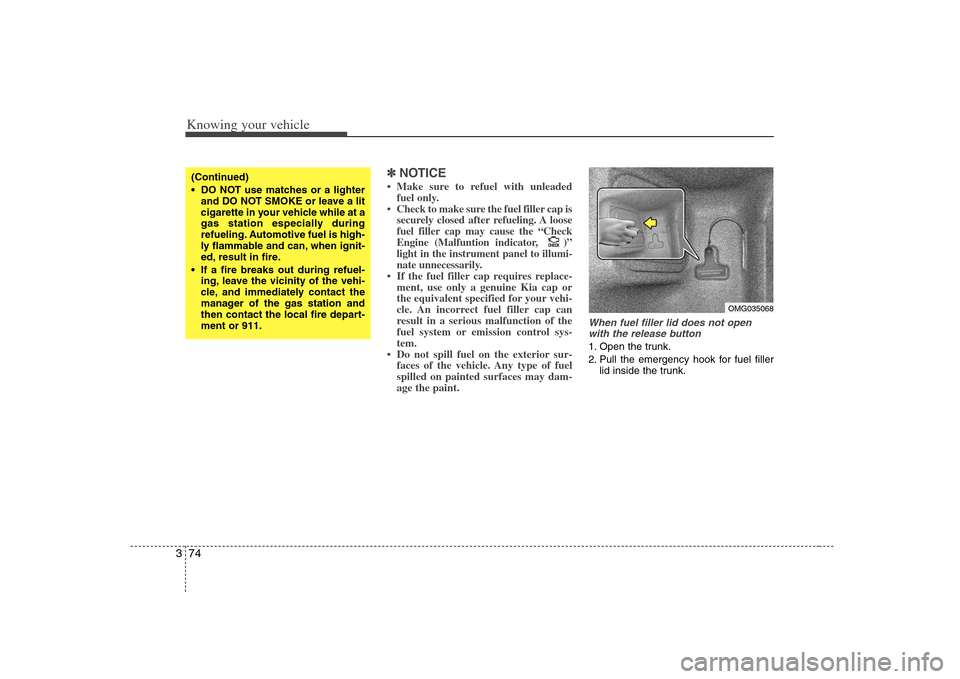
When fuel filler lid does not open
with the release button1. Open the trunk.
2. Pull the emergency hook for fuel filler
lid inside the trunk.
CHECKCHECK
(Continued)
DO NOT use matches or a lighter
and DO NOT SMOKE or leave a lit
cigarette in your vehicle while at a
gas station especially during
refueling. Automotive fuel is high-
ly flammable and can, when ignit-
ed, result in fire.
If a fire breaks out during refuel-
ing, leave the vicinity of the vehi-
cle, and immediately contact the
manager of the gas station and
then contact the local fire depart-
ment or 911.
OMG035068
Page 165 of 289
429
Driving your vehicle
✽ ✽
NOTICE• If the vehicle is not on level ground or
the battery power has been interrupt-
ed, the “DISTANCE TO EMPTY”
function may not operate correctly.
The trip computer may not register
additional fuel if less than 6 liters
(1.59 US gal) of fuel are added to the
vehicle.
• Trip computer provides a driver with
supplemental information about the
current operating status of your vehi-
cle. So the estimated distance to empty
can be changed according to operat-
ing status of your vehicle, average fuel
consumption and previously driving
style. Therefore the values approved
or displayed on LCD for the first time
can be different with your vehicle’s.
• The figure of distance to empty is esti-
mated driving distance, so it can be
different from the driving distance
really is.
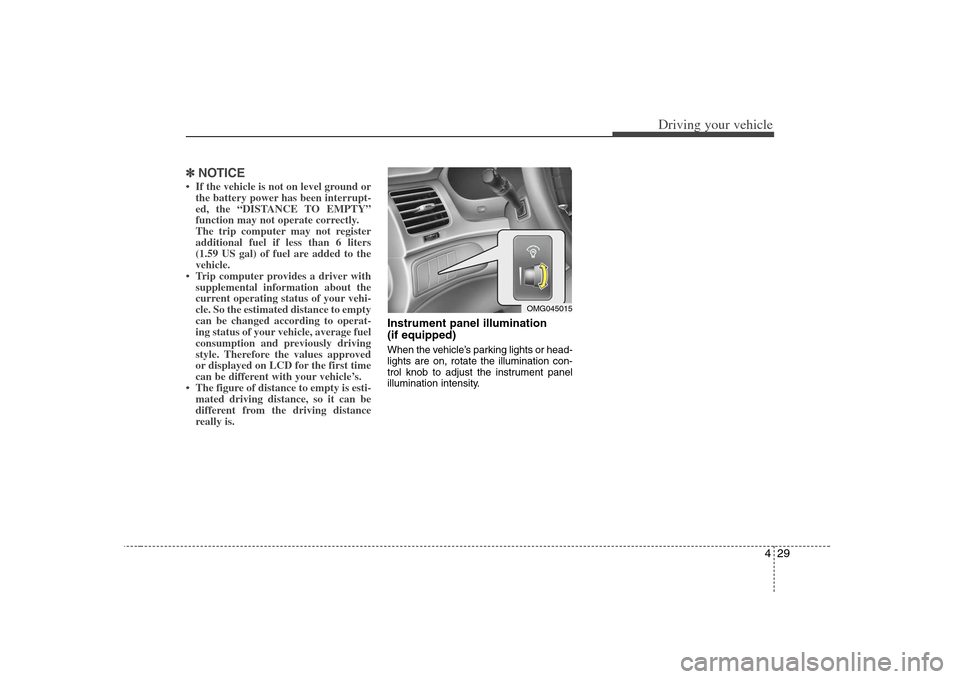
Instrument panel illumination
(if equipped)When the vehicle’s parking lights or head-
lights are on, rotate the illumination con-
trol knob to adjust the instrument panel
illumination intensity.
OMG045015
Page 169 of 289
433
Driving your vehicle
Trunk lid open
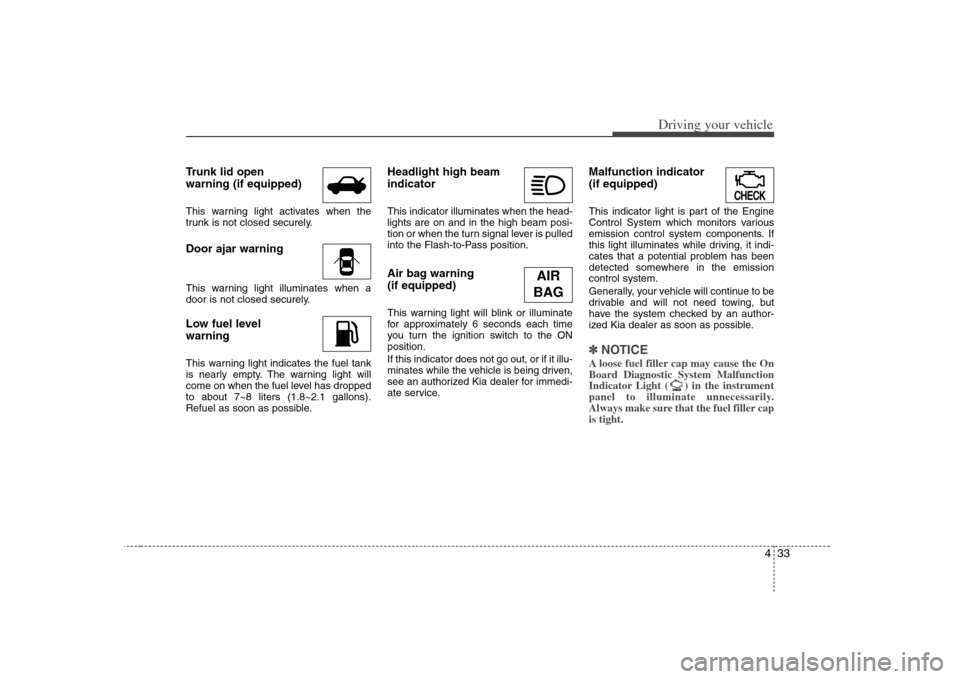
warning (if equipped)This warning light activates when the
trunk is not closed securely.Door ajar warningThis warning light illuminates when a
door is not closed securely.Low fuel level
warningThis warning light indicates the fuel tank
is nearly empty. The warning light will
come on when the fuel level has dropped
to about 7~8 liters (1.8~2.1 gallons).
Refuel as soon as possible.
Headlight high beam
indicator This indicator illuminates when the head-
lights are on and in the high beam posi-
tion or when the turn signal lever is pulled
into the Flash-to-Pass position.Air bag warning
(if equipped) This warning light will blink or illuminate
for approximately 6 seconds each time
you turn the ignition switch to the ON
position.
If this indicator does not go out, or if it illu-
minates while the vehicle is being driven,
see an authorized Kia dealer for immedi-
ate service.
Malfunction indicator
(if equipped)This indicator light is part of the Engine
Control System which monitors various
emission control system components. If
this light illuminates while driving, it indi-
cates that a potential problem has been
detected somewhere in the emission
control system.
Generally, your vehicle will continue to be
drivable and will not need towing, but
have the system checked by an author-
ized Kia dealer as soon as possible.✽ ✽
NOTICEA loose fuel filler cap may cause the On
Board Diagnostic System Malfunction
Indicator Light ( ) in the instrument
panel to illuminate unnecessarily.
Always make sure that the fuel filler cap
is tight.
CHECKCHECK
AIR
BAG
Page 176 of 289
Driving your vehicle40 4Battery saver function The purpose of this feature is to pre-
vent the battery from being dis-
charged. The system automatically
turns off the headlights and parking
lights when the driver removes the igni-
tion key and opens the driver- side
door.
With this feature, the parklight will be
turned off automatically if the driver
parks on the side of road at night.
If necessary, to keep the lights on when
the ignition key is removed, perform the
following :
1) Open the driver-side door.
2) Turn the parking lights OFF and ON
again using the light switch on the
steering column.
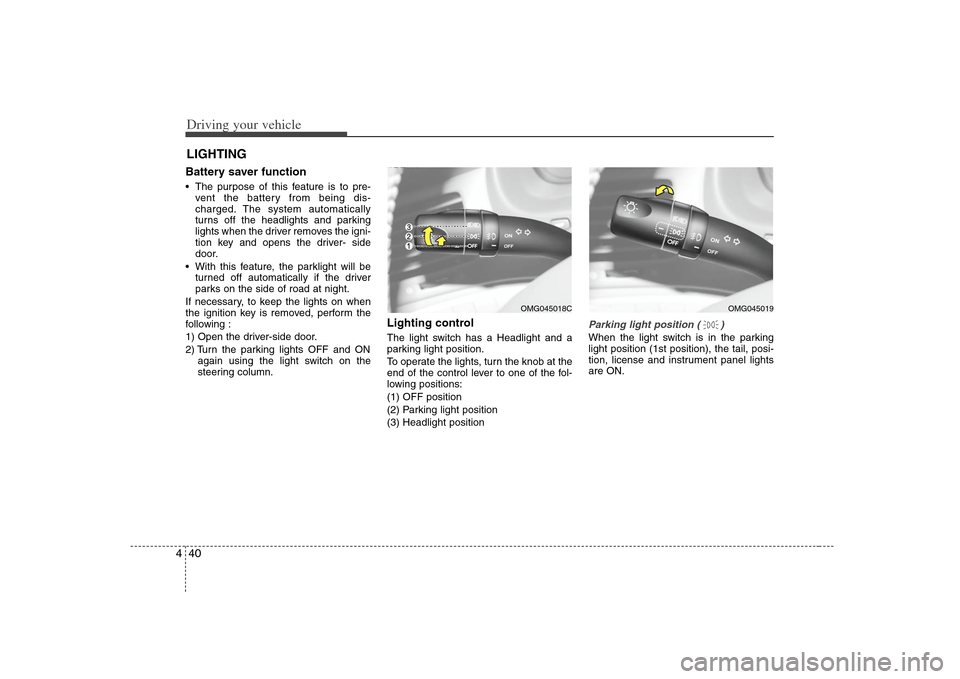
Lighting control The light switch has a Headlight and a
parking light position.
To operate the lights, turn the knob at the
end of the control lever to one of the fol-
lowing positions:
(1) OFF position
(2) Parking light position
(3) Headlight position
Parking light position ( )When the light switch is in the parking
light position (1st position), the tail, posi-
tion, license and instrument panel lights
are ON.
LIGHTING
OMG045019
OMG045018C
Page 177 of 289
441
Driving your vehicle
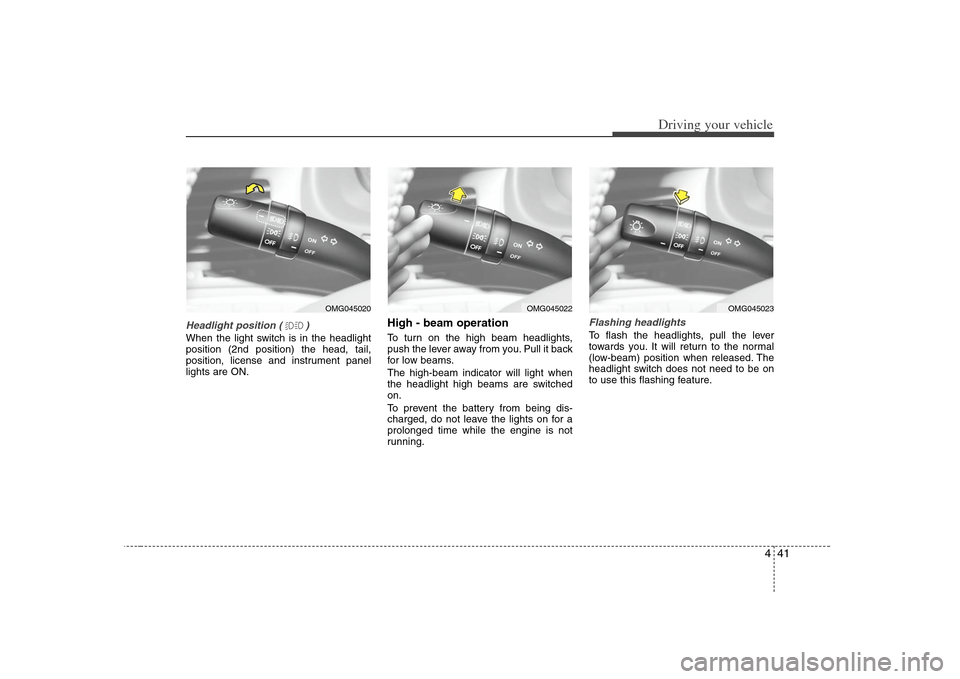
Headlight position ( )When the light switch is in the headlight
position (2nd position) the head, tail,
position, license and instrument panel
lights are ON.
High - beam operation To turn on the high beam headlights,
push the lever away from you. Pull it back
for low beams.
The high-beam indicator will light when
the headlight high beams are switched
on.
To prevent the battery from being dis-
charged, do not leave the lights on for a
prolonged time while the engine is not
running.
Flashing headlights To flash the headlights, pull the lever
towards you. It will return to the normal
(low-beam) position when released. The
headlight switch does not need to be on
to use this flashing feature.
OMG045020
OMG045023
OMG045022
Page 178 of 289
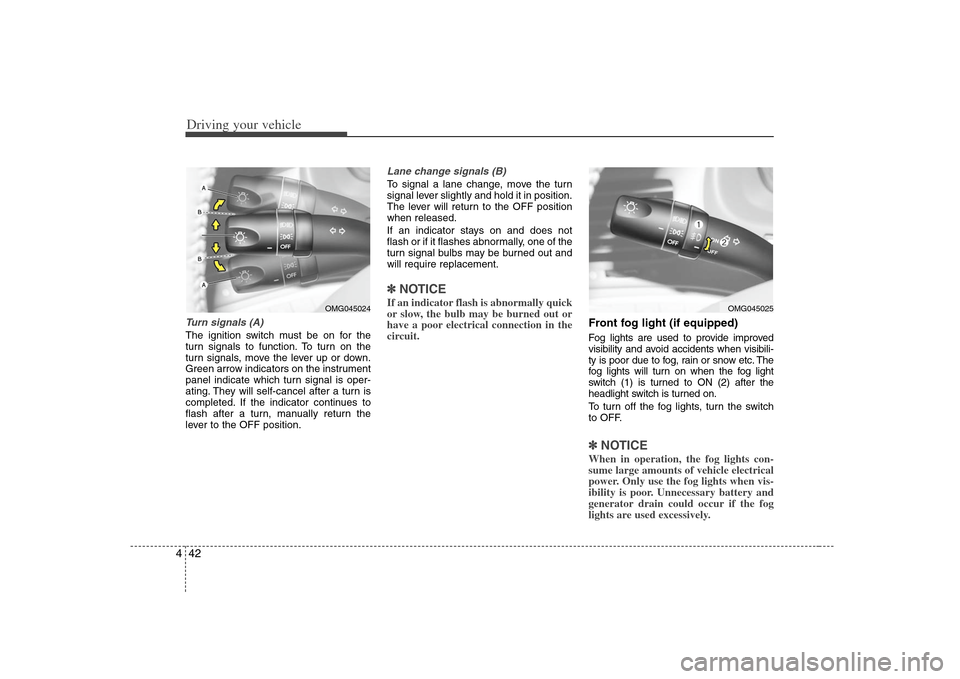
Driving your vehicle42 4Turn signals (A)The ignition switch must be on for the
turn signals to function. To turn on the
turn signals, move the lever up or down.
Green arrow indicators on the instrument
panel indicate which turn signal is oper-
ating. They will self-cancel after a turn is
completed. If the indicator continues to
flash after a turn, manually return the
lever to the OFF position.
Lane change signals (B)To signal a lane change, move the turn
signal lever slightly and hold it in position.
The lever will return to the OFF position
when released.
If an indicator stays on and does not
flash or if it flashes abnormally, one of the
turn signal bulbs may be burned out and
will require replacement.✽ ✽
NOTICEIf an indicator flash is abnormally quick
or slow, the bulb may be burned out or
have a poor electrical connection in the
circuit.
Front fog light (if equipped) Fog lights are used to provide improved
visibility and avoid accidents when visibili-
ty is poor due to fog, rain or snow etc. The
fog lights will turn on when the fog light
switch (1) is turned to ON (2) after the
headlight switch is turned on.
To turn off the fog lights, turn the switch
to OFF.✽ ✽
NOTICEWhen in operation, the fog lights con-
sume large amounts of vehicle electrical
power. Only use the fog lights when vis-
ibility is poor. Unnecessary battery and
generator drain could occur if the fog
lights are used excessively.
OMG045024
OMG045025
Page 187 of 289
451
Driving your vehicle
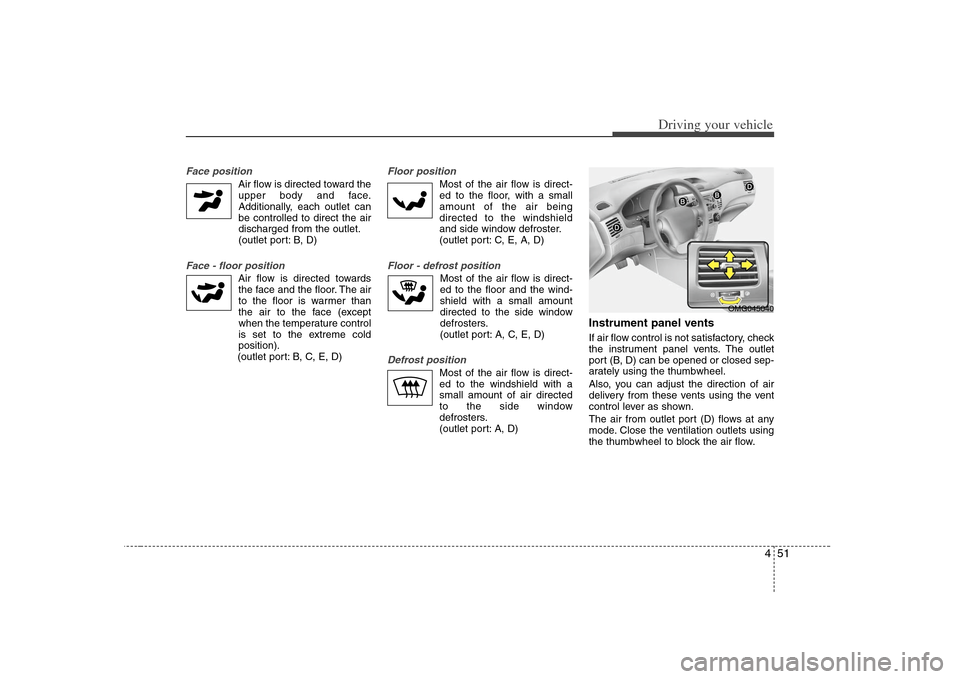
Face position
Air flow is directed toward the
upper body and face.
Additionally, each outlet can
be controlled to direct the air
discharged from the outlet.
(outlet port: B, D)
Face - floor position
Air flow is directed towards
the face and the floor. The air
to the floor is warmer than
the air to the face (except
when the temperature control
is set to the extreme cold
position).
(outlet port: B, C, E, D)
Floor position
Most of the air flow is direct-
ed to the floor, with a small
amount of the air being
directed to the windshield
and side window defroster.
(outlet port: C, E, A, D)
Floor - defrost position
Most of the air flow is direct-
ed to the floor and the wind-
shield with a small amount
directed to the side window
defrosters.
(outlet port: A, C, E, D)
Defrost position
Most of the air flow is direct-
ed to the windshield with a
small amount of air directed
to the side window
defrosters.
(outlet port: A, D)
Instrument panel ventsIf air flow control is not satisfactory, check
the instrument panel vents. The outlet
port (B, D) can be opened or closed sep-
arately using the thumbwheel.
Also, you can adjust the direction of air
delivery from these vents using the vent
control lever as shown.
The air from outlet port (D) flows at any
mode. Close the ventilation outlets using
the thumbwheel to block the air flow.
OMG045040
Page 192 of 289
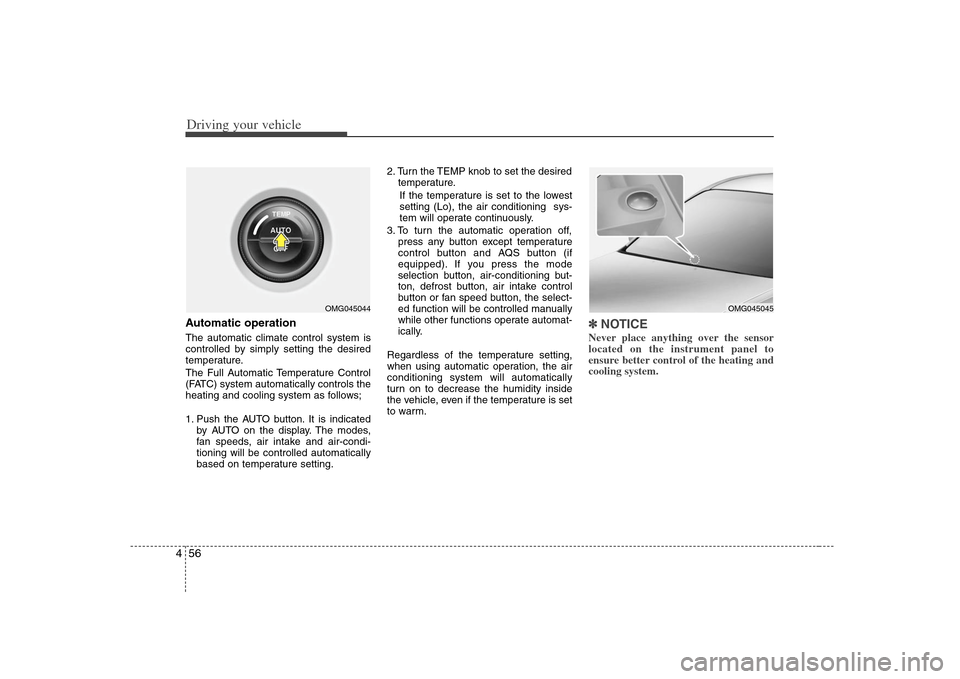
Driving your vehicle56 4Automatic operationThe automatic climate control system is
controlled by simply setting the desired
temperature.
The Full Automatic Temperature Control
(FATC) system automatically controls the
heating and cooling system as follows;
1. Push the AUTO button. It is indicated
by AUTO on the display. The modes,
fan speeds, air intake and air-condi-
tioning will be controlled automatically
based on temperature setting.2. Turn the TEMP knob to set the desired
temperature.
If the temperature is set to the lowest
setting (Lo), the air conditioning sys-
tem will operate continuously.
3. To turn the automatic operation off,
press any button except temperature
control button and AQS button (if
equipped). If you press the mode
selection button, air-conditioning but-
ton, defrost button, air intake control
button or fan speed button, the select-
ed function will be controlled manually
while other functions operate automat-
ically.
Regardless of the temperature setting,
when using automatic operation, the air
conditioning system will automatically
turn on to decrease the humidity inside
the vehicle, even if the temperature is set
to warm.
✽ ✽
NOTICENever place anything over the sensor
located on the instrument panel to
ensure better control of the heating and
cooling system.
OMG045044
OMG045045