fuel KIA Optima 2009 2.G User Guide
[x] Cancel search | Manufacturer: KIA, Model Year: 2009, Model line: Optima, Model: KIA Optima 2009 2.GPages: 326, PDF Size: 4.37 MB
Page 110 of 326
Features of your vehicle44
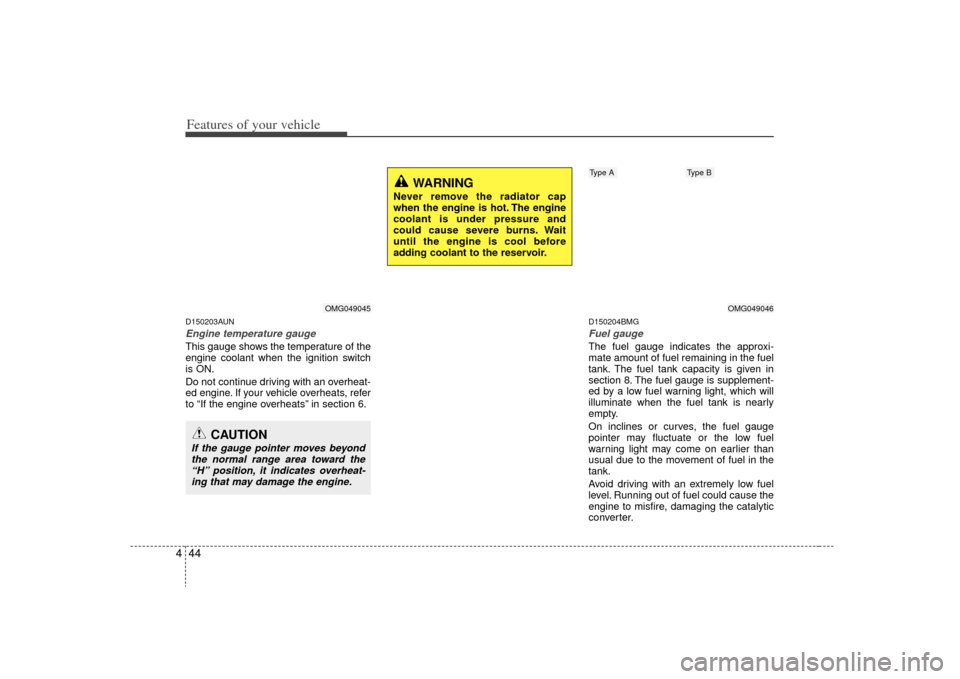
4D150203AUNEngine temperature gauge This gauge shows the temperature of the
engine coolant when the ignition switch
is ON.
Do not continue driving with an overheat-
ed engine. If your vehicle overheats, refer
to “If the engine overheats” in section 6.
D150204BMGFuel gaugeThe fuel gauge indicates the approxi-
mate amount of fuel remaining in the fuel
tank. The fuel tank capacity is given in
section 8. The fuel gauge is supplement-
ed by a low fuel warning light, which will
illuminate when the fuel tank is nearly
empty.
On inclines or curves, the fuel gauge
pointer may fluctuate or the low fuel
warning light may come on earlier than
usual due to the movement of fuel in the
tank.
Avoid driving with an extremely low fuel
level. Running out of fuel could cause the
engine to misfire, damaging the catalytic
converter.
CAUTION
If the gauge pointer moves beyond
the normal range area toward the“H” position, it indicates overheat-ing that may damage the engine.
WARNING
Never remove the radiator cap
when the engine is hot. The engine
coolant is under pressure and
could cause severe burns. Wait
until the engine is cool before
adding coolant to the reservoir.
OMG049045
OMG049046
Type A
Type B
Page 111 of 326

445
Features of your vehicle
D150205AFDOdometer/Tripmeter (if equipped)Odometer (km or MI)
The odometer indicates the total dis-
tance the vehicle has been driven.
You will also find the odometer useful to
determine when periodic maintenance
should be performed.
✽ ✽NOTICEIt is forbidden that alteration of the
odometer of any vehicle with the intent
to change the mileage registered on the
odometer. The alteration may void your
warranty coverage.Tripmeter (km or MI)
TRIP A: Tripmeter A
TRIP B: Tripmeter B
The tripmeter indicates the distance of
individual trip selected by the driver.
Tripmeter can be reset to 0 by pressing
the TRIP button for 1 second or more,
and then releasing.
WARNING
- Fuel gauge
Running out of fuel can expose
vehicle occupants to danger.
You must stop and obtain addition-
al fuel as soon as possible after the
warning light comes on or when the
gauge indicator comes close to the
E level.
OMG049348C/OMG049049
OMG049049L-1
Type AType B
CAUTION
Avoid driving with a very low fuel
level. If you run out of fuel, it couldcause the engine to misfire andresult in excessive loading of the catalytic converter.
Page 112 of 326
Features of your vehicle46
4To turn the ECO indicator OFF/ON
Select the ECO mode by pressing the
TRIP button for less than 1 second.
Then, press the TRIP button for more
than 1 second.
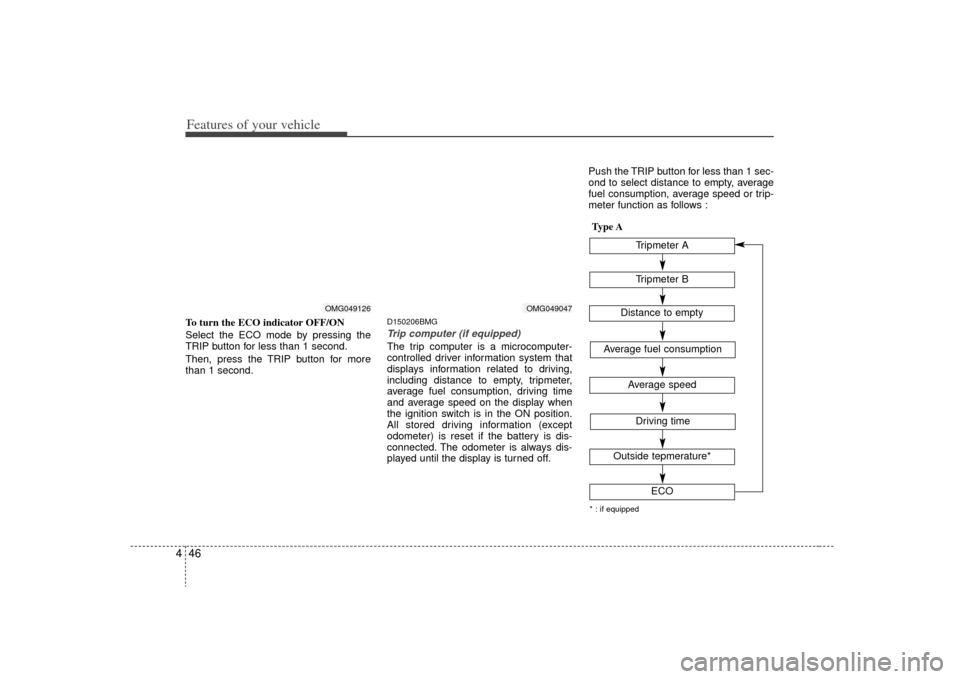
D150206BMGTrip computer (if equipped)The trip computer is a microcomputer-
controlled driver information system that
displays information related to driving,
including distance to empty, tripmeter,
average fuel consumption, driving time
and average speed on the display when
the ignition switch is in the ON position.
All stored driving information (except
odometer) is reset if the battery is dis-
connected. The odometer is always dis-
played until the display is turned off. Push the TRIP button for less than 1 sec-
ond to select distance to empty, average
fuel consumption, average speed or trip-
meter function as follows :
OMG049047
OMG049126
Tripmeter B
Average fuel consumption
Average speedDriving timeTripmeter A
Distance to emptyOutside tepmerature*
ECO
* : if equippedType A
Page 113 of 326
447
Features of your vehicle
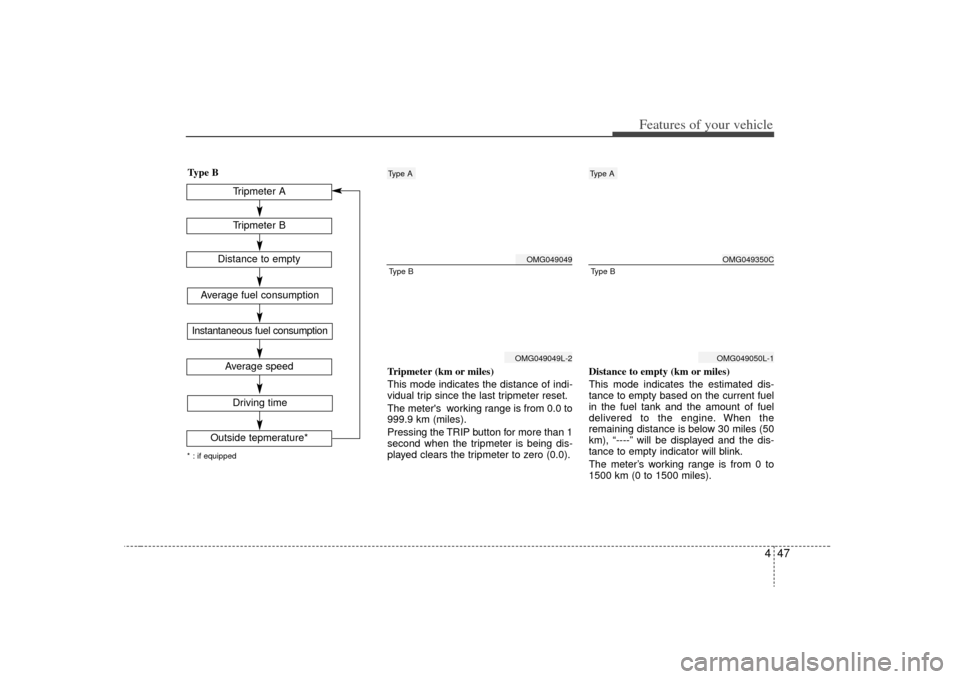
Tripmeter (km or miles)
This mode indicates the distance of indi-
vidual trip since the last tripmeter reset.
The meter's working range is from 0.0 to
999.9 km (miles).
Pressing the TRIP button for more than 1
second when the tripmeter is being dis-
played clears the tripmeter to zero (0.0).Distance to empty (km or miles)
This mode indicates the estimated dis-
tance to empty based on the current fuel
in the fuel tank and the amount of fuel
delivered to the engine. When the
remaining distance is below 30 miles (50
km), “----” will be displayed and the dis-
tance to empty indicator will blink.
The meter’s working range is from 0 to
1500 km (0 to 1500 miles).
OMG049049
Type A
OMG049049L-2
Type B
OMG049350C
Type A
OMG049050L-1
Type B
Tripmeter B
Average fuel consumptionInstantaneous fuel consumption
Average speedDriving timeTripmeter A
Distance to emptyOutside tepmerature*
* : if equippedType B
Page 114 of 326
Features of your vehicle48
4✽
✽
NOTICE• If the vehicle is not on level ground or
the battery power has been interrupt-
ed, the “Distance to empty” function
may not operate correctly.
The trip computer may not register
additional fuel if less than 6 liters (1.6
gallons) of fuel are added to the vehi-
cle.
• The fuel consumption and distance to empty values may vary significantly
based on driving conditions, driving
habits, and condition of the vehicle.
• The distance to empty value is an esti- mate of the available driving distance.
This value may differ from the actual
driving distance available.
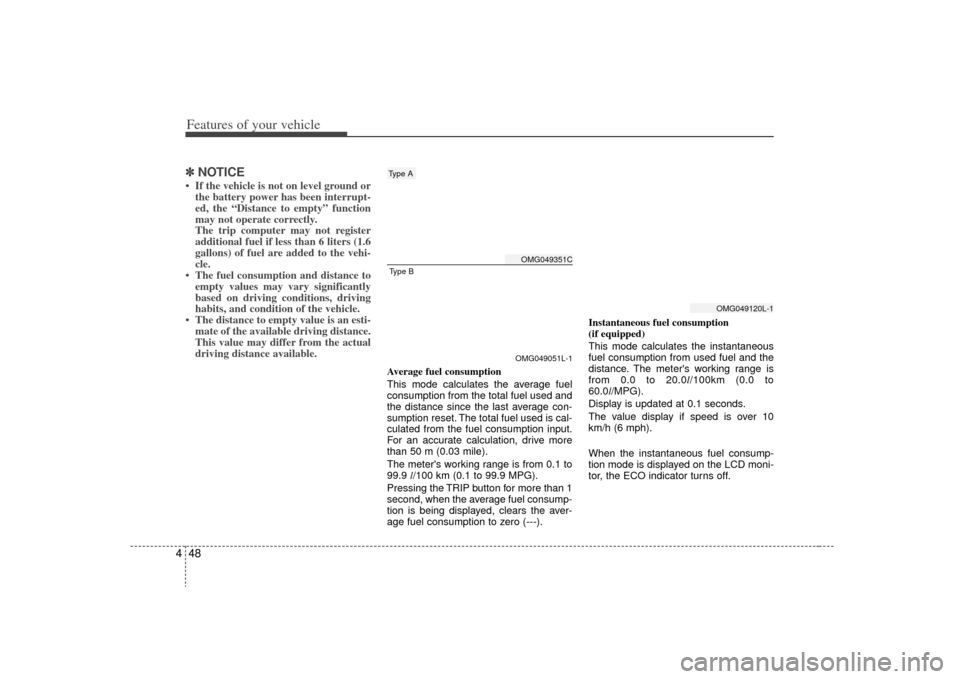
Average fuel consumption
This mode calculates the average fuel
consumption from the total fuel used and
the distance since the last average con-
sumption reset. The total fuel used is cal-
culated from the fuel consumption input.
For an accurate calculation, drive more
than 50 m (0.03 mile).
The meter's working range is from 0.1 to
99.9 l/100 km (0.1 to 99.9 MPG).
Pressing the TRIP button for more than 1
second, when the average fuel consump-
tion is being displayed, clears the aver-
age fuel consumption to zero (---). Instantaneous fuel consumption
(if equipped)
This mode calculates the instantaneous
fuel consumption from used fuel and the
distance. The meter's working range is
from 0.0 to 20.0l
/100km (0.0 to
60.0l/MPG).
Display is updated at 0.1 seconds.
The value display if speed is over 10
km/h (6 mph).
When the instantaneous fuel consump-
tion mode is displayed on the LCD moni-
tor, the ECO indicator turns off.
OMG049120L-1
OMG049351C
Type A
OMG049051L-1
Type B
Page 116 of 326
Features of your vehicle50
4To turn the ECO indicator OFF/ON
• Type A
Select the ECO mode by pressing the
TRIP button for less than 1 second.
Then, press the TRIP button for more
than 1 second.
• Type B
When the instantaneous fuel consump-
tion mode is displayed on the LCD moni-
tor or the system is not working properly,
the indicator turns off.
If the indicator turns off when the instan-
taneousant fuel consumption mode is not
selected, have the system checked by an
authorized KIA dealer as soon as possi-
ble.
D150300AUNWarnings and indicatorsAll warning lights are checked by turning
the ignition switch ON (do not start the
engine). Any light that does not illuminate
should be checked by an authorized KIA
dealer.
After starting the engine, check to make
sure that all warning lights are off. If any
are still on, this indicates a situation that
needs attention. When releasing the
parking brake, the brake system warning
light should go off. The fuel warning light
will stay on if the fuel level is low.
D150302AUNAir bag warning lightThis warning light will illuminate for
approximately 6 seconds each time you
turn the ignition switch to the ON posi-
tion.
This light also comes on when the
Supplemental Restraint System (SRS) is
not working properly. If the SRS air bag
warning light does not come on, or
continuously remains on after operating
for about 6 seconds when you turned the
ignition switch to the ON position or start-
ed the engine, or if it comes on while
driving, have the SRS inspected by an
authorized KIA dealer.
OMG049126
Page 120 of 326
Features of your vehicle54
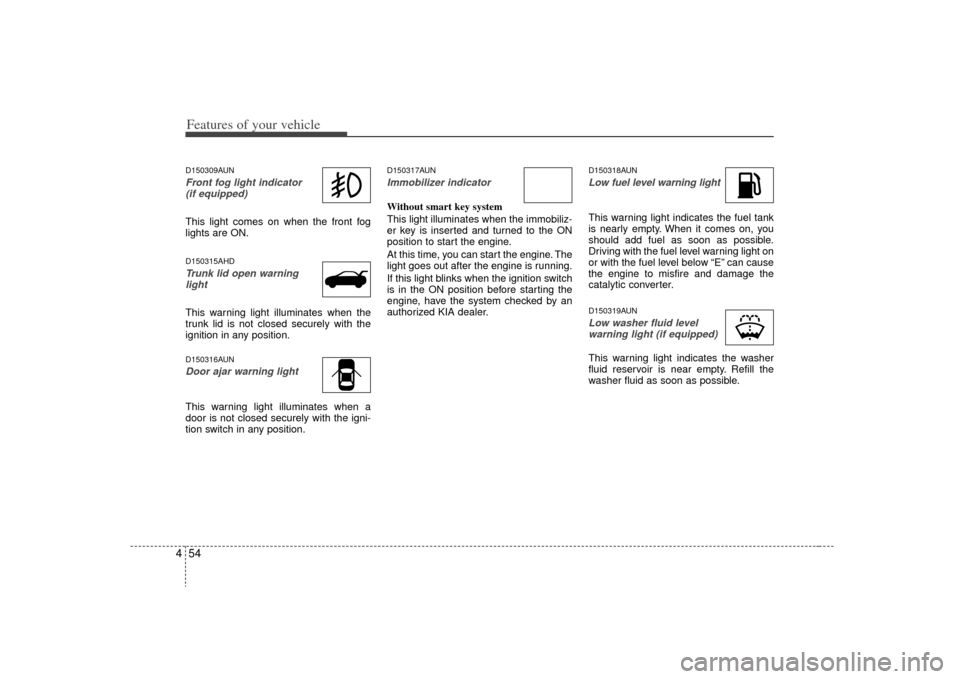
4D150309AUNFront fog light indicator
(if equipped) This light comes on when the front fog
lights are ON.D150315AHDTrunk lid open warninglightThis warning light illuminates when the
trunk lid is not closed securely with the
ignition in any position.D150316AUNDoor ajar warning lightThis warning light illuminates when a
door is not closed securely with the igni-
tion switch in any position.
D150317AUNImmobilizer indicator Without smart key system
This light illuminates when the immobiliz-
er key is inserted and turned to the ON
position to start the engine.
At this time, you can start the engine. The
light goes out after the engine is running.
If this light blinks when the ignition switch
is in the ON position before starting the
engine, have the system checked by an
authorized KIA dealer.
D150318AUNLow fuel level warning lightThis warning light indicates the fuel tank
is nearly empty. When it comes on, you
should add fuel as soon as possible.
Driving with the fuel level warning light on
or with the fuel level below “E” can cause
the engine to misfire and damage the
catalytic converter.D150319AUNLow washer fluid levelwarning light (if equipped)This warning light indicates the washer
fluid reservoir is near empty. Refill the
washer fluid as soon as possible.
Page 121 of 326
455
Features of your vehicle
D150320AUNMalfunction indicator light(MIL) (check engine light) This indicator light is part of the Engine
Control System which monitors various
emission control system components. If
this light illuminates while driving, it indi-
cates that a potential malfunction has
been detected somewhere in the emis-
sion control system.
This light will also illuminate when the
ignition switch is turned to the ON posi-
tion, and will go out in a few seconds
after the engine is started. If it illuminates
while driving, or does not illuminate when
the ignition switch is turned to the ON
position, take your vehicle to your near-
est authorized KIA dealer and have the
system checked.
Generally, your vehicle will continue to be
drivable, but have the system checked by
an authorized KIA dealer promptly.
D150323AMG-EUESC indicator (ElectronicStability Control) The ESC indicator will illuminate when
the ignition switch is turned ON, but
should go off after approximately 3 sec-
onds. When the ESC is on, it monitors
the driving conditions and under normal
driving conditions, the ESC light will
remain off. When a slippery or low trac-
tion condition is encountered, the ESC
will operate, and the ESC indicator will
blink to indicate the ESC is operating.
CAUTION
Prolonged driving with the Malfunction Indicator Light illumi-nated may cause damage to theemission control systems which could effect drivability and/or fueleconomy.
If the Malfunction Indicator Light illuminates, potential catalyticconverter damage is possiblewhich could result in loss of engine power. Have the EngineControl System inspected as soonas possible by an authorized KIAdealer.
ESC
Page 123 of 326
457
Features of your vehicle
D150326AMGECO indicator (if equipped)
The ECO indicator light assists you to
drive in the most economical way.
The green indicator comes on when you
drive with high fuel efficiency.
The system is designed to encourage
eco-driving by providing real-time feed-
back to the driver.
To turn the ECO indicator OFF/ON
with trip computer (Type A)
Select the ECO mode by pressing the
TRIP button for less than 1 second.
Then, press the TRIP button for more
than 1 second.
When the instantaneous fuel consump-
tion mode is displayed on the LCD moni-
tor or the system is not working properly,
the indicator turns off.
If the indicator turns off when the instan-
taneousant fuel consumption mode is not
selected, have the system checked by an
authorized KIA dealer as soon as possi-
ble. The fuel efficiency depends on driver's
driving habit and road condition.
The system stops operation when the
transaxle is in the P,R,N position or
sports mode, or instantaneous fuel con-
sumption mode is selected.
D180000AUNThe hazard warning flasher should be
used whenever you find it necessary to
stop the car in a hazardous location.
When you must make such an emer-
gency stop, always pull off the road as far
as possible.
The hazard warning lights are turned on
by pushing in the hazard switch. This
causes all turn signal lights to blink. The
hazard warning lights will operate even
though the key is not in the ignition
switch.
To turn the hazard warning lights off,
push the switch a second time.HAZARD WARNING FLASHER
OMG049055
ECO
WARNING
Do not focus the indicator too
much. You may lose your steering
control and cause an accident that
results in severe personal injury or
death.
Page 198 of 326
Driving your vehicle12
5R (Reverse)
Use this position to drive the vehicle
backward.
N (Neutral)
The wheels and transaxle are not locked.
The vehicle will roll freely even on the
slightest incline unless the parking brake
or service brakes are applied.
D (Drive)
This is the normal forward driving posi-
tion. The transaxle will automatically shift
through a 5-gear sequence, providing the
best fuel economy and power.
Bring the car to a complete stop before
shifting the selector to “D” position.
For extra power when passing another
vehicle or climbing grades, depress the
accelerator fully, at which time the
transaxle will automatically downshift to
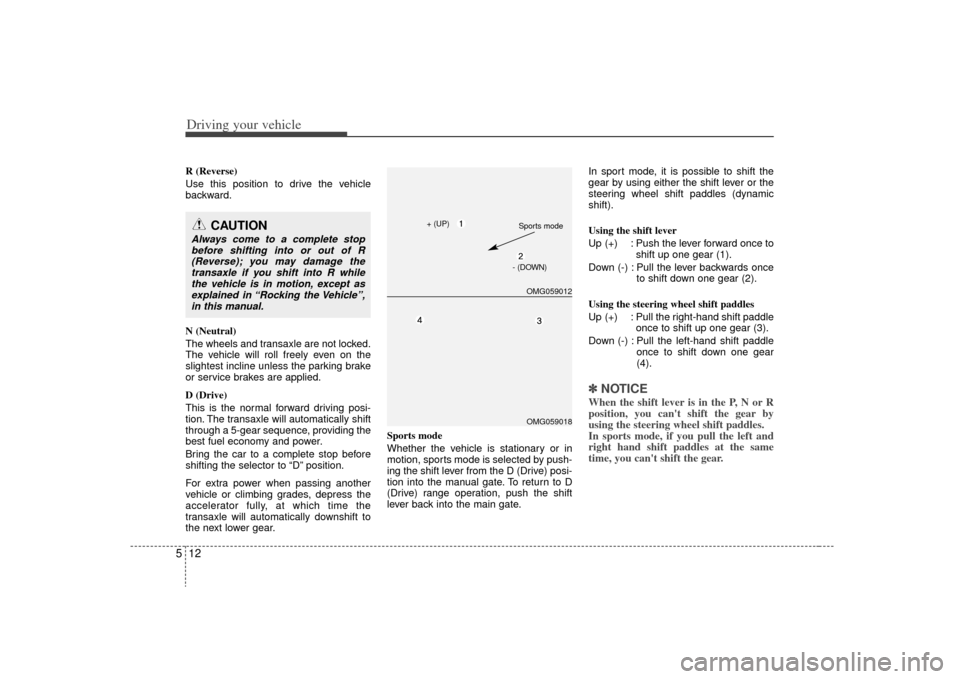
the next lower gear. Sports mode
Whether the vehicle is stationary or in
motion, sports mode is selected by push-
ing the shift lever from the D (Drive) posi-
tion into the manual gate. To return to D
(Drive) range operation, push the shift
lever back into the main gate.In sport mode, it is possible to shift the
gear by using either the shift lever or the
steering wheel shift paddles (dynamic
shift).
Using the shift lever
Up (+) : Push the lever forward once to
shift up one gear (1).
Down (-) : Pull the lever backwards once to shift down one gear (2).
Using the steering wheel shift paddles
Up (+) : Pull the right-hand shift paddle once to shift up one gear (3).
Down (-) : Pull the left-hand shift paddle once to shift down one gear
(4).
✽ ✽NOTICEWhen the shift lever is in the P, N or R
position, you can't shift the gear by
using the steering wheel shift paddles.
In sports mode, if you pull the left and
right hand shift paddles at the same
time, you can't shift the gear.
CAUTION
Always come to a complete stop
before shifting into or out of R(Reverse); you may damage thetransaxle if you shift into R while the vehicle is in motion, except asexplained in “Rocking the Vehicle”,in this manual.
OMG059012OMG059018
+ (UP) Sports mode
- (DOWN)