automatic transmission KIA OPTIMA 2017 Owners Manual
[x] Cancel search | Manufacturer: KIA, Model Year: 2017, Model line: OPTIMA, Model: KIA OPTIMA 2017Pages: 629, PDF Size: 15.24 MB
Page 29 of 629
Safety features of your vehicle
12
3
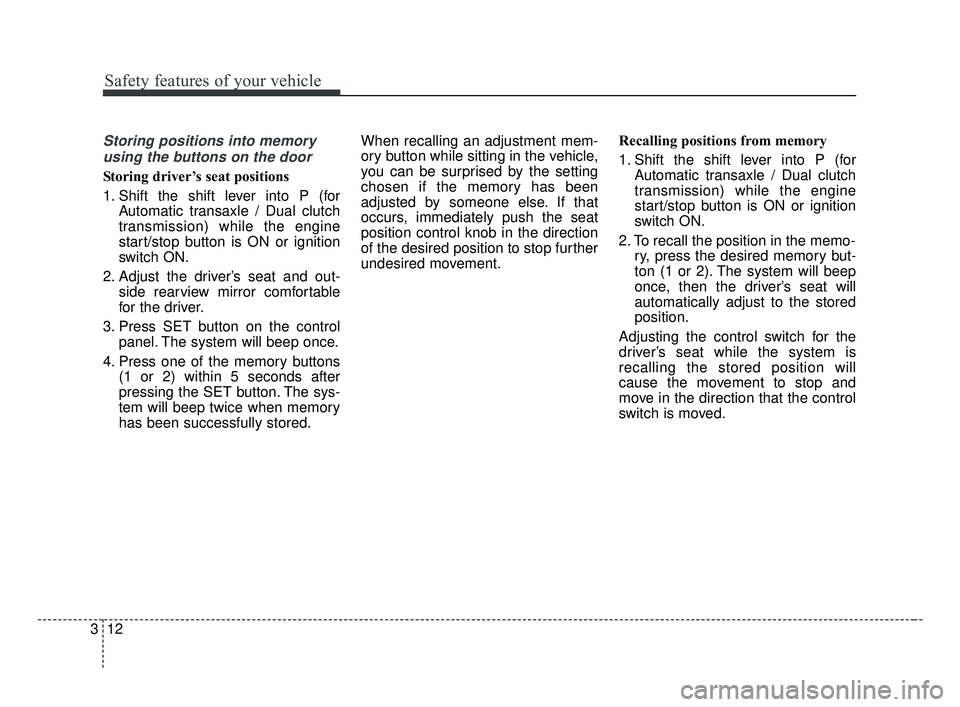
Storing positions into memory
using the buttons on the door
Storing driver’s seat positions
1. Shift the shift lever into P (for Automatic transaxle / Dual clutch
transmission) while the engine
start/stop button is ON or ignition
switch ON.
2. Adjust the driver’s seat and out- side rearview mirror comfortable
for the driver.
3. Press SET button on the control panel. The system will beep once.
4. Press one of the memory buttons (1 or 2) within 5 seconds after
pressing the SET button. The sys-
tem will beep twice when memory
has been successfully stored. When recalling an adjustment mem-
ory button while sitting in the vehicle,
you can be surprised by the setting
chosen if the memory has been
adjusted by someone else. If that
occurs, immediately push the seat
position control knob in the direction
of the desired position to stop further
undesired movement.
Recalling positions from memory
1. Shift the shift lever into P (for
Automatic transaxle / Dual clutch
transmission) while the engine
start/stop button is ON or ignition
switch ON.
2. To recall the position in the memo- ry, press the desired memory but-
ton (1 or 2). The system will beep
once, then the driver’s seat will
automatically adjust to the stored
position.
Adjusting the control switch for the
driver’s seat while the system is
recalling the stored position will
cause the movement to stop and
move in the direction that the control
switch is moved.
JF CAN (ENG) 3.qxp 2016-09-21 11:04 Page 12
Page 37 of 629
Safety features of your vehicle
20
3
When returning the rear seatbacks to
the upright position, remember to
return the rear shoulder belts to their
proper position.
CAUTION - Damaging
rear seat belt buckles
When you fold the rear seat- back, insert the buckle betweenthe rear seatback and cushion.Doing so can prevent the bucklefrom being damaged by the rearseatback.
WARNING - Cargo loading
Make sure the engine is off, the
automatic transaxle / dual clutch
transmission is in P (Park) and
the parking brake is securely
applied whenever loading or
unloading cargo. Failure to take
these steps may allow the vehi-
cle to move if the shift lever is
inadvertently moved to another
position.
WARNING- Cargo
Cargo should always be
secured to prevent it from being
thrown about the vehicle in a
collision and causing injury to
the vehicle occupants. Do not
place objects in the rear seats,
since they cannot be properly
secured and may hit the front
seat occupants in a collision.WARNING - Rear
Seatback
To ensure maximum protection
in the event of an accident or
sudden stop, when returning the
rear seat to the upright position:
Be careful not to damage the seat belt webbing or buckle.
Do not allow the seat belt webbing or buckle to become
pinched or caught in the rear
seat.
Ensure the seatback is com- pletely locked into its upright
position by pushing on the
top of the seatback.
Failure to adhere to any of
these instructions could
result in serious injury or
death in the event of a crash.
JF CAN (ENG) 3.qxp 2016-09-21 11:04 Page 20
Page 112 of 629
425
Features of your vehicle
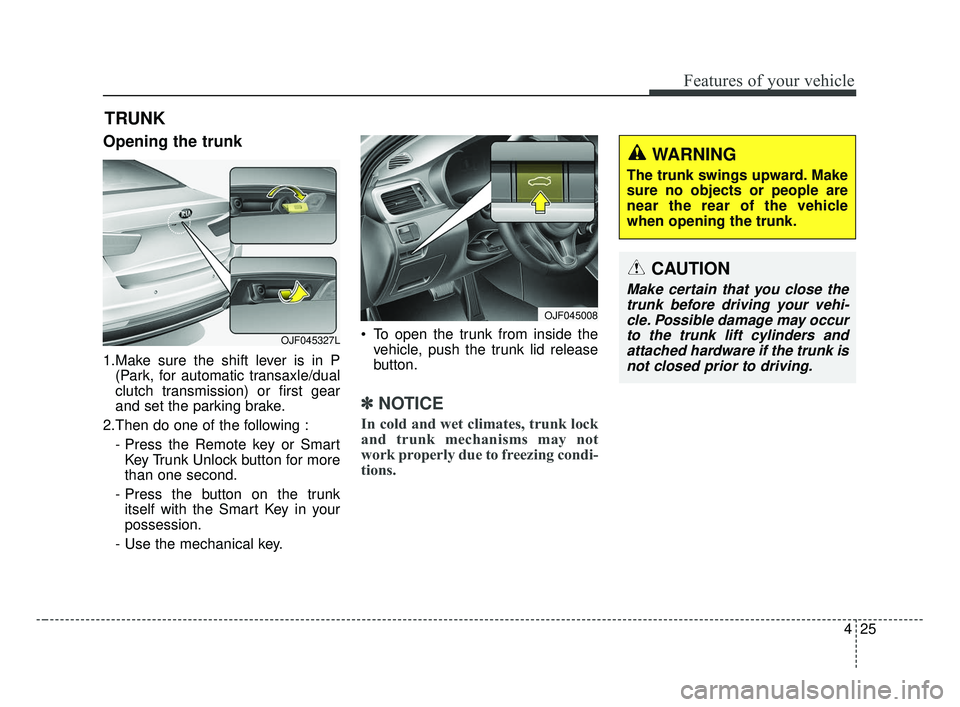
Opening the trunk
1.Make sure the shift lever is in P(Park, for automatic transaxle/dual
clutch transmission) or first gear
and set the parking brake.
2.Then do one of the following : - Press the Remote key or SmartKey Trunk Unlock button for more
than one second.
- Press the button on the trunk itself with the Smart Key in your
possession.
- Use the mechanical key. To open the trunk from inside the
vehicle, push the trunk lid release
button.
✽ ✽ NOTICE
In cold and wet climates, trunk lock
and trunk mechanisms may not
work properly due to freezing condi-
tions.
TRUNK
CAUTION
Make certain that you close the
trunk before driving your vehi-cle. Possible damage may occurto the trunk lift cylinders andattached hardware if the trunk isnot closed prior to driving.
WARNING
The trunk swings upward. Make
sure no objects or people are
near the rear of the vehicle
when opening the trunk.
OJF045008
OJF045327L
JF CAN (ENG) 4.qxp 2016-09-21 11:13 Page 25
Page 155 of 629
Features of your vehicle
68
4
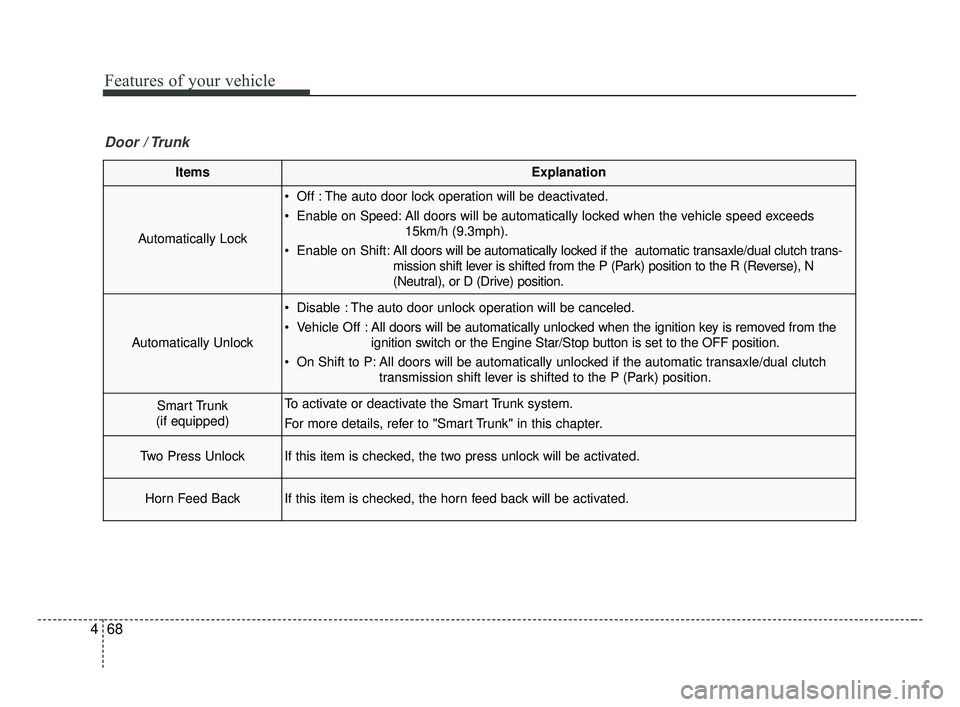
ItemsExplanation
Automatically Lock
Off : The auto door lock operation will be deactivated.
Enable on Speed: All doors will be automatically locked when the vehicle speed exceeds
15km/h (9.3mph).
Enable on Shift: All doors will be automatically locked if the automatic transaxle/dual clutch trans-
mission shift lever is shifted from the P (Park) position to the R (Reverse), N
(Neutral), or D (Drive) position.
Automatically Unlock
Disable : The auto door unlock operation will be canceled.
Vehicle Off :All doors will be automatically unlocked when the ignition key is removed from the
ignition switch or the Engine Star/Stop button is set to the OFF position.
On Shift to P: All doors will be automatically unlocked if the automatic transaxle/dual clutch transmission shift lever is shifted to the P (Park) position.
Smart Trunk
(if equipped)To activate or deactivate the Smart Trunk system.
For more details, refer to "Smart Trunk" in this chapter.
Two Press UnlockIf this item is checked, the two press unlock will be activated.
Horn Feed BackIf this item is checked, the horn feed back will be activated.
Door / Trunk
JF CAN (ENG) 4.qxp 2016-09-21 11:15 Page 68
Page 358 of 629
Driving your vehicle
Before driving . . . . . . . . . . . . . . . . . . . . . . . . . . . . . . 6-4
• Before entering vehicle . . . . . . . . . . . . . . . . . . . . . . . . . 6-4
• Necessary inspections . . . . . . . . . . . . . . . . . . . . . . . . . . 6-4
• Before starting . . . . . . . . . . . . . . . . . . . . . . . . . . . . . . . 6-4
Key positions . . . . . . . . . . . . . . . . . . . . . . . . . . . . . . . 6-6
• Illuminated ignition switch . . . . . . . . . . . . . . . . . . . . . 6-6
• Ignition switch position . . . . . . . . . . . . . . . . . . . . . . . . . 6-6
• Starting the engine . . . . . . . . . . . . . . . . . . . . . . . . . . . . 6-8
ENGINE START/STOP button . . . . . . . . . . . . . . . 6-9
• Illuminated ENGINE START/STOP button . . . . . . . 6-9
• ENGINE START/STOP button position . . . . . . . . . . . 6-9
• Starting the engine with a smart key . . . . . . . . . . . . . 6-11
Automatic transaxle . . . . . . . . . . . . . . . . . . . . . . . . 6-13
• Automatic transaxle operation. . . . . . . . . . . . . . . . . . 6-13
• Paddle shifter . . . . . . . . . . . . . . . . . . . . . . . . . . . . . . . . 6-17
• Shift lock system . . . . . . . . . . . . . . . . . . . . . . . . . . . . . 6-18
• Good driving practices . . . . . . . . . . . . . . . . . . . . . . . . 6-19
Dual clutch transmission (DCT) . . . . . . . . . . . . . . 6-20
• Dual clutch transmission operation . . . . . . . . . . . . . 6-20
• Good driving practices . . . . . . . . . . . . . . . . . . . . . . . . 6-27
Brake system . . . . . . . . . . . . . . . . . . . . . . . . . . . . . . 6-28
• Power brakes . . . . . . . . . . . . . . . . . . . . . . . . . . . . . . . . 6-28
• Parking brake – Foot type . . . . . . . . . . . . . . . . . . . . . 6-30
• Electronic parking brake (EPB) . . . . . . . . . . . . . . . . 6-31
• Auto hold . . . . . . . . . . . . . . . . . . . . . . . . . . . . . . . . . . . 6-\
38• Anti-lock brake system (ABS) . . . . . . . . . . . . . . . . . . 6-42
• Electronic stability control (ESC) . . . . . . . . . . . . . . . 6-44
• Vehicle stability management (VSM) . . . . . . . . . . . . 6-48
• Hill-start assist control (HAC) . . . . . . . . . . . . . . . . . . 6-49
• Good braking practices. . . . . . . . . . . . . . . . . . . . . . . . 6-50
Autonomous emergency braking (AEB)/
Forward collision warning (FCW) . . . . . . . . . . . 6-51
• System setting and activation . . . . . . . . . . . . . . . . . . . 6-51
• AEB warning message and system control . . . . . . . . 6-54
• Brake operation . . . . . . . . . . . . . . . . . . . . . . . . . . . . . . 6-55
• Sensor to detect the distance from the
vehicle in front (front radar) . . . . . . . . . . . . . . . . . . 6-56
• System malfunction . . . . . . . . . . . . . . . . . . . . . . . . . . . 6-57
• Limitations of the system . . . . . . . . . . . . . . . . . . . . . . 6-58
• Recognizing pedestrians . . . . . . . . . . . . . . . . . . . . . . . 6-61
Cruise Control system . . . . . . . . . . . . . . . . . . . . . . 6-62
• To set cruise control speed . . . . . . . . . . . . . . . . . . . . . 6-63
• To increase cruise control set speed. . . . . . . . . . . . . . 6-63
• To decrease the cruising speed . . . . . . . . . . . . . . . . . . 6-64
• To temporarily accelerate with the cruise control on . . . . . . . . . . . . . . . . . . . . . . . . . . . . 6-64
• To cancel cruise control . . . . . . . . . . . . . . . . . . . . . . . 6-64
• To resume cruising speed at more than approximately 30 km/h (20 mph) . . . . . . . . . . . . . . 6-65
• To turn cruise control off . . . . . . . . . . . . . . . . . . . . . . 6-65
6
JF CAN (ENG) 6.qxp 2016-09-21 11:24 Page 1
Page 367 of 629
Driving your vehicle
10
6
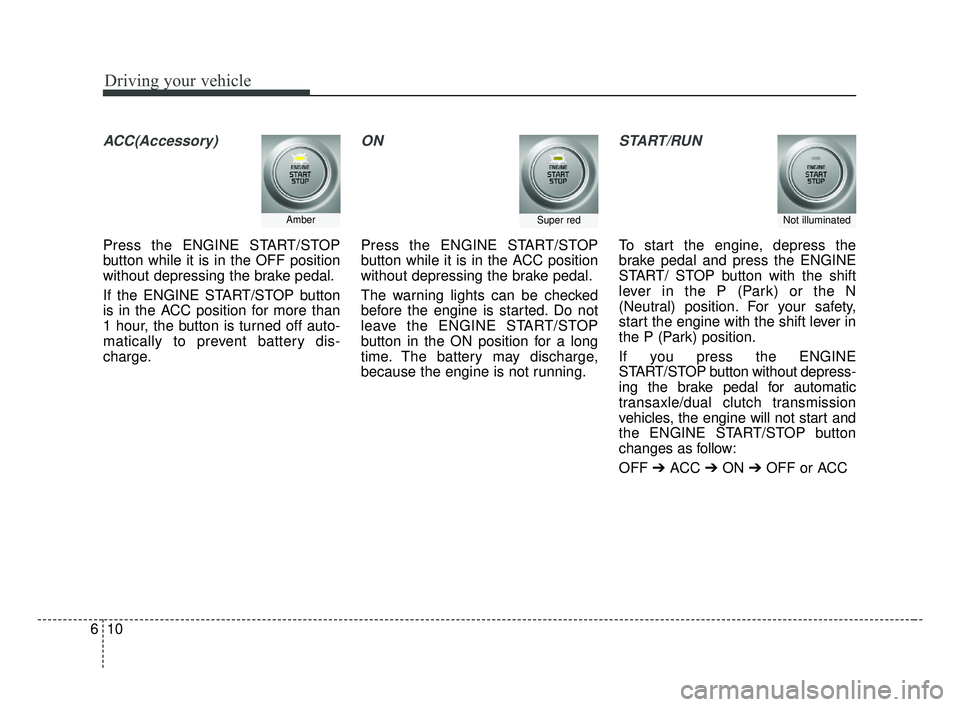
ACC(Accessory)
Press the ENGINE START/STOP
button while it is in the OFF position
without depressing the brake pedal.
If the ENGINE START/STOP button
is in the ACC position for more than
1 hour, the button is turned off auto-
matically to prevent battery dis-
charge.
ON
Press the ENGINE START/STOP
button while it is in the ACC position
without depressing the brake pedal.
The warning lights can be checked
before the engine is started. Do not
leave the ENGINE START/STOP
button in the ON position for a long
time. The battery may discharge,
because the engine is not running.
START/RUN
To start the engine, depress the
brake pedal and press the ENGINE
START/ STOP button with the shift
lever in the P (Park) or the N
(Neutral) position. For your safety,
start the engine with the shift lever in
the P (Park) position.
If you press the ENGINE
START/STOP button without depress-
ing the brake pedal for automatic
transaxle/dual clutch transmission
vehicles, the engine will not start and
the ENGINE START/STOP button
changes as follow:
OFF ➔ACC ➔ON ➔OFF or ACC
AmberSuper redNot illuminated
JF CAN (ENG) 6.qxp 2016-09-21 11:24 Page 10
Page 377 of 629
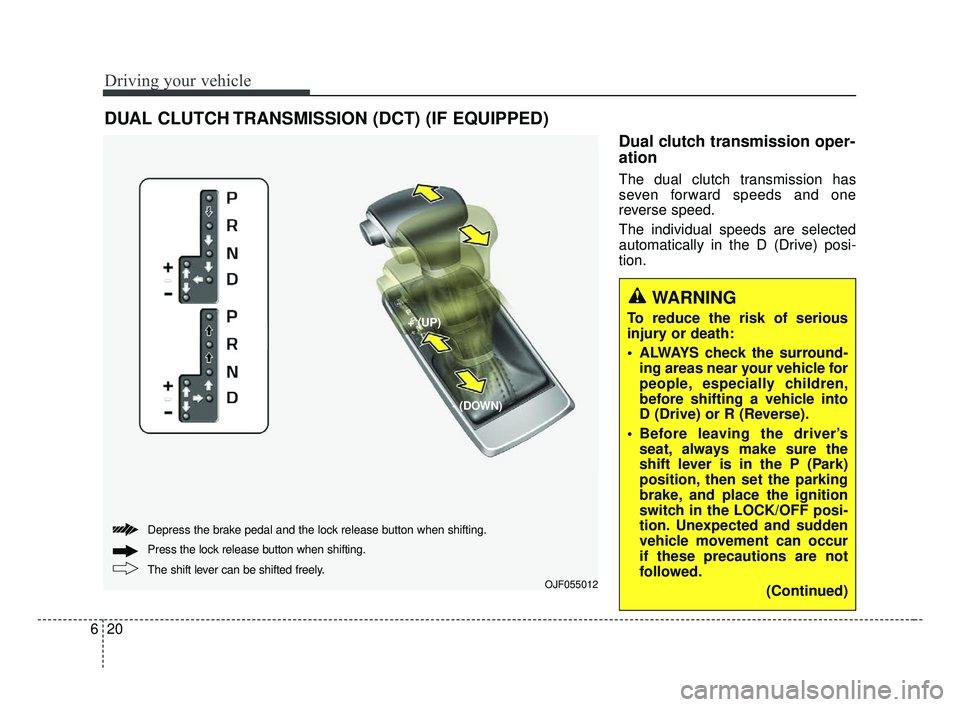
Dual clutch transmission oper-
ation
The dual clutch transmission has
seven forward speeds and one
reverse speed.
The individual speeds are selected
automatically in the D (Drive) posi-
tion.
Driving your vehicle
20
6
WARNING
To reduce the risk of serious
injury or death:
ALWAYS check the surround-
ing areas near your vehicle for
people, especially children,
before shifting a vehicle into
D (Drive) or R (Reverse).
Before leaving the driver’s seat, always make sure the
shift lever is in the P (Park)
position, then set the parking
brake, and place the ignition
switch in the LOCK/OFF posi-
tion. Unexpected and sudden
vehicle movement can occur
if these precautions are not
followed.
(Continued)
DUAL CLUTCH TRANSMISSION (DCT) (IF EQUIPPED)
OJF055012
+ (UP)
- (DOWN)
The shift lever can be shifted freely. Press the loc
k release button when shifting.
Depress the brake pedal and the lock release button when shifting.
JF CAN (ENG) 6.qxp 2016-09-21 11:24 Page 20
Page 378 of 629
621
Driving your vehicle
The Dual Clutch Transmission givesthe driving feel of a manual transmis-
sion, yet provides the ease of a fully
automatic transmission. Unlike a tra-
ditional automatic transmission, the
gear shifting can be felt (and heard)
on the dual clutch transmission
- Think of it as an automatically shift-ing manual transmission.
- Shift into Drive range and get fully automatic shifting, similar to a con-
ventional automatic transmission.
Dual clutch transmission adopts dry- type dual clutch, which is different
from the torque converter of an auto-
matic transmission, and shows bet-
ter acceleration performance during
driving. But, initial launch from a stop
might be little bit slower than with an
Automatic Transmission. The dry-type clutch transfers torque
and provides a direct driving feeling
which may feel different from a con-
ventional automatic transmission
with a torque converter. This may be
more noticeable when starting from
a stop or low vehicle speed.
When rapidly accelerating at low vehicle speed, engine could rev at
higher rpm than with a comparable
Automatic Transmission.
For smooth launch uphill, press down the accelerator pedal smooth-
ly depending on the current condi-
tions.
If you release your foot from the accelerator pedal at a low vehicle
speed, you may feel strong engine
brake, which is similar to a manual
transmission.
When driving downhill, you may use Sports Mode and press the paddle
shifters to downshift to a lower gear
in order to control your speed without
using the brake pedal excessively. When you turn the engine on and off,
you may hear clicking sounds as the
system goes through a self test. This
is a normal sound for the Dual Clutch
Transmission.
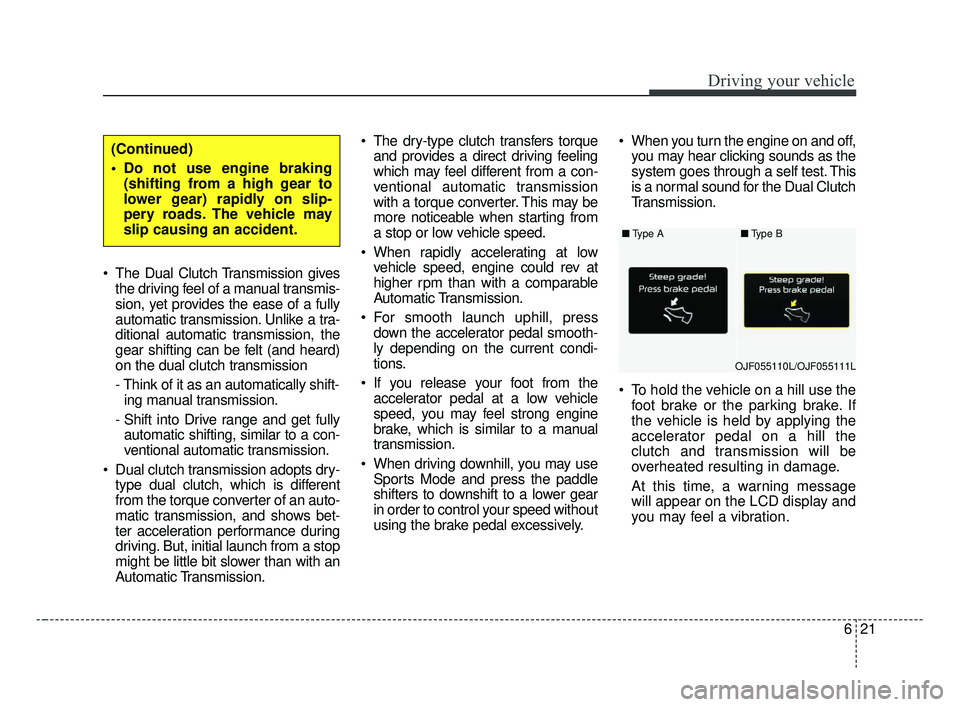
To hold the vehicle on a hill use the foot brake or the parking brake. If
the vehicle is held by applying the
accelerator pedal on a hill the
clutch and transmission will be
overheated resulting in damage.
At this time, a warning message
will appear on the LCD display and
you may feel a vibration.
(Continued)
Do not use engine braking(shifting from a high gear to
lower gear) rapidly on slip-
pery roads. The vehicle may
slip causing an accident.
■ Type A
OJF055110L/OJF055111L■
Type B
JF CAN (ENG) 6.qxp 2016-09-21 11:24 Page 21
Page 379 of 629
Driving your vehicle
22
6
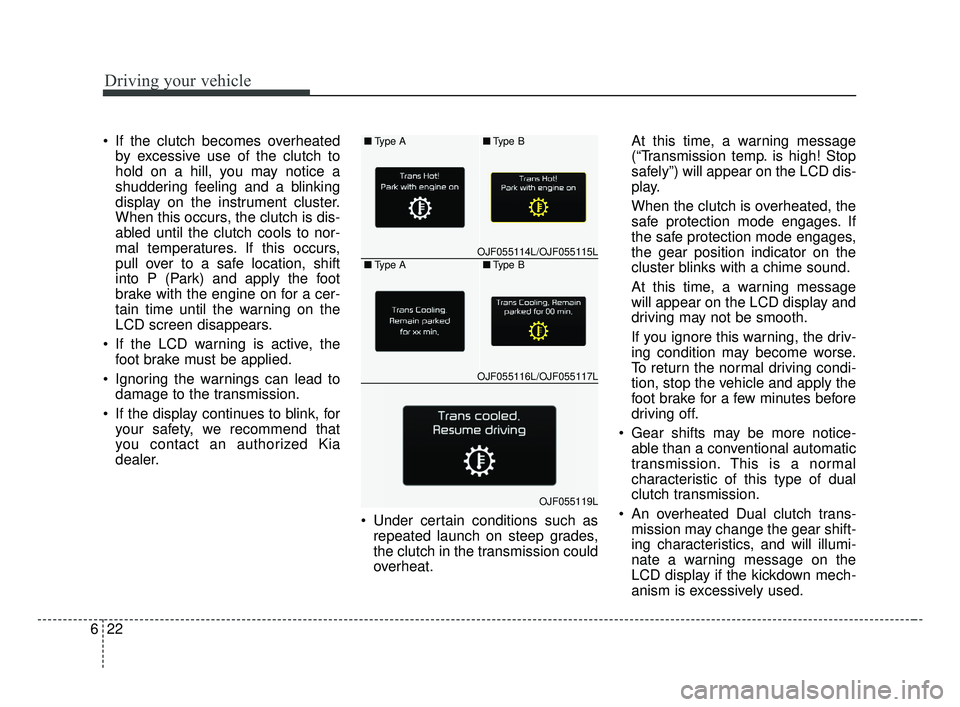
If the clutch becomes overheated
by excessive use of the clutch to
hold on a hill, you may notice a
shuddering feeling and a blinking
display on the instrument cluster.
When this occurs, the clutch is dis-
abled until the clutch cools to nor-
mal temperatures. If this occurs,
pull over to a safe location, shift
into P (Park) and apply the foot
brake with the engine on for a cer-
tain time until the warning on the
LCD screen disappears.
If the LCD warning is active, the foot brake must be applied.
Ignoring the warnings can lead to damage to the transmission.
If the display continues to blink, for your safety, we recommend that
you contact an authorized Kia
dealer.
Under certain conditions such asrepeated launch on steep grades,
the clutch in the transmission could
overheat. At this time, a warning message
(“Transmission temp. is high! Stop
safely”) will appear on the LCD dis-
play.
When the clutch is overheated, the
safe protection mode engages. If
the safe protection mode engages,
the gear position indicator on the
cluster blinks with a chime sound.
At this time, a warning message
will appear on the LCD display and
driving may not be smooth.
If you ignore this warning, the driv-
ing condition may become worse.
To return the normal driving condi-
tion, stop the vehicle and apply the
foot brake for a few minutes before
driving off.
Gear shifts may be more notice- able than a conventional automatic
transmission. This is a normal
characteristic of this type of dual
clutch transmission.
An overheated Dual clutch trans- mission may change the gear shift-
ing characteristics, and will illumi-
nate a warning message on the
LCD display if the kickdown mech-
anism is excessively used.■ Type A
OJF055114L/OJF055115L■
Type B■Type A
OJF055116L/OJF055117L■
Type B
OJF055119L
JF CAN (ENG) 6.qxp 2016-09-21 11:24 Page 22
Page 382 of 629
625
Driving your vehicle
✽ ✽NOTICE
After the ignition switch has been
turned off, the EPB (Electronic
Parking Brake) cannot be released.
For EPB (Electronic Parking Brake)
equipped vehicles with [AUTO
HOLD] function used while driving, if
the ignition button has been turned
[OFF], the EPB (Electronic Parking
Brake) will be engaged automatical-
ly. Therefore, [AUTO HOLD] function
should be turned off before the igni-
tion button is turned off.
D (Drive)
This is the normal driving position.
The transmission will automatically
shift through a seven-gear
sequence, providing the best fuel
economy and power.
For extra power when passing anoth-
er vehicle or driving uphill depress
the accelerator pedal further until
you feel the transmission downshift
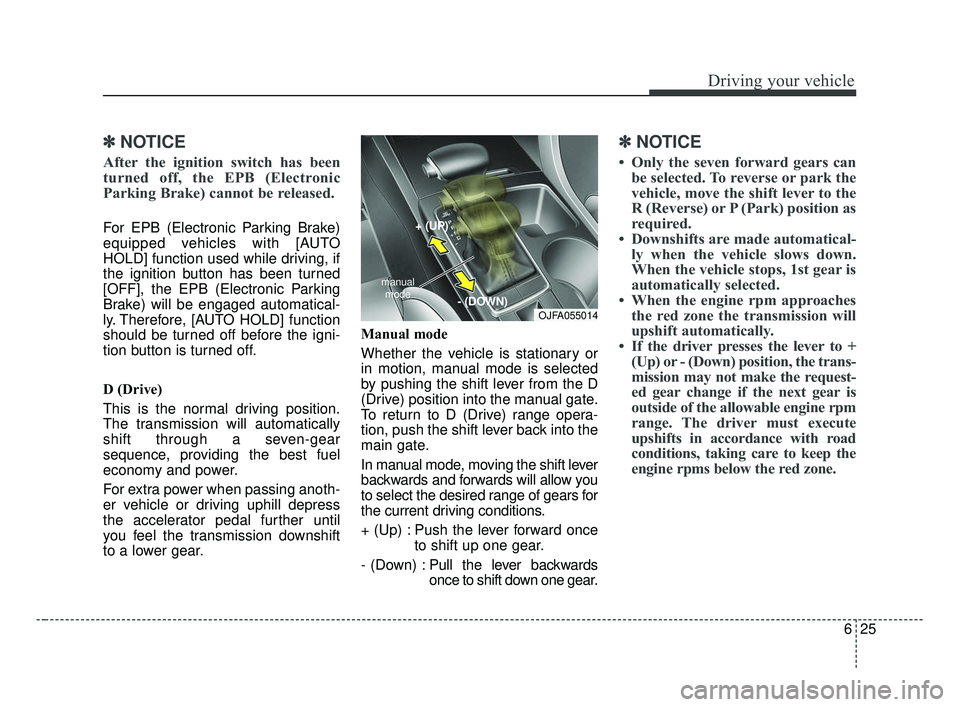
to a lower gear. Manual mode
Whether the vehicle is stationary or
in motion, manual mode is selected
by pushing the shift lever from the D
(Drive) position into the manual gate.
To return to D (Drive) range opera-
tion, push the shift lever back into the
main gate.
In manual mode, moving the shift lever
backwards and forwards will allow you
to select the desired range of gears for
the current driving conditions.
+ (Up) : Push the lever forward once
to shift up one gear.
- (Down) : Pull the lever backwards
once to shift down one gear.
✽ ✽
NOTICE
• Only the seven forward gears can
be selected. To reverse or park the
vehicle, move the shift lever to the
R (Reverse) or P (Park) position as
required.
• Downshifts are made automatical- ly when the vehicle slows down.
When the vehicle stops, 1st gear is
automatically selected.
• When the engine rpm approaches the red zone the transmission will
upshift automatically.
• If the driver presses the lever to + (Up) or - (Down) position, the trans-
mission may not make the request-
ed gear change if the next gear is
outside of the allowable engine rpm
range. The driver must execute
upshifts in accordance with road
conditions, taking care to keep the
engine rpms below the red zone.
OJFA055014
manual
mode
+ (UP)
- (DOWN)
JF CAN (ENG) 6.qxp 2016-09-21 11:24 Page 25