Electric KIA OPTIMA 2019 User Guide
[x] Cancel search | Manufacturer: KIA, Model Year: 2019, Model line: OPTIMA, Model: KIA OPTIMA 2019Pages: 577, PDF Size: 13.79 MB
Page 148 of 577
Features of your vehicle
58
4
✽ ✽
NOTICE - Electric type out-
side rearview mirror
The electric type outside rearview
mirror operates even though the
engine start/stop button is in the
OFF position. However, to prevent
unnecessary battery discharge, do
not adjust the mirrors longer than
necessary while the engine is not
running. Do not fold an electric type
outside rearview mirror by hand.
This could cause motor failure.
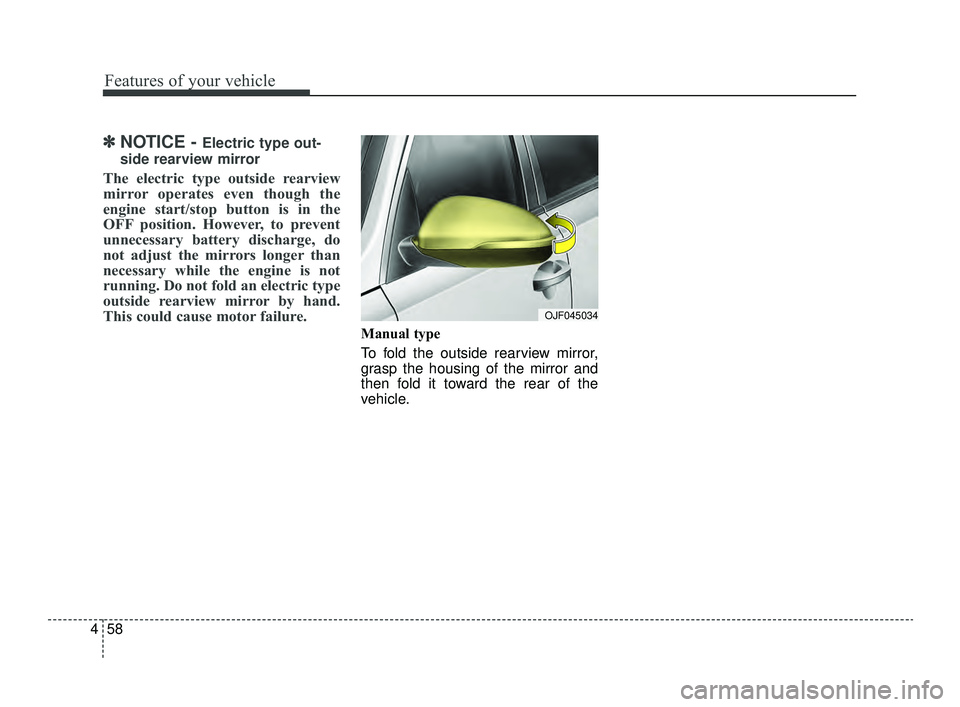
Manual type
To fold the outside rearview mirror,
grasp the housing of the mirror and
then fold it toward the rear of the
vehicle.
OJF045034
JFa PE USA 4.qxp 5/18/2018 7:21 PM Page 58
Page 174 of 577
Features of your vehicle
84
4
Battery discharging due to exter-
nal electrical devices(if equipped)
This message is displayed when an excessive current draw is being
detected. Be aware that battery
discharge may occur if aftermarket
accessories are installed (i.e.
device charging adapters, vehicle
locators, video players, etc.).
If aftermarket devices are not
installed or have been removed
and the warning message remains,
have your vehicle inspected by an
authorized Kia dealer.
JFa PE USA 4.qxp 5/18/2018 7:22 PM Page 84
Page 179 of 577
489
Features of your vehicle
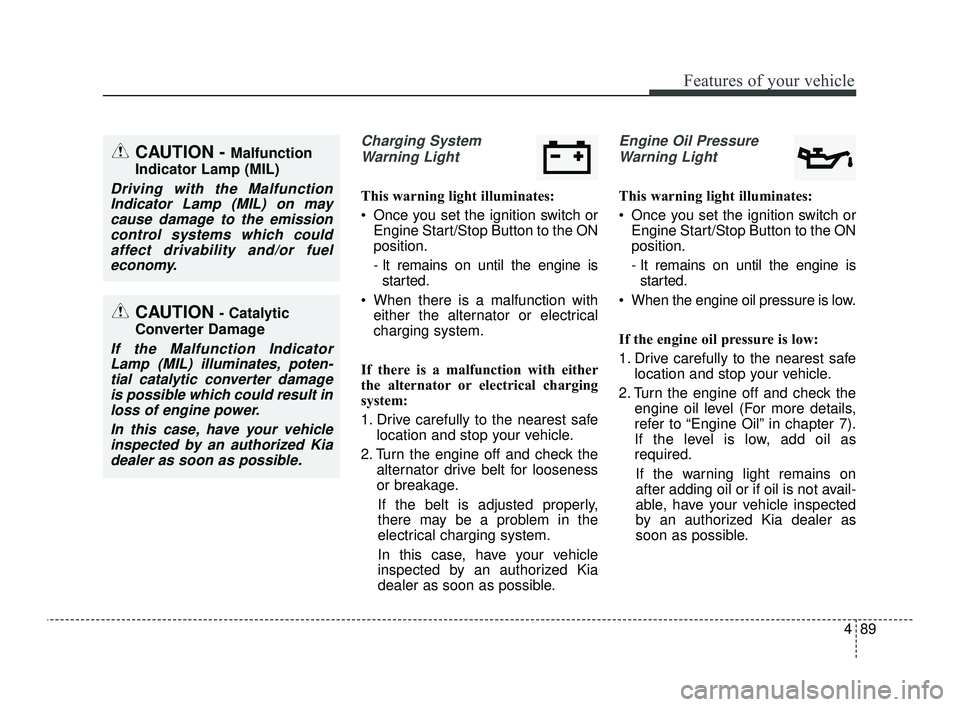
Charging SystemWarning Light
This warning light illuminates:
Once you set the ignition switch or Engine Start/Stop Button to the ON
position.
- It remains on until the engine isstarted.
When there is a malfunction with either the alternator or electrical
charging system.
If there is a malfunction with either
the alternator or electrical charging
system:
1. Drive carefully to the nearest safe location and stop your vehicle.
2. Turn the engine off and check the alternator drive belt for looseness
or breakage.
If the belt is adjusted properly,
there may be a problem in the
electrical charging system.
In this case, have your vehicle
inspected by an authorized Kia
dealer as soon as possible.
Engine Oil Pressure Warning Light
This warning light illuminates:
Once you set the ignition switch or Engine Start/Stop Button to the ON
position.
- It remains on until the engine isstarted.
When the engine oil pressure is low.
If the engine oil pressure is low:
1. Drive carefully to the nearest safe location and stop your vehicle.
2. Turn the engine off and check the engine oil level (For more details,
refer to “Engine Oil” in chapter 7).
If the level is low, add oil as
required.
If the warning light remains on
after adding oil or if oil is not avail-
able, have your vehicle inspected
by an authorized Kia dealer as
soon as possible.
CAUTION - Catalytic
Converter Damage
If the Malfunction Indicator Lamp (MIL) illuminates, poten-tial catalytic converter damageis possible which could result inloss of engine power.
In this case, have your vehicleinspected by an authorized Kiadealer as soon as possible.
CAUTION - Malfunction
Indicator Lamp (MIL)
Driving with the Malfunction Indicator Lamp (MIL) on maycause damage to the emissioncontrol systems which couldaffect drivability and/or fueleconomy.
JFa PE USA 4.qxp 5/18/2018 7:22 PM Page 89
Page 200 of 577

Features of your vehicle
110
4
If an indicator stays on and does not
flash or if it flashes abnormally, one of
the turn signal bulbs may be burned
out and will require replacement.
✽ ✽
NOTICE
If an indicator flash is abnormally
quick or slow, a bulb may be burned
out or have a poor electrical connec-
tion in the circuit.
Check headlight
This warning message illuminates if
there is a malfunction (burned-out
bulb except LED lamp or circuit mal-
function) with the headlamp. In this
case, have your vehicle inspected by
an authorized Kia dealer.
✽ ✽NOTICE
• When replacing the bulb, use the
same wattage bulb.
For more information, refer to
“BULB WATTAGE” in chapter 8.
• If a different wattage bulb is installed on the vehicle, this warn-
ing message is not displayed.
Front fog light (if equipped)
Fog lights are used to provide
improved visibility when visibility is
poor due to fog, rain or snow, etc. The
fog lights will turn on when the fog light
switch (1) is turned to the on position
after the headlights are turned on.
To turn off the fog lights, turn the
switch (1) to the off position.
When in operation, the fog lights
consume large amounts of vehicle
electrical power. Only use the fog
lights when visibility is poor.
OJF045058OJFA055274
JFa PE USA 4.qxp 5/18/2018 7:23 PM Page 110
Page 218 of 577
Features of your vehicle
128
4
Air conditioning system operation tips
If the vehicle has been parked in
direct sunlight during hot weather,
open the windows for a short time
to let the hot air inside the vehicle
escape.
To help reduce moisture inside of the windows on rainy or humid
days, decrease the humidity inside
the vehicle by operating the air
conditioning system.
During air conditioning system operation, you may occasionally
notice a slight change in engine
speed as the air conditioning com-
pressor cycles. This is a normal
system operation characteristic.
Use the air conditioning system every month only for a few minutes
to ensure maximum system per-
formance. When using the air conditioning
system, you may notice clear water
dripping (or even puddling) on the
ground under the passenger side
of the vehicle. This is a normal sys-
tem operation characteristic.
Operating the air conditioning sys- tem in the recirculated air position
provides maximum cooling, how-
ever, continual operation in this
mode may cause the air inside the
vehicle to become stale.
During cooling operation, you may occasionally notice a misty air flow
because of rapid cooling and
humid air intake. This is a normal
system operation characteristic.CAUTION - Excessive A/C
When using the air conditioningsystem, monitor the tempera-ture gauge closely while drivingup hills or in heavy traffic whenoutside temperatures are high.Air conditioning system opera-tion may cause engine over-heating. Continue to use theblower fan but turn the air con-ditioning system off if the tem-perature gauge indicates engineoverheating.
CAUTION
When opening the windows inhumid weather, air conditioningmay create water dropletsinside the vehicle. Since exces-sive water droplets may causedamage to electrical equipment,air conditioning should only beused with the windows closed.
JFa PE USA 4.qxp 5/18/2018 7:24 PM Page 128
Page 230 of 577
Features of your vehicle
140
4
✽ ✽
NOTICE
When opening the windows in humid
weather, air conditioning may create
water droplets inside the vehicle.
Since excessive water droplets may
cause damage to electrical equip-
ment, air conditioning should only be
used with the windows closed.
Air conditioning system operation tips
If the vehicle has been parked in
direct sunlight during hot weather,
open the windows for a short time
to let the hot air inside the vehicle
escape.
To help reduce moisture inside of the windows on rainy or humid
days, decrease the humidity inside
the vehicle by operating the air
conditioning system.
During air conditioning system operation, you may occasionally
notice a slight change in engine
speed as the air conditioning com-
pressor cycles. This is a normal
system operation characteristic.
Use the air conditioning system every month only for a few minutes
to ensure maximum system per-
formance. When using the air conditioning
system, you may notice clear water
dripping (or even puddling) on the
ground under the passenger side
of the vehicle. This is a normal sys-
tem operation characteristic.
Operating the air conditioning sys- tem in the recirculated air position
provides maximum cooling, how-
ever, continual operation in this
mode may cause the air inside the
vehicle to become stale.
During cooling operation, you may occasionally notice a misty air flow
because of rapid cooling and
humid air intake. This is a normal
system operation characteristic.CAUTION - Excessive A/C
Use
When using the air conditioningsystem, monitor the tempera-ture gauge closely while drivingup hills or in heavy traffic whenoutside temperatures are high.Air conditioning system opera-tion may cause engine over-heating. Continue to use theblower fan but turn the air con-ditioning system off if the tem-perature gauge indicates engineoverheating.
JFa PE USA 4.qxp 5/18/2018 7:25 PM Page 140
Page 240 of 577
Features of your vehicle
150
4
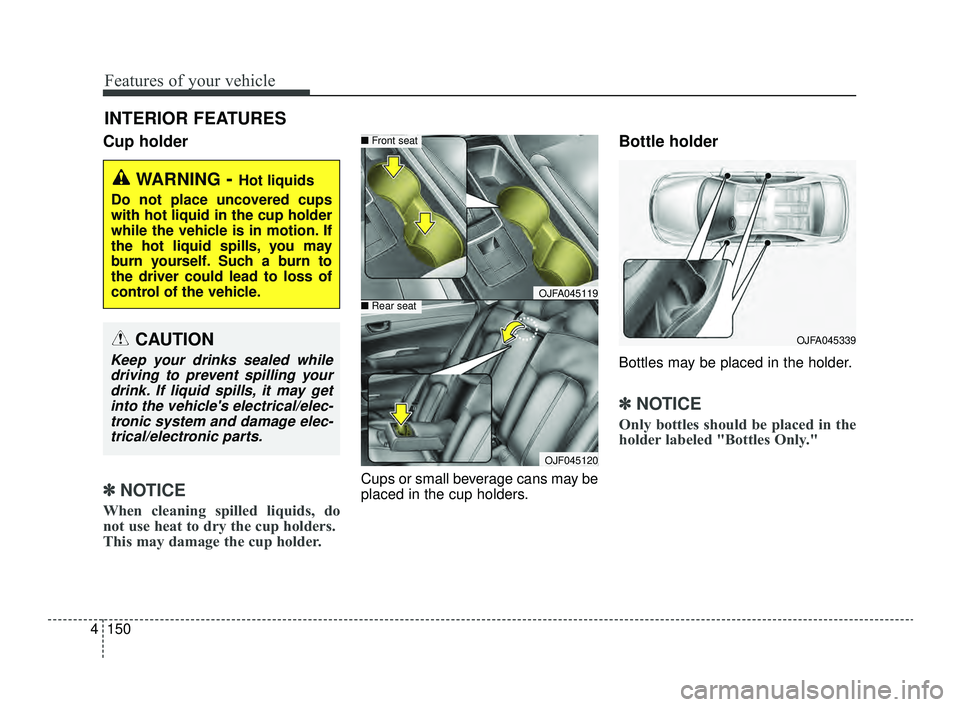
Cup holder
✽ ✽
NOTICE
When cleaning spilled liquids, do
not use heat to dry the cup holders.
This may damage the cup holder.
Cups or small beverage cans may be
placed in the cup holders.
Bottle holder
Bottles may be placed in the holder.
✽ ✽NOTICE
Only bottles should be placed in the
holder labeled "Bottles Only."
INTERIOR FEATURES
WARNING- Hot liquids
Do not place uncovered cups
with hot liquid in the cup holder
while the vehicle is in motion. If
the hot liquid spills, you may
burn yourself. Such a burn to
the driver could lead to loss of
control of the vehicle.
OJFA045119
■ Front seat
■Rear seat
OJF045120
OJFA045339CAUTION
Keep your drinks sealed while
driving to prevent spilling yourdrink. If liquid spills, it may getinto the vehicle's electrical/elec-tronic system and damage elec-trical/electronic parts.
JFa PE USA 4.qxp 5/18/2018 7:26 PM Page 150
Page 243 of 577
4153
Features of your vehicle
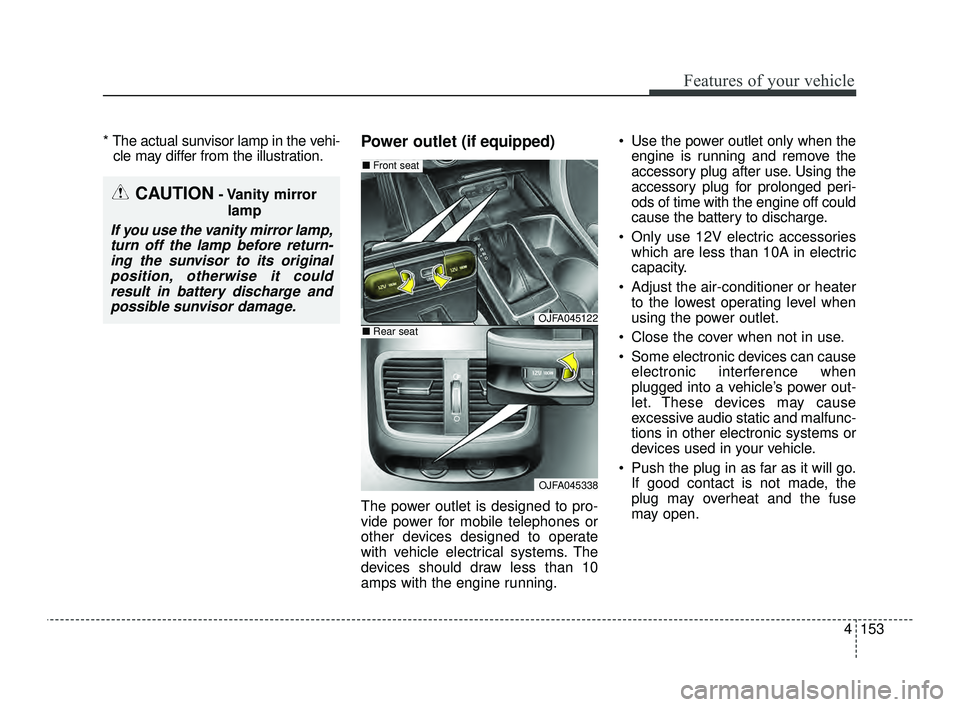
* The actual sunvisor lamp in the vehi-cle may differ from the illustration.Power outlet (if equipped)
The power outlet is designed to pro-
vide power for mobile telephones or
other devices designed to operate
with vehicle electrical systems. The
devices should draw less than 10
amps with the engine running. Use the power outlet only when the
engine is running and remove the
accessory plug after use. Using the
accessory plug for prolonged peri-
ods of time with the engine off could
cause the battery to discharge.
Only use 12V electric accessories which are less than 10A in electric
capacity.
Adjust the air-conditioner or heater to the lowest operating level when
using the power outlet.
Close the cover when not in use.
Some electronic devices can cause electronic interference when
plugged into a vehicle’s power out-
let. These devices may cause
excessive audio static and malfunc-
tions in other electronic systems or
devices used in your vehicle.
Push the plug in as far as it will go. If good contact is not made, the
plug may overheat and the fuse
may open.
CAUTION- Vanity mirror
lamp
If you use the vanity mirror lamp,turn off the lamp before return-ing the sunvisor to its originalposition, otherwise it couldresult in battery discharge andpossible sunvisor damage.
OJFA045122
OJFA045338
■ Front seat
■Rear seat
JFa PE USA 4.qxp 5/18/2018 7:26 PM Page 153
Page 244 of 577
Features of your vehicle
154
4
Plug in battery equipped electronic
devices with reverse current protec-
tion. The current from the battery
may flow into the vehicle’s electri
cal/electronic system and cause
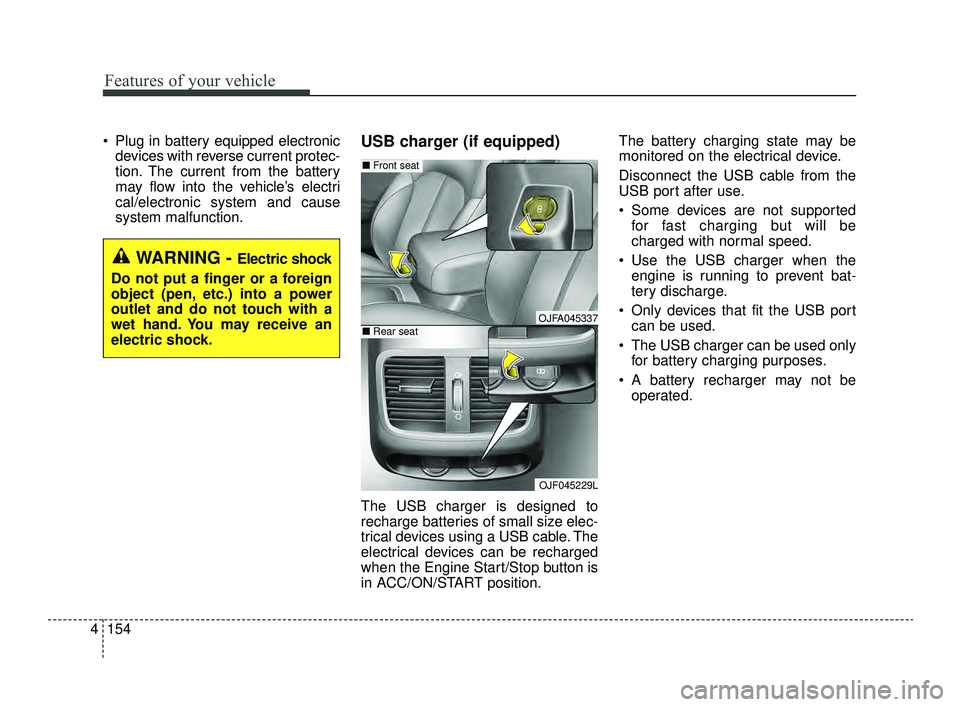
system malfunction.USB charger (if equipped)
The USB charger is designed to
recharge batteries of small size elec-
trical devices using a USB cable. The
electrical devices can be recharged
when the Engine Start/Stop button is
in ACC/ON/START position. The battery charging state may be
monitored on the electrical device.
Disconnect the USB cable from the
USB port after use.
Some devices are not supported
for fast charging but will be
charged with normal speed.
Use the USB charger when the engine is running to prevent bat-
tery discharge.
Only devices that fit the USB port can be used.
The USB charger can be used only for battery charging purposes.
A battery recharger may not be operated.
WARNING - Electric shock
Do not put a finger or a foreign
object (pen, etc.) into a power
outlet and do not touch with a
wet hand. You may receive an
electric shock.
OJFA045337
OJF045229L
■ Front seat
■Rear seat
JFa PE USA 4.qxp 5/18/2018 7:26 PM Page 154
Page 250 of 577
Features of your vehicle
160
4
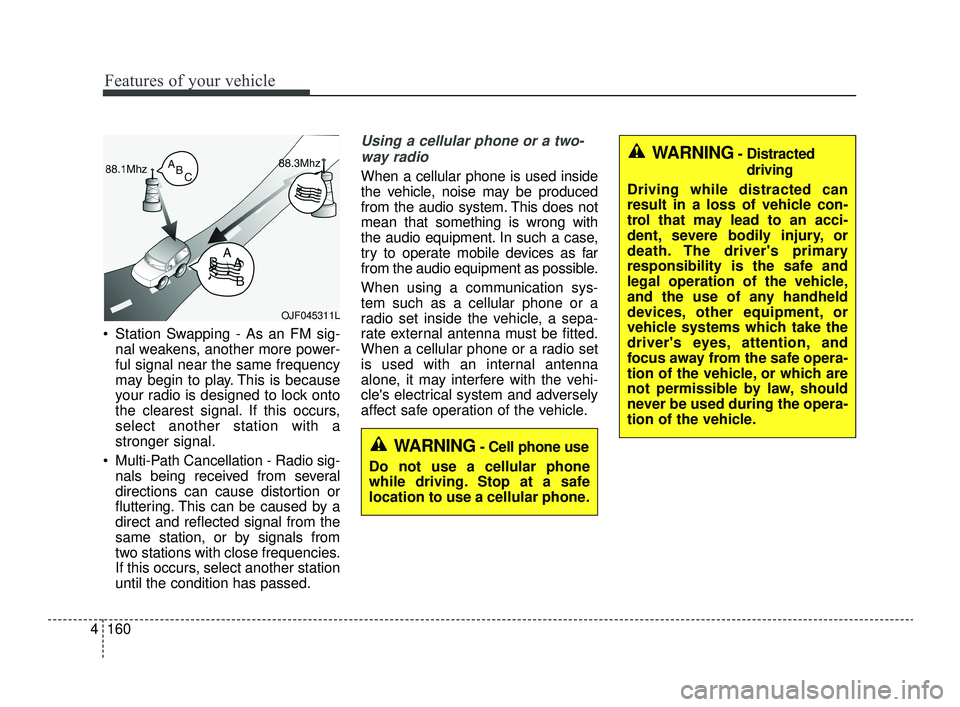
Station Swapping - As an FM sig-
nal weakens, another more power-
ful signal near the same frequency
may begin to play. This is because
your radio is designed to lock onto
the clearest signal. If this occurs,
select another station with a
stronger signal.
Multi-Path Cancellation - Radio sig- nals being received from several
directions can cause distortion or
fluttering. This can be caused by a
direct and reflected signal from the
same station, or by signals from
two stations with close frequencies.
If this occurs, select another station
until the condition has passed.
Using a cellular phone or a two-
way radio
When a cellular phone is used inside
the vehicle, noise may be produced
from the audio system. This does not
mean that something is wrong with
the audio equipment. In such a case,
try to operate mobile devices as far
from the audio equipment as possible.
When using a communication sys-
tem such as a cellular phone or a
radio set inside the vehicle, a sepa-
rate external antenna must be fitted.
When a cellular phone or a radio set
is used with an internal antenna
alone, it may interfere with the vehi-
cle's electrical system and adversely
affect safe operation of the vehicle.
OJF045311L
WARNING- Cell phone use
Do not use a cellular phone
while driving. Stop at a safe
location to use a cellular phone.
WARNING- Distracted driving
Driving while distracted can
result in a loss of vehicle con-
trol that may lead to an acci-
dent, severe bodily injury, or
death. The driver's primary
responsibility is the safe and
legal operation of the vehicle,
and the use of any handheld
devices, other equipment, or
vehicle systems which take the
driver's eyes, attention, and
focus away from the safe opera-
tion of the vehicle, or which are
not permissible by law, should
never be used during the opera-
tion of the vehicle.
JFa PE USA 4.qxp 5/18/2018 7:26 PM Page 160