brake KIA OPTIMA 2019 Manual Online
[x] Cancel search | Manufacturer: KIA, Model Year: 2019, Model line: OPTIMA, Model: KIA OPTIMA 2019Pages: 577, PDF Size: 13.79 MB
Page 317 of 577
565
Driving your vehicle
(Continued)
• Use only genuine parts to repair orreplace a damaged
• Do not tint the window or install stickers, accessories around the
inside mirror where the camera is
installed.
• Make sure the frontal camera installation point does not get wet.
• Do not impact or arbitrarily remove any camera components.
• Do not place reflective objects(white paper or mirror etc.)
on the crash pad.
The system may activate unneces-
sarily due to reflect of the sunlight.
• Excessive audio volume may dis- turb the sound of the system warn-
ing alarm.
• For more cautions for the camera sensor, refer to the Lane Keeping
Assist system in this chapter.System malfunction
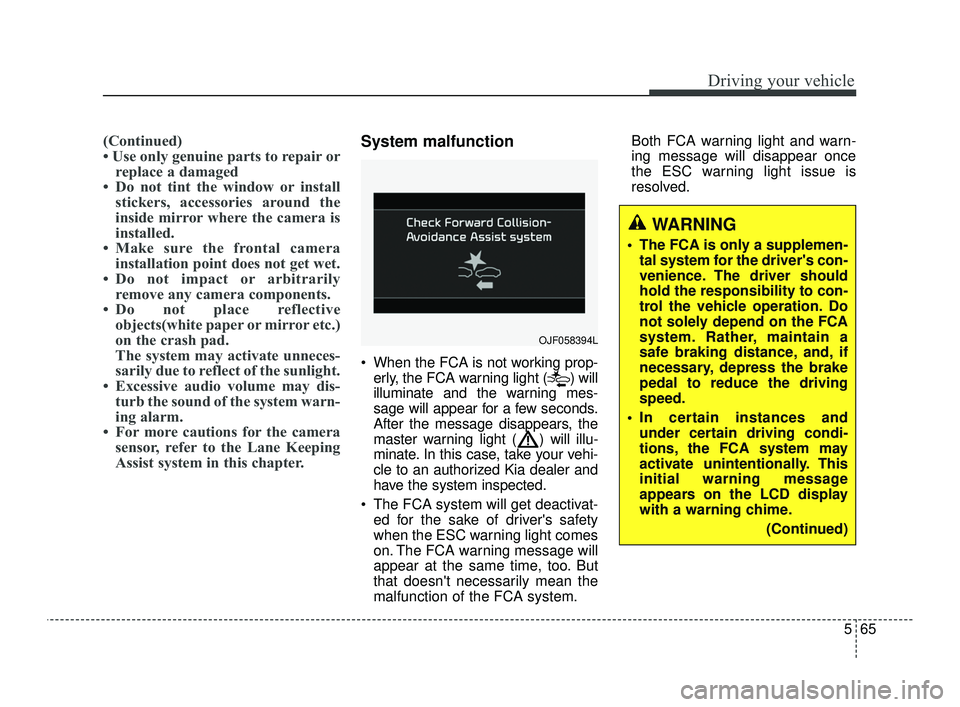
When the FCA is not working prop-
erly, the FCA warning light ( ) will
illuminate and the warning mes-
sage will appear for a few seconds.
After the message disappears, the
master warning light ( ) will illu-
minate. In this case, take your vehi-
cle to an authorized Kia dealer and
have the system inspected.
The FCA system will get deactivat- ed for the sake of driver's safety
when the ESC warning light comes
on. The FCA warning message will
appear at the same time, too. But
that doesn't necessarily mean the
malfunction of the FCA system. Both FCA warning light and warn-
ing message will disappear once
the ESC warning light issue is
resolved.
OJF058394L
WARNING
The FCA is only a supplemen-
tal system for the driver's con-
venience. The driver should
hold the responsibility to con-
trol the vehicle operation. Do
not solely depend on the FCA
system. Rather, maintain a
safe braking distance, and, if
necessary, depress the brake
pedal to reduce the driving
speed.
In certain instances and under certain driving condi-
tions, the FCA system may
activate unintentionally. This
initial warning message
appears on the LCD display
with a warning chime.
(Continued)
JFa PE USA 5.QXP 5/17/2018 6:12 PM Page 65
Page 318 of 577
Driving your vehicle
66
5
(Continued)
Also, in certain instances the
camera recognition system
may not detect the vehicle
ahead. The FCA system may
not activate and the warning
message will not be dis-
played.
Even if there is any problem with the brake control func-
tion of the FCA system, the
vehicle's basic braking per-
formance will operate normal-
ly. However, brake control
function for avoiding collision
will not activate.
If the vehicle in front stops suddenly, you may have less
control of the brake system.
Therefore, always keep a safe
distance between your vehicle
and the vehicle in front of you.
(Continued)(Continued)
The FCA system may activateduring braking and the vehi-
cle may stop suddenly shift-
ing loose objects toward the
passengers. Always keep
loose objects secured.
The FCA system may not acti- vate if the driver applies the
brake pedal to avoid a colli-
sion.
The FCA system operates only to detect vehicles in front
of the vehicle.
The FCA system does not operate when the vehicle is in
reverse.
The FCA system is not designed to detect other
objects on the road such as
animals.
The FCA system does not detect vehicles in the oppo-
site lane.
(Continued)(Continued)
The FCA system does notdetect cross traffic vehicles
that are approaching.
The FCA system cannot detect the driver approaching
the side view of a parked vehi-
cle (for example on a dead
end street.)
In these cases, you must
maintain a safe braking dis-
tance, and if necessary,
depress the brake pedal to
reduce the driving speed in
order to maintain a safe dis-
tance.
JFa PE USA 5.QXP 5/17/2018 6:12 PM Page 66
Page 320 of 577

Driving your vehicle
68
5
- The vehicle is moving under
ground level or inside a building
- If a sudden change in the sensor recognition takes place while pass-
ing through the speed bump,
- When the vehicle is severely shak- en,
- When driving around circular inter- section after the vehicle in front,
- If the front of the camera lens is contaminated by front glass tinting,
film, water repellent coating, dam-
age on glass, foreign matter (stick-
er, insect, etc.)
- The camera or camera lens is damaged.
- If the headlights of the vehicle are not used at night or in the tunnel
section, or the light is too weak
- If street light or the light of the vehi- cle coming from the opposite is
reflected or when sunlight is
reflected by the water on the road
surface - When the back light is projected in
the direction of the vehicle's motion
(including the headlights of vehi-
cles)
- Road sign, shadow on the road, tunnel entrance, toll gate, partial
pavement
- If the windshield has moisture on its surface or if windshield freezes,
- Driving in the fog.
- When objects are out of the sens- ing range of the camera - Driving on a curve
The FCA performance decreases
while driving on a curve. The FCA
may not recognize the vehicle in front
even in the same lane. It may unnec-
essarily produce the warning mes-
sage and the warning alarm, or it
may not produce the warning mes-
sage and the warning alarm at all.
While driving on a curve, pay great
caution, and, if necessary, depress
the brake pedal.
OJF055025
JFa PE USA 5.QXP 5/17/2018 6:12 PM Page 68
Page 321 of 577
569
Driving your vehicle
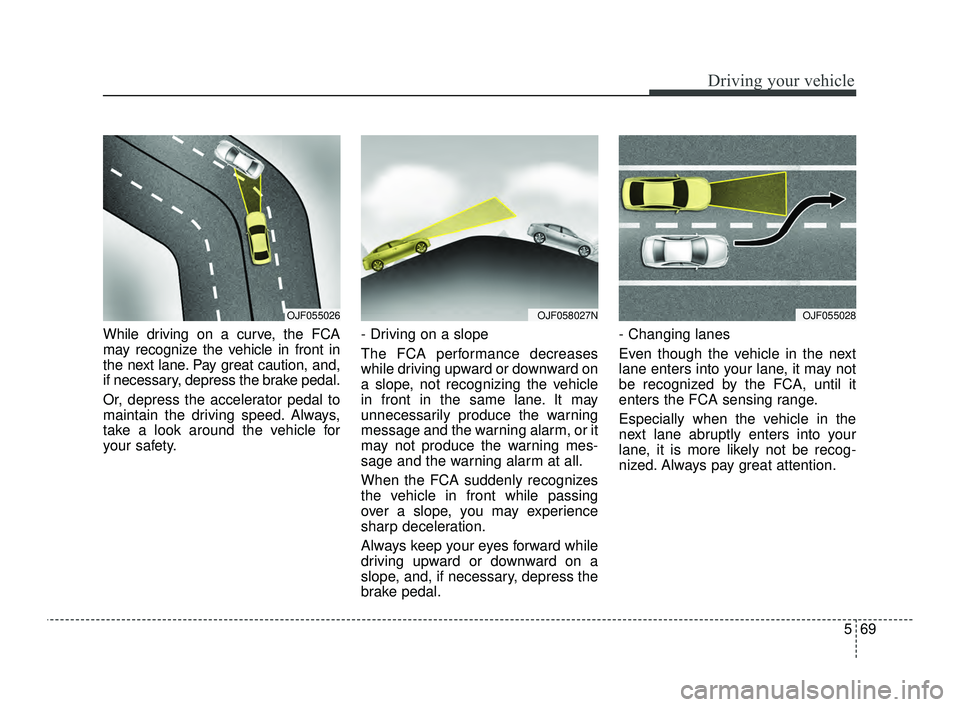
While driving on a curve, the FCA
may recognize the vehicle in front in
the next lane. Pay great caution, and,
if necessary, depress the brake pedal.
Or, depress the accelerator pedal to
maintain the driving speed. Always,
take a look around the vehicle for
your safety.- Driving on a slope
The FCA performance decreases
while driving upward or downward on
a slope, not recognizing the vehicle
in front in the same lane. It may
unnecessarily produce the warning
message and the warning alarm, or it
may not produce the warning mes-
sage and the warning alarm at all.
When the FCA suddenly recognizes
the vehicle in front while passing
over a slope, you may experience
sharp deceleration.
Always keep your eyes forward while
driving upward or downward on a
slope, and, if necessary, depress the
brake pedal.- Changing lanes
Even though the vehicle in the next
lane enters into your lane, it may not
be recognized by the FCA, until it
enters the FCA sensing range.
Especially when the vehicle in the
next lane abruptly enters into your
lane, it is more likely not be recog-
nized. Always pay great attention.
OJF055026OJF058027NOJF055028
JFa PE USA 5.QXP 5/17/2018 6:12 PM Page 69
Page 324 of 577
Driving your vehicle
72
5
EQUIPPED) (IF EQUIPPED)
The FCA system is designed to
detect and monitor a vehicle ahead
or detect a pedestrian in the roadway
through radar signals and camera
recognition to warn the driver that a
collision is imminent, and if neces-
sary, apply emergency braking.System setting and activation
System setting
The driver can activate the FCA by
placing the ignition switch to the ON
position and by selecting 'User
Settings', 'Driver Assistance', and
'forward collision-avoidance assist'.
The FCA deactivates, when the driv-
er cancels the system setting.
FORWARD COLLISION-AVOIDANCE ASSIST (FCA) (SMART CRUISE CONTROL SYSTEM
WARNING
Take the following precautions
with respect to the forward col-
lision-avoidance assist (FCA)
system:
This system is only a supple-
mental system and it is not
intended to, nor does it replace
the need for extreme care and
attention of the driver. The
sensing range and objects
detectable by the sensors are
limited. Pay attention to the
road conditions at all times.
NEVER drive too fast in accor- dance with the road condi-
tions or while cornering.
Always drive cautiously to prevent unexpected and sud-
den situations from occur-
ring. FCA does not stop the
vehicle completely and does
not avoid collisions.
WARNING- Forward
Collision-Avoidance assist
(FCA) Limitations
The FCA system is a supplemen-
tal system and is not a substitute
for safe driving practices.
It is the responsibility of the driv-
er to always check the speed and
distance to the vehicle ahead
and to be prepared to apply the
brakes.
JFa PE USA 5.QXP 5/17/2018 6:12 PM Page 72
Page 326 of 577
Driving your vehicle
74
5
Prerequisite for activation
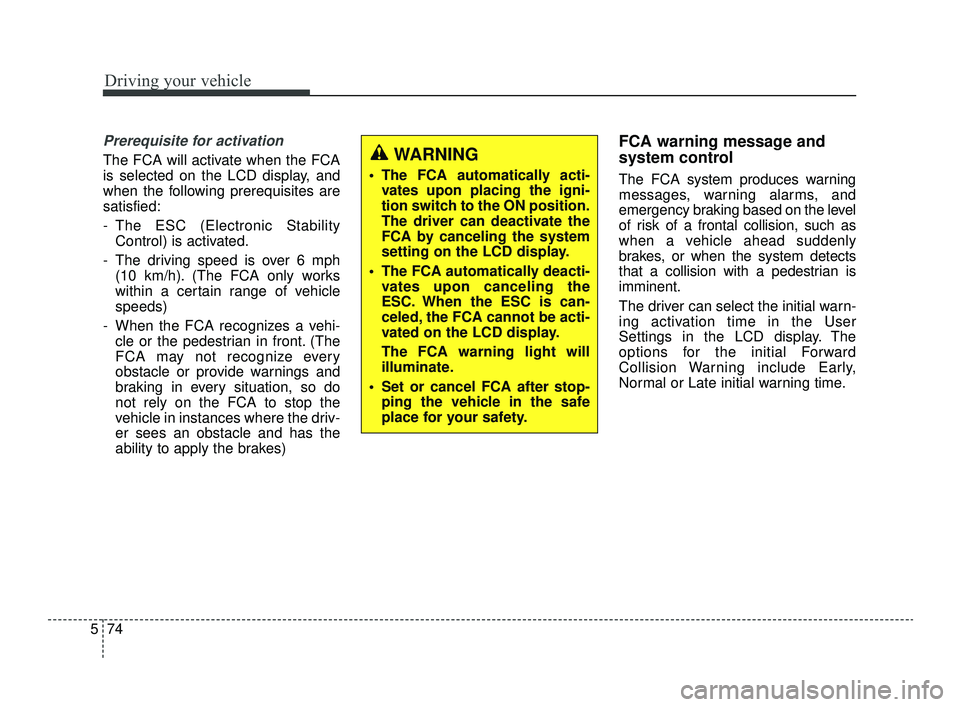
The FCA will activate when the FCA
is selected on the LCD display, and
when the following prerequisites are
satisfied:
- The ESC (Electronic Stability
Control) is activated.
- The driving speed is over 6 mph (10 km/h). (The FCA only works
within a certain range of vehicle
speeds)
- When the FCA recognizes a vehi- cle or the pedestrian in front. (The
FCA may not recognize every
obstacle or provide warnings and
braking in every situation, so do
not rely on the FCA to stop the
vehicle in instances where the driv-
er sees an obstacle and has the
ability to apply the brakes)
FCA warning message and
system control
The FCA system produces warning
messages, warning alarms, and
emergency braking based on the level
of risk of a frontal collision, such as
when a vehicle ahead suddenly
brakes, or when the system detects
that a collision with a pedestrian is
imminent.
The driver can select the initial warn-
ing activation time in the User
Settings in the LCD display. The
options for the initial Forward
Collision Warning include Early,
Normal or Late initial warning time.
WARNING
The FCA automatically acti-vates upon placing the igni-
tion switch to the ON position.
The driver can deactivate the
FCA by canceling the system
setting on the LCD display.
The FCA automatically deacti- vates upon canceling the
ESC. When the ESC is can-
celed, the FCA cannot be acti-
vated on the LCD display.
The FCA warning light will
illuminate.
Set or cancel FCA after stop- ping the vehicle in the safe
place for your safety.
JFa PE USA 5.QXP 5/17/2018 6:12 PM Page 74
Page 327 of 577
575
Driving your vehicle
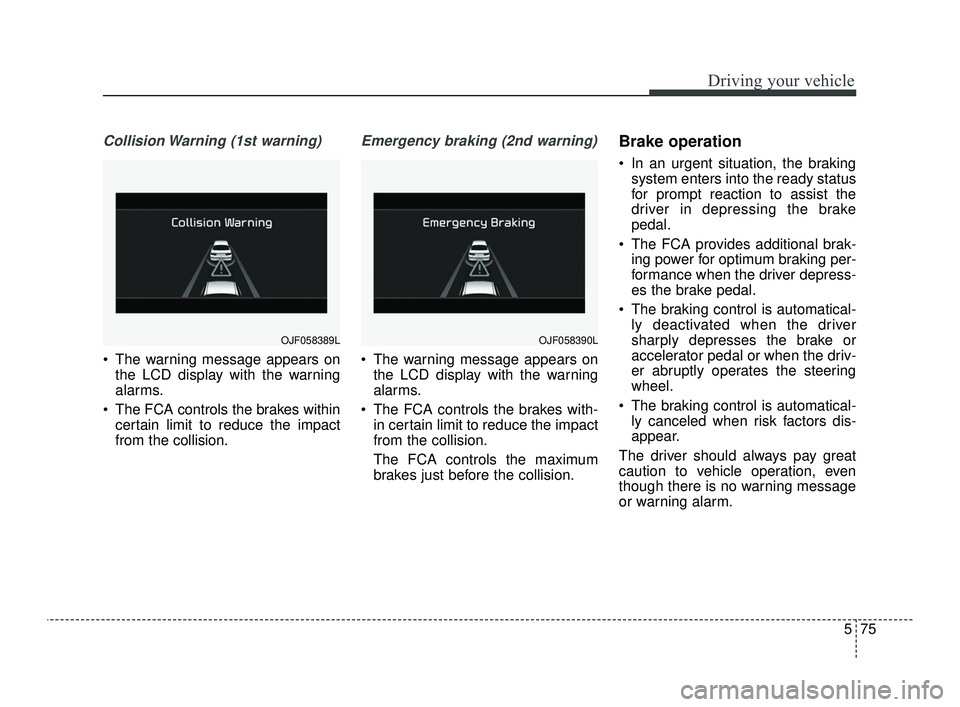
Collision Warning (1st warning)
The warning message appears onthe LCD display with the warning
alarms.
The FCA controls the brakes within certain limit to reduce the impact
from the collision.
Emergency braking (2nd warning)
The warning message appears onthe LCD display with the warning
alarms.
The FCA controls the brakes with- in certain limit to reduce the impact
from the collision.
The FCA controls the maximum
brakes just before the collision.
Brake operation
In an urgent situation, the brakingsystem enters into the ready status
for prompt reaction to assist the
driver in depressing the brake
pedal.
The FCA provides additional brak- ing power for optimum braking per-
formance when the driver depress-
es the brake pedal.
The braking control is automatical- ly deactivated when the driver
sharply depresses the brake or
accelerator pedal or when the driv-
er abruptly operates the steering
wheel.
The braking control is automatical- ly canceled when risk factors dis-
appear.
The driver should always pay great
caution to vehicle operation, even
though there is no warning message
or warning alarm.
OJF058389LOJF058390L
JFa PE USA 5.QXP 5/17/2018 6:12 PM Page 75
Page 330 of 577
Driving your vehicle
78
5
Remove any dirt, snow, or debris and
clean the radar sensor cover before
operating the FCA system.
The FCA may not properly operate in
an area (e.g. open terrain), where
any substances are not detected
after turning ON the engine.System malfunction
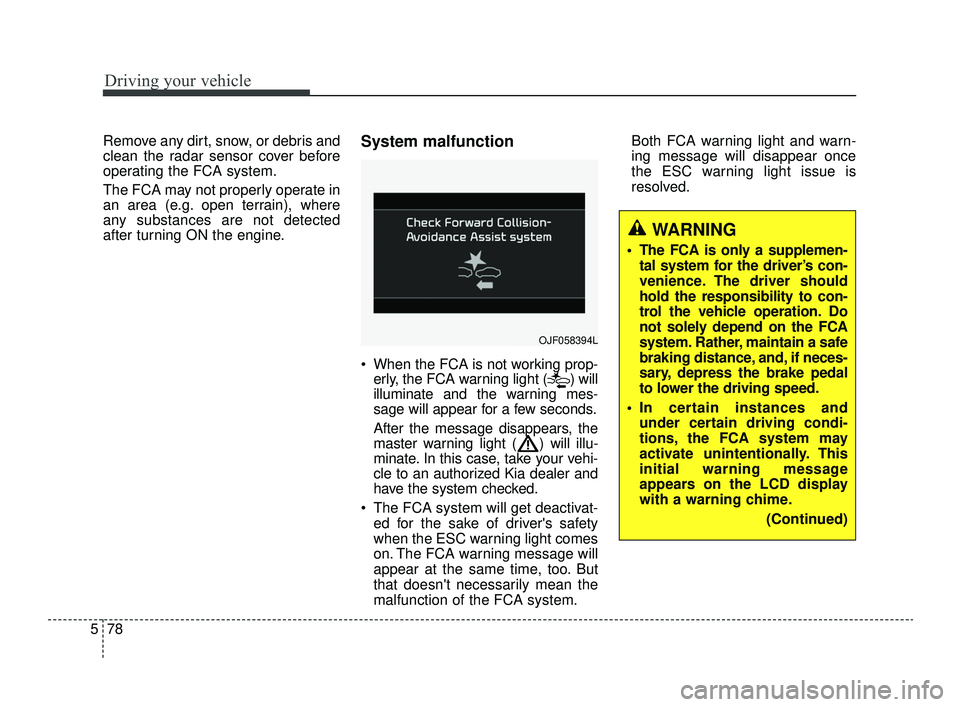
When the FCA is not working prop-
erly, the FCA warning light ( ) will
illuminate and the warning mes-
sage will appear for a few seconds.
After the message disappears, the
master warning light ( ) will illu-
minate. In this case, take your vehi-
cle to an authorized Kia dealer and
have the system checked.
The FCA system will get deactivat- ed for the sake of driver's safety
when the ESC warning light comes
on. The FCA warning message will
appear at the same time, too. But
that doesn't necessarily mean the
malfunction of the FCA system. Both FCA warning light and warn-
ing message will disappear once
the ESC warning light issue is
resolved.
OJF058394L
WARNING
The FCA is only a supplemen-
tal system for the driver’s con-
venience. The driver should
hold the responsibility to con-
trol the vehicle operation. Do
not solely depend on the FCA
system. Rather, maintain a safe
braking distance, and, if neces-
sary, depress the brake pedal
to lower the driving speed.
In certain instances and under certain driving condi-
tions, the FCA system may
activate unintentionally. This
initial warning message
appears on the LCD display
with a warning chime.
(Continued)
JFa PE USA 5.QXP 5/17/2018 6:12 PM Page 78
Page 331 of 577
579
Driving your vehicle
(Continued)
The FCA system may not acti-vate if the driver applies the
brake pedal to avoid risk of
collision.
If there is a malfunction with the FCA system, the
autonomous emergency brak-
ing is not applied even thought
the braking system is operat-
ing normally.
The FCA system operates only to detect vehicles in front
of the vehicle.
The FCA system does not operate when the vehicle is in
reverse.
The FCA system is not designed to detect other
objects on the road such as
animals.
The FCA system does not detect vehicles in the oppo-
site lane.
(Continued)(Continued)Also, in certain instances the
front radar sensor or camera
recognition system may not
detect the vehicle, pedestrian
or cyclist (if equipped) ahead.
The FCA system may not acti-
vate and the warning mes-
sage will not be displayed.
The FCA may unnecessarily produce the warning message
and the warning alarms. Also,
due to the sensing limitation,
the FCA may not produce the
warning message and the
warning alarm at all.
When there is a malfunction with the FCA, the braking con-
trol does not operate upon
detecting a collision risk even
with other braking systems
normally operating.
(Continued)(Continued)
The FCA operates only for thevehicle / pedestrian in front,
while driving forward. It does
not operate for any animals or
vehicles in the opposite direc-
tion.
The FCA does not recognize the vehicle, which horizontally
drives across the crossroad,
or the vehicle, which is parked
in the horizontal direction.
If the vehicle in front stops suddenly, you may have less
control of the brake system.
Therefore, always keep safe
distance between your vehicle
and the vehicle in front of you.
The FCA system may activate during braking and the vehicle
may stop suddenly. And the
load in the vehicle may endan-
ger passengers. Therefore,
always be mindful of the load
volume in the vehicle.
(Continued)
JFa PE USA 5.QXP 5/17/2018 6:12 PM Page 79
Page 332 of 577
Driving your vehicle
80
5
Limitation of the system
The FCA is an assistant system for a
driver in a certain risky driving condi-
tion and it does not take every
responsibility for all risks from driving
condition.
The FCA monitors the driving situa-
tions through the radar and the cam-
era sensor. Thus, for a situation out
of the sensing range, the FCA may
not normally operate. The driver
should pay great caution in the fol-
lowing situations. The FCA operation
may be limited.
Recognizing vehicles
The sensor may be limited when:
The radar sensor or camera is
blocked with a foreign object or
debris
The camera lens is contaminated due to tinted, filmed or coated
windshield, damaged glass, or
stuck of foreign matter (sticker,
bug, etc.) on the glass
Inclement weather such as heavy rain or snow obscures the field of
view of the radar sensor or camera
There is interference by electro- magnetic waves
There is severe irregular reflection from the radar sensor
The radar/camera sensor recogni- tion is limited
The vehicle in front is too small to be detected (for example a motor-
cycle etc.)
The vehicle in front is an oversize vehicle or trailer that is too big to
be detected by the camera recog-
nition system (for example a tractor
trailer, etc.)(Continued)
The FCA system does notdetect cross traffic vehicles
that are approaching.
The FCA system cannot detect the driver approaching
the side view of a parked vehi-
cle (for example on a dead
end street.) In these cases,
you must maintain a safe
braking distance, and if nec-
essary, depress the brake
pedal to reduce the driving
speed in order to maintain a
safe distance.
The regular braking function will operate normally even if
There is a problem with the
FCA brake control system or
other functions. In this case,
the braking control will not
operate in the risk of a collision.
The FCA system may not acti- vate according to driving con-
dition, traffic on the road,
weather, road condition, etc.
The FCA system may not acti- vate to all types of vehicles.
JFa PE USA 5.QXP 5/17/2018 6:12 PM Page 80