service KIA OPTIMA HYBRID 2015 User Guide
[x] Cancel search | Manufacturer: KIA, Model Year: 2015, Model line: OPTIMA HYBRID, Model: KIA OPTIMA HYBRID 2015Pages: 495, PDF Size: 13.38 MB
Page 142 of 495
451
Features of your vehicle
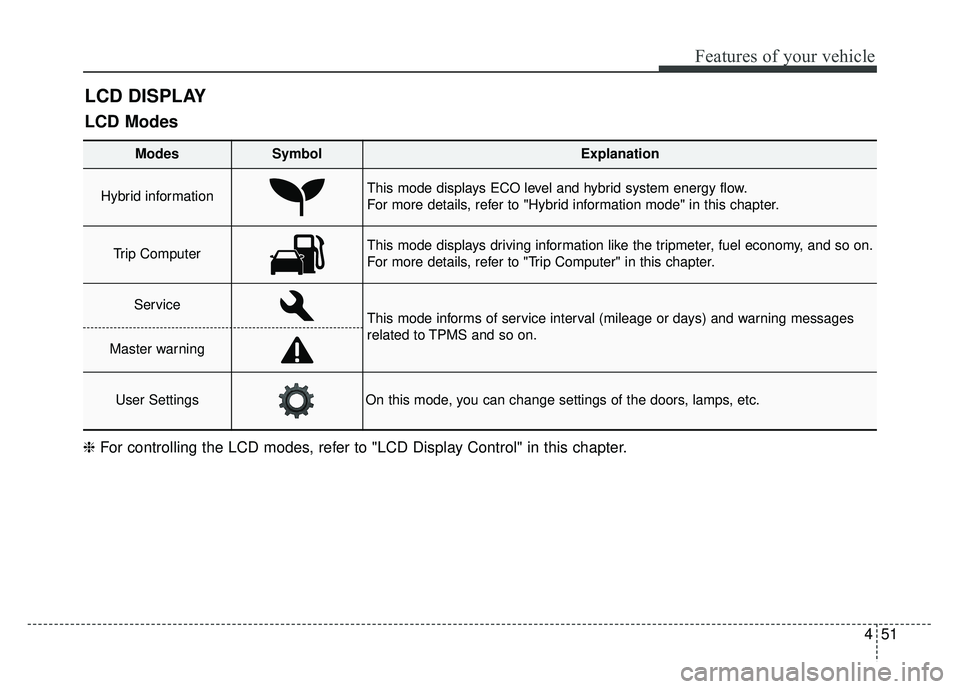
LCD DISPLAY
Modes SymbolExplanation
Hybrid informationThis mode displays ECO level and hybrid system energy flow.
For more details, refer to "Hybrid information mode" in this chapter.
Trip Computer This mode displays driving information like the tripmeter, fuel economy, and so on.
For more details, refer to "Trip Computer" in this chapter.
ServiceThis mode informs of service interval (mileage or days) and warning messages
related to TPMS and so on.
Master warning
User SettingsOn this mode, you can change settings of the doors, lamps, etc.
❈For controlling the LCD modes, refer to "LCD Display Control" in this chapter.
LCD Modes
Page 146 of 495
455
Features of your vehicle
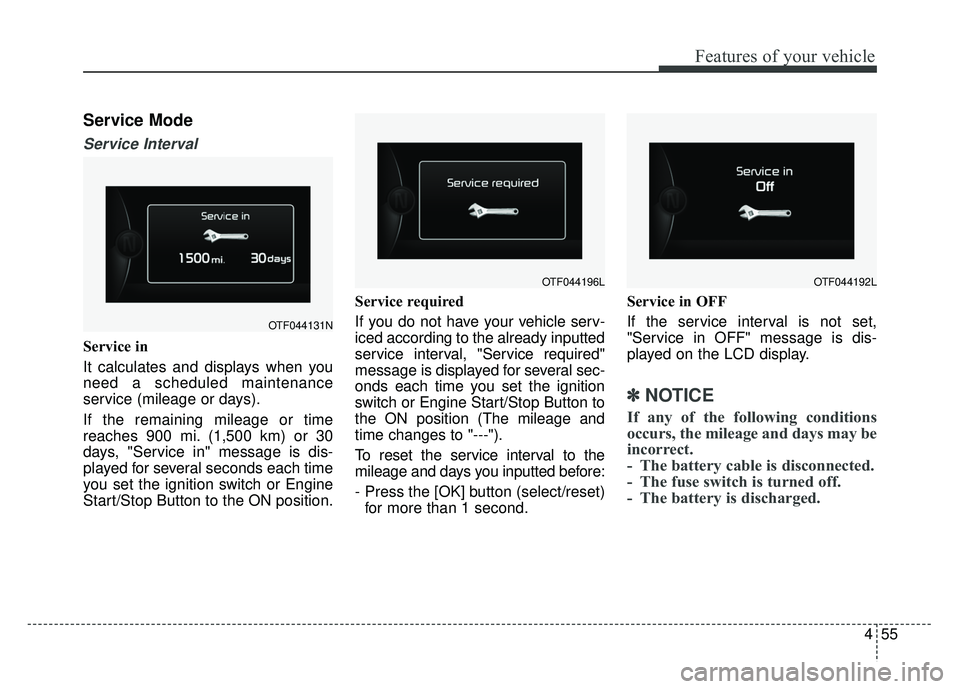
Service Mode
Service Interval
Service in
It calculates and displays when you
need a scheduled maintenance
service (mileage or days).
If the remaining mileage or time
reaches 900 mi. (1,500 km) or 30
days, "Service in" message is dis-
played for several seconds each time
you set the ignition switch or Engine
Start/Stop Button to the ON position.Service required
If you do not have your vehicle serv-
iced according to the already inputted
service interval, "Service required"
message is displayed for several sec-
onds each time you set the ignition
switch or Engine Start/Stop Button to
the ON position (The mileage and
time changes to "---").
To reset the service interval to the
mileage and days you inputted before:
- Press the [OK] button (select/reset)
for more than 1 second. Service in OFF
If the service interval is not set,
"Service in OFF" message is dis-
played on the LCD display.
✽ ✽
NOTICE
If any of the following conditions
occurs, the mileage and days may be
incorrect.
- The battery cable is disconnected.
- The fuse switch is turned off.
- The battery is discharged.
OTF044131N
OTF044196LOTF044192L
Page 147 of 495
Features of your vehicle
56
4
Master Warning Mode
(if equipped)
This warning light informs the driv- er the following situations
- Low washer fluid
- TPMS
- Service reminder
The Master Warning Light illumi-
nates when more than one of the
above warning situations occur. At
this time, the LCD Modes Icon will
change from ( ) to ( ).
If the warning situation is solved, the
master warning light will be turned off
and the LCD Modes Icon will be
changed back to its previous icon ( ).
(ex : refill the washer fluid)
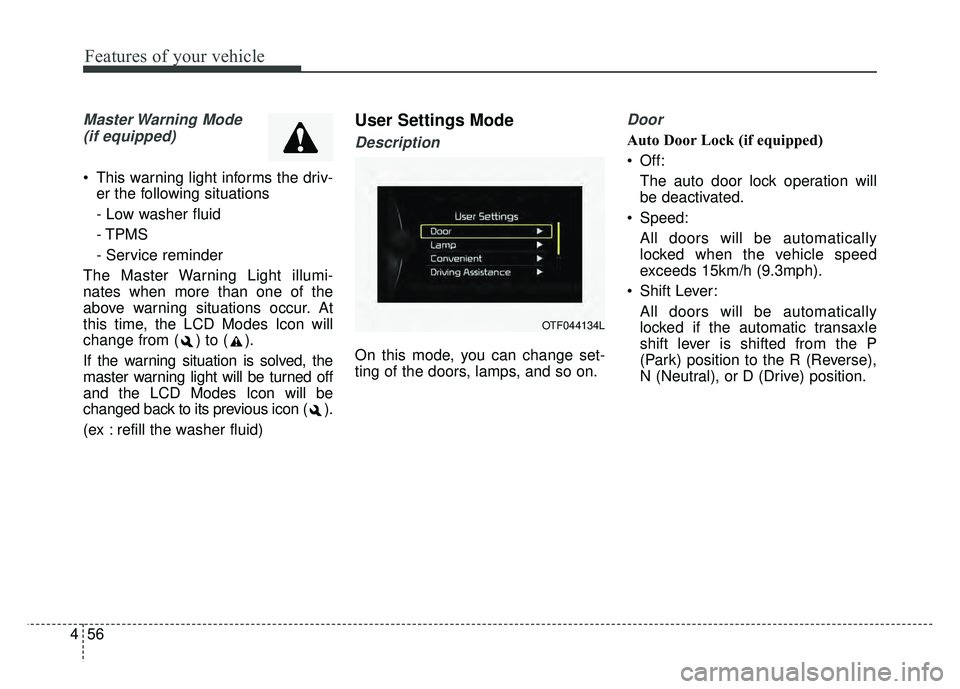
User Settings Mode
Description
On this mode, you can change set-
ting of the doors, lamps, and so on.
Door
Auto Door Lock (if equipped)
Off: The auto door lock operation will
be deactivated.
Speed: All doors will be automatically
locked when the vehicle speed
exceeds 15km/h (9.3mph).
Shift Lever: All doors will be automatically
locked if the automatic transaxle
shift lever is shifted from the P
(Park) position to the R (Reverse),
N (Neutral), or D (Drive) position.
OTF044134L
Page 149 of 495
Features of your vehicle
58
4
Convenience
Language
Choose the language you prefer
within the LCD.
Temperature Unit
Convert the temperature unit from °C
to °F or from °F to °C.
AVG Fuel Eco Reset
Auto Reset:
The average fuel economy will
reset automatically when refueling.
Manual Reset: The average fuel economy will not
reset automatically whenever refu-
eling.
For more details, refer to "Trip
Computer" in this chapter. Seat Easy Access (if equipped)
If this item is checked, the driver’s
seat will automatically move forward
or rearward for the driver to enter or
exit the vehicle comfortably.
Steering Position (if equipped)
If this item is checked, the warning
function regarding the steering wheel
alignment will be activated.
For more details, refer to "Warning
Messages" in this chapter.
Driving Assist (if equipped)
RCTA
If this item is checked RCTA (Rear
cross traffic alert) function in BSD
(Blind spot detection) system will be
activated.
For more details, refer to Blind spot
detection system in chapter 5.
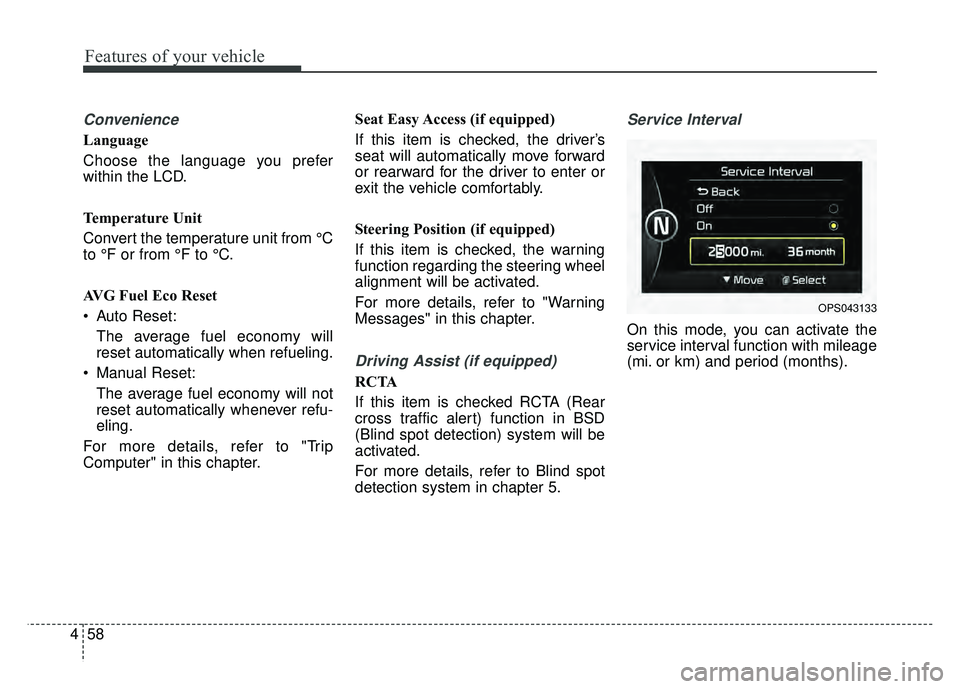
Service Interval
On this mode, you can activate the
service interval function with mileage
(mi. or km) and period (months).
OPS043133
Page 154 of 495
463
Features of your vehicle
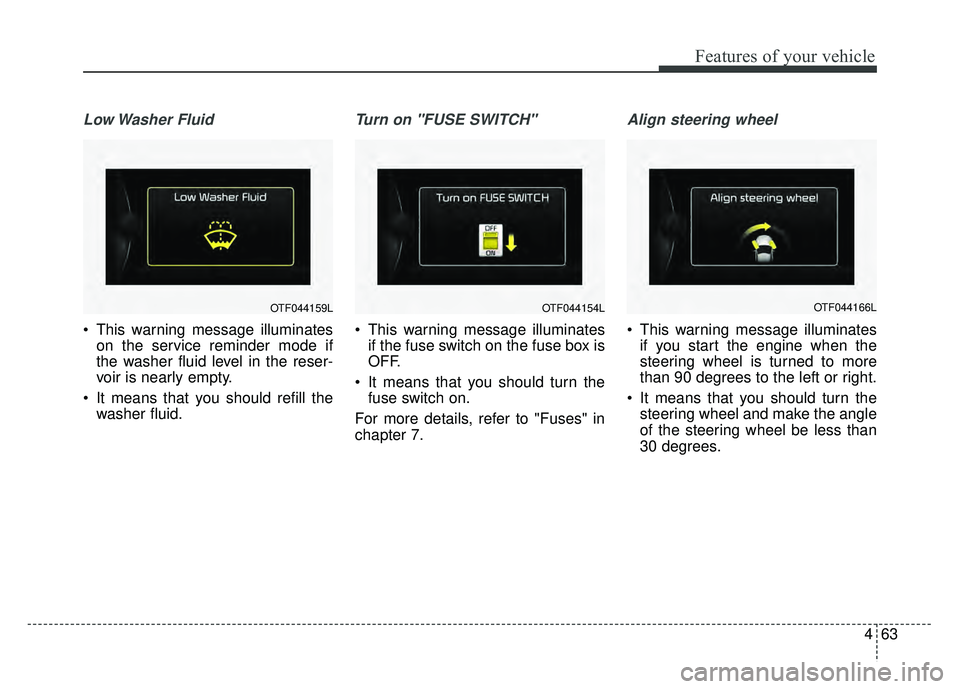
Low Washer Fluid
This warning message illuminateson the service reminder mode if
the washer fluid level in the reser-
voir is nearly empty.
It means that you should refill the washer fluid.
Turn on "FUSE SWITCH"
This warning message illuminatesif the fuse switch on the fuse box is
OFF.
It means that you should turn the fuse switch on.
For more details, refer to "Fuses" in
chapter 7.
Align steering wheel
This warning message illuminates if you start the engine when the
steering wheel is turned to more
than 90 degrees to the left or right.
It means that you should turn the steering wheel and make the angle
of the steering wheel be less than
30 degrees.
OTF044159LOTF044154LOTF044166L
Page 169 of 495
Features of your vehicle
78
4
The TPMS cannot alert you to
severe and sudden tire damage
caused by external factors.
If you notice any vehicle instability, immediately take your foot off the
accelerator pedal, apply the brakes
gradually with light force, and slow-
ly move to a safe position off the
road.
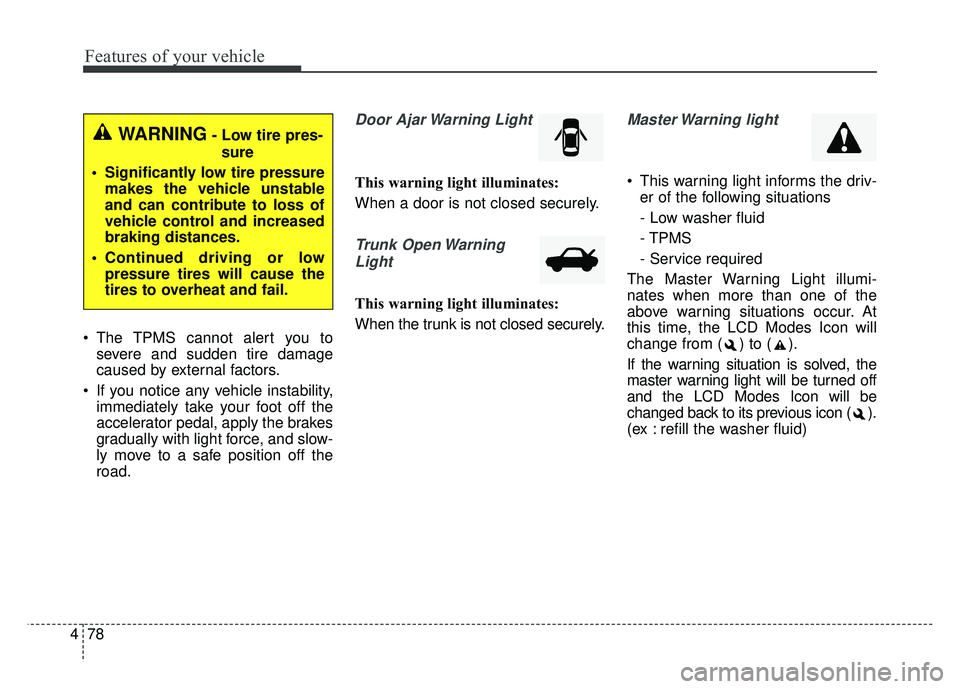
Door Ajar Warning Light
This warning light illuminates:
When a door is not closed securely.
Trunk Open Warning
Light
This warning light illuminates:
When the trunk is not closed securely.
Master Warning light
This warning light informs the driv- er of the following situations
- Low washer fluid
- TPMS
- Service required
The Master Warning Light illumi-
nates when more than one of the
above warning situations occur. At
this time, the LCD Modes Icon will
change from ( ) to ( ).
If the warning situation is solved, the
master warning light will be turned off
and the LCD Modes Icon will be
changed back to its previous icon ( ).
(ex : refill the washer fluid)
WARNING- Low tire pres- sure
Significantly low tire pressure makes the vehicle unstable
and can contribute to loss of
vehicle control and increased
braking distances.
Continued driving or low pressure tires will cause the
tires to overheat and fail.
Page 205 of 495
Features of your vehicle
114
4
✽
✽
NOTICE
• Replace the filter according to the
Maintenance Schedule.
If the vehicle is being driven in
severe conditions such as dusty,
rough roads, more frequent cli-
mate control air filter inspections
and changes are required.
• When the air flow rate suddenly decreases, the system should be
checked at an authorized Kia
dealer.
Checking the amount of air
conditioner refrigerant and
compressor lubricant
When the amount of refrigerant is
low, the performance of the air con-
ditioning is reduced. Overfilling also
has a negative influence on the air
conditioning system.
Therefore, if abnormal operation is
found, have the system inspected by
an authorized Kia dealer.
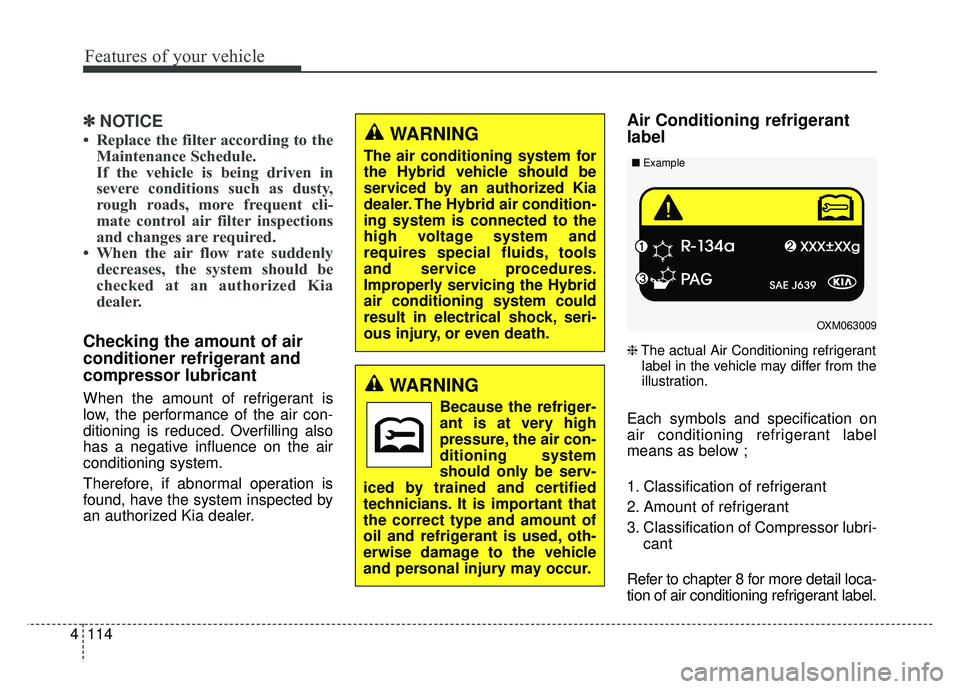
Air Conditioning refrigerant
label
❈ The actual Air Conditioning refrigerant
label in the vehicle may differ from the
illustration.
Each symbols and specification on
air conditioning refrigerant label
means as below ;
1. Classification of refrigerant
2. Amount of refrigerant
3. Classification of Compressor lubri- cant
Refer to chapter 8 for more detail loca-
tion of air conditioning refrigerant label.
WARNING
The air conditioning system for
the Hybrid vehicle should be
serviced by an authorized Kia
dealer. The Hybrid air condition-
ing system is connected to the
high voltage system and
requires special fluids, tools
and service procedures.
Improperly servicing the Hybrid
air conditioning system could
result in electrical shock, seri-
ous injury, or even death.
WARNING
Because the refriger-
ant is at very high
pressure, the air con-
ditioning system
should only be serv-
iced by trained and certified
technicians. It is important that
the correct type and amount of
oil and refrigerant is used, oth-
erwise damage to the vehicle
and personal injury may occur.
OXM063009
■
Example
Page 224 of 495
4133
Features of your vehicle
CAUTION
Turn on the car ignition beforeusing the audio system. Donot operate the audio systemfor long periods of time withthe ignition turned off as suchoperations may lead to batterydischarge.
Do not subject the device to severe shock or impact. Directpressure onto the front side ofthe monitor may cause dam-age to the LCD or touchscreen.
When cleaning the device, make sure to turn off theaudio system and use a dryand smooth cloth. Never usetough materials, chemicalcloths, or solvents (alcohol,benzene, thinners, etc.) assuch materials may damagethe device panel or causecolor/quality deterioration
(Continued)
(Continued) Do not place beverages close to the audio system. Spillingbeverages may lead to systemmalfunction.
In case of product malfunction, please contact your place of pur-chase or After Service center.
Placing the audio system within an electromagneticenvironment may result innoise interference.
Prevent caustic solutions such as perfume and cosmet-ic oil from contacting thedashboard because they maycause damage or discol-oration.
Page 240 of 495
4149
Features of your vehicle
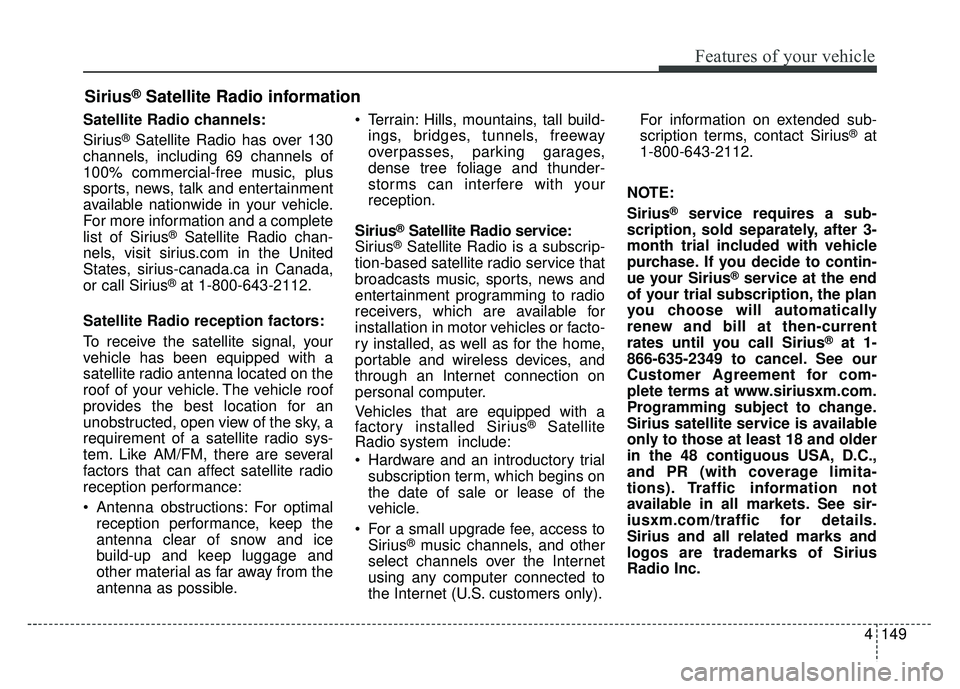
Satellite Radio channels:
Sirius
®Satellite Radio has over 130
channels, including 69 channels of
100% commercial-free music, plus
sports, news, talk and entertainment
available nationwide in your vehicle.
For more information and a complete
list of Sirius
®Satellite Radio chan-
nels, visit sirius.com in the United
States, sirius-canada.ca in Canada,
or call Sirius
®at 1-800-643-2112.
Satellite Radio reception factors:
To receive the satellite signal, your
vehicle has been equipped with a
satellite radio antenna located on the
roof of your vehicle. The vehicle roof
provides the best location for an
unobstructed, open view of the sky, a
requirement of a satellite radio sys-
tem. Like AM/FM, there are several
factors that can affect satellite radio
reception performance:
Antenna obstructions: For optimal reception performance, keep the
antenna clear of snow and ice
build-up and keep luggage and
other material as far away from the
antenna as possible. Terrain: Hills, mountains, tall build-
ings, bridges, tunnels, freeway
overpasses, parking garages,
dense tree foliage and thunder-
storms can interfere with your
reception.
Sirius
®Satellite Radio service:
Sirius®Satellite Radio is a subscrip-
tion-based satellite radio service that
broadcasts music, sports, news and
entertainment programming to radio
receivers, which are available for
installation in motor vehicles or facto-
ry installed, as well as for the home,
portable and wireless devices, and
through an Internet connection on
personal computer.
Vehicles that are equipped with a
factory installed Sirius
®Satellite
Radio system include:
Hardware and an introductory trial
subscription term, which begins on
the date of sale or lease of the
vehicle.
For a small upgrade fee, access to Sirius
®music channels, and other
select channels over the Internet
using any computer connected to
the Internet (U.S. customers only). For information on extended sub-
scription terms, contact Sirius
®at
1-800-643-2112.
NOTE:
Sirius
®service requires a sub-
scription, sold separately, after 3-
month trial included with vehicle
purchase. If you decide to contin-
ue your Sirius
®service at the end
of your trial subscription, the plan
you choose will automatically
renew and bill at then-current
rates until you call Sirius
®at 1-
866-635-2349 to cancel. See our
Customer Agreement for com-
plete terms at www.siriusxm.com.
Programming subject to change.
Sirius satellite service is available
only to those at least 18 and older
in the 48 contiguous USA, D.C.,
and PR (with coverage limita-
tions). Traffic information not
available in all markets. See sir-
iusxm.com/traffic for details.
Sirius and all related marks and
logos are trademarks of Sirius
Radio Inc.
Sirius®Satellite Radio information
Page 274 of 495
4183
Features of your vehicle
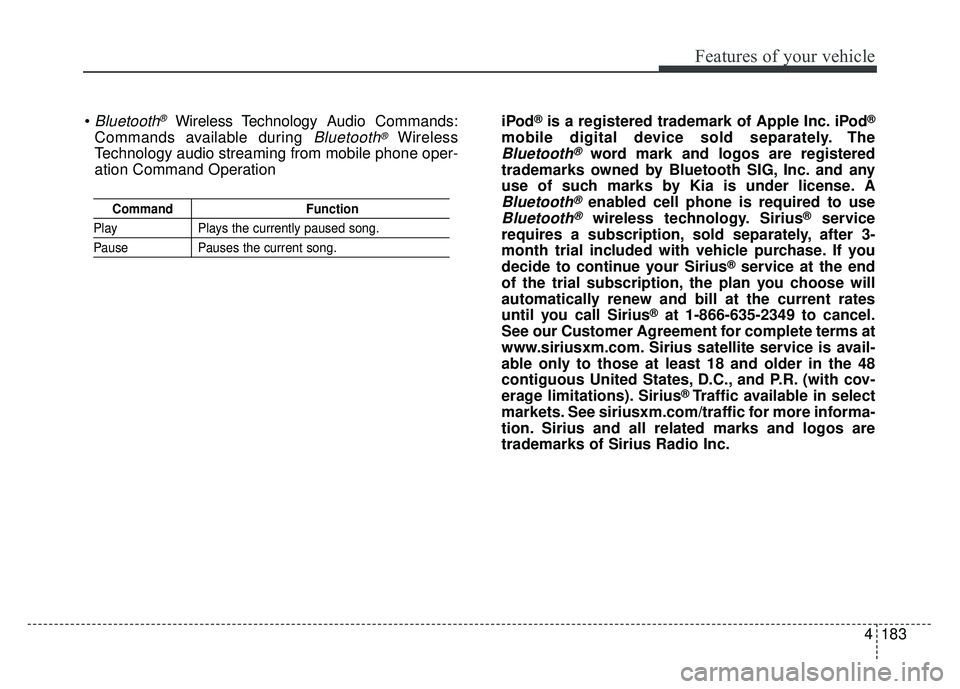
CommandFunction
PlayPlays the currently paused song.
PausePauses the current song.
Bluetooth®Wireless Technology A udio Commands:
Commands available during
Bluetooth®Wireless
Technology audio streaming from mobile phone oper-
ation Command Operation iPod
®is a registered trademark of Apple Inc. iPod®
mobile digital device sold separately. The
Bluetooth®word mark and logos are registered
trademarks owned by Bluetooth SIG, Inc. and any
use of such marks by Kia is under license. A
Bluetooth®enabled cell phone is required to use
Bluetooth®wireless technology. Sirius®service
requires a subscription, sold separately, after 3-
month trial included with vehicle purchase. If you
decide to continue your Sirius
®service at the end
of the trial subscription, the plan you choose will
automatically renew and bill at the current rates
until you call Sirius
®at 1-866-635-2349 to cancel.
See our Customer Agreement for complete terms at
www.siriusxm.com. Sirius satellite service is avail-
able only to those at least 18 and older in the 48
contiguous United States, D.C., and P.R. (with cov-
erage limitations). Sirius
®Traffic available in select
markets. See siriusxm.com/traffic for more informa-
tion. Sirius and all related marks and logos are
trademarks of Sirius Radio Inc.