ignition KIA OPTIMA HYBRID 2015 Owner's Manual
[x] Cancel search | Manufacturer: KIA, Model Year: 2015, Model line: OPTIMA HYBRID, Model: KIA OPTIMA HYBRID 2015Pages: 495, PDF Size: 13.38 MB
Page 114 of 495
423
Features of your vehicle
Auto up/down window (if equipped)
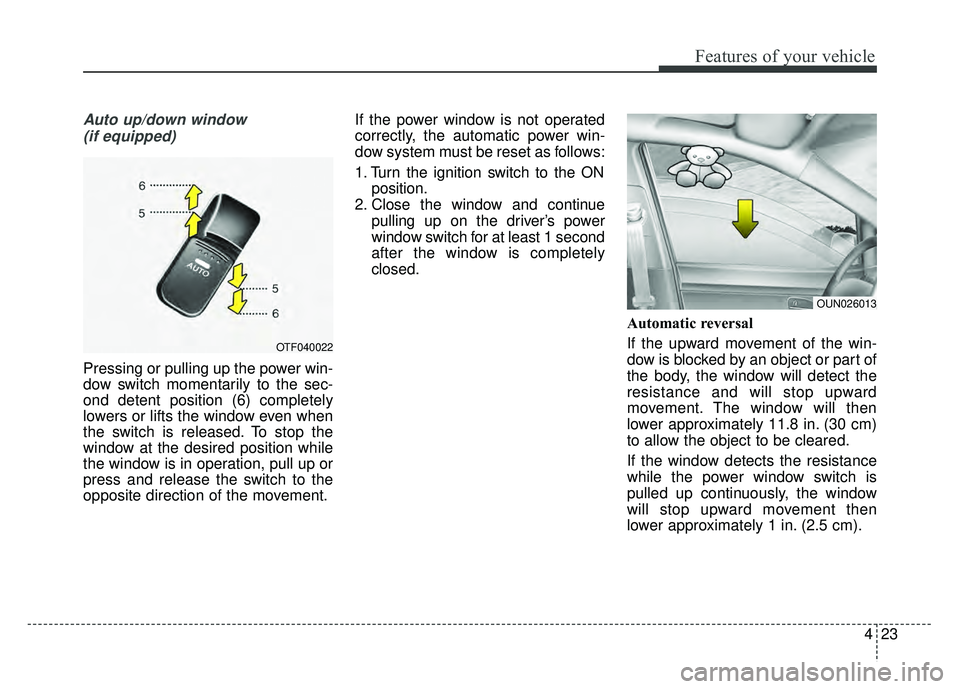
Pressing or pulling up the power win-
dow switch momentarily to the sec-
ond detent position (6) completely
lowers or lifts the window even when
the switch is released. To stop the
window at the desired position while
the window is in operation, pull up or
press and release the switch to the
opposite direction of the movement. If the power window is not operated
correctly, the automatic power win-
dow system must be reset as follows:
1. Turn the ignition switch to the ON
position.
2. Close the window and continue pulling up on the driver’s power
window switch for at least 1 second
after the window is completely
closed.
Automatic reversal
If the upward movement of the win-
dow is blocked by an object or part of
the body, the window will detect the
resistance and will stop upward
movement. The window will then
lower approximately 11.8 in. (30 cm)
to allow the object to be cleared.
If the window detects the resistance
while the power window switch is
pulled up continuously, the window
will stop upward movement then
lower approximately 1 in. (2.5 cm).
OTF040022
OUN026013
Page 122 of 495
431
Features of your vehicle
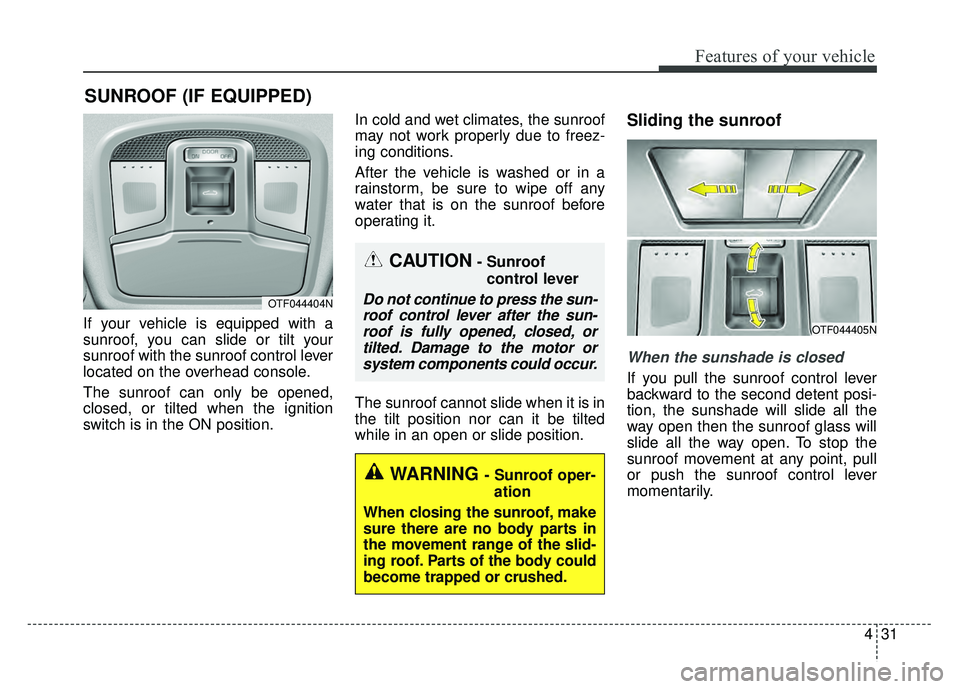
If your vehicle is equipped with a
sunroof, you can slide or tilt your
sunroof with the sunroof control lever
located on the overhead console.
The sunroof can only be opened,
closed, or tilted when the ignition
switch is in the ON position.In cold and wet climates, the sunroof
may not work properly due to freez-
ing conditions.
After the vehicle is washed or in a
rainstorm, be sure to wipe off any
water that is on the sunroof before
operating it.
The sunroof cannot slide when it is in
the tilt position nor can it be tilted
while in an open or slide position.
Sliding the sunroof
When the sunshade is closed
If you pull the sunroof control lever
backward to the second detent posi-
tion, the sunshade will slide all the
way open then the sunroof glass will
slide all the way open. To stop the
sunroof movement at any point, pull
or push the sunroof control lever
momentarily.
SUNROOF (IF EQUIPPED)
CAUTION- Sunroof
control lever
Do not continue to press the sun-roof control lever after the sun-roof is fully opened, closed, ortilted. Damage to the motor orsystem components could occur.OTF044404N
OTF044405N
WARNING - Sunroof oper-
ation
When closing the sunroof, make
sure there are no body parts in
the movement range of the slid-
ing roof. Parts of the body could
become trapped or crushed.
Page 125 of 495
Features of your vehicle
34
4
Sunshade
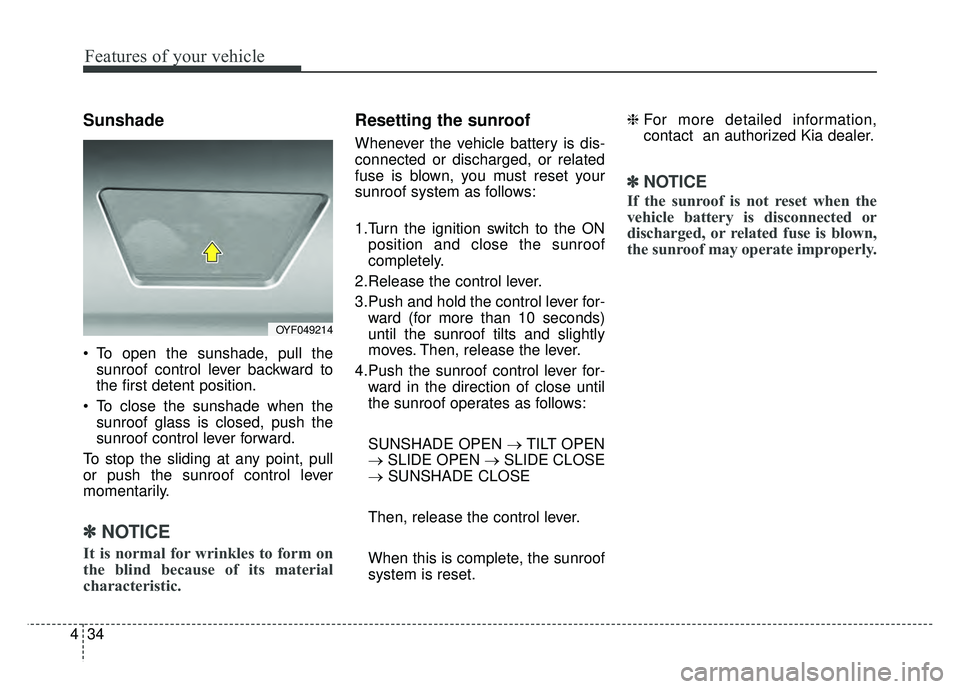
To open the sunshade, pull the
sunroof control lever backward to
the first detent position.
To close the sunshade when the sunroof glass is closed, push the
sunroof control lever forward.
To stop the sliding at any point, pull
or push the sunroof control lever
momentarily.
✽ ✽ NOTICE
It is normal for wrinkles to form on
the blind because of its material
characteristic.
Resetting the sunroof
Whenever the vehicle battery is dis-
connected or discharged, or related
fuse is blown, you must reset your
sunroof system as follows:
1.Turn the ignition switch to the ON
position and close the sunroof
completely.
2.Release the control lever.
3.Push and hold the control lever for- ward (for more than 10 seconds)
until the sunroof tilts and slightly
moves. Then, release the lever.
4.Push the sunroof control lever for- ward in the direction of close until
the sunroof operates as follows:
SUNSHADE OPEN → TILT OPEN
→ SLIDE OPEN → SLIDE CLOSE
→ SUNSHADE CLOSE
Then, release the control lever.
When this is complete, the sunroof
system is reset. ❈
For more detailed information,
contact an authorized Kia dealer.
✽ ✽
NOTICE
If the sunroof is not reset when the
vehicle battery is disconnected or
discharged, or related fuse is blown,
the sunroof may operate improperly.
OYF049214
Page 127 of 495
Features of your vehicle
36
4
Recalling positions from memory
1. The shift lever is in P or N with one
of the condition below:
- The ignition switch in the ON position or engine running.
- The ignition switch in the LOCK/OFF or ACC position
while the driver's door is opened.
- The ignition switch in the LOCK/OFF or ACC position and
within 30 seconds after the driver's
door was closed.
2. Press the desired memory button (1 or 2). The system will beep once,
then the driver’s seat will automati-
cally adjust to the stored position.
Adjusting the control switch for the
driver seat while the system is recall-
ing the stored position will cause the
movement to stop and move in the
direction that the control switch is
moved.
Easy access function
(if equipped)
With the shift lever in the P position,
the system will move the driver's seat
automatically as follows:
- It will move the driver’s seat rear- ward when the engine start/stop
button is turned to the OFF position
and front driver’s door is opened.
- It will move the driver’s seat for- ward when the engine start/stop
button is turned to the ACC or
START position.
You can activate or deactivate this
feature. Refer to "User settings" in
chapter 4.
CAUTION
When recalling an adjustment memory button while sitting inthe vehicle, you can be sur-prised by the setting chosen ifthe memory has been adjustedby someone else. If that occurs,immediately push the seat posi-tion control knob in the direc-tion of the desired position tostop further undesired move-ment.
Page 128 of 495
437
Features of your vehicle
Electric power steering
Power steering uses the motor to
assist you in steering the vehicle. If
the engine is off or if the power steer-
ing system becomes inoperative, the
vehicle may still be steered, but it will
require increased steering effort.
The motor driven power steering is
controlled by the power steering con-
trol unit which senses the steering
wheel torque and vehicle speed to
command the motor.
The steering wheel becomes heavier
as the vehicle’s speed increases and
becomes lighter as the vehicle’s
speed decreases for better control of
the steering wheel.
Should you notice any change in the
effort required to steer during normal
vehicle operation, have the power
steering checked by an authorized
Kia dealer.
✽ ✽NOTICE
The following symptoms may occur
during normal vehicle operation:
• The steering effort is increased
immediately after turning the igni-
tion switch on. This happens as the
system performs the EPS system
diagnostics. When the diagnostics
are completed, the steering wheel
will return to its normal condition
• A click noise may be heard from the EPS relay after the ignition
switch is turned to the ON or
LOCK position.
• Motor noise may be heard when the vehicle is at a stop or at a low
driving speed.
• The steering effort increases if the steering wheel is rotated continuous-
ly when the vehicle is not in motion.
However, after a few minutes, it will
return to its normal conditions.
• When you operate the steering wheel in low temperature, abnor-
mal noise could occur. If tempera-
ture rises, the noise will disappear.
This is a normal condition.
If the Electric Power Steering System
does not operate normally, the warn-
ing light will illuminate on the instru-
ment cluster. The steering wheel may
become difficult to control or operate
abnormally. Take your vehicle to an
authorized Kia dealer and have the
vehicle checked as soon as possible.
STEERING WHEEL
Page 130 of 495
439
Features of your vehicle
Heated steering wheel
(if equipped)
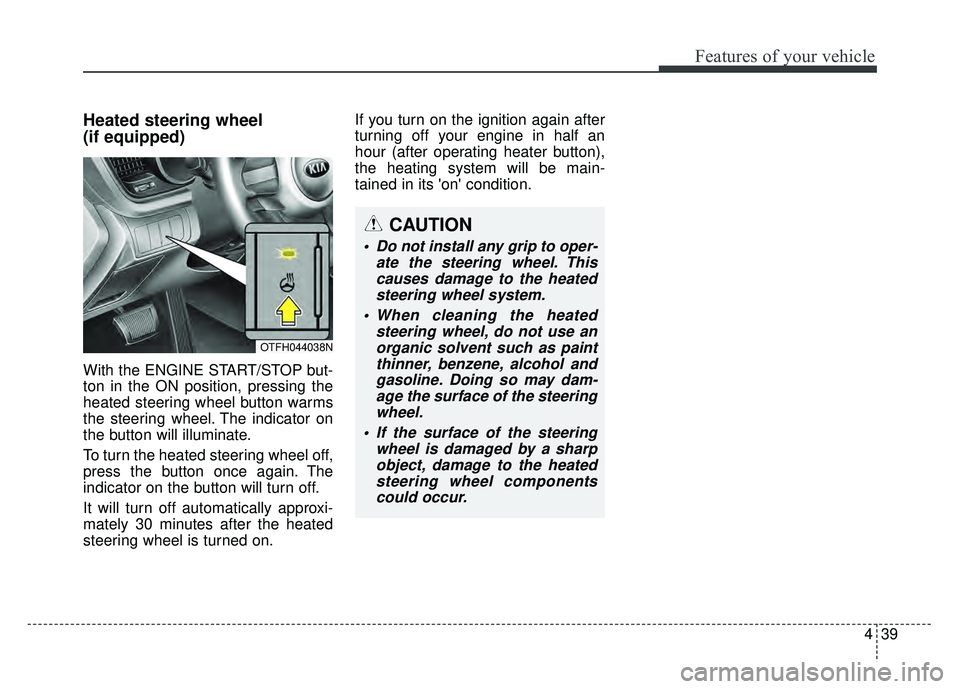
With the ENGINE START/STOP but-
ton in the ON position, pressing the
heated steering wheel button warms
the steering wheel. The indicator on
the button will illuminate.
To turn the heated steering wheel off,
press the button once again. The
indicator on the button will turn off.
It will turn off automatically approxi-
mately 30 minutes after the heated
steering wheel is turned on.If you turn on the ignition again after
turning off your engine in half an
hour (after operating heater button),
the heating system will be main-
tained in its 'on' condition.
CAUTION
Do not install any grip to oper-
ate the steering wheel. Thiscauses damage to the heatedsteering wheel system.
When cleaning the heated steering wheel, do not use anorganic solvent such as paintthinner, benzene, alcohol andgasoline. Doing so may dam-age the surface of the steeringwheel.
If the surface of the steering wheel is damaged by a sharpobject, damage to the heatedsteering wheel componentscould occur.
OTFH044038N
Page 132 of 495
441
Features of your vehicle
To operate the electric rearview mirror:
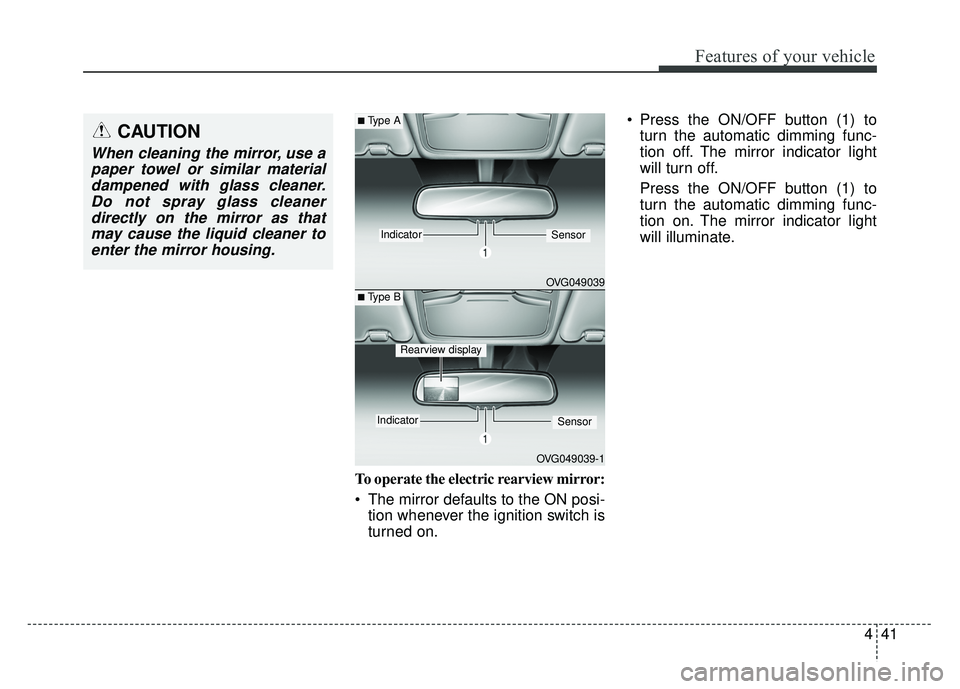
The mirror defaults to the ON posi-tion whenever the ignition switch is
turned on. Press the ON/OFF button (1) to
turn the automatic dimming func-
tion off. The mirror indicator light
will turn off.
Press the ON/OFF button (1) to
turn the automatic dimming func-
tion on. The mirror indicator light
will illuminate.
CAUTION
When cleaning the mirror, use apaper towel or similar materialdampened with glass cleaner.Do not spray glass cleanerdirectly on the mirror as thatmay cause the liquid cleaner toenter the mirror housing.
OVG049039
IndicatorSensor
OVG049039-1
IndicatorSensor
■Type A
■ Type B
Rearview display
Page 133 of 495
Features of your vehicle
42
4
Outside rearview mirror
Be sure to adjust mirror angles
before driving.
Your vehicle is equipped with both
left-hand and right-hand outside
rearview mirrors. The mirrors can be
adjusted remotely with the remote
switch (if equipped). The mirror heads
can be folded to prevent damage dur-
ing an automatic car wash or when
passing through a narrow street.
The right outside rearview mirror is
convex. Objects seen in the mirror
are closer than they appear.
Use your interior rearview mirror or
direct observation to determine the
actual distance of following vehicles
when changing lanes.
Remote control
Electric type
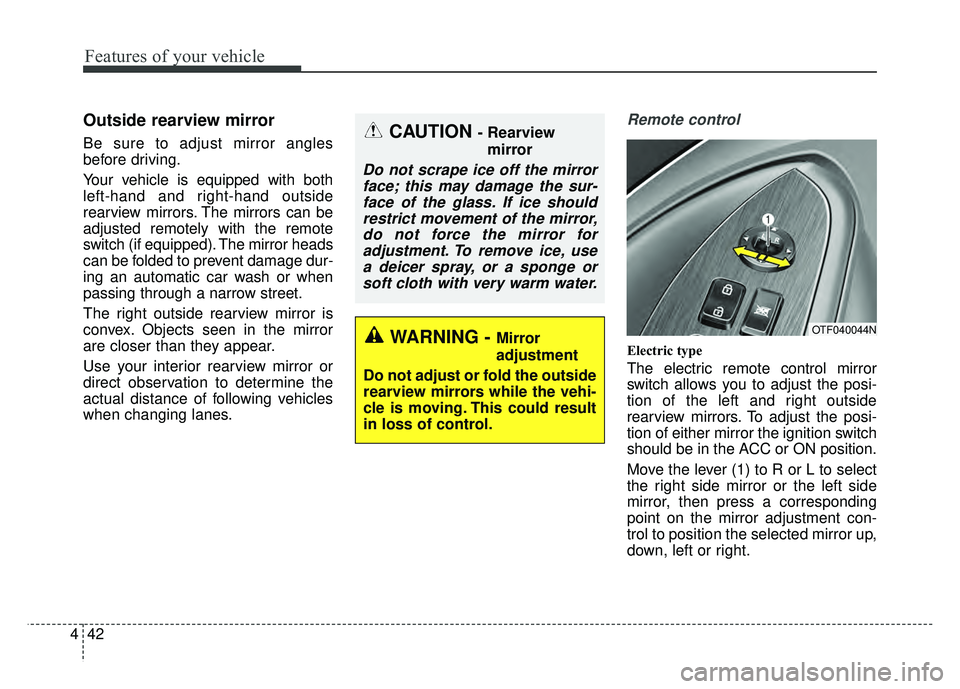
The electric remote control mirror
switch allows you to adjust the posi-
tion of the left and right outside
rearview mirrors. To adjust the posi-
tion of either mirror the ignition switch
should be in the ACC or ON position.
Move the lever (1) to R or L to select
the right side mirror or the left side
mirror, then press a corresponding
point on the mirror adjustment con-
trol to position the selected mirror up,
down, left or right.
CAUTION - Rearview
mirror
Do not scrape ice off the mirrorface; this may damage the sur-face of the glass. If ice shouldrestrict movement of the mirror,do not force the mirror foradjustment. To remove ice, usea deicer spray, or a sponge orsoft cloth with very warm water.
WARNING - Mirror
adjustment
Do not adjust or fold the outside
rearview mirrors while the vehi-
cle is moving. This could result
in loss of control.OTF040044N
Page 134 of 495
443
Features of your vehicle
After the adjustment, put the lever
into neutral (center) position to pre-
vent inadvertent adjustment.Folding the outside rearview mirror
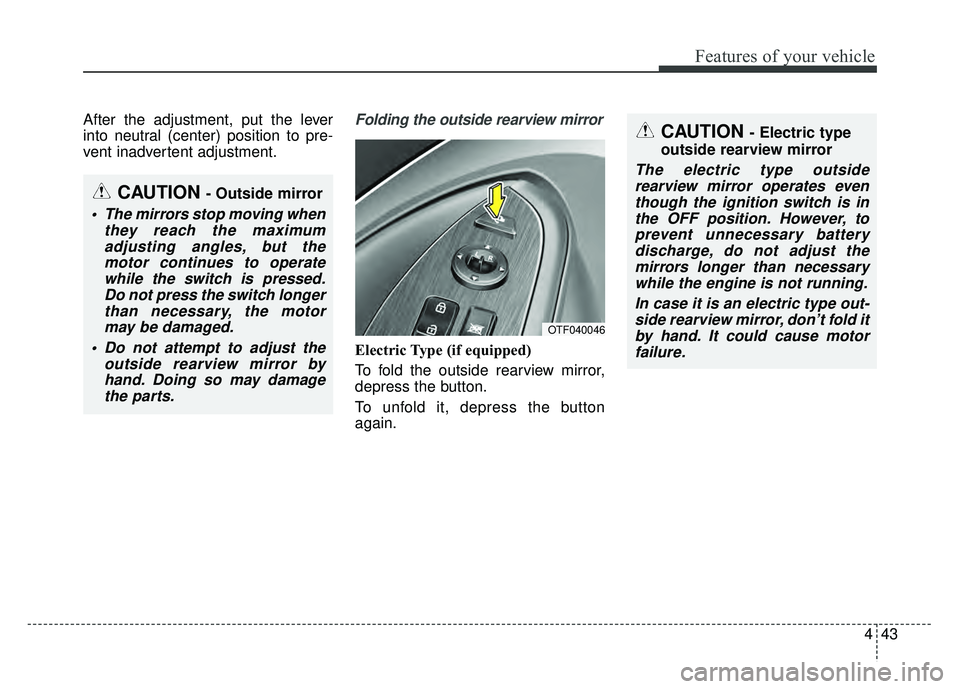
Electric Type (if equipped)
To fold the outside rearview mirror,
depress the button.
To unfold it, depress the button
again.
CAUTION - Outside mirror
The mirrors stop moving whenthey reach the maximumadjusting angles, but themotor continues to operatewhile the switch is pressed.Do not press the switch longerthan necessary, the motormay be damaged.
Do not attempt to adjust the outside rearview mirror byhand. Doing so may damagethe parts.
CAUTION - Electric type
outside rearview mirror
The electric type outside rearview mirror operates eventhough the ignition switch is inthe OFF position. However, toprevent unnecessary batterydischarge, do not adjust themirrors longer than necessarywhile the engine is not running.
In case it is an electric type out-side rearview mirror, don’t fold itby hand. It could cause motorfailure.
OTF040046
Page 146 of 495
455
Features of your vehicle
Service Mode
Service Interval
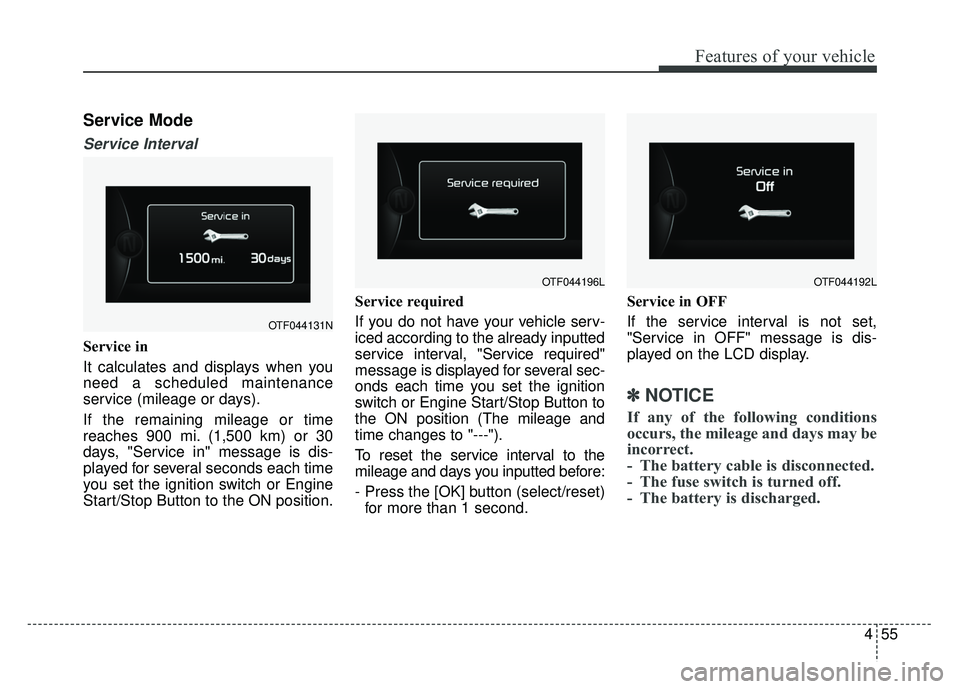
Service in
It calculates and displays when you
need a scheduled maintenance
service (mileage or days).
If the remaining mileage or time
reaches 900 mi. (1,500 km) or 30
days, "Service in" message is dis-
played for several seconds each time
you set the ignition switch or Engine
Start/Stop Button to the ON position.Service required
If you do not have your vehicle serv-
iced according to the already inputted
service interval, "Service required"
message is displayed for several sec-
onds each time you set the ignition
switch or Engine Start/Stop Button to
the ON position (The mileage and
time changes to "---").
To reset the service interval to the
mileage and days you inputted before:
- Press the [OK] button (select/reset)
for more than 1 second. Service in OFF
If the service interval is not set,
"Service in OFF" message is dis-
played on the LCD display.
✽ ✽
NOTICE
If any of the following conditions
occurs, the mileage and days may be
incorrect.
- The battery cable is disconnected.
- The fuse switch is turned off.
- The battery is discharged.
OTF044131N
OTF044196LOTF044192L