wheel KIA OPTIMA HYBRID 2015 Owner's Manual
[x] Cancel search | Manufacturer: KIA, Model Year: 2015, Model line: OPTIMA HYBRID, Model: KIA OPTIMA HYBRID 2015Pages: 495, PDF Size: 13.38 MB
Page 137 of 495
Features of your vehicle
46
4
Instrument Cluster Control
Adjusting Instrument Cluster
Illumination
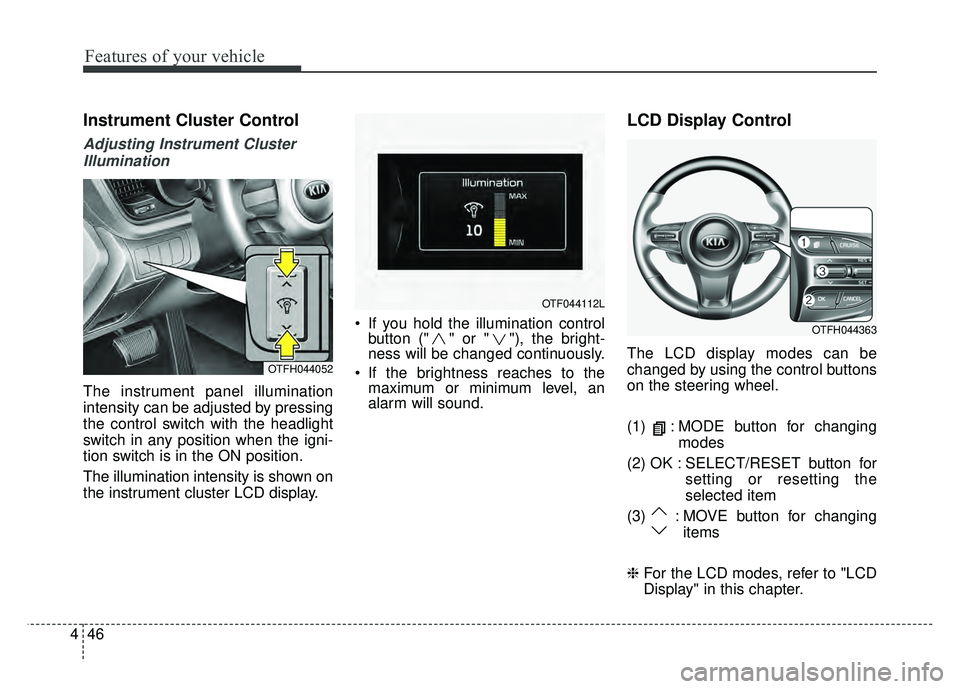
The instrument panel illumination
intensity can be adjusted by pressing
the control switch with the headlight
switch in any position when the igni-
tion switch is in the ON position.
The illumination intensity is shown on
the instrument cluster LCD display. If you hold the illumination control
button (" " or " "), the bright-
ness will be changed continuously.
If the brightness reaches to the maximum or minimum level, an
alarm will sound.
LCD Display Control
The LCD display modes can be
changed by using the control buttons
on the steering wheel.
(1) : MODE button for changing
modes
(2) OK : SELECT/RESET button for setting or resetting the
selected item
(3) : MOVE button for changing items
❈ For the LCD modes, refer to "LCD
Display" in this chapter.OTFH044052
OTF044112L
OTFH044363
Page 143 of 495
Features of your vehicle
52
4
Hybrid information modes
Overview
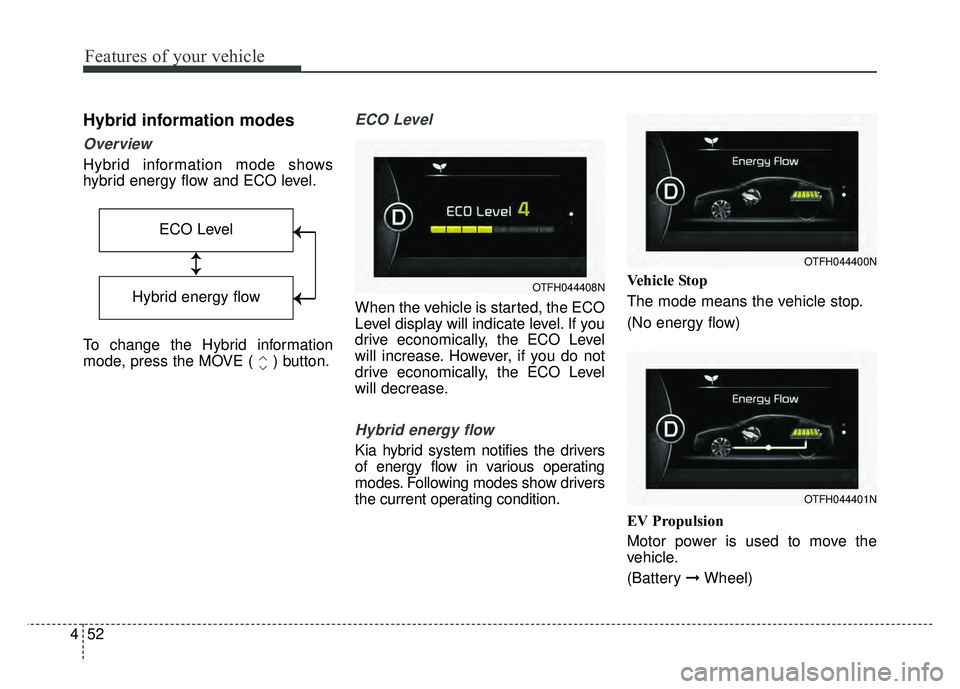
Hybrid information mode shows
hybrid energy flow and ECO level.
To change the Hybrid information
mode, press the MOVE ( ) button.
ECO Level
When the vehicle is started, the ECO
Level display will indicate level. If you
drive economically, the ECO Level
will increase. However, if you do not
drive economically, the ECO Level
will decrease.
Hybrid energy flow
Kia hybrid system notifies the drivers
of energy flow in various operating
modes. Following modes show drivers
the current operating condition. Vehicle Stop
The mode means the vehicle stop.
(No energy flow)
EV Propulsion
Motor power is used to move the
vehicle.
(Battery
➞Wheel)
ECO Level
↕
↕
→
→
→
→
Hybrid energy flow
OTFH044401N
OTFH044400N
OTFH044408N
Page 144 of 495
453
Features of your vehicle
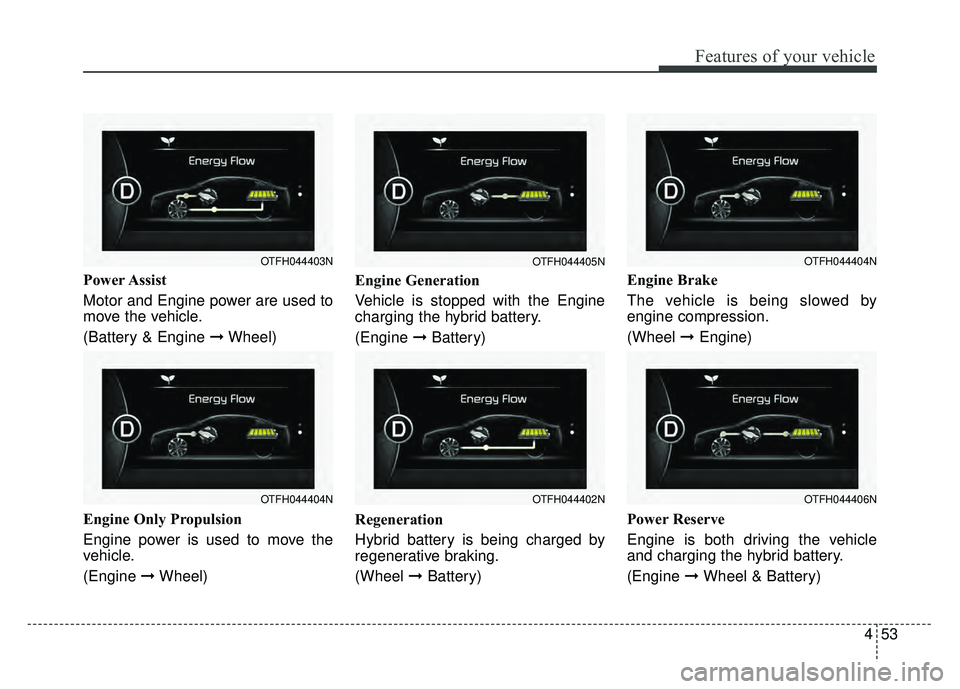
Power Assist
Motor and Engine power are used to
move the vehicle.
(Battery & Engine ➞Wheel)
Engine Only Propulsion
Engine power is used to move the
vehicle.
(Engine ➞Wheel) Engine Generation
Vehicle is stopped with the Engine
charging the hybrid battery.
(Engine
➞Battery)
Regeneration
Hybrid battery is being charged by
regenerative braking.
(Wheel ➞Battery) Engine Brake
The vehicle is being slowed by
engine compression.
(Wheel
➞Engine)
Power Reserve
Engine is both driving the vehicle
and charging the hybrid battery.
(Engine ➞ Wheel & Battery)
OTFH044404N
OTFH044403N
OTFH044402N
OTFH044405N
OTFH044406N
OTFH044404N
Page 145 of 495
Features of your vehicle
54
4
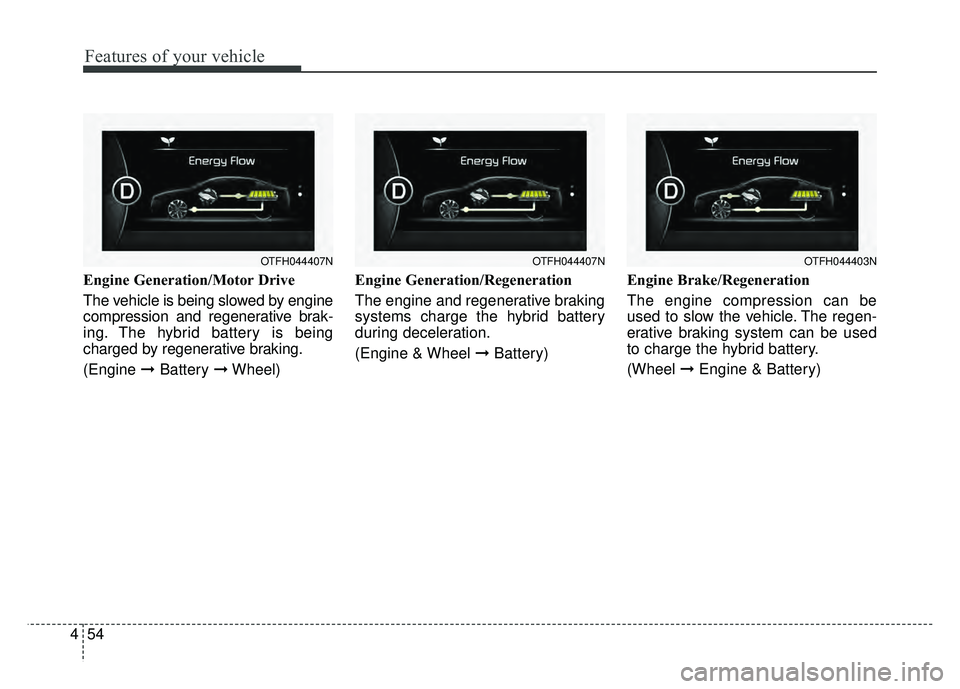
Engine Generation/Motor Drive
The vehicle is being slowed by engine
compression and regenerative brak-
ing. The hybrid battery is being
charged by regenerative braking.
(Engine ➞Battery ➞Wheel) Engine Generation/Regeneration
The engine and regenerative braking
systems charge the hybrid battery
during deceleration.
(Engine & Wheel ➞
Battery)Engine Brake/Regeneration
The engine compression can be
used to slow the vehicle. The regen-
erative braking system can be used
to charge the hybrid battery.
(Wheel
➞Engine & Battery)
OTFH044407NOTFH044403NOTFH044407N
Page 149 of 495
Features of your vehicle
58
4
Convenience
Language
Choose the language you prefer
within the LCD.
Temperature Unit
Convert the temperature unit from °C
to °F or from °F to °C.
AVG Fuel Eco Reset
Auto Reset:
The average fuel economy will
reset automatically when refueling.
Manual Reset: The average fuel economy will not
reset automatically whenever refu-
eling.
For more details, refer to "Trip
Computer" in this chapter. Seat Easy Access (if equipped)
If this item is checked, the driver’s
seat will automatically move forward
or rearward for the driver to enter or
exit the vehicle comfortably.
Steering Position (if equipped)
If this item is checked, the warning
function regarding the steering wheel
alignment will be activated.
For more details, refer to "Warning
Messages" in this chapter.
Driving Assist (if equipped)
RCTA
If this item is checked RCTA (Rear
cross traffic alert) function in BSD
(Blind spot detection) system will be
activated.
For more details, refer to Blind spot
detection system in chapter 5.
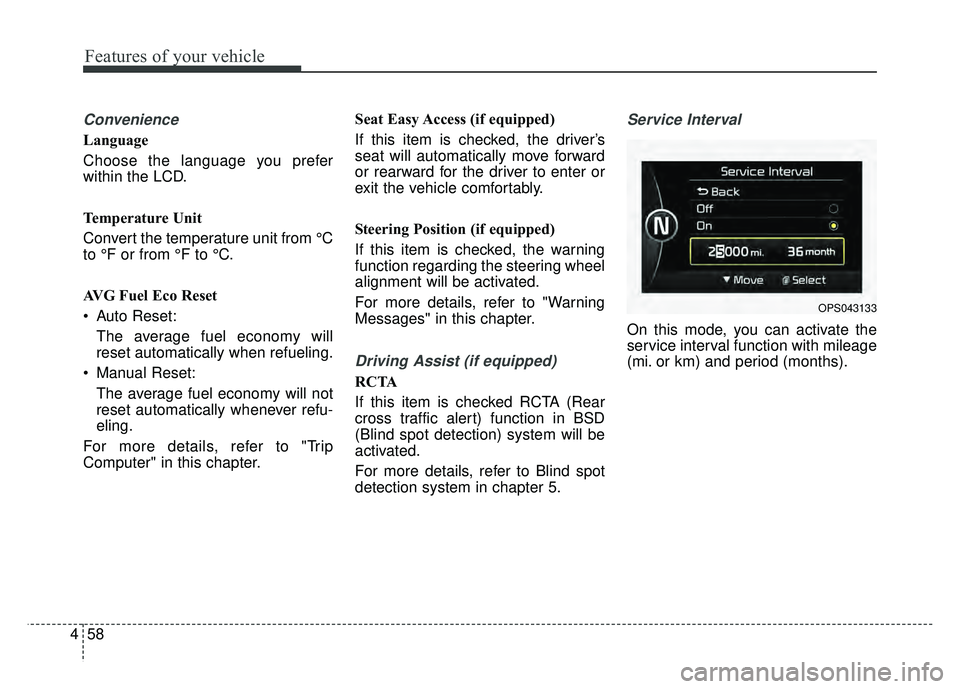
Service Interval
On this mode, you can activate the
service interval function with mileage
(mi. or km) and period (months).
OPS043133
Page 150 of 495
459
Features of your vehicle
Warning Messages
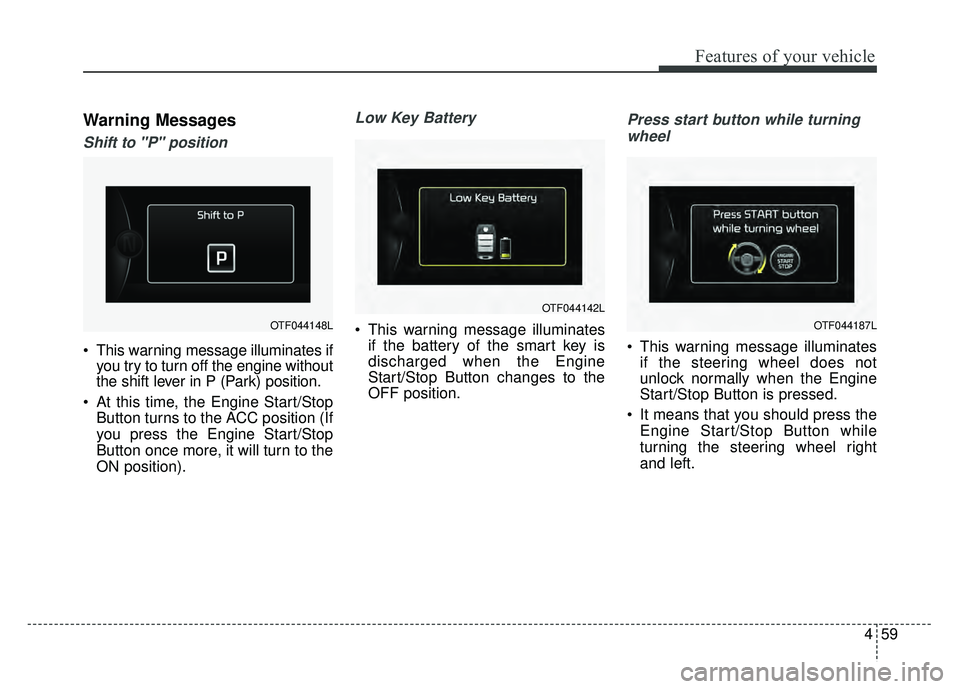
Shift to "P" position
This warning message illuminates ifyou try to turn off the engine without
the shift lever in P (Park) position.
At this time, the Engine Start/Stop Button turns to the ACC position (If
you press the Engine Start/Stop
Button once more, it will turn to the
ON position).
Low Key Battery
This warning message illuminatesif the battery of the smart key is
discharged when the Engine
Start/Stop Button changes to the
OFF position.
Press start button while turning
wheel
This warning message illuminates if the steering wheel does not
unlock normally when the Engine
Start/Stop Button is pressed.
It means that you should press the Engine Start/Stop Button while
turning the steering wheel right
and left.
OTF044148L
OTF044142L
OTF044187L
Page 154 of 495
463
Features of your vehicle
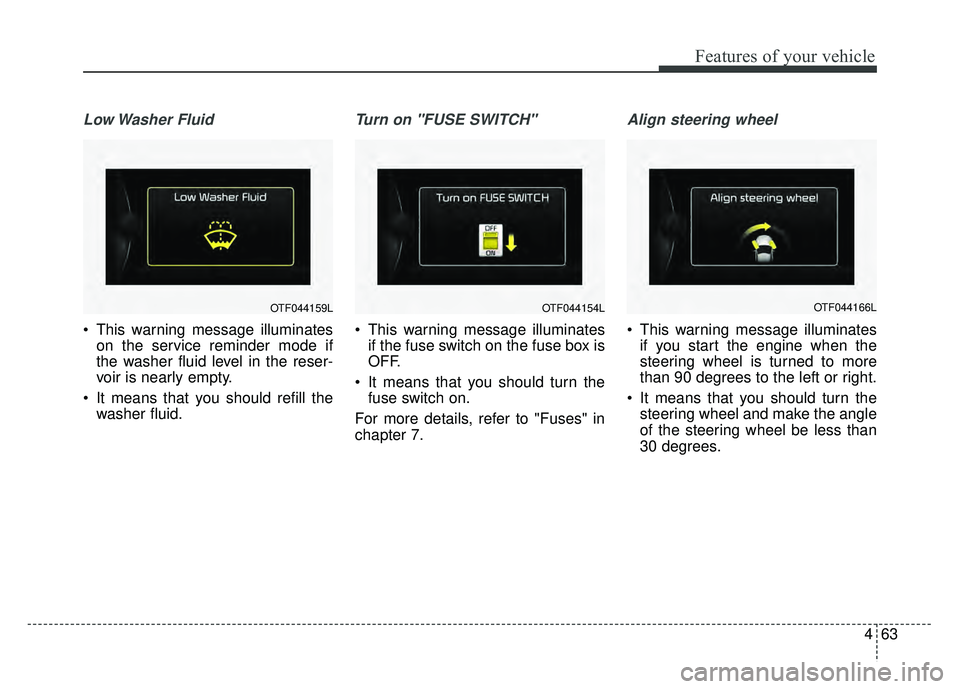
Low Washer Fluid
This warning message illuminateson the service reminder mode if
the washer fluid level in the reser-
voir is nearly empty.
It means that you should refill the washer fluid.
Turn on "FUSE SWITCH"
This warning message illuminatesif the fuse switch on the fuse box is
OFF.
It means that you should turn the fuse switch on.
For more details, refer to "Fuses" in
chapter 7.
Align steering wheel
This warning message illuminates if you start the engine when the
steering wheel is turned to more
than 90 degrees to the left or right.
It means that you should turn the steering wheel and make the angle
of the steering wheel be less than
30 degrees.
OTF044159LOTF044154LOTF044166L
Page 159 of 495
Features of your vehicle
68
4
✽
✽
NOTICE
• If the vehicle is not on level ground
or the battery power has been
interrupted, the distance to empty
function may not operate correctly.
• The distance to empty may differ from the actual driving distance as
it is an estimate of the available
driving distance.
• The trip computer may not regis- ter additional fuel if less than 6
liters (1.6 gallons) of fuel are
added to the vehicle.
• The fuel economy and distance to empty may vary significantly based
on driving conditions, driving
habits, and condition of the vehicle.
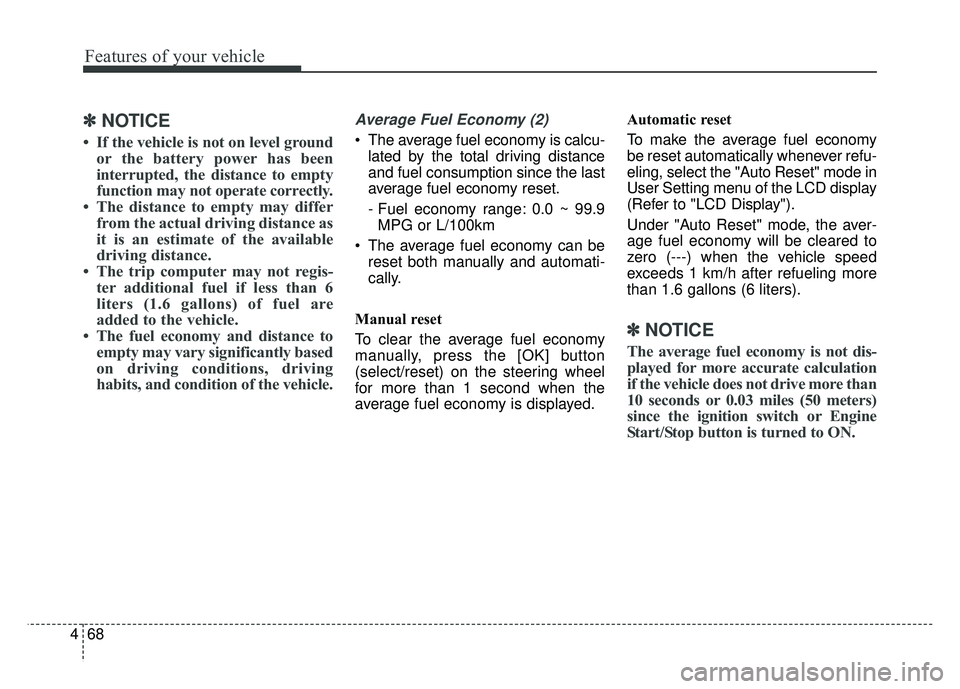
Average Fuel Economy (2)
The average fuel economy is calcu-
lated by the total driving distance
and fuel consumption since the last
average fuel economy reset.
- Fuel economy range: 0.0 ~ 99.9MPG or L/100km
The average fuel economy can be reset both manually and automati-
cally.
Manual reset
To clear the average fuel economy
manually, press the [OK] button
(select/reset) on the steering wheel
for more than 1 second when the
average fuel economy is displayed. Automatic reset
To make the average fuel economy
be reset automatically whenever refu-
eling, select the "Auto Reset" mode in
User Setting menu of the LCD display
(Refer to "LCD Display").
Under "Auto Reset" mode, the aver-
age fuel economy will be cleared to
zero (---) when the vehicle speed
exceeds 1 km/h after refueling more
than 1.6 gallons (6 liters).
✽ ✽
NOTICE
The average fuel economy is not dis-
played for more accurate calculation
if the vehicle does not drive more than
10 seconds or 0.03 miles (50 meters)
since the ignition switch or Engine
Start/Stop button is turned to ON.
Page 160 of 495
469
Features of your vehicle
Instant Fuel Economy (3)
This mode displays the instant fueleconomy during the last few sec-
onds when the vehicle speed is
more than 6.2 MPH (10 km/h).
- Fuel economy range: 0 ~ 50 MPGor 0 ~ 30 L/100km
Trip A/B
Tripmeter (1)
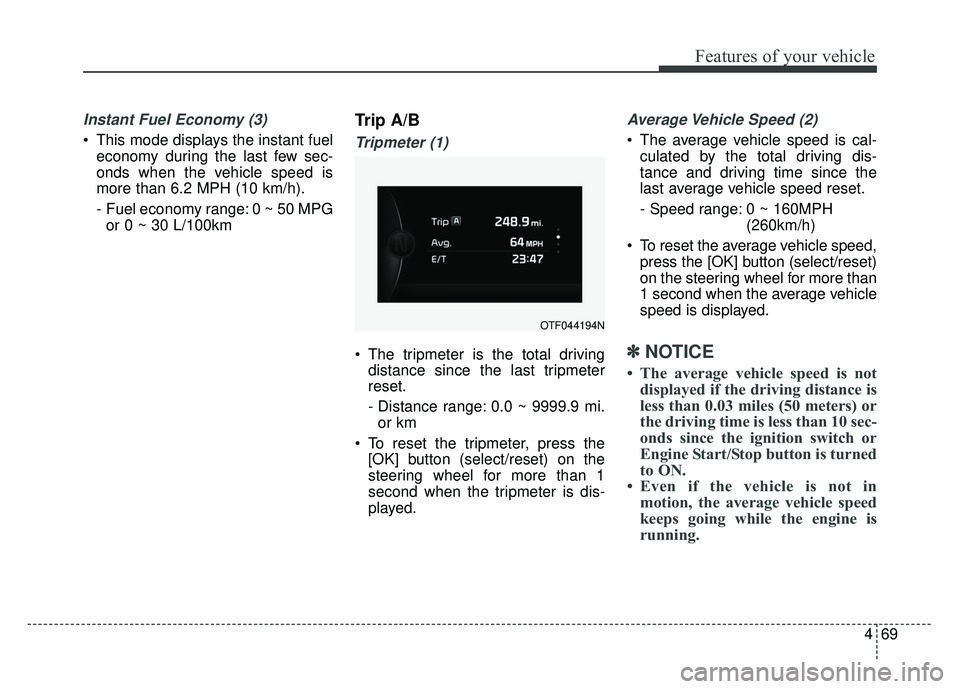
The tripmeter is the total driving distance since the last tripmeter
reset.
- Distance range: 0.0 ~ 9999.9 mi.
or km
To reset the tripmeter, press the [OK] button (select/reset) on the
steering wheel for more than 1
second when the tripmeter is dis-
played.
Average Vehicle Speed (2)
The average vehicle speed is cal-culated by the total driving dis-
tance and driving time since the
last average vehicle speed reset.
- Speed range: 0 ~ 160MPH (260km/h)
To reset the average vehicle speed, press the [OK] button (select/reset)
on the steering wheel for more than
1 second when the average vehicle
speed is displayed.
✽ ✽ NOTICE
• The average vehicle speed is not
displayed if the driving distance is
less than 0.03 miles (50 meters) or
the driving time is less than 10 sec-
onds since the ignition switch or
Engine Start/Stop button is turned
to ON.
• Even if the vehicle is not in motion, the average vehicle speed
keeps going while the engine is
running.
OTF044194N
Page 161 of 495
Features of your vehicle
70
4
Elapsed Time (3)
The elapsed time is the total driv-
ing time since the last elapsed time
reset.
- Time range (hh:mm): 00:00 ~ 99:59
To reset the elapsed time, press the [OK] button (select/reset) on
the steering wheel for more than 1
second when the elapsed time is
displayed.
✽ ✽ NOTICE
Even if the vehicle is not in motion,
the elapsed time keeps going while
the engine is running.
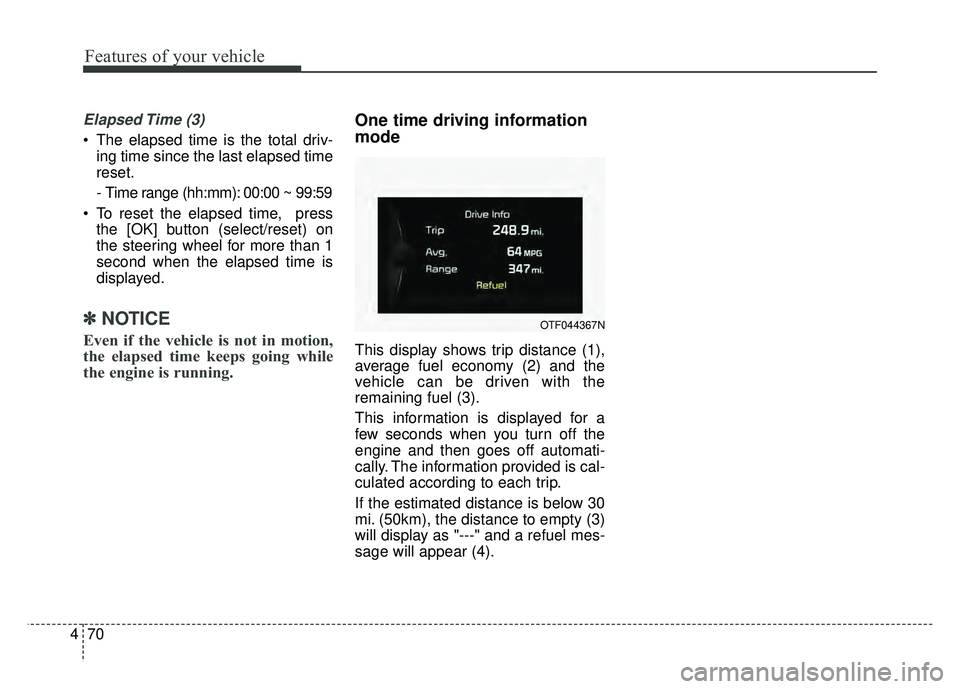
One time driving information
mode
This display shows trip distance (1),
average fuel economy (2) and the
vehicle can be driven with the
remaining fuel (3).
This information is displayed for a
few seconds when you turn off the
engine and then goes off automati-
cally. The information provided is cal-
culated according to each trip.
If the estimated distance is below 30
mi. (50km), the distance to empty (3)
will display as "---" and a refuel mes-
sage will appear (4).
OTF044367N