mirror KIA OPTIMA HYBRID 2019 Owner's Manual
[x] Cancel search | Manufacturer: KIA, Model Year: 2019, Model line: OPTIMA HYBRID, Model: KIA OPTIMA HYBRID 2019Pages: 553, PDF Size: 11.97 MB
Page 368 of 553
Driving your vehicle
86
6
The Blind-Spot Collision Warning
(BCW) system uses radar sensors in
the rear bumper to monitor and warn
the driver of an approaching that it
detects in the driver's blind spot area.
The system monitors the rear area of
the vehicle and provides information
to the driver with an audible alert and
an indicator on the outside rearview
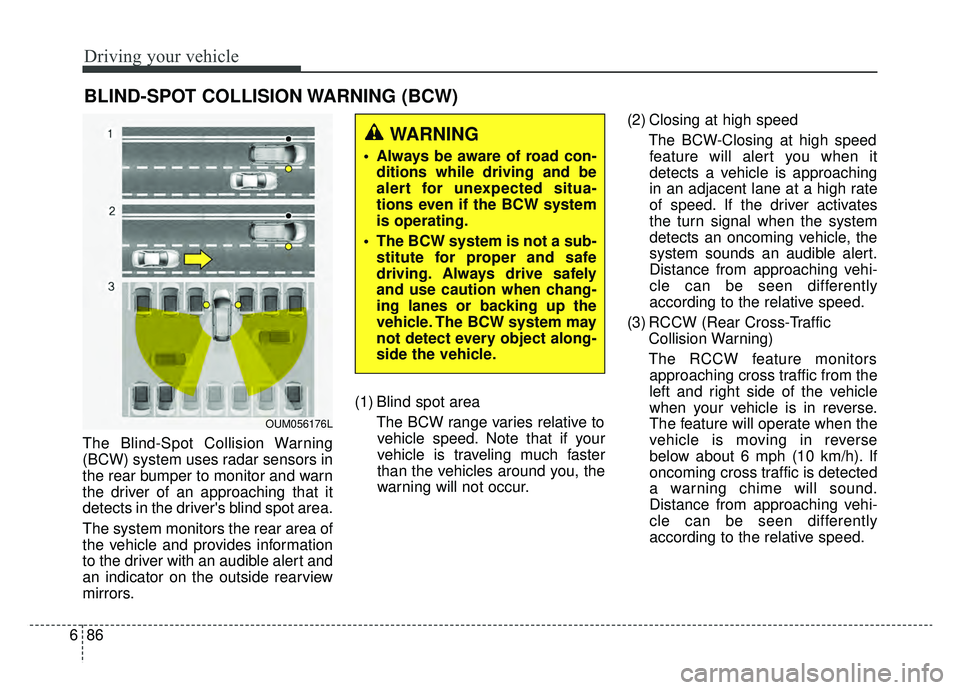
mirrors. (1) Blind spot area
The BCW range varies relative tovehicle speed. Note that if your
vehicle is traveling much faster
than the vehicles around you, the
warning will not occur. (2) Closing at high speed
The BCW-Closing at high speedfeature will alert you when it
detects a vehicle is approaching
in an adjacent lane at a high rate
of speed. If the driver activates
the turn signal when the system
detects an oncoming vehicle, the
system sounds an audible alert.
Distance from approaching vehi-
cle can be seen differently
according to the relative speed.
(3) RCCW (Rear Cross-Traffic Collision Warning)
The RCCW feature monitors approaching cross traffic from the
left and right side of the vehicle
when your vehicle is in reverse.
The feature will operate when the
vehicle is moving in reverse
below about 6 mph (10 km/h). If
oncoming cross traffic is detected
a warning chime will sound.
Distance from approaching vehi-
cle can be seen differently
according to the relative speed.
BLIND-SPOT COLLISION WARNING (BCW)
WARNING
Always be aware of road con- ditions while driving and be
alert for unexpected situa-
tions even if the BCW system
is operating.
The BCW system is not a sub- stitute for proper and safe
driving. Always drive safely
and use caution when chang-
ing lanes or backing up the
vehicle. The BCW system may
not detect every object along-
side the vehicle.
OUM056176L
Page 369 of 553
687
Driving your vehicle
BCW (Blind-Spot Collision
Warning) / LCA (Lane Change
Assist)
Operating conditions
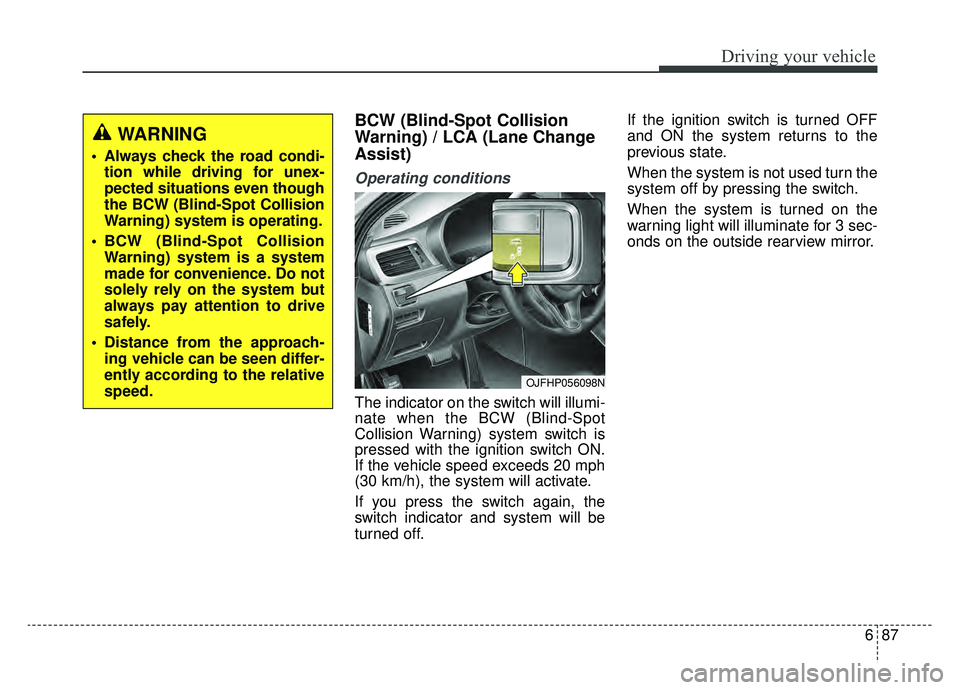
The indicator on the switch will illumi-
nate when the BCW (Blind-Spot
Collision Warning) system switch is
pressed with the ignition switch ON.
If the vehicle speed exceeds 20 mph
(30 km/h), the system will activate.
If you press the switch again, the
switch indicator and system will be
turned off.If the ignition switch is turned OFF
and ON the system returns to the
previous state.
When the system is not used turn the
system off by pressing the switch.
When the system is turned on the
warning light will illuminate for 3 sec-
onds on the outside rearview mirror.
WARNING
Always check the road condi-
tion while driving for unex-
pected situations even though
the BCW (Blind-Spot Collision
Warning) system is operating.
BCW (Blind-Spot Collision Warning) system is a system
made for convenience. Do not
solely rely on the system but
always pay attention to drive
safely.
Distance from the approach- ing vehicle can be seen differ-
ently according to the relative
speed.
OJFHP056098N
Page 370 of 553
Driving your vehicle
88
6
Warning type
The system will activate when:
1.The system is on
2.Vehicle speed is above 20 mph (30
km/h)
3.Other vehicles are detected in the rear side
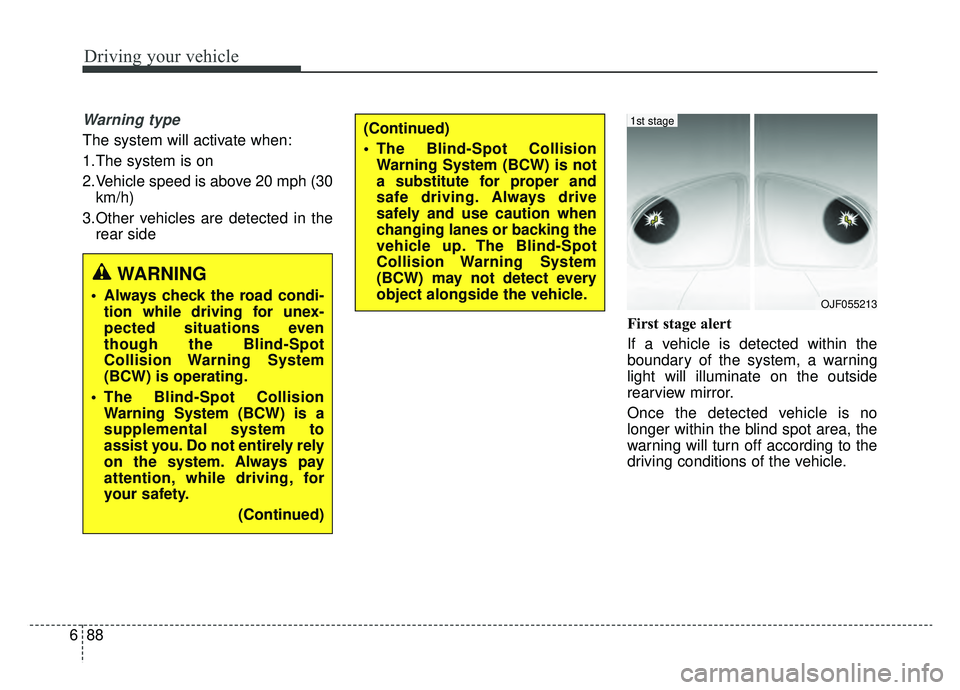
First stage alert
If a vehicle is detected within the
boundary of the system, a warning
light will illuminate on the outside
rearview mirror.
Once the detected vehicle is no
longer within the blind spot area, the
warning will turn off according to the
driving conditions of the vehicle.
WARNING
Always check the road condi-tion while driving for unex-
pected situations even
though the Blind-Spot
Collision Warning System
(BCW) is operating.
The Blind-Spot Collision Warning System (BCW) is a
supplemental system to
assist you. Do not entirely rely
on the system. Always pay
attention, while driving, for
your safety.
(Continued)
(Continued)
The Blind-Spot CollisionWarning System (BCW) is not
a substitute for proper and
safe driving. Always drive
safely and use caution when
changing lanes or backing the
vehicle up. The Blind-Spot
Collision Warning System
(BCW) may not detect every
object alongside the vehicle.
OJF055213
1st stage
Page 371 of 553
689
Driving your vehicle
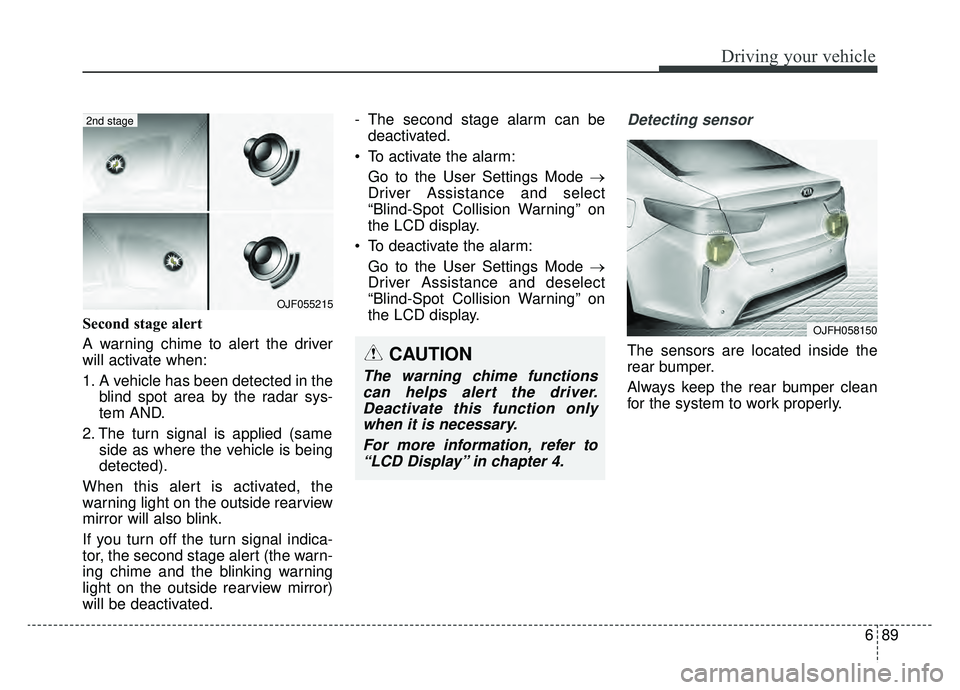
Second stage alert
A warning chime to alert the driver
will activate when:
1. A vehicle has been detected in theblind spot area by the radar sys-
tem AND.
2. The turn signal is applied (same side as where the vehicle is being
detected).
When this alert is activated, the
warning light on the outside rearview
mirror will also blink.
If you turn off the turn signal indica-
tor, the second stage alert (the warn-
ing chime and the blinking warning
light on the outside rearview mirror)
will be deactivated. - The second stage alarm can be
deactivated.
To activate the alarm: Go to the User Settings Mode →
Driver Assistance and select
“Blind-Spot Collision Warning” on
the LCD display.
To deactivate the alarm: Go to the User Settings Mode →
Driver Assistance and deselect
“Blind-Spot Collision Warning” on
the LCD display.
Detecting sensor
The sensors are located inside the
rear bumper.
Always keep the rear bumper clean
for the system to work properly.
OJF055215
2nd stage
CAUTION
The warning chime functionscan helps alert the driver.Deactivate this function onlywhen it is necessary.
For more information, refer to“LCD Display” in chapter 4.
OJFH058150
Page 373 of 553
691
Driving your vehicle
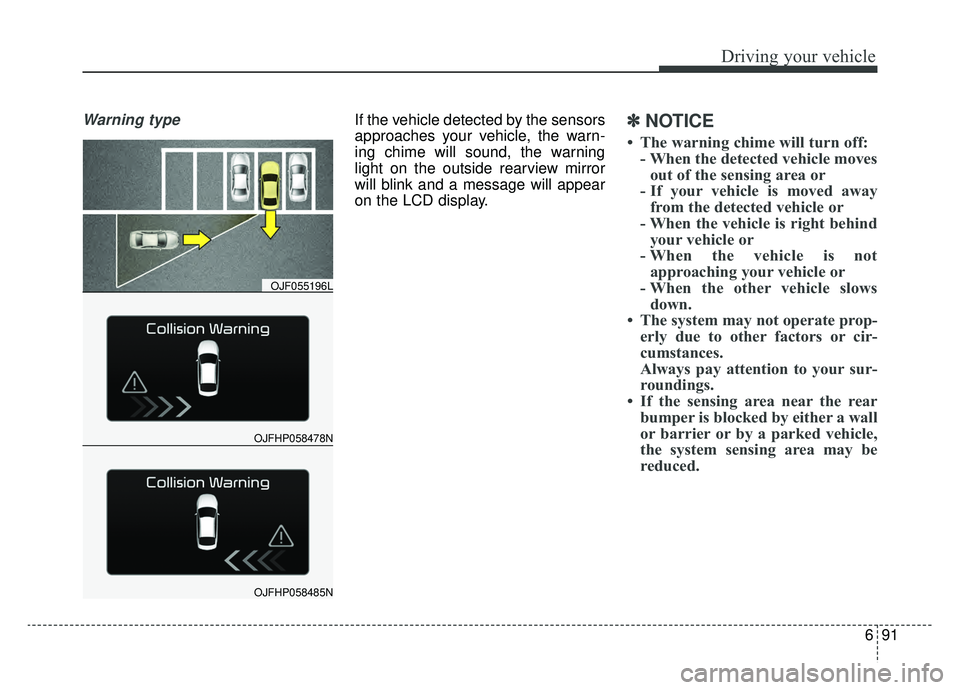
Warning typeIf the vehicle detected by the sensors
approaches your vehicle, the warn-
ing chime will sound, the warning
light on the outside rearview mirror
will blink and a message will appear
on the LCD display.✽ ✽
NOTICE
• The warning chime will turn off:
- When the detected vehicle movesout of the sensing area or
- If your vehicle is moved away from the detected vehicle or
- When the vehicle is right behind your vehicle or
- When the vehicle is not approaching your vehicle or
- When the other vehicle slows down.
• The system may not operate prop- erly due to other factors or cir-
cumstances.
Always pay attention to your sur-
roundings.
• If the sensing area near the rear bumper is blocked by either a wall
or barrier or by a parked vehicle,
the system sensing area may be
reduced.
OJFHP058478N
OJF055196L
OJFHP058485N
Page 374 of 553
Driving your vehicle
92
6
WARNING
When the BCW system is
being activated, the warning
light on the outside rearview
mirror will illuminate whenev-
er a vehicle is detected by the
system.
To avoid accidents, do not
focus only on the warning
light and neglect to see the
surrounding of the vehicle.
Drive safely even though the vehicle is equipped with a
BCW (Blind-Spot Collision
Warning) system. Do not sole-
ly rely on the system but
check for yourself before
changing lanes.
The system may not alert the
driver in some conditions so
always check the surround-
ings while driving.
(Continued)
(Continued)
The Blind-Spot CollisionWarning system (BCW) and
Rear Cross-Traffic Collision
Warning (RCCW) are not a
substitute for proper and safe
driving practices. Always
drive safely and use caution
when changing lanes or back-
ing up your vehicle. The Blind-
Spot Collision Warning sys-
tem (BCW) may not detect
every object alongside the
vehicle.CAUTION
The system may not work prop- erly if the bumper has beenreplaced or if a repair work hasbeen done near the sensor.
The detection area differs according to the roads width.If the road is narrow the sys-tem may detect other vehiclesin the second next lane.
On the contrary, if the road is very wide the system may notdetect other vehicles in thenext lane.
The system might be turned off due to strong electromag-netic waves.
Page 376 of 553
Driving your vehicle
94
6
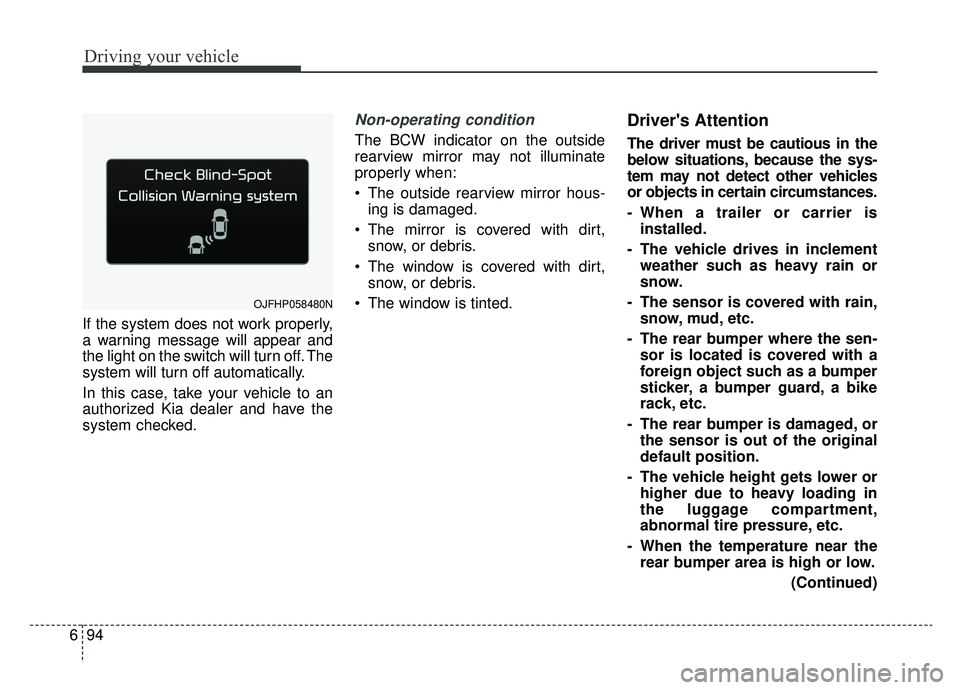
If the system does not work properly,
a warning message will appear and
the light on the switch will turn off. The
system will turn off automatically.
In this case, take your vehicle to an
authorized Kia dealer and have the
system checked.
Non-operating condition
The BCW indicator on the outside
rearview mirror may not illuminate
properly when:
The outside rearview mirror hous-
ing is damaged.
The mirror is covered with dirt, snow, or debris.
The window is covered with dirt, snow, or debris.
The window is tinted.
Driver's Attention
The driver must be cautious in the
below situations, because the sys-
tem may not detect other vehicles
or objects in certain circumstances.
- When a trailer or carrier is installed.
- The vehicle drives in inclement weather such as heavy rain or
snow.
- The sensor is covered with rain, snow, mud, etc.
- The rear bumper where the sen- sor is located is covered with a
foreign object such as a bumper
sticker, a bumper guard, a bike
rack, etc.
- The rear bumper is damaged, or the sensor is out of the original
default position.
- The vehicle height gets lower or higher due to heavy loading in
the luggage compartment,
abnormal tire pressure, etc.
- When the temperature near the rear bumper area is high or low.
(Continued)
OJFHP058480N
Page 382 of 553
Driving your vehicle
100
6
The LDW does not operate
when:
The driver turns on the turn signal
or the hazard warning flasher to
change lane.
Driving on the lane line.
✽ ✽ NOTICE
To change lanes, operate the turn
signal switch, then change the lane.
The LDW may not warn you even if
the vehicle leaves the lane, or may
warn you even if the vehicle does
not leave the lane when:
The lane is not visible due to snow,
rain, stain, a puddle or many other
things.
The brightness of the outside changes suddenly.
The headlights are off at night or in a tunnel.
The color of the lane marking from the road is difficult to distinguish.
Driving on a steep grade or a curve.
Light reflects from water on the road.
The lens or windshield is stained with foreign matter.
The sensor cannot detect the lane because of fog, heavy rain or
heavy snow.
The surrounding temperature of the inside rear view mirror is high
due to a direct ray of light. The lane is very wide or narrow.
The lane line is damaged or indis-
tinct.
A shadow is on the lane line caused by a median strip.
There is a mark similar to a lane line.
There is a boundary structure.
There is not enough distance between you and the vehicle in
front to be able to detect the lane
marker or the vehicle ahead is driv-
ing on the lane marker.
The vehicle shakes heavily.
The lane number increases or decreases or the lane lines are
crossing complicatedly.
Putting something on the dash- board.
Driving with the sun in front of you.
Driving in areas under construction.
There are more than two lane markers.
The windshield is fogged by humid air in the vehicle.
Page 388 of 553
Driving your vehicle
106
6
Adjust your mirrors to reduce the
glare from other driver's head-
lights.
Keep your headlights clean and properly aimed. (On vehicles not
equipped with the automatic head-
light aiming feature.) Dirty or
improperly aimed headlights will
make it much more difficult to see
at night.
Avoid staring directly at the head- lights of oncoming vehicles. You
could be temporarily blinded, and it
will take several seconds for your
eyes to readjust to the darkness.Driving in the rain
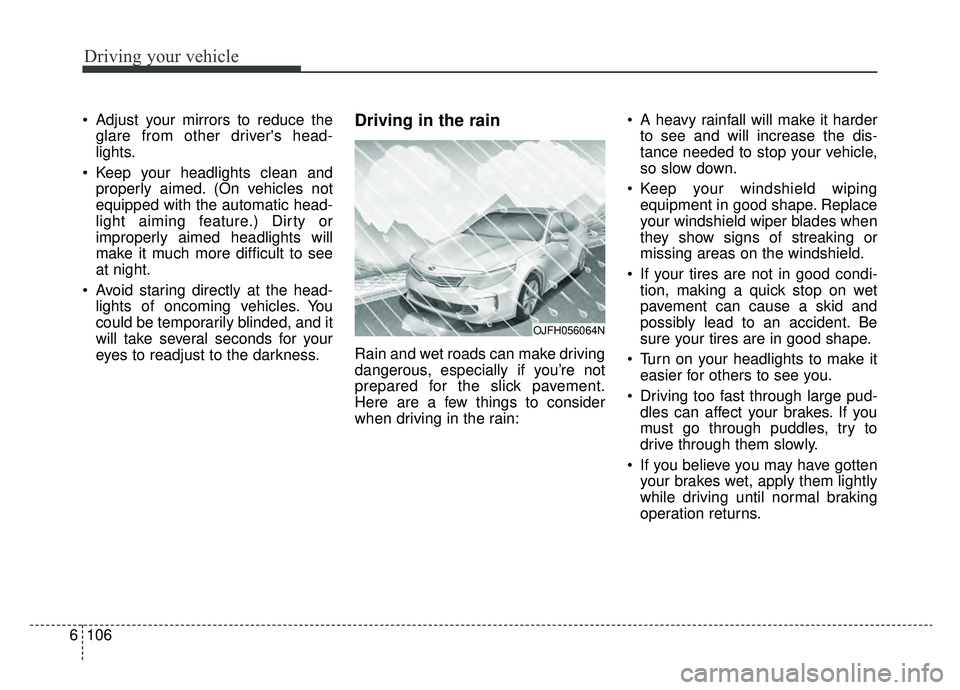
Rain and wet roads can make driving
dangerous, especially if you’re not
prepared for the slick pavement.
Here are a few things to consider
when driving in the rain: A heavy rainfall will make it harder
to see and will increase the dis-
tance needed to stop your vehicle,
so slow down.
Keep your windshield wiping equipment in good shape. Replace
your windshield wiper blades when
they show signs of streaking or
missing areas on the windshield.
If your tires are not in good condi- tion, making a quick stop on wet
pavement can cause a skid and
possibly lead to an accident. Be
sure your tires are in good shape.
Turn on your headlights to make it easier for others to see you.
Driving too fast through large pud- dles can affect your brakes. If you
must go through puddles, try to
drive through them slowly.
If you believe you may have gotten your brakes wet, apply them lightly
while driving until normal braking
operation returns.
OJFH056064N
Page 429 of 553
• Tire maintenance . . . . . . . . . . . . . . . . . . . . . . . . . . . . . 8-44
• Tire sidewall labeling . . . . . . . . . . . . . . . . . . . . . . . . . 8-44
• All season tires . . . . . . . . . . . . . . . . . . . . . . . . . . . . . . . 8-51
• Summer tires . . . . . . . . . . . . . . . . . . . . . . . . . . . . . . . . 8-51
• Snow tires . . . . . . . . . . . . . . . . . . . . . . . . . . . . . . . . . . . 8-\
51
• Tire chains . . . . . . . . . . . . . . . . . . . . . . . . . . . . . . . . . . 8-52\
• Radial-ply tires . . . . . . . . . . . . . . . . . . . . . . . . . . . . . . 8-52
• Low aspect ratio tire . . . . . . . . . . . . . . . . . . . . . . . . . . 8-53
Fuses . . . . . . . . . . . . . . . . . . . . . . . . . . . . . . . . . . . . \
8-54
• Inner panel fuse replacement . . . . . . . . . . . . . . . . . . . 8-56
• Engine compartment fuse replacement. . . . . . . . . . . 8-57
• Fuse/relay panel description. . . . . . . . . . . . . . . . . . . . 8-60
Light bulbs . . . . . . . . . . . . . . . . . . . . . . . . . . . . . . . 8-74
• Bulb replacement precaution . . . . . . . . . . . . . . . . . . . 8-74
• Light bulb position (front) . . . . . . . . . . . . . . . . . . . . . 8-75
• Light bulb position (rear) . . . . . . . . . . . . . . . . . . . . . . 8-75
• Light bulb position (side) . . . . . . . . . . . . . . . . . . . . . . 8-76
• Headlamp (Low beam) bulb replacement (Headlamp Type A) . . . . . . . . . . . . . . . . . . . . . . . . . . 8-76
• Headlamp (High beam) bulb replacement (Headlamp Type A) . . . . . . . . . . . . . . . . . . . . . . . . . . 8-78
• Headlamp (Low/High beam,LED type) bulb replacement (Headlamp Type B) . . . . . . . . . . . . . . . 8-79
• Front turn signal lamp bulb replacement . . . . . . . . 8-79 • Position lamp + DRL (LED type) bulb
replacement . . . . . . . . . . . . . . . . . . . . . . . . . . . . . . . . 8-80
• Side repeater lamp bulb replacement . . . . . . . . . . . . 8-81
• Rear turn signal lamp bulb replacement . . . . . . . . . 8-81
• Stop and tail lamp (LED type) bulb replacement . . 8-82
• Back-up lamp bulb replacement . . . . . . . . . . . . . . . . 8-83
• License plate lamp bulb replacement . . . . . . . . . . . . 8-84
• High mounted stop lamp bulb replacement . . . . . . . 8-84
• Map lamp bulb replacement . . . . . . . . . . . . . . . . . . . 8-85
• Vanity mirror lamp bulb replacement . . . . . . . . . . . 8-85
• Room lamp bulb replacement . . . . . . . . . . . . . . . . . . 8-86
• Personal lamp bulb replacement . . . . . . . . . . . . . . . . 8-86
• Glove box lamp bulb replacement . . . . . . . . . . . . . . . 8-87
• Trunk lamp bulb replacement . . . . . . . . . . . . . . . . . . 8-87Appearance care . . . . . . . . . . . . . . . . . . . . . . . . . . . 8-88
• Exterior care . . . . . . . . . . . . . . . . . . . . . . . . . . . . . . . . 8-88
• Interior care . . . . . . . . . . . . . . . . . . . . . . . . . . . . . . . . . 8-93
Emission control system . . . . . . . . . . . . . . . . . . . . 8-96
• Crankcase emission control system . . . . . . . . . . . . . . 8-96
• Evaporative emission control (including ORVR: Onboard Refueling Vapor Recovery) system . . . . . 8-96
• Exhaust emission control system . . . . . . . . . . . . . . . . 8-97
California perchlorate notice . . . . . . . . . . . . . . . . 8-99
8