warning KIA OPTIMA PHEV 2018 Owners Manual
[x] Cancel search | Manufacturer: KIA, Model Year: 2018, Model line: OPTIMA PHEV, Model: KIA OPTIMA PHEV 2018Pages: 547, PDF Size: 11.56 MB
Page 186 of 547
Features of your vehicle
56
4
✽
✽
NOTICE
• The fuel tank capacity is given in
chapter 9.
• The fuel gauge is supplemented by a low fuel warning light which will
illuminate when the fuel tank is
nearly empty.
• On inclines or curves, the fuel gauge pointer may fluctuate or the
low fuel warning light may come
on earlier than usual due to the
movement of fuel in the tank.
✽ ✽ NOTICE - Fuel gauge
Running out of fuel can expose vehi-
cle occupants to danger. You must
top and obtain additional fuel as
soon as possible after the warning
light comes on or when the gauge
indicator comes close to the “E
(Empty)” level.
✽ ✽NOTICE
Fuel display may not be accurate if
you are filling in sloping places.
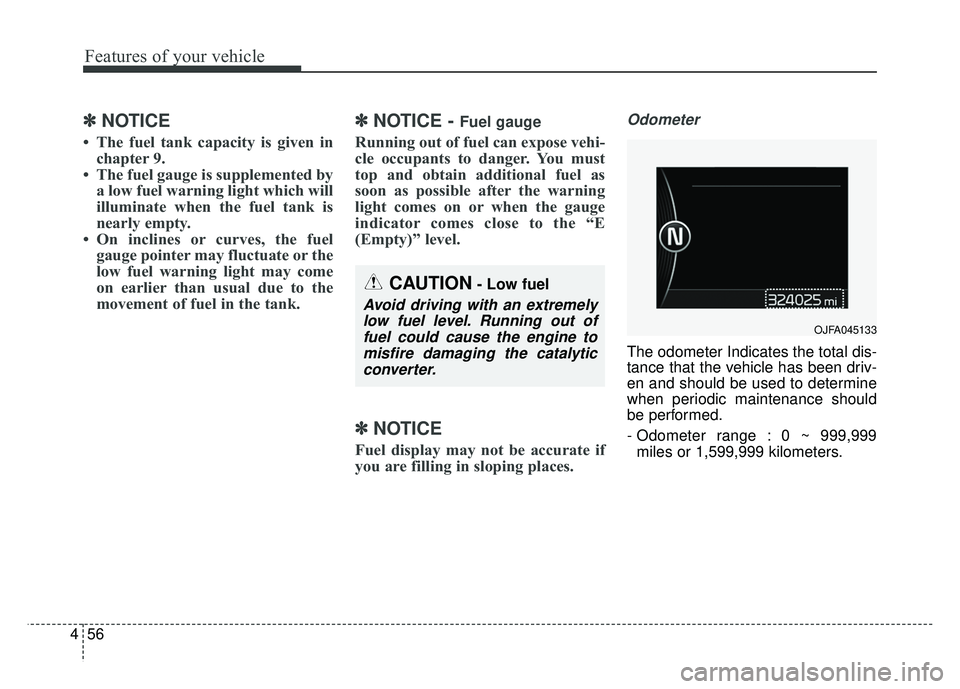
Odometer
The odometer Indicates the total dis-
tance that the vehicle has been driv-
en and should be used to determine
when periodic maintenance should
be performed.
- Odometer range : 0 ~ 999,999
miles or 1,599,999 kilometers.
OJFA045133
CAUTION- Low fuel
Avoid driving with an extremelylow fuel level. Running out offuel could cause the engine tomisfire damaging the catalyticconverter.
Page 188 of 547
Features of your vehicle
58
4
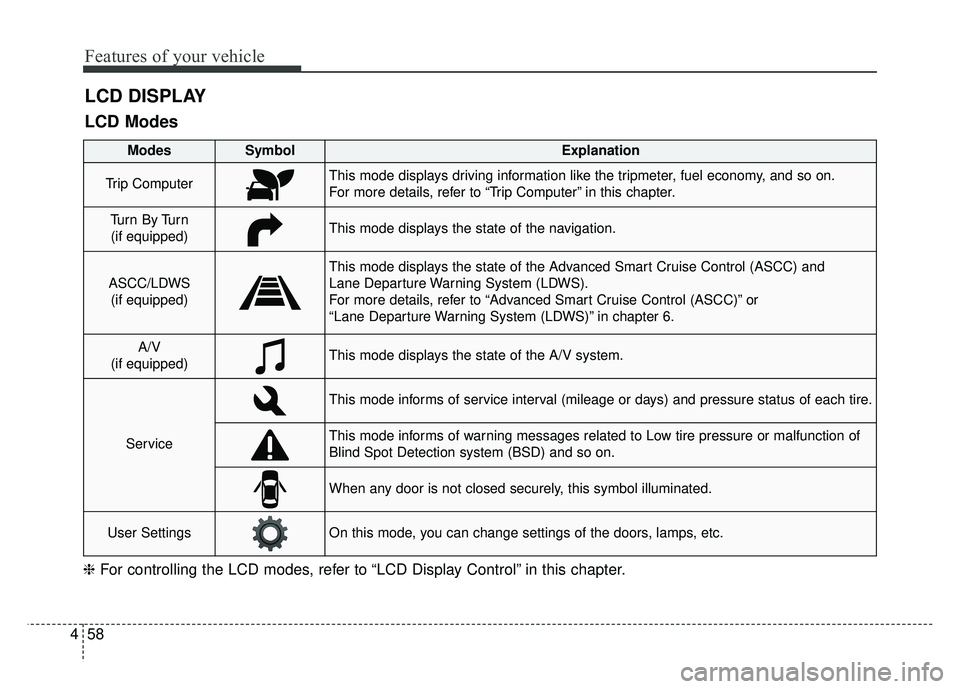
LCD DISPLAY
❈ For controlling the LCD modes, refer to “LCD Display Control” in this chapter.
LCD Modes
Modes SymbolExplanation
Trip ComputerThis mode displays driving information like the tripmeter, fuel economy, and so on.
For more details, refer to “Trip Computer” in this chapter.
Tu r n B y Tu r n
(if equipped)This mode displays the state of the navigation.
ASCC/LDWS (if equipped)
This mode displays the state of the Advanced Smart Cruise Control (ASCC) and
Lane Departure Warning System (LDWS).
For more details, refer to “Advanced Smart Cruise Control (ASCC)” or
“Lane Departure Warning System (LDWS)” in chapter 6.
A/V
(if equipped)This mode displays the state of the A/V system.
Service
This mode informs of service interval (mileage or days) and pressure status of each tire.
This mode informs of warning messages related to Low tire pressure or malfunction of
Blind Spot Detection system (BSD) and so on.
When any door is not closed securely, this symbol illuminated.
User SettingsOn this mode, you can change settings of the doors, lamps, etc.
Page 190 of 547
Features of your vehicle
60
4
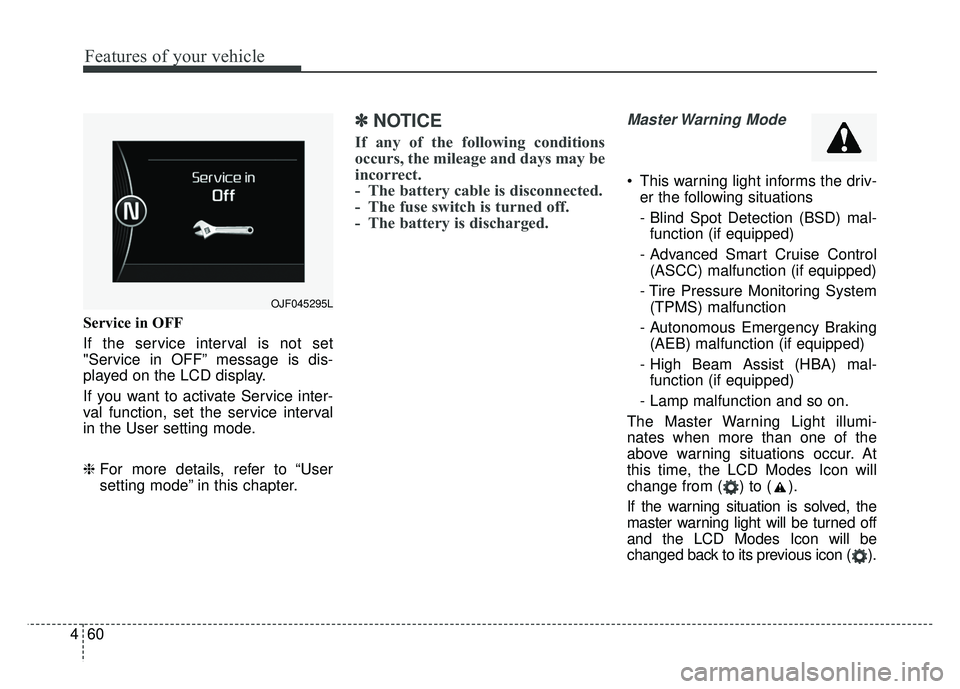
Service in OFF
If the service interval is not set
"Service in OFF” message is dis-
played on the LCD display.
If you want to activate Service inter-
val function, set the service interval
in the User setting mode.
❈ For more details, refer to “User
setting mode” in this chapter.
✽ ✽
NOTICE
If any of the following conditions
occurs, the mileage and days may be
incorrect.
- The battery cable is disconnected.
- The fuse switch is turned off.
- The battery is discharged.
Master Warning Mode
This warning light informs the driv-
er the following situations
- Blind Spot Detection (BSD) mal-function (if equipped)
- Advanced Smart Cruise Control (ASCC) malfunction (if equipped)
- Tire Pressure Monitoring System (TPMS) malfunction
- Autonomous Emergency Braking (AEB) malfunction (if equipped)
- High Beam Assist (HBA) mal- function (if equipped)
- Lamp malfunction and so on.
The Master Warning Light illumi-
nates when more than one of the
above warning situations occur. At
this time, the LCD Modes Icon will
change from ( ) to ( ).
If the warning situation is solved, the
master warning light will be turned off
and the LCD Modes Icon will be
changed back to its previous icon ( ).
OJF045295L
Page 191 of 547
461
Features of your vehicle
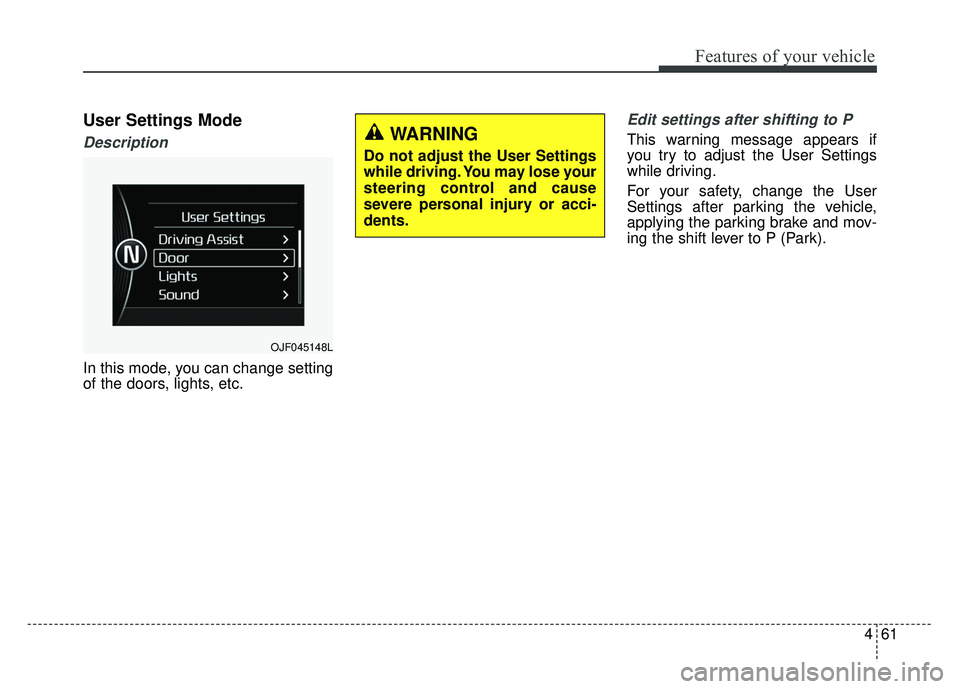
User Settings Mode
Description
In this mode, you can change setting
of the doors, lights, etc.
Edit settings after shifting to P
This warning message appears if
you try to adjust the User Settings
while driving.
For your safety, change the User
Settings after parking the vehicle,
applying the parking brake and mov-
ing the shift lever to P (Park).
OJF045148L
WARNING
Do not adjust the User Settings
while driving. You may lose your
steering control and cause
severe personal injury or acci-
dents.
Page 192 of 547
Features of your vehicle
62
4
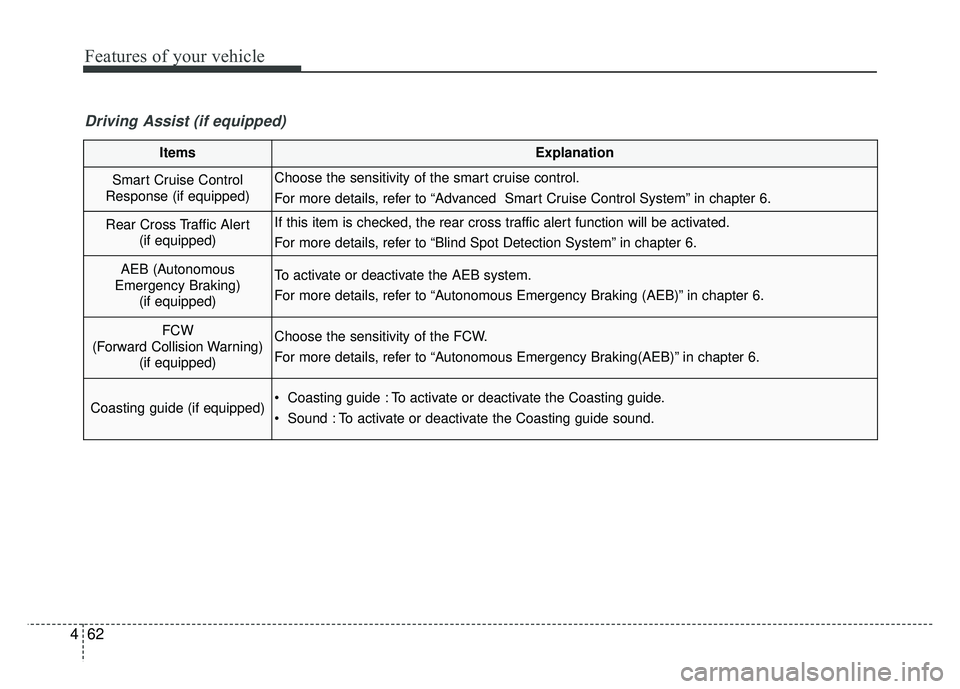
ItemsExplanation
Smart Cruise Control
Response (if equipped)Choose the sensitivity of the smart cruise control.
For more details, refer to “Advanced Smart Cruise Control System” in chapter 6.
Rear Cross Traffic Alert (if equipped)If this item is checked, the rear cross traffic alert function will be activated.
For more details, refer to “Blind Spot Detection System” in chapter 6.
AEB (Autonomous
Emergency Braking) (if equipped)To activate or deactivate the AEB system.
For more details, refer to “Autonomous Emergency Braking (AEB)” in chapter 6.
FCW
(Forward Collision Warning) (if equipped)Choose the sensitivity of the FCW.
For more details, refer to “Autonomous Emergency Braking(AEB)” in chapter 6.
Coasting guide (if equipped) Coasting guide : To activate or deactivate the Coasting guide.
Sound : To activate or deactivate the Coasting guide sound.
Driving Assist (if equipped)
Page 195 of 547
465
Features of your vehicle
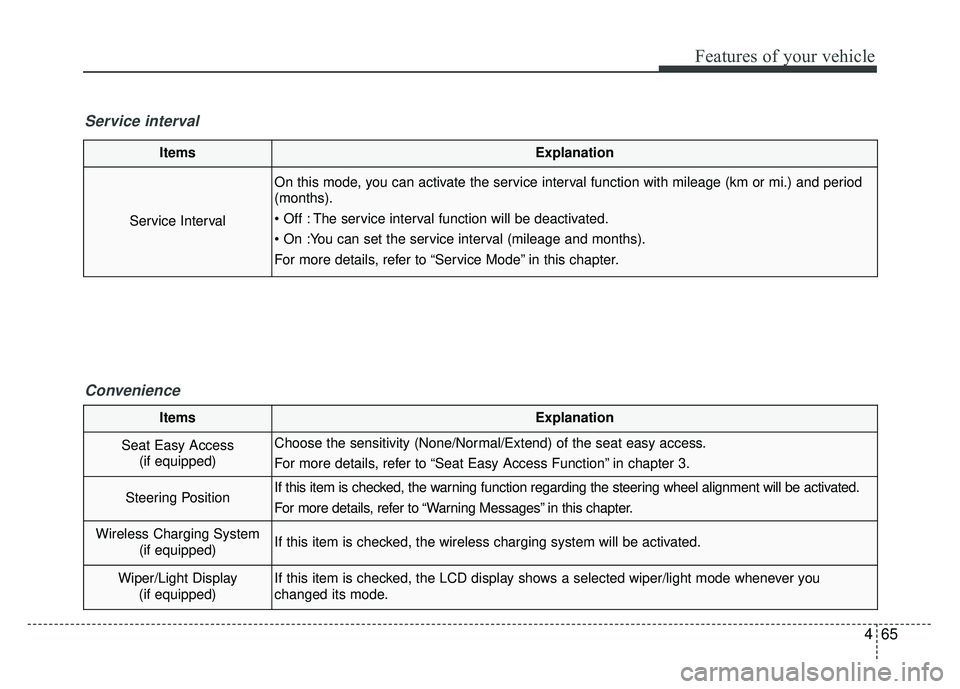
ItemsExplanation
Service Interval
On this mode, you can activate the service interval function with mileage (km or mi.) and period
(months).
The service interval function will be deactivated.
For more details, refer to “Service Mode” in this chapter.
Service intervalConvenience
ItemsExplanation
Seat Easy Access(if equipped)Choose the sensitivity (None/Normal/Extend) of the seat easy access.
For more details, refer to “Seat Easy Access Function” in chapter 3.
Steering PositionIf this item is checked, the warning function regarding the steering wheel alignment will be activated.
For more details, refer to “Warning Messages” in this chapter.
Wireless Charging System (if equipped)If this item is checked, the wireless charging system will be activated.
Wiper/Light Display(if equipped)If this item is checked, the LCD display shows a selected wiper/light mode whenever you
changed its mode.
Page 201 of 547
471
Features of your vehicle
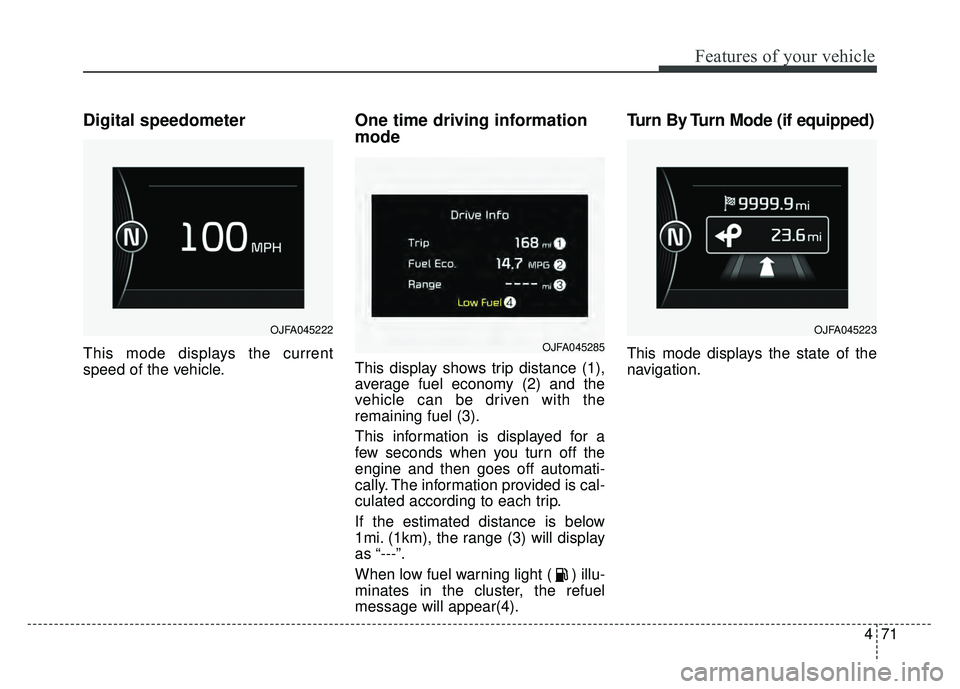
Digital speedometer
This mode displays the current
speed of the vehicle.
One time driving information
mode
This display shows trip distance (1),
average fuel economy (2) and the
vehicle can be driven with the
remaining fuel (3).
This information is displayed for a
few seconds when you turn off the
engine and then goes off automati-
cally. The information provided is cal-
culated according to each trip.
If the estimated distance is below
1mi. (1km), the range (3) will display
as “---”.
When low fuel warning light ( ) illu-
minates in the cluster, the refuel
message will appear(4).
Turn By Turn Mode (if equipped)
This mode displays the state of the
navigation.
OJFA045222
OJFA045285
OJFA045223
Page 202 of 547
Features of your vehicle
72
4
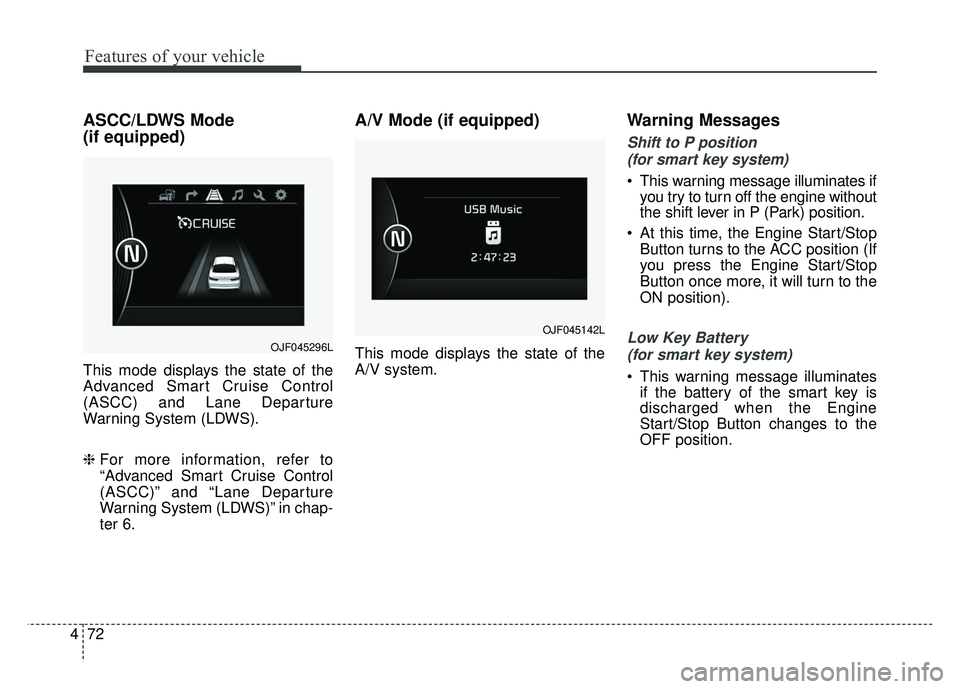
ASCC/LDWS Mode
(if equipped)
This mode displays the state of the
Advanced Smart Cruise Control
(ASCC) and Lane Departure
Warning System (LDWS).
❈ For more information, refer to
“Advanced Smart Cruise Control
(ASCC)” and “Lane Departure
Warning System (LDWS)” in chap-
ter 6.
A/V Mode (if equipped)
This mode displays the state of the
A/V system.
Warning Messages
Shift to P position
(for smart key system)
This warning message illuminates if you try to turn off the engine without
the shift lever in P (Park) position.
At this time, the Engine Start/Stop Button turns to the ACC position (If
you press the Engine Start/Stop
Button once more, it will turn to the
ON position).
Low Key Battery
(for smart key system)
This warning message illuminates if the battery of the smart key is
discharged when the Engine
Start/Stop Button changes to the
OFF position.
OJF045296L
OJF045142L
Page 203 of 547

473
Features of your vehicle
Press start button while turnsteering (for smart key system)
This warning message illuminates if the steering wheel does not
unlock normally when the Engine
Start/Stop Button is pressed.
It means that you should press the Engine Start/Stop Button while turn-
ing the steering wheel right and left.
Steering wheel unlocked
(for smart key system)
This warning message illuminates if the steering wheel does not lock
when the Engine Start/Stop Button
changes to the OFF position.
Check steering wheel lock sys-
tem (for smart key system)
This warning message illuminates if the steering wheel does not lock
normally when the Engine
Start/Stop Button changes to the
OFF position.
Press brake pedal to start engine
(for smart key system)
This warning message illuminates if the Engine Start/Stop Button
changes to the ACC position twice
by pressing the button repeatedly
without depressing the brake pedal.
It means that you should depress the brake pedal to start the engine.
Key not in vehicle
(for smart key system)
This warning message illuminates if the smart key is not in the vehicle
when you press the Engine
Start/Stop Button.
It means that you should always have the smart key with you.
Key not detected
(for smart key system)
This warning message illuminates if the smart key is not detected
when you press the Engine
Start/Stop Button.
Page 204 of 547

Features of your vehicle
74
4
Press start button again
(for smart key system)
This warning message illuminates if you can not operate the Engine
Start/Stop Button when there is a
problem with the Engine Start/Stop
Button system.
It means that you could start the engine by pressing the Engine
Start/ Stop Button once more.
If the warning illuminates each time you press the Engine
Start/Stop Button, have your vehi-
cle inspected by an authorized Kia
dealer.
Press start button with key
(for smart key system)
This warning message illuminates if you press the Engine Start/Stop
Button while the warning message
“Key not detected” is illuminating.
At this time, the immobilizer indica- tor light blinks.
Check fuse BRAKE SWITCH
(for smart key system)
This warning message illuminates if the brake switch fuse is discon-
nected.
It means that you should replace the fuse with a new one. If that is
not possible, you can start the
engine by pressing the Engine
Start/Stop Button for 10 seconds in
the ACC position.
Shift to P or N to start engine
(for smart key system)
This warning message illuminates if you try to start the engine with
the shift lever not in the P (Park) or
N (Neutral) position.
✽ ✽ NOTICE
You can start the engine with the
shift lever in the N (Neutral) position;
however; we recommend that you
start the engine with the shift lever in
the P (Park) position for your safety.
Door / Hood / Trunk Open
It means that any door, hood, or
trunk is open.
The hood warning message will appear on the LCD display when
hood is open.
The warning chime will operate
when the vehicle is being driven at
or above 2 mph (3 km/h) with the
hood open.
OJF045224L