cruise control KIA OPTIMA PHEV 2018 User Guide
[x] Cancel search | Manufacturer: KIA, Model Year: 2018, Model line: OPTIMA PHEV, Model: KIA OPTIMA PHEV 2018Pages: 547, PDF Size: 11.56 MB
Page 334 of 547
Driving your vehicle
54
6
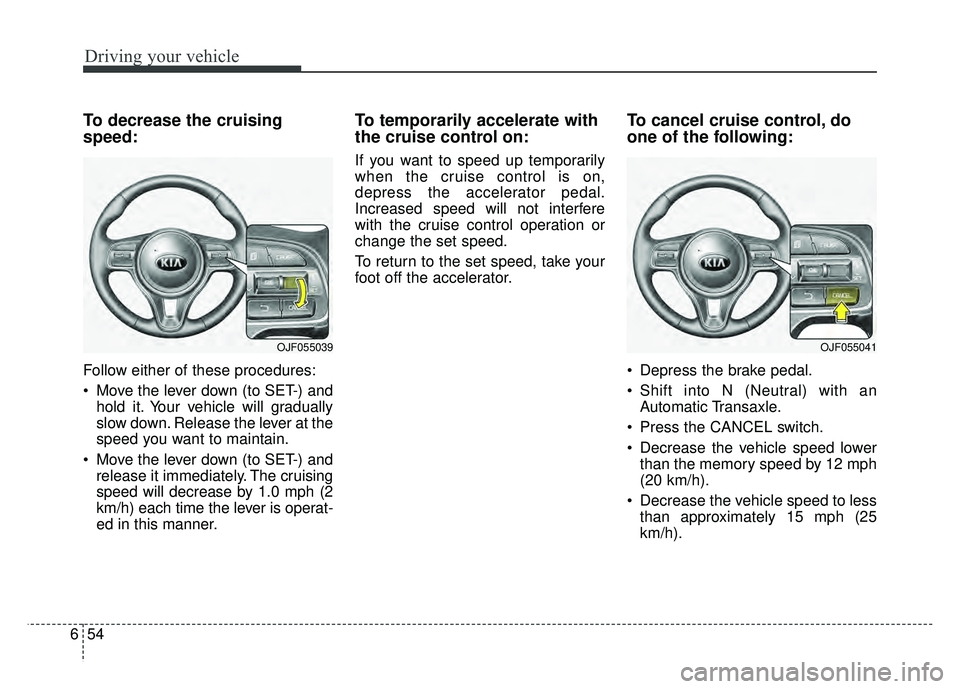
To decrease the cruising
speed:
Follow either of these procedures:
Move the lever down (to SET-) and
hold it. Your vehicle will gradually
slow down. Release the lever at the
speed you want to maintain.
Move the lever down (to SET-) and release it immediately. The cruising
speed will decrease by 1.0 mph (2
km/h) each time the lever is operat-
ed in this manner.
To temporarily accelerate with
the cruise control on:
If you want to speed up temporarily
when the cruise control is on,
depress the accelerator pedal.
Increased speed will not interfere
with the cruise control operation or
change the set speed.
To return to the set speed, take your
foot off the accelerator.
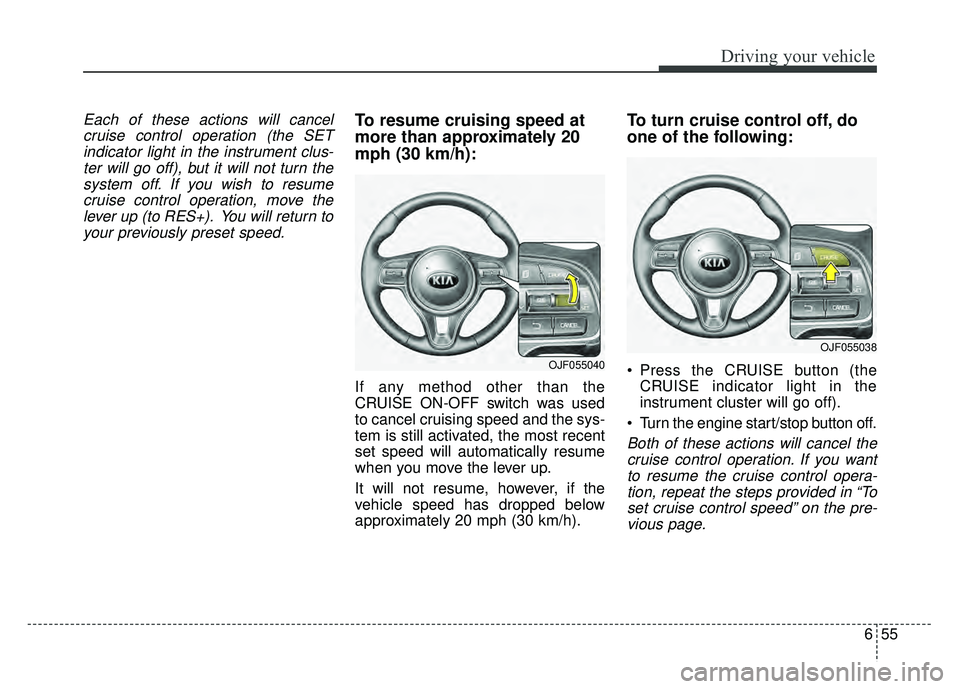
To cancel cruise control, do
one of the following:
Depress the brake pedal.
Shift into N (Neutral) with an Automatic Transaxle.
Press the CANCEL switch.
Decrease the vehicle speed lower than the memory speed by 12 mph
(20 km/h).
Decrease the vehicle speed to less than approximately 15 mph (25
km/h).
OJF055041OJF055039
Page 335 of 547
655
Driving your vehicle
Each of these actions will cancelcruise control operation (the SETindicator light in the instrument clus-ter will go off), but it will not turn thesystem off. If you wish to resumecruise control operation, move thelever up (to RES+). You will return toyour previously preset speed.To resume cruising speed at
more than approximately 20
mph (30 km/h):
If any method other than the
CRUISE ON-OFF switch was used
to cancel cruising speed and the sys-
tem is still activated, the most recent
set speed will automatically resume
when you move the lever up.
It will not resume, however, if the
vehicle speed has dropped below
approximately 20 mph (30 km/h).
To turn cruise control off, do
one of the following:
Press the CRUISE button (the CRUISE indicator light in the
instrument cluster will go off).
Turn the engine start/stop button off.
Both of these actions will cancel the cruise control operation. If you wantto resume the cruise control opera-tion, repeat the steps provided in “Toset cruise control speed” on the pre-vious page.
OJF055040
OJF055038
Page 336 of 547
Driving your vehicle
56
6
ADVANCED SMART CRUISE CONTROL SYSTEM (ASCC) (IF EQUIPPED)
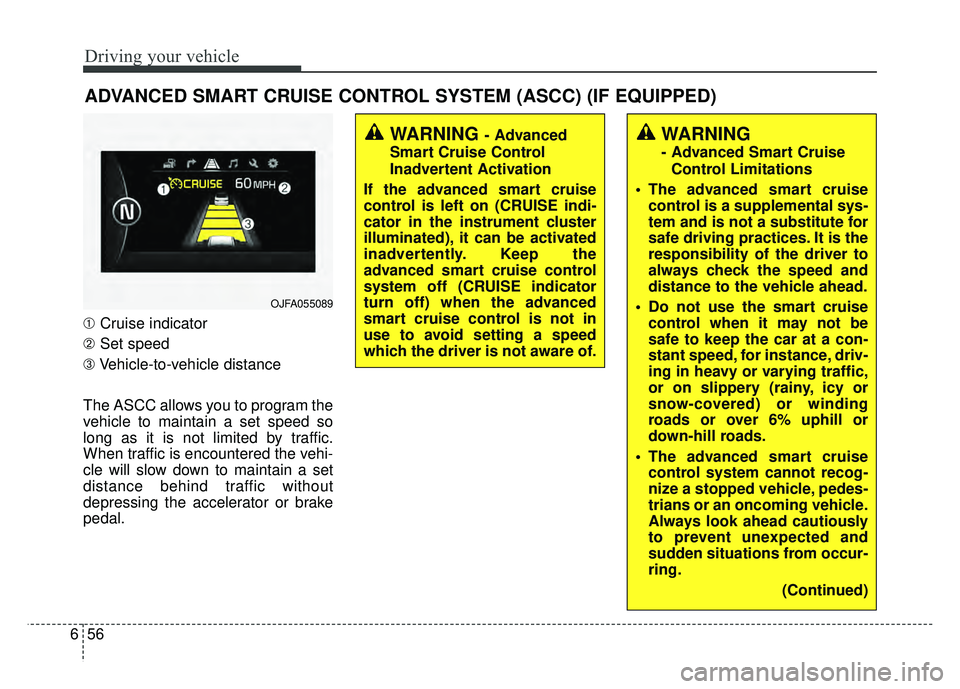
➀ Cruise indicator
➁ Set speed
➂ Vehicle-to-vehicle distance
The ASCC allows you to program the
vehicle to maintain a set speed so
long as it is not limited by traffic.
When traffic is encountered the vehi-
cle will slow down to maintain a set
distance behind traffic without
depressing the accelerator or brake
pedal.
OJFA055089
WARNING - Advanced
Smart Cruise Control
Inadvertent Activation
If the advanced smart cruise
control is left on (CRUISE indi-
cator in the instrument cluster
illuminated), it can be activated
inadvertently. Keep the
advanced smart cruise control
system off (CRUISE indicator
turn off) when the advanced
smart cruise control is not in
use to avoid setting a speed
which the driver is not aware of.WARNING
- Advanced Smart Cruise Control Limitations
The advanced smart cruise control is a supplemental sys-
tem and is not a substitute for
safe driving practices. It is the
responsibility of the driver to
always check the speed and
distance to the vehicle ahead.
Do not use the smart cruise control when it may not be
safe to keep the car at a con-
stant speed, for instance, driv-
ing in heavy or varying traffic,
or on slippery (rainy, icy or
snow-covered) or winding
roads or over 6% uphill or
down-hill roads.
The advanced smart cruise control system cannot recog-
nize a stopped vehicle, pedes-
trians or an oncoming vehicle.
Always look ahead cautiously
to prevent unexpected and
sudden situations from occur-
ring.
(Continued)
Page 337 of 547
657
Driving your vehicle
Speed setting (ASCC)
To set cruise control speed:
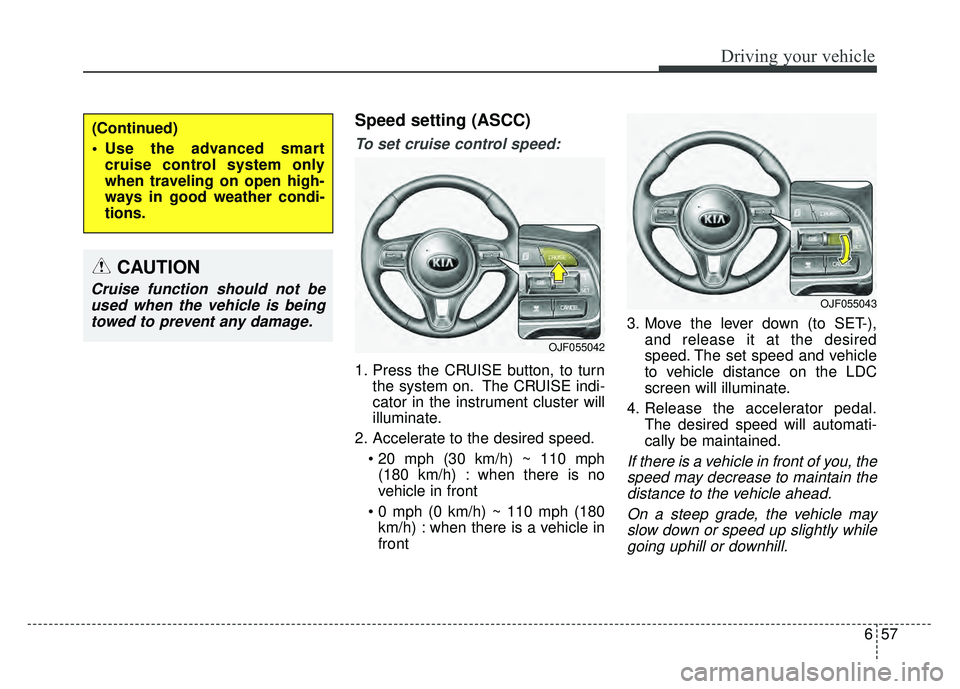
1. Press the CRUISE button, to turnthe system on. The CRUISE indi-
cator in the instrument cluster will
illuminate.
2. Accelerate to the desired speed. (180 km/h) : when there is no
vehicle in front
km/h) : when there is a vehicle in
front 3. Move the lever down (to SET-),
and release it at the desired
speed. The set speed and vehicle
to vehicle distance on the LDC
screen will illuminate.
4. Release the accelerator pedal. The desired speed will automati-
cally be maintained.
If there is a vehicle in front of you, thespeed may decrease to maintain thedistance to the vehicle ahead.
On a steep grade, the vehicle mayslow down or speed up slightly whilegoing uphill or downhill.
(Continued)
Use the advanced smart cruise control system only
when traveling on open high-
ways in good weather condi-
tions.
OJF055042
OJF055043
CAUTION
Cruise function should not beused when the vehicle is beingtowed to prevent any damage.
Page 338 of 547
Driving your vehicle
58
6
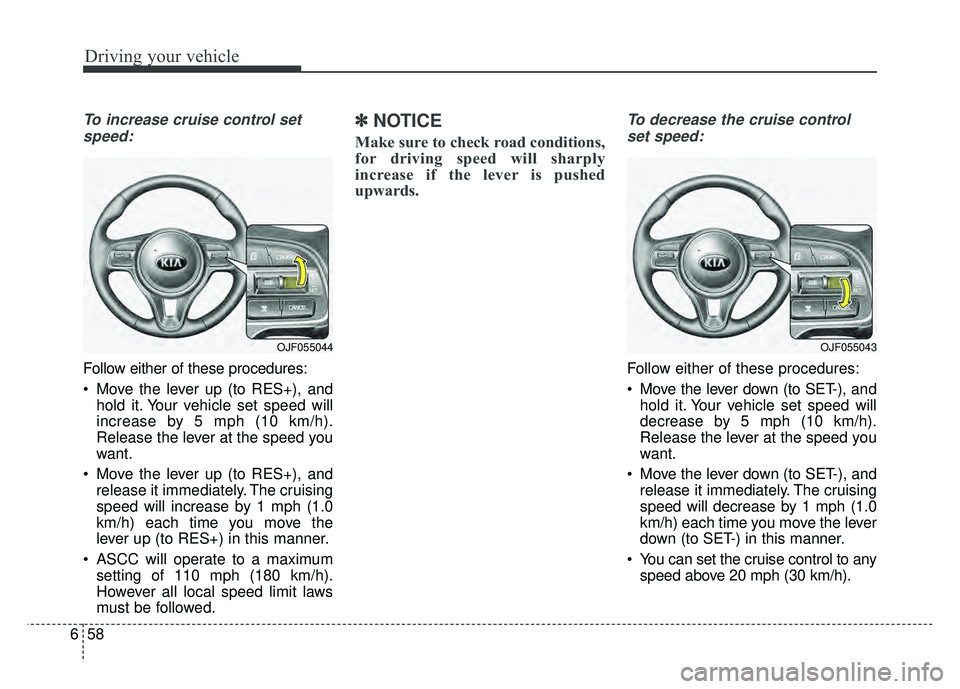
To increase cruise control set
speed:
Follow either of these procedures:
Move the lever up (to RES+), and hold it. Your vehicle set speed will
increase by 5 mph (10 km/h).
Release the lever at the speed you
want.
Move the lever up (to RES+), and release it immediately. The cruising
speed will increase by 1 mph (1.0
km/h) each time you move the
lever up (to RES+) in this manner.
ASCC will operate to a maximum setting of 110 mph (180 km/h).
However all local speed limit laws
must be followed.
✽ ✽ NOTICE
Make sure to check road conditions,
for driving speed will sharply
increase if the lever is pushed
upwards.
To decrease the cruise control
set speed:
Follow either of these procedures:
Move the lever down (to SET-), and hold it. Your vehicle set speed will
decrease by 5 mph (10 km/h).
Release the lever at the speed you
want.
Move the lever down (to SET-), and release it immediately. The cruising
speed will decrease by 1 mph (1.0
km/h) each time you move the lever
down (to SET-) in this manner.
You can set the cruise control to any speed above 20 mph (30 km/h).
OJF055044OJF055043
Page 339 of 547
659
Driving your vehicle
To temporarily accelerate with thecruise control on:
If you want to speed up temporarily
when the cruise control is on,
depress the accelerator pedal.
Increased speed will not interfere
with cruise control operation or
change the set speed.
To return to the set speed, take your
foot off the accelerator.
If you move the lever down (to SET-)
at increased speed, the cruising
speed will be set again.
✽ ✽ NOTICE
Be careful when accelerating tem-
porarily, because the speed is not
regulated automatically at this time
even if there is a vehicle in front of
you.
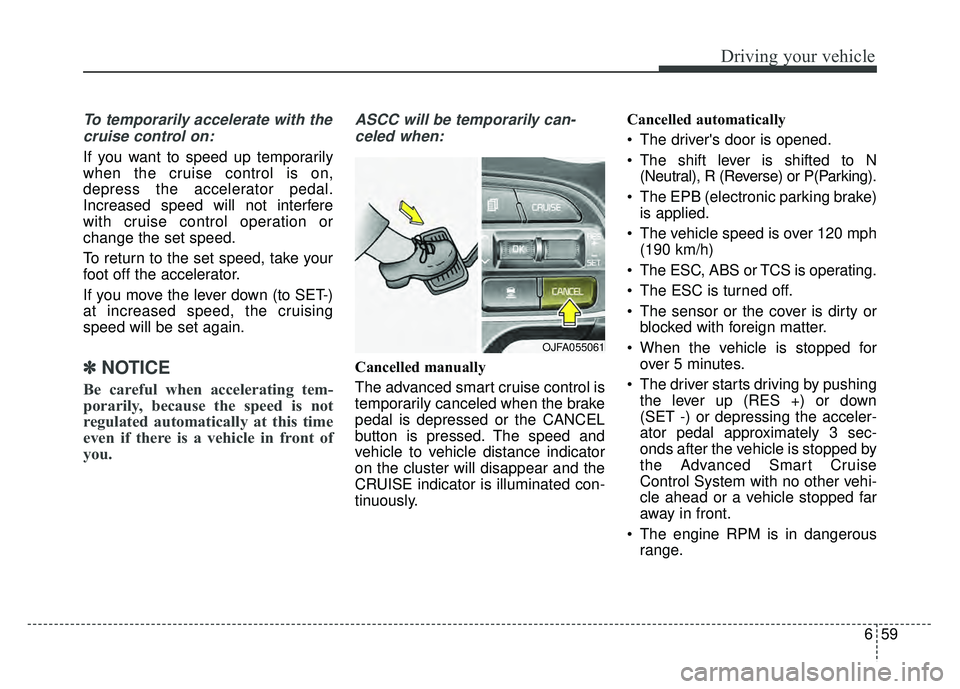
ASCC will be temporarily can-
celed when:
Cancelled manually
The advanced smart cruise control is
temporarily canceled when the brake
pedal is depressed or the CANCEL
button is pressed. The speed and
vehicle to vehicle distance indicator
on the cluster will disappear and the
CRUISE indicator is illuminated con-
tinuously. Cancelled automatically
The driver's door is opened.
The shift lever is shifted to N
(Neutral), R (Reverse) or P(Parking).
The EPB (electronic parking brake) is applied.
The vehicle speed is over 120 mph (190 km/h)
The ESC, ABS or TCS is operating.
The ESC is turned off.
The sensor or the cover is dirty or blocked with foreign matter.
When the vehicle is stopped for over 5 minutes.
The driver starts driving by pushing the lever up (RES +) or down
(SET -) or depressing the acceler-
ator pedal approximately 3 sec-
onds after the vehicle is stopped by
the Advanced Smart Cruise
Control System with no other vehi-
cle ahead or a vehicle stopped far
away in front.
The engine RPM is in dangerous range.
OJFA055061
Page 340 of 547
Driving your vehicle
60
6
The ASCC system has malfunc-
tioned.
The accelerator pedal is continu- ously depressed for long time.
Pull over on steep uphill
When activating the AEB (Autonomous Emergency Braking)
Each of these actions will cancel the
ASCC operation. (The set speed
and vehicle-to-vehicle distance on
the LCD display will go off.)
If the ASCC is cancelled automati-
cally, the ASCC will not resume
even though the RES+ or SET-
lever is moved. Also, the EPB (elec-
tronic parking brake) will be applied
when the vehicle is stopped.
If the ASCC is cancelled by a reason
not mentioned, have the system
checked by an authorized Kia dealer.
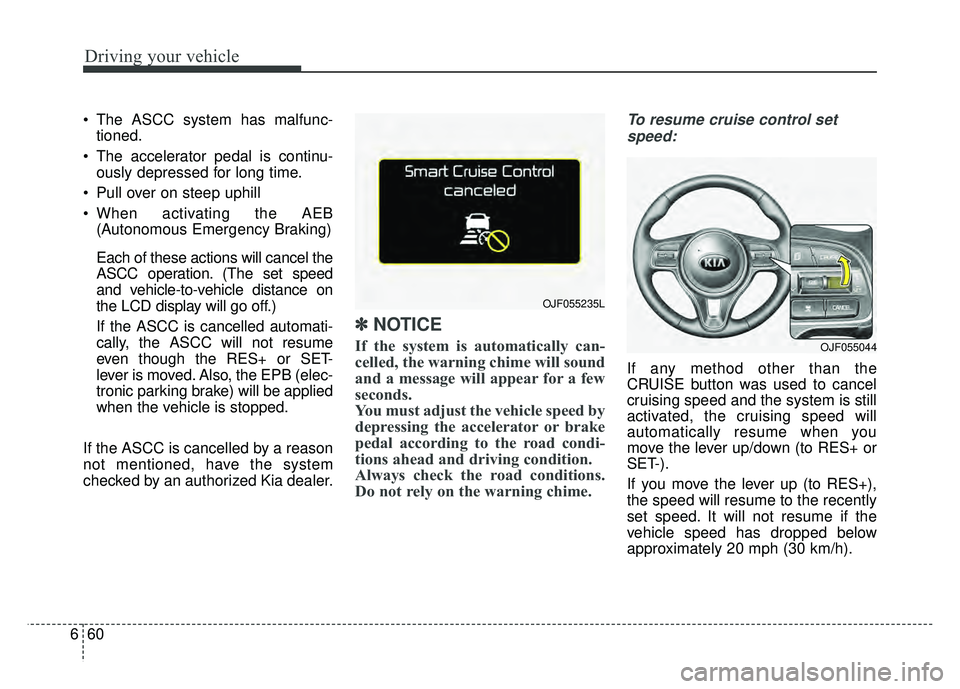
✽ ✽ NOTICE
If the system is automatically can-
celled, the warning chime will sound
and a message will appear for a few
seconds.
You must adjust the vehicle speed by
depressing the accelerator or brake
pedal according to the road condi-
tions ahead and driving condition.
Always check the road conditions.
Do not rely on the warning chime.
To resume cruise control set
speed:
If any method other than the
CRUISE button was used to cancel
cruising speed and the system is still
activated, the cruising speed will
automatically resume when you
move the lever up/down (to RES+ or
SET-).
If you move the lever up (to RES+),
the speed will resume to the recently
set speed. It will not resume if the
vehicle speed has dropped below
approximately 20 mph (30 km/h).
OJF055044
OJF055235L
Page 341 of 547
661
Driving your vehicle
✽
✽NOTICE
When pushing the lever up for reset-
ting, the speed might sharply
increase or decrease to the speed set
just before it was cancelled. Be sure
to check road conditions and oper-
ate only when you can check the
speed set before.
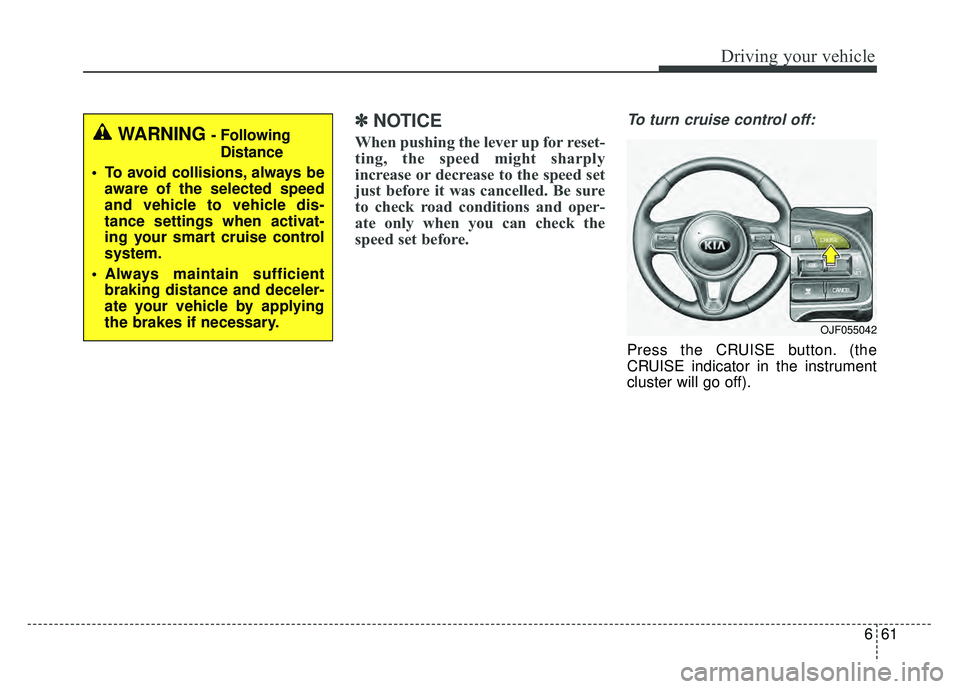
To turn cruise control off:
Press the CRUISE button. (the
CRUISE indicator in the instrument
cluster will go off).
WARNING - Following
Distance
To avoid collisions, always be aware of the selected speed
and vehicle to vehicle dis-
tance settings when activat-
ing your smart cruise control
system.
Always maintain sufficient braking distance and deceler-
ate your vehicle by applying
the brakes if necessary.
OJF055042
Page 342 of 547
Driving your vehicle
62
6
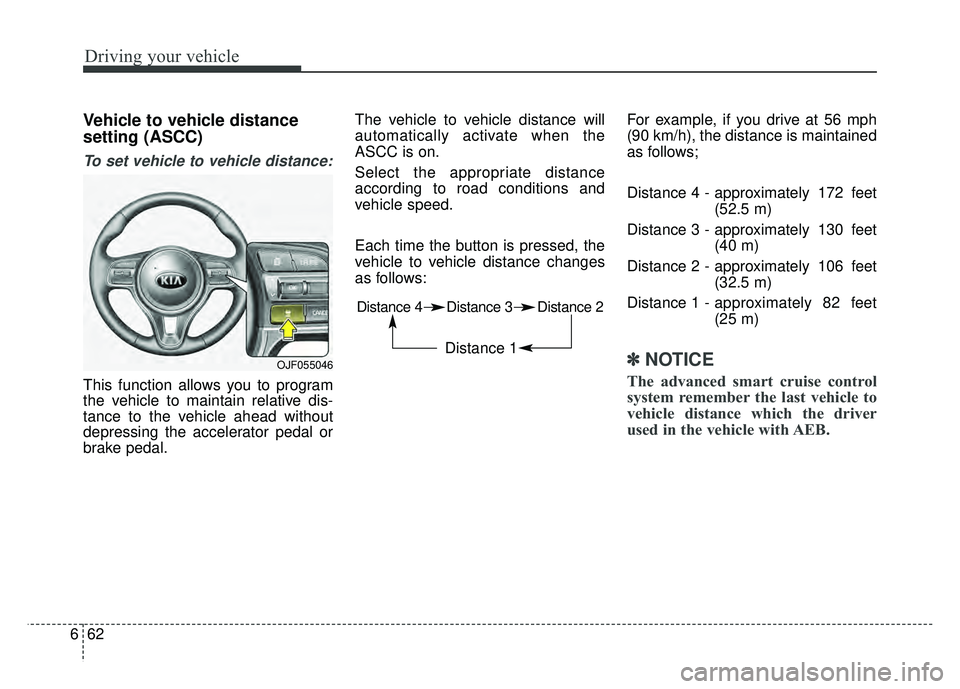
Vehicle to vehicle distance
setting (ASCC)
To set vehicle to vehicle distance:
This function allows you to program
the vehicle to maintain relative dis-
tance to the vehicle ahead without
depressing the accelerator pedal or
brake pedal. The vehicle to vehicle distance will
automatically activate when the
ASCC is on.
Select the appropriate distance
according to road conditions and
vehicle speed.
Each time the button is pressed, the
vehicle to vehicle distance changes
as follows:
For example, if you drive at 56 mph
(90 km/h), the distance is maintained
as follows;
Distance 4 - approximately 172 feet
(52.5 m)
Distance 3 - approximately 130 feet (40 m)
Distance 2 - approximately 106 feet (32.5 m)
Distance 1 - approximately 82 feet
(25 m)
✽ ✽
NOTICE
The advanced smart cruise control
system remember the last vehicle to
vehicle distance which the driver
used in the vehicle with AEB.
Distance 4 Distance 3 Distance 2
Distance 1
OJF055046
Page 345 of 547
665
Driving your vehicle
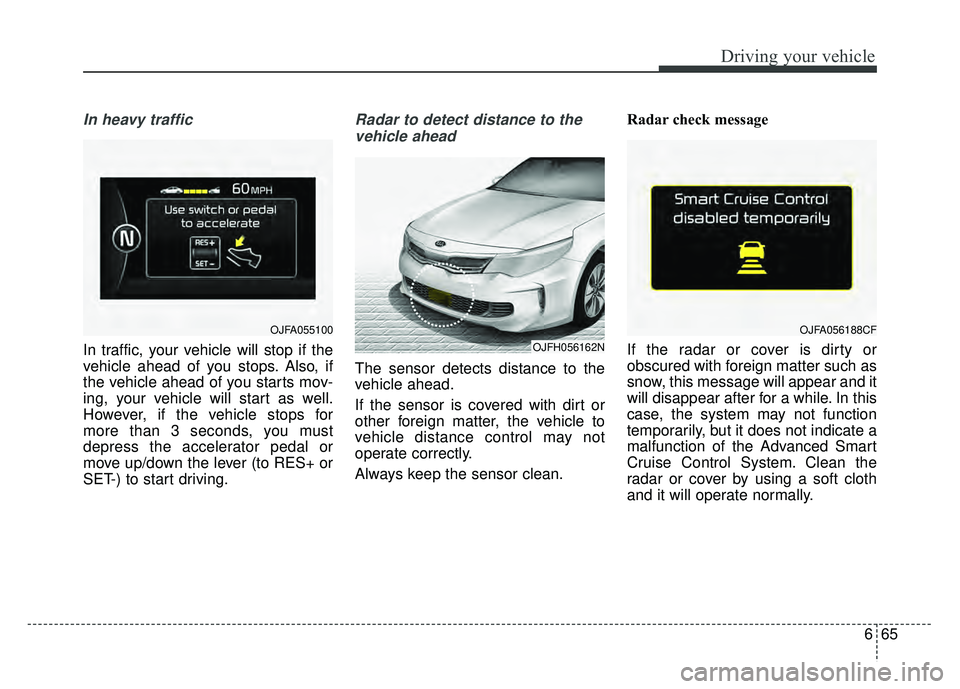
In heavy traffic
In traffic, your vehicle will stop if the
vehicle ahead of you stops. Also, if
the vehicle ahead of you starts mov-
ing, your vehicle will start as well.
However, if the vehicle stops for
more than 3 seconds, you must
depress the accelerator pedal or
move up/down the lever (to RES+ or
SET-) to start driving.
Radar to detect distance to thevehicle ahead
The sensor detects distance to the
vehicle ahead.
If the sensor is covered with dirt or
other foreign matter, the vehicle to
vehicle distance control may not
operate correctly.
Always keep the sensor clean. Radar check message
If the radar or cover is dirty or
obscured with foreign matter such as
snow, this message will appear and it
will disappear after for a while. In this
case, the system may not function
temporarily, but it does not indicate a
malfunction of the Advanced Smart
Cruise Control System. Clean the
radar or cover by using a soft cloth
and it will operate normally.
OJFH056162N
OJFA055100OJFA056188CF