warning KIA OPTIMA PHEV 2019 Owners Manual
[x] Cancel search | Manufacturer: KIA, Model Year: 2019, Model line: OPTIMA PHEV, Model: KIA OPTIMA PHEV 2019Pages: 553, PDF Size: 11.97 MB
Page 193 of 553
463
Features of your vehicle
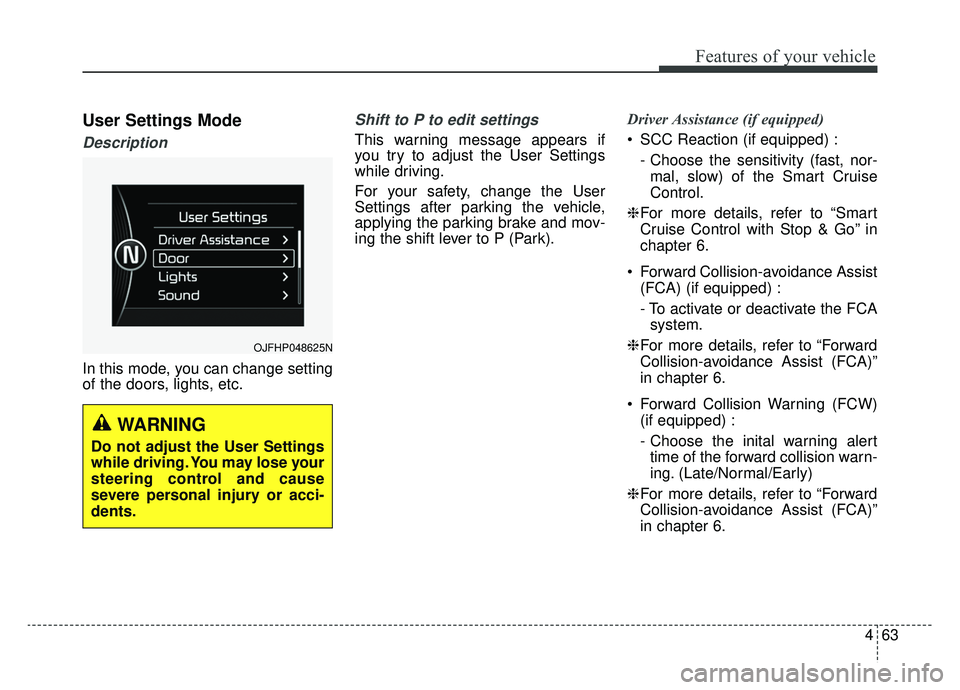
User Settings Mode
Description
In this mode, you can change setting
of the doors, lights, etc.
Shift to P to edit settings
This warning message appears if
you try to adjust the User Settings
while driving.
For your safety, change the User
Settings after parking the vehicle,
applying the parking brake and mov-
ing the shift lever to P (Park).Driver Assistance (if equipped)
SCC Reaction (if equipped) :
- Choose the sensitivity (fast, nor-mal, slow) of the Smart Cruise
Control.
❈ For more details, refer to “Smart
Cruise Control with Stop & Go” in
chapter 6.
Forward Collision-avoidance Assist (FCA) (if equipped) :
- To activate or deactivate the FCAsystem.
❈ For more details, refer to “Forward
Collision-avoidance Assist (FCA)”
in chapter 6.
Forward Collision Warning (FCW) (if equipped) :
- Choose the inital warning alerttime of the forward collision warn-
ing. (Late/Normal/Early)
❈ For more details, refer to “Forward
Collision-avoidance Assist (FCA)”
in chapter 6.
OJFHP048625N
WARNING
Do not adjust the User Settings
while driving. You may lose your
steering control and cause
severe personal injury or acci-
dents.
Page 194 of 553
Features of your vehicle
64
4
Rear Cross-Traffic Collision
Warning (if equipped) :
- If this item is checked, the rearcross-traffic collision Warning
function will be activated.
❈ For more details, refer to “Blind-spot
Collision Warning” in chapter 6.
Coasting guide (if equipped): - Coasting guide : To activate ordeactivate the Coasting guide.
- Sound : To activate of deactivate the Coasting guide sound.
Start Coasting (if equipped) : - To adjust the sensitivity(Late/Normal/Early) of the
Coasting Guide. Door
Auto Lock :
- Enable on Speed : All doors willbe automatically locked when the
vehicle speed exceeds 9.3 mph
(15 km/h).
- Enable on Shift : All doors will be automatically locked if the
transaxle shift lever is shifted
from the P (Park) position to the
R (Reverse), N (Neutral), or D
(Drive) position.
Auto Unlock : - Disable : The auto door unlockoperation will be canceled.
- Vehicle Off : All doors will be auto- matically unlocked when the
Engine Star/Stop button is set to
the OFF position.
- On Shift to P : All doors will be automatically unlocked if the
automatic transaxle shift lever is
shifted to the P (Park) position. Two Press Unlock :
- If this item is checked, the twopress unlock function will be acti-
vated.
Horn Feedback (if equipped) : - If this item is checked, the hornfeedback function will be activat-
ed.
Smart Trunk (if equipped) : - If this item is checked, the smarttrunk function will be activated.
❈ For more details, refer to “Smart
Trunk” in this chapter.
Page 195 of 553
465
Features of your vehicle
Lights
One Touch Turn Signal :- Off: The one touch turn signalfunction will be deactivated.
- 3, 5, 7 Flashes : The lane change signals will blink 3, 5 or 7 times
when the turn signal lever is
moved slightly.
❈ For more details, refer to “Lighting”
in this chapter.
Headlight Delay : - If this item is checked, the headlamp delay function will be acti-
vated.
❈ For more details, refer to “Lighting”
in this chapter.
Welcome Light(if equipped) : - If this item is checked, the wel-come light function will be activat-
ed. Sound
Cluster Voice Guidance Volume (if
equipped) :
- Adjust the Cluster voice guidancevolume. (Level 1~3)
Parking Distance Warning Volume (if equipped) :
- Adjust the Park Assist Systemvolume. (Level 1 ~ 3)
Blind-Spot Collision Warning Sound (if equipped) :
- If this item is checked, the blindspot detection sound will be acti-
vated.
❈ For more details, refer to "Blind-
Spot Collision Warning System" in
chapter 6. Convenience
Seat Easy Access (if equipped) :
- Off : The seat easy access func-tion will be deactivated.
- Normal/Extended : When you turn off the engine, the driver’s
seat will automatically move
backwards 3 in. (7.6 cm)
(Enhanced) for you to enter or
exit the vehicle more comfortably.
If you change the ignition switch or
Engine Start/Stop Button from
OFF position to the ACC position,
the driver’s seat will return to the
original position.
❈ For more details, refer to “Driver
Position Memory System” in chap-
ter 3.
Page 196 of 553
Features of your vehicle
66
4
Steering Position :
- If this item is checked, the warningfunction regarding the steering
wheel alignment will be activated.
❈ For more details, refer to “Warning
Messages” in this chapter.
Wiper/Light Display (if equipped) : - If this item is checked, the LCDdisplay shows a selected
wiper/light mode whenever you
changed its mode. Service Interval
On this mode, you can activate the
service interval function with mileage
(km or mi.) and period (months).
Off : The service interval function
will be deactivated.
On : You can set the service inter- val (mileage and months).
❈ For more details, refer to “Service
Mode” in this chapter. Other
Fuel Economy Reset :
- If this item checked, the averagefuel economy will reset automati-
cally after refueling or after igni-
tion.
Fuel Economy Unit : - Choose the fuel economy unit.(US gallon, UK gallon, L/100 km)
Temperature Unit : - Choose the temperature unit.(°C,°F)
Tire Pressure Unit : - Choose the tire pressure unit.(psi, kPa, bar)
Page 200 of 553
Features of your vehicle
70
4
Average Fuel Economy (2)
The average fuel economy is cal-
culated by the total driving dis-
tance and fuel consumption since
the last average fuel economy
reset.
- Fuel economy range : 1 ~ 99.9MPG or L/100km (for Hybrid)/0 ~
99.9, 100 ~ 999 MPG or L/100km
(for Plug-in Hybrid)
The average fuel economy can be reset both manually and automati-
cally.
Manual reset
To reset average fuel economy manu-
ally, press the OK button (reset) on
the steering wheel for more than 1
second when the average fuel econ-
omy is displayed. Automatic reset
To make the average fuel economy
reset automatically whenever refuel-
ing, select the “Auto Reset” mode in
User Setting menu of the LCD dis-
play (Refer to “LCD Display”).
OFF - You may set to default man-
ually by using the trip switch reset
button.
When driving - The vehicle will automatically set to default once 4
hours pass after the the engine is
OFF.
When refueling - After refueling more than 1.6 gallons (6 liters) and
driving over 1 mph (1 km/h), the
vehicle will reset to default auto-
matically.
✽ ✽ NOTICE
For a more accurate calculation of
the average fuel economy, the vehi-
cle must be continuously driven
more than 10 seconds and 0.03 miles
(50 meters).
Instant Fuel Economy (3)
This mode displays the instant fuel
economy during the last few sec-
onds when the vehicle speed is
more than 6.2 MPH (10 km/h).
- Fuel economy range: 0 ~ 50 MPGor 0 ~ 30 L/100km
CAUTION - Low Fuel
Level
Level warning light on or withthe fuel level below "E" cancause the engine to misfire anddamage the catalytic converter(if equipped).
Page 202 of 553
Features of your vehicle
72
4
Digital speedometer
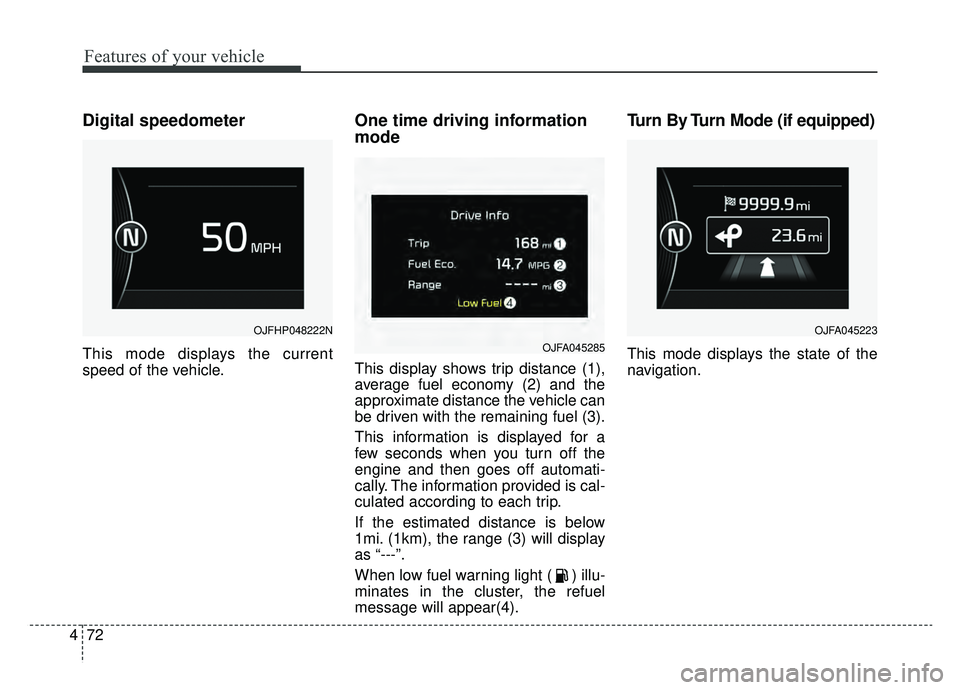
This mode displays the current
speed of the vehicle.
One time driving information
mode
This display shows trip distance (1),
average fuel economy (2) and the
approximate distance the vehicle can
be driven with the remaining fuel (3).
This information is displayed for a
few seconds when you turn off the
engine and then goes off automati-
cally. The information provided is cal-
culated according to each trip.
If the estimated distance is below
1mi. (1km), the range (3) will display
as “---”.
When low fuel warning light ( ) illu-
minates in the cluster, the refuel
message will appear(4).
Turn By Turn Mode (if equipped)
This mode displays the state of the
navigation.
OJFHP048222N
OJFA045285
OJFA045223
Page 203 of 553
473
Features of your vehicle
Assist Mode (if equipped)
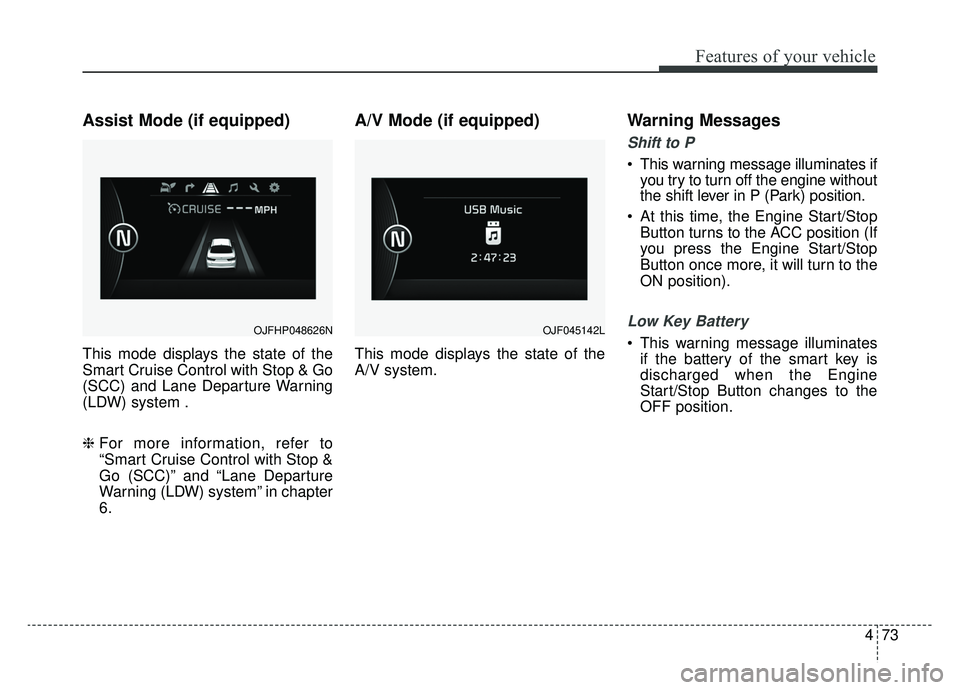
This mode displays the state of the
Smart Cruise Control with Stop & Go
(SCC) and Lane Departure Warning
(LDW) system .
❈ For more information, refer to
“Smart Cruise Control with Stop &
Go (SCC)” and “Lane Departure
Warning (LDW) system” in chapter
6.
A/V Mode (if equipped)
This mode displays the state of the
A/V system.
Warning Messages
Shift to P
This warning message illuminates if
you try to turn off the engine without
the shift lever in P (Park) position.
At this time, the Engine Start/Stop Button turns to the ACC position (If
you press the Engine Start/Stop
Button once more, it will turn to the
ON position).
Low Key Battery
This warning message illuminatesif the battery of the smart key is
discharged when the Engine
Start/Stop Button changes to the
OFF position.OJFHP048626NOJF045142L
Page 204 of 553
Features of your vehicle
74
4
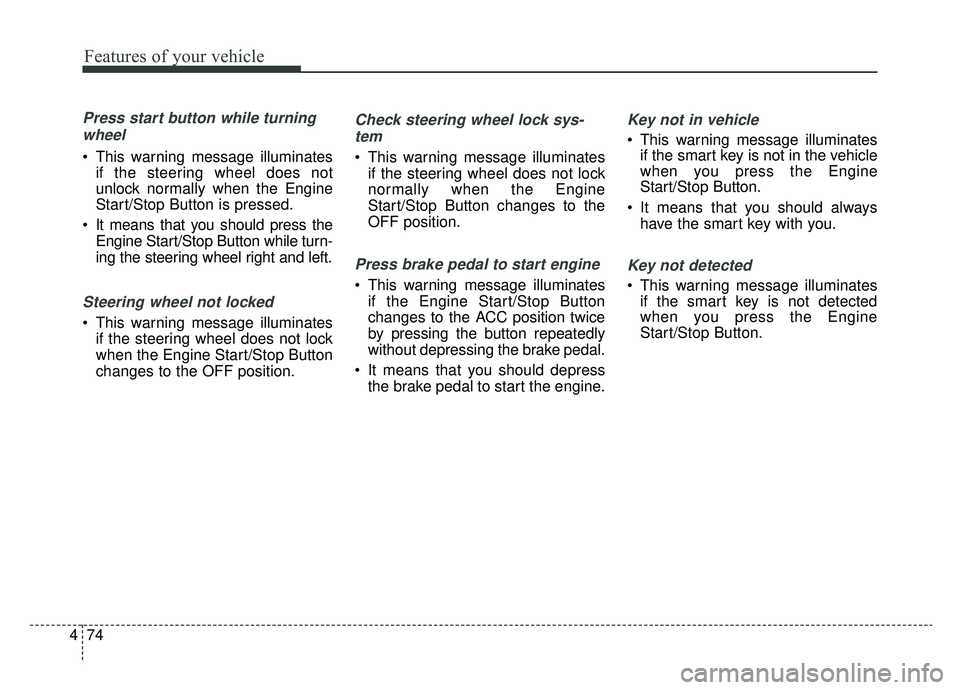
Press start button while turning
wheel
This warning message illuminates if the steering wheel does not
unlock normally when the Engine
Start/Stop Button is pressed.
It means that you should press the Engine Start/Stop Button while turn-
ing the steering wheel right and left.
Steering wheel not locked
This warning message illuminatesif the steering wheel does not lock
when the Engine Start/Stop Button
changes to the OFF position.
Check steering wheel lock sys-
tem
This warning message illuminates if the steering wheel does not lock
normally when the Engine
Start/Stop Button changes to the
OFF position.
Press brake pedal to start engine
This warning message illuminatesif the Engine Start/Stop Button
changes to the ACC position twice
by pressing the button repeatedly
without depressing the brake pedal.
It means that you should depress the brake pedal to start the engine.
Key not in vehicle
This warning message illuminatesif the smart key is not in the vehicle
when you press the Engine
Start/Stop Button.
It means that you should always have the smart key with you.
Key not detected
This warning message illuminatesif the smart key is not detected
when you press the Engine
Start/Stop Button.
Page 205 of 553
475
Features of your vehicle
Press start button again
This warning message illuminatesif you cannot operate the Engine
Start/Stop Button when there is a
problem with the Engine Start/Stop
Button system.
It means that you could start the engine by pressing the Engine
Start/ Stop Button once more.
If the warning illuminates each time you press the Engine
Start/Stop Button, have your vehi-
cle inspected by an authorized Kia
dealer.
Press start button with key
This warning message illuminatesif you press the Engine Start/Stop
Button while the warning message
“Key not detected” is illuminating.
At this time, the immobilizer indica- tor light blinks.
Check BRAKE SWITCH fuse
This warning message illuminatesif the brake switch fuse is discon-
nected.
It means that you should replace the fuse with a new one. If that is
not possible, you can start the
engine by pressing the Engine
Start/Stop Button for 10 seconds in
the ACC position.
Shift to P or N to start engine
This warning message illuminatesif you try to start the engine with
the shift lever not in the P (Park) or
N (Neutral) position.
✽ ✽ NOTICE
You can start the engine with the
shift lever in the N (Neutral) position;
however; we recommend that you
start the engine with the shift lever in
the P (Park) position for your safety.
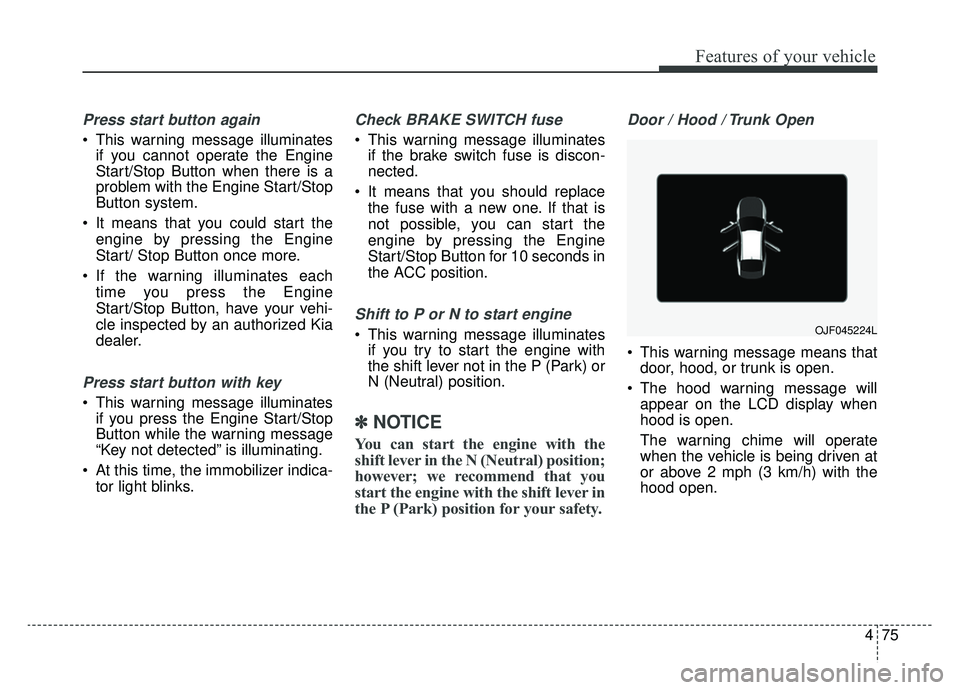
Door / Hood / Trunk Open
This warning message means that
door, hood, or trunk is open.
The hood warning message will appear on the LCD display when
hood is open.
The warning chime will operate
when the vehicle is being driven at
or above 2 mph (3 km/h) with the
hood open.
OJF045224L
Page 206 of 553
Features of your vehicle
76
4
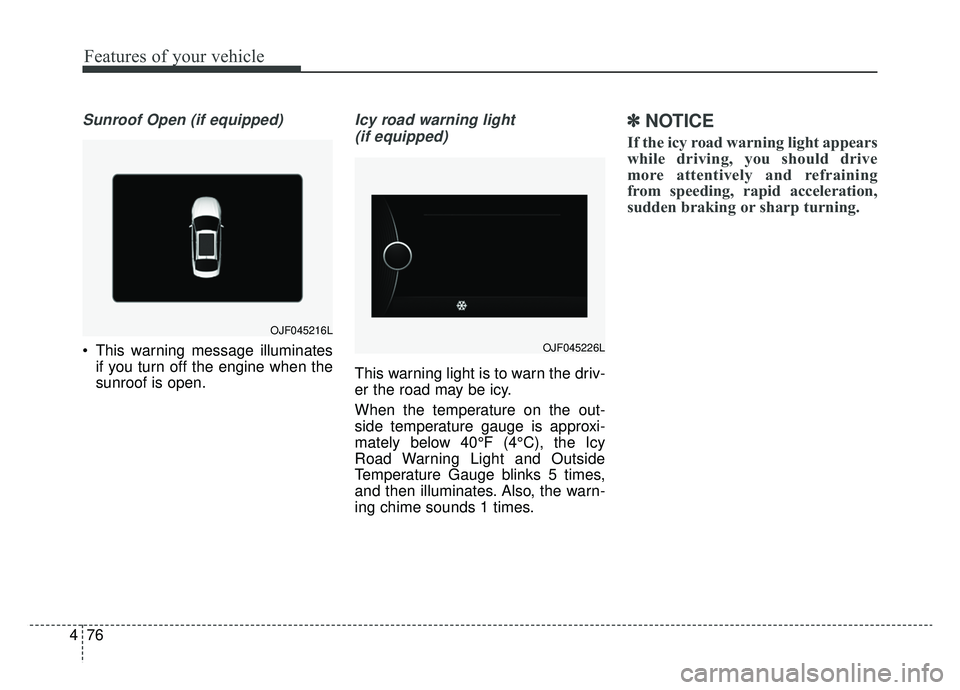
Sunroof Open (if equipped)
This warning message illuminates
if you turn off the engine when the
sunroof is open.
Icy road warning light
(if equipped)
This warning light is to warn the driv-
er the road may be icy.
When the temperature on the out-
side temperature gauge is approxi-
mately below 40°F (4°C), the Icy
Road Warning Light and Outside
Temperature Gauge blinks 5 times,
and then illuminates. Also, the warn-
ing chime sounds 1 times.
✽ ✽ NOTICE
If the icy road warning light appears
while driving, you should drive
more attentively and refraining
from speeding, rapid acceleration,
sudden braking or sharp turning.
OJF045216L
OJF045226L