warning KIA OPTIMA PHEV 2019 Owners Manual
[x] Cancel search | Manufacturer: KIA, Model Year: 2019, Model line: OPTIMA PHEV, Model: KIA OPTIMA PHEV 2019Pages: 553, PDF Size: 11.97 MB
Page 375 of 553
693
Driving your vehicle
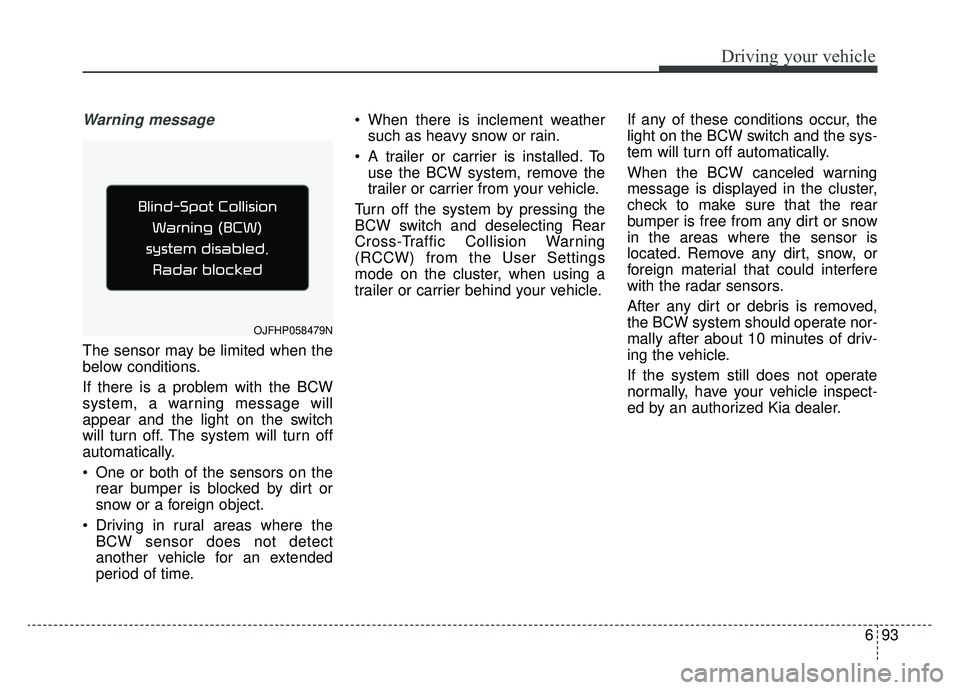
Warning message
The sensor may be limited when the
below conditions.
If there is a problem with the BCW
system, a warning message will
appear and the light on the switch
will turn off. The system will turn off
automatically.
One or both of the sensors on therear bumper is blocked by dirt or
snow or a foreign object.
Driving in rural areas where the BCW sensor does not detect
another vehicle for an extended
period of time. When there is inclement weather
such as heavy snow or rain.
A trailer or carrier is installed. To use the BCW system, remove the
trailer or carrier from your vehicle.
Turn off the system by pressing the
BCW switch and deselecting Rear
Cross-Traffic Collision Warning
(RCCW) from the User Settings
mode on the cluster, when using a
trailer or carrier behind your vehicle. If any of these conditions occur, the
light on the BCW switch and the sys-
tem will turn off automatically.
When the BCW canceled warning
message is displayed in the cluster,
check to make sure that the rear
bumper is free from any dirt or snow
in the areas where the sensor is
located. Remove any dirt, snow, or
foreign material that could interfere
with the radar sensors.
After any dirt or debris is removed,
the BCW system should operate nor-
mally after about 10 minutes of driv-
ing the vehicle.
If the system still does not operate
normally, have your vehicle inspect-
ed by an authorized Kia dealer.
OJFHP058479N
Page 376 of 553
Driving your vehicle
94
6
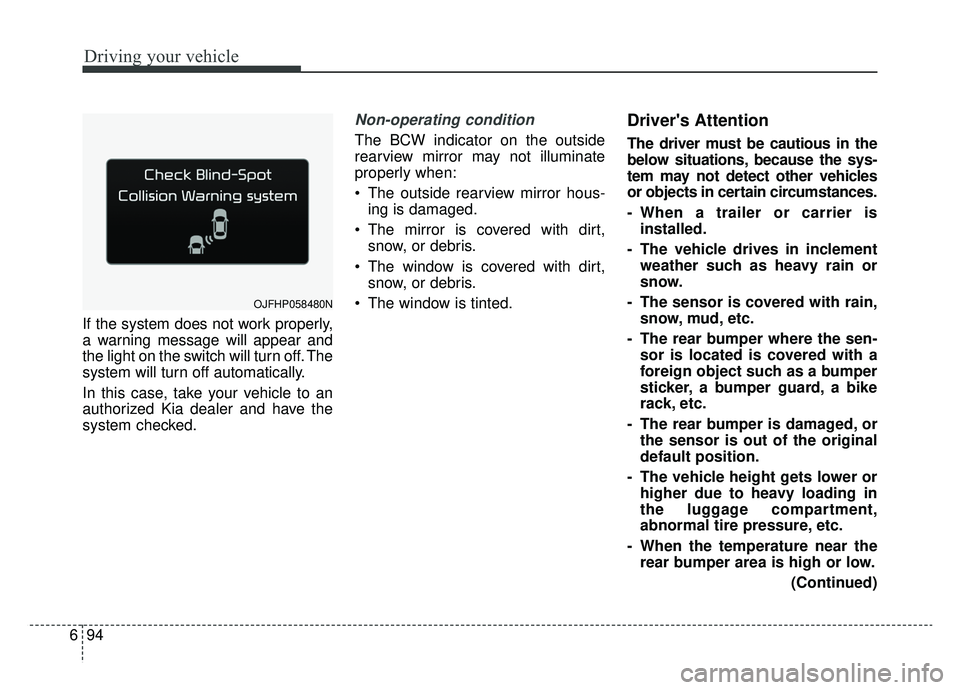
If the system does not work properly,
a warning message will appear and
the light on the switch will turn off. The
system will turn off automatically.
In this case, take your vehicle to an
authorized Kia dealer and have the
system checked.
Non-operating condition
The BCW indicator on the outside
rearview mirror may not illuminate
properly when:
The outside rearview mirror hous-
ing is damaged.
The mirror is covered with dirt, snow, or debris.
The window is covered with dirt, snow, or debris.
The window is tinted.
Driver's Attention
The driver must be cautious in the
below situations, because the sys-
tem may not detect other vehicles
or objects in certain circumstances.
- When a trailer or carrier is installed.
- The vehicle drives in inclement weather such as heavy rain or
snow.
- The sensor is covered with rain, snow, mud, etc.
- The rear bumper where the sen- sor is located is covered with a
foreign object such as a bumper
sticker, a bumper guard, a bike
rack, etc.
- The rear bumper is damaged, or the sensor is out of the original
default position.
- The vehicle height gets lower or higher due to heavy loading in
the luggage compartment,
abnormal tire pressure, etc.
- When the temperature near the rear bumper area is high or low.
(Continued)
OJFHP058480N
Page 379 of 553
697
Driving your vehicle
LANE DEPARTURE WARNING (LDW) SYSTEM (IF EQUIPPED)
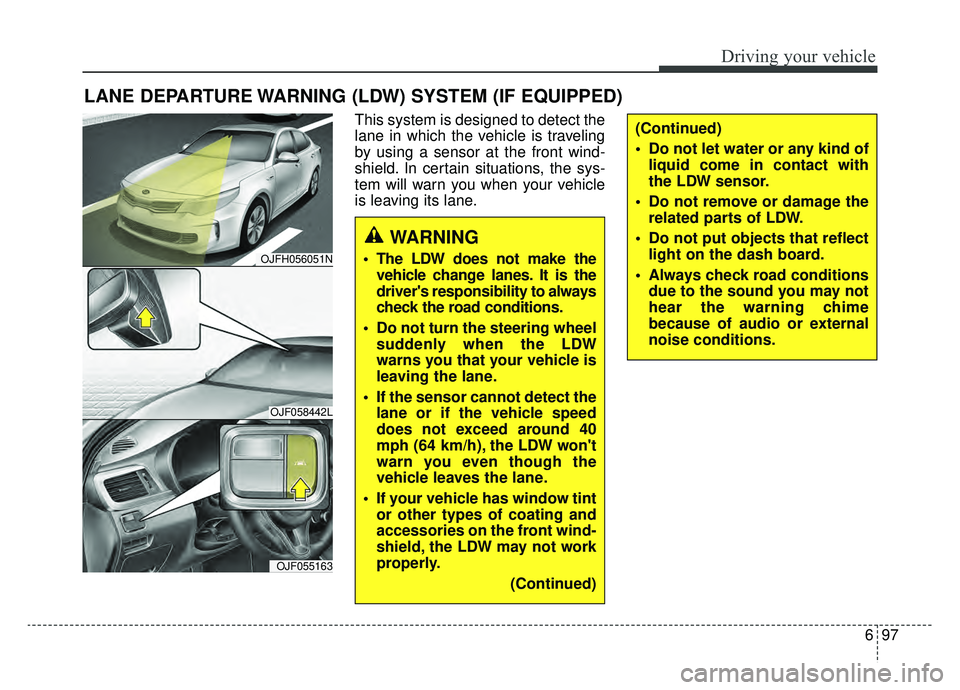
This system is designed to detect the
lane in which the vehicle is traveling
by using a sensor at the front wind-
shield. In certain situations, the sys-
tem will warn you when your vehicle
is leaving its lane.
WARNING
The LDW does not make thevehicle change lanes. It is the
driver's responsibility to always
check the road conditions.
Do not turn the steering wheel suddenly when the LDW
warns you that your vehicle is
leaving the lane.
If the sensor cannot detect the lane or if the vehicle speed
does not exceed around 40
mph (64 km/h), the LDW won't
warn you even though the
vehicle leaves the lane.
If your vehicle has window tint or other types of coating and
accessories on the front wind-
shield, the LDW may not work
properly.
(Continued)
(Continued)
Do not let water or any kind ofliquid come in contact with
the LDW sensor.
Do not remove or damage the related parts of LDW.
Do not put objects that reflect light on the dash board.
Always check road conditions due to the sound you may not
hear the warning chime
because of audio or external
noise conditions.
OJFH056051N
OJF058442L
OJF055163
Page 380 of 553
Driving your vehicle
98
6
LDW operation
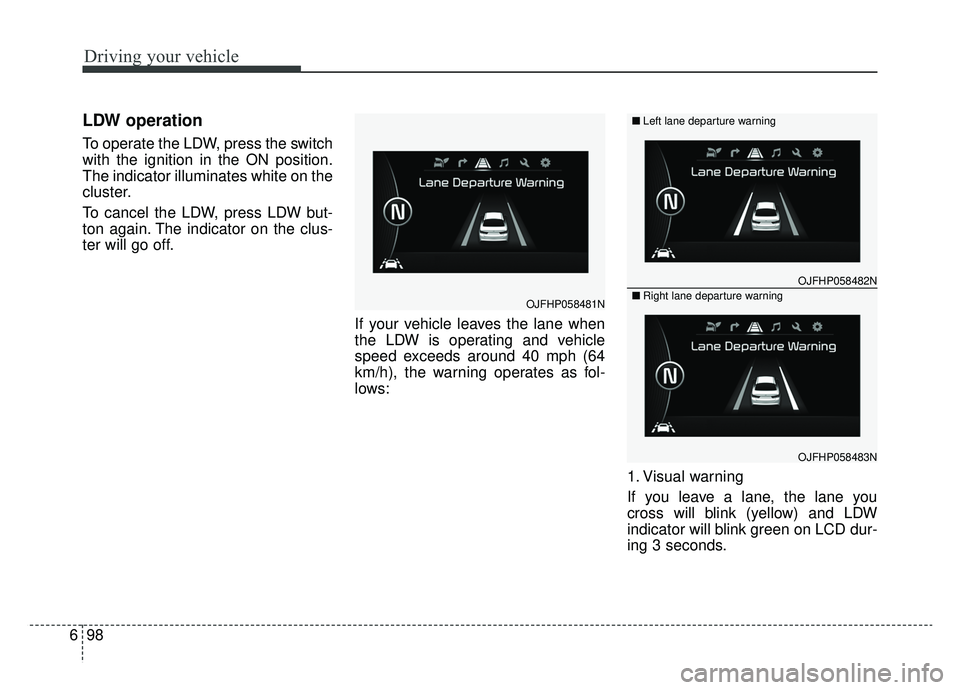
To operate the LDW, press the switch
with the ignition in the ON position.
The indicator illuminates white on the
cluster.
To cancel the LDW, press LDW but-
ton again. The indicator on the clus-
ter will go off.
If your vehicle leaves the lane when
the LDW is operating and vehicle
speed exceeds around 40 mph (64
km/h), the warning operates as fol-
lows:
1. Visual warning
If you leave a lane, the lane you
cross will blink (yellow) and LDW
indicator will blink green on LCD dur-
ing 3 seconds.
OJFHP058481N
OJFHP058482N
OJFHP058483N
■Left lane departure warning
■Right lane departure warning
Page 381 of 553
699
Driving your vehicle
2. Auditory warning
If you leave the lane, the warning
sound operates for maximum 3 sec-
onds.
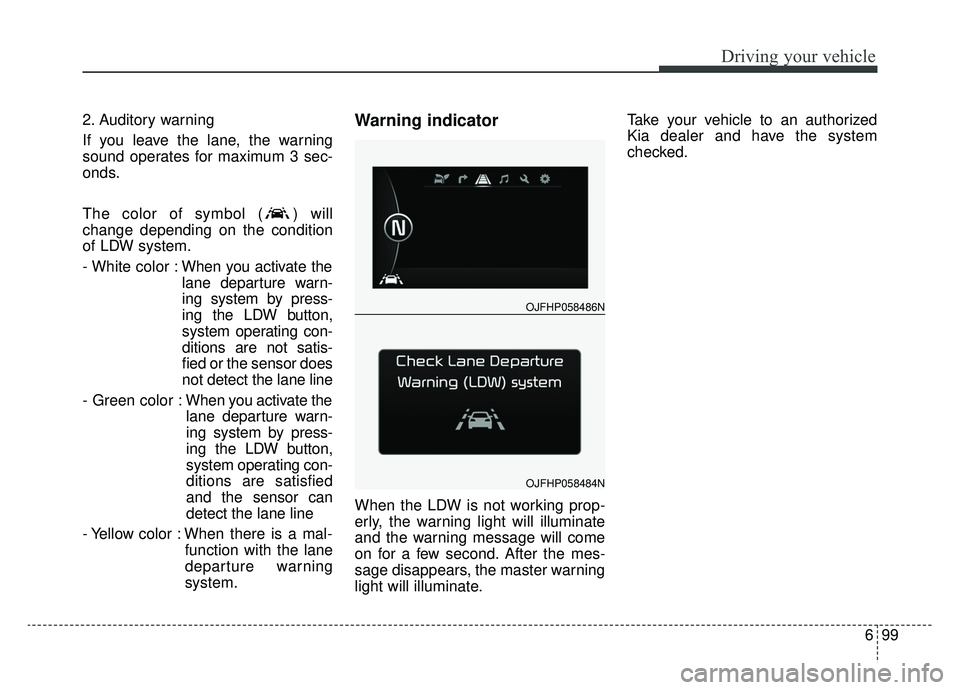
The color of symbol ( ) will
change depending on the condition
of LDW system.
- White color :When you activate the
lane departure warn-
ing system by press-
ing the LDW button,
system operating con-
ditions are not satis-
fied or the sensor does
not detect the lane line
- Green color : When you activate the
lane departure warn-
ing system by press-
ing the LDW button,
system operating con-
ditions are satisfied
and the sensor can
detect the lane line
- Yellow color : When there is a mal- function with the lane
departure warning
system.Warning indicator
When the LDW is not working prop-
erly, the warning light will illuminate
and the warning message will come
on for a few second. After the mes-
sage disappears, the master warning
light will illuminate. Take your vehicle to an authorized
Kia dealer and have the system
checked.
OJFHP058486N
OJFHP058484N
Page 382 of 553
Driving your vehicle
100
6
The LDW does not operate
when:
The driver turns on the turn signal
or the hazard warning flasher to
change lane.
Driving on the lane line.
✽ ✽ NOTICE
To change lanes, operate the turn
signal switch, then change the lane.
The LDW may not warn you even if
the vehicle leaves the lane, or may
warn you even if the vehicle does
not leave the lane when:
The lane is not visible due to snow,
rain, stain, a puddle or many other
things.
The brightness of the outside changes suddenly.
The headlights are off at night or in a tunnel.
The color of the lane marking from the road is difficult to distinguish.
Driving on a steep grade or a curve.
Light reflects from water on the road.
The lens or windshield is stained with foreign matter.
The sensor cannot detect the lane because of fog, heavy rain or
heavy snow.
The surrounding temperature of the inside rear view mirror is high
due to a direct ray of light. The lane is very wide or narrow.
The lane line is damaged or indis-
tinct.
A shadow is on the lane line caused by a median strip.
There is a mark similar to a lane line.
There is a boundary structure.
There is not enough distance between you and the vehicle in
front to be able to detect the lane
marker or the vehicle ahead is driv-
ing on the lane marker.
The vehicle shakes heavily.
The lane number increases or decreases or the lane lines are
crossing complicatedly.
Putting something on the dash- board.
Driving with the sun in front of you.
Driving in areas under construction.
There are more than two lane markers.
The windshield is fogged by humid air in the vehicle.
Page 385 of 553
6103
Driving your vehicle
Remember, your vehicle does notrequire extended warm-up. After
the engine has started, allow the
engine to run for 10 to 20 seconds
prior to placing the vehicle in gear.
In very cold weather, however, give
your engine a slightly longer warm-
up period.
Don't "lug" or "over-rev" the engine. Lugging is driving too slowly in a
very high gear resulting in engine
bucking. If this happens, shift to a
lower gear. Over-revving is racing
the engine beyond its safe limit.
This can be avoided by shifting at
the recommended speed. Use your air conditioning sparingly.
The air conditioning system is
operated by engine power so your
fuel economy is reduced when you
use it.
Opening windows at high speeds can reduce fuel economy.
Fuel economy is less in crosswinds and headwinds. To help offset
some of this loss, slow down when
driving in these conditions.
Keeping a vehicle in good operating
condition is important both for econ-
omy and safety. Therefore, have an
authorized Kia dealer perform
scheduled inspections and mainte-
nance.
WARNING - Engine off during motion
Never turn the engine off to
coast down hills or anytime the
vehicle is in motion. The power
steering and power brakes will
not function properly without the
engine running. In addition, turn-
ing off the engine start/stop but-
ton while driving could engage
the steering wheel lock resulting
in loss of vehicle steering. Keep
the engine on and downshift to
an appropriate gear for an
engine braking effect.
Page 386 of 553
Driving your vehicle
104
6
Hazardous driving conditions
When hazardous driving conditions
are encountered such as water,
snow, ice, mud, sand, or similar haz-
ards, follow these suggestions:
Drive cautiously and allow extra
distance for braking.
Avoid sudden braking or steering.
When braking with non-ABS brakes pump the brake pedal with
a light up-and-down motion until
the vehicle is stopped.
Do not pump the brake pedal on a
vehicle equipped with ABS. If stalled in snow, mud, or sand,
use the second gear. Accelerate
slowly to avoid spinning the drive
wheels.
Use sand, rock salt, or other non- slip material under the drive
wheels to provide traction when
stalled in ice, snow, or mud.
Rocking the vehicle
If it is necessary to rock the vehicle
to free it from snow, sand, or mud,
first turn the steering wheel right and
left to clear the area around your
front wheels. Then, shift back and
forth between R (Reverse) and any
forward gear in vehicles equipped
with an Automatic Transaxle. Do not
race the engine, and spin the wheels
as little as possible. If you are still
stuck after a few tries, have the vehi-
cle pulled out by a tow vehicle to
avoid engine overheating and possi-
ble damage to the transaxle.
SPECIAL DRIVING CONDITIONS
WARNING- Downshifting
Do not downshift with an auto-
matic transaxle while driving on
slippery surfaces. The sudden
change in tire speed could
cause the tires to skid and
result in an accident.
WARNING- Sudden
Vehicle Movement
Do not attempt to rock the vehi-
cle if people or objects are near-
by. The vehicle may suddenly
move forward or backwards as it
becomes unstuck.
Page 389 of 553
6107
Driving your vehicle
Driving in flooded areas
Avoid driving through flooded areas
unless you are sure the water is no
higher than the bottom of the wheel
hub. Drive through any water slowly.
Allow adequate stopping distance
because brake performance may be
affected.
After driving through water, dry the
brakes by gently applying them sev-
eral times while the vehicle is moving
slowly.
Driving off-road
Drive carefully off-road because your
vehicle may be damaged by rocks or
roots of trees. Become familiar with
the off-road conditions where you
are going to drive before you begin
driving.
Highway driving
Tires
Adjust the tire inflation pressures to
specification. Low tire inflation pres-
sures will result in overheating and
possible failure of the tires.
Avoid using worn or damaged tires
which may result in reduced traction
or tire failure.
Never exceed the maximum tire
inflation pressure shown on the tires.
Fuel, engine coolant and engine oil
High speed travel consumes more
fuel than urban motoring. Do not for-
get to check both the engine coolant
and engine oil.
Drive belt
A loose or damaged drive belt may
result in overheating of the engine.
WARNING- Under/overinflated tires
Always check the tires for proper
inflation before driving.
Underinflated or overinflated
tires can cause poor handling,
loss of vehicle control, and sud-
den tire failure leading to acci-
dents, injuries, and even death.
For proper tire pressures, refer to
“Tires and wheels” in chapter 9.
WARNING- Tire tread
Always check the tire tread
before driving your vehicle.
Worn-out tires can result in loss
of vehicle control. Worn-out tires
should be replaced as soon as
possible. For further information
and tread limits, refer to "Tires
and wheels" in chapter 8.
Page 390 of 553
Driving your vehicle
108
6
Severe weather conditions in the
winter result in greater wear and
other problems. To reduce the prob-
lems of winter driving, you should fol-
low these suggestions:Snowy or icy conditions
To drive your vehicle in deep snow, it
may be necessary to use snow tires
or to install tire chains on your tires.
If snow tires are needed, it is neces-
sary to select tires equivalent in size
and type of the original equipment
tires. Failure to do so may adversely
affect the safety and handling of your
vehicle. Furthermore, speeding,
rapid acceleration, sudden brake
applications, and sharp turns are
potentially very hazardous practices.
During deceleration, use engine
braking to the fullest extent. Sudden
brake applications on snowy or icy
roads may cause skids to occur. You
need to keep sufficient distance
between the vehicle in operation in
front of your vehicle. Also, apply the
brake gently. It should be noted that
installing tire chains on the tire will
provide a greater driving force, but
will not prevent side skids.
Tire chains are not legal in all states.
Check state laws before fitting tire
chains.
Snow tires
If you mount snow tires on your vehi-
cle, make sure they are radial tires of
the same size and load range as the
original tires. Mount snow tires on all
four wheels to balance your vehicle’s
handling in all weather conditions.
Keep in mind that the traction provid-
ed by snow tires on dry roads may
not be as high as your vehicle's orig-
inal equipment tires. You should drive
cautiously even when the roads are
clear. Check with the tire dealer for
maximum speed recommendations.
Do not install studded tires without
first checking local, state and munic-ipal regulations for possible restric-tions against their use.
WINTER DRIVING
WARNING - Snow tire size
Snow tires should be equivalent
in size and type to the vehicle's
standard tires. Otherwise, the
safety and handling of your vehi-
cle may be adversely affected.