trailer KIA OPTIMA PHEV 2019 Owners Manual
[x] Cancel search | Manufacturer: KIA, Model Year: 2019, Model line: OPTIMA PHEV, Model: KIA OPTIMA PHEV 2019Pages: 553, PDF Size: 11.97 MB
Page 229 of 553
499
Features of your vehicle
Types of warning sound
When an object is 47 in. to 24 in.(120 cm to 61 cm) from the rear
bumper: Buzzer beeps intermit-
tently.
When an object is 24 in. to 12 in. (60 cm to 31 cm) from the rear
bumper: Buzzer beeps more fre-
quently.
When an object is within 12 in. (30 cm) of the rear bumper:
Buzzer sounds continuously.
Non-operational conditions of
the parking distance warning-
reverse system
The parking distance warning-
reverse system may not operate
properly when:
1. Moisture is frozen to the sensor. (It will operate normally once the
moisture clears.)
2. The sensor is covered with foreign matter, such as snow or water, or
the sensor cover is blocked. (It will
operate normally when the materi-
al is removed or the sensor is no
longer blocked.)
3. Driving on uneven road surfaces (unpaved roads, gravel, bumps,
gradient).
4. Objects generating excessive noise (vehicle horns, loud motor-
cycle engines, or truck air brakes)
are within range of the sensor.
5. Heavy rain or water spray exists.
6. Wireless transmitters or mobile phones are within range of the
sensor.
7. The sensor is covered with snow.
8. Trailer towing. The detecting range may decrease
when:
1. The sensor is covered with foreign
matter such as snow or water.
(The sensing range will return to
normal when removed.)
2. Outside air temperature is extremely hot or cold.
The following objects may not be
recognized by the sensor:
1. Sharp or slim objects such as ropes, chains or small poles.
2. Objects which tend to absorb the sensor frequency such as clothes,
sound absorbent material or snow.
3. Undetectable objects smaller than 40 in. (1 m) in height and narrower
than 6 in. (14 cm) in diameter.
Page 284 of 553
. . 6-75
. . . . . . . . . . . . . . . 6-75
. . . . . . . . . . . . . . . . . . . . . . 6-76
Drive mode integrated control system . . . . . . . . . 6-82
. . . . . . . . . . . . . . . . . . . . . . . . . . . . . . . 6-82
. . . . . . . . . . . . . . . . . . 6-83
. . . . . . . . . . . . . 6-83
Active ECO system. . . . . . . . . . . . . . . . . . . . . . . . . 6-84
. . . . . . . . . . . . . . . . . . . . . . . . . 6-84
. . . . . . . . . . . . . . . . . . 6-85
. . . . . . . . . . . . . 6-85
Blind-spot Collision Warning (BCW). . . . . . . . . . 6-86
LCA (Lane Change Assist) . . . . . . . . . . . . . . . . . . . . 6-87
. . . 6-90
. . . . . . . . . . . . . . . . . . . . . . . . . . . . 6-94
Lane Departure Warning (LDW) system. . . . . . . 6-97
. . . . . . . . . . . . . . . . . . . . . . . . . . . . . . 6-98
. . . . . . . . . . . . . . . . . . . . . . . . . . . . 6-99
. . . . . . . . . . . . . . 6-100
Economical operation . . . . . . . . . . . . . . . . . . . . . 6-102
Special driving conditions . . . . . . . . . . . . . . . . . . 6-104
. . . . . . . . . . . . . . . . . 6-104
. . . . . . . . . . . . . . . . . . . . . . . . . . 6-104 . . . . . . . . . . . . . . . . . . . . . . . . . . . 6-105
. . . . . . . . . . . . . . . . . . . . . . . . . . . . . 6-105
. . . . . . . . . . . . . . . . . . . . . . . . . . . 6-106
. . . . . . . . . . . . . . . . . . . . . . 6-107
. . . . . . . . . . . . . . . . . . . . . . . . . . . . . 6-107
. . . . . . . . . . . . . . . . . . . . . . . . . . . . 6-107
Winter driving . . . . . . . . . . . . . . . . . . . . . . . . . . . 6-108
. . . . . . . . . . . . . . . . . . . . . . 6-108
. . . . . . . . . 6-110
. . . . . . . . . . . . . . . . . . . . . 6-110
. . . . . . 6-110
. . . . . . . . . . . . . . . . . . . 6-111
Use approved window washer anti-freeze in system. 6-111
. . . . . . . . . . . . 6-111
. . . 6-111
. . . . . . . . . . . . . . . . . . 6-111
Trailer Towing . . . . . . . . . . . . . . . . . . . . . . . . . . . 6-111
Vehicle load limit . . . . . . . . . . . . . . . . . . . . . . . . . 6-112
. . . . . . . . . . . . . 6-112
. . . . . . . . . . . . . . . . . . . . . . . . . . . 6-115
Vehicle weight . . . . . . . . . . . . . . . . . . . . . . . . . . . . 6-116
. . . . . . . . . . . . . . . . . . . . . . . . . . . . 6-116
. . . . . . . . . . . . . . . . . . . . . . . . . . 6-116
6
Page 305 of 553
623
Driving your vehicle
Also, the EPB is applied automatical-
ly if the Auto Hold button is on when
the engine is turned off.
✽ ✽NOTICE
On a steep incline or when pulling a
trailer, if the vehicle does not remain
at a standstill, do as follows:
1. Apply the EPB.
2. Pull up the EPB switch for more
than 3 seconds.
Do not operate the parking brake/
EPB while the vehicle is moving
except in an emergency situation.
✽ ✽NOTICE
A click or electric brake motor
whine sound may be heard while
operating or releasing the EPB, but
these conditions are normal and
indicate that the EPB is functioning
properly.
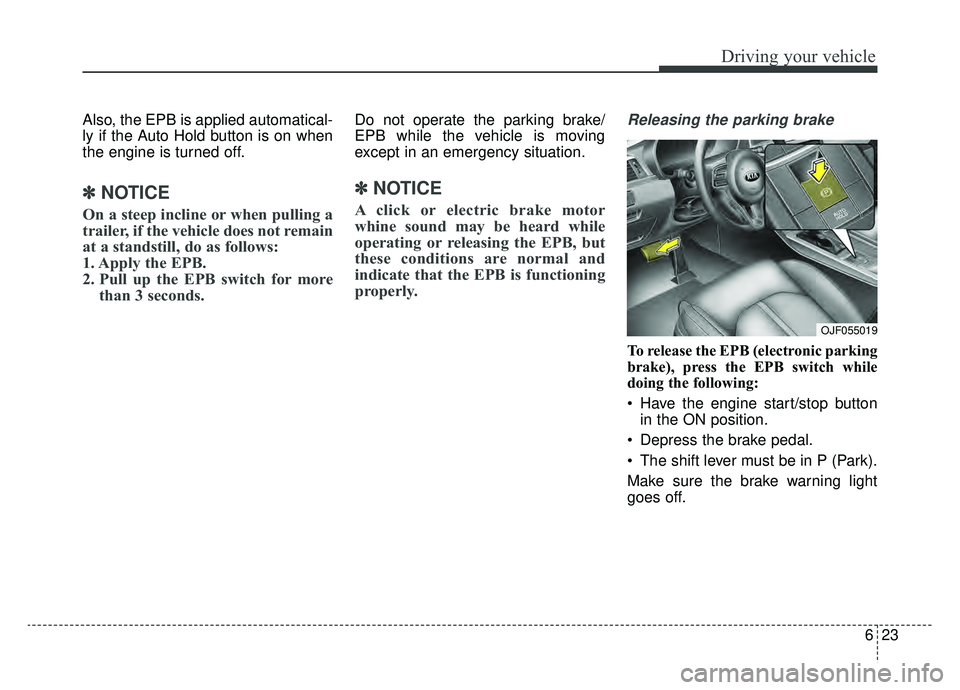
Releasing the parking brake
To release the EPB (electronic parking
brake), press the EPB switch while
doing the following:
Have the engine start/stop button
in the ON position.
Depress the brake pedal.
The shift lever must be in P (Park).
Make sure the brake warning light
goes off.
OJF055019
Page 333 of 553
651
Driving your vehicle
Limitation of the system
The FCA is an assistant system for a
driver in a certain risky driving condi-
tion and it does not take every
responsibility for all risks from driving
condition.
The FCA monitors the driving situa-
tions through the radar and the cam-
era sensor. Thus, for a situation out
of the sensing range, the FCA may
not normally operate. The driver
should pay great caution in the fol-
lowing situations. The FCA operation
may be limited.
Recognizing vehicles
The sensor may be limited when:
The radar sensor or camera isblocked with a foreign object or
debris
The camera lens is contaminated due to tinted, filmed or coated
windshield, damaged glass, or
stuck of foreign matter (sticker,
bug, etc.) on the glass
Inclement weather such as heavy rain or snow obscures the field of
view of the radar sensor or camera
There is interference by electro- magnetic waves
There is severe irregular reflection from the radar sensor
The radar/camera sensor recogni- tion is limited
The vehicle in front is too small to be detected (for example a motor-
cycle etc.)
The vehicle in front is an oversize vehicle or trailer that is too big to
be detected by the camera recog-
nition system (for example a tractor
trailer, etc.)(Continued)
The FCA system cannotdetect the driver approaching
the side view of a parked vehi-
cle (for example on a dead
end street.) In these cases,
you must maintain a safe
braking distance, and if nec-
essary, depress the brake
pedal to reduce the driving
speed in order to maintain a
safe distance.
The regular braking function will operate normally even if
there is a problem with the FCA
brake control system or other
functions. In this case, the brak-
ing control will not operate in
the risk of a collision.
The FCA system may not acti- vate according to driving con-
dition, traffic on the road,
weather, road condition, etc.
The FCA system may not acti- vate to all types of vehicles.
Page 360 of 553
Driving your vehicle
78
6
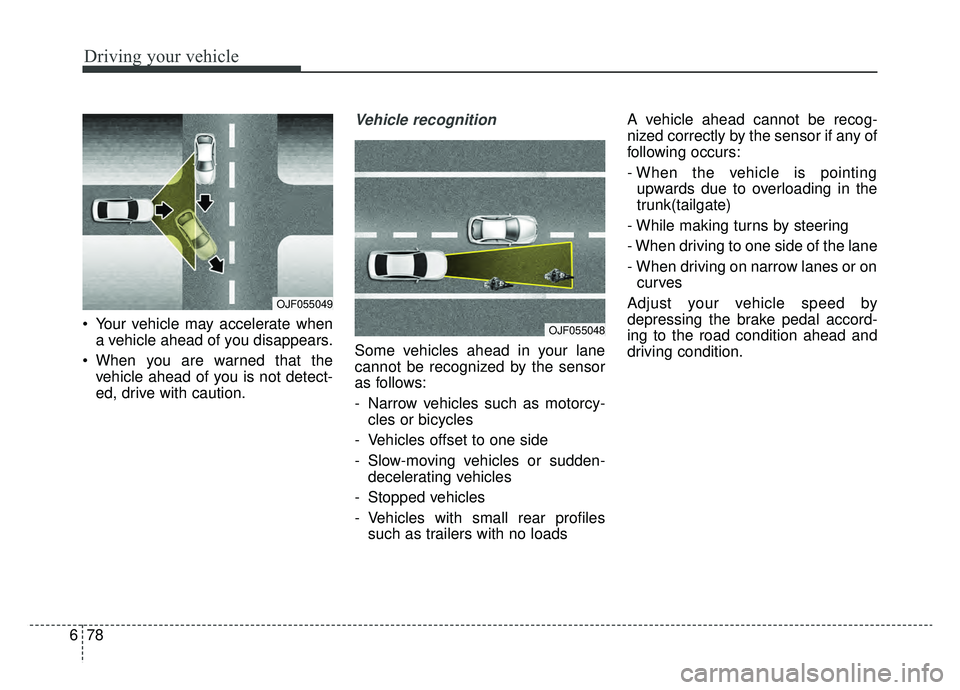
Your vehicle may accelerate when
a vehicle ahead of you disappears.
When you are warned that the vehicle ahead of you is not detect-
ed, drive with caution.
Vehicle recognition
Some vehicles ahead in your lane
cannot be recognized by the sensor
as follows:
- Narrow vehicles such as motorcy-cles or bicycles
- Vehicles offset to one side
- Slow-moving vehicles or sudden- decelerating vehicles
- Stopped vehicles
- Vehicles with small rear profiles such as trailers with no loads A vehicle ahead cannot be recog-
nized correctly by the sensor if any of
following occurs:
- When the vehicle is pointing
upwards due to overloading in the
trunk(tailgate)
- While making turns by steering
- When driving to one side of the lane
- When driving on narrow lanes or on curves
Adjust your vehicle speed by
depressing the brake pedal accord-
ing to the road condition ahead and
driving condition.
OJF055049
OJF055048
Page 375 of 553
693
Driving your vehicle
Warning message
The sensor may be limited when the
below conditions.
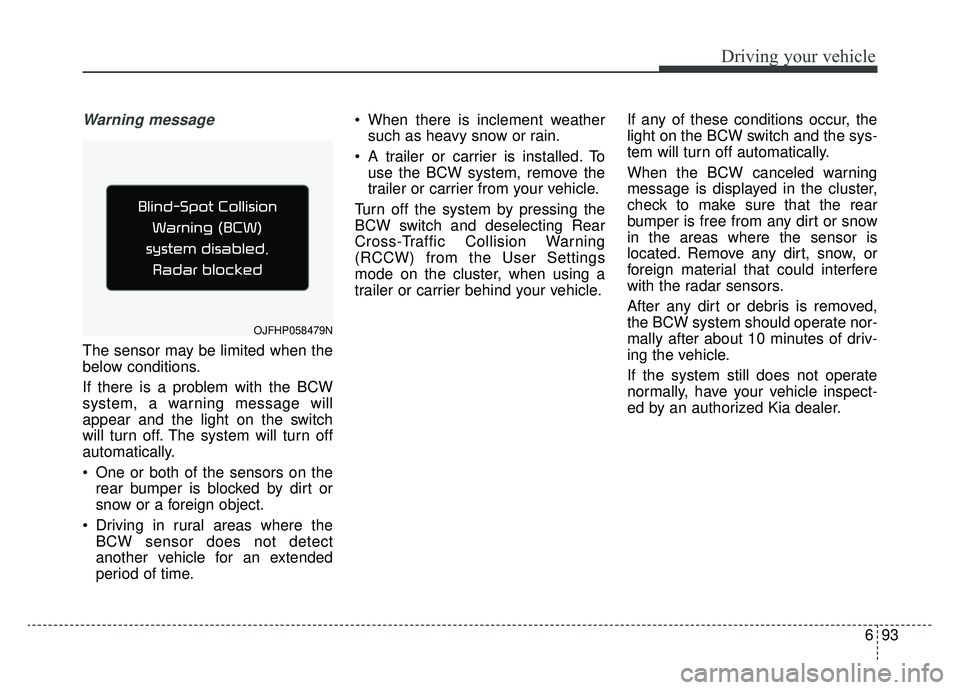
If there is a problem with the BCW
system, a warning message will
appear and the light on the switch
will turn off. The system will turn off
automatically.
One or both of the sensors on therear bumper is blocked by dirt or
snow or a foreign object.
Driving in rural areas where the BCW sensor does not detect
another vehicle for an extended
period of time. When there is inclement weather
such as heavy snow or rain.
A trailer or carrier is installed. To use the BCW system, remove the
trailer or carrier from your vehicle.
Turn off the system by pressing the
BCW switch and deselecting Rear
Cross-Traffic Collision Warning
(RCCW) from the User Settings
mode on the cluster, when using a
trailer or carrier behind your vehicle. If any of these conditions occur, the
light on the BCW switch and the sys-
tem will turn off automatically.
When the BCW canceled warning
message is displayed in the cluster,
check to make sure that the rear
bumper is free from any dirt or snow
in the areas where the sensor is
located. Remove any dirt, snow, or
foreign material that could interfere
with the radar sensors.
After any dirt or debris is removed,
the BCW system should operate nor-
mally after about 10 minutes of driv-
ing the vehicle.
If the system still does not operate
normally, have your vehicle inspect-
ed by an authorized Kia dealer.
OJFHP058479N
Page 376 of 553
Driving your vehicle
94
6
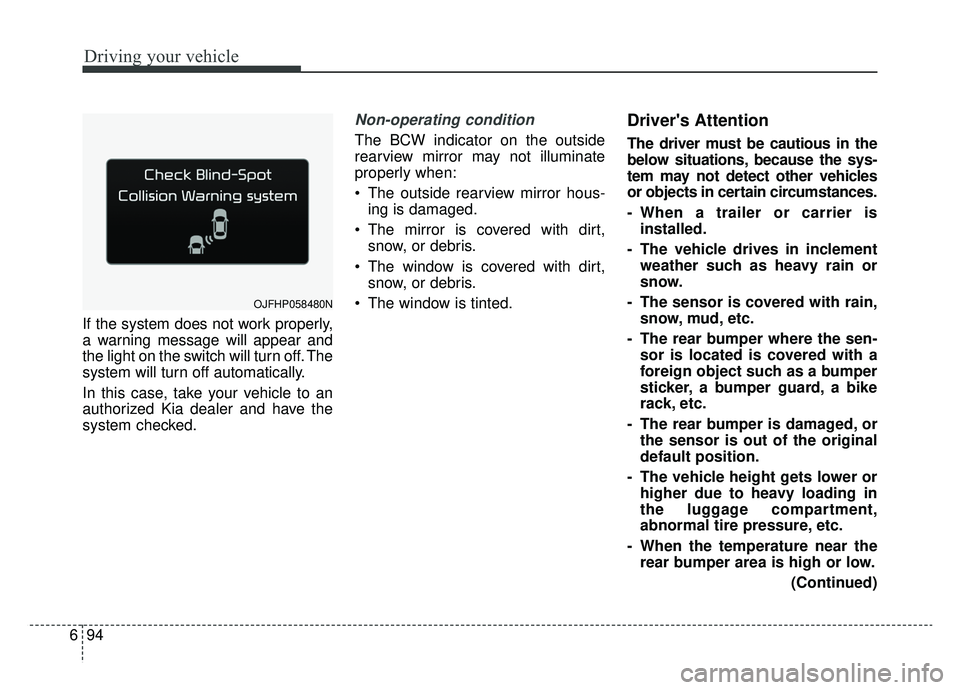
If the system does not work properly,
a warning message will appear and
the light on the switch will turn off. The
system will turn off automatically.
In this case, take your vehicle to an
authorized Kia dealer and have the
system checked.
Non-operating condition
The BCW indicator on the outside
rearview mirror may not illuminate
properly when:
The outside rearview mirror hous-
ing is damaged.
The mirror is covered with dirt, snow, or debris.
The window is covered with dirt, snow, or debris.
The window is tinted.
Driver's Attention
The driver must be cautious in the
below situations, because the sys-
tem may not detect other vehicles
or objects in certain circumstances.
- When a trailer or carrier is installed.
- The vehicle drives in inclement weather such as heavy rain or
snow.
- The sensor is covered with rain, snow, mud, etc.
- The rear bumper where the sen- sor is located is covered with a
foreign object such as a bumper
sticker, a bumper guard, a bike
rack, etc.
- The rear bumper is damaged, or the sensor is out of the original
default position.
- The vehicle height gets lower or higher due to heavy loading in
the luggage compartment,
abnormal tire pressure, etc.
- When the temperature near the rear bumper area is high or low.
(Continued)
OJFHP058480N
Page 377 of 553
695
Driving your vehicle
(Continued)
- When the sensors are blockedby other vehicles, walls or park-
ing-lot pillars.
- The vehicle drives on a curved road or through a tollgate.
- The vehicle is driven near areas containing metal substances
such as a construction zone,
railroad, etc.
- There is a fixed object near the vehicle, such as a guardrail, per-
son, animal, etc.
- While going down or up a steep road where the height of the lane
is different.
- When driving through a narrow road with many trees or bushes.
- When driving on wet surfaces.
- When driving through a large area with few vehicles or struc-
tures around, such as a desert,
rural area, etc.
- A big vehicle is near such as a bus or truck.
(Continued)(Continued)
- When other vehicles are close to
your vehicle.
- When the other vehicle approaches very close.
- When the detected vehicle also moves back, as your vehicle
drives back.
- While changing lanes.
- If the vehicle has started at the same time as the vehicle next to
you and has accelerated.
- When the other vehicle passes at a very fast speed.
- When the vehicle in the next lane moves two lanes away from
you OR when the vehicle two
lanes away moves to the next
lane to you.
- The vehicle is turning left or right at a crossroads.
- A motorcycle or bicycle is near.
- A flat trailer is near. (Continued)(Continued)
- If there are small objects in the
detecting area such as a shop-
ping cart, a baby stroller or
pedestrian.
- If there is a low height vehicle such as a sports car.
Page 393 of 553
6111
Driving your vehicle
To keep locks from freezing
To keep the locks from freezing,
squirt an approved de-icer fluid or
glycerine into the key opening. If a
lock is covered with ice, squirt it with
an approved de-icing fluid to remove
the ice. If the lock is frozen internally,
you may be able to thaw it out by
using a heated key. Handle the heat-
ed key with care to avoid injury.
Use approved window washer
anti-freeze in system
To keep the water in the window
washer system from freezing, add an
approved window washer anti-freeze
solution in accordance with instruc-
tions on the container. Window wash-
er anti-freeze is available from an
authorized Kia dealer and most auto
parts outlets. Do not use engine
coolant or other types of anti-freeze
as these may damage the paint fin-
ish.
Don’t let your parking brake
freeze
Under some conditions your parking
brake can freeze in the engaged
position. This is most likely to happen
when there is an accumulation of
snow or ice around or near the rear
brakes or if the brakes are wet. If
there is a risk the parking brake may
freeze, apply it only temporarily while
you put the gear shift lever in P (Park,
Automatic Transaxle) and block the
rear wheels so the vehicle cannot roll.
Then release the parking brake.
Don't let ice and snow accu-
mulate underneath
Under some conditions, snow and
ice can build up under the fenders
and interfere with the steering. When
driving in severe winter conditions
where this may happen, you should
periodically check underneath the
vehicle to be sure the movement of
the front wheels and the steering
components are not obstructed.
Carry emergency equipment
Depending on the severity of the
weather, you should carry appropri-
ate emergency equipment. Some of
the items you may want to carry
include tow straps or chains, flash-
light, emergency flares, sand, shov-
el, jumper cables, window scraper,
gloves, ground cloth, coveralls, blan-
ket, etc.
TRAILER TOWING
We do not recommend using this
vehicle for trailer towing.
Page 394 of 553
Driving your vehicle
112
6
Tire and loading information
label
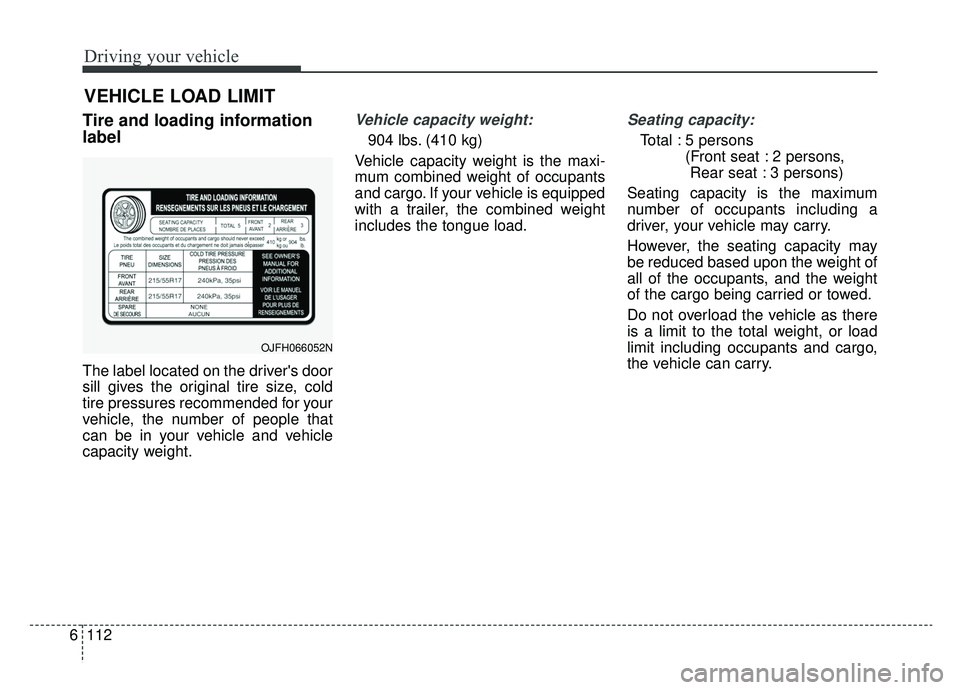
The label located on the driver's door
sill gives the original tire size, cold
tire pressures recommended for your
vehicle, the number of people that
can be in your vehicle and vehicle
capacity weight.
Vehicle capacity weight:
904 lbs. (410 kg)
Vehicle capacity weight is the maxi-
mum combined weight of occupants
and cargo. If your vehicle is equipped
with a trailer, the combined weight
includes the tongue load.
Seating capacity:
Total : 5 persons (Front seat : 2 persons, Rear seat : 3 persons)
Seating capacity is the maximum
number of occupants including a
driver, your vehicle may carry.
However, the seating capacity may
be reduced based upon the weight of
all of the occupants, and the weight
of the cargo being carried or towed.
Do not overload the vehicle as there
is a limit to the total weight, or load
limit including occupants and cargo,
the vehicle can carry.
VEHICLE LOAD LIMIT
OJFH066052N